DrawPad
- Utilities
-
Simon Draxler
 # 🛠️ Professional Trading Infrastructure & Indicators for MetaTrader
 - Version: 8.2
- Updated: 6 October 2026
- Activations: 10
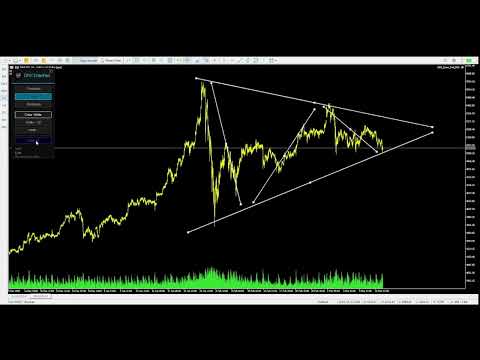
DRX DrawPad turns MetaTrader 5 into a complete visual analysis workspace. Draw, measure and plan trades directly on your MT5 chart, quickly and precisely, without any external software.
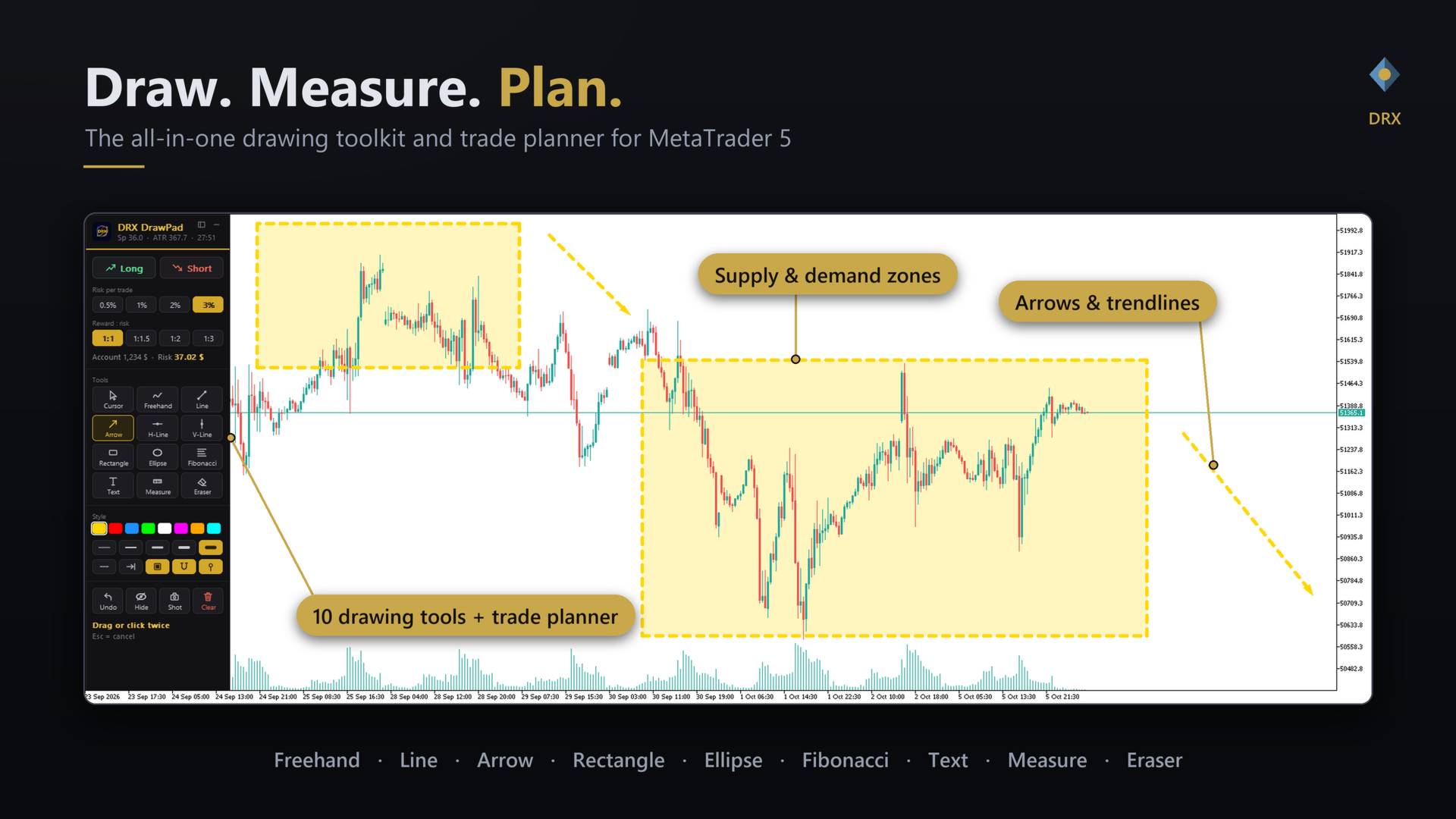
Freehand drawing, trendlines, arrows, Fibonacci, zones, text, a measure tape and a Long/Short position planner with automatic lot size, all in one slim dark panel that you can dock to any edge of the chart. It runs as an indicator, so it works next to any Expert Advisor and never places or changes an order.
Why DRX DrawPad?MT5 has many drawing objects, but drawing spontaneously is slow: menus, object lists, wrong clicks, a chart that scrolls while you draw. DRX DrawPad removes these detours. Pick a tool, draw, done. Every drawing is a normal chart object, and the chart is locked automatically while you draw.
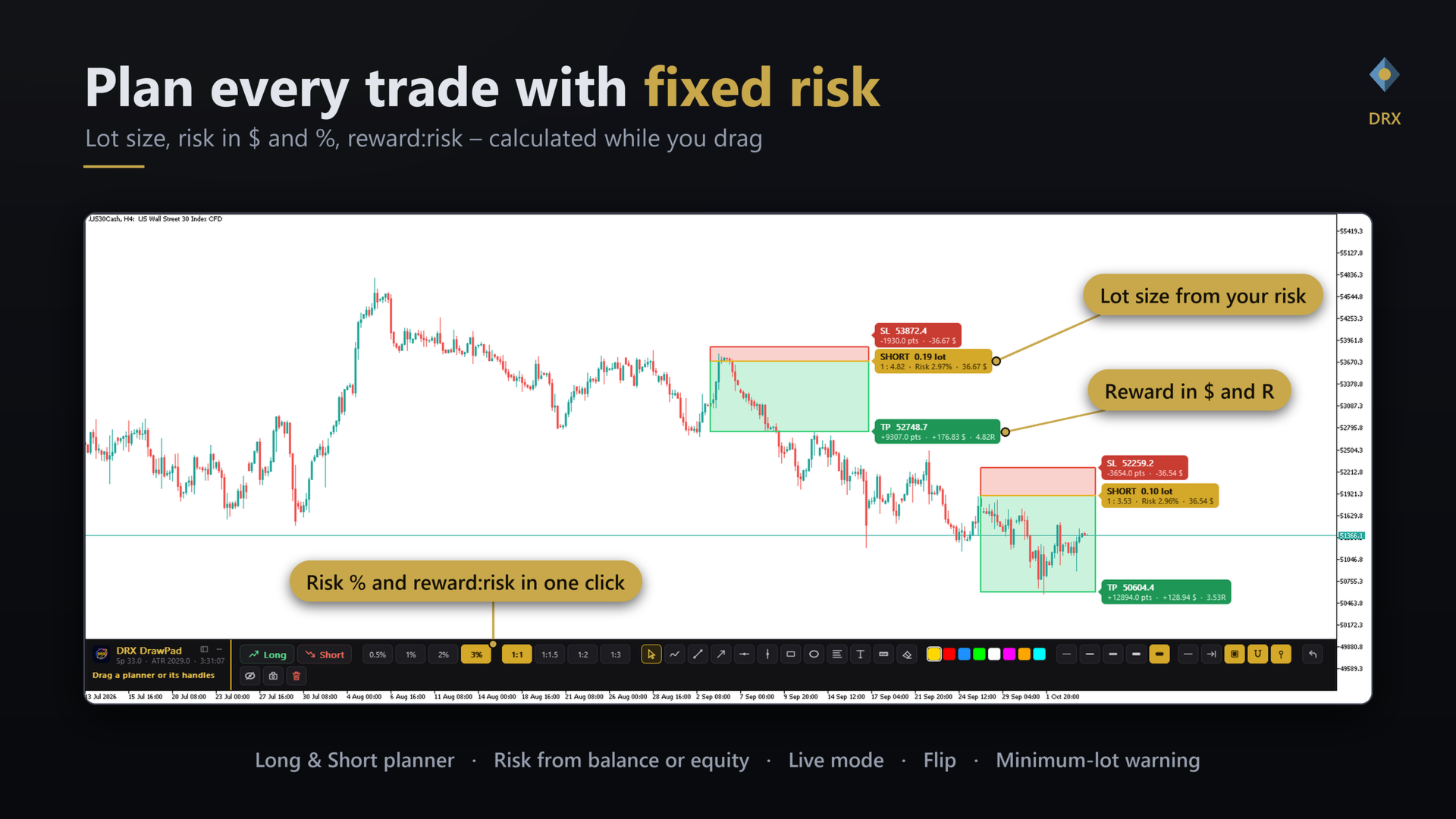
Trade planner: Long / Short position tool with risk and lot size- One click creates a complete plan: entry, stop loss and take profit appear at once (stop = ATR distance, adjustable). Or drag to place the stop exactly where you want it.
- Position size calculator: lots are calculated from your account risk (0.5 / 1 / 2 / 3 % or your own values), based on balance or equity.
- Reward:risk in one click: 1:1, 1:1.5, 1:2, 1:3 (editable). The take profit moves instantly.
- Live handles: drag the take profit, entry, stop loss and the width of the box directly on the chart. Move the whole plan by its body.
- Price badges show risk and reward in account currency, percent, pips/points and the reward:risk ratio.
- Live mode: the entry follows the market price while you plan.
- Flip between Long and Short with one click, delete a plan with one key.
- Warnings when your stop is too wide for the minimum lot at the chosen risk, and when the price is already beyond the stop.
- Prices are rounded to the symbol tick size. Works on forex, gold, indices and crypto.
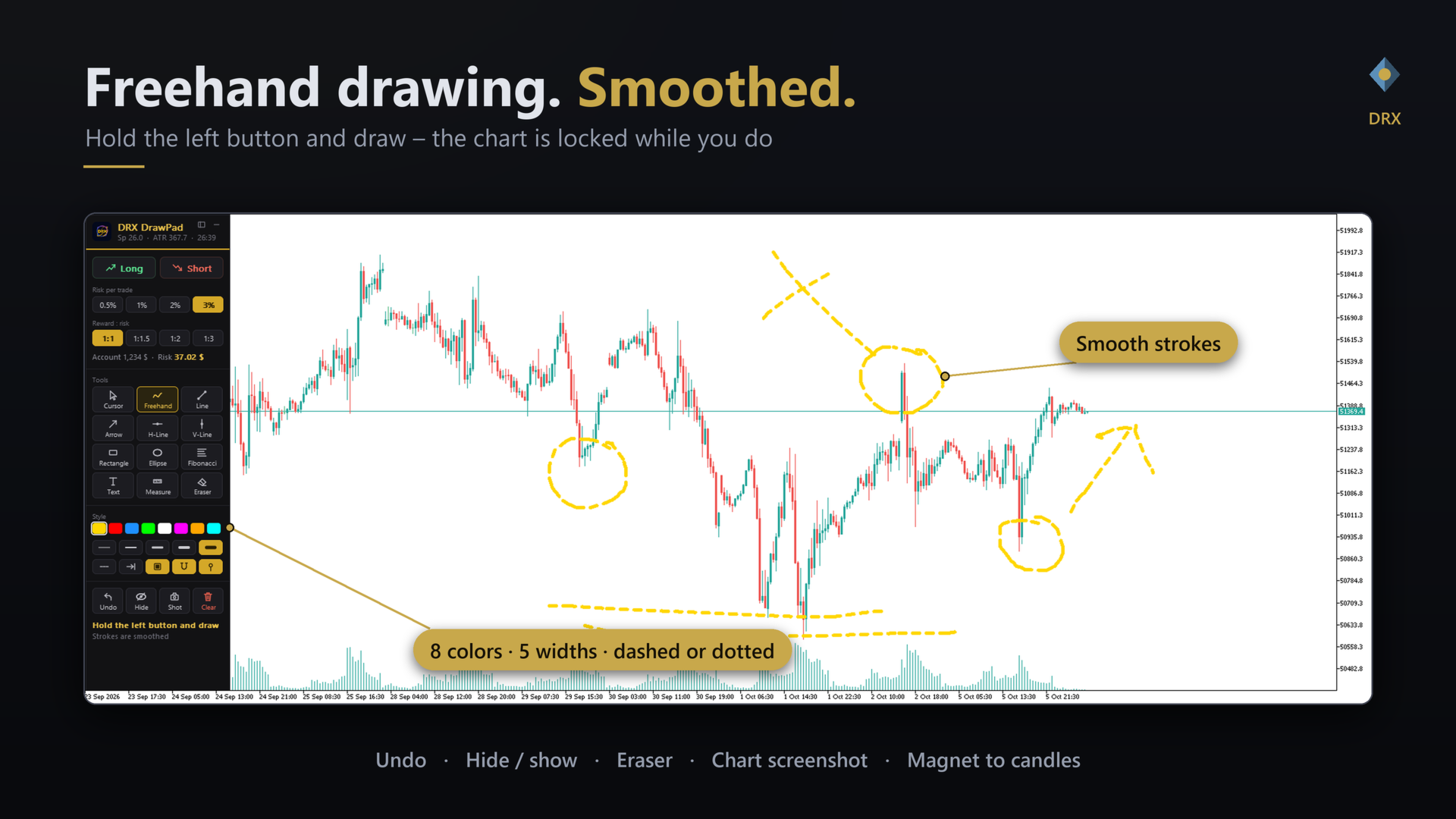
- Freehand: hold the left mouse button and draw. Strokes are smoothed automatically.
- Trendline and arrow: click twice or drag. Optional extension to the right.
- Horizontal and vertical line: one click for levels and session markers.
- Rectangle and ellipse: supply and demand zones, ranges, consolidation areas. Optional tinted fill.
- Fibonacci retracement: drag between two points.
- Text: click on the chart, type, press Enter.
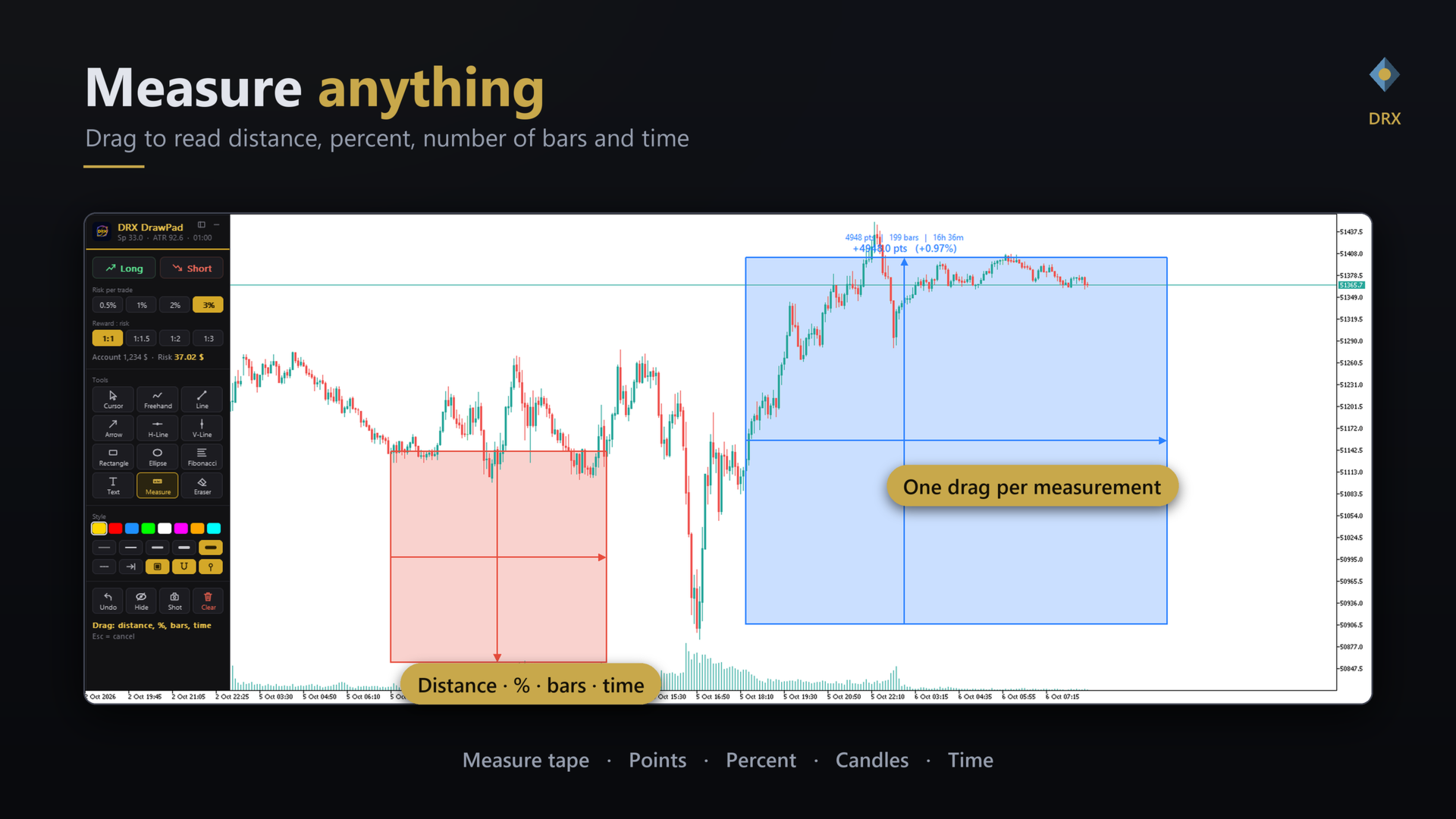
- Measure tape: drag to read distance, percent, number of bars and time.
- Eraser: click a drawing and the whole stroke, shape or plan is removed.
- Magnet: snap to candle open, high, low or close.
- Undo the last drawing, hide or show all drawings, delete all drawings (with a safety click).
- 8 colors, 5 line widths, solid, dashed or dotted lines.
- Keep a tool active to draw several shapes in a row.
- Screenshot of the chart with one key.
- Automatic chart-scroll lock while you draw.
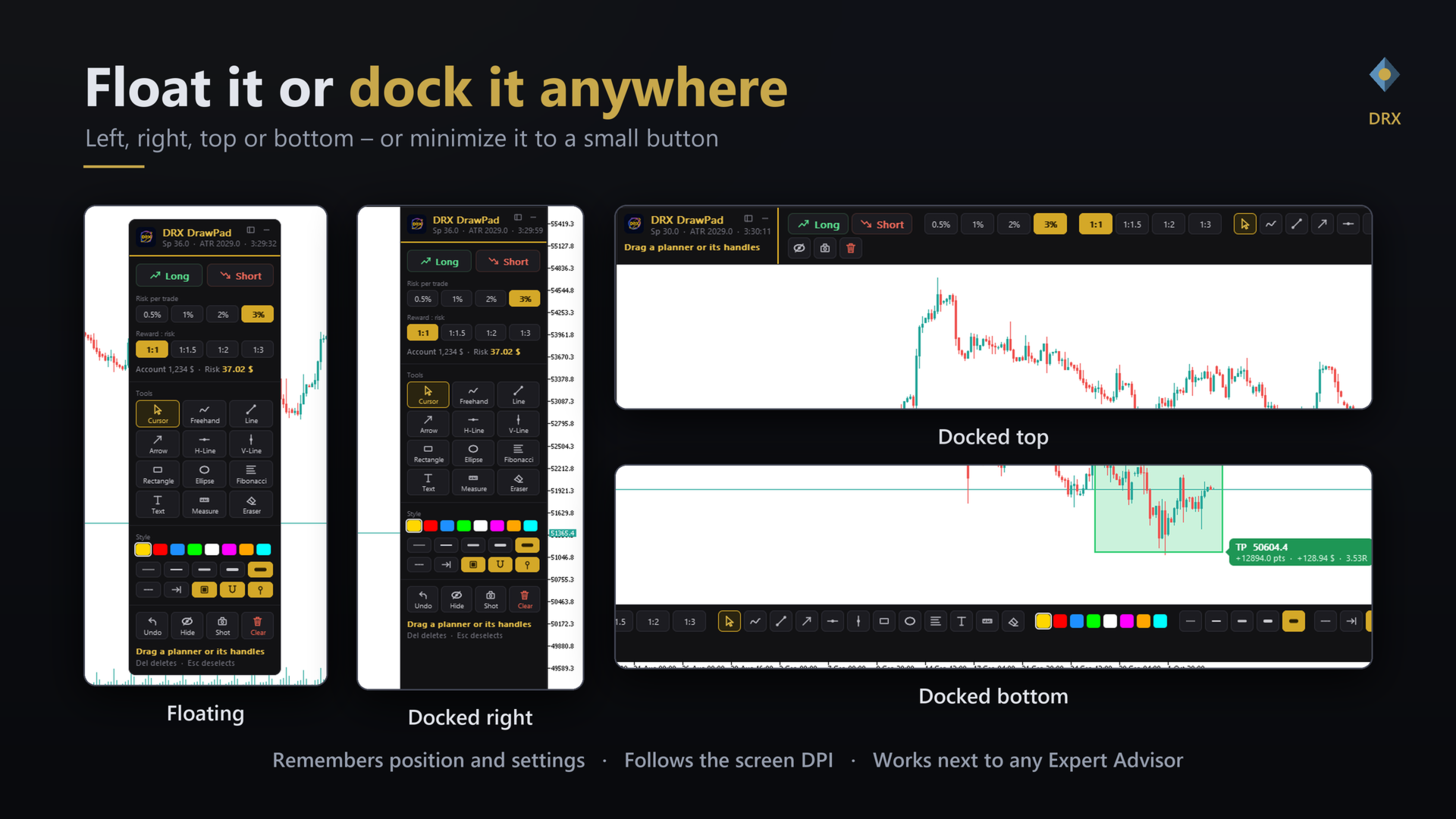
- Floating or docked: left, right, top or bottom. Drag the panel to an edge and it docks.
- Minimize it to a small button when you need the full chart.
- Crisp rendering that follows the screen DPI (4K and high-DPI screens), adjustable size.
- English and German interface. The panel remembers its position and settings.
- Dark DRX design with a gold accent that fits any chart theme.
| Drawing tools | V Cursor, F Freehand, L Line, A Arrow, H Horizontal line, U Vertical line, R Rectangle, E Ellipse, I Fibonacci, T Text, M Measure, X Eraser |
| Trade planner | B Long, S Short, Del Delete plan, Esc Cancel |
| Helpers | C Color, Z Undo, G Magnet, D Hide / show, P Screenshot, N Minimize, + / - Line width |
DRX DrawPad is an indicator. You can analyze and plan trades on a chart that already runs an Expert Advisor, on the same chart at the same time. It does not place, modify or close orders and needs no DLL, no web requests and no external program.
Frequently asked questions Does DRX DrawPad open trades?No. The trade planner is a visual and calculation tool. You place the order yourself.
Can I use it with an Expert Advisor on the same chart?Yes. It is an indicator and runs next to any EA.
Do my drawings stay on the chart?Yes, they are normal chart objects. You can also hide, undo or delete them from the panel.
Does it work on a 4K screen?Yes. The panel follows the screen DPI and can be scaled in the settings.
Risk notice: trading carries a high risk of loss. DRX DrawPad is a drawing and planning tool, not financial advice.