SL TP Toggle Button MT4
- Indicators
-
Mariusz Franciszek Szczepanczyk
 I have been trading since 2005. Over the years I have built my own set of tools because I could not find what I actually needed on the market. Not magic entry signals. Not promises. Just clean, reliable trade management that works while I am away from the screen.
 - Version: 1.1
- Updated: 26 April 2026
- Activations: 5
IMPORTANT – THIS IS NOT A STANDALONE INDICATOR
This tool does NOT manage Stop Loss or Take Profit by itself and does NOT execute any trading logic independently.
It is designed exclusively to work in combination with One Click B3 MT4 Expert Advisor.
Without One Click B3 MT4 running on the same symbol, this indicator will only display the button and will NOT control SL/TP functionality.
If you do not own or use One Click B3 MT4, this product will not provide any trading functionality.
B SL_TP MT4 — SL Toggle for EA One Click B3 MT4
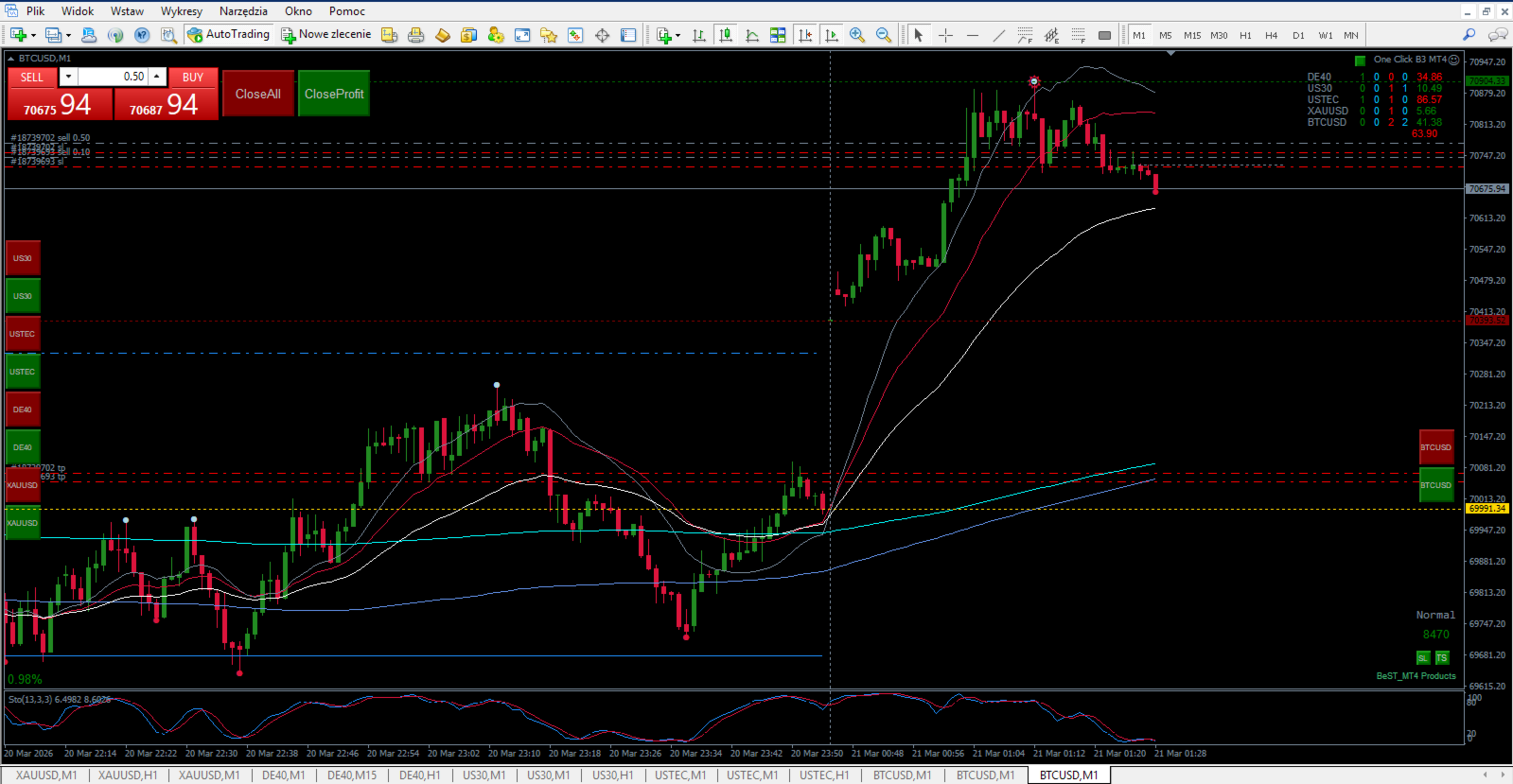
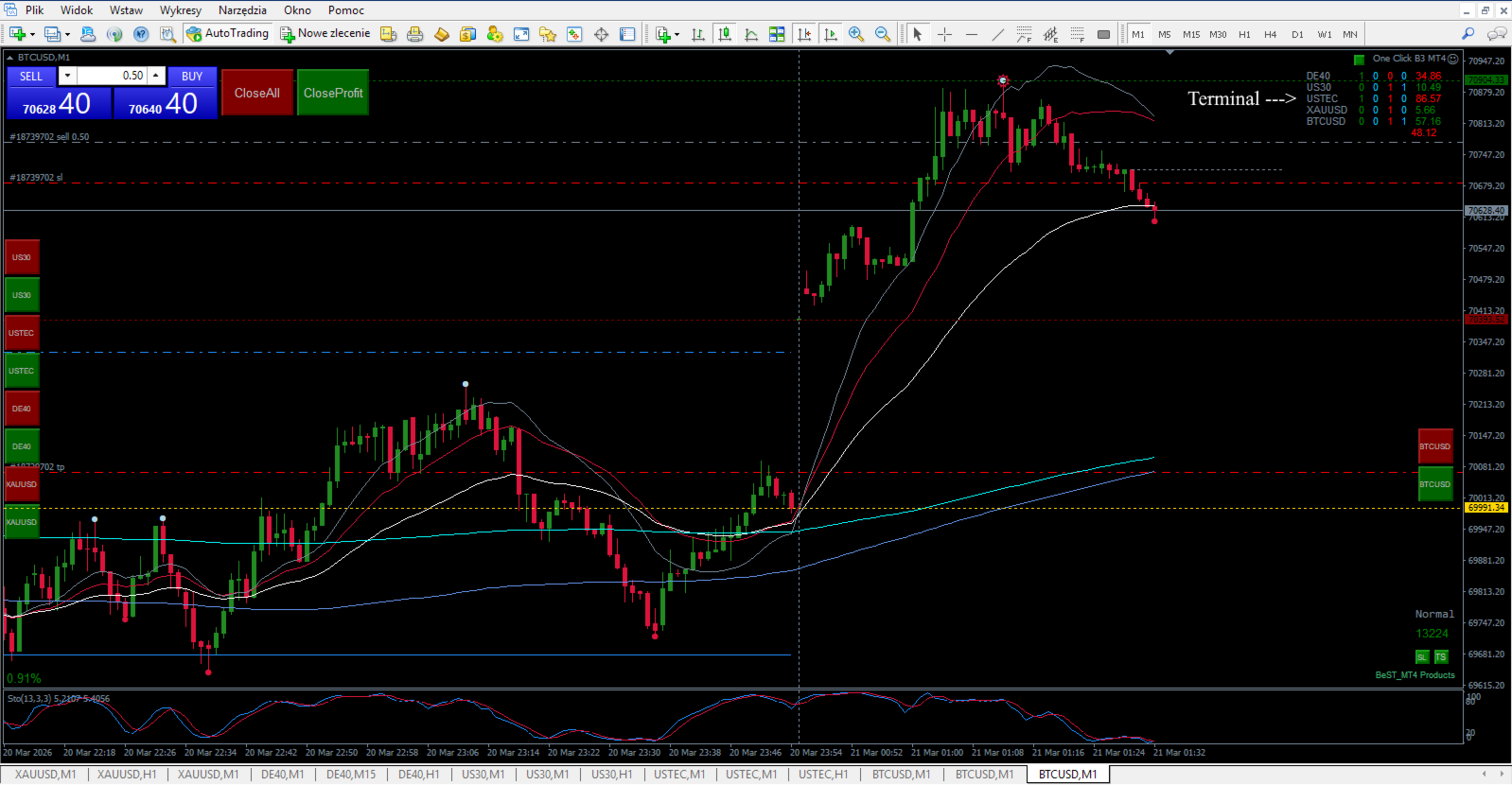
MAIN PURPOSE: Toggle button to ENABLE/DISABLE EA One Click B3 MT4 – blocks automatic SL/TP opening with one click. Industrial‑grade SL button indicator for MT4 build 5430+ with hardcore protection system: auto‑repairs corrupted files, validates positions, cleans old objects, full state synchronization across all charts.
KEY FEATURES:
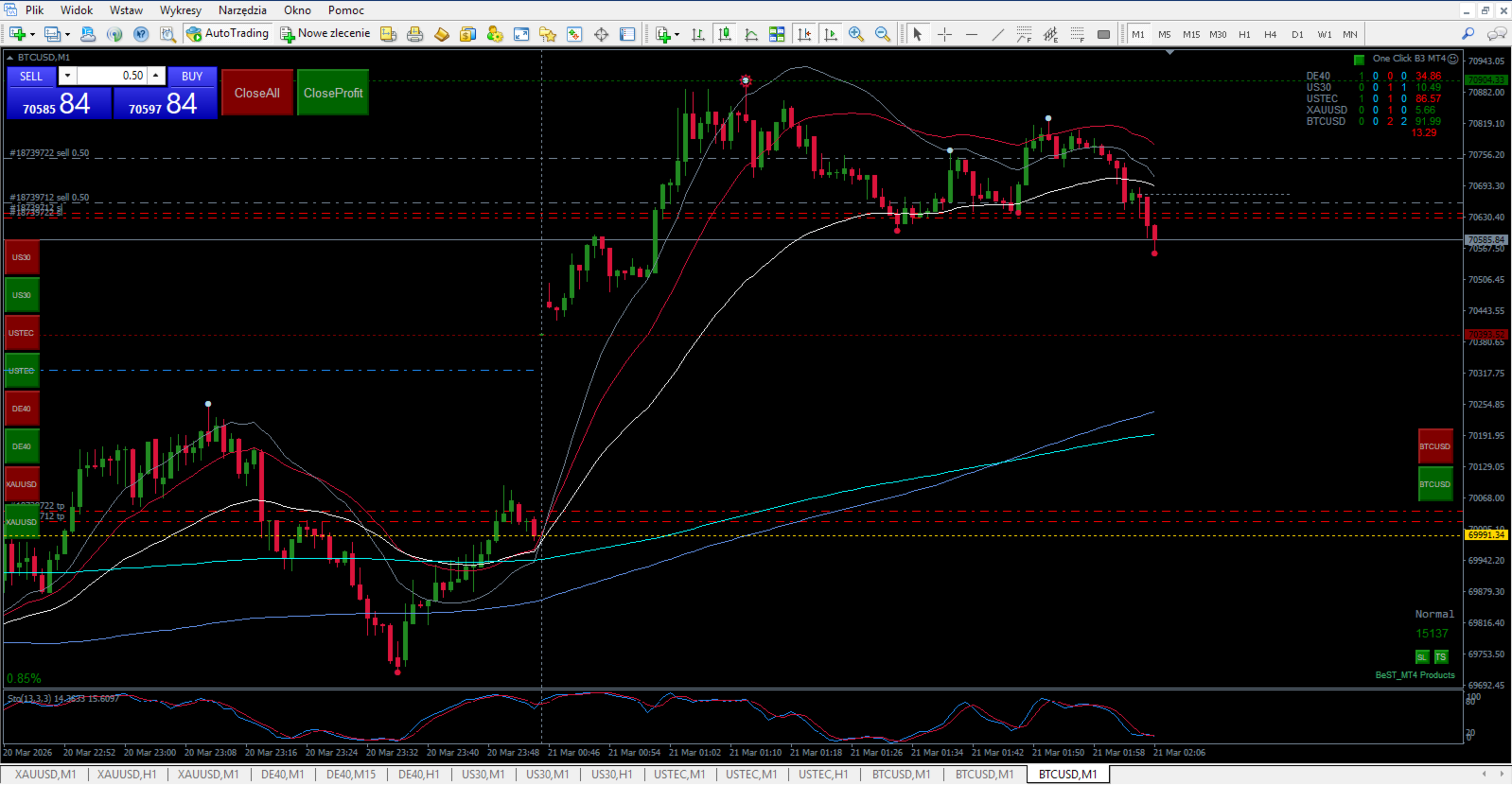
EA One Click B3 MT4 control – Green = EA active (SL/TP ON), Red = EA disabled (no SL/TP).
Industrial‑grade reliability – survives platform crashes, corrupted files, restarts.
Bulletproof file validation – auto‑detects and repairs invalid .ini positions/states.
Multi‑chart synchronization – GlobalVariables + .ini files = consistent state across the platform.
Drag & drop positioning – fully movable button with position limits (0–5000 px).
Millimeter‑precise sizing – ButtonSize_mm automatically converts to pixels.
4‑corner anchoring – TopLeft(0), TopRight(1), BottomLeft(2), BottomRight(3).
Visual state feedback – Green = SL ON (EA active), Red = SL OFF (EA disabled), silver “SL” text.
Zero conflicts – auto‑removes old objects by prefix on every init.
1s sync logic – frequent state updates without CPU overload.
Works on real and demo accounts.
Hedging/netting support – works with all MT4 account types.
Hardcore protection system:
- File validation: checks X/Y bounds (0–5000), repairs invalid positions.
- State recovery: loads from .ini → GlobalVariable → default settings (clear hierarchy).
- Object cleanup: RemoveObjectsByPrefix() removes all old buttons on init.
- Position limits: IsValidPosition() prevents crashes from bad coordinates.
- Drag protection: auto‑resets to defaults if dragged off‑screen.
- Multi‑layer backup: .ini files + GlobalVariables minimize risk of data loss.
Perfect button features:
- Silver “SL” text in Arial font, size derived from ButtonSize_mm (default 4.0) for pixel‑perfect conversion.
- Configurable size in mm (hardware‑independent scaling).
- Drag enabled/disabled via AllowDrag parameter.
- Z‑order 100 – displayed above chart objects but fully interactive.
- Real‑time color changes on click and synchronization with GlobalVariables.
Full synchronization architecture:
- EA_SL_Button_%s.ini – position (X,Y).
- EA_button_state_%s.ini – ON/OFF state.
- EA_Toggle_State_%s – GlobalVariable SL ON/OFF state.
- EA_Toggle_PosX_%s – GlobalVariable X position.
- EA_Toggle_PosY_%s – GlobalVariable Y position.
Perfect deployment:
Attach to ANY chart – auto‑generates symbol‑specific files.
Button appears at ButtonPosX/ButtonPosY (50,40) in Corner 3 (BottomRight) by default.
Drag anywhere OR set X/Y parameters manually.
Green = EA One Click B3 MT4 ENABLED (SL/TP active), Red = EA DISABLED (no SL/TP).
State/position sync automatically across ALL charts of the same symbol.
Survives restarts, crashes and file corruption thanks to layered recovery logic.
Technical superiority:
- MmToPx() – 96 dpi / 25.4 mm = precise pixel conversion.
- ValidateAndRepairFiles() – robust initialization and self‑healing.
- Periodic OnTick/OnTimer sync – frequent updates without overload.
- RemoveObjectsByPrefix() – no old button conflicts.
- Triple state loading: GlobalVariable → .ini → default inputs.
Perfect companion for EA One Click B3 MT4 – toggle SL protection with one click, industrial‑grade reliability, zero maintenance, ready for live trading on ANY broker.
TROUBLESHOOTING
Before anything else — after setting up the indicator and saving your final parameters, create a chart template with the instrument name. This way you can restore everything in seconds if needed.
If the indicator behaves unexpectedly or causes platform slowdowns, please note: these issues are not caused by this indicator. They are caused by accumulated data from previous chart configurations stored in your platform.
Follow these steps:
-
Go to Tools → Global Variables → delete all variables.
-
Go to File → Open Data Folder.
-
Close MetaTrader completely.
-
In the data folder open the Logs folder and delete everything inside.
-
In the data folder open the History folder, then open your broker folder and delete everything inside.
-
Close the data folder.
-
Reopen MetaTrader — everything will work correctly.
If problems persist, contact me directly. I respond to every message.
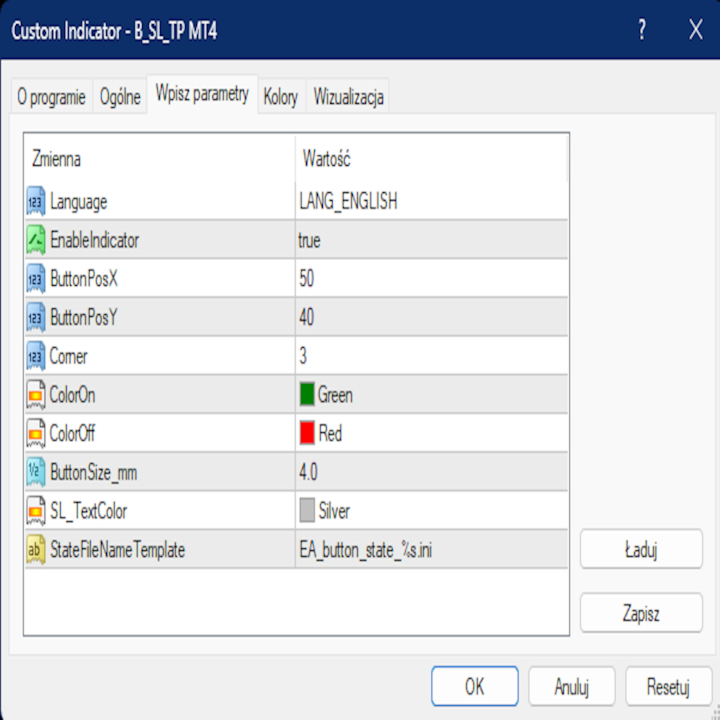
Settings:
Language – selects the interface language used by the indicator for labels and messages.
EnableIndicator – enables or disables the SL button indicator functionality.
ButtonPosX – sets the horizontal (X) position of the SL button relative to the selected corner.
ButtonPosY – sets the vertical (Y) position of the SL button relative to the selected corner.
Corner (0-3) – selects which chart corner is used as the anchor point for the SL button.
ColorOn – sets the background color of the SL button when enabled (ON).
ColorOff – sets the background color of the SL button when disabled (OFF).
ButtonSize_mm – defines the SL button size on the chart in millimeters.
SL_TextColor – sets the color of the "SL" text displayed on the button.
StateFileNameTemplate – template file name used to save button state for each symbol.
Bots will only bring success when you have access to unlimited capital. Only "eyes and mind" will turn your account green, and simple, clean, fast, and efficient tools will help you achieve that.
Real success requires YOUR brain making decisions. My tools are not bots - they are instruments for traders who think.
Previous day's closing price acts like a magnet → High Low Close MT4
Asian Session sets the direction for London and New York sessions → Asia Session Levels MT4
If you scalp multiple instruments:
One Click B3 MT4, Symbol Positions Panel MT4 , SL TP Toggle Button MT4, Volume Delta MT4 , Volume Delta Scanner MT4
If you scalp one instrument:
One Click B3 MT4, Symbol Positions Panel MT4 ,SL TP Toggle Button MT4 ,Pips Label Last Trade MT4 , Volume Delta MT4, Volume Delta Scanner MT4
If you invest long-term across multiple instruments:
One Click B3 MT4, Symbol Positions Panel MT4,Volume Delta MT4 , Volume Delta Scanner MT4
If you've read the descriptions and need clarification - contact me. I'll explain every function, setting, and use case to assure you that these tools fit your trading strategy.