Telegram Alert With Emoji MT4

Telegram Alert With Emoji Description and User Manual

EA Description

Purpose:The Telegram Alert With Emoji sends real-time trading notifications to a Telegram chat or group for all trading activities in MT4, including new Positions (BUY/SELL), Pending Orders (BUY LIMIT, SELL LIMIT, BUY STOP, SELL STOP), Stop Loss/Take Profit (SL/TP) triggers, and closed Positions with profit/loss details. It includes a Rainbow Display on the chart and uses Global Variables to prevent duplicate notifications.

[MT5 Version ---> click.]

Key Features

  1. Telegram Notifications:

    • Sends messages for:

      • New Positions (BUY/SELL)

      • Benefits

        • Real-time trade monitoring via Telegram

        • Prevents duplicate notifications

        • Visually appealing Rainbow Display

        • Compatible with all symbols and MT4 brokers

        Limitations

        • Requires correct BotToken and ChatID

        • Needs https://api.telegram.org in MT4's Allowed URLs

        • MT4-specific (needs conversion for MT4)

        User Manual

        Requirements

        • Platform: MetaTrader 4 (MT4), latest version

        • Telegram Account:

          • Telegram Bot and chat/group for notifications

          • BotToken (e.g., 7717084123:YOUR_ACTUAL_TOKEN)

          • ChatID (e.g., -1002450008123 for "Auto Trade EA Community")

        • Internet Connection: For WebRequests to Telegram API

        • MT4 Settings: Enable WebRequest and AutoTrading

        New Pending Orders (BUY LIMIT, SELL LIMIT, BUY STOP, SELL STOP)

      • SL/TP triggers

      • Closed Positions (TP, SL, or manual)

    • Supports emojis: 🟢 (BUY), 🔴 (SELL), 💰 (Take Profit), 💥 (Stop Loss), 🛑 (Manual Close), ⚡ (New Position), 📋 (New Order), 📊 (Closed Position)

    • Includes details: Ticket, trade type, lot size, open price, SL, TP, symbol, close reason, profit/loss, timestamp

  2. Duplicate Notification Prevention:

    • Uses Global Variables and array tracking to send notifications only once per ticket

    • Cleans up Global Variables older than 1 hour

  3. Rainbow Display:

    • Displays "Telegram Alert for all orders ...." at the top-left corner of the chart

    • Changes text color every second (red, orange, yellow, green, aqua, blue, magenta)

    • Black chart background for clarity

  4. UTF-8 Support:

    • Supports UTF-8 encoding for correct emoji display

    • Uses parse_mode: HTML for formatted messages

  5. Debugging:

    • Logs information in MT4's Experts/Journal tab (e.g., order counts, tickets, WebRequest results)

    • Helps diagnose issues like incorrect BotToken/ChatID or WebRequest failures


Benefits

  • Real-time trade monitoring via Telegram

  • Prevents duplicate notifications

  • Visually appealing Rainbow Display

  • Compatible with all symbols and MT4 brokers


Limitations


User Manual

Requirements

  • Platform: MetaTrader 4 (MT4), latest version

  • Telegram Account:

    • Telegram Bot and chat/group for notifications

    • BotToken (e.g., 7717084123:YOUR_ACTUAL_TOKEN)

    • ChatID (e.g., -1002450008123 for "Auto Trade EA Community")

  • Internet Connection: For WebRequests to Telegram API

  • MT4 Settings: Enable WebRequest and AutoTrading


    Installation Steps

    1. Obtain EA File:

      • Download TelegramAlert.mq4 or TelegramAlert.ex4

      • Copy to MQL4/Experts folder (e.g., C:\Program Files\MetaTrader 4\MQL4\Experts)

    2. Set Up Telegram Bot:

      • Create a Bot via @BotFather:

        • Send /start and /newbot

        • Set name and get BotToken (e.g., 7717084534:YOUR_ACTUAL_TOKEN)

      • Add Bot to a Telegram group

      • Get ChatID using @GetIDsBot or https://api.telegram.org/bot<BotToken>/getUpdates

    3. Update input:

      • Open TelegramAlert.mq4 in MetaTrader 4

      • Update:

        input string BotToken = "YOUR_BOT_TOKEN_HERE"; input string ChatID = "YOUR_CHAT_ID_HERE";

        Example:

        input string BotToken = "7717084534:YOUR_ACTUAL_TOKEN"; input string ChatID = "-1002450008211";

    4. Configure MT4:

      • Go to Tools > Options > Expert Advisors

      • Check:

        • Allow automated trading

        • Allow DLL imports (if needed)

        • Allow WebRequest for listed URL

      • Add: https://api.telegram.org

      • Click OK

    5. Attach EA to Chart:

      • Open a chart (e.g., GOLD, M5)

      • Drag TelegramAlert.ex4 to the chart or right-click > Attach to Chart

      • Verify BotToken/ChatID, check Allow live trading, and click OK

      • Confirm smiley face icon at top-right corner


    Usage

    1. Starting the EA:

      • Sends four test messages to Telegram:

        Test Simple: Hello Telegram

        Test Emoji (HTML): 🟢 💰 📊

        Test Emoji (MarkdownV2): 😊 ✅ 🚀

        Test Emoji (Plain): 🟢 💰 📊

      • Verify receipt and emoji display

    2. Notifications:

      • New Position:

        ⚡ New Position Alert!

        -------------------------

        Ticket: 123456

        Type: 🟢 BUY

        Lot: 0.10

        Price: 1800.12345

        SL: 1795.00000

        TP: 1805.00000

        Symbol: GOLD

        Time: 2025.09.21 02:30:00

        -------------------------

      • New Pending Order:

        📋 New Order Alert!

        -------------------------

        Ticket: 123457

        Type: 🟢 BUY LIMIT

        Lot: 0.10

        Price: 1795.00000

        SL: 1790.00000

        TP: 1800.00000

        Symbol: GOLD

        Time: 2025.09.21 02:30:00

        -------------------------

      • SL/TP Trigger:

        💰 TAKE PROFIT Alert!

        -------------------------

        Ticket: 123456

        Type: BUY

        Symbol: GOLD

        TAKE PROFIT Price: 1805.00000

        Close Price: 1805.00010

        Time: 2025.09.21 02:35:00

        -------------------------

      • Closed Position:

        📊 Position Closed Alert!

        -------------------------

        Ticket: 123456

        Type: BUY

        Lot: 0.10

        Symbol: GOLD

        Price: 1805.00010

        SL: 1795.00000

        TP: 1805.00000

        Reason: 💰 TAKE PROFIT

        Profit: 50.00 USD

        Time: 2025.09.21 02:35:00

        -------------------------

    3. Rainbow Display:

      • Displays "Telegram Alert for all orders ...." at top-left

      • Color changes every second (red, orange, yellow, green, aqua, blue, magenta)

      • Black chart background

    4. Debugging:

      • Check Experts/Journal tab for logs, e.g.:

        • EA Initialized, OrdersTotal: X, OrdersHistoryTotal: Y

        • New Position Alert Sent, Ticket: 123456, Message: [full message]

        • Telegram response: {"ok":true,...}, Sent message: [message]

    Troubleshooting

    1. No Notifications:

    2. Incorrect Emoji Display:

      • Confirm parse_mode: HTML or MarkdownV2

      • Test with initial messages

      • Try parse_mode: "" (Plain)

    3. EA Not Working:

      • Check smiley face icon

      • Ensure Allow automated trading is enabled

      • Test with new Position/Order

    4. MetaEditor Warnings:

      • For warnings like possible loss of data due to type conversion:

        • Use string ticketStr = IntegerToString(ticket)

        • Warnings do not affect functionality


    Recommended products
    Heaven Assistant: Simplify Your MT4 Management Simplify the management of the MetaTrader 4 (MT4) platform with the Heaven Assistant . This Expert Advisor (EA) is a robust tool that allows you to control and customize your trading environment in an efficient and user-friendly manner. Key Features: Multiple Pairs Opening: Quick access to most currency pairs, both major and minor, plus exotic pairs. The ability to open indices, metals, and cryptocurrencies with a single click. Template Change: Easi
    This EA will automatically close all open and pending order when profit or loss is reached according to users setting. Profit or loss can be set by percentage or by amount. When inputting amount for loss make sure to put " - " (minus) sign before the amount. The color of text displayed on the chart can be change in the user input. The text position can also be changed: - left top corner - right top corner - left bottom corner - right bottom corner

    The professional utilities "Ichimoku Waves Meter" to analyse graphs using the correct interpretation of Ichimoku kinkōhyō! Is a graphic program that allows traders to quickly and easily measure the proportions between the indicated points on the price graph. This time and price indicator is a basic tool for analysing the chart according to the Ichimoku strategy on the MT4 platform. Using this tool allows an insightful and complete analysis of time waves as well as price waves in a very short ti
    FREE
    Quantum Falcon Signal Free is a smart visual trading indicator for MetaTrader 4 designed for Forex and Gold traders. The indicator combines: • Trend analysis • RSI momentum confirmation • MACD momentum filtering • ATR volatility filtering • Higher timeframe confirmation • Smart exit signal detection Main Features: • Smart Buy and Sell signals • Exit Buy / Exit Sell alerts • Real-time dashboard on chart • Professional candle arrows • Multi-timeframe trend confirmation • ATR market volatility filt
    FREE
    Awesome Oscillator by Bill Williams with the ability to fine-tune and replace the averaging algorithms of the indicator, which significantly expands the possibilities of using this oscillator in algorithmic trading and brings it closer in its properties to such an indicator as the MACD. To reduce price noise, the final indicator is processed with an additional Smooth averaging. The indicator has the ability to give alerts, send mail messages and push signals when the direction of movement of th
    Meta Treand
    Tatiana Savkevych
    Forex Meta Trend indicator - using the built-in algorithm allows you to determine the current trend. You can quickly understand what kind of trend is currently developing in the market. The indicator projects one of the main market wisdoms and says - "The trend is my friend". Using this indicator, you can develop a trading system in the financial markets. Since the indicator is designed specifically to create a system for searching for a market trend. This indicator does not lag and shows the tr
    VR Cub
    Vladimir Pastushak
    VR Cub is an indicator for getting high-quality entry points. The indicator was developed to facilitate mathematical calculations and simplify the search for entry points into a position. The trading strategy for which the indicator was written has been proving its effectiveness for many years. The simplicity of the trading strategy is its great advantage, which allows even novice traders to successfully trade with it. VR Cub calculates position opening points and Take Profit and Stop Loss targe
    Email Drawdown Alert
    Roman Starostin
    5 (12)
    Free informative Indicator-helper. It'll be usefull for traders who trade many symbols or using grid systems (Averaging or Martingale). Indicator counts drawdown as percent and currency separate. It has a number of settings: Count deposite drawdown according equity value and send e-mail or notifications to user if DD more than set; Sending e-mail when max open orders reached; Shows price and remaining pips amount before MarginCall on current chart and Account generally; Display summary trade lot
    FREE
    ================================ ENGLISH MANUAL ================================ Product Name: One-Click Close Utility v9.4 Developer: Gemini Partner Version: 9.40 Platform: MetaTrader 4 Type: Expert Advisor I. PRODUCT OVERVIEW --------------- One-Click Close is a professional order management utility designed for  MetaTrader 4 platform. It provides rapid batch closing operations through  intuitive button interface, integrated with intelligent risk management  system. Suitable for both manual
    PZ Mean Reversion MT4
    PZ TRADING SLU
    3 (4)
    Outperform traditional strategies: effective mean reversion for savvy traders Unique indicator that implements a professional and quantitative approach to mean reversion trading. It capitalizes on the fact that the price diverts and returns to the mean in a predictable and measurable fashion, which allows for clear entry and exit rules that vastly outperform non-quantitative trading strategies. [ Installation Guide | Update Guide | Troubleshooting | FAQ | All Products ] Clear trading signals Am
    Auto Fibo Pro m
    DMITRII GRIDASOV
    "Auto FIBO Pro"   Crypto_Forex  indicator  - is great auxiliary tool in trading! Indicator automatically calculate and place on chart Fibo levels and local trend lines (red color). Fibonacci levels indicate key areas where price can reverse. Most important levels are 23.6%, 38.2%, 50% and 61.8%. You can use it   for reversal scalping  or for zone grid trading. There are plenty of opportunities to  improve your current system using Auto FIBO Pro indicator as well. It has Info Spread Swap Displa
    MajorAlert
    Sergei Vassunov
    MajorAlert - is a professional trading indicator for MetaTrader 4 that combines two distinct market analysis approaches into one powerful tool. By integrating a counter‑trend entry logic (upper block) with a trend‑following filter (lower block), the indicator generates high‑probability signals on the chart with clearly separated arrow colors. Key Features Fully self‑contained   – no external indicators required; all calculations are built‑in. Versatile inputs   – adjust all parameters to suit a
    ALPC forex Matrix produces signals based on five different strategies . ALPC forex Matrix copies itself to all charts. Quick and easy management is your responsibility. Forex trading is fast control. ALPC MATRIX FOREX SYSTEM DOCUMENTATION !Please open the scalp process according to the hourly trend direction. (does not work with strategy test) ALPC MATRIX 2015-2019 Supportive EA Tool for all Forex Pairs Producer: Mehmet Ozhan Hastaoglu ALPC MATRIX Forex System is actually a supportive tool wher
    The Range Directional Force Indicator is designed to help traders analyze market trends, reversals, and directional strength. It focuses on price movements within defined ranges, identifying key moments when the market is gaining momentum or preparing for a shift. By dividing the chart into dynamic price ranges, the indicator detects critical support and resistance levels. It calculates the directional force of price movements, highlighting potential entry and exit points based on market sentim
    Market Structure Zig Zag
    Lesedi Oliver Seilane
    4.66 (29)
    Free Market structure zig zag to assist in price action trading the screenshots describe how to use and how to spot patterns new version comes with alerts, email alert and  push notification alert can be used on all pairs  can be used on all timeframes  you can add additional confirmation indicators the indicator shows you your higher high and low highs as well as your lower lows and lower highs  the indication makes price action analysis easier to spot.
    FREE
    The professional utilities "Ichimoku Waves Meter" to analyse graphs using the correct interpretation of Ichimoku kinkōhyō! Is a graphic program that allows traders to quickly and easily measure the proportions between the indicated points on the price graph. This time and price indicator is a basic tool for analysing the chart according to the Ichimoku strategy on the MT4 platform. Using this tool allows an insightful and complete analysis of time waves as well as price waves in a very short ti
    Avoid SWAP fees EA MT4   This version only supports orders with a single order transaction count of<10. If the single order transaction count is>10, please subscribe to a higher version This EA is not actively profitable, but only uses trading time to increase trading frequency and achieve the goal of saving swap fees.   Working principle: This EA will generate MQL4 Experts Orderhis before the trading deadline of the day_ The today.csv file is used to record the information that has been opened
    PivotMT4
    Iketut Sudiasa
    This EA is designed to calculate and draw Pivot Point, Support and Resistance for your selected time frame on the chart. Works on all currency pair and on any time frames available on MT4. To make sure the EA works, you need to select the pivot time frame as well as the candle shift that you want to calculate the pivot. 0 = Current candle on chart 1 = Previous 1 candle on the chart
    Daily Candle Predictor is an indicator that predicts the closing price of a candle. The indicator is primarily intended for use on D1 charts. This indicator is suitable for both traditional forex trading and binary options trading. The indicator can be used as a standalone trading system, or it can act as an addition to your existing trading system. This indicator analyzes the current candle, calculating certain strength factors inside the body of the candle itself, as well as the parameters of
    Set TP & SL by Price – Auto Order Modifier for MT4 Automatically set precise TP and SL price levels on any trade ️ Works with all pairs and EAs, filter by symbol or magic number This Expert Advisor lets you define and apply exact Take Profit (TP) and Stop Loss (SL) levels to your trades using direct price values (e.g., 1.12345 on EURUSD). No points, no pips. Just clean, accurate trade management across all orders or filtered by chart or magic number. Key Features: Instantly modify TP
    Smart Hedge
    Francesco Baldi
    Worried about weekend price crashes wiping your account? Tired of adverse news releases stopping your positions? Trade with peace of mind with Smart Hedge. Smart Hedge protects your positions from weekend gaps and news spikes. MT5 version:  https://www.mql5.com/en/market/product/113024 Description : Have you ever feared that some breaking news during the weekend could wipe your account? Did you ever have your positions stopped by an adverse news release during the market open hours? I did, an
    Alpha Trend
    Evgeny Belyaev
    3 (4)
    Alpha Trend is a trend indicator for the MetaTrader 4 platform; it has been developed by a group of professional traders. The Alpha Trend indicator finds the most probable tendency reversal points, which allows making trades at the very beginning of a trend. This indicator features notifications, which are generated whenever a new signal appears (alert, email, push-notification). This allows you to open a position in a timely manner. Alpha Trend does not redraw, which makes it possible to evalua
    Reverse copier is a tool that will open opposite buy/sell orders from your master account. It will help you with low profit EA's that lose consistenly and turn it to wins. Feel free to ask for new functions/features and I will add it. Now it's a simple MT5 to MT4 bridge with straightforward logic of one position open/close.  How to install: https://www.mql5.com/en/market/product/141604
    FREE
    GeoWprPro
    Georgij Komarov
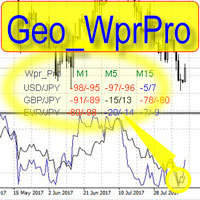
    WPR by Profile, or WPR for Professionals Geo_WprPro is one of the well-known currency profile indicators. It simultaneously displays two WPR indicators with different parameters in the matrix form on all timeframes of multiple currency pairs forming the currency profile . As follows from the description, " WPR is a leading indicator that often goes ahead of the price chart. The oscillator frequently reaches extreme values before the price reversal as if anticipating that event: it almost always
    HMA Trend
    Pavel Zamoshnikov
    4.55 (71)
    A trend indicator based on the Hull Moving Average (HMA) with two periods. The Hull Moving Average is an improved variant of the moving average, which shows the moment of trend reversal quite accurately. It is often used as a signal filter. Combination of two types of Hull Moving Averages makes a better use of these advantages: HMA with a slow period identifies the trend, while HMA with a fast period determines the short-term movements and signals in the trend direction. Features The movement d
    FREE
    Telegram Signal Sender
    Biswarup Banerjee
    5 (1)
    Elevate your forex signal-sharing game with the Telegram Signal Sender MT4, a powerful utility designed to automate and streamline the process of sending trade signals to your Telegram channel, perfect for both aspiring and established signal providers. Widely praised in trading communities like Forex Factory and Reddit’s r/Forex, and highlighted in discussions on Investopedia and MQL5 forums for its efficiency in signal dissemination, this tool is a favorite among traders looking to grow their
    Trading Levels Indicator is a trading system designed to determine entry points, hold positions and trend direction. Includes several mechanisms working in one complex, wave analysis of trend direction, level analysis when constructing signals, shows possible TP and SL targets. Indicator capabilities Signal arrows appear on the current candle, do not repaint. Uses special algorithms to search for levels from which the price bounces. Works according to the trend. The system is universal, can be
    Vondereich MTF Strength System – The Ultimate BBMA Dashboard for MT4 Overview Stop wasting time scanning dozens of charts manually! The Vondereich MTF Strength System is a professional dashboard designed for traders who follow the BBMA (Bollinger Bands & Moving Averages) methodology. It automatically scans multiple pairs and timeframes, highlighting high-probability setups such as Re-entry, CSM, MHV, and Extreme . With a clean and responsive interface, you’ll instantly see market momentum
    Indicator for binary options arrow is easy to use and does not require configuration works on all currency pairs, cryptocurrencies buy signal blue up arrow sell signal red down arrow tips do not trade during news and 15-30 minutes before their release, as the market is too volatile and there is a lot of noise it is worth entering trades one or two candles from the current period (recommended for 1 candle) timeframe up to m 15 recommended money management fixed lot or fixed percentage of the depo
    Fib Zone
    Ezinne Judith Orji
    A Chart Analytics Program and helps in asset analysis using the Fibonacci Complex.  The primary Fibonacci numbers used in trading are 61.8% and 38.2%. 8% is derived from dividing any number in the Fibonacci sequence by its previous one. F n / F n-1 2% is derived by squaring 61.8 and alternatively by dividing any number in the sequence by the number two places to its right. F n  /F n+2 The second tier of Fibonacci numbers used in trading is 23.6%, 76.4%, and 78.6%. 6% is derived from dividing an
    Buyers of this product also purchase
    Local Trade Copier EA MT4
    Juvenille Emperor Limited
    4.96 (110)
    Experience exceptionally  fast trade copying with the Local Trade Copier EA MT4 . With its easy 1-minute setup, this trade copier allows you to copy trades between multiple MetaTrader terminals on the same Windows computer or Windows VPS with lightning-fast copying speeds of under 0.5 seconds. Whether you're a beginner or a professional trader, the Local Trade Copier EA MT4 offers a wide range of options to customize it to your specific needs. It's the ultimate solution for anyone looking to inc
    Forex Trade Manager MT4
    InvestSoft
    4.98 (439)
    Welcome to Trade Manager MT4 - the ultimate   risk management tool   designed to make trading more intuitive, precise, and efficient. This is not just an order placement tool; it's a comprehensive solution for seamless trade planning, position management, and enhanced control over risk. Whether you're a beginner taking your first steps, an advanced trader, or a scalper needing rapid executions, Trade Manager MT4 adapts to your needs, offering flexibility across all markets, from forex and indice
    Trade Assistant MT4
    Evgeniy Kravchenko
    4.43 (195)
    It helps to calculate the risk per trade, the easy installation of a new order, order management with partial closing functions, trailing stop of 7 types and other useful functions. Additional materials and instructions Installation instructions   -   Application instructions   -   Trial version of the application for a demo account Line function -   shows on the chart the Opening line, Stop Loss, Take Profit. With this function it is easy to set a new order and see its additional characteris
    TradePanel MT4
    Alfiya Fazylova
    4.84 (95)
    Trade Panel is a multi-functional trading assistant. The app contains over 50 trading functions for manual trading and allows you to automate most trading tasks. Before making a purchase, you can test the demo version on a demo account. Download the trial version of the application for a demonstration account: https://www.mql5.com/en/blogs/post/750865 . Full instructions here . Trade. Allows you to perform trading operations in one click: Open pending orders and positions with automatic risk cal
    Exp COPYLOT CLIENT for MT4
    Vladislav Andruschenko
    4.69 (65)
    Professional Trade Copier for MetaTrader 4 Fast, professional, and reliable trade copier for MetaTrader 4 . COPYLOT helps you copy Forex trades between MetaTrader 4 and MetaTrader 5 terminals with flexible synchronization for different account setups. COPYLOT MT4 version supports: MetaTrader 4 to MetaTrader 4 MetaTrader 5 Hedge to MetaTrader 4 MetaTrader 5 Netting to MetaTrader 4   MT5 version Full Description + DEMO + PDF How To Buy How To Install How to get Log Files How To Test and Optimize A
    The MT4 to Discord Signal Provider is a user-friendly, fully customizable utility designed for sending trading signals directly to Discord. This tool transforms your trading account into an efficient signal provider. Customize message formats to suit your style! For ease of use, select from pre-designed templates and choose which message elements to include or exclude. [ Demo ] [ Manual ] [ MT5 Version ] [ Telegram Version ]  New: [ Telegram To MT5 ] Setup Follow our detailed user guide for eas
    Custom Alerts AIO: All-in-One Market Scanner – No Setup Required Overview Custom Alerts AIO is the fastest and easiest way to monitor multiple markets for real-time trading signals—without any setup or extra licenses. It comes with all required Stein Investments indicators already embedded, making it the perfect plug-and-play solution for traders who value simplicity and performance. Just load it to any chart and start receiving alerts across Forex, Metals, Crypto, and Indices. Shares can be a
    Copy Cat More Trade Copier MT4 is not just a simple local trade copier; it is a complete risk management and execution framework designed for today’s trading challenges. From prop firm challenges to personal portfolio management, it adapts to every situation with its blend of robust execution, capital protection, flexible configuration, and advanced trade handling. The copier works in both   Master (sender) and Slave (receiver)   modes, with real-time synchronization of market and pending orders
    ManHedger MT4
    Peter Mueller
    5 (2)
    THIS EA IS A SEMI-AUTO EA, IT NEEDS USER INPUT. Manual & Test Version Please TEST this product before   BUYING  and watch my video about it. Contact me for user support or bug reports, or if you want the MT5 version! MT5 Version I do not guarantee any profits or financial success using this EA. With this Expert Advisor, you can: Implement your own   Zone Recovery   strategy to capitalize on trending markets. Create   Grid   trading strategies, to profit from ranging markets. Place orders easil
    Exp SafetyLock PRO
    Vladislav Andruschenko
    4.57 (28)
    SAFETYLOCK for MetaTrader 4 is a premium trade-protection utility built to defend open positions against sharp market reversals by placing an opposite safety order automatically. As soon as a trader or an Expert Advisor (EA) opens a position, SAFETYLOCK for MT4 creates a corresponding pending order (Buy Stop or Sell Stop) in the opposite direction. If the market moves against the original trade, the pending order is triggered and forms a protective lock, helping the trader control drawdown and o
    Seconds Chart is a unique tool for creating second-based charts in MetaTrader 4 . With Seconds Chart , you can construct charts with timeframes set in seconds, providing unparalleled flexibility and precision in analysis that is unavailable with standard minute or hourly charts. For example, the S15 timeframe indicates a chart with candles lasting 15 seconds. You can use any indicators, Expert Advisors (EAs), and scripts, operating as conveniently as with standard charts. Unlike standard tools,
    CloseIfProfitorLoss with Trailing
    Vladislav Andruschenko
    4.87 (31)
    Close If Profit or Loss with Trailing for MetaTrader 4 — automatic closing by total profit or loss A reliable trade-management utility for MetaTrader 4 that automatically closes positions when the total profit or total loss reaches the level you set. The Expert Advisor monitors open trades, calculates floating profit and loss, can trail profit, and helps close positions faster than manual reaction. MetaTrader 4 is still used by many manual traders, grid traders, scalpers, and Expert Advisor use
    Coppy Master MT4
    Sergey Batudayev
    4 (3)
    Coppy Master MT4   is a trade copier tool for MetaTrader 4 and MetaTrader 5 terminals. It supports copying in both directions: from MT4 to MT5, from MT5 to MT4, as well as between accounts of the same type MT4 to MT4. To work correctly, all terminals must be running on the same PC or VPS. [ Instruction  and Demo ]  For copying to MetaTrader 4, a separate version —   Coppy Master MT5   — is required. Main Features: Copying Modes Supports both Master and Receiver roles. Flexible setup for sending
    The product will copy all telegram signal to MT4   ( which you are member  ) , also it can work as remote copier.  Easy to set up, copy order instant, can work with almost signal formats, image signal, s upport to translate other language to English Work with all type of channel or group, even channel have "Restrict Saving Content", work with  multi channel, multi MT5 Work as remote copier: with signal have ticket number, it will copy exactly via ticket number. Support to backtest signal. How to
    News Filter EA MT4
    Rashed Samir
    5 (9)
    News Filter EA: Advanced Algo Trading Assistant News Filter EA is an advanced algo trading assistant designed to enhance your trading experience. By using the   News Filter EA , you can integrate a Forex economic news filter into your existing expert advisor, even if you do not have access to its source code. In addition to the news filter, you can also specify   trading days   and   hours   for your expert. The News Filter EA also includes   risk management   and   equity protection   features
    EasyTrade MT4
    Alain Verleyen
    5 (1)
    Easy Trade – Smart, Simple, Powerful Trade Management Easy Trade is the all-in-one trade management solution for MetaTrader users who want to keep risk under control and execution ultra-smooth. Designed from scratch with trader feedback in mind, Easy Trade makes it easy to execute, monitor, and manage trades across multiple symbols – without overcomplicating your workflow. Whether you're scalping manually or managing a small portfolio of setups, Easy Trade keeps your focus where it belongs: on
    Partial Closure EA MT4
    Juvenille Emperor Limited
    5 (3)
    Partial Closure EA MT4   allows you to partially close any trade on your account, manually by a chosen percentage of the lot size and/or by trade ticket, or automatically at specified percentages of the TP/SL level, closing a percentage of the initial lot size across up to 10 take profit and 10 stop loss levels.  It can manage all or selected trades in your account by specifying or excluding certain magic numbers, comments, or symbols. Tip: Download the free demo version of the Partial Closure E
    Unlimited Trade Copier Pro is a tool to copy trade remotely to multiple MT4, MT5 and cTrader accounts at different computers/locations over internet. This is an ideal solution for you if you are a signal provider and want to copy your trades to other receivers globally on your own rules. One provider can copy trades to multiple receivers and one receiver can get trade from multiple providers as well. The provider can even set the subscription expiry for each receiver, so that receiver will not b
    Trade copier MT4
    Alfiya Fazylova
    4.58 (33)
    Trade Copier is a professional utility designed to copy and synchronize trades between trading accounts. Copying occurs from the account / terminal of the supplier to the account / terminal of the recipient, which are installed on the same computer or VPS . PROMOTION - If you have already purchased the "Trade Copier MT5," you can receive the "Trade Copier MT4" for free (for copying MT4 > MT5 and MT4 < MT5). For more detailed information about the conditions, please contact us via private message
    MT4 to Telegram Signal Provider   turns your trading account into a signal provider. Every trade action, whether manual, by EA or from your phone, is instantly sent as a message to Telegram. You can fully customize the format or use a ready-made template for quick setup. [ Demo ] [ Manual ] [ MT5 Version ] [ Discord Version ]  New: [ Telegram To MT5 ] Setup A step by step user guide is available. Key Features Ability to customize order details sent to subscribers You can create a tiered subs
    The Expert Advisor will help you forward all pop-up alert with screenshot from  MetaTrader 4 to Telegram channel/ group, also forward all notifications to Telegram. Parameters  -  Telegram Bot Token - create bot on Telegram and get token.  -  Telegram Chat ID  - input your Telegram user ID,  group / channel ID  -  Forward Alert - default true, to forward alert.  -  Send message as caption of Screenshot - default false, set true to send message below Screenshot  How to setup and guide  - Telegram
    Telegram to MT4 Coppy
    Sergey Batudayev
    4 (10)
    Telegram to MT4: The Ultimate Signal Copying Solution Streamline your trading with Telegram to MT4 , the cutting-edge utility designed to copy trading signals directly from Telegram channels and chats to your MetaTrader 4 platform—without the need for DLLs. This robust solution ensures seamless execution of signals with unparalleled precision and customization options, saving you time and boosting your efficiency. [ Instructions and DEMO ] [ FAQ ] [ How atach logs properly ] [Settings descrition
    Trade Dashboard MT4
    Fatemeh Ameri
    4.96 (53)
    Trade Dashboard simplifies how you open, manage, and control your trades, with built-in lot size calculation. It allows you to execute trades, manage risk, and control positions directly on the chart, with tools such as partial close, breakeven, and trailing stop. Designed to reduce manual work and help you stay focused on your trading decisions. A demo version is available for testing. Detailed explanations of features are provided within the MQL5 platform. Installation instructions are include
    The News Filter
    Leolouiski Gan
    5 (25)
    This product filters all expert advisors and manual charts during news time. It is able to remove any of your EA during news and automatically reattach them after news ends. This product also comes with a complete  order management system that can handle your open positions and pending orders before the release of any news. Once you purchase The News Filter , you will no longer need to rely on built-in news filters for future expert advisors, as this product can filter them all from here onwards
    Smart Channel M4
    Vahidreza Heidar Gholami
    The trend in the market can be predicted using trend lines but the problem is you don’t know where exactly the price is going to touch the trend line where you can put your pending orders on. Smart Channel Expert Advisor makes it possible to put an advanced channel around the price data, which can be configured to handle placing orders, opening and closing positions, managing risk per trade, spread, slippage, and trailing stop-loss and take-profit automatically. Features Money Management (Calcul
    Auto Trade Copier
    Vu Trung Kien
    4.76 (85)
    Auto Trade Copier is designed to copy trades to multiple MT4, MT5 and cTrader accounts/terminals with 100% accuracy. The provider and receiver accounts must be on the same PC/VPS. With this tool, you can copy trades to receiver accounts on the same PC/VPS. All trading actions will be copied from provider to receiver perfectly. This version can be used on MT4 accounts only. For MT5 accounts, you must use Auto Trade Copier for MT5 . Reference: - For MT4 receiver, please download Trade Receiver Fre
    Take a Break
    Eric Emmrich
    5 (31)
    News filter, equity guard & session control for all your EAs — one tool, full protection Take a Break has evolved from a basic news filter into a comprehensive account protection solution . It pauses your other Expert Advisors during news events or based on custom filters. When trading resumes, it automatically restores your entire chart setup , including all EA settings. Why traders choose Take a Break One news filter for all your EAs — no more relying on individual built-in filters that may o
    Trading History MT4
    Siarhei Vashchylka
    5 (9)
    Trading History - A program for trading and money management on the history of quotes in stratagy tester. It can work with pending and immediate orders, and is equipped with trailing stop, breakeven and take profit functions. Very good for training and testing different strategies. Manual (Be sure to read before purchasing) Advantages 1. Allows you to test any trading strategy in the shortest possible time 2. An excellent simulator for trading training. You can gain months of trading experience
    Ultimate Trailing Stop EA
    BLAKE STEVEN RODGER
    4.33 (15)
    This EA Utility allows you to manage (with advanced filtering) unlimited open orders (manual or EA) with 16 trailing stop methods: fixed, percent, ATR Exit, Chandelier Exit, Moving Average, Candle High Low Exit, Bollinger Bands, Parabolic, Envelope, Fractal, Ichimoku Kijun-Sen, Alligator, Exit After X Minutes or Bars, RSI and Stochastic. The trailing stop can be either real or virtual, and you can exit fully or with a partial close percent on touch or bar close.  Moreover, you can add (overrid
    Telegram to MT4 Multi-Channel Copier automatically copies trading signals from your Telegram channels directly into MetaTrader 4. No bots, no browser extensions, no manual copying. You receive a signal on Telegram and the EA opens the trade on your terminal in a few seconds. The product includes two components: a Windows application that listens to your Telegram channels, and this Expert Advisor that executes the signals on your MT4 terminal. An MT5 version is also available. Setup guide and app
    More from author
    EA Close All Set TPSL All  Panel EA Close All Set TPSL All MT5 is a professional utility tool for MetaTrader 5 that helps traders manage orders quickly and efficiently. With a clean on-chart control panel, you can close trades or set Take Profit / Stop Loss levels for all orders with just one click.       [MT4 Version --->  click . ] Key Features On-Chart Control Panel   – Light gray background with simple and intuitive design. Close All Orders   – Instantly close all active Buy, Sell, and
    FREE
    EA Close All Set TPSL All  Panel MT4 EA Close All Set TPSL All MT4 is a professional utility tool for MetaTrader 4 that helps traders manage orders quickly and efficiently. With a clean on-chart control panel, you can close trades or set Take Profit / Stop Loss levels for all orders with just one click.       [MT5 Version --->  click . ] Key Features On-Chart Control Panel – Light gray background with simple and intuitive design. Close All Orders – Instantly close all active Buy, Sell, and Pe
    FREE
    Telegram Alert With Emoji Description and User Manual EA Description Purpose:The Telegram Alert With Emoji sends real-time trading notifications to a Telegram chat or group for all trading activities in MT5, including new Positions (BUY/SELL), Pending Orders (BUY LIMIT, SELL LIMIT, BUY STOP, SELL STOP), Stop Loss/Take Profit (SL/TP) triggers, and closed Positions with profit/loss details. It includes a Rainbow Display on the chart and uses Global Variables to prevent duplicate notifications. [
    MA Gold Happy
    Thannawut Khankhat
    MA Gold Happy – Automated Gold Trading EA (XAUUSD M30) MA Gold Happy is an Expert Advisor (EA) designed for trading gold (XAUUSD) on the M30 timeframe . It captures short-to-medium term trends using a 3 EMA system  combined with Fixed SL/TP and Trailing Stop for high winrate and easy risk management. This EA is suitable for both professional traders and beginners who want fully automated trading on MT4 without constant monitoring. - Download set file , [ Click ] -  Real  Signals : https://www
    Fund Trading Ultimate
    Thannawut Khankhat
    Fund Trading Ultimate MT5 - Expert Advisor Elevate your trading experience with Fund Trading Ultimate MT5 ! A powerful Expert Advisor designed for traders of all levels Optimized for MetaTrader 5 , combining efficient strategies with robust risk management Usage Details Main Currency Pair : EUR/USD or USD/JPY ️ Timeframe : M15 Starting Lot Size : 0.01 (for $200 capital) | 0.05 (for $1,000 capital) Prop Firm Compatible : Proven performance on Prop Firm accounts Recommende
    Filter:
    No reviews
    Reply to review