Strivex Algo Supply Demand Indikator
- Indicators
- Version: 1.0
- Activations: 10

📊 Strivex Supply/Demand Indicator for MetaTrader 5
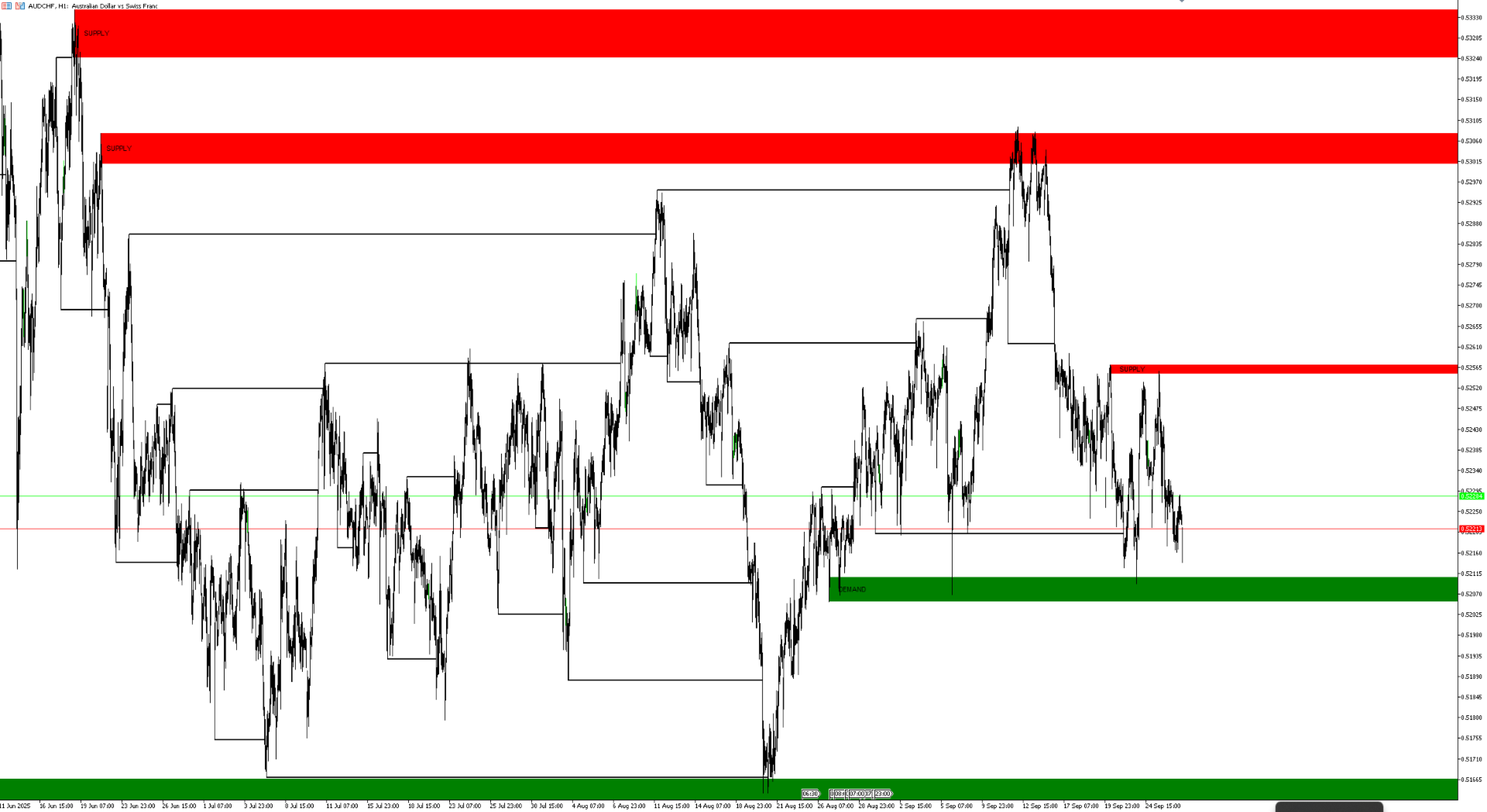
The Strivex Supply/Demand Indicator automatically detects key supply and demand zones, marks market structure breaks (BOS), and alerts the trader in real time.
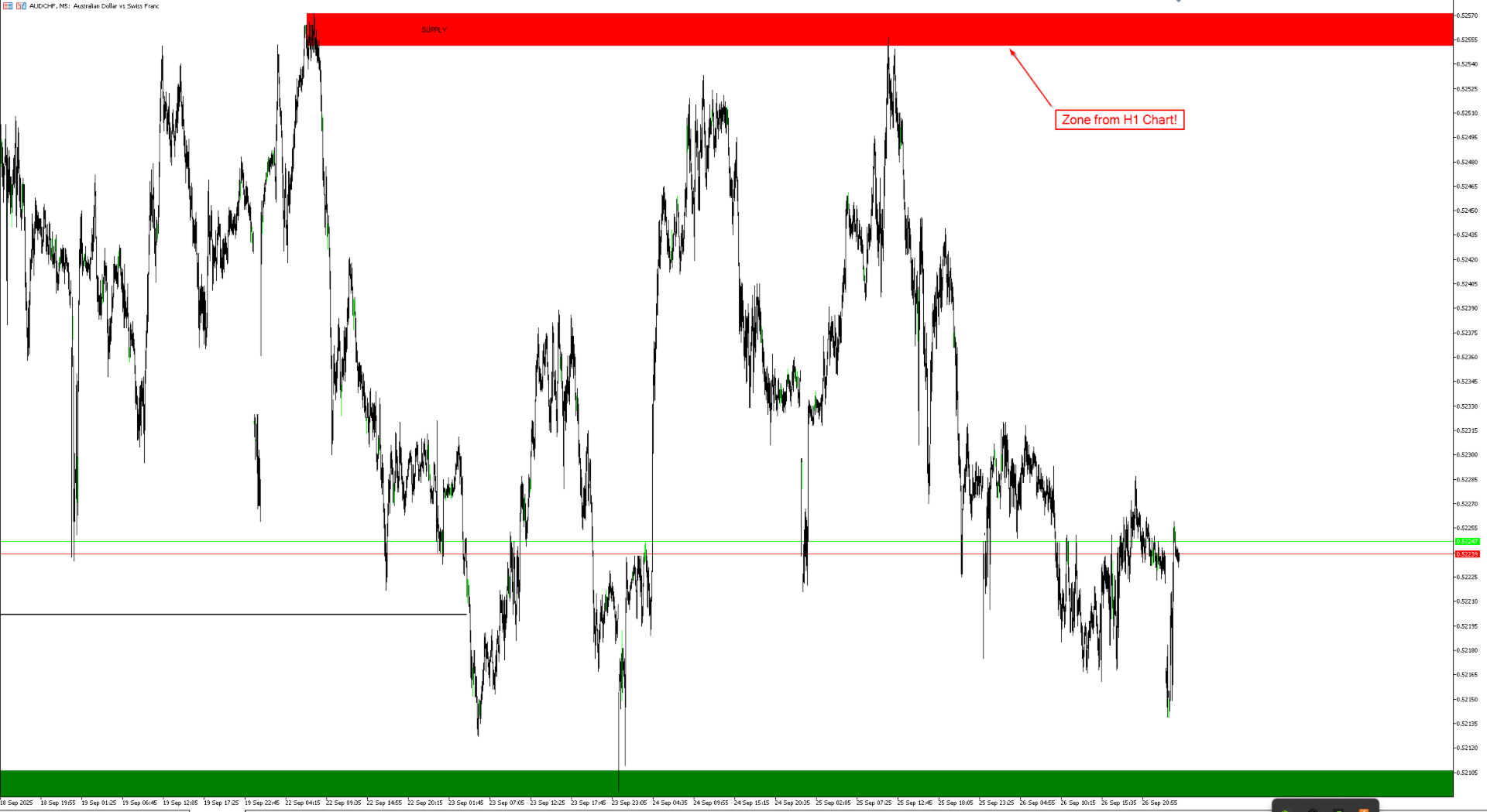
A special feature: The zones remain visible even if you change the chart timeframe. For example, you can display H1 zones on an M15 chart without them being redrawn or lost.
🚀 Key Features
- Automatic zone detection based on swing highs and lows
- Clear chart display – only the most recent zones are kept, older ones are hidden
- Proximity filter – prevents overlapping or clustered zones
- Break of Structure (BOS) – clear trend change signals
- Swing labels (HH/HL/LH/LL) – optional for market structure analysis
- Alerts – Popup, Push, or E-Mail notifications
⚙️ Input Parameters
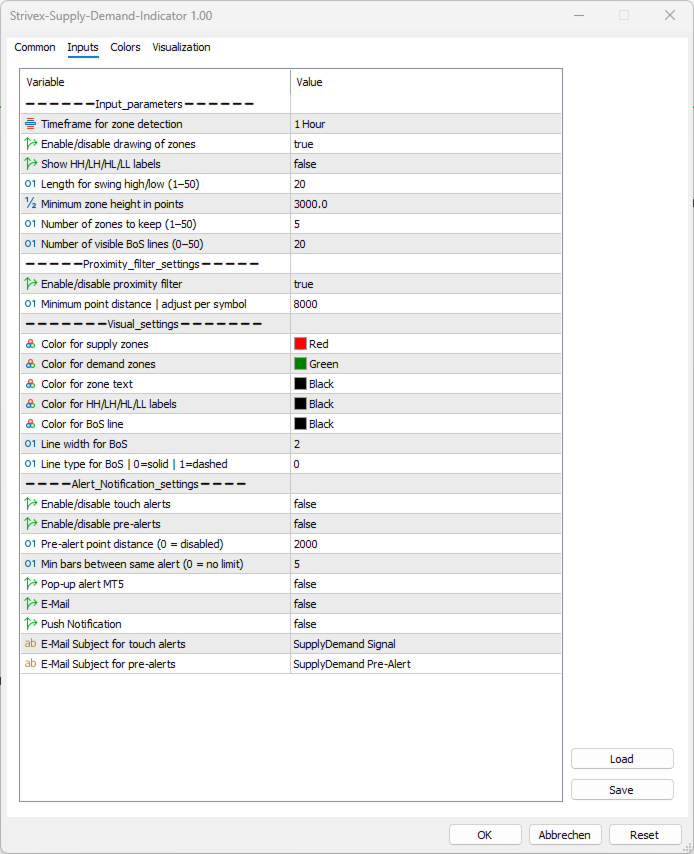
| Input Parameter (as shown in MT5) | Description |
| Timeframe for zone detection | The timeframe in which supply/demand zones are calculated (e.g. H1, H4, D1). Zones of this timeframe remain visible even if you switch the chart timeframe. |
| Enable/disable drawing of zones | Turns the display of zones in the chart on or off. |
| Show HH/LH/HL/LL labels | Displays optional market structure labels (Higher High, Lower High, Higher Low, Lower Low). |
| Length for swing high/low | Number of candles left/right used for swing detection. |
| Minimum zone height in points | Minimum size of a zone in points – smaller zones are ignored. |
| Number of zones to keep | Maximum number of zones displayed simultaneously. |
| Number of visible BoS lines | Maximum number of Break of Structure lines shown at once. |
| Enable/disable proximity filter | Enables or disables the proximity filter for zones. |
| Minimum point distance | Maximum point distance for zones to be considered "too close." |
| Color for supply zones | Color of supply zones (e.g. red). |
| Color for demand zones | Color of demand zones (e.g. green). |
| Color for zone text | Color of zone text labels. |
| Color for HH/LH/HL/LL labels | Color for swing labels. |
| Color for BoS line | Color of BOS lines. |
| Line width for BoS | Line thickness for BOS lines. |
| Line type for BoS | Line style (solid, dashed, dotted, etc.). |
| Enable touch alerts | Alert when price first touches a zone. |
| Enable pre-alerts | Warning when price approaches a zone. |
| Pre-alert point distance | Distance in points at which pre-alerts are triggered. |
| Min bars between same alert | Minimum number of bars between repeated alerts (spam protection). |
| Pop-up alert | Standard MT5 popup alert window. |
| | E-Mail notification (requires SMTP setup). |
| Push Notification | Push notification to MT5 mobile app (MetaQuotes ID required). |
| E-Mail Subject for touch alerts | Subject line for E-Mails triggered by zone touch. |
| E-Mail Subject for pre-alerts | Subject line for E-Mails triggered by pre-alerts. |
📲 Setting up Push Notifications
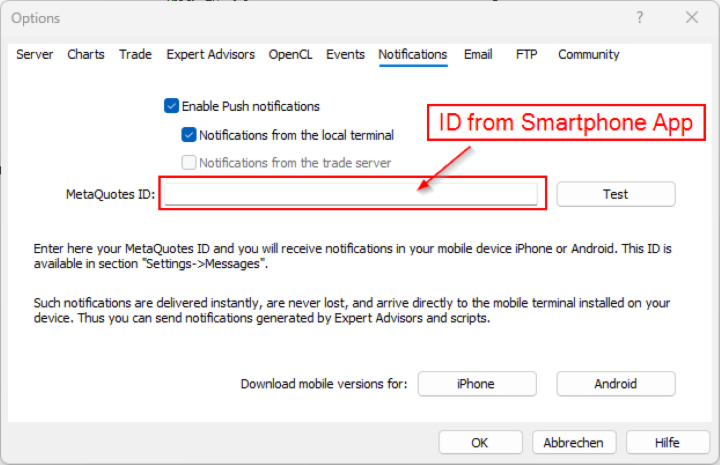
- In MetaTrader 5, open Tools → Options → Notifications
- Check Enable Push Notifications
- Enter your MetaQuotes ID from the mobile MT5 app
- Press Test to confirm
- In the indicator, set Push Notification = true
➡️ You will now receive signals directly on your smartphone.
📧 Setting up E-Mail Notifications
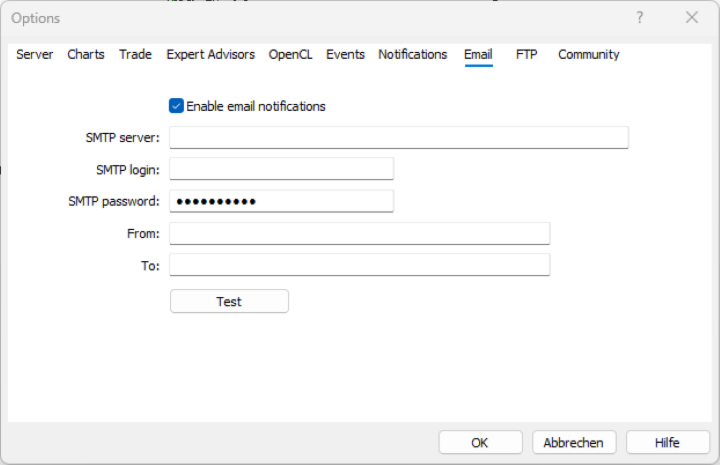
- In MetaTrader 5, open Tools → Options → Email
- Check Enable
- Enter your SMTP server details (e.g. Gmail, GMX, Outlook)
- Send a test mail to confirm
- In the indicator, set E-Mail = true
- Customize subject lines if desired
➡️ You will now receive immediate email notifications whenever a zone is touched or approached.
✅ Conclusion
With the Strivex Supply/Demand Indicator, you trade supply and demand zones in a structured, clear, and professional way.
Thanks to automatic zone detection, BOS signals, and flexible notifications, you always stay in control – whether at your desk or on the go.
📌 Note
The default settings of the indicator are optimized for the Nasdaq 100.
When using it on other markets (e.g. DAX, S&P500, Forex or commodities), you should especially adjust the point-based parameters:
-
Minimum zone height in points
-
Minimum point distance (proximity filter)
-
Pre-alert point distance
Adapting these values to the market is essential to achieve the best performance.