CurrencyStrength TOKYO

CurrencyStrength – Real-Time Currency Strength Ranking

CurrencyStrength is a utility EA that quantifies the strength of the eight major currencies (USD, EUR, JPY, GBP, CHF, AUD, CAD, NZD) in real time, displaying the results as a visually intuitive ranking based on rate of change.
By visualizing currency strength every second, this tool greatly enhances the accuracy of currency pair selection and trade decisions for both discretionary and automated traders.

Main Features

  • Calculates and updates the strength of 8 major currencies in real time (default: every 1 second)
  • Computes rate of change for each currency from the difference between the most recent and previous closing prices, and ranks them in a panel
  • Displays the currency symbol and rate of change (e.g., USD +0.23), with stronger currencies ranked higher and weaker ones lower
  • Shows the previous (one bar ago) ranking alongside the current one, allowing easy tracking of momentum and changes
  • Top 3 currencies are highlighted in green, bottom 3 in red, and neutral currencies in white or gray for clear visibility
  • Panel position, size, timeframe, font size, and colors can all be customized flexibly
  • Lightweight, non-intrusive design that works seamlessly even when analyzing multiple currencies or timeframes

Use Cases and Applications

  • Quickly select entry pairs by focusing on “strong vs. weak” currency combinations
  • Identify trending and ranging currencies at a glance by monitoring the overall market balance
  • Use as a filter for EAs—such as “trade only when currency strength is clear”
  • Compare current and previous strength for each currency to optimize entry and exit timing
  • Monitor multiple currencies and timeframes in parallel, with smooth performance even during busy markets

Calculation Logic and Design

  • Each currency’s strength is calculated based on the rate of change for its JPY pair (e.g., USDJPY, EURJPY, etc.).
    For example, USD strength is measured using USDJPY movement, EUR strength by EURJPY, and so on.
  • Note: In cases of extreme JPY strength (such as a major “JPY-only rally”), all other currencies may show negative changes, while JPY is displayed as 0. This is a normal result that accurately reflects market imbalance.
  • The algorithm is highly efficient and places minimal load on MT4/MT5, even when used on multiple charts simultaneously.
  • Data updates every second by default, ensuring near real-time currency strength tracking, even during rapid market movements.

Parameters

Parameter Description Default
Timeframe Timeframe for currency strength calculation (e.g., H1, M15) H1
DisplayCount Maximum number of currencies to display (1–8) 8
RefreshSeconds Update interval (in seconds) 1
FontSize Font size for display 16
StrongColor Color for strong currencies Lime
WeakColor Color for weak currencies Red
DisplayCorner Panel position (choose from 4 corners) Top right

Important Notes

  • This EA is intended as an analytical tool to support decision-making. It does not generate buy/sell signals or perform automated entries.
  • All trade decisions should ultimately be made at your own discretion.
  • All parameters and panel positions can be adjusted to fit your personal trading style and environment.

Summary

Currency strength is a key axis of analysis valued by many professional traders.
With CurrencyStrength, you can visualize strength in real time every second, greatly improving the accuracy of currency selection and trade timing.
Its simple yet customizable design makes it an optimal support tool for both discretionary and automated trading.

TOKYO-EA provides a wide range of high-quality free and paid trading tools. For more information, search for “TOKYO-EA”.

Recommended products
Current Price MT4
Keni Chetankumar Gajanan -
5 (1)
A simple and useful Current Price Panel, which displays magnified current Bid, Ask prices and spread, movable anywhere on chart window using the mouse. Also provides an option to have as text at a static location showing bid or ask price along with spread, shown at any location on the chart. Allows display as pips or points along with spread highlighted in distinct color if it crosses the threshold point for the previous 100 ticks. Includes an option to show or hide the last digit (pipette) of t
FREE
Introducing the EA AccountTrailingStop MT4, an advanced Expert Advisor designed to enhance your trading strategy by automatically managing and securing your profits on MetaTrader 4. This tool is ideal for both novice and professional traders, offering a robust solution for dynamic profit locking in various trading environments. Installation Guide for MQL Products | Updating Purchased MQL Products on MT4/MT5 | General Troubleshooting Guide | General Settings / Input Guide | Backtest and Set Files
FREE
PositionPilot — One-Click Trade Manager PositionPilot puts professional trade execution and position management directly on your chart. One click — and your trade is protected. Unlike most EAs that only handle their own orders, PositionPilot works with ALL positions — manual, from other EAs, or opened via its panel. One-Click Execution BUY/SELL buttons with auto lot by risk % Hotkeys F1–F6 for keyboard-only trading Auto SL/TP with configurable ratio ️ Smart Risk Management Balance or equity-
FREE
R R Trade Assistant
Calvin Andile Mahlangu
5 (1)
R R Trade Assistant   is a utility Expert Advisor for   MetaTrader 4  built  to help traders visually define trades and manage risk efficiently. This tool combines a   graphical risk-reward interface   with   manual trade execution , allowing traders to easily set trade parameters directly on the chart. Users can define  Entry, Stop-Loss, and Take-Profit levels , calculate lot size based on risk percentage, and execute trades directly from the control panel. If you like the EA, feel free to lea
FREE
The Matrix Arrow Indicator Multi Timeframe Panel MT4 is a free add on and a great asset for your Matrix Arrow Indicator MT4 . It shows the current Matrix Arrow Indicator MT4 signal for 5 user customized timeframes and for 16 modifiable symbols/instruments in total. The user has the option to enable/disable any of the 10 standard indicators, that the Matrix Arrow Indicator MT4 consists of. All of the 10 standard indicators attributes are also adjustable, as in the Matrix Arrow Indicator MT4 . The
FREE
Instantly focus on the selected time point no matter how you move the chart. 【Features】 ・Focus Mode: SingleLine (default display) ・Crt FocusLine: Create one focus line at any desired time ・Position: Switch display position ・Focus: Move the chart view to the created focus line ・X button: Exit the program 【Instructions】 ・Use Focus Mode as the default SingleLine ・Press Crt FocusLine to create one FocusTimeLine ・Use Position button to select the display position ・Press Focus to move the chart to
FREE
Core Positioning Advanced analytical tool designed specifically for MT4, providing in-depth analysis of trading history, uncovering data insights, optimizing strategies, and enhancing profitability. Core Usage Strategy Performance Evaluation: Analyzes profitability, stability, and risk to provide an objective rating from A+ to D. Trading Pattern Discovery: Identifies high-quality assets, time periods, and profit-making habits suited to different market conditions. Risk Management Optimization: C
FREE
EasyClose MT4
Nina Yermolenko
4 (1)
A simple and convenient utility for closing orders. It can close both all orders together as well as buy, sell or pending orders separately. Has an intuitive graphical interface. MT5 version of the utility -  https://www.mql5.com/en/market/product/78599 If you like this utility, take a look at my other products -   https://www.mql5.com/en/users/nina_yermolenko/seller
FREE
AQ RiskOptimizer
HIT HYPERTECH INNOVATIONS LTD
5 (1)
Risk Optimizer is the absolute solution for applying risk management on your account. Bad risk management is the main reason that causes traders to lose money. Risk Optimizer calculates and suggests the correct lot size for each position according to your personal, customized risk profile. You can give directly your preferred risk as percentage (%) for each position or you can trust our algorithms to calculate and optimize according to your risk category selection. But it is not only that! Selec
FREE
Left4Trade MT4 Script  A script allows displaying the closure of a trade on the current chart. It helps to see where the trade was opened and closed and how it affects the overall trading result. When using this script, arrows indicating the opening and closing of trades are displayed on the chart. They can be configured with different colors according to your preferences. One of the main advantages of using this script is the ability to quickly analyze trading operations, which allows you to
FREE
Virtual Assistant MINI   VIRTUALL ASSISTANT = MAKE YOUR TP AND SL VIRTUAL!   Tool meant to control your stop loss and take profit by converting them to virtual SL/TP (with support for TRAILING) Convert all SL and TP to virtual so your exits on trades are hidden from your broker! Run this EA on any graph, choose 1MIN timeframe (VA is autosaving data only on new bar detected, so graph TF equals to VA autosave period) !!! When using virtual trade exits, stable connection is needed for order executi
FREE
Trading panel; “Little Helper” will help you to instantly place Buy or Sell orders for several pairs in a short period of time. The advantage of this panel is that orders are placed immediately with take profit and stop loss limits, which, ultimately, has a good effect on your profit, lot and magik for orders, you can set in the corresponding parameters of the panel when adding it to the chart. Also, there is a large selection of panel colors, a choice of panel anchor angles and setting the fon
FREE
Close Panel Trading
Afzan Bin Abdul Rahman
~~~~~Product Description~~~~~ This Close Panel Trading can Help Our Trading Plane . This has 13 Button Box , 2 Key In Box and 1 Description . CloseBuy All         - To Close All Buy Active Order CloseBuy Profit     - To Close All Buy Active Profit Order CloseBuy Lose      - To Close All Buy Active Lose Order CloseBuy Pending - To Close All Pending Buy Order CloseSell All         - To Close All Sell Active Order CloseSell Profit    - To Close All Sell Active Profit Order CloseSell Lose      - To
FREE
Simple panel EA
Fedor Arkhipov
4.94 (17)
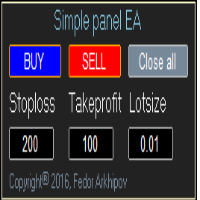
This is a simple panel EA for one-click trading. Unlike the standard panel, it features the Close all button for closing all orders on the current symbol, as well as the ability to enter the stop loss and take profit values before opening an order. The EA distinguishes its orders from others, therefore, the magic number must be specified in the panel settings. The panel is able to take screenshots when opening and closing deals to allow further analysis of the signals for opening/closing orders.
FREE
Rainbow MT4
Jamal El Alama
Rainbow MT4 is a technical indicator based on Moving average with period 34 and very easy to use. When price crosses above MA and MA changes color to green, it’s a signal to buy. When price crosses below MA and MA changes color to red, it’s a signal to sell. The Expert advisor ( Rainbow EA MT4) based on Rainbow MT4 indicator, as you can see in the short video below is now available here .
FREE
This utility will help you avoid losing money on your trades when your terminal loses connection to the broker or your VPS / computer goes into an update and doesn't open your MetaTrader client automatically after the update. How is this product different from the other disconnect alerts? This one will email you   and/or an   SMS   even when your MetaTrader client gets disconnected from the Internet or doesn't respond! Your client is monitored externally and doesn't rely on its own Internet conn
FREE
Order Info Box
Alexandr Ivanov
The Order Info Box utility is designed to conveniently control the orders placed. If there are orders, the utility builds graphical informers for each order, indicating - the order type (position direction); - the order volume; - the profit (if the order is in the market); - optionally the order magic; - optionally the order comment. In addition, the utility builds informers for TakeProfits and StopLosses of orders, indicating the profit or loss that will occur when this TakeProfit or StopLoss i
FREE
Spread on Chart
Luis Mariano Vazquez Marcos
5 (2)
Indicador de Spread en Tiempo Real en la Gráfica Este indicador revolucionario te brinda una visión transparente y detallada del spread en tiempo real directamente en tu gráfica de trading. Diseñado para proporcionar información precisa y crucial, este indicador mejora tu capacidad para tomar decisiones informadas y optimizar tu rendimiento comercial. Características Destacadas: Visualización Instantánea: Observa el spread en tiempo real directamente sobre tu gráfica, eliminando la necesidad de
FREE
BackTester FX
Mikhail Nazarenko
BackTester FX — симулятор  ручной торговли MetaTrader 4 . Позволяет моделировать рыночные условия на исторических данных в тестере стратегий, вручную открывать и закрывать сделки, анализировать торговые стратегии без рисков потерять. Ключевые возможности Эмуляция ручной торговли в визуальном тестере стратегий Совместимость с любыми инструментами и таймфреймами Быстрое управление ордерами (открытие/закрытие) Настройки объема сделки, Stop Loss, Take Profit Работает как в тестере стратегий так и на
FREE
CandleCloseTimer — full control over candle closing time CandleCloseTimer is a compact utility for MetaTrader 4 that shows a countdown to the close of the current candle directly on the chart. The timer is placed near the current price, so the key information stays exactly where traders look most often — next to the price scale. The utility does not open trades, does not provide trading signals, and does not interfere with terminal operation. Its only purpose is to help you clearly see how much
FREE
CleanView
Sergey Batudayev
CleanView — Chart Management Utility for MetaTrader 4 CleanView is a utility designed to simplify the management of chart appearance and graphical objects in MetaTrader 4. It provides a compact button panel located in the upper-left corner of the chart, allowing quick access to functions for visual customization, chart cleaning, and display control. Functions and Buttons Clear Chart — removes all graphical objects from the current chart except the utility buttons. Useful for quick cleanup of lin
FREE
The   Trading Sessions indicator   is a simple tool that helps to highlight a specific trading session. For example, it can be used to differentiate the European, American or Asian sessions. Main features The indicator shows a user-defined trading session. Alert notifications for the start and end of the session. Custom session time. Works on every timeframe (M1, M5, M15, M30, H1, H4, D1, W1, MN). Customizable parameters (Colors, alerts...). It can be used for creating EA. Available for MT4 an
FREE
Tipu Trader
Kaleem Haider
3 (2)
Tipu Trader is a part of Tipu Panel ecosystem that was developed out of need for quick and simple trading. Tipu Trader is an easy to use trade panel for commonly used trade functions. Create you own signals with Tipu Panel and trade along with Tipu Trader, a simple and easy to use trade panel. Features An easy to use trade panel for most commonly used trade functions. Create your own personal trade signals with Tipu Panel , and trade with Tipu Trader. Customizable Panel. The panel can be moved
FREE
Ultra Scalper Pro
Vadim Korolyuk
4.4 (10)
Scalping Expert Advisor trades from daily support and resistance levels. Trading expert does not use indicators. Recommended use a broker with 5 signs and a low spread. To protect the account from trading during spread expansion, added parameter: "MaxSpread", in which you specify the maximum allowable spread (15-20 pips). A month opens 16-18 deals on average. Benefits: Expert always uses Takeprofit, Stoploss and Traillingstop; Expert does not use a grid or martingale system; Expert can work with
FREE
Confirmation Entry
Fawwaz Abdulmantaser Salim Albaker
Dear Valuable Friends ,   This New Free EA works as below : - waiting the M15 diagram to show the reverse or continuing of the trend - confirm  signal on H4 Diagram . - wait till the entry strategy is being extremely true  - put direct entry point (sell or Buy ) and put Pending Orders (P.O) in grid   All these will be Active after manually set in common parameters that u fully controlled . Check the pics to recognize .. for any Question write to me directly .. Best Luck  Best Luck  
FREE
Shadow Flare MT4
Kestutis Balciunas
Shadow Flare Indicator is a non-repainting trend & liquidity tool for MetaTrader 4. It runs a configurable moving-average baseline (HMA, EMA, SMA, or RMA) wrapped in an Average True Range envelope and produces a sticky trend state that only flips when price closes through the upper or lower band. The same trend engine drives an automatic supply/demand zone module that detects pivot highs and pivot lows, draws coloured boxes around them, and mitigates each zone the moment price closes through it.
FREE
This is a simple risk/reward setter. You enter your TP and SL in the currency amount and it sets it for you, you set your targets in money (not in pips), it helps beginners who are still learning about risk/reward ratios to set their risk/reward based on their capital or amount of money. For example, if you want to risk $3 to make $10, you just fill it in and it sets your order targets accordingly. You can set the TP and SL per chart or all opened charts only. Please make sure your targets are r
FREE
This Expert Advisor monitors all open trades and saves them to a CSV file whenever a change is detected. It’s a lightweight tool for exporting trade data from MetaTrader 4 in real time. What it does: Monitors all open positions on the terminal Detects changes (order type, volume, price, SL, TP, etc.) Writes updated trade data to a .csv file ( TradeCopy.csv ) Includes order ID, symbol, type, lot size, price, SL, and TP Saves files in the Common Files folder for easy access by other applications H
FREE
Countdown Bar Timer is a lightweight, clean, and highly efficient indicator designed for MetaTrader 4. It displays the remaining time before the current candle/bar closes in real-time. Key Features: Real-Time Countdown: Smooth 1-second interval updates even when the market is quiet or slow. Dynamic Color Alerts: Automatically changes colors based on remaining time to prepare you for incoming bar closes: Green: More than 35 seconds remaining. Yellow: Between 15 and 35 seconds remaining.
FREE
Itrade Manager MT4
Nestor Smill Soler Olivero
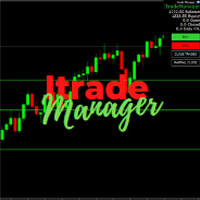
Itrade manager expert advisor (EA) is a type of software that can be programmed to perform a variety of tasks related to managing trades in the financial markets. Some of the ways in which the Itrade manager EA can help you trade better include: Itrade manager EA can automatically modify, and close trades based on predefined rules and conditions, freeing you up to focus on other aspects of your trading strategy. Managing risk: Itrade manager EA can help you manage risk by placing stop-loss and
FREE
Buyers of this product also purchase
Forex Trade Manager MT4
InvestSoft
4.98 (447)
Trade Manager MT4 is an advanced position size calculator and trade management tool for MetaTrader 4, designed to help traders plan trades faster, control risk more precisely, and manage open positions directly from the chart. It combines order placement, risk based lot calculation, Stop Loss and Take Profit management, Break Even, Trailing Stop, Partial Close, Equity Protection, and external trade management in one panel. Whether you trade forex, indices, metals, commodities, or crypto, Trade M
Exp COPYLOT CLIENT for MT4
Vladislav Andruschenko
4.69 (65)
Professional Trade Copier for MetaTrader 4 Fast, professional, and reliable trade copier for MetaTrader 4 . COPYLOT helps you copy Forex trades between MetaTrader 4 and MetaTrader 5 terminals with flexible synchronization for different account setups. COPYLOT MT4 version supports: MetaTrader 4 to MetaTrader 4 MetaTrader 5 Hedge to MetaTrader 4 MetaTrader 5 Netting to MetaTrader 4   MT5 version Full Description + DEMO + PDF How To Buy How To Install How to get Log Files How To Test and Optimize A
Trade Assistant MT4
Evgeniy Kravchenko
4.43 (197)
It helps to calculate the risk per trade, the easy installation of a new order, order management with partial closing functions, trailing stop of 7 types and other useful functions. Additional materials and instructions Installation instructions   -   Application instructions   Line function -   shows on the chart the Opening line, Stop Loss, Take Profit. With this function it is easy to set a new order and see its additional characteristics before opening.   Risk management  - The risk calcu
Local Trade Copier EA MT4
Juvenille Emperor Limited
4.96 (111)
Local Trade Copier EA MT4 is a fast and flexible trade copier for copying and managing trades between multiple MetaTrader 4 accounts on the same Windows computer or Windows VPS. It combines local trade synchronization with Receiver-side controls for lot sizing, risk management, trade filtering, symbol mapping, trade management and account protection. Set up your Transmitter and Receiver terminals in about 1 minute and copy manual or EA trades between accounts at the same or different brokers. U
The product will copy all telegram signal to MT4   ( which you are member  ) , also it can work as remote copier.  Easy to set up, copy order instant, can work with almost signal formats, image signal, s upport to translate other language to English Work with all type of channel or group, even channel have "Restrict Saving Content", work with  multi channel, multi MT5 Work as remote copier: with signal have ticket number, it will copy exactly via ticket number. Support to backtest signal. How to
News Filter EA MT4
Rashed Samir
5 (10)
News Filter EA: Advanced Algo Trading Assistant News Filter EA is an advanced algo trading assistant designed to enhance your trading experience. By using the   News Filter EA , you can integrate a Forex economic news filter into your existing expert advisor, even if you do not have access to its source code. In addition to the news filter, you can also specify   trading days   and   hours   for your expert. The News Filter EA also includes   risk management   and   equity protection   features
TradePanel MT4
Alfiya Fazylova
4.84 (95)
Trade Panel is a multi-functional trading assistant. The app contains over 50 trading functions for manual trading and allows you to automate most trading tasks. Application instructions: https://www.mql5.com/en/blogs/post/756482 Trial version of the application for a demo account: https://www.mql5.com/en/blogs/post/750865 How to install the application: https://www.mql5.com/en/blogs/post/756239 How to test the application in visual mode: https://www.mql5.com/en/blogs/post/770277 How to install
Telegram to MT4 Coppy
Sergey Batudayev
4.09 (11)
Telegram to MT4: The Ultimate Signal Copying Solution Streamline your trading with Telegram to MT4 , the cutting-edge utility designed to copy trading signals directly from Telegram channels and chats to your MetaTrader 4 platform—without the need for DLLs. This robust solution ensures seamless execution of signals with unparalleled precision and customization options, saving you time and boosting your efficiency. [ Instructions and DEMO ] [ FAQ ] [ How atach logs properly ] [Settings descrition
Copy Cat More Trade Copier MT4 is not just a simple local trade copier; it is a complete risk management and execution framework designed for today’s trading challenges. From prop firm challenges to personal portfolio management, it adapts to every situation with its blend of robust execution, capital protection, flexible configuration, and advanced trade handling. Need Support? How to setup? Has questions? Ask here in your language , fast reply: https://www.mql5.com/en/market/product/139089/co
CloseIfProfitorLoss with Trailing
Vladislav Andruschenko
4.88 (32)
Close If Profit or Loss with Trailing for MetaTrader 4 — automatic closing by total profit or loss A reliable trade-management utility for MetaTrader 4 that automatically closes positions when the total profit or total loss reaches the level you set. The Expert Advisor monitors open trades, calculates floating profit and loss, can trail profit, and helps close positions faster than manual reaction. MetaTrader 4 is still used by many manual traders, grid traders, scalpers, and Expert Advisor use
Trade copier MT4
Alfiya Fazylova
4.62 (37)
Trade Copier is a professional utility designed to copy and synchronize trades between trading accounts. Copying occurs from the account / terminal of the supplier to the account / terminal of the recipient, which are installed on the same computer or VPS . Before buying, you can test the demo version on a demo account. Demo version here . Full instruction here . Main functionality and benefits: Supports copying MT4> MT4, MT4> MT5, MT5> MT4, including MT5 netting accounts. * Supports copying Dem
DoIt Trade Manager - Risk Panel and EA Position Manager for MT4 Finding an entry is only half the job. Many execution mistakes happen in position sizing, partial exits, breakeven, trailing and account protection. DoIt Trade Manager puts the complete workflow on the chart. Plan the risk before entry, execute the order and apply consistent management rules to your manual trades and selected positions opened by other EAs. Full setup guide + how the free version works and where PRO starts :  https:/
Trade Indicator Assistant is a powerful MT4 utility designed to turn indicators into automated trading systems. Its main feature is the ability to automatically detect an indicator’s   BUY and SELL signal buffers , without requiring you to know the buffer numbers, search through indicator settings, or modify the indicator source code. Bonus Indicator: After purchasing Trade Indicator Assistant, contact me to receive Trade Signal Pro completely free as a bonus indicator. [Download Demo Version]
PZ Trade Pad Pro MT4
PZ TRADING SLU
3.67 (3)
Effortlessly calculate lot sizes and manage trades to save time and avoid costly errors The Trade Pad Pro EA is a tool for the Metatrader Platform that aims to help traders manage their trades more efficiently and effectively. It has a user-friendly visual interface that allows users to easily place and manage an unlimited number of trades, helping to avoid human errors and enhance their trading activity. [ Installation Guide | Update Guide | Troubleshooting | FAQ | All Products ] One of the k
The program is use to copy trading from MT4   to MT4 and MT5  on same Windows   PC or VPS .   Now you can easy copy trades to any MT4 account or MT5 account. Instants copy, speed smaller 0.1 seconds, easy to setup. Need run EA as Signal provider on one MT4 account, other MT4 / MT5 will run EA as Trade copier. You can download and try demo version on demo account Copi Trade MT4 demo   version   here   Copi Trade MT5 demo   version  here  
DMI Drawdown Watcher: Track your Drawdowns in Real Time 100% free, functional and without limitations! The DMI Drawdown Watcher is an essential tool for traders, designed to monitor your drawdowns in real time. Ideal for optimizing your risk management, this indicator tracks your current and maximum losses, helping you meet the strict criteria of prop firms and protect your capital. Key Features: Max DrawDown Value Alert: Triggers an alert when the maximum drawdown threshold is reached. (Def
This is the simplest Lot Multiplier to manage trades open by signal, expert or manually.   How The Program Works: When a new trade is open in the terminal from any source (advisor, manually, signal), the program opens an additional trade (duplicates / copies the source with the specified parameters) in the same terminal and controls it as per source, when the source trade parameters (SL, TP) change, the program will automatically change the parameters of additional trade as well, when closing th
Az OrderGun
Jose Antonio Valle Magana
AZ_OrderGun MT4 - Professional 1-Click Trading Panel AZ_OrderGun is the all-in-one panel to execute and manage your trades without wasting time setting up SL/TP. KEY FEATURES: 1. 4 INSTANT ENTRIES: Buy SLL - Buy with SL on Low of previous candle Sell SLH - Sell with SL on High of previous candle Buy SLO / Sell SLO - SL on Open of previous candle > Fully configurable % Risk 2. ADVANCED VISUAL MANAGEMENT: Draggable lines for Pending and Market orders Auto calculation of Lot Size, $ Ri
Trade Manager Pro MT4
Bryan Djoufack Nguessong
This is an Utility to make your trading easier by putting at   one click or a few clicks   time-consuming tasks as order management and risk management. Contact for a free trial. Features Risk Management   Calculates automatically lots based on risk specified in either   % or $  in the risk field and let you enter just   by placing lines for SL TP   etc and display   real-time Risk Reward . TrueRisk   so   it includes commissions when calculating lot size on FX pairs only so you risk 1% with
Trading History MT4
Siarhei Vashchylka
5 (9)
Trading History - A program for trading and money management on the history of quotes in stratagy tester. It can work with pending and immediate orders, and is equipped with trailing stop, breakeven and take profit functions. Very good for training and testing different strategies. Manual (Be sure to read before purchasing) Advantages 1. Allows you to test any trading strategy in the shortest possible time 2. An excellent simulator for trading training. You can gain months of trading experience
Shepherd Safety EA
AW Trading Software Limited
4.92 (13)
AW Shepherd Safety EA is an Expert Advisor for managing open positions. The trader opens the first order from the panel, and from there the EA runs the basket on its own: it adds recovery orders with a trend filter, closes a side on TakeProfit, trailing or stop, and shows the close levels on the chart. Buys and sells are managed separately, and both sides can be open at the same time. A recovery order opens not just on a price step but once Parabolic SAR, two MAs or candle color show a reversal
Trade Assistant Pro 36 in 1
Makarii Gubaydullin
4.76 (21)
Multifunctional tool: Lot Calculator, Grid Orders, R/R ratio, Trade Manager, Supply and Demand zones, Price Action and much more Demo version   |   User manual Trade Assistant   doesn't work in the strategy tester: you can download the Demo Version HERE  to test the utility . Contact me for any questions  / ideas for improvement / in case of a bug found If you need a MT5 version, it is available   here Simplify, speed up and automate your trading process . Expand the standard terminal capabilit
RS Trade Copier
Boris Sedov
5 (1)
RS Trade Copier - the ultra-fast local trade copier with a real graphical interface. Stop typing account numbers manually. No more 200+ cryptic inputs. A reliable and flexible tool for copying trading operations between multiple MT4 and MT5 terminals. It suits experienced traders, signal providers, and individual investors. It enables trade synchronization from one or multiple Providers to one or multiple Clients with high precision and minimal latency. It supports simple automatic configuration
Telegram to MT4 Multi-Channel Copier   automatically copies trading signals from your Telegram and Discord channels straight to MetaTrader 4. No bots, no browser extensions, no manual copying. A signal arrives in Telegram or Discord and the EA opens the trade in your terminal within seconds. And before you copy a channel, the built-in backtester shows you what that channel would have done in your account. The product has two components: a Windows application that listens to your Telegram channel
Rhino Chart Drawing Tools provides a TradingView-style drawing workflow for MetaTrader 4. It includes 54 drawing tools , a customizable toolbar, Favorites, quick styling, object settings, templates and an object manager. User manual: How to use the product Free demo version: Download the demo MetaTrader 5 version: Rhino Drawing Tools for MT5 Drawing Tools Group Object List Lines Trend line, ray, extended line, horizontal line, vertical line, horizontal ray, cross line, trend angle, arrow, path
Equity Protect Pro: Your Comprehensive Account Protection Expert for Worry-Free Trading If you're looking for features like account protection, equity protection, portfolio protection, multi-strategy protection, profit protection, profit harvesting, trading security, risk control programs, automatic risk control, automatic liquidation, conditional liquidation, scheduled liquidation, dynamic liquidation, trailing stop loss, one-click close, one-click liquidation, and one-click restore, Equity P
MT4 to Telegram Signal Provider   turns your trading account into a signal provider. Every trade action, whether manual, by EA or from your phone, is instantly sent as a message to Telegram. You can fully customize the format or use a ready-made template for quick setup. [ Demo ] [ Manual ] [ MT5 Version ] [ Discord Version ]  New: [ Telegram To MT5 ] Setup A step by step user guide is available. Key Features Ability to customize order details sent to subscribers You can create a tiered subs
Multi Account Local Trade Copier is a fast local trade copier for MetaTrader: copy trades between MT4/MT5 terminals running on the same Windows PC or VPS, from one master account to multiple receiver accounts — your own real, demo and prop firm accounts, at the same broker or at different ones. It is event-driven : the master publishes every trade the instant it happens, and the receiver measures and logs the real copy latency of every single trade — typically 50-150 ms . No DLLs, no internet br
Magnifier Ruler Crosshair
Taras Slobodyanik
5 (2)
The indicator has three main tools: Magnifier (Zoom chart), Ruler  ( Time and Price scales ),   and Crosshair. You can move it all around with your mouse and customize different formats for  displaying , customize   size and color of each element. The Magnifier (zoom chart) allows you to display candles from any time frame and at different scales. Hotkeys: 'Q' - higher timeframe, 'A' - lower timeframe, 'W' - decrease candle size, 'S' - increase candle size, 'Z' - show/hide zoom chart You can
Automatic Trailing Stop Based on Take Profit Percentage with Profit Lock EA MT4   Lock in your profits and "let your winners run" past your 100% take profit target with this EA.  This Expert Advisor automatically adjusts your Stop Loss based on up to 4 user-defined Take Profit Target Percentages, locking in your profit.  If price pushes past your 100% take profit target, the EA will automatically trail the price by user-defined pips, so you won't miss that runaway train again.   EA Features The
More from author
Break Even Trailing EA
Etsushi Ishizuka
5 (2)
Break Even Trailing EA | Automated Breakeven & Trailing Stop Manager Break Even Trailing EA is a utility Expert Advisor (EA) for MetaTrader 4/5, designed to automate profit protection for discretionary traders. This tool manages risk and locks in profits automatically after your manual entries, making your trading process more efficient and less stressful. The EA offers two powerful, selectable logic modes for securing profits, which you can use individually or in combination, depending on your
FREE
The SuperTrend indicator is a trend-following technical tool that visually highlights trend reversals in the market. The color and position of its lines change automatically based on price movements, supporting both entry and exit decisions. With a simple design, it can be used in a wide range of trading styles, including discretionary and automated trading. Main Features Clear display of trend reversals During uptrends, the line is drawn below the candlesticks; during downtrends, it is drawn a
FREE
BreakEven Trailing is a utility for MetaTrader 5 that manages the stop loss of positions you already hold. It moves the stop loss to break-even and trails it behind price, so you do not have to watch the chart to protect an open profit. The EA does not open positions and does not close positions by market order. It only modifies the stop loss of existing positions. An exit happens when price reaches the stop loss that the EA has placed. WHAT IT DOES - Moves the stop loss to the open price, o
FREE
Heikin Ashi Smoothed – MT4 Indicator Heikin Ashi Smoothed is a custom indicator for MetaTrader 4 (MT4) that enhances the traditional Heikin Ashi candlestick chart by applying an additional smoothing process using moving averages. This approach creates a much clearer visual representation of trends, significantly reducing chart noise and making it easier to identify the prevailing market direction as well as potential reversals. Main Features Displays smoothed Heikin Ashi candlesticks on the char
FREE
PositionClose
Etsushi Ishizuka
PositionClose | All Position Close Script for MT4 PositionClose is a utility script for MetaTrader 4 (MT4) designed to help traders efficiently manage their positions. With a single click, you can close all open positions instantly, or selectively close only buy or only sell positions. This tool is especially useful during sudden market movements, important news releases, or any situation where rapid risk reduction or position adjustment is needed. PositionClose is suitable for both discretionar
FREE
CandleStick Countdown – Candle Remaining Time Indicator CandleStick Countdown is a simple and practical MT4 indicator that displays a real-time countdown of how many minutes and seconds remain until the current candle closes. It helps improve trading timing accuracy and is widely used by traders. Main Features Displays the remaining time of the current candle in a "minutes:seconds" format Shown as text on the chart for high visibility Automatically adjusts position near the current price for eas
FREE
ExportCSV
Etsushi Ishizuka
Overview ExportCSVFile is a MetaTrader 4 script that exports your account history within a specified period into a CSV file. It is useful for analyzing trade performance, creating Excel reports, or organizing manual trade records. The script does not execute trades and is safe for use on any chart. Main Features Export account history for a user-defined period Save as CSV (comma-separated) that opens directly in Excel Output includes major fields: Ticket, Type, Symbol, OpenTime, CloseTime, Lots,
FREE
PartialAutoClose EA is a utility EA that enables semi-automatic and flexible management of positions opened by manual or discretionary trading. [Main Features] - Choose from two exit logic types:     Automatically closes positions based on either Heikin Ashi color change or moving average cross. - Automatic break-even stop     When a specified profit is reached, the stop loss is automatically moved to break-even (or a user-defined level). - Partial or full close selectable     On exit signal,
FREE
Ride the Wave of Trends — Clear Signals for Confident Following In financial markets, the most stable profits often come from clear and established trends. However, even experienced traders know that riding the trend reliably is not always easy. Ride the Trend Signal is a signal-based indicator that focuses on trend-following entries, particularly on pullbacks and retracements. Instead of jumping into the early stages of a trend, this tool waits until the trend is established and then identifies
FREE
HeikinAshi Binary
Etsushi Ishizuka
3 (1)
Heikin Ashi Binary – Visual Trend Support Indicator with Binary Display Overview Heikin Ashi Binary is an indicator for MetaTrader that displays Heikin Ashi trend information in binary (two-value) format in a subwindow. Instead of candlestick shapes, it draws bullish (uptrend) and bearish (downtrend) conditions as simple colored blocks. This allows you to quickly identify trend continuations or possible reversals at a glance. The indicator is suitable for discretionary trading, EAs (automated tr
FREE
Aroon Classic
Etsushi Ishizuka
Overview of the Aroon Classic Indicator The Aroon Classic indicator is a technical tool that quantitatively identifies the emergence and persistence of trends on a chart. It uses two lines—“Aroon Up” and “Aroon Down”—to display trend strength and turning points within a range of 0–100. A higher Aroon Up value indicates a stronger uptrend, while a higher Aroon Down value indicates a stronger downtrend. Key Features Visually distinguishes trend initiation and reversal Customizable calculation peri
FREE
What is Schaff Trend Cycle? The Schaff Trend Cycle (STC) is an oscillator-type indicator designed to detect trend reversals in a timely manner. Compared to traditional indicators like moving averages or MACD, it combines cyclical patterns with momentum to more clearly identify the beginning and end of trends. Main Features Clear trend reversal signals: The cycle line rises in an uptrend and falls in a downtrend. Noise reduction in ranging markets: Smoothing based on cyclical timing helps filter
FREE
TSI Indicator
Etsushi Ishizuka
3 (1)
Overview The True Strength Index (TSI) indicator is a momentum oscillator plotted in a separate window on MT4. It smooths the momentum (MTM) and its absolute value through two successive Exponential Moving Averages (EMAs) and then computes their ratio multiplied by 100. TSI helps visualize trend strength and potential turning points in the market. Key Features Dual-EMA smoothing to reduce noise and produce a clean line Signal EMA overlay to assist with entry and exit timing Auto-scaled range fro
FREE
SmoothedRSI
Etsushi Ishizuka
SmoothedRSI is a custom indicator that calculates a standard RSI and then applies a smoothing method to the RSI values. The indicator displays only the smoothed RSI line in a separate window. The output range is 0 to 100. RSI can react strongly to short-term price fluctuations, which may increase small oscillations depending on market conditions. This indicator smooths the RSI values to reduce short-term noise and make broader momentum changes easier to observe. Core Specifications Display: one
FREE
TMA Classic
Etsushi Ishizuka
TMA Classic – Overview of the Triangular Moving Average Indicator The TMA Classic is a very simple and lightweight indicator that displays the Triangular Moving Average (TMA) as a single smooth line. It effectively removes excessive noise and captures the central movement of prices, making it useful for identifying trend direction and range-bound market conditions. Since it only displays a single line, it offers high visibility on the chart without interfering with other indicators or candlestic
FREE
BB Sub
Etsushi Ishizuka
BB-Sub – Bollinger Bands in Subwindow BB-Sub is a simple yet powerful indicator that displays Bollinger Bands independently in the subwindow of your chart. Unlike standard Bollinger Bands, which are shown on the main chart, BB-Sub operates in a separate subwindow. This prevents overlapping with candlesticks or other indicators, making it ideal for traders who want to focus purely on the movement and shape changes of the bands. Main Features Simultaneously displays the upper band, lower band, and
FREE
RCI Indicator
Etsushi Ishizuka
RCI (Rank Correlation Index) Indicator Overview The RCI (Rank Correlation Index) indicator is an oscillator-based tool that analyzes market trends and possible turning points by measuring the rank correlation of price data. It quantifies the correlation between price ranking and time ranking over a specified period, displaying values from -100 to +100 as a simple line. RCI is widely used for gauging market momentum, timing entries and exits, and can support both trend-following and counter-tren
FREE
RSI TrendGate
Etsushi Ishizuka
Product Description RSI TrendGate 3MA is an MT4/MT5 chart indicator designed for trend direction confirmation. It evaluates trend direction using a combination of three Moving Averages (MA) and the Relative Strength Index (RSI), and displays arrows in the chart window when the direction state changes according to the selected conditions. This indicator is not intended to be used as a standalone entry signal. A recommended workflow is to confirm direction on a higher timeframe and apply your own
FREE
T3 2Lines
Etsushi Ishizuka
T3 2Lines – Precise Trend Analysis with Dual T3 Moving Averages “T3 2Lines” is an MT4 indicator that plots two T3 (Triple Exponential Moving Average) lines on your chart—one short-term and one long-term. By combining these two smoother moving averages, traders can gain clearer insights into trend initiation, continuation, and potential reversal zones. What This Indicator Does Displays two T3 moving average lines simultaneously (short and long term) Each line has individually configurable period
FREE
BBWidth 3Lines
Etsushi Ishizuka
Overview BBWidth 3Lines is a custom indicator that visualizes the width between the upper and lower Bollinger Bands (i.e., +σ minus −σ) as a line in a separate subwindow. The value is expressed in points, not in price. While conventional Bollinger Bands are often used to assess price deviation or band touch, this tool focuses exclusively on the width of the bands , allowing you to analyze market volatility visually and precisely. Key Features Displays the difference between the upper and lower B
FREE
ExportDailyRange
Etsushi Ishizuka
ExportRange is a utility script designed to export candle range data from any selected timeframe into a CSV file. It collects the high, low, and range values of each bar, along with the bar time and index. The script helps traders who need simple and reliable data for statistical or volatility analysis. When the script is applied to a chart, it extracts the specified number of bars and saves the output in CSV format inside the terminal’s Files directory. Both the number of bars and the timeframe
FREE
OvertradeShield
Etsushi Ishizuka
OvertradeShield – Utility EA to Prevent Overtrading in Discretionary Trading Have you ever regretted making “just one more” trade in discretionary trading? OvertradeShield is a utility-type EA that automatically limits and alerts entries based on realized profit and loss, supporting your trading rules and mental discipline. It is ideal for traders who want to keep daily profits and losses in mind, prevent overtrading, and enforce profit and loss rules systematically. Since entries are discretion
FREE
Filter:
No reviews
Reply to review