 MetaTrader 5
 Experts
 Indicators
 Libraries
 Utilities
 Widgets
 Rules
Rules
Watch the Market tutorial videos on YouTube
How to buy а trading robot or an indicator
Run your EA on
virtual hosting
virtual hosting
Test аn indicator/trading robot before buying
Want to earn in the Market?
How to present a product for a sell-through
Free Expert Advisors and Indicators for MetaTrader 4 - 64
 Trading robots perform market transactions automatically, while indicators allow you to better analyze quotes and predict the price behavior.
With these applications, you will be able to perform deals in MetaTrader 4 in a more informed manner, while capturing more opportunities.
Trading robots perform market transactions automatically, while indicators allow you to better analyze quotes and predict the price behavior.
With these applications, you will be able to perform deals in MetaTrader 4 in a more informed manner, while capturing more opportunities. 
The purpose of this new version of the MT4 standard indicator provided in your platform is to display in a sub-window multiple timeframes of the same indicator. See the example shown in the picture below. But the display isn’t like a simple MTF indicator. This is the real display of the indicator on its timeframe. Here's the options available in the FFx indicator: Select the timeframes to be displayed (M1 to Monthly) Define the width (number of bars) for each timeframe box Alert pop up/sound/ema
FREE

The purpose of this new version of the MT4 standard indicator provided in your platform is to display in a sub-window multiple timeframes of the same indicator. See the example shown in the picture below. But the display isn’t like a simple MTF indicator. This is the real display of the indicator on its timeframe. Here's the options available in the FFx indicator: Select the timeframes to be displayed (M1 to Monthly) Define the width (number of bars) for each timeframe box Alert pop up/sound/ema
FREE

The purpose of this new version of the MT4 standard indicator provided in your platform is to display in a sub-window multiple timeframes of the same indicator. See the example shown in the picture below. But the display isn’t like a simple MTF indicator. This is the real display of the indicator on its timeframe. Here's the options available in the FFx indicator: Select the timeframes to be displayed (M1 to Monthly) Define the width (number of bars) for each timeframe box Alert pop up/sound/ema
FREE

The purpose of this new version of the MT4 standard indicator provided in your platform is to display in a sub-window multiple timeframes of the same indicator. See the example shown in the picture below. But the display isn’t like a simple MTF indicator. This is the real display of the indicator on its timeframe. Here's the options available in the FFx indicator: Select the timeframes to be displayed (M1 to Monthly) Define the width (number of bars) for each timeframe box Alert pop up/sound/ema
FREE

A very useful indicator for trading, which shows the current load on the deposit. The load is calculated by the formula (margin / balance) * 100%. If necessary, the indicator beeps when the load on the deposit exceeds a certain level. The load is displayed total, taking into account all open positions.
Indicator parameters:
Color - text color. Font size - font size. Font family is a font family. Right - indent to the right. Bottom - indent bottom. Max load - the maximum load at which the sound
FREE

A utility to close all orders automatically. There are simple options as follows: - Close orders created by EA . - Close manually created orders. - Close orders by Symbol . - Close buy order separately. - Close sell order separately. - Close all orders. Please refer to the video for more details about our products:
We are ready to help you with the use of EA, Please contact us.
FREE
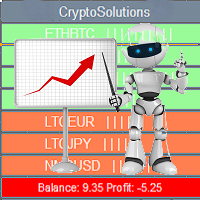
This indicator shows the current situation on the cryptocurrencies available for trading, depending on the signal strength specified in the settings. It can be used for determining the expected increase/decrease in the asset price, displayed by the corresponding color, and the signal strength, displayed by a vertical dash near a certain cryptocurrency pair. Indicator Parameters Panel color - color of the indicator panel Long color - cryptocurrency pair uptrend color Short color - cryptocurrency
FREE

The LevelsPivotMT4 plots the pivot points and forms the support and resistance levels. The indicator does not repaint.
Default colors Yellow - pivot point. Green - resistance levels R1, R2, R3. Red - support levels S1, S2, S3. Installed similar to any standard indicator.
Analysis rules Trade the rebound from support or resistance lines. Accordingly, the target is the central line (the pivot point, yellow by default).
FREE

FXDragunov.MyThemes. Forex Chart Color Themes.
Chart templates are responsible for chart layout and for contents of technical indicators applied to them.
Chart templates are used: When customizing an opened chart window. When customizing settings of a new chart window. When customizing a chart opened via the “New chart” window.
Original code by FXDragunov Indonesia
FREE

The CandleStick Factory is a tool that allow you to perform a market scan and search any candlestick pattern that you already created. The lite version can be downloaded here : https://www.mql5.com/en/market/product/75622 You can perform a quick search in the current chart (500 bars will be scanned), or save your custom candlestick patterns, and search in different Symbols/Timeframes that you can select in the settings tab, the scan can be scheduled every 1, 5 or 10 minutes by updating t
FREE
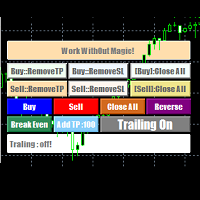
EasyAgent Trade Tool.This is not an automatic trading robot (EA) and it doesn’t take decisions or opens position, but it helps your work when you trading manual work with Strategy Tester and you can control trade via magic number. The following functions are available: Order opening in one click. Order closing/deleting in one click. Modification of Stop Loss and Take Profit using a mouse. Closing all orders based on their type. Order reversal. Breakeven function. Trailing Stop function.
FREE

ManageEquity - A Powerful Trading Utility for Risk Management ManageEquity is a simple yet powerful trading utility designed to enhance risk management strategies. By attaching this utility to a single chart and specifying the maximum dollar amount for both profit and loss, traders can effectively manage their open orders. With ManageEquity, traders can easily set their desired profit target and maximum acceptable loss for all open trades. Once the profit target is reached or the maximum loss th
FREE

OnBoard stats is a panel that show in a single view a lot of usefull information about working orders and trading account. It has 4 different sub-panels (from left to right): Symbols order statistics : it can be found symbols for which there are orders (market or pendings). Symbol with pendings are colored with "Pendings color". Clicking on a specific symbol row, chart will be changed to that symbol. Current symbol statistics : informations about the "current" symbol, the one which is opened in
FREE
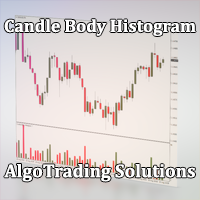
Индикатор Candle Body Histogram отображается в отдельном окне и показывает размер тела каждой свечи в виде гистограммы. В зависимости от того растёт свеча на графике или снижается, гистограмма меняет свой цвет. Свечи "доджи", у которых совпадают цены открытия и закрытия, так же отображаются на гистограмме отдельным цветом. Поскольку индикатор строится от нулевого значения, он позволяет визуально сравнить тела свечей относительно друг друга. На гистограмме можно разместить уровни, чтобы отслежив
FREE
Индикатор " AutoDiMA " рисует по графику в основном окне скользящую среднюю с динамическим периодом, рассчитываемым по стандартному индикатору " Average True Range (ATR) ". Когда " ATR " изменяется в диапазоне значений между верхним уровнем и нижним уровнем - тогда в заданном диапазоне меняется вариативный период скользящей средней. Принцип ускорения или замедления скользящей средней переключается в настройках параметром " FLATing ".
ВХОДНЫЕ ПАРАМЕТРЫ: - DRAWs : Количество баров для отображения
FREE

Have you ever been swayed by immediate market movements when a trend has been continuing for a long time?
Contrarian trading based on the feeling that "it's about to reverse." Premature profit-taking due to the anxiety of "not wanting to lose gains." All of these are regrets that could have been avoided if you had just waited for the candle to close.
This tool was created to eliminate the stress of staring at the monitor and to support disciplined trading.
This tool is a simple monitoring EA
FREE

Moving Average Convergence Divergence (MACD) Signal Input parameters: signal mode: set it to true if you want to plug it into STAT (Signal Tester and Trader) arrow shift: distance between fast EMA line to arrow on chart standard entry mode for MACD fast EMA period slow EMA period MACD period MACD price method Standard Entry mode: buy when slow EMA cross and close above fast EMA while above the 0 line sell when fast EMA cross and close above slow EMA while below 0 line You can find the best set
FREE

Narcis Trader is an expert designed for managing trades and facilitating trading. Attention, the application does not work in the strategy tester. Download Real
Its features include: Determining the trade volume based on the selected trader's risk. Setting specific and fixed stop-loss and take-profit levels. Defining the take-profit level based on the specified risk-to-reward ratio (r/r). Entering trades using static and dynamic lines based on the predetermined risk. Position closure management
FREE

Risk Optimizer is the absolute solution for applying risk management on your account. Bad risk management is the main reason that causes traders to lose money. Risk Optimizer calculates and suggests the correct lot size for each position according to your personal, customized risk profile. You can give directly your preferred risk as percentage (%) for each position or you can trust our algorithms to calculate and optimize according to your risk category selection. But it is not only that! Selec
FREE
Overview The Slope is a simple MT4 indicator that calculates the slope of recent price movement and displays it as a histogram below the chart. It is designed to help traders read whether recent price movement is positive, negative, or relatively flat. The indicator can be used as a visual momentum and direction filter alongside the trader's own chart analysis. Key Features Calculates the slope of recent price movement. Displays positive and negative slope values as a histogram. Allows the calcu
FREE
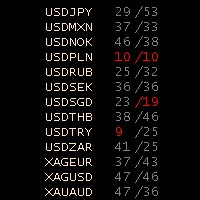
Stochastic Oscillator Panel Introducing the Stochastic Oscillator Panel, a comprehensive representation of the stochastic oscillator for all currencies (up to 75 pairs). This powerful tool operates within the current time frame, utilizing the simple moving average and relying on the Low/High prices. The panel consists of three columns: Name of the currency MODE_MAIN (main line) MODE_SIGNAL (signal line) The Stochastic Oscillator Panel provides visual cues through color coding: Green color (overb
FREE
History VT Информационный индикатор. Показывает на графике, сразу после открытия сделки, стрелку именно на той японской свече, где позиция открыта.
То есть там, где появилась штрихпунктирная линия открытой сделки, в терминале.
Далее, после открытия сделки, как обычно, трейдер ставит SL и TP и ждёт итога своего выбора направления движения.
После того как сделка закрылась, по « sl » или « tp » или «вручную», индикатор отображает на графике уровни и текстовые сноски параметров сделки.
Сноски
FREE

Shved Position Pips Label MT4 is a professional utility indicator for the MetaTrader 4 terminal that displays the real-time floating profit or loss of all your active orders directly on the chart. No more switching to the "Trade" tab — all the crucial information is positioned right in front of your eyes next to the current price line! Key Advantages: Smooth Price-Anchored Alignment: The labels are anchored to the last bar and smoothly slide vertically following the market. When scrolling th
FREE

Elsna Alert (MT4 EA) is a lightweight Expert Advisor that monitors your trading account in real time and alerts you whenever a trade is opened or closed . It uses MetaTrader 5’s built-in OnTradeTransaction event to instantly detect any new executed deals—manual or automated—and plays a custom sound for each event.
You can choose whether it tracks all symbols or only the chart’s symbol . Key features: Instant audio alert when a trade opens or closes. Works with both manual and EA-driven trades. O
FREE

Alert TIME LINE indicator warns that the price has reached a specified time level.
Drag the indicator onto the chart, press the SET TIME LINE button, move the line that appears to the desired time, when the chart reaches the specified time, an alert will be triggered.
This indicator is used as an auxiliary tool when trading time zones, using the free TIME LINE Forex System , see the results and screenshots below.
You can get the system for free in the technical support chat https://t.me/Cycl
FREE

NNFX TOOL – The Essential Order Management Tool for the Modern Trader A "small but mighty" EA, designed to optimize your trading workflow: High Performance: Lightweight yet powerful operation, ensuring precise and efficient order execution. Versatile: Perfect for NNFX method followers, while being incredibly user-friendly for beginners and sophisticated enough for pro-traders. SPECIAL FEATURE - Mobile Trading Support: Automatically sets immediate Stop Loss (SL) and Take Profit (TP) for pending
FREE

The script opens 5 sell orders with 1 stop loss and 5 different take profits. And places 4 limit orders (sell). The following parameters are set by default: Stop loss for all open orders - 120 pips Take profit for 1 order (lot 0.1) - 30 pips take profit for other 4 orders (lot 0.04) - 50, 90, 140, 200 pips.
Stop loss for limit orders is 135-140 pips from the current price (at the time of placing orders). The distance of each limit order is 20 pips. Lot size with micro-martingale - 0.04, 0.05,
FREE

The script closes all positions for which the profit is more than 5 pips. Checks all open positions for all pairs (you can run it on any chart). The terminal must have the "Algo trading" mode enabled.
It is effective if there are many open positions that need to be closed quickly.
The script does not replace a trailing stop or an advisor. The script checks all open deals and closes those that meet the condition (profit is more than 5 pips) once at the time of launch.
For the subsequent closi
FREE

One button. One click. A naked chart. MT5 version
You've drawn everything. Trend lines, Fibonacci, rectangles, zones, arrows... Your chart looks like a modern art canvas. Beautiful — but you can't see the price anymore. NAKED CHART solves this in one click. Click once → all drawings instantly disappear Click again → everything comes back, exactly as you left it Indicators are untouched — only your drawings are hidden Draggable button — place it wherever you want on the chart No settings. No com
FREE

Automation for setting up Stop Loss, Take Profit and Trailing Positions can be opened with all platforms MetaTrader 4 MetaTrader Android MetaTrader iOS MT4 Web Trader The Expert Advisor will arrange Trailing of trades Market Execution Pending Order (Buy Stop, But Limit, Sell Stop, Sell Limit)
Input Parameters (all in pips) Take Profit - take profit value. Stop Loss - stop loss value. Trailing Start - trailing start. Trailing Step - trailing step/stop. Lock Start - lock start (first time trailin
FREE

Price action Telegram is designed to follow the price while away from the trading terminal. There is no need to remember how the name of the currency is spelled correctly, those currencies on which expert is installed are available, because the trader does not jump aimlessly from currency to currency, he knows what he wants and what he is waiting for.
Through telegram, you can work with any timeframe and currency on which the expert is installed. You will always be aware of the market situatio
FREE

A simple script that can delete all the drawing objects on a chart, or just the objects of a specific type.
Settings:
DeleteObjectsOfType By default the value will be blank which means ALL drawing objects on the chart will be deleted. If you only wish to delete specific types of drawing object, change this setting to the type of object to delete. For example, Fibonacci Retracement, Text, Label or Trend Line.
Please see the demonstration video for more information.
FREE

This is a custom MT4 indicator called “Elsna Moving Average” . It plots three moving averages (MA1, MA2) on the chart with customizable periods, shifts, methods, and applied prices. MA1 & MA2 can optionally be used to create fill areas (histogram-like shading) based on a color-fill setting You can show or hide each MA individually. The indicator is designed for trend identification and visualization , helping traders see MA relationships and potential support/resistance zon
FREE

Welcome to the World of our Trade Copier via Internet *whatever is the technology we can copy trades from/to MT4 platforms. You can trade manually from your mobile phone or you can attach your trading robots (EA) to your master account(s) and the trades will be copied to all your usersaccount(s). Our trade copier is not self-hosted, it means that you need to keep your computer or VPS running, everything is managed via internet.
Everything works Via Internet! ( Please add the address "
FREE

• OrderInfo • Created by gyurix
Introduction
Are you tired of not knowing exactly how much can your orders win or lose and the complexity of figuring it out? With using this script you can get all of that information instantly.
Features Shows your open orders current • P&L •,• stop lose • and • take profit • levels Shows your pending orders and open positions potential wins and loses in your • accounts currency • for: the current market price your stop lose levels price your take profit leve
FREE

交易数据分析助手 : 这是一款交易数据统计分析工具,数据图表较多可供分析参考 . 语言: 支持语言的选择切换(目前支持中文和英文 主动识别不用人工选择) 主窗口显示: 余额显示 总盈亏显示 现在持仓盈亏金额显示 现在持仓盈亏比例显示 买单卖单总单量,总手数,以及盈亏情况显示. 仓位使用比例显示 按照目前持仓能够承受的亏损点数预计 (点击右下角可缩放)每日订单单量,手数,盈亏情况统计 (点击右下角可缩放) 当周盈亏数据
(点击右下角可缩放) 当月盈亏数据
(点击右下角可缩放) 当年盈亏数据
交易数据统计区: 详细订单统计,(可以选择按日,周,月,季度,年)(按品种,识别码)(现有持仓详细统计) 盈亏/手数/交易次数 柱状图 多/空持仓时间/获利水平情况 多货币盈利次数/盈利水平分布情况 余额净值曲线/余额曲线/盈利曲线等(注:加载余额净值曲线可能需要一定的数据处理时间,请耐心等待加载完成...) 每次订单盈亏利润柱状图 多货币对盈利曲线图 数据统计分析报告 关于版本更新 有任何问题,建议,欢迎交流.
FREE
What is so remarkable about the Nema general PRT indicator? It calculates all known derivatives of "EMA" (you know some: DEMA - or, more simply, EMA of the 2nd depth level, TEMA - EMA of the 3rd depth level...DecEMA ...and so you can dive into your research up to level 50...) If you set the depth = 1, then it will be an analogue of "EMA"; I repeat - depth 2 = "DEMA"; depth 3 = "TEMA"...Experiment - check the behavior of the created average at other depths. The indicator also has the abili
FREE

This is Free product you are welcome to use for your needs!
If you like this indicator, please leave short positive feedback! Thanks a lot!
Click here to see high quality Trading Robots and Indicators!
Crypto_Forex Indicator "Margin Display" for MT4 , great auxiliary trading tool. - This indicator shows current Margin and Free Margin of account. - It is possible to locate display values in any corner of the chart. - It is possible to set up color and font size as well. It is original product
FREE

Advisor Information: EG Connection Alert FREE every hour sends simple push notifications about the presence of a terminal connection to the server.
The utility will be useful to you if automated trading is carried out on a remote machine and there is no possibility to constantly check the operation of the terminal. Just install the adviser on any chart with any timeframe. You will receive notifications about the connection every hour. If no notifications are received, the terminal should be chec
FREE

Odie Trade Manager EA is a simple semi-automatic (two in one) assistant for a manual trader, when having a losing trade the EA begins its work in the form of a martingale or hedging (recovery zone) to leave it in breakeven or positive, it depends on its configuration.
For professional traders and gamblers .
Adapt it to your strategy, MANAGE YOUR RISK CORRECTLY and all your operations will be positive.
TEST ON STRATEGY TESTER WITH YOU STRATEGY AND CREATE YOUR SET FILE AND... GOODBYE LOSSES.
FREE

Very usefull expert advisor for ichimoku kinko hyo indicator. this expert advisor will notify you whenever there is a cross over/below the clouds or tenken sen /kijun crossing. All Ichimoku traders know the importance and valuable signals when crosses done below or above the clouds or tenkan and kijun crosses. Now you will be alerted quickly to make benefits from the markets This will help you to be alerted for possible trade action. it will simplify your chart observation and be notified wtith
FREE

"All in One" panel. You can simultaneously control: up to 3 symbols; up to 6 periods; up to 31 popular signals. You can see the sum for all signals taking into account the weight of the signal Version for MetaTrader 4: https://www.mql5.com/ru/market/product/27880 Version for MetaTrader 5: https://www.mql5.com/ru/market/product/27830
Parameters NUM_BAR - number of the bar to analyze (set a value greater than 0 to work on closed bars). timeframe_1....timeframe_6 - working timeframes (if set to "c
FREE

The indicator marks bars with a simple trend definition“ each subsequent high above/below the previous one and each subsequent low above/below the previous one ”. Charles Dow
Formula:
Max – The current maximum Min – The current minimum MaxK – Maximum per period MinK – Minimum per period Min>MinK & Max>=MaxK – Symbol on top Max<MaxK & Min<=MinK – The symbol on the bottom
Input parameter:
Number of bars in the calculated history Period for current timeframe The distance to the symbol Se
FREE

Panel Tool – Button Click Trading (Replaces Default Trade Panel)
Features
1. Open or close Long positions with a button click.
2. Open or close Short positions with a button click.
3. Set lot sizes.
4. Set Stop-Loss (SL) or Take-Profit (TP) points (0 = not used).
5. Set order comments.
6. Display the Break-Even price .
7. Show total Long and Short lot sizes.
8. Display Profit or Loss in USD.
9. Show daily Profit or Loss in USD.
10. Set ID = 0 to manage manual orders together .
FREE

This is an efficient and yet simple Expert Advisor not using indicators, which can determine the following: the future direction of movement of quotes, their strength, trade levels for the current and next trading day. The Expert Advisor runs on the "here and now" principle, which means that the EA tracks a lot of parameters of the price behavior in real time. Based on this Expert Advisor, a certain trading strategy was developed and tested in real time. The ELEMENTARY strategy consists of three
FREE

OpenCharts for OpenOrders, Effortless Chart Management Drop this smart script onto any chart, and it will instantly open a separate chart window for each unique symbol with an open order in your terminal. Key Features : Automatically opens one chart per symbol for all open trades Prevents duplicate charts, even if you have 10 open orders for the same symbol, it opens only one chart Select your preferred timeframe before execution Clean and lightweight, ideal for traders who manage multiple posit
FREE

Wikirobo | Smart Entry Zone Indicator for All Timeframes Wikirobo is a powerful indicator that automatically highlights potential entry zones as Buy Limit and Sell Limit orders across all timeframes. Highlights Suggested entry zones for every timeframe ️ Clear, timeframe-specific Stop Loss levels shown on the chart for better risk management and position sizing Suitable for scalpers, day traders, and swing traders —flexible for any trading style How to Use Instead of rushing
FREE

NEW : integration with Ofir Signals to send personalized alerts Ofir Notify is a tool which send alerts on trades to Telegram Alert on any event concerning a position : Opening, Closing, modification (SL, TP) Send alerts to Chats, Groups and Channel Alert on Equity change Display Risk, Reward and progress of profit/lost for each position Customization of alerts Sending charts screenshots with alerts Send signals from your indicators or experts Multi-lingual NEW : version 2 brings integratio
FREE

Not everyone can write an indicator. But anyone can have an idea. The indicator Universal Main Window Free , which takes as an input parameter the formula by which the indicator line will be drawn, will help to implement it. This indicator is intended for use in the main chart window.
All indicators of the series Universal :
Main window Separate window Free MT4 Universal Main Window Free MT5 Universal Main Window Free MT5 MT4 Universal Separate Window Free MT5 Universal Separate Window Free MT
FREE

FREE VERSION of : Remus Romulus EA. You'll get much more control and features in this full version: https://www.mql5.com/en/market/product/42200
This EA is a hedging EA. So, please make sure your broker supporting this rule. Works well on ANY PAIRS, but recommended in EU only cause you cannot control many things in this free version. Please use as small as possible lot at start; recommended: 0.01 lot for $1000.
================================
You need a pogrammer for EA? Check this: https:/
FREE
Copy Template to All Charts – Instantly Apply Your Chart Setup in MT4 Save time and ensure consistency with Copy Template to All Charts , a powerful MT4 script that instantly applies your selected chart template to all open charts with just one click. No more manual adjustments—this tool helps you maintain a uniform trading setup effortlessly. Key Features: One-Click Template Application – Instantly copy your preferred chart template to all open charts.
Save Time & Effort – Eliminate the
FREE

If you want to test the functionality of this tool, you can do it trough this DEMO version, that is restricted to work only on EURUSD and USDJPY currency pairs. Full version is available here: https://www.mql5.com/en/market/product/29243/ This EA was originally coded as a back up tool for my personal trades as all of us (Or at least the ones who have left an order open and went to sleep) have experienced the frustration that involves waking up, check the trades and see that in some of them the
FREE

Trade Closer EA v2.0 – All-in-One Trade Management Tool for MT4 Version : 2.00 | Support : +44 7378910922 (WhatsApp)
Instantly manage, control, and close trades with a single click! Overview: Trade Closer EA is the ultimate trade management Expert Advisor for MetaTrader 4, designed to help traders quickly and efficiently close trades or apply trailing stops based on specific criteria — all from a clean, interactive button interface. Whether you're a scalper, intraday trader, or swing
FREE

Product Title Smart Alligator (MT4) – part of the SmartView series Short Description A Alligator indicator with a unique user experience on MetaTrader platform. Features advanced capabilities not previously available, such as opening settings with double-click, hiding and showing indicators without deleting them, and displaying indicator windows at full chart size. Designed to work seamlessly with the rest of the SmartView Indicators series. Overview The SmartView series offers a unique and dist
FREE

Product Title Smart Momentum (MT4) – part of the SmartView series Short Description A Momentum indicator with a unique user experience on MetaTrader platform. Features advanced capabilities not previously available, such as opening settings with double-click, hiding and showing indicators without deleting them, and displaying indicator windows at full chart size. Designed to work seamlessly with the rest of the SmartView Indicators series. Overview The SmartView series offers a unique and distin
FREE

This is a light version of OneClickWonder. It has a limitation of lotsize ( 0.01 ) and also the trade direction (only SELL ) and magic number is fiexd (magic number = 11 ) ------------------------------------ OneClickWonder manages open trades by Magic Number and Symbol , providing: · Individual or Basket Trailing Stop · Optional Averaging system (adds new trades automatically) · OneClickOrder buttons (BUY / SELL directly from chart) · Works
FREE

Bingo – Smart Exit Automation for MT4 In the realm of trading, having a reliable exit strategy is just as crucial as finding the right entry. Bingo, an expert advisor for MT4, is designed to automate your trade exits with precision—ensuring you lock in profits and minimize losses without second-guessing your decisions. With advanced trailing take profit and stop loss, Bingo takes the complexity out of trade management, helping traders maintain discipline and execute their strategies flawlessly.
FREE

Created for signal providers, as well as for participation in various forex contests(and not only), can independently open an unlimited number of orders on the indicators Moving Average A series of experts: Lucky Star RSI and MACD, Lucky Star WPR, Lucky Star MA, Lucky Star RSI, Lucky Star SO, Lucky Star MACD, Lucky Star MA and SO, Lucky Star MA and MACD ,Lucky Star SO and MACD the probability of winning real money in management or bonuses to real accounts ( read more on this in my blog ). EA
FREE

Created for signal providers, as well as for participation in various forex contests(and not only), can independently open an unlimited number of orders on the indicators Stochastic Oscillator and Moving Average Convergence / Divergence Expert advisor signal A series of experts: Lucky Star RSI and MACD, Lucky Star WPR, Lucky Star RSI, Lucky Star MA, Lucky Star SO, Lucky Star MACD, Lucky Star MA and SO, Lucky Star MA and MACD, Lucky Star SO and MACD the probability of winning real money in man
FREE

Features This EA is good at v olatility market. This EA specializes in GBPJPY, so we recommend you apply it to that chart. Please apply this EA to the 15 minute chart. This EA uses CANDLE technical. This EA is easy to manage because it has a maximum of 1 position. The maximum profit is set at 0 pips(Unlimited). The maximum loss cut is set at 80pips.
Parameters -----Basic parameter----- magic - Please set a magic number which is not the same as other EA. NormalBuy - Please set the number of lot
FREE
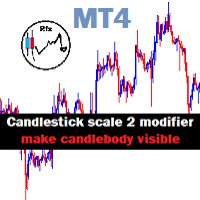
Candlestick Mod rapat.
Chart Candlesticks will stick together. make it look neat and tidy Switch between Candlestick and Line chart fixed. Instruction.
If you don't like the candles colors, you can do so by changing color. read below:
-Colors must be changed in the indicator setting.
-It won't change through the Chart properties to modify.
-After changing the color, save it as template so it wont change the colors to default value.
FREE
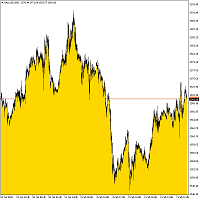
Bottom Background 4 The indicator sets the lower background of a certain color to the current price, depending on the settings. Description of indicator settings: MODE - three display options for the indicator: Low - display to the minimum price, Open / Close - display to the open or close price, whichever is lower, MA - display to the moving average. PeriodMA - moving average period.
FREE

Product Overview DW Connection Monitor MT4 is a lightweight utility EA for MetaTrader 4 that keeps a constant eye on your terminal's connection to the broker and its network latency. The moment your connection drops — or comes back — it sends a push notification straight to your phone, so you always know the real state of your trading terminal, even when you're away from the screen. It's built for traders running EAs on a VPS or a home PC who need to be sure their automated strategies are actu
FREE

AR Canada Lite is a fully automated Expert Advisor optimized for trading USDCAD H1. The Expert Advisor DOES NOT use hedging, martingale, grid strategies, arbitrage, etc. It uses a trading algorithm based on the intersection of two moving averages for analyzing the market conditions. The Take Profit and Stop Loss values are fixed and have a ratio of 1 to 4. The EA closes positions when Take Profit or Stop Loss are reached.
Parameters Lots - lot size; MagicNumber = 3 - unique magic number of the
FREE

The utility TradeKeeper Lite can show your profits for different periods and bip a sound when you reach a profit target value. Click the tachometer to quickly switch to the next profit period. There are 5 of them: This Day, This Week, This Month, Last 90 Days and All I Made. With the utility TradeKeeper Pro , available at this link , you can also open trades with a magic number and volume of your choice, trail any orders with a simple trail or iSAR-based trail, as well as close any open trades a
FREE

This is an adviser that analyzes the volumes inside the last closed bar and trades based on these volumes. It can more accurately predict the behavior of large players in the market, as it determines the volume to buy or sell not by the bar on the current time frame, but by the bars of the lower time frames inside the bar (candle) of the current time frame. In the settings, you can make different ways to determine the volume for growth, or for falling. Unlike the pro version , the free version h
FREE
This utility will help you avoid losing money on your trades when your terminal loses connection to the broker or your VPS / computer goes into an update and doesn't open your MetaTrader client automatically after the update. How is this product different from the other disconnect alerts? This one will email you and/or an SMS even when your MetaTrader client gets disconnected from the Internet or doesn't respond! Your client is monitored externally and doesn't rely on its own Internet conn
FREE

This is a very silly script but perhaps you find it useful. It deletes all objects from the chart. I recommend setting a hot key to call it just by pressing a couple of keys on your keyboard. To avoid accidental deletion of object, the script will ask you to confirm the action as you won't be available to restore them with "undo" (Ctrl+Z).
FREE
Indicator is converted from another programming language code by programmer " sbtnc ". MQL version is simplified to be more useful by less settings complexity. There is some clues from programmer about indicator: The indicator tracks and reports the percentage of occurrence of daily tops and bottoms by the time of the day. At certain times during the trading day, the market reverses and marks the high or low of the day. Tops and bottoms are vital when entering a trade, as they will decide if y
FREE

This is a simple script that places a defined number of lines above and below a given price. The script lets you set the number of lines, the separation in pips and the color. Instructions:
Drop the script on a chart to draw the level lines If the last parameter is set to false, the script will delete the lines previously placed by it.
Parameters:
English? Turn it yes to use English language, false will turn language to Spanish Separation Set the pips distance among lines From Price Ca
FREE
MetaTrader Market - trading robots and technical indicators for traders are available right in your trading terminal.
The MQL5.community payment system is available to all registered users of the MQL5.com site for transactions on MetaTrader Services. You can deposit and withdraw money using WebMoney, PayPal or a bank card.

You are missing trading opportunities:
- Free trading apps
- Over 8,000 signals for copying
- Economic news for exploring financial markets
Registration
Log in
You agree to website policy and terms of use
If you do not have an account, please register