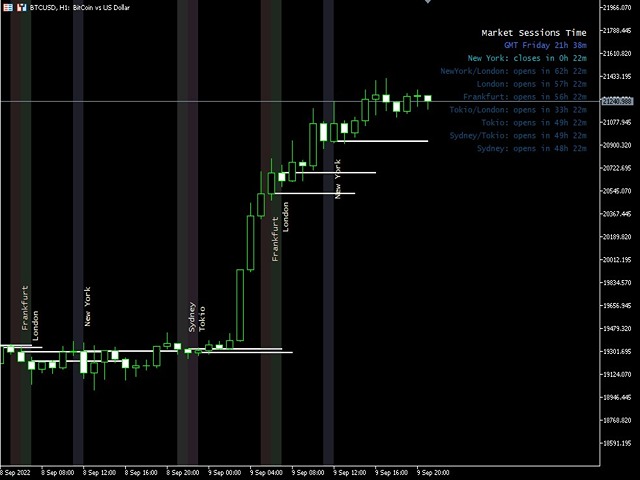
Market Sessions Time

4.6

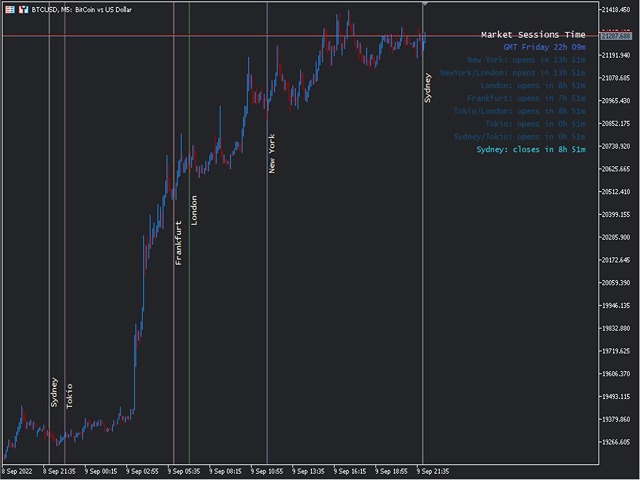
Displays the current major markets session and the remaining time to start the next ones.


Markets

  • New York
  • London
  • Frankfurt
  • Tokio
  • Sidney
  • 1 more session with custom name, open and close time


Clock time

  • GMT / UTC
  • Local (from computer)
  • Broker (server time)

Default time on settings is GMT. After changing to Local or Broker time, is needed to adjust each session open and close hour manually based on the time type choosed.

Each market open and close hour can be ajusted


Graphics settings

Each Session can be individually showed or hidded. This will include:
  • Session Name, on the open bar
  • Open Price Line, that will be draw until the session close
  • Background Color
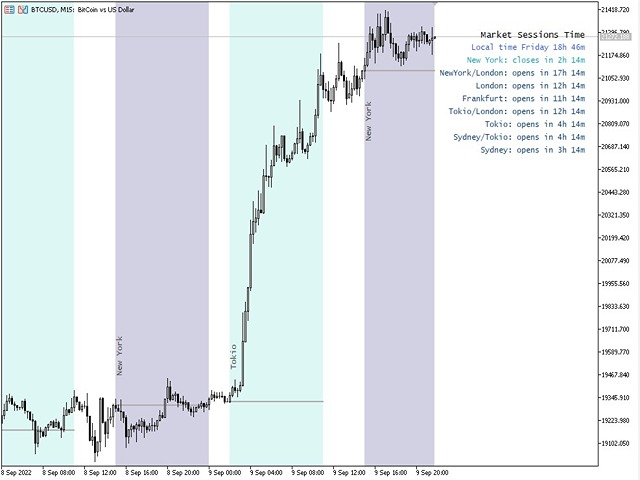
There are 2 modes for the sessions background color
    • First bar, useful as separator
    • Complete Session period, from open to close time

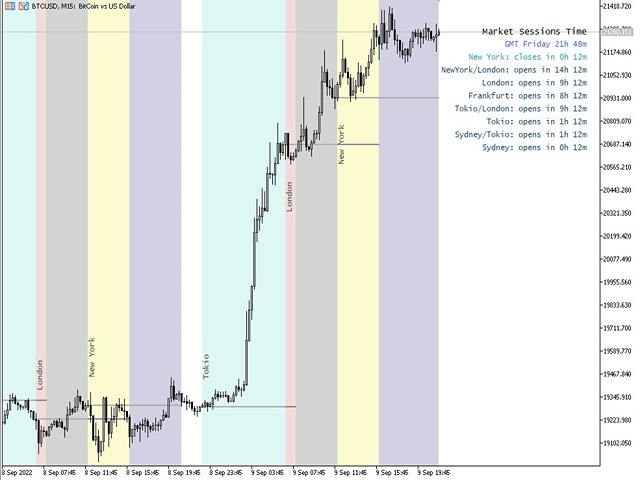
      * The sessions colors will be mixed when there is an overlap. This will create a new particular color on the chart, wish is useful to spot overlap easily on historic data

      * Too many sessions painted together on the chart could be confusing

      * Previous visible sessions on the chart can be limited by days. Increasing the days amount will increase the time to start the indicator on the chart, depending on the timeframe used

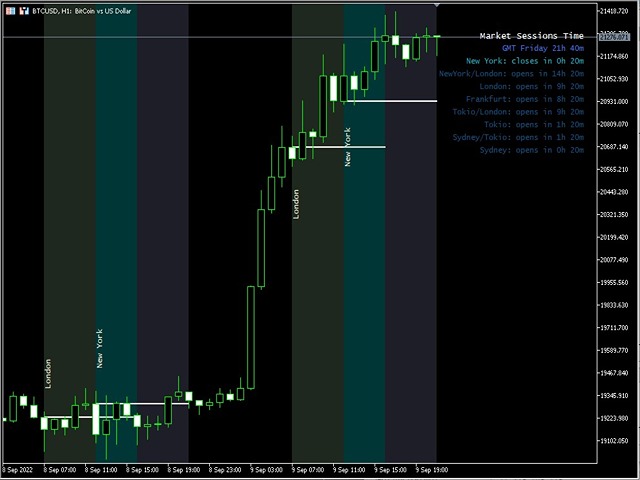
      * The Auto Contrast Correction function will try to adjust the colors in relation to the chart background color when is setted ON
      Reviews 35
      Ei8
      59
      Ei8 2026.07.05 14:14 
       

      Been using this for a long while now. Whenever i create a new chart, this is the first thing i must put on them and I don't use any other indicators at all. Just this is enough for me. What i like is that the whole session is colored instead of showing them in blocks like other indicators are doing which i find annoying.

      Benjamin Afedzie
      4132
      Benjamin Afedzie 2025.06.11 15:39 
       

      works for me

      Krit Thongphaeng
      125
      Krit Thongphaeng 2025.03.15 14:13 
       

      Best of All, i love it i try many market session time indicator but on one like this

      Recommended products
      AZ ATR indicator (with volume correlation bonus) Standard ATR indicator, you can enable ignoring abnormally large candles. It is possible to change the location of the displayed text in 4 corners of the chart. You can change the calculation period (days ago). Bonus - the indicator has a correlation with volumes. Can be enabled to display a possible priority at the current moment in the market. What do the values ​​mean: Positive correlation (0.3 - 1.0): 0.3-0.7 - moderate connection
      FREE
      TradeVision Pro
      Ian Nganga Comba
      TradeVisonPro Forex Analyzer Pro MT5 Trading Account Analytics and Monitoring Dashboard TradeVisonPro Forex Analyzer Pro is a trading analytics and account monitoring solution designed for MetaTrader 5 users. The product organizes MT5 trading data in a structured web-based dashboard, allowing traders to review account information, monitor open positions, analyze trading history, track strategies, maintain a trading journal, and review performance statistics. TradeVisonPro Forex Analyzer Pro is d
      FREE
      AZ session scalper
      Yurii Shvechikov
      5 (1)
      AZ session scalper A small but useful session indicator, designed primarily for scalping. Enable the session you plan to trade, watch the reaction of the M5/M15 candlesticks to the level of the previous trading session, and enter. We always look at the reaction of the current session to the previous one. For example, if you trade the Americas, enable the European session, and watch how one session takes away liquidity from another. Important: adjust the time to your broker's time zone in the i
      FREE
      Donchian Breakout And Rsi
      Mattia Impicciatore
      4.5 (2)
      General Description This indicator is an enhanced version of the classic Donchian Channel , upgraded with practical trading functions. In addition to the standard three lines (high, low, and middle), the system detects breakouts and displays them visually with arrows on the chart, showing only the line opposite to the current trend direction for a cleaner view. The indicator includes: Visual signals : colored arrows on breakout Automatic notifications : popup, push, and email RSI filter : to val
      FREE
      Ninja Trend Matrix MT5 Ninja Trend Matrix MT5 is a MetaTrader 5 indicator that brings multi-timeframe trend direction, relative strength and ATR-based volatility together in one dashboard. It helps you review the current market environment before making a discretionary decision or using another trading system. The indicator does not open, modify or close trades. It does not display entry arrows, take-profit levels, stop-loss levels, win rates or profit forecasts. Main features Classifies each se
      FREE
      Market Hours Pro
      Musa Terrance Khosa
      Market Hours Pro shows Tokyo, London, and New York trading sessions directly on your MT5 chart, including scheduled overlap periods. It’s designed to give you a clear view of global market timing so you can plan trades, spot high-activity periods, and align strategies with standard Forex hours. How It Works Displays scheduled session times visually on your chart. Highlights session overlaps for London/New York and Tokyo/London. Automatically adjusts times for your timezone or broker time. Shows
      FREE
      Trade Behavior Mirror reads your own account's closed trade history and counts one specific pattern: opening a new position shortly after a loss, at a lot size larger than your own recent normal. It does not predict, and it does not advise. Every number on the panel is something that already happened on this account. How the numbers are built: it reads up to 31 days of closed deals across every symbol and every magic number - this is an account-wide picture, not a chart-specific one. From the 3
      FREE
      Hi you, I need your help! Be my Patron, let's make it possible! https://www.patreon.com/joaopeuko https://github.com/Joaopeuko/Mql5-Python-Integration Channel: English version - Versão Inglês: https://www.mql5.com/en/channels/Mql5_Python_Integration_EN Portuguese version - Versão Português: https://www.mql5.com/en/channels/Mql5_Python_Integration_PT Paid version with 38 indicator: https://www.mql5.com/en/market/product/58056 I believe that development in PYTHON is easier and simpler
      FREE
      PROMETHEUS TECHNICAN VERSION Free | By THE SONS A gift from The Sons — no strings, no trial, no expiry. Every trader deserves access to professional-grade market intelligence. That belief is why Prometheus Technical Version exists, and why it costs nothing. Consider it our handshake to the trading community. What You're Getting This is not a simplified tool dressed up as a gift. Prometheus Technican Version is a fully built, institutional-quality technical analysis indicator running a dual-model
      FREE
      MSX Hybrid Heiken Scalper
      Som Prakash Gehlot
      5 (1)
      MSX Hybrid Heiken Scalper Overview MSX Hybrid Heiken Scalper is a MetaTrader 5 indicator based on a modified Heiken Ashi methodology with closed-bar smoothing. The indicator is designed to display trend direction through color-coded candles while reducing sensitivity to short-term market fluctuations. All calculations are performed using completed candles, allowing historical values to remain fixed after bar close. Features • Modified Heiken Ashi calculation • Closed-bar processing • Color-code
      FREE
      Session Matrix Pro
      Abhilash Keshav Dhumatkar
      X-STOX Session Matrix Pro puts the market's clock on your chart. Instantly see which trading session is active, when the high-liquidity overlaps hit, and exactly how long until the next session opens or closes — all adjusted automatically to your broker's server time. Built as a single lightweight indicator. No DLLs, no external data, no configuration headaches. — What it does — Session zones on-chart — the Sydney, Tokyo, London and New York sessions are drawn as clean shaded zones so you always
      FREE
      Free automatic Fibonacci is an indicator that automatically plots a Fibonacci retracement based on the number of bars you select on the BarsToScan setting in the indicator. The Fibonacci is automatically updated in real time as new highest and lowest values appears amongst the selected bars. You can select which level values to be displayed in the indicator settings. You can also select the color of the levels thus enabling the trader to be able to attach the indicator several times with differe
      FREE
      Smart Super Trend
      Kokou Sodjine Aziagbedo
      Smart Super Trend Indicator (Free) Turn volatility into opportunity — Catch trends early and trade smarter The Supertrend Indicator is one of the most trusted tools in technical analysis, designed to help traders quickly identify the prevailing market trend and spot potential entry and exit points with precision. Built on price action and volatility, this trend-following indicator adapts dynamically to market conditions, making it a powerful companion for both beginners and experienced traders.
      FREE
      This Mt5 Indicator Signals when there is two opposite direction bars engulfed by current bar.  has a recent Exponential Moving Average Cross and past bar was oversold/bought Expert Advisor Available in Comments  Free Version Here : https://www.mql5.com/en/market/product/110114?source=Site&nbsp ; Full Alerts for mt5 terminal , phone , email, print to file, print to journal  Buy Signal ( blue line ) Past ema cross ( set at 30 bars back ) Past bar rsi is oversold ( level 40  ) Engulfing bar closes
      FREE
      Are you tired of drawing trendlines every time you're analyzing charts? Or perhaps you would like more consistency in your technical analysis. Then this is for you. This indicator will draw trend lines automatically when dropped on a chart. How it works Works similar to standard deviation channel found on mt4 and mt5. It has 2 parameters: 1. Starting Bar 2. Number of bars for calculation The   starting bar   is the bar which drawing of the trend lines will begin, while the   number of bars for c
      FREE
      RM Sync Master
      Mohammadreza Mahdi Mavaddat
      5 (1)
      RM Sync Master - Multi-Chart and Multi-Timeframe Synchronization RM Sync Master is a free utility for MetaTrader 5 that synchronizes multiple open charts to the same market time and price reference. It is designed for traders who work with multiple timeframes or multiple symbols and need to examine the same market moment across several charts without manually scrolling and positioning each chart. How It Works RM Sync Master uses a synchronized vertical time line as a common reference between cha
      FREE
      Development of the previous version of the indicator ZigZag WaveSize MT4 ZigZag WaveSize - modified standard ZigZag indicator with added information about wave length in points, levels, and different alert logic General Improvements: Code adaptation for MetaTrader 5 Optimized work with graphical objects New Features: Horizontal levels at extremes Selection of level types: horizontal/rays/segments Filter for liquidity levels (not broken by price) Buffer for breakouts: adjusting sensitivity to f
      FREE
      GDS Renko Pip ST Chart - Pip-Based Renko Chart Indicator for MetaTrader 5 GDS Renko Pip ST Chart is a pip-based Renko chart indicator for MetaTrader 5. It helps traders build and study cleaner Renko price movement using a practical fixed pip or point-based brick structure. This tool is designed as a Renko chart foundation for manual analysis. It does not predict the market, does not generate buy or sell signals and does not decide whether a trade should be opened. Renko EDGE EA Golden Delta | A
      FREE
      Reversal Composite Candles
      MetaQuotes Ltd.
      3.69 (16)
      The idea of the system is to indentify the reversal patterns using the calculation of the composite candle. The reversal patterns is similar to the "Hammer" and "Hanging Man" patterns in Japanese candlestick analysis. But it uses the composite candle instead the single candle and doesn't need the small body of the composite candle to confirm the reversal. Input parameters: Range - maximal number of bars, used in the calculation of the composite candle. Minimum - minimal size of the composite can
      FREE
      VolumeBasedColorsBars
      Henrique Magalhaes Lopes
      VolumeBasedColorsBars — Free Powerful Volume Analysis for All Traders Unlock the hidden story behind every price bar! VolumeBasedColorsBars is a professional-grade, 100% FREE indicator that colorizes your chart candles based on real, adaptive volume analysis. Instantly spot surges in market activity, identify exhaustion, and catch the moves that matter. This indicator gives you:    • Dynamic color-coded bars for instant volume context    • Adaptive thresholds based on historical, session-awar
      FREE
      Pin Bars MT5
      Yury Emeliyanov
      Main purpose:   "Pin Bars"   is designed to automatically detect pin bars on financial market charts. A pin bar is a candle with a characteristic body and a long tail, which can signal a trend reversal or correction. How it works:   The indicator analyzes each candle on the chart, determining the size of the body, tail and nose of the candle. When a pin bar corresponding to predefined parameters is detected, the indicator marks it on the chart with an up or down arrow, depending on the directi
      FREE
      Fimathe PCM Indicador
      Cristiano Rodrigo Olegini
      5 (1)
      Velas Forex FIMATHE PCM Indicator (FREE) The Velas Forex FIMATHE PCM Indicator is a free indicator designed to help traders analyze the market visually in a simple, fast, and effective way. Its purpose is to make it easier to identify market conditions through clear visual signals, allowing traders to make more confident trading decisions. Best result: 5M timeframe MT5 server time: 2:00 Management: 1 Take Profit: stop trading, wait for the next day 2 Losses: stop trading, wait for the next day
      FREE
      Doji Hammer Scanner MT5 Multi-Symbol Doji & Hammer Candlestick Scanner with Clickable Chart Navigation Added the option to scan Market Watch or a custom list, as well as an option to open the chart in different views. Doji Hammer Scanner is a simple MT5 indicator that automatically scans multiple symbols and detects Doji and Hammer candlestick patterns on the last closed candle. Instead of manually switching between charts, the scanner checks all configured symbols and displays detected patter
      FREE
      Exact Time — detailed time on the seconds chart. The utility shows the opening time of the selected candle. This is necessary when working with seconds charts. For example, it can be used on a seconds chart built using the Seconds Chart utility. Inputs Base corner — the chart corner to which an object Is attached. X distance — the horizontal distance from the chart corner. Y distance — the vertical distance from the chart corner. Text font — font name Font size — font size Color — text color
      FREE
      TradeInfo MT5
      Manuraj Dhanda
      4.38 (16)
      TradeInfo is a utility indicator which displays the most important information of the current account and position. Displayed information: Information about the current account (Balance, Equity, Free Margin). Current spread, current drawdown (DD), planned profit, expected losses, etc. Number of open position(s), volume (LOT), profit. Today’s and yesterday’s range. Remaining time to the next candle. Last day profit information. MagicNumber filter. Comment filter. Indicator parameters: ShowPro
      FREE
      Coral Indi
      Dinh Duong Luong
      Coral trend is   a trend-following indicator that is widely popular among FOREX traders . It is usually used as a confluence with other indicators. It uses combinations of moving averages with complex smoothing formulas! It has two configurable parameters: Coefficient   - smoothing ratio (*) Applied price Calculation: Coral = (-0.064) * B6 + 0.672 * B5 - 2.352 * B4 + 2.744 * B3
      FREE
      Position Selective Close MT5
      Francisco Manuel Vicente Berardo
      The Position Selective Close is a multi-symbol multi-timeframe script used to close simultaneously various positions.  General Description   The Position Selective Close   possesses   three operation modes (Intersection,   Union   and All) that control the way   as   four position features (symbol, magic number,   type   and profit) are used. The modes, available through the Selection Mode input parameter, relate to the features, available through the “Select by Feature” and “Feature” input pa
      FREE
      IMPORTANT NOTE: This is a professional Trade Management Utility and on-chart assistant. It is NOT an automated trading robot. It does not open trades on its own. The UltraFast Trade Manager MT5 is the ultimate execution and risk-management suite designed to give you absolute control over your manual and algorithmic trades. When managing multiple positions, calculating complex net break-even points, or constantly monitoring the economic calendar, hesitation can lead to costly mistakes. This utili
      FREE
      My other indicators: https://www.mql5.com/en/market/product/156702 (FREE) https://www.mql5.com/en/market/product/153968 (FREE) https://www.mql5.com/en/market/product/153960 (FREE) This indicator displays higher timeframe candles directly on your lower timeframe chart, allowing you to monitor higher timeframe price action without switching between charts. It also plots session highs and lows for the Asia, London, and New York kill zones, giving you key liquidity levels directly on your chart. Wh
      FREE
      Buyers of this product also purchase
      Trade Assistant MT5
      Evgeniy Kravchenko
      4.41 (216)
      It helps to calculate the risk per trade, the easy installation of a new order, order management with partial closing functions, trailing stop of 7 types and other useful functions. Additional materials and instructions Installation instructions - Application instructions - Trial version of the application for a demo account Line function -   shows on the chart the Opening line, Stop Loss, Take Profit. With this function it is easy to set a new order and see its additional characteristics bef
      Forex Trade Manager MT5
      InvestSoft
      4.98 (675)
      Trade Manager MT5 is an advanced position size calculator and trade management tool for MetaTrader 5, designed to help traders plan trades faster, control risk more precisely, and manage open positions directly from the chart. It combines order placement, risk based lot calculation, Stop Loss and Take Profit management, Break Even, Trailing Stop, Partial Close, Equity Protection, and external trade management in one panel. Whether you trade forex, indices, metals, commodities, crypto, or future
      FarmedHedge Pair Trading Dashboard
      Tanapisit Tepawarapruek
      5 (4)
      Farmed Hedge Yield Farming | All Markets (Manual - Hybrid - Semi/Automated EA) VERIFIED TRADING RESULTS - Farmed Hedge Yield Axi Copy:  https://www.mql5.com/en/signals/2356376 - Farmed Hedge Yield Exn Copy:   https://www.mql5.com/en/signals/2356404 - Farmed Hedge Yield V Copy:  https://www.mql5.com/en/signals/2357156 * Before purchasing, please feel free to send me a message if you have any questions about the product or setup. - You can test the system using Strategy Tester: Visual Mode , a
      Beta Release The Telegram to MT5 Signal Trader is nearly at the official alpha release. Some features are still under development and you may encounter minor bugs. If you experience issues, please report them, your feedback helps improve the software for everyone. Telegram to MT5 Signal Trader is a powerful tool that automatically copies trading signals from Telegram channels or groups directly to your MetaTrader 5 account. It supports both public and private Telegram channels, and you can conn
      ================================================================================ POC BREAKOUT - V20.72. Full Professional Grade Toolkit ================================================================================ POC Breakout is a full MetaTrader 5 trading dashboard for discretionary traders who want breakout signals, Point of Control (POC) context, volume profiles, order flow, market structure, news, alerts, and advanced trade planning in one professional workspace. Attached directly to you
      TradePanel MT5
      Alfiya Fazylova
      4.88 (167)
      Trade Panel is a multi-functional trading assistant. The app contains over 50 trading functions for manual trading and allows you to automate most trading tasks. Application instructions + video instructions: https://www.mql5.com/en/blogs/post/772292 Trial version of the application for a demo account: https://www.mql5.com/en/blogs/post/750865 How to install the application: https://www.mql5.com/en/blogs/post/756239 How to test the application in visual mode: https://www.mql5.com/en/blogs/post/7
      Local Trade Copier EA MT5
      Juvenille Emperor Limited
      4.94 (148)
      Experience exceptionally fast trade copying with the   Local Trade Copier EA MT5 . With its easy 1-minute setup, this trade copier allows you to copy trades between multiple MetaTrader terminals on the same Windows computer or Windows VPS with lightning-fast copying speeds of under 0.5 seconds. Whether you're a beginner or a professional trader, the   Local Trade Copier EA MT5   offers a wide range of options to customize it to your specific needs. It's the ultimate solution for anyone looking t
      EA Overfitter
      Stephen J Martret
      5 (1)
      That backtest looks great. But will it still be making money tomorrow, next week, next month? EA Overfitter re-runs your EA on 100 price histories it has never seen. One score tells you if the edge is real. A backtest tells you what an EA did on one price history — the one that happened to occur. What you cannot tell from it is how much of that result was the strategy and how much was the particular path. EA Overfitter answers that. It builds up to 100 synthetic price histories your EA has n
      Telegram to MT5 MultiChannel Copier
      Sergio Marquez Uroz
      4.46 (13)
      Telegram to MT5 Multi-Channel Copier   automatically copies trading signals from your Telegram channels straight to MetaTrader 5. No bots, no browser extensions, no manual copying. A signal arrives in Telegram and the EA opens the trade in your terminal within seconds. The product has two components: a Windows application that listens to your Telegram channels, and this Expert Advisor that executes the signals in your MT5 terminal. An MT4 version is also available   here . Setup guide and appli
      Astro Trade MT5
      Indra Maulana
      5 (6)
      25% discount on the release of the tool: only for the next 3 buyers Send a message to receive a demo version. AstroTrade Trading Assistant AstroTrade is a comprehensive multi-functional trading utility developed for the MetaTrader 5 platform. It integrates essential tools for trade execution, risk management, and technical monitoring into a single unified interface. The application is designed to assist traders in managing their daily operations through a visual and structured environment. Vi
      HINN MagicEntry Extra
      ALGOFLOW OÜ
      4.74 (19)
      HINN MAGIC ENTRY – the ultimate tool for entry and position management! SIMPLE. FASTEST. INTUITIVE. MAX AUTOMATED. Place orders by selecting a level directly on the chart! full description   ::  demo-version  :: 60-sec-video-description Key features: - Market, limit, and pending orders - Automatic lot size calculation - Automatic spread and commission accounting - Unlimited partitial take-profits  - Breakeven and trailing stop-loss and take-profit  functions - Invalidation leves - Intuitive, a
      Exp COPYLOT CLIENT for MT5
      Vladislav Andruschenko
      3.97 (35)
      Professional Trade Copier for MetaTrader 5 Fast, professional, and reliable trade copier for MetaTrader . COPYLOT allows you to copy Forex trades between MT4 and MT5 terminals with support for Hedge and Netting accounts. COPYLOT MT5 version supports: - MT5 Hedge to MT5 Hedge - MT5 Hedge to MT5 Netting - MT5 Netting to MT5 Hedge - MT5 Netting to MT5 Netting - MT4 to MT5 Hedge - MT4 to MT5 Netting MT4 version Full Description +DEMO +PDF How To Buy How To Install How to get Log Files H
      Premium Trade Manager - The Trade Panel With a Coach Built In Series price: 89 USD until Sunday, 13 September 2026, then 111 USD again. The setup was the easy part. By the third order of the morning the lot size gets worked out in your head, the stop lands where the hand stops, and the numbers due in forty minutes sit in a tab you closed at breakfast. Premium Trade Manager takes that off you: one click sends the order at the size your risk allows, entry, stop and target as draggable lines and th
      Anchor Trade Manager
      Kalinskie Gilliam
      5 (9)
      Your EAs cannot see each other, but Anchor can. Anchor gives you one place to coordinate your EAs, manage risk, and decide when trading is allowed. It works alongside the trading bots you already use without any changes to them. The Problem One EA opens a trade. Then another starts trading. The next thing you know, you wake up to multiple grids built across your account. Each EA may be doing exactly what it was designed to do, but together they can place far more risk on your account than you in
      Telegram To MT5 Ultra
      Mirel Daniel Gheonu
      5 (5)
      Telegram To MT5 — Signal Copier Turn the trading calls from your Telegram channels into real MT5 orders — automatically, on as many accounts as you like, with risk and rules fully under your control. Telegram To MT5 connects the VIP / signal channels you already follow on Telegram to your MetaTrader 5 terminal. A free companion desktop app reads the messages (even from channels that block bots), and this Expert Advisor executes them on your account — applying your own risk settings, symbol mappi
      Power Candles Strategy Scanner - Self-Optimizing Multi-Symbol Setup Finder Power Candles Strategy Scanner runs the same self-optimizing engine that powers the Power Candles indicator - on every symbol in your Market Watch, side by side. One panel tells you which symbols are statistically tradable right now, which strategy wins on each, the optimal Stop Loss / Take Profit pair, and pings you the moment a fresh signal fires. This tool is part of the Stein Investments ecosystem - 18+ tools plus Max
      Strategy Ledger Pro
      Abdullah Uygar Tuna
      5 (1)
      Strategy Ledger Pro is a read-only account analysis panel for MetaTrader 5. It separates account results by Expert Advisor, strategy, symbol, and magic number. Detailed manual  with every feature explained. MetaTrader shows one balance for the whole account. When several Expert Advisors trade together, that balance does not show what each one contributed. Strategy Ledger Pro reads the account history, rebuilds closed positions, assigns them to strategies, and presents the results in one panel.
      MT5 to Telegram Signal Provider turns your trading account into a signal provider. Every trade action, whether manual, by EA or from your phone, is instantly sent as a message to Telegram. You can fully customize the format or use a ready-made template for quick setup. [ Demo ] [ Manual ] [ MT4 Version ] [ Discord Version ]     New: [ Telegram To MT5 ] Setup A step by step user guide is available. Key Features Ability to customize order details sent to subscribers You can create a tiered subs
      Grid Manual MT5
      Alfiya Fazylova
      4.73 (22)
      Grid Manual is a trading panel for working with grid strategies. The utility is universal, has flexible settings and an intuitive interface. It works with a grid of orders not only in the direction of averaging losses, but also in the direction of increasing profits. The trader does not need to create and maintain a grid of orders, the utility will do it. It is enough to open an order and the "Grid manual" will automatically create a grid of orders for it and will accompany it until the close. F
      The News Filter MT5
      Leolouiski Gan
      4.78 (23)
      This product filters   all expert advisors and manual charts   during news time.  It is able to remove any of your EA during news and automatically reattach them after news ends. This product also comes with a complete  order management system   that can handle your open positions and pending orders before the release of any news. Once you purchase   The News Filter , you will no longer need to rely on built-in news filters for future expert advisors, as this product can filter them all from her
      Signal Trading View to MT5 Pro
      Mirel Daniel Gheonu
      4.5 (2)
      Signal TradingView to MT5 Pro  Instant professional execution between TradingView and MetaTrader 5 Automate your trading strategy with the most robust communication bridge between TradingView alerts and real execution in MT5. Designed for traders who demand speed, flexibility, and impeccable risk management, this Expert Advisor transforms any alert message into a precise market or limit order.   Install and TEST the TRIAL version HERE STRENGTHS AND ADVANTAGES Universal Parsing Engine (Propriet
      Footprint Chart Pro — Professional OrderFlow EA for MetaTrader 5 Version 6.34 | Professional tool for real traders | Institutional-Grade Visualization DEMO USERS - PLEASE SELECT EVERY TICK / REAL TICK WHEN TESTING AND YOU HAVE DOWNLOADED HISTORICAL DATA. IF YOU SEE A WAITING SCREEN AND IT IS NOT DOWNLOADING, IT MEANS YOU HAVE LOW HISTORICAL DATA. TRY 1 MIN AND 5 MIN FIRST ON 1 DAY DATA. ONE DAY DATA SHOULD BE THE NEWEST AND MOST CURRENT DATE. PLEASE WAIT UNTIL THE MARKET HAS ROLLED OVER PERIOD.

      Trade Dashboard MT5
      Fatemeh Ameri
      4.95 (132)
      Trade Dashboard simplifies how you open, manage, and control your trades, with built-in lot size calculation. It allows you to execute trades, manage risk, and control positions directly on the chart, with tools such as partial close, breakeven, and trailing stop. Designed to reduce manual work and help you stay focused on your trading decisions. A demo version is available for testing. Detailed explanations of features are provided within the MQL5 platform. Installation instructions are include
      FUTURES ORDERFLOW FOOTPRINT CHART Professional OrderFlow EA for MetaTrader 5 Version 1.01| Professional tool for real traders | Institutional-Grade Visualization STRATEGY TESTER USERS - PLEASE SELECT EVERY REAL TICK WHEN TESTING AND YOU HAVE DOWNLOADED HISTORICAL DATA. IF YOU SEE A WAITING SCREEN AND IT IS NOT DOWNLOADING, IT MEANS YOU HAVE LOW HISTORICAL DATA. TRY 1 MIN AND 5 MIN FIRST ON 1 DAY DATA. ONE DAY DATA SHOULD BE THE NEWEST AND MOST CURRENT DATE. PLEASE WAIT UNTIL THE MARKET HAS ROL

      Message me after purchase to receive the complete manual kit + 3-day OpenAI API trial to test the AI features + Another bonus gift The current price is a limited discount for August Relaunch Update — secure your edition now before price go up. Next Price: $340 This is completely different from any trading panel you’ve tried or seen on the market. It’s one of the most innovative AI-powered trading panels available in the retail market right now. Imagine connecting   AI directly to your chart   —
      Advanced Dashboard Ultra
      Mirel Daniel Gheonu
      5 (6)
      Stats Dashboard & Journal ULTRA for MT5   The Complete Trading Command Center: Analytics, Automation & News Intelligence.   Stats Dashboard ULTRA is the ultimate evolution of the analytics tool. It transforms MetaTrader 5 into a professional trading station, combining institutional-grade performance analysis with automated news   protection and advanced psychological metrics. Designed for manual traders and EA portfolio managers who demand total control.     NEW IN ULTRA VERSION    * News I
      Trade copier MT5
      Alfiya Fazylova
      4.59 (54)
      Trade Copier is a professional utility designed to copy and synchronize trades between trading accounts. Copying occurs from the account / terminal of the supplier to the account / terminal of the recipient, which are installed on the same computer or VPS . PROMOTION - If you have already purchased the "Trade Copier MT5," you can receive the "Trade Copier MT4" for free (for copying MT4 > MT5 and MT4 < MT5). For more detailed information about the conditions, please contact us via private message
      Ultimate Extractor
      Clifton Creath
      5 (8)
      Ultimate Extractor - Professional Trading Analytics for MT5 *****this is the local HTML version of Ultimate Extractor. !!!!!it is not compatible with Cloud!!!! For the online version please reach out to me directly****** Ultimate EA manager also now available when you use cloud pro and above for free!! Ultimate Extractor transforms your MetaTrader 5 trading history into actionable insights with comprehensive analytics, interactive charts, and real-time performance tracking. What It Does Automa
      Risk Manager Pro MT5
      Roman Zhitnik
      5 (8)
      Risk Manager Pro MT5 is an account protection Expert Advisor for traders who want strict risk control inside MetaTrader 5. The utility monitors your account equity, daily and weekly results, drawdown, open positions, trade count, consecutive losses, and trading hours. When a configured limit is reached, it can automatically close positions, cancel pending orders, stop other EAs, send notifications, or close the terminal. Instead of relying on discipline during a stressful trading session, you de
      Seconds Chart MT5
      Boris Sedov
      4.61 (18)
      Seconds Chart is a unique tool for creating second-based charts in MetaTrader 5 . With Seconds Chart , you can construct charts with timeframes set in seconds, providing unparalleled flexibility and precision in analysis that is unavailable with standard minute or hourly charts. For example, the S15 timeframe indicates a chart with candles lasting 15 seconds. You can use any indicators and Expert Advisors that support custom symbols. Working with them is just as convenient as on standard charts.
      More from author
      Market Sessions Time MT4
      Juan Facundo Valdes
      3.5 (4)
      Displays the current major markets session and the remaining time to start the next ones. Markets New York London Frankfurt Tokio Sidney 1 more session with custom name, open and close time Clock time GMT / UTC Local (from computer) Broker (server time) Default time on settings is GMT. After changing to Local or Broker time, is needed to adjust each session open and close hour manually based on the time type choosed. Each market open and close hour can be ajusted Graphics settings Each Sessi
      FREE
      Double Inside Bars
      Juan Facundo Valdes
      4.8 (5)
      This indicator is based on the strategy proposed by 'The Secret Mindset' YouTube channel, on the video "A Reliable Scalping Strategy I Discovered After 1 Month of Price Action Trading" A complete and detailed explication of the strategy and conditions to filter the signals are exposed on the video.  * The YouTube channel creator is not related to this indicator development The signals should be combined with other indicators and be filtered by each trader judgment Indicator Bars that are inside
      FREE
      Displays on chart up to  7 markets sessions  and  3 weekly ranges,  fully customizable Each session and range can be shown or hidden, and be adapted to fit special intraday or intraweek periods according to each trader needs Define sessions start/end times using any of these modes: GMT/UTC time (adjustable to any timezone) Server/broker time (chart time)  Local time (your computer time) PRO version features Name : differentiate each session and weekly range with a particular name Open and Clos
      Market Sessions Time PRO
      Juan Facundo Valdes
      4 (2)
      Displays on chart up to  7 markets intraday sessions,   3 weekly ranges and  Daily OHLC levels,  fully customizable Each session and range can be shown or hidden, and be adapted to fit special intraday or intraweek periods according to each trader needs Define sessions start/end times using any of these modes: GMT/UTC time (adjustable to any timezone) Server/broker time (chart time)  Local time (your computer time) PRO version features Open and Close times with minutes presition : they can be
      Filter:
      Ei8
      59
      Ei8 2026.07.05 14:14 
       

      Been using this for a long while now. Whenever i create a new chart, this is the first thing i must put on them and I don't use any other indicators at all. Just this is enough for me. What i like is that the whole session is colored instead of showing them in blocks like other indicators are doing which i find annoying.

      NEOVN
      24
      NEOVN 2025.07.31 05:00 
       

      Very good!

      Nelson Ros
      56
      Nelson Ros 2025.07.26 14:14 
       

      Excelente

      Lydia Kwarteng
      2219
      Lydia Kwarteng 2025.06.12 13:28 
       

      User didn't leave any comment to the rating

      Benjamin Afedzie
      4132
      Benjamin Afedzie 2025.06.11 15:39 
       

      works for me

      Jose Nunes
      91
      Jose Nunes 2025.04.04 08:53 
       

      Good when it works other than that it's just clutter on the charts

      22487555
      74
      22487555 2025.04.01 02:58 
       

      User didn't leave any comment to the rating

      Faris Isma
      34
      Faris Isma 2025.03.25 04:21 
       

      Very useful for trading hour and follow chart.

      Krit Thongphaeng
      125
      Krit Thongphaeng 2025.03.15 14:13 
       

      Best of All, i love it i try many market session time indicator but on one like this

      wandercarrot
      24
      wandercarrot 2024.08.02 08:10 
       

      Very intuitive!

      KamonChanachai
      92
      KamonChanachai 2024.07.21 14:39 
       

      useful tool

      Dharmesh Kumar
      133
      Dharmesh Kumar 2024.06.25 06:04 
       

      Useful indicator

      65638263
      737
      65638263 2024.05.20 13:43 
       

      graciassssssssssssssssssssssssss

      [Deleted] 2024.05.19 03:35 
       

      User didn't leave any comment to the rating

      Seth Tetteh
      2769
      Seth Tetteh 2024.04.25 12:45 
       

      sick

      alexNata44
      74
      alexNata44 2024.02.20 19:33 
       

      Very good

      Juan Facundo Valdes
      24528
      Reply from developer Juan Facundo Valdes 2024.02.23 18:57
      Thank you very much, I hope is useful
      Eva
      82
      Eva 2023.10.10 05:24 
       

      Nice and helpful

      Juan Facundo Valdes
      24528
      Reply from developer Juan Facundo Valdes 2023.10.15 01:44
      Thank you for your feedback!
      Kapitány
      24
      Kapitány 2023.09.04 21:32 
       

      Can not adjust precisely to Chicago Open

      Juan Facundo Valdes
      24528
      Reply from developer Juan Facundo Valdes 2023.09.05 14:45
      Hi. This free version is only intended for hourly times. In Market Sessions Time Pro version is possible to adjust times with minutes presition, precise GMT timezones and more features. https://www.mql5.com/en/market/product/93105
      mambobambo
      318
      mambobambo 2023.08.07 15:48 
       

      Excellent! I'd like to recommend to make the sessions facultative, especially the mixed ones (e.g. Tokyo/London etc.) for which I don't see any usage/interest. Thanks

      Juan Facundo Valdes
      24528
      Reply from developer Juan Facundo Valdes 2023.08.08 00:37
      Thank you for your review.
      Maybe the last version was not installed yet, on the current version is possible to hide any session from chart and clock by setting them OFF on the section 'VISIBLE SESSIONS'. Also the overlap or mixed sessions has been removed.
      Fibonacci_369
      14
      Fibonacci_369 2023.07.01 12:27 
       

      User didn't leave any comment to the rating

      Juan Facundo Valdes
      24528
      Reply from developer Juan Facundo Valdes 2023.07.03 18:25
      Thank a lot for the feedback. God bless you too
      12
      Reply to review