Fast Trade Copier MT4 EA

BNT Rapid Copier

Local MT4 / MT5 trade copying with configurable execution and copy-profit statistics.

User Manual and Installation Guide

Download the English User Manual and Installation Guide (ZIP)

Download and extract the ZIP file to access the PDF user manual. The guide covers Sender and Receiver setup, channel configuration, symbol mapping, lot sizing, synchronization options, profit statistics and troubleshooting.

MT4 and MT5 in One Workflow

BNT Rapid Copier connects a source trading account to receiver accounts running on the same Windows PC or Windows VPS.

Choose Sender on the source account, Receiver on the copying account, and match the local channel name. Configure the receiver’s symbols, position sizing and synchronization rules from the BNT interface.

Compatible BNT builds support the following combinations:

  • MT4 to MT4

  • MT4 to MT5

  • MT5 to MT4

  • MT5 to MT5

Each terminal requires its platform-specific build. One source channel can serve multiple local receivers, while separate channel names keep independent sources distinct.

An MT5 receiver requires a hedging account.

Local Operation Without a Relay Server

The copier uses a native MQL local file channel shared by terminals with access to the same MetaTrader Common Files location.

No DLL import or remote copy relay is required for this local channel. Source updates remain local, while the receiver submits trading requests through its own broker connection.

This workflow is intended for terminals on the same computer or Windows VPS. A matching channel name alone does not connect terminals on separate computers.

Copy Settings That Fit the Receiver

Map the actual source symbol to the receiver broker’s corresponding instrument, including different broker suffixes. For example:

XAUUSD → XAUUSD.c

Choose a lot multiplier or fixed initial lots and apply a maximum-lot check. Fixed initial sizing establishes the starting volume; subsequent source-volume changes follow the copier’s volume relationship and the receiver broker’s constraints.

Select entry, close and SL/TP synchronization. Optional controls include pending-order copying, reverse copying and copying existing source trades.

Source-symbol and Magic filters define the eligible trade scope. Receiver spread and entry-price-gap checks can restrict new entries.

Broker contract specifications, minimum volumes, lot steps, available margin and trading permissions still apply.

Understand Copied Results

Profit Details focuses on attributable copied trades for the selected receiver account and channel. Available metrics include:

  • Today’s copy profit

  • Total copy profit

  • Current floating P/L

  • Observed maximum floating loss

  • Closed-deal count

  • Win rate

  • Profit factor

  • Open copied positions

Use the cumulative copy-profit curve to review 7 Days, 30 Days or All history, then inspect Daily Summary and Trade Details for individual records.

The interface displays the receiver account’s currency. Amounts from a cent-denominated account such as USC must be read in their actual units and should not be treated directly as USD results.

Daily reporting follows the receiver’s broker dates.

Clear Operating Controls

Start or stop the Sender and Receiver separately.

Pause New Orders blocks new copied entries. While the receiver remains running and the corresponding synchronization options are enabled, applicable reductions, closes and SL/TP synchronization can continue.

Close Copied Trades is a separate trading action for trades recognized as belonging to the copier.

The Activity view and timing diagnostics help distinguish local channel state from broker execution. Timing readings are diagnostic observations, not a guaranteed execution speed.

Getting Started

  1. Install compatible platform-specific builds in terminals on the same Windows PC or Windows VPS.

  2. Select Sender and configure an independent channel on the source account.

  3. Select Receiver, enter the same channel name, and review symbol mapping, sizing, filters and synchronization settings.

  4. Select Apply and Save. Start the Sender, then the Receiver.

  5. Verify the complete entry-and-close workflow on demo accounts before live use.

Operating Notes and Support

Both terminals must remain active and have access to the same local Common Files location.

Symbol mapping does not make different broker contracts economically identical. Slippage, spread, trading costs, connectivity and account restrictions can cause copied trades and results to differ from the source.

Screenshots and illustrative samples demonstrate the interface and are not a promise of performance. Copying trades involves trading risk.

For product questions or installation assistance, contact the author through MQL5 product comments or MQL5 private messages.


Recommended products
DrawDown Limiter MT4
Haidar Lionel Haj Ali
5 (8)
DrawDown Limiter v5.0 — Advanced Account Protection Controller DrawDown Limiter v5.0 is a client-side account protection controller designed to supervise your trading account and automatically react when configured risk, profit, news, schedule, rollover, or position limits are reached. It can monitor manual trades, automated strategies, multiple Expert Advisors, pending orders and floating positions from one dedicated chart. It can protect the complete account or be configured to supervise a spe
Aero Gold Robot
Adi Widiyapermadi
Aero Gold - XAU M5 Marti Hedge Equity Protection Aero Gold is a minimalist algorithmic trading robot designed specifically for XAUUSD (Gold) M5 . It combines Daily Open Bias with a smart Martingale + Tiered Hedging system to achieve a new BEP (Break Even Point) without Martingale blowing up. STRATEGY LOGIC: Daily Open Bias: The first entry follows Daily Open. Above Daily Open = BUY, Below = SELL. Phase 1 - Martingale Same Direction: If price moves against, opens next layer after Step Pips dista
Jet Punch
Didit Haryadi Saputra
Jet Punch is another best expert advisor for MT4,  can help you make money while you sleep by automatically entering and exiting trades. It trades by opening trades every day and closing them at the right time to ensure you always earn a profit. The software is very simple and can be used by both beginner and experienced traders.  Jet Punch was tested and has successfully passed the stress test with slippage and commission approximate to the real market condition. Recommendations: Currency pair:
This is the EA tool "VS Martin" (VSMT) that I developed and have been using. Now I share it with users in need. Function: Automate trading according to the user's preset Martingale trading sequence. The tool can monitor market changes in real time and automatically adjust prices according to the set profit target to achieve maximum profit and exit trades in time. The entire Martingale execution process does not require manual intervention. Advantages: 1.     Users can customize the Martingale t
Evon
Karthik Reddy Gangidi
Evon is a great way of utility and performing well in the forex markets and giving us an unpredictable profits.Evon works on a different strategy of comparison model and it also helps us predict the market movement and takes the perfect entry and exit of the market. default settings EURUSD CHART AUTO LOT:ENABLE AUTO LOT:0.001 PAIRS TO COMPARE:EURJPY PAIRS TO COMPARE:USDJPY
TrailingStop 4
Andrej Nikitin
4.83 (6)
The Expert Advisor modifies the Stop Loss order position opened for the instrument of the current chart based on indicator values. Uses indicators Parabolic SAR ,  NRTR (Nick Rypock Trailing Reverse) ,  Moving Average  or linear regression channel. Switchable modes: Trailing stop only when in profit; Trailing stop only following the price; On every teak or on formed bars; Trailing for each order separately or for a total position. Has an option of "hidden stop", also you can exclude individual
Gold pips EA
Aleksei Moshkin
1 (1)
The Gold pips EA breakout advisor works from levels with Buy Stop and Sell Stop pending orders, for price changes at a certain point in time, the maximum and minimum of the bar act as levels. The advisor does not use dangerous strategies such as martingale, grid and averaging. To achieve the best results, it is very important to use LOW SPREAD accounts! Recommendations: Currency pair: XAUUSD, but you can use any. Timeframe: M5, M15 Minimum deposit: $50 Account type: ECN, Raw or Razor with ver
Valeska Scalper
Tran Thanh Tuyen
I am glad to welcome you on the page of my product. Valeska Scalper EA  is a conceptually new automated trading advisor using a scalping strategy.  Valeska Scalper is a profitable and fully automated Expert Advisor for both beginners and pros.   Valeska Scalper  is a proven short term scalping system with outstanding results over many thousands of trades. The EA focuses on short-term intraday trading and places pending orders at a possible break out levels.  Also, one of the key priorities of t
The “ SG Opposit Grid ” EA works with Virtual TakeProfit(or real) - at the trader's choice. The EA looks for signals to enter the market along the trend on D1 and H1 . If the signals coincide, the EA on the working period ( М1 - М30 depends on the trader's choice) looks for a confirming pattern and opens a position in the direction of the trend. If, after opening a position, the price moves in a profitable direction, the position is closed upon reaching the virtual TProfit with a profit. If the
| Fully-automated Smart Money Concept (ICT) inspired trading solution with multi-strategy capabilities | Built by a grid trader >> for grid traders.  This is MT4 version, click  here  for  Blue CARA MT5  (settings and logics are same in both versions)     Real monitoring signal  -->  Cara Gold Intro Blue CARA EA   ('CARA') - short for  C omprehensive  A lgorithmic R esponsive A dvisor is a next-gen  multi-currency    multi-timeframe  EA base on the widely known (and perhapse most popular) Inn
Bar Boss
Iurii Tokman
5 (1)
The Expert Advisor uses the FletBoxPush indicator for market analysis and for determining trading signals. The indicator is built into the Expert Advisor, there is no need to additionally run it on a chart. The EA trades breakouts of certain levels determined as flat borders. The EA uses Stop Loss. Description of EA Parameters TimeFrames chart period required for the indicator colour - the color of the price zone defined as flat, a setting for the indicator Rectangle - show price zones defined
Bear vs Bull EA MT4
Nguyen Nghiem Duy
Bear vs Bull EA Is a automated adviser for daily operation of the FOREX currency market in a volatile and calm market. Suitable for both experienced traders and beginners. It works with any brokers, including American brokers, requiring FIFO to close primarily previously opened transactions. *In order to enable the panel, it is necessary to set the parameter DRAW_INFORMATION = true in the settings; -  Recommendations Before using on real money, test the adviser with minimal risk on a cent trad
The Trend Sniping is  a home made medium-term trading strategy  and good for  strategy diversification  and  earning huge profits per trade . Before purchasing the strategy, you are recommended to browse the characters of this strategy below: 1. This strategy is built for trend hunting seekers. The default parameters is for  1 hour chart AUDUSD only .   2. It comes with both  appropriate  range of taking profits  and  appropriate  range of stopping loss  default settings. 3. Smooth back-testin
H4 GBPUSD Trend Scalper is a trend signal scalper The EA trades according to the trend strategy using original built-in indicator for opening and closing orders. The external inputs for limiting trading on Fridays and Mondays are available. The purpose of the strategy is to use the current trend with the most benefit. According to the results of testing and working on demo and real accounts, the best results achieved by using the Н4 timeframe on the GBP/USD pair Works on MetaTrader 4 Build 971+
Put the right Expert Advisor on the right chart at the right hour, take it off when its session ends, and close its trades by Magic Number in the same step, without touching a chart. Rotation Manager Console works with the EAs you already own, with no source code and no changes to them: you save each one as a profile straight from its chart, write a schedule with time windows, repeats and weekdays, and the panel rotates them for you, in English, Russian, German, Spanish, French, Italian, Japanes
Magic Grid
Aliaksandr Charkes
4.52 (27)
Magic Grid is an indicator-free advisor that uses a grid strategy. The strategy is based on automatic reopening of grid pending orders, after closing their market positions (by Take-Profit, Stop-Loss or manually). Pending orders are placed with a specified step from the initial prices, which can be entered manually or generated automatically ( one time at the beginning of the trade ). The robot can trade on any time frame, on any currency pair, on several currency pairs, and on any number of di
FREE
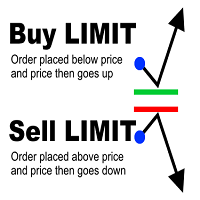
Limit Order Assistant EA This Expert Advisors will help us to put multiple stop order with single one click. This is an EA which can assist our first Order. ex. if we do instant Order Buy then EA will place multiple Buy Limit Pending Order  if we do Sell Order then it will place muliple Sell Limit It also can set up Multiply in Lot size every position.  Main Feature 1. Put Multiple Limit Order 2. Specify how much stop orders will make 3. Set distance from current price 4. Set distance for each
Forex Gump Special is an automatic trading robot for the GBPUSD currency pair. The robot trades on the basis of breaking the boundary price. Using the averaging algorithm, the robot analyzes the market and marks the points of maximum and minimum prices, thus building a virtual channel. Further, the robot analyzes the price movement and as soon as the price goes beyond the virtual channel, the robot opens a deal in the opposite direction. This trading algorithm is based on the idea of ​​returnin
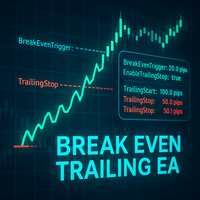
Break Even Trailing EA
Etsushi Ishizuka
5 (2)
Break Even Trailing EA | Automated Breakeven & Trailing Stop Manager Break Even Trailing EA is a utility Expert Advisor (EA) for MetaTrader 4/5, designed to automate profit protection for discretionary traders. This tool manages risk and locks in profits automatically after your manual entries, making your trading process more efficient and less stressful. The EA offers two powerful, selectable logic modes for securing profits, which you can use individually or in combination, depending on your
FREE
Do you over trade???  Do you lose your account by adjusting the stop loss or not putting stop loss?? Do you cross your daily loss limit and closed your account??? Do you breach your funded account??? Do you fail frequently because of emotion??   So you have to control your emotion in trading. And this EA will do the job for you. You can not repeat those mistake even if you try hard. Just set the EA and relax. This will do major role in funded account. This EA will not open orders/positions. It j
GMMA Trade X is an EA based on GMMA. GMMA parameters such as MovingAveragePeriod1-24, MovingAverageMAShift1-24, MovingAverageShift1-24 and CandlestickShift1-24 can be adjusted. GMMA Trade X applies BTN TECHNOLOGY's state-of-the-art intelligent technology to help you create optimal results for your trades. May your dreams come true through GMMA Trade X. Good luck. = == == Inquiries = == == E-Mail:support@btntechfx.com
DYJ GlobalTradeGameTheory(Power)  is based on   Bulls   and  Bears  indicator. It can be used for any currency pair and timeframe. Power: Market entry condition  Power attempts to gauge bullish and bearish forces in the market by using two separate measures, one for each type of directional pressure. The  EA's BearsIndex  attempts to measure the market's appetite for lower prices The EA's BullsIndex attempts to measure the market's appetite for higher prices It also uses  Laguerre filtering fal
DYJ Scalping is a fully automated Expert Advisor. The Stochastic indicator filter are used for entries. The advisor needs a hedging and ECN account type. The order loss is bailed out by the game and becomes a profit. If the order direction is wrong. You can disable the game strategy at any time. General Recommendations Recommend ECN accounts, xauusd spreads between 8 and 11 or lower, EURUSD spreads 1 The minimum deposit is $200.  Please download the xauusd and EURUSD settings file in the product
WHY USE BLACKPINK EA 15M Non-Scalper, back test with 10 years EURUSD 15M Chart. 10 years trade EURUSD 15M, total  312 trades gives a result  ROI 190% with orderSize = 1.0 . (Increment of orderSize can give more ROI). Day Trade strategy looking entry point for both uptrend and downtrend market. STOP LOSS value will be set on every open positions. BLACKPINK EA 15M is consider as a conservative short trend forex strategy that give a stable profit for long run. Contact Email forex.gurulite@gmail.co
Vizzion
Joel Protusada
Vizzion is a fully automated scalping Expert Advisor that can be run successfully using GBPJPY currency pair at H1 timeframe. Very Important This Expert Advisor can not run with any EAs in the same account. As part of the money management plan, it calculates and monitors the Margin Level % and assumes that all open trades are created by it. If you want an Expert Advisor that trades in a daily basis, this EA is not for you because using this requires a patience to wait for a few days or weeks on
ABCMarketsControl
Svetlana Dzikovskaya
ABCMarketsControl.ex4 utility manages already opened trades on any symbol by moving them to a breakeven when the price reaches a certain level. Besides, if the price goes further in favorable direction, the utility moves Stop Loss and Take Profit accordingly. The utility is most convenient for use on medium and long terms, as well as when trading on news. The parameters set by default are optimal, but it is better to select them individually for each trading symbol according to personal experien
Macd Pro I
Steve Zoeger
MACD Pro I EA https://youtu.be/2wCzTFIGNp4 =============== This Robot is fully automated and has been created for everyone. The Robot works also on cent accounts. The Ea is based on the MACD Indicator and 3 more and has been kept simple. ========================================= Maybe better to go for small profit, set it on higher time frames then you can use it for more pairs at the same time. =========================================== => works on all Time Frames but i would recommend the
The MelBar HedgeScalper FinTech RoboTrader MAXIMUM LOTSIZE : 100 Lots (US$10,000,000) per TRADE/POSITION FULLY TRIED, TESTED, PROVEN & VERIFIED ON A REAL LIVE TRADING ACCOUNT! TRY OUT THE DEMO! The Experienced Trader & Global Money Manager Version. 89% Trade Winning Percentage. 32.679% Profit Gain or ROI in 2 Trading Days. Profit Factor 3.59 Average Trade Length 1h 22m. The MelBar HedgeScalper FinTech RoboTrader is easy to use. Has the Advantage of Retiring Unnecessary "Debt" Positi
This is a Semi Automated OTE EA based on the free teachings of ICT. One of the biggest challenges in trading is related to executing and managing trades. After analyzing charts, draw an OTE Fibonacci and turn on the EA. It will automatically execute orders based on the Fibonacci level of your placement and protect any open positions when in profit. Please review the documentation that accompanies this product. *PLUS VERSION REMOVES LOT SIZE LIMIT THAT IS IN THE FREE VERSION* Auto Lot Calculat
Buyers of this product also purchase
Forex Trade Manager MT4
InvestSoft
4.98 (447)
Trade Manager MT4 is an advanced position size calculator and trade management tool for MetaTrader 4, designed to help traders plan trades faster, control risk more precisely, and manage open positions directly from the chart. It combines order placement, risk based lot calculation, Stop Loss and Take Profit management, Break Even, Trailing Stop, Partial Close, Equity Protection, and external trade management in one panel. Whether you trade forex, indices, metals, commodities, or crypto, Trade M
Exp COPYLOT CLIENT for MT4
Vladislav Andruschenko
4.69 (65)
Professional Trade Copier for MetaTrader 4 Fast, professional, and reliable trade copier for MetaTrader 4 . COPYLOT helps you copy Forex trades between MetaTrader 4 and MetaTrader 5 terminals with flexible synchronization for different account setups. COPYLOT MT4 version supports: MetaTrader 4 to MetaTrader 4 MetaTrader 5 Hedge to MetaTrader 4 MetaTrader 5 Netting to MetaTrader 4   MT5 version Full Description + DEMO + PDF How To Buy How To Install How to get Log Files How To Test and Optimize A
Trade Assistant MT4
Evgeniy Kravchenko
4.43 (197)
It helps to calculate the risk per trade, the easy installation of a new order, order management with partial closing functions, trailing stop of 7 types and other useful functions. Additional materials and instructions Installation instructions   -   Application instructions   Line function -   shows on the chart the Opening line, Stop Loss, Take Profit. With this function it is easy to set a new order and see its additional characteristics before opening.   Risk management  - The risk calcu
Local Trade Copier EA MT4
Juvenille Emperor Limited
4.96 (111)
Local Trade Copier EA MT4 is a fast and flexible trade copier for copying and managing trades between multiple MetaTrader 4 accounts on the same Windows computer or Windows VPS. It combines local trade synchronization with Receiver-side controls for lot sizing, risk management, trade filtering, symbol mapping, trade management and account protection. Set up your Transmitter and Receiver terminals in about 1 minute and copy manual or EA trades between accounts at the same or different brokers. U
The product will copy all telegram signal to MT4   ( which you are member  ) , also it can work as remote copier.  Easy to set up, copy order instant, can work with almost signal formats, image signal, s upport to translate other language to English Work with all type of channel or group, even channel have "Restrict Saving Content", work with  multi channel, multi MT5 Work as remote copier: with signal have ticket number, it will copy exactly via ticket number. Support to backtest signal. How to
News Filter EA MT4
Rashed Samir
4.64 (11)
News Filter EA: Advanced Algo Trading Assistant News Filter EA is an advanced algo trading assistant designed to enhance your trading experience. By using the   News Filter EA , you can integrate a Forex economic news filter into your existing expert advisor, even if you do not have access to its source code. In addition to the news filter, you can also specify   trading days   and   hours   for your expert. The News Filter EA also includes   risk management   and   equity protection   features
RS Trade Copier
Boris Sedov
5 (1)
RS Trade Copier - the ultra-fast local trade copier with a real graphical interface. Stop typing account numbers manually. No more 200+ cryptic inputs. A reliable and flexible tool for copying trading operations between multiple MT4 and MT5 terminals. It suits experienced traders, signal providers, and individual investors. It enables trade synchronization from one or multiple Providers to one or multiple Clients with high precision and minimal latency. It supports simple automatic configuration
TradePanel MT4
Alfiya Fazylova
4.84 (95)
Trade Panel is a multi-functional trading assistant. The app contains over 50 trading functions for manual trading and allows you to automate most trading tasks. Application instructions: https://www.mql5.com/en/blogs/post/756482 Trial version of the application for a demo account: https://www.mql5.com/en/blogs/post/750865 How to install the application: https://www.mql5.com/en/blogs/post/756239 How to test the application in visual mode: https://www.mql5.com/en/blogs/post/770277 How to install
Telegram to MT4 Multi-Channel Copier   automatically copies trading signals from your Telegram and Discord channels straight to MetaTrader 4. No bots, no browser extensions, no manual copying. A signal arrives in Telegram or Discord and the EA opens the trade in your terminal within seconds. And before you copy a channel, the built-in backtester shows you what that channel would have done in your account. The product has two components: a Windows application that listens to your Telegram channel
TradeMirror is a trade copier EA for MT4/MT5 platform. Tutorial Please click the Trademirror Tutorial link to view more tutorials. Why TradeMirror We understand the importance of security, stability and privacy for financial software, so we've gone the extra mile to harden these three elements in detail: Provides a user-friendly graphical interface that is easy to operate Focus on privacy and security, suitable for various financial scenarios with privacy requirements for order distribution Prec
PZ Trade Pad Pro MT4
PZ TRADING SLU
3.67 (3)
Effortlessly calculate lot sizes and manage trades to save time and avoid costly errors The Trade Pad Pro EA is a tool for the Metatrader Platform that aims to help traders manage their trades more efficiently and effectively. It has a user-friendly visual interface that allows users to easily place and manage an unlimited number of trades, helping to avoid human errors and enhance their trading activity. [ Installation Guide | Update Guide | Troubleshooting | FAQ | All Products ] One of the k
Copy Cat More Trade Copier MT4 is not just a simple local trade copier; it is a complete risk management and execution framework designed for today’s trading challenges. From prop firm challenges to personal portfolio management, it adapts to every situation with its blend of robust execution, capital protection, flexible configuration, and advanced trade handling. Need Support? How to setup? Has questions? Ask here in your language , fast reply: https://www.mql5.com/en/market/product/139089/co
Trade Indicator Assistant is a powerful MT4 utility designed to turn indicators into automated trading systems. Its main feature is the ability to automatically detect an indicator’s   BUY and SELL signal buffers , without requiring you to know the buffer numbers, search through indicator settings, or modify the indicator source code. Bonus Indicator: After purchasing Trade Indicator Assistant, contact me to receive Trade Signal Pro completely free as a bonus indicator. [Download Demo Version]
Trading History MT4
Siarhei Vashchylka
5 (9)
Trading History - A program for trading and money management on the history of quotes in stratagy tester. It can work with pending and immediate orders, and is equipped with trailing stop, breakeven and take profit functions. Very good for training and testing different strategies. Manual (Be sure to read before purchasing) Advantages 1. Allows you to test any trading strategy in the shortest possible time 2. An excellent simulator for trading training. You can gain months of trading experience

Trade Manager Pro MT4
Bryan Djoufack Nguessong
This is an Utility to make your trading easier by putting at   one click or a few clicks   time-consuming tasks as order management and risk management. Contact for a free trial. Features Risk Management   Calculates automatically lots based on risk specified in either   % or $  in the risk field and let you enter just   by placing lines for SL TP   etc and display   real-time Risk Reward . TrueRisk   so   it includes commissions when calculating lot size on FX pairs only so you risk 1% with
Shepherd Safety EA
AW Trading Software Limited
4.92 (13)
AW Shepherd Safety EA is an Expert Advisor for managing open positions. The trader opens the first order from the panel, and from there the EA runs the basket on its own: it adds recovery orders with a trend filter, closes a side on TakeProfit, trailing or stop, and shows the close levels on the chart. Buys and sells are managed separately, and both sides can be open at the same time. A recovery order opens not just on a price step but once Parabolic SAR, two MAs or candle color show a reversal


Trade Assistant Pro 36 in 1
Makarii Gubaydullin
4.76 (21)
Multifunctional tool: Lot Calculator, Grid Orders, R/R ratio, Trade Manager, Supply and Demand zones, Price Action and much more Demo version   |   User manual Trade Assistant   doesn't work in the strategy tester: you can download the Demo Version HERE  to test the utility . Contact me for any questions  / ideas for improvement / in case of a bug found If you need a MT5 version, it is available   here Simplify, speed up and automate your trading process . Expand the standard terminal capabilit
Trade Dashboard MT4
Fatemeh Ameri
4.96 (55)
Trade Dashboard simplifies how you open, manage, and control your trades, with built-in lot size calculation. It allows you to execute trades, manage risk, and control positions directly on the chart, with tools such as partial close, breakeven, and trailing stop. Designed to reduce manual work and help you stay focused on your trading decisions. A demo version is available for testing. Detailed explanations of features are provided within the MQL5 platform. Installation instructions are include
MT4 to Telegram Signal Provider   turns your trading account into a signal provider. Every trade action, whether manual, by EA or from your phone, is instantly sent as a message to Telegram. You can fully customize the format or use a ready-made template for quick setup. [ Demo ] [ Manual ] [ MT5 Version ] [ Discord Version ]  New: [ Telegram To MT5 ] Setup A step by step user guide is available. Key Features Ability to customize order details sent to subscribers You can create a tiered subs
KT Equity Protector MT4
KEENBASE SOFTWARE SOLUTIONS
3.75 (4)
An equity protection EA for MetaTrader that enforces your loss limits and profit target for you: when your account reaches a rule you set, it closes your trades on every symbol, before one bad day turns into a lost account. It suits prop firm challenges and personal accounts alike. Attach it to one chart, answer a few questions in the on-chart setup wizard, and it watches your whole account in the background while you trade by hand or with other EAs. What it protects Daily loss limit: a percenta
Unlimited Trade Copier Pro is a tool to copy trade remotely to multiple MT4, MT5 and cTrader accounts at different computers/locations over internet. This is an ideal solution for you if you are a signal provider and want to copy your trades to other receivers globally on your own rules. One provider can copy trades to multiple receivers and one receiver can get trade from multiple providers as well. The provider can even set the subscription expiry for each receiver, so that receiver will not b
King Trade Copier MT4
Mohammed Maher Al-sayed Mohammed Ahmed Saleh
5 (1)
King Trade Copier connects MetaTrader terminals that run on the same computer or VPS. Trades opened on one account appear on the others. The file carries both roles, so the same download becomes the sender or a receiver depending on what you set Mode to. On every chart the panel states whether this terminal is sending or receiving, names the account on the other side, counts the receivers that answered, and gives the age of the last signal. An order that was not copied leaves its reason on the
Strategy Builder offers an incredible amount of functionality. It combines a trade panel with configurable automation (covert indicators into an EA), real-time statistics (profit & draw down) plus automatic optimization of SL, TP/exit, trading hours, indicator inputs. Multiple indicators can be combined into an single alert/trade signal and can include custom indicators, even if just have ex4 file or purchased from Market. The system is easily configured via a CONFIG button and associated pop-up
Take a Break
Eric Emmrich
5 (31)
Take a Break pauses your Expert Advisors when trading is a bad idea: before news, after a daily loss, outside your trading hours, or when a rule you wrote yourself says so. When the pause is over, your EAs simply continue. Account protection for all your EAs in one tool: news filter, drawdown and equity protection, time filter and custom rules. One EA on one chart protects the whole account, the free indicator gives every chart its own rules on top. Free demo | What is new in 26.09 | Support Ass
Copier->Convenient and fast interface interaction, users can use it right away   ->>>> Recommended to use on Windows computers or VPS Windows Features: Diversified and personalized copy trading settings: 1. Different lot modes can be set for different signal sources 2. Different signal sources can be set for forward and reverse copy trading 3. Signals can be set with comments 4. Whether to calibrate the lot according to the contract lot Diversified and personalized copy order settings 2: 1. Dif
Trade Manager MT4 DaneTrades
Levi Dane Benjamin
4.09 (11)
DaneTrades Trade Manager is a professional trade panel for MetaTrader 4, designed for fast, accurate execution with built‑in risk control. Place market or pending orders directly from the chart while the panel automatically calculates position size from your chosen risk, helping you stay consistent and avoid emotional decision‑making. The Trade Manager is built for manual traders who want structure: clear risk/reward planning, automation for repeatable management, and safeguards that help reduc
Zone Trader MT4
Lee Samson
5 (1)
Trade support and resistance or supply and demand zones automatically once you have identified the key areas you want to trade from. This EA allows you to draw buy and sell zones with a single click and then place them exactly where you expect price to turn. The EA then monitors those zones and will automatically take trades based on price action you specify for the zones. Once the initial trade is taken, the EA will then get out in profit at the opposite zone you place, which becomes the target
VirtualTradePad mt4 Extra
Vladislav Andruschenko
4.85 (61)
Trading Panel for trading in 1 click.  Working with positions and orders!  Trading from the chart or the keyboard. Using our trading panel, you can trade in one click from the chart and perform trading operations 30 times faster than the standard MetaTrader control. Automatic calculations of parameters and functions that make life easier for a trader and help a trader conduct their trading activities much faster and more conveniently. Graphic tips and full information on trade deals on the chart
Riskless Pyramid
Snapdragon Systems Ltd
5 (1)
Introduction This powerful MT4 trade mangement EA offers a way potentially to aggressively multiply trade profits in a riskfree manner. Once a trade has been entered with a defined stoploss and take profit target then the EA will add three pyramid add-on trades in order to increase the overall level of profit. The user sets the total combined profit target to be gained if everything works out. This can be specified either as a multiple of the original trade profit or as a total dollar amount. Fo
Trade Reverse Copie4
Chukwuemeka Kingsley Anyanwu
5 (1)
Feel free to contact me for any extra features :) [SEE MT5 VERSION  https://www.mql5.com/en/market/product/128846 The Local Reverse Copier is an Expert Advisor designed to synchronize positions between a Master account and a Slave account with a twist: it reverses the trades. When a buy position is opened on the Master account, the EA opens a sell position on the Slave account, and vice versa. This allows for a unique form of trade copying where positions are mirrored in opposite directions bet
More from author
BNT Account Monitor MT4 Whole-account monitoring, performance analysis and read-only sharing User Guide and Required Data Link EA Download the MT4 Companion EA — BNT Data Link This product is the MT4 monitoring terminal. Collecting data from an account requires the compatible BNT Data Link companion EA to be installed and running in that account’s MT4 terminal. Download the companion EA using the link above, then follow the setup steps below. The system requires the compatible BNT data service,
WUKONG | Built for Gold. Driven by Discipline. Gold moves fast. A clear plan and consistent execution help you stay focused when the market becomes demanding. WUKONG is a MetaTrader 4 Expert Advisor developed by BNT for XAUUSD gold trading. It brings price-breakout signals, a multi-strategy portfolio, configurable position sizing and trade management into one automated system. For traders who want less time watching charts and a more structured trading process, WUKONG offers execution you can a
BNT Rapid Copier Local MT4 / MT5 trade copying with configurable execution and copy-profit statistics. User Manual and Installation Guide Download the English User Manual and Installation Guide (ZIP) Download and extract the ZIP file to access the PDF user manual. The guide covers Sender and Receiver setup, channel configuration, symbol mapping, lot sizing, synchronization options, profit statistics and troubleshooting. MT4 and MT5 in One Workflow BNT Rapid Copier connects a source trading acco
BNT Account Monitor MT5 Whole-account monitoring, performance analysis and read-only sharing. User Guide and Required Data Link EA User manual and installation guide: Download the User Manual (ZIP) BNT Data Link MT5 companion EA: Download the Companion Data Link EA (ZIP) This product is the MT5 monitoring terminal. Collecting data from an account requires the compatible BNT Data Link MT5 companion EA to be installed and running in that account’s MT5 terminal. Download the companion EA using t
WUKONG | Built for Gold. Driven by Discipline. Gold moves fast. A clear plan and consistent execution help you stay focused when the market becomes demanding. WUKONG is a MetaTrader 5 Expert Advisor developed by BNT for XAUUSD gold trading. It brings price-breakout signals, a multi-strategy portfolio, configurable position sizing and trade management into one automated system. For traders who want less time watching charts and a more structured trading process, WUKONG offers execution you can a
Filter:
No reviews
Reply to review