Rapid Trade Manager Fast

OVERVIEW

**Starting today, September 30, 2026, I am making the EA free for a while. Enjoy!**


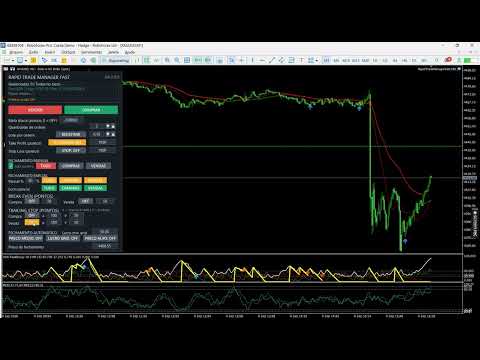
Rapid Trade Manager Fast is a semi-automatic utility for MetaTrader 5. It combines order execution, position management, automatic grid trading, operational protections, and a Currency Portfolio in two on-chart panels.

The user decides how to configure and enable each feature and remains responsible for risk. This product is not a signal service: automatic entries occur only when the relevant features are enabled. Both panels can be minimized separately, including an information-only view.


MAIN PANEL

• Open one or several Buy or Sell orders and set order count, volume, Take Profit in points, and optional Stop Loss.

• Use Shared TP, Continuous Buy, Continuous Sell, and Automatic Grid with separate controls.

• Monitor managed positions, floating and daily realized results, daily-target points, average price, and separate Buy and Sell results.

• Optionally include chart-symbol manual positions with Magic Number 0, opened from the mobile app or desktop terminal.

• Adjust values using panel arrows and retain settings by account, symbol, and Magic Number.

The DD indicator shows the current decrease in account equity relative to account balance. It is not the maximum historical drawdown from a previous equity peak.


DAILY TARGET AND CONTINUOUS ENTRIES

The main-panel daily target uses realized points. Once reached, new initial entries and Continuous Buy/Sell re-entries are paused; existing positions remain under management. If grid is enabled, it may continue only in directions that already had positions when the target was reached, subject to its limits. Reaching the target does not immediately close positions.

Continuous Buy and Continuous Sell follow cycles initiated by the user. A continuous entry is requested only after positions in that direction have closed. In Prop Firm Mode, re-entry also respects the minimum interval and configured adverse distance.


MANUAL AND PARTIAL CLOSING

The main panel's TUDO, COMPRAS, and VENDAS manual-closing buttons act on managed positions of the chart symbol. For COMPRAS or VENDAS, users can choose individually PROFITABLE, LOSING, or ALL positions. TUDO selects all managed positions of the symbol. The choice uses each position's floating profit plus swap at submission time; zero-result positions are excluded from PROFITABLE and LOSING.

Partial closing lets users set a percentage and select TUDO, COMPRAS, or VENDAS. The Lucro parcial row applies that percentage only to individually profitable positions in the selected group. All six partial-close buttons require confirmation before submission; the window shows the selected percentage.

Manual and partial closing use a separate confirmation window. While it is open, the button that started the action becomes CANCEL in the same location. The user may confirm or cancel, and the request expires after 15 seconds. The first click alone does not submit a close request. Auto Positive monitors the configured automatic basket-closing conditions; it does not filter the manual-close buttons.


AUTOMATIC CLOSING MODES

AVERAGE PRICE: monitors the volume-weighted average price and requests closing when the mode's conditions are met.

GRID PROFIT: permits individually losing positions, but requests a basket close only when the configured price and minimum estimated net-profit conditions are met.

TARGET PRICE: lets the user specify a closing price while respecting each position's direction.

DIRECTION: BUY, SELL, and BOTH select the positions considered for automatic closing. Color indicates the selection; BOTH does not remove price or result requirements.


MAIN-PANEL AUTOMATIC GRID

Buy and Sell positions are managed separately. A new Buy grid level requires an adverse move below the last Buy; a new Sell level requires an adverse move above the last Sell. Point distance, orders per level, maximum entries per direction, and interval between attempts are configurable.

An optional protection pauses new entries on a side with many positions until the configured price return occurs. In Prop Firm Mode, the end of the countdown does not force an order: the EA checks distance conditions again before submitting it.


DRAWDOWN RECOVERY AND COMBINED BASKET

At the configured DD trigger, optional recovery analyzes the trend on the selected timeframe. Grid entries against the trend may be paused until price reverses and DD improves by the required amount. Entries remain subject to spread, margin, news, position limits, and other applicable protections.

During recovery, positions managed by the main panel are monitored as one combined basket, and automatic closing seeks the configured minimum estimated net profit. Combined Basket can also remain enabled independently of the recovery trigger. Portfolio positions are not automatically included in the main-panel basket.

An additional option, disabled by default, can submit trend-side entries during recovery. It requires a price pullback and resumption, minimum distance from the last same-direction entry, minimum interval, entry count, maximum volume, minimum margin level, and DD within the allowed range. The recovery trend timeframe and minimum price move also govern this option. The default configuration sets a 20% DD ceiling for these new entries; none are sent above it. Values can be changed in the inputs.

An opposite-side position must already be open before an additional trend-side entry is considered. This feature does not guarantee recovery of losses or a profitable exit.


BREAK EVEN AND TRAILING STOP

Break Even and Trailing Stop have separate Buy and Sell controls. Users set activation points, stepped advancement, and the points to protect. The EA considers tick size, stop-distance, and freeze-level restrictions reported by the broker.


CURRENCY PORTFOLIO

The Portfolio works with USD, GBP, AUD, NZD, CAD, EUR, JPY, and CHF. BUY aims to represent appreciation of the selected currency against the others; SELL aims to represent its depreciation. Before opening, the EA checks compatible pairs and may skip those that fail quote, spread, news, volume, margin, or configured-limit checks. Eligible pairs may be submitted even when others are skipped.

Each row shows separate floating BUY and SELL results, realized points for the day, and total points for the currency. The currency is highlighted according to its open basket direction. The panel also displays baskets, orders, floating and daily realized results, points against its own daily target, account balance, and equity.

The Portfolio has its own Magic Number and does not mix its positions or results with the main panel. Clicking a currency's X button lets users select its BUY-origin basket, SELL-origin basket, or BOTH, then confirm the close request. This choice refers to the basket's opening direction, not each pair position's trade direction. CLOSE PORTFOLIO is below the currency rows and above Grid distance, and requires confirmation before closing all baskets. Confirmation appears in a separate window, with CANCEL also shown where the action started, and expires after 15 seconds.


NEW BASKETS AND MANAGEMENT MODES

NEW BASKETS: OFF prevents another basket from starting while Portfolio positions remain open. ON permits new baskets, subject to limits and the submission queue. Another basket in the same direction for the same currency cannot start while a matching basket remains open.

In COMBINED MANAGEMENT, points, estimated net result, target, and maximum loss apply to the Portfolio as a whole. In INDIVIDUAL MANAGEMENT, each new basket receives its own identifier and target and is managed for closing separately. Changing the target for future baskets does not alter targets recorded for existing baskets.

The daily target, margin check, maximum positions per pair, combined volume limit, and CLOSE PORTFOLIO remain Portfolio-wide. Automatic target closing requires the configured point total and a positive estimated net result.


PORTFOLIO GRID AND LIMITS

Each pair has its own fixed-volume grid; the EA does not automatically double volume. The first two grid levels follow the configured adverse distance. If price keeps moving against the positions, later levels also require the configured return from the extreme, up to the permitted limits.

Users can set grid distance and return in points, maximum positions per pair, combined volume limit, maximum loss, and minimum hold time. The Portfolio daily target blocks new baskets, but baskets that were already open may keep receiving grid levels when conditions are met.


ACCOUNT POSITION LIMIT

If the broker rejects a new order because the account position limit has been reached, the EA shows the reason in both panel status areas and pauses new attempts. A basket still in the submission queue is interrupted. Entries are considered again when a position or order frees capacity; closing remains available.


PROP FIRM MODE AND NEWS

Prop Firm Mode offers optional minimum hold time, minimum entry interval, spaced submission, news windows, and time-and-distance validation. Minimum hold times are separate for the main panel and Portfolio. A manually scheduled event can simulate news in Strategy Tester.

Independently of Prop Firm Mode, separate options can request preventive closing of main-panel and Portfolio positions before high-impact news, with configurable advance notice. Each proprietary firm has its own rules; these controls assist configuration but do not guarantee compliance or approval.


COMPATIBILITY AND RISKS

The utility runs on MetaTrader 5. The main panel can be used on Hedging and Netting accounts; the Currency Portfolio requires a Hedging account. The EA can be attached to any chart timeframe for the intended symbol; recovery trend analysis uses the timeframe selected in the inputs, independently of the displayed chart timeframe.

The product does not provide financial advice or guarantee profit, a lower DD, execution price, or execution speed. Grid, hedging, and recovery can increase exposure and losses. Execution depends on the broker, server, spread, slippage, and market conditions. The terminal, EA, and Algo Trading must remain active for automatic management. Test settings on a demo account before using them on a live account.
    Recommended products
    MANUAL OF RECOVERY GRIP The recovery grip system can recover both an isolated loss and a loss produced by a grip or multiple orders, the algorithm gradually compensates the losses until the equity returns to zero. The time it takes for the algorithm to reverse the loss is proportional to the volatility of the pair and the size of the loss.This system allows you to test the algorithm prior to purchase.For this, it has a powerful simulation system in which you can choose whether your loss is a
    Neuro Power
    Dayanand Pandey
    Neuro Power is a neural network-based Expert Advisor developed for MetaTrader 5. It is designed to analyze the psychology of buyers and sellers by studying market behavior through advanced neural network logic. Instead of relying on traditional indicators alone, the EA evaluates multiple market conditions simultaneously to identify high-probability trading opportunities. The system continuously processes price action, momentum, volatility, and other market conditions to estimate where institutio
    Joni Lee Second Forex Robot in the Market CAN RUN WITH ONLY $300 (recomended minimum deposit) LOT size 0.01 if <$2000 else 0.02 Introducing the “Joni Lee First Forex Robot,” a trailblazing innovation in automated forex trading. Developed by the renowned Joni Lee, this robot is the first of its kind, setting new standards in the forex market. Key Features: Can take profit (TP) and cut loss (CL) State-of-the-Art Algorithms:   Employs sophisticated algorithms to analyze market data and execute tra
    Gordian Knot 1
    Hidenori Tanaka
    This EA is a simple automated trading system for the Meta Trader 5 platform. It uses parabolic SAR to automatically adjust lot size based on market trends. By this, the EA does not take a large amount of risk, but instead steadily accumulates profits. Main Features The EA does not use the martingale method for lot size adjustment. If a position is taken before the forex market closes, the position will be carried over to the weekend. This EA is designed to hold multiple positions at the same t
    QuantumGold Matrix
    Mohammed Lamine Kasmi
    QuantumXAU Matrix – Smart Gold Trading EA for MetaTrader 5 QuantumXAU Matrix is a powerful, fully automated Expert Advisor specifically designed for XAUUSD (Gold) on the MetaTrader 5 platform. It follows a smart averaging strategy with controlled risk management, aiming for consistent profits through adaptive lot sizing and precise trade timing. Symbol-specific : Trades only on XAUUSD for optimized performance Automated logic : Opens positions based on market distance and profit targets
    CRT Model 1
    Yahia Mohamed
    5 (1)
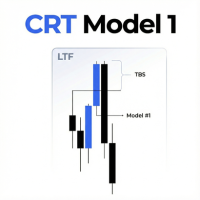
    Important note: I’m just providing this EA as a tool. I don’t have profitable settings for it, make sure to backtest properly before buying. CRT Model 1 EA is an automated trading solution designed to execute the CRT Model 1 strategy, which focuses on time-based range analysis, liquidity sweeps, and retracement entries. This Expert Advisor defines a specific time range to establish high and low price reference points. It then monitors price action outside this range to identify Turtle Soup(Liqu
    Boom Trader
    Godbless C Nygu
    Join Deriv now link on my profile>>>> Boom Trader This robot is developed to trade Boom 1000 which is available on Deriv. Boom 1000 is one of other many indices which its behaviour is to form the spike of few pips, Those spikes always happen after 1000 ticks. To avoid spikes i came up with idea of develop the robot which take sells and few buys. IMPORTANT! After the purchase please send me a private message to receive the installation manual and the setup instructions. •All settings on this ro
    EURUSD London Breakout Pro Developed with the support of advanced Artificial Intelligence tools, EURUSD London Breakout Pro delivers a clean, efficient codebase optimized for speed and stability. This Expert Advisor applies an institutional-grade risk management framework and avoids high-risk strategies such as martingale, grid averaging, or uncontrolled hedging. Built for traders who demand both precision and safety, the system combines a proven London session breakout concept with powerful en
    FREE
    The EA uses scalping strategy at night, trading consists of three algorithms and each algorithm works in its own time interval. The EA uses many smart filters to adapt to almost any economic situation. Pending orders are used for the least slippage when trading scalping. The adviser is safe and does not require any settings from the user, just install it on the chart and you are ready. The EA sets a protective stop order, so the trader does not have to worry that the robot will allow significant
    This EA will automatically close all open order when profit or loss is reached according to users setting. You need to select close by percentage or close by amount. If close by percentage or close by amount is set to true the EA will exit. When the setting is set to true, the value of profit and loss can not be 0. Please set to true the option for Close Order with Same Symbol or Close All Order.
    Remora fish Mt5
    Marta Gonzalez
    You know you are not a shark but maybe you can be a   remora fish. You just have to locate a shark and feed on the remains. This system uses an indicator that detects the movements of the shark and positions itself in favor of it, taking advantage of its capture. This system analyzes the market looking for the waves that the shark produces in the forex sea when it attacks the market. Once the shark attack is located, it enters the market to catch a piece of the catch. All operations have their
    Numbit
    Seira Yokota
    NUMBIT is a BTCUSD-only swing EA. It is the Bitcoin configuration (London-session window, ATR-ratio scaling) extracted as a standalone from my DEMON2 family research, where one engine was calibrated across 16 symbols in 141 backtests. Results (real-tick validation): Jan 2022 – Aug 2026, $10,000 start, fixed 0.01 lot, real spread and swap included: profit factor 2.42, net +$1,396, 482 trades, 86.7% win rate, max margin drawdown 3.15%, recovery factor 4.31. Both directions perform equally (PF 2.
    FREE
    EA Nation
    Joseph Anthony Aya-ay Yutig
    The Expert Advisors' strategy came from a Facebook Group EA Nation. The group has over 40k members. It opens a hedge trade for every new candle and opens grid when the position is on the losing side of the trade.  Average Grid = N                     = the sum of 6 bars before the current bar/ N Timeframe = it opens a new hedge trade when a new bar appears Auto Lot = 1 Lot means in $10,000 Lot Size will be 0.01 NO MORE HEDGE = When one side reaches to N trades, it won't open a hedge trade un
    MT5 opnMAX Castor and Pollux
    Nelson Rodrigo Caldeira Patrao
    opnMAX Castor & Pollux: Expert Advisor Overview o pnMAX Castor & Pollux is an institutional-grade, fully automated trading algorithm designed to execute trades based on Fair Value Gaps (FVGs) and Fibonacci retracements . It combines structural price-action analysis with highly advanced risk management and broker-proof execution protocols Key Functional Features Automated FVG & Fibonacci Entries: Scans backward to detect the most recent Fair Value Gap (FVG) and calculates exact entry prices using
    The Catalyst EA
    Daniel Naranjo Morales
    The Catalyst EA The Catalyst EA is a sophisticated trading robot designed for the MetaTrader 5 platform. It is specifically developed for trading the   AUDUSD currency pair on the H1 timeframe . The EA employs a multi-indicator strategy that aims to identify and capitalize on potential market reversals and corrections. A primary focus of its design is robust risk management, featuring dynamic lot sizing and multiple layers of trade protection to manage your capital effectively. Strategy The Cata
    Dynamic RSI Guardian – Precision Trading with Full Risk Management Dynamic RSI Guardian is a professional algorithmic trading system designed for traders who value consistent performance, strict risk control, and flexibility . Built with advanced pip-based calculations and intelligent RSI-driven filters, it ensures every trade follows strict rules to minimize risk while maximizing opportunities. Key Features: Smart Entry System • RSI-based multi-filter confirmation • Detects high-probability
    FREE
    Breakout Expert Advisor for XAUUSD (Gold) — places ATR-filtered pending Buy/Sell orders based on recent high/low ranges (recommended H1). Short overview: Gold Highest BreakOut is an automated Expert Advisor designed for trading XAUUSD . It places pending Buy Stop / Sell Stop orders at breakout levels derived from recent High/Low ranges and uses ATR and range filters to reduce false entries. Key points: Strategy: breakout from recent High/Low over configurable period. Filters: ATR-based volatil
    XAU Imperial Pullback Matrix  The Supreme 4-Level Momentum Recovery Gold Engine XAU Imperial Pullback Matrix  is a highly sophisticated, institutional-grade automated trading system explicitly designed for Gold (XAUUSD). Inspired by the absolute power of the Imperial Matrix, this EA uses a strict Structured 4-Level Grid Recovery- logic combined with Multi-Timeframe Trend Analysis. It strikes the market exactly when a pullback occurs in the direction of the dominant momentum.  Most importantly
    Aurum Ai Trader
    Vyom Tekriwal
    5 (1)
    Aurum AI Trader – Agentic AI Gold EA for MT5 The Intelligent Neural Consensus Engine for XAUUSD Auto-Trading using Agentic AIs -Use Latest Upgrade Version 10 as of 4th March 2026 Now Integrate External AI agents such as Claude, Gemini,Open AI & GPTs through API key with this EA- Use M1/M15 for Frequent Scalping Trades_Use H4 for Selective few but best Trades Product Overview Aurum AI Trader is a next-generation, Agentic AI–powered Expert Advisor built exclusively for Gold (XAUUSD) trading on M
    Forex Strike EA
    Abderrahmane Benali
    FOREX Strike EA – Discipline Meets Opportunity FOREX Strike EA is an intelligent automated trading system built to bring structure, control, and consistency to the Forex market. Designed with modern MQL5 standards, it focuses on precision execution and disciplined awareness rather than aggressive exposure. By combining smart order placement with adaptive money management, the system engages the market only when conditions align—allowing you to trade with confidence, not emotion. Operating withi
    Morbius
    Lukas Szyry
    Morbius ORB TRADER — Smart Session Reversal Precision Morbius ORB TRADER is an advanced Expert Advisor combining classical session time window analysis with the precision of modern Smart Money Concepts (SMC). Instead of blindly trading breakouts, it uses a 4-phase engine to wait for liquidity sweeps and institutional displacements to execute fully automated, high-precision reversals. Trading Strategy 4-Phase Session Matrix: The algorithm marks the Asian Range (Accumulation), waits for false bre
    NexusPilot Core is an MT5 EA Manage and Prop Firm Control tool designed for traders who run multiple Expert Advisors, manual trades, or funded account challenges. It is not a signal indicator or trading strategy. Its main purpose is to help you supervise your account, control EA activity, and reduce the risk of breaking prop firm rules. With one centralized dashboard, NexusPilot Core monitors drawdown, Magic Numbers, EA exposure, pending orders, no-SL trades, margin level, floating loss, tradi
    MA Fly EURUSD mt5
    Sebastian Furmanek
    Backtest from   2003-2019 MetaQuotes Data Every Tick Mode EA created for EURUSD H1 Open  transaction based on MA and Volume Close transaction based on RSI or take profit One transaction at the time. No adding position, no martingale, no grid. My recommendations: For "safe mode" i recommend 0.1 lot per 10000USD For "risky mode" i recommend 0.5 lot per 10000USD Personally i use 0.3 lot per 10000 USD Fell free to increase lot size while you earn. This EA does not open transaction everyday, b
    Enigma Sniper
    Anshuman Thakur
    ENIGMA SNIPER - MetaTrader 5 Expert Advisor Precision Entries. Disciplined Execution. ENIGMA SNIPER is a professional MT5 Expert Advisor designed to identify precise trade entries using a Smart Money Concepts (SMC) inspired market structure methodology combined with a multi-timeframe thinking approach. The EA focuses on disciplined trade selection and systematic execution rather than frequent trading. Key Features SMC-inspired Market Structure Analysis Multi-Timeframe Confirmation Precision Entr
    TrendLine Pending Order Tool
    Marcelo Guimaraes de Lima
    This utility opens orders when the candle touches the manually placed trend line, as if it were a more articulated pending order.  It can be used on any asset, when it opens the order it eliminates the line it touched and create Arrow. In this case, it is used for price reversal operations, it opens a sell order when the bullish candle touches the bottom-up line and opens a buy order when the bearish candle touches the top-down line.  You can adjust the stop loss and takeprofit, this utility is
    FREE
    MT4 Version : https://www.mql5.com/en/market/product/165891 MT5 Version : https://www.mql5.com/en/market/product/165892 Switch Grid — Alternating Hedge Grid EA Switch Grid is a smart hedging grid Expert Advisor that builds positions in a clean alternating sequence Instead of stacking orders in one direction, Switch Grid “switches” direction every time price moves away from the last entry price by a dynamic step. This creates a controlled grid structure designed for range markets and volatile
    The Expert Advisor analyzes tick micro-signals and determines the direction to open a position. Micro-signals are identified by predetermined codes, which in the optimization are recorded in the settings of the bot. When a bot sees the corresponding micro-signal, it reacts to it by opening a position and its accompaniment! The bot has good predictability. You can check the work of the bot on the simulation of real history, how to configure the tester will be shown in the screenshot. Also, we sh
    Smart ATR Trader EA – Adaptive Scalping & Risk Management Smart ATR Trader EA is a lightweight, fast, and fully automated trading system designed for scalping and intraday trading . It uses simple yet powerful logic: candle momentum entries with ATR-based exits and professional risk management controls . Write me in personal messages to get .set files Key Features Flexible Risk Control Trade with fixed lot size , money-based risk , or percent of balance . ATR-Based TP & SL Dynamic
    GoldDow2
    Kyōhei Shirahama
    Advanced R-Based Risk Management Breakout EA with SMA200 Trend Filter This Expert Advisor integrates Dow Theory breakout logic with ATR-based R-multiple risk management. The entire trade lifecycle — from position sizing to exit — is volatility-adjusted and systematically controlled. Key Features 1. Dow Theory Breakout Logic Breakout of recent swing highs/lows Multi-timeframe structure confirmation Automatic swing detection 2. SMA200 Trend Filter Buy only above SMA200 Sell only below SMA200 Stric
    PrecisionEntry EA is a semi-automatic Expert Advisor for MetaTrader 5 that enables precise order placement at the click of a button — without taking control away from the trader. With a single click on the LONG or SHORT button, the EA automatically places a BuyStop or SellStop order at the high or low of the previous candle. Stop-loss, take-profit, and lot size are calculated fully automatically — based on the configured risk percentage and the desired risk-reward ratio. Features: Interactive on
    Buyers of this product also purchase
    Trade Assistant MT5
    Evgeniy Kravchenko
    4.43 (216)
    It helps to calculate the risk per trade, the easy installation of a new order, order management with partial closing functions, trailing stop of 7 types and other useful functions. Additional materials and instructions Installation instructions - Application instructions - Trial version of the application for a demo account Line function -   shows on the chart the Opening line, Stop Loss, Take Profit. With this function it is easy to set a new order and see its additional characteristics bef
    Forex Trade Manager MT5
    InvestSoft
    4.98 (685)
    Trade Manager MT5 is an advanced position size calculator and trade management tool for MetaTrader 5, designed to help traders plan trades faster, control risk more precisely, and manage open positions directly from the chart. It combines order placement, risk based lot calculation, Stop Loss and Take Profit management, Break Even, Trailing Stop, Partial Close, Equity Protection, and external trade management in one panel. Whether you trade forex, indices, metals, commodities, crypto, or future
    Local Trade Copier EA MT5
    Juvenille Emperor Limited
    4.94 (149)
    Local Trade Copier EA MT5 is a fast and flexible trade copier for copying and managing trades between multiple MetaTrader 5 accounts on the same Windows computer or Windows VPS. It combines local trade synchronization with Receiver-side controls for lot sizing, risk management, trade filtering, symbol mapping, trade management and account protection. Set up your Transmitter and Receiver terminals in about 1 minute and copy manual or EA trades between accounts at the same or different brokers. U
    Telegram to MT5 MultiChannel Copier
    Sergio Marquez Uroz
    4.61 (18)
    Telegram to MT5 Multi-Channel Copier   automatically copies trading signals from your Telegram and Discord channels straight to MetaTrader 5. No bots, no browser extensions, no manual copying. A signal arrives in Telegram or Discord and the EA opens the trade in your terminal within seconds. And before you copy a channel, the built-in backtester shows you what that channel would have done in your account. The product has two components: a Windows application that listens to your Telegram channel
    ================================================================================ POC BREAKOUT - V20.72. Full Professional Grade Toolkit ================================================================================ POC Breakout is a full MetaTrader 5 trading dashboard for discretionary traders who want breakout signals, Point of Control (POC) context, volume profiles, order flow, market structure, news, alerts, and advanced trade planning in one professional workspace. Attached directly to you
    Strategy Ledger Pro
    Abdullah Uygar Tuna
    5 (9)
    Strategy Ledger Pro is a read-only account analysis panel for MetaTrader 5. It separates account results by Expert Advisor, strategy, symbol, and magic number, so you can see what each one really contributes. The panel is available in 11 languages: English, Français, Deutsch, Español, Italiano, Português, Русский, Türkçe, 中文, 日本語 and 한국어. Before you download the demo. The Market runs the demo of any paid product in the Strategy Tester only. This panel analyses the trades on your own account, and
    TradePanel MT5
    Alfiya Fazylova
    4.88 (170)
    Trade Panel is a multi-functional trading assistant. The app contains over 50 trading functions for manual trading and allows you to automate most trading tasks. Application instructions: https://www.mql5.com/en/blogs/post/756482 Trial version of the application for a demo account: https://www.mql5.com/en/blogs/post/750865 How to install the application: https://www.mql5.com/en/blogs/post/756239 How to test the application in visual mode: https://www.mql5.com/en/blogs/post/770277 How to install
    Copy Telegram signals with your own trading rules Telegram to MT5 Signal Trader automatically copies text-based trading signals from public and private Telegram channels and groups into MetaTrader 5. Manage multiple providers and MT5 accounts from one desktop app, with individual risk and trade settings for each provider . No Telegram bot or API setup needed for copying. Simply sign in with your own Telegram account by phone or QR code and select the channels or groups you have already joined. Y
    Grid Manual MT5
    Alfiya Fazylova
    4.73 (22)
    Grid Manual is a trading panel for working with grid strategies. The utility is universal, has flexible settings and an intuitive interface. It works with a grid of orders not only in the direction of averaging losses, but also in the direction of increasing profits. The trader does not need to create and maintain a grid of orders, the utility will do it. It is enough to open an order and the "Grid manual" will automatically create a grid of orders for it and will accompany it until the close. F
    MT5 to Telegram Signal Provider turns your trading account into a signal provider. Every trade action, whether manual, by EA or from your phone, is instantly sent as a message to Telegram. You can fully customize the format or use a ready-made template for quick setup. [ Demo ] [ Manual ] [ MT4 Version ] [ Discord Version ]     New: [ Telegram To MT5 ] Setup A step by step user guide is available. Key Features Ability to customize order details sent to subscribers You can create a tiered subs
    Power Candles Strategy Scanner - Self-Optimizing Multi-Symbol Setup Finder Self-optimizing settings work one chart at a time, and finding where they pay off right now means opening chart after chart. Power Candles Strategy Scanner runs the same self-optimizing engine as the Power Candles indicator on every symbol in your Market Watch, side by side. One panel ranks where it pays off: the winning strategy per symbol, its optimized Stop Loss and Take Profit. An alert fires the moment a fresh signal
    Footprint Chart Pro — Professional OrderFlow EA for MetaTrader 5 Version 6.34 | Professional tool for real traders | Institutional-Grade Visualization DEMO USERS - PLEASE SELECT EVERY TICK / REAL TICK WHEN TESTING AND YOU HAVE DOWNLOADED HISTORICAL DATA. IF YOU SEE A WAITING SCREEN AND IT IS NOT DOWNLOADING, IT MEANS YOU HAVE LOW HISTORICAL DATA. TRY 1 MIN AND 5 MIN FIRST ON 1 DAY DATA. ONE DAY DATA SHOULD BE THE NEWEST AND MOST CURRENT DATE. PLEASE WAIT UNTIL THE MARKET HAS ROLLED OVER PERIOD.
    HINN MagicEntry Extra
    ALGOFLOW OÜ
    4.74 (19)
    HINN MAGIC ENTRY – the ultimate tool for entry and position management! SIMPLE. FASTEST. INTUITIVE. MAX AUTOMATED. Place orders by selecting a level directly on the chart! full description   ::  demo-version  :: 60-sec-video-description Key features: - Market, limit, and pending orders - Automatic lot size calculation - Automatic spread and commission accounting - Unlimited partitial take-profits  - Breakeven and trailing stop-loss and take-profit  functions - Invalidation leves - Intuitive, a
    Signal Trading View to MT5 Pro
    Mirel Daniel Gheonu
    4.5 (2)
    Signal TradingView to MT5 Pro  Instant professional execution between TradingView and MetaTrader 5 Automate your trading strategy with the most robust communication bridge between TradingView alerts and real execution in MT5. Designed for traders who demand speed, flexibility, and impeccable risk management, this Expert Advisor transforms any alert message into a precise market or limit order.   Install and TEST the TRIAL version HERE STRENGTHS AND ADVANTAGES Universal Parsing Engine (Propriet
    Welcome to ENTRY IN THE ZONE AND SMC MULTI TIMEFRAME  SPECIAL BENEFIT / FOR OUR MQL5 CUSTOMERS FREE ACCESS TO THE NEW TOOL  — COMING SOON — Learn more on our official website  : https://www.fableedge.net Entry In The Zone and SMC Multi Timeframe is a real-time market analysis tool based on Smart Money Concepts (SMC), designed to analyze market structure, price direction, and key trading zones. It supports both Single-Timeframe Analysis and Multi-Timeframe Analysis, providing a clearer view of th
    Trade copier MT5
    Alfiya Fazylova
    4.61 (56)
    Trade Copier is a professional utility designed to copy and synchronize trades between trading accounts. Copying occurs from the account / terminal of the supplier to the account / terminal of the recipient, which are installed on the same computer or VPS . Before buying, you can test the demo version on a demo account. Demo version here . Full instruction here . Main functionality and benefits: Supports copying MT5> MT5, MT4> MT5, MT5> MT4, including MT5 netting accounts. * Supports copying Dem

    Copy your MT5 trades to Interactive Brokers You keep using MT5. Every order you open or close is sent to your IB account. In real time. No coding. No changes to your strategy or EA. Try it first Rent 1 month: $30. Test on a live or paper account. What it does Real-time copying: same direction, reverse, or one side only. Map any MT5 symbol to any IB symbol. Set a lot ratio for each. Forex, Futures, Stocks, CFDs, Metals and Crypto. Position sync: both accounts checked, any difference fixed. Optio

    Exp COPYLOT CLIENT for MT5
    Vladislav Andruschenko
    3.97 (35)
    Professional Trade Copier for MetaTrader 5 Fast, professional, and reliable trade copier for MetaTrader . COPYLOT allows you to copy Forex trades between MT4 and MT5 terminals with support for Hedge and Netting accounts. COPYLOT MT5 version supports: - MT5 Hedge to MT5 Hedge - MT5 Hedge to MT5 Netting - MT5 Netting to MT5 Hedge - MT5 Netting to MT5 Netting - MT4 to MT5 Hedge - MT4 to MT5 Netting MT4 version Full Description +DEMO +PDF How To Buy How To Install How to get Log Files H
    Trading Chaos Expert
    Hennadii Stanilevych
    5 (11)
    This software has no equals in the world and represents a universal trade "console" covering trading signals, automated market entry, setting of Stop Loss and Take Profit, as well as Trailing Profit for multiple trades at the same time in a single open window. Intuitive control of the Expert Advisor in "three clicks" ensures a comprehensive use of all its functions on different computers, including tablets PCs. Interacting with additional signal indicators that mark the chart to give a real mark
    Anchor Trade Manager
    Kalinskie Gilliam
    5 (9)
    Your EAs cannot see each other, but Anchor can. Anchor gives you one place to coordinate your EAs, manage risk, and decide when trading is allowed. It works alongside the trading bots you already use without any changes to them. The Problem One EA opens a trade. Then another starts trading. The next thing you know, you wake up to multiple grids built across your account. Each EA may be doing exactly what it was designed to do, but together they can place far more risk on your account than you in

    FarmedHedge Pair Trading Dashboard
    Tanapisit Tepawarapruek
    5 (5)
    Farmed Hedge Yield Farming | All Markets (Manual - Hybrid - Semi/Automated EA) VERIFIED TRADING RESULTS - Farmed Hedge Yield Axi Copy:  https://www.mql5.com/en/signals/2356376 - Farmed Hedge Yield Exn Copy:   https://www.mql5.com/en/signals/2356404 - Farmed Hedge Yield V Copy:  https://www.mql5.com/en/signals/2357156 IMPORTANT NOTICE: FarmedHedge is a MANUAL-FOCUSED TRADING UTILITY ,not a fully automated EA. Results shown on this Signal include manual trades and overall strategic management.
    The News Filter MT5
    Leolouiski Gan
    4.78 (23)
    This product filters   all expert advisors and manual charts   during news time.  It is able to remove any of your EA during news and automatically reattach them after news ends. This product also comes with a complete  order management system   that can handle your open positions and pending orders before the release of any news. Once you purchase   The News Filter , you will no longer need to rely on built-in news filters for future expert advisors, as this product can filter them all from her
    Keep the indicator you trust. Automate the work around it. Already have an MT5 indicator you rely on, but still need to watch the chart, wait for a signal, calculate the lot, place the order and manage every position by hand? Stratiora Signal Engine MT5 was built to close that gap. It can turn compatible Buy and Sell buffer signals into a complete automated workflow: entry, volume calculation, Stop Loss, Take Profit, filters, position management and account protection. Instead of ordering a dif

    Trade Copier Ultimate
    Janitha Sandaruwan Amaradasa Wickramasingha Arachchilage
    5 (5)
    Trade Copier Ultimate - Telegram to MT5 Signal Copier Trade Copier Ultimate automatically copies Telegram trading signals into MetaTrader 5. The EA can read signal messages, detect the symbol, order type, entry price, Stop Loss, Take Profit levels and selected update commands, then execute or manage the trade in MT5 using your lot and risk settings. It is more than a basic Telegram to MT5 copier. TCU also supports Bot API and user-account Bridge workflows, Discord signal routing, local MT5 to MT
    Trade Indicator Assistant   is a powerful MT5 utility designed to turn indicators into automated trading systems. Its main feature is the ability to automatically detect an indicator’s   BUY and SELL signal buffers , without requiring you to know the buffer numbers, search through indicator settings, or modify the indicator source code. Bonus Indicator:   After purchasing Trade Indicator Assistant, contact me to receive   Trade Signal Pro   completely free as a bonus indicator. [Download Demo V
    EA Overfitter
    Stephen J Martret
    5 (1)
    That backtest looks great. But will it still be making money tomorrow, next week, next month? EA Overfitter re-runs your EA on 100 price histories it has never seen. One score tells you if the edge is real. A backtest tells you what an EA did on one price history — the one that happened to occur. What you cannot tell from it is how much of that result was the strategy and how much was the particular path. EA Overfitter answers that. It builds up to 100 synthetic price histories your EA has n
    Telegram To MT5 Ultra
    Mirel Daniel Gheonu
    5 (5)
    Telegram To MT5 — Signal Copier Turn the trading calls from your Telegram channels into real MT5 orders — automatically, on as many accounts as you like, with risk and rules fully under your control. Telegram To MT5 connects the VIP / signal channels you already follow on Telegram to your MetaTrader 5 terminal. A free companion desktop app reads the messages (even from channels that block bots), and this Expert Advisor executes them on your account — applying your own risk settings, symbol mappi
    Quant Panel
    Kevin Craig E Gittins
    QUANT PANEL Independent per-algo analytics, protected MT5 history and professional PDF reporting Quant Panel is built for traders who run several Expert Advisors or strategies on one MT5 account and need to know how each algo is actually performing. Instead of treating the terminal as one combined portfolio, Quant Panel groups closed positions by EA comment or magic number and calculates every strategy independently. It gives you one clear dashboard for comparing algos, finding weak systems and
    Trade Manager Panel Pro MT5
    VividMind Digital Solutions
    5 (6)
    Message me after purchase to receive the complete manual kit + 3-day OpenAI API trial to test the AI features + Another bonus gift The current price is a limited discount for August Relaunch Update — secure your edition now before price go up. Next Price: $340 This is completely different from any trading panel you’ve tried or seen on the market. It’s one of the most innovative AI-powered trading panels available in the retail market right now. Imagine connecting   AI directly to your chart   —
    YuClusters
    Yury Kulikov
    4.93 (43)
    Attention: You can view the program operation in the free version  YuClusters DEMO .  YuClusters is a professional market analysis system. The trader has unique opportunities to analyze the flow of orders, trade volumes, price movements using various charts, profiles, indicators, and graphical objects. YuClusters operates on data based on Time&Sales or ticks information, depending on what is available in the quotes of a financial instrument. YuClusters allows you to build graphs by combining da
    Filter:
    No reviews
    Reply to review