Rapid Trade Manager Fast

OVERVIEW

Currently available free of charge for a limited time.


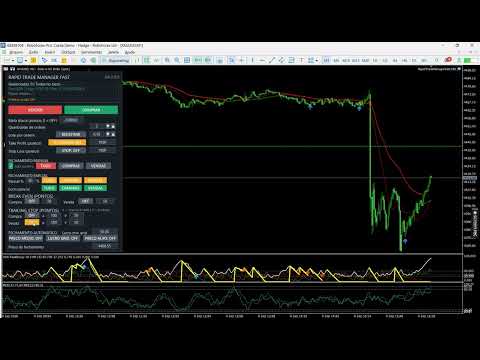
Rapid Trade Manager Fast is a semi-automatic utility for MetaTrader 5. It combines order execution, position management, automatic grid trading, operational protections, and a Currency Portfolio in two on-chart panels.

The user decides how to configure and enable each feature and remains responsible for risk. This product is not a signal service: automatic entries occur only when the relevant features are enabled. Both panels can be minimized separately, including an information-only view.


MAIN PANEL

• Open one or several Buy or Sell orders and set order count, volume, Take Profit in points, and optional Stop Loss.

• Use Shared TP, Continuous Buy, Continuous Sell, and Automatic Grid with separate controls.

• Monitor managed positions, floating and daily realized results, daily-target points, average price, and separate Buy and Sell results.

• Optionally include chart-symbol manual positions with Magic Number 0, opened from the mobile app or desktop terminal.

• Adjust values using panel arrows and retain settings by account, symbol, and Magic Number.

When manual-position management is enabled, the EA detects new Magic Number 0 positions for the chart symbol and automatically applies the active Shared TP. If no TP reference exists yet for that direction, the target is calculated from the number of points configured on the panel. Placement remains subject to the broker's minimum-distance and other trading restrictions.

The DD indicator shows the current decrease in account equity relative to account balance. It is not the maximum historical drawdown from a previous equity peak.


DAILY TARGET AND CONTINUOUS ENTRIES

The main-panel daily target uses realized points. Once reached, new initial entries and Continuous Buy/Sell re-entries are paused; existing positions remain under management. If grid is enabled, it may continue only in directions that already had positions when the target was reached, subject to its limits. Reaching the target does not immediately close positions.

Continuous Buy and Continuous Sell follow cycles initiated by the user. A continuous entry is requested only after positions in that direction have closed. In Prop Firm Mode, re-entry also respects the minimum interval and configured adverse distance.


MANUAL AND PARTIAL CLOSING

The main panel's TUDO, COMPRAS, and VENDAS manual-closing buttons act on managed positions of the chart symbol. For COMPRAS or VENDAS, users can choose individually PROFITABLE, LOSING, or ALL positions. TUDO selects all managed positions of the symbol. The choice uses each position's floating profit plus swap at submission time; zero-result positions are excluded from PROFITABLE and LOSING.

Partial closing lets users set a percentage and select TUDO, COMPRAS, or VENDAS. The Lucro parcial row applies that percentage only to individually profitable positions in the selected group. All six partial-close buttons require confirmation before submission; the window shows the selected percentage.

Manual and partial closing use a separate confirmation window. While it is open, the button that started the action becomes CANCEL in the same location. The user may confirm or cancel, and the request expires after 15 seconds. The first click alone does not submit a close request. Auto Positive monitors the configured automatic basket-closing conditions; it does not filter the manual-close buttons.


AUTOMATIC CLOSING MODES

AVERAGE PRICE: monitors the volume-weighted average price and requests closing when the mode's conditions are met.

GRID PROFIT: permits individually losing positions, but requests a basket close only when the configured price and minimum estimated net-profit conditions are met.

TARGET PRICE: lets the user specify a closing price while respecting each position's direction.

DIRECTION: BUY, SELL, and BOTH select the positions considered for automatic closing. Color indicates the selection; BOTH does not remove price or result requirements.


MAIN-PANEL AUTOMATIC GRID

Buy and Sell positions are managed separately. A new Buy grid level requires an adverse move below the last Buy; a new Sell level requires an adverse move above the last Sell. Point distance, orders per level, maximum entries per direction, and interval between attempts are configurable.

An optional protection pauses new entries on a side with many positions until the configured price return occurs. In Prop Firm Mode, the end of the countdown does not force an order: the EA checks distance conditions again before submitting it.


DRAWDOWN RECOVERY AND COMBINED BASKET

At the configured DD trigger, optional recovery analyzes the trend on the selected timeframe. Grid entries against the trend may be paused until price reverses and DD improves by the required amount. Entries remain subject to spread, margin, news, position limits, and other applicable protections.

During recovery, positions managed by the main panel are monitored as one combined basket, and automatic closing seeks the configured minimum estimated net profit. Combined Basket can also remain enabled independently of the recovery trigger. Portfolio positions are not automatically included in the main-panel basket.

An additional option, disabled by default, can submit trend-side entries during recovery. It requires a price pullback and resumption, minimum distance from the last same-direction entry, minimum interval, entry count, maximum volume, minimum margin level, and DD within the allowed range. The recovery trend timeframe and minimum price move also govern this option. The default configuration sets a 20% DD ceiling for these new entries; none are sent above it. Values can be changed in the inputs.

An opposite-side position must already be open before an additional trend-side entry is considered. This feature does not guarantee recovery of losses or a profitable exit.


BREAK EVEN AND TRAILING STOP

Break Even and Trailing Stop have separate Buy and Sell controls. Users set activation points, stepped advancement, and the points to protect. The EA considers tick size, stop-distance, and freeze-level restrictions reported by the broker.

These protections remain active while the main panel is compact or minimized. Trailing Stop parameters remain stored in the EA configuration and do not depend on the visual input fields being displayed on the chart.


CURRENCY PORTFOLIO

The Portfolio works with USD, GBP, AUD, NZD, CAD, EUR, JPY, and CHF. BUY aims to represent appreciation of the selected currency against the others; SELL aims to represent its depreciation. Before opening, the EA checks compatible pairs and may skip those that fail quote, spread, news, volume, margin, or configured-limit checks. Eligible pairs may be submitted even when others are skipped.

Each row shows separate floating BUY and SELL results, realized points for the day, and total points for the currency. The currency is highlighted according to its open basket direction. The panel also displays baskets, orders, floating and daily realized results, points against its own daily target, account balance, and equity.

The Portfolio has its own Magic Number and does not mix its positions or results with the main panel. Clicking a currency's X button lets users select its BUY-origin basket, SELL-origin basket, or BOTH, then confirm the close request. This choice refers to the basket's opening direction, not each pair position's trade direction. CLOSE PORTFOLIO is below the currency rows and above Grid distance, and requires confirmation before closing all baskets. Confirmation appears in a separate window, with CANCEL also shown where the action started, and expires after 15 seconds.


NEW BASKETS AND MANAGEMENT MODES

NEW BASKETS: OFF prevents another basket from starting while Portfolio positions remain open. ON permits new baskets, subject to limits and the submission queue. Another basket in the same direction for the same currency cannot start while a matching basket remains open.

In COMBINED MANAGEMENT, points, estimated net result, target, and maximum loss apply to the Portfolio as a whole. In INDIVIDUAL MANAGEMENT, each new basket receives its own identifier and target and is managed for closing separately. Changing the target for future baskets does not alter targets recorded for existing baskets.

The daily target, margin check, maximum positions per pair, combined volume limit, and CLOSE PORTFOLIO remain Portfolio-wide. Automatic target closing requires the configured point total and a positive estimated net result.


PORTFOLIO GRID AND LIMITS

Each pair has its own fixed-volume grid; the EA does not automatically double volume. The first two grid levels follow the configured adverse distance. If price keeps moving against the positions, later levels also require the configured return from the extreme, up to the permitted limits.

Users can set grid distance and return in points, maximum positions per pair, combined volume limit, maximum loss, and minimum hold time. The Portfolio daily target blocks new baskets, but baskets that were already open may keep receiving grid levels when conditions are met.


ACCOUNT POSITION LIMIT

If the broker rejects a new order because the account position limit has been reached, the EA shows the reason in both panel status areas and pauses new attempts. A basket still in the submission queue is interrupted. Entries are considered again when a position or order frees capacity; closing remains available.


PROP FIRM MODE AND NEWS

Prop Firm Mode offers optional minimum hold time, minimum entry interval, spaced submission, news windows, and time-and-distance validation. Minimum hold times are separate for the main panel and Portfolio. A manually scheduled event can simulate news in Strategy Tester.

Independently of Prop Firm Mode, separate options can request preventive closing of main-panel and Portfolio positions before high-impact news, with configurable advance notice. Each proprietary firm has its own rules; these controls assist configuration but do not guarantee compliance or approval.


COMPATIBILITY AND RISKS

The utility runs on MetaTrader 5. The main panel can be used on Hedging and Netting accounts; the Currency Portfolio requires a Hedging account. The EA can be attached to any chart timeframe for the intended symbol; recovery trend analysis uses the timeframe selected in the inputs, independently of the displayed chart timeframe.

The product does not provide financial advice or guarantee profit, a lower DD, execution price, or execution speed. Grid, hedging, and recovery can increase exposure and losses. Execution depends on the broker, server, spread, slippage, and market conditions. The terminal, EA, and Algo Trading must remain active for automatic management. Test settings on a demo account before using them on a live account.
    推荐产品
    MANUAL OF RECOVERY GRIP The recovery grip system can recover both an isolated loss and a loss produced by a grip or multiple orders, the algorithm gradually compensates the losses until the equity returns to zero. The time it takes for the algorithm to reverse the loss is proportional to the volatility of the pair and the size of the loss.This system allows you to test the algorithm prior to purchase.For this, it has a powerful simulation system in which you can choose whether your loss is a
    Neuro Power
    Dayanand Pandey
    Neuro Power is a neural network-based Expert Advisor developed for MetaTrader 5. It is designed to analyze the psychology of buyers and sellers by studying market behavior through advanced neural network logic. Instead of relying on traditional indicators alone, the EA evaluates multiple market conditions simultaneously to identify high-probability trading opportunities. The system continuously processes price action, momentum, volatility, and other market conditions to estimate where institutio
    Joni Lee Second Forex Robot in the Market CAN RUN WITH ONLY $300 (recomended minimum deposit) LOT size 0.01 if <$2000 else 0.02 Introducing the “Joni Lee First Forex Robot,” a trailblazing innovation in automated forex trading. Developed by the renowned Joni Lee, this robot is the first of its kind, setting new standards in the forex market. Key Features: Can take profit (TP) and cut loss (CL) State-of-the-Art Algorithms:   Employs sophisticated algorithms to analyze market data and execute tra
    Gordian Knot 1
    Hidenori Tanaka
    This EA is a simple automated trading system for the Meta Trader 5 platform. It uses parabolic SAR to automatically adjust lot size based on market trends. By this, the EA does not take a large amount of risk, but instead steadily accumulates profits. Main Features The EA does not use the martingale method for lot size adjustment. If a position is taken before the forex market closes, the position will be carried over to the weekend. This EA is designed to hold multiple positions at the same t
    QuantumGold Matrix
    Mohammed Lamine Kasmi
    QuantumXAU Matrix – Smart Gold Trading EA for MetaTrader 5 QuantumXAU Matrix is a powerful, fully automated Expert Advisor specifically designed for XAUUSD (Gold) on the MetaTrader 5 platform. It follows a smart averaging strategy with controlled risk management, aiming for consistent profits through adaptive lot sizing and precise trade timing. Symbol-specific : Trades only on XAUUSD for optimized performance Automated logic : Opens positions based on market distance and profit targets
    CRT Model 1
    Yahia Mohamed
    5 (1)
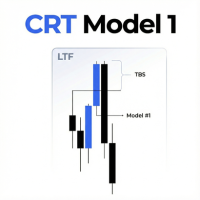
    CRT Model 1 EA 是一款自动交易解决方案,旨在执行 CRT Model 1 策略,该策略专注于基于时间的区间分析、流动性扫荡(Liquidity Sweeps)和回调入场。 该智能交易系统(EA)定义特定的时间范围以建立高价和低价参考点。然后,它监控该范围之外的价格行为,以识别海龟汤(Turtle Soup/流动性扫荡),随后进行反转和回调入场。 策略逻辑 该 EA 基于以下逻辑顺序运行: 区间计算:计算“区间开始小时”和“区间结束小时”之间的价格行为的最高价(High)和最低价(Low)。 Model #1 入场模式: 做空设置:EA 等待一根蜡烛收盘价高于 CRT 高点。然后等待随后的蜡烛收盘价回到该水平之下。当价格回调至该水平时,执行入场。 做多设置:EA 等待一根蜡烛收盘价低于 CRT 低点。然后等待随后的蜡烛收盘价回到该水平之上。当价格回调至该水平时,执行入场。 重要提示 要交易凌晨 5 点(纽约时间)的 4 小时蜡烛区间,请将该时间转换为您的经纪商服务器时间(例如,IC Markets 为 12:00)。然后加上 4 小时作为蜡烛持续时间。设置:CRT Rang
    Boom Trader
    Godbless C Nygu
    Join Deriv now link on my profile>>>> Boom Trader This robot is developed to trade Boom 1000 which is available on Deriv. Boom 1000 is one of other many indices which its behaviour is to form the spike of few pips, Those spikes always happen after 1000 ticks. To avoid spikes i came up with idea of develop the robot which take sells and few buys. IMPORTANT! After the purchase please send me a private message to receive the installation manual and the setup instructions. •All settings on this ro
    EurUsd London Breakout Pro
    Morgana Brol Mendonca
    EURUSD London Breakout Pro 在先进人工智能工具的支持下开发,EURUSD London Breakout Pro 提供了干净高效的代码结构,优化了速度与稳定性。 该智能交易系统采用机构级风险管理框架,并避免使用高风险策略,如马丁格尔、网格加仓(grid averaging)或不受控的对冲。 专为追求精确与安全的交易者打造,本系统将经过验证的伦敦时段突破策略与强大的入场过滤条件相结合: EMA200 (H4) 用于方向性趋势判断 ADX(14) 测量市场强度 MACD(12,26,9) 进行动能一致性验证 RSI(14) 作为超买/超卖保护 ATR(14) 提供自适应缓冲区与动态止损设置 通过专注于交易质量而非数量,EURUSD London Breakout Pro 旨在捕捉外汇市场最具流动性的时段中高概率的行情波动——并确保稳定执行与稳健的资金保护。 系统工作原理 构建亚洲时段的“区间盒” (00:00–07:59 GMT)。 当M15蜡烛收盘突破区间盒 ± 缓冲区时入场,缓冲区 = 最大(5点, 0.1×ATR(14))。 趋势过滤:价格相对于 E
    FREE
    The EA uses scalping strategy at night, trading consists of three algorithms and each algorithm works in its own time interval. The EA uses many smart filters to adapt to almost any economic situation. Pending orders are used for the least slippage when trading scalping. The adviser is safe and does not require any settings from the user, just install it on the chart and you are ready. The EA sets a protective stop order, so the trader does not have to worry that the robot will allow significant
    This EA will automatically close all open order when profit or loss is reached according to users setting. You need to select close by percentage or close by amount. If close by percentage or close by amount is set to true the EA will exit. When the setting is set to true, the value of profit and loss can not be 0. Please set to true the option for Close Order with Same Symbol or Close All Order.
    Remora fish Mt5
    Marta Gonzalez
    You know you are not a shark but maybe you can be a   remora fish. You just have to locate a shark and feed on the remains. This system uses an indicator that detects the movements of the shark and positions itself in favor of it, taking advantage of its capture. This system analyzes the market looking for the waves that the shark produces in the forex sea when it attacks the market. Once the shark attack is located, it enters the market to catch a piece of the catch. All operations have their
    Numbit
    Seira Yokota
    NUMBIT是一款仅限BTCUSD的波段EA。它是从我的DEMON2家族研究(同一引擎在16个品种上进行141次回测校准)中,将比特币专属配置(伦敦时段窗口、ATR比例缩放)独立出来的产品。成绩(真实Tick验证): 2022年1月–2026年8月、初始$10,000、固定0.01手、含真实点差与库存费: 盈利因子2.42、净利+$1,396、482笔、胜率86.7%、最大保证金回撤3.15%、恢复因子4.31。多空双向表现均衡(PF 2.40/2.45),前后两半期均盈利(3.18/2.34),**2022–2026每个日历年度均为正收益**。过去的表现不保证未来的结果。逻辑: 仅在伦敦时段窗口内进行波段入场。同方向最多3个持仓、手数完全相同、每个持仓都带止损。绝不使用马丁格尔、网格、摊平或加仓。坦率说明86.7%胜率的含义: 属于"频繁小赢、偶尔较大亏损"的模式——正因如此每个持仓都有硬性止损,回撤才控制在3.15%。使用方法: 1) 打开BTCUSD M5图表;2) 挂载EA——验证过的参数已内置,默认即可运行;3) 开启自动交易。若经纪商品种名不同(如BTCUSD.a)
    FREE
    EA Nation
    Joseph Anthony Aya-ay Yutig
    Expert Advisors 的策略来自 Facebook Group EA Nation。该小组拥有超过 4 万名成员。它为每根新蜡烛打开对冲交易,并在头寸处于交易的亏损方时打开网格。 平均网格 = N                     = 当前柱之前 6 个柱的总和/N 时间范围 = 当新柱出现时开启新的对冲交易 Auto Lot = 1 Lot 意味着 10,000 美元的手数为 0.01 NO MORE HEDGE = 当一方达到 N 笔交易时,它不会开启对冲交易直到 TP CLOSING STRATEGY = TP 1 是交易对方的网格大小                                = TP 2-6 = 百分比 参数:  - 平均网格  - AG 时间表 扩散过滤器  - 最大点差  - 大体时间 金钱管理  - 自动批次  - 最大批量  - 乘数  - 不再对冲 收尾策略  - TP 2(2-5 次交易)  - TP3(6-10 次交易)  - TP4(11-15 次交易)
    MT5 opnMAX Castor and Pollux
    Nelson Rodrigo Caldeira Patrao
    opnMAX Castor & Pollux: Expert Advisor Overview o pnMAX Castor & Pollux is an institutional-grade, fully automated trading algorithm designed to execute trades based on Fair Value Gaps (FVGs) and Fibonacci retracements . It combines structural price-action analysis with highly advanced risk management and broker-proof execution protocols Key Functional Features Automated FVG & Fibonacci Entries: Scans backward to detect the most recent Fair Value Gap (FVG) and calculates exact entry prices using
    The Catalyst EA
    Daniel Naranjo Morales
    The Catalyst EA The Catalyst EA 是一款为 MetaTrader 5 平台设计的精密智能交易系统(EA)。它专为在   H1 时间周期 上交易   AUDUSD 货币对 而开发。该EA采用多指标策略,旨在识别并利用潜在的市场反转和回调行情。 其设计的核心重点是稳健的风险管理,具有动态手数计算和多层交易保护功能,可有效管理您的资金。 策略 The Catalyst EA 结合了多种广受认可的技术指标,从多个角度分析市场状况。 它利用 抛物线转向指标 (Parabolic SAR)   来识别潜在的入场和出场点,该指标也作为其动态追踪止损的基础。 动量震荡指标 (Awesome Oscillator)   用于衡量市场动能,并确认潜在走势背后的力量。 RSI 过滤器 帮助评估超买或超卖状况,增加一层额外的确认,以避免在市场极端位置入场。 最后,包含一个 基于ATR的波动率过滤器 ,以确保EA在合适的市场环境中运行,避免在波动性过低或过高的时期进行交易。 该策略的内部参数已针对 AUDUSD 货币对的特定行为进行了仔细校准,使其成为一个专用工具,而非“一刀切”的
    动态RSI卫士 – 精准交易与全面风险管理 动态RSI卫士是一款专为重视稳定性能、严格风险控制和灵活性的交易者设计的专业算法交易系统。基于先进的点差计算和智能RSI驱动的过滤器,它确保每笔交易遵循严格的规则,以最小化风险,同时最大化机会。 主要功能 : 智能入场系统 • 基于RSI的多重过滤器确认 • 检测高概率信号并在图表上以箭头可视化 全面风险管理 • 基于风险百分比的动态手数计算 • 最大持仓量和交易检查(防止过度交易) • 无效止损水平保护 高级退出策略 • 基于ATR或固定点差的追踪止损 • 可调止损和止盈(基于点差) • 自动调整止损以适应经纪商限制 可视化HUD仪表板 • 实时状态(买入、卖出、阻止) • 市场条件显示 • 信号跟踪和分隔线 支持回测与优化 • 专为剥头皮和日内交易设计 • 适用于多个交易对和时间框架 • 易于优化以适应不同策略 策略与使用 : 动态RSI卫士在低延迟环境(ECN/STP经纪商)中表现最佳。 推荐使用: 交易对 :EURUSD、GBPUSD、XAUUSD(黄金)、US30 时间框架 :M1 – M15 低点差经纪商以获
    FREE
    Breakout Expert Advisor for XAUUSD (Gold) — places ATR-filtered pending Buy/Sell orders based on recent high/low ranges (recommended H1). Short overview: Gold Highest BreakOut is an automated Expert Advisor designed for trading XAUUSD . It places pending Buy Stop / Sell Stop orders at breakout levels derived from recent High/Low ranges and uses ATR and range filters to reduce false entries. Key points: Strategy: breakout from recent High/Low over configurable period. Filters: ATR-based volatil
    XAU Imperial Pullback Matrix  The Supreme 4-Level Momentum Recovery Gold Engine XAU Imperial Pullback Matrix  is a highly sophisticated, institutional-grade automated trading system explicitly designed for Gold (XAUUSD). Inspired by the absolute power of the Imperial Matrix, this EA uses a strict Structured 4-Level Grid Recovery- logic combined with Multi-Timeframe Trend Analysis. It strikes the market exactly when a pullback occurs in the direction of the dominant momentum.  Most importantly
    Aurum Ai Trader
    Vyom Tekriwal
    5 (1)
    Aurum AI Trader – Agentic AI Gold EA for MT5 The Intelligent Neural Consensus Engine for XAUUSD Auto-Trading using Agentic AIs -Use Latest Upgrade Version 10 as of 4th March 2026 Now Integrate External AI agents such as Claude, Gemini,Open AI & GPTs through API key with this EA- Use M1/M15 for Frequent Scalping Trades_Use H4 for Selective few but best Trades Product Overview Aurum AI Trader is a next-generation, Agentic AI–powered Expert Advisor built exclusively for Gold (XAUUSD) trading on M
    Forex Strike EA
    Abderrahmane Benali
    FOREX Strike EA – Discipline Meets Opportunity FOREX Strike EA is an intelligent automated trading system built to bring structure, control, and consistency to the Forex market. Designed with modern MQL5 standards, it focuses on precision execution and disciplined awareness rather than aggressive exposure. By combining smart order placement with adaptive money management, the system engages the market only when conditions align—allowing you to trade with confidence, not emotion. Operating withi
    Morbius
    Lukas Szyry
    Morbius ORB TRADER — 智能交易时段反转精度 Morbius ORB TRADER 是一款高度复杂的智能交易系统 (EA),它将经典的交易时段分析与现代聪明的资金概念 (SMC) 的精确性相结合。它不盲目交易突破,而是利用 4 阶段引擎等待流动性扫盘 (Sweeps) 和机构动能 (Displacements),以执行全自动、高精度的反转交易。 交易策略 4 阶段时段矩阵: 算法标记亚洲区间(累积),在伦敦时段等待虚假突破(操纵),并利用纽约开盘区间 (ORB) 来验证最终突破(扩张)。 SMC 与多周期: 在 M15 和 M5 时间框架上同步分析市场。在纽约突破后自主识别公允价值gap (FVG) 及订单块(供需区),并耐心地等待这些区域的回测。 吞没触发逻辑: 仅当价格位于目标区域内,且在 M5 时间框架上形成确认的吞没 K 线形态时,才会执行进场。 可视图标映射: 将所有相关区域(亚洲区间、纽约 ORB、FVG、订单块)用颜色直接绘制在图表上,供用户实时直观追踪算法决策。 仓位与风险管理 全局资本保护 (每日锁定): 实时监控当前账户的总亏损。当达到自定义的最
    NexusPilot Core is an MT5 EA Manage and Prop Firm Control tool designed for traders who run multiple Expert Advisors, manual trades, or funded account challenges. It is not a signal indicator or trading strategy. Its main purpose is to help you supervise your account, control EA activity, and reduce the risk of breaking prop firm rules. With one centralized dashboard, NexusPilot Core monitors drawdown, Magic Numbers, EA exposure, pending orders, no-SL trades, margin level, floating loss, tradi
    MA Fly EURUSD mt5
    Sebastian Furmanek
    Backtest from   2003-2019 MetaQuotes Data Every Tick Mode EA created for EURUSD H1 Open  transaction based on MA and Volume Close transaction based on RSI or take profit One transaction at the time. No adding position, no martingale, no grid. My recommendations: For "safe mode" i recommend 0.1 lot per 10000USD For "risky mode" i recommend 0.5 lot per 10000USD Personally i use 0.3 lot per 10000 USD Fell free to increase lot size while you earn. This EA does not open transaction everyday, b
    Enigma Sniper
    Anshuman Thakur
    ENIGMA SNIPER - MetaTrader 5 Expert Advisor Precision Entries. Disciplined Execution. ENIGMA SNIPER is a professional MT5 Expert Advisor designed to identify precise trade entries using a Smart Money Concepts (SMC) inspired market structure methodology combined with a multi-timeframe thinking approach. The EA focuses on disciplined trade selection and systematic execution rather than frequent trading. Key Features SMC-inspired Market Structure Analysis Multi-Timeframe Confirmation Precision Entr
    當蠟燭觸及手動放置的趨勢線時,該實用程式會打開訂單,就好像它是一個更明確的掛單一樣。  它可以用於任何資產,當它打開訂單時,它會消除它所觸及的線並創建箭頭。在這種情況下,它用於價格反轉操作,當看漲蠟燭觸及自下而上的線時,它打開賣單,當看跌蠟燭觸及自上而下的線時,打開買單。  您可以調整停損和止盈,該實用程式非常有用,因為您可以對要打開的訂單進行編程並退出螢幕,對於圖表模式非常有用,當價格達到上升和下降的支撐線和阻力線時,例如水平線和垂直的。 使用最新更新,您可以放置​​多行。 非常重要:Meta trader 5 有交易歷史記錄,當訂單關閉並繪製一條線時,該線可能會與機器人的邏輯混淆並打開不需要的訂單,要解決此問題,請禁用交易歷史記錄,使其不顯示,請參閱列印輸出,如果它已顯示在圖表上,請以滑鼠右鍵按一下「交易記錄」將其隱藏。 注意:無法測試策略測試器。
    FREE
    MT4 版本: https://www.mql5.com/en/market/product/165891 MT5 版本: https://www.mql5.com/en/market/product/165892 Switch Grid — 交替对冲网格 EA Switch Grid 是一款智能对冲网格 EA,它以清晰的交替顺序构建仓位。 与传统的单向堆叠订单不同,Switch Grid 会在价格偏离上次入场价一定动态步长时“切换”方向。这创建了一种可控的网格结构,专为区间震荡市场和波动性较大的交易品种(例如 XAUUSD(黄金))而设计。 核心理念:“切换”逻辑 交易周期开始后,EA 将: 跟踪上一个 EA 订单(类型 + 开仓价格)。 测量与上次入场价的距离。 当距离达到设定的步长(动态步长)时,它会在相反的方向上开立一个新订单。 这可以生成一个平衡、规范的网格,易于审核且在不同交易时段保持一致。 主要功能 交替切换网格 清晰的订单结构:无随机堆叠,始终与上一个订单相反。 动态步长 网格间距根据市场波动自动调整。 市场平静时 → 步长更窄, 波
    The Expert Advisor analyzes tick micro-signals and determines the direction to open a position. Micro-signals are identified by predetermined codes, which in the optimization are recorded in the settings of the bot. When a bot sees the corresponding micro-signal, it reacts to it by opening a position and its accompaniment! The bot has good predictability. You can check the work of the bot on the simulation of real history, how to configure the tester will be shown in the screenshot. Also, we sh
    Smart ATR Trader EA – Adaptive Scalping & Risk Management Smart ATR Trader EA is a lightweight, fast, and fully automated trading system designed for scalping and intraday trading . It uses simple yet powerful logic: candle momentum entries with ATR-based exits and professional risk management controls . Write me in personal messages to get .set files Key Features Flexible Risk Control Trade with fixed lot size , money-based risk , or percent of balance . ATR-Based TP & SL Dynamic
    GoldDow2
    Kyōhei Shirahama
    Advanced R-Based Risk Management Breakout EA with SMA200 Trend Filter This Expert Advisor integrates Dow Theory breakout logic with ATR-based R-multiple risk management. The entire trade lifecycle — from position sizing to exit — is volatility-adjusted and systematically controlled. Key Features 1. Dow Theory Breakout Logic Breakout of recent swing highs/lows Multi-timeframe structure confirmation Automatic swing detection 2. SMA200 Trend Filter Buy only above SMA200 Sell only below SMA200 Stric
    PrecisionEntry EA is a semi-automatic Expert Advisor for MetaTrader 5 that enables precise order placement at the click of a button — without taking control away from the trader. With a single click on the LONG or SHORT button, the EA automatically places a BuyStop or SellStop order at the high or low of the previous candle. Stop-loss, take-profit, and lot size are calculated fully automatically — based on the configured risk percentage and the desired risk-reward ratio. Features: Interactive on
    该产品的买家也购买
    Trade Assistant MT5
    Evgeniy Kravchenko
    4.43 (216)
    它有助于计算每笔交易的风险,容易安装新的订单,具有部分关闭功能的订单管理, 7 种类型的追踪止损和其他有用的功能。   附加材料和说明 安装说明   -   应用程序说明   -   模拟账户应用程序的试用版 线条功能  - 在图表上显示开仓线、止损线、止盈线。 有了这个功能,就可以很容易地设置一个新的订单,并在开仓前看到它的附加特性。   风险管理  - 风险计算功能在考虑到设定的风险和止损单的大小的情况下,计算新订单的成交量。它允许你设置任何大小的止损,同时观察设定的风险。 批量计算按钮 - 启用 / 禁用风险计算。 在 " 风险 " 一栏中设置必要的风险值,从 0 到 100 的百分比或存款的货币。 在 " 设置 " 选项卡上选择风险计算的变量: $ 货币, % 余额, % 资产, % 自由保证金, % 自定义, %AB 前一天, %AB 前一周, %AB 前一个月。   R/TP 和 R/SL - 设置止盈和止损的关系。 这允许你设置相对于损失的利润大小。 例如, 1 : 1 - 这决定了 TP = SL 的大小。 2 : 1 - 这意味着 TP 是 SL 的两倍。 RR -
    欢迎来到 Trade Manager EA——这是一个终极风险管理工具,旨在使交易变得更直观、精准和高效。它不仅仅是一个下单工具,而是一个用于无缝交易计划、仓位管理和风险控制的全面解决方案。不论您是新手交易员、资深交易员,还是需要快速执行的剥头皮交易员,Trade Manager EA 都可以满足您的需求,适用于外汇、指数、大宗商品、加密货币等各种市场。 借助 Trade Manager EA,复杂的计算已成过去。只需分析市场,在图表上用水平线标记入场、止损和止盈,设置您的风险水平,Trade Manager 就会立即计算出理想的头寸规模,并实时显示以点、账户货币计价的止损和止盈。每笔交易都得以轻松管理。 主要功能: 头寸规模计算器 :根据定义的风险瞬间确定交易规模。 简单的交易计划 :在图表上用可拖动的水平线直接计划交易,设置入场、止损和止盈。 实时显示 SL 和 TP :以账户货币、点或分显示止损和止盈,便于分析。 高级保护工具 盈亏平衡选项 : 基本盈亏平衡 :当您的交易达到设定水平时自动保护利润。 多级盈亏平衡 :设置多达 4 个级别以逐步保护利润。 尾随止损选项 : 基本尾随
    Local Trade Copier EA MT5
    Juvenille Emperor Limited
    4.94 (149)
    Local Trade Copier EA MT5 是一款快速、灵活的交易复制工具,用于在同一台 Windows 电脑或 Windows VPS 上的多个 MetaTrader 5 账户之间复制和管理交易。 它将本地交易同步与 Receiver 端的手数管理、风险管理、交易过滤、品种映射、交易管理和账户保护功能结合在一起。 只需约 1 分钟 即可完成 Transmitter 和 Receiver 终端的设置,并可在同一经纪商或不同经纪商的账户之间复制手动交易或 EA 交易。在合适的条件下,本地 MetaTrader 终端之间的交易信息可以在 0.5 秒以内 完成同步。实际交易执行速度取决于经纪商延迟、网络状况、电脑/VPS 性能以及终端负载。 购买前先试用免费演示版 您可以在 MT5 模拟账户上测试 功能完整的 Local Trade Copier EA MT5 免费演示版 ,每次可使用 4 小时 : 下载 Local Trade Copier EA MT5 免费演示版 将下载的文件放入: MT5 → 文件 → 打开数据文件夹 → MQL5 → Experts 然后重新启动 MT
    Telegram to MT5 Multi-Channel Copier   可将您 Telegram 和 Discord 频道中的交易信号自动复制到 MetaTrader 5。无需机器人、无需浏览器扩展、无需手动复制。信号一到 Telegram 或 Discord,EA 几秒内就在您的终端开仓。 在复制某个频道之前,内置回测器还能告诉您该频道在您的账户上会有怎样的表现。 产品包含两个组件:一个监听您 Telegram 频道的 Windows 应用程序,以及在 MT5 终端执行信号的本 EA。同时提供 MT4 版本   点此 . 设置指南与应用下载:   https://www.mql5.com/en/blogs/post/768988 了解如何 回测任何 Telegram 信号频道 。 当前价格将来会上调。 工作原理 应用通过您自己的 Telegram 账号连接,因此能看到您关注的所有频道、群组、话题和机器人,包括私密和 VIP 频道。信号到达时,应用读取它,EA 按您的手数和设置在终端中开仓。 整个过程全自动,无需守在电脑前。专为 24/7 无人值守运行设计:Telegram 连接
    ================================================================================ POC BREAKOUT - V20.72. Full Professional Grade Toolkit ================================================================================ POC Breakout is a full MetaTrader 5 trading dashboard for discretionary traders who want breakout signals, Point of Control (POC) context, volume profiles, order flow, market structure, news, alerts, and advanced trade planning in one professional workspace. Attached directly to you
    TradePanel MT5
    Alfiya Fazylova
    4.88 (170)
    交易面板是一款多功能交易助手。该应用包含超过50种手动交易功能,并允许您自动执行大多数交易任务。 应用程序说明 : https://www.mql5.com/zh/blogs/post/761102 用于模拟账户的应用程序试用版: https://www.mql5.com/zh/blogs/post/762579 如何安装应用程序: https://www.mql5.com/zh/blogs/post/762580 如何在可视化模式下测试应用程序: https://www.mql5.com/zh/blogs/post/770278 如何在VPS MetaTrader上安装应用程序: https://www.mql5.com/zh/blogs/post/770196 贸易. 只需单击一下即可执行交易操作: 打開掛單和頭寸,並自動計算風險。 一鍵打開多個訂單和頭寸。 打開訂單網格。 按組別關閉掛單和頭寸。 反轉頭寸方向(關閉買入>打開賣出,關閉賣出>打開買入)。 鎖定頭寸(通過開啟缺少的頭寸,使買入和賣出頭寸的數量相等)。 一鍵部分關閉所有頭寸。 將所有頭寸的止盈和止損設置在同一價格水平。
    Strategy Ledger Pro
    Abdullah Uygar Tuna
    5 (10)
    现已支持中文。 Strategy Ledger Pro 是一款适用于 MetaTrader 5 的只读账户分析面板。它按智能交易系统(EA)、策略、品种和魔术号拆分账户结果,让您看清每一个的真实贡献。 面板支持 11 种语言:English、Français、Deutsch、Español、Italiano、Português、Русский、Türkçe、中文、日本語 和 한국어。 下载演示版之前请注意。 Market 仅在策略测试器中运行任何付费产品的演示版。本面板分析的是您自己账户上的交易,而策略测试器中没有可读取的账户历史,因此演示版会打开一个空面板并加以说明。这是演示机制的工作方式,并非产品的限制。 本描述中的视频展示了面板在真实账户上的运行效果。 详细的 使用手册 (英文)介绍了每项功能, AureusAI Trading Suite 群组欢迎交流讨论并发布公告。 MetaTrader 对整个账户只显示一个余额。当多个 EA 同时交易时,这个余额无法说明每个 EA 的贡献。Strategy Ledger Pro 读取账户历史,重建已平仓头寸,将其归入各个策略,并在一个
    按照自己的交易规则复制 Telegram 信号 Telegram to MT5 Signal Trader 可将 Telegram 公开及私密频道和群组中的文字交易信号自动复制到 MetaTrader 5。通过一个桌面应用管理多个信号提供者和 MT5 账户,并为 每个提供者单独设置风险和交易参数 。 复制信号无需 Telegram 机器人,也无需配置 API。 只需通过手机号或二维码登录您自己的 Telegram 账户,然后选择您已加入的频道或群组。您无需创建机器人,也无需提供 Telegram API 令牌、API ID 或 API hash。 自行选择仓位大小,将平仓分配到多个止盈价位,并自动执行保本止损和移动止损。在跟随信号提供者的同时,掌握信号的实际交易方式。 本产品由这款 MT5 EA 和必须配合使用的 Windows 桌面应用组成。请参阅 安装指南及应用下载 。 管理多个信号提供者和账户 为每个提供者单独设置: 为每个频道设置专属的仓位计算方式、入场规则、止损、止盈和交易管理参数。 灵活分配至不同账户: 将同一提供者的信号复制到多个已连接的 MT5 账户,并为每个账户使用不
    Floor Watch
    Syed Tauqeer Hussain Shah
    Floor Watch One number, watched every thirty seconds: how far equity has fallen since the day began — or since its highest point, if it's told to trail the peak instead of the open. Cross the line and it doesn't argue. Every open position closes, every pending order vanishes, and anything that slips through afterward gets shut the moment it appears. Not asked. Removed. The floor holds until the clock turns 5 AM Pakistan time — then, and only then, does the day start over. One rule. No except
    一次购买,即可免费获得我所有 MT4 和 MT5 指标,包括现有指标及未来发布的指标。 购买后请联系我,了解领取方式。 计划每售出 10 份后提价 50$,最高至 999$。 实际价格以结算时的 Market 标价为准。 保留您信赖的指标,让相关操作自动完成。 您的信号。您的规则。您的交易执行。 您已有信赖的 MT5 指标,却仍需盯盘、等待信号、计算手数、下单并手动管理每个持仓? Stratiora Signal Engine MT5 将这些环节连接起来。它可将兼容的买入和卖出缓冲区信号转化为完整的自动化流程:入场、交易量计算、止损、止盈、过滤、持仓管理及账户保护。 更换指标或交易思路时,无需每次另行定制 EA。您可以使用同一个灵活的执行引擎,自行决定每个信号的交易方式。 您的信号。您的规则。您的交易执行。 为什么开发 Stratiora 许多交易者已有熟悉且信赖的指标,但仍需手动盯盘、等待信号、计算手数、下单和管理持仓。 Stratiora 的目的就是连接这些步骤。 指标仍负责生成交易信号,Stratiora 负责按您的规则执行和管理。您决定何时读取信号、如何计算交易量、设置哪些保
    Power Candles 策略扫描器——自优化多符号设置查找器 Power Candles策略扫描器 采用与Power Candles指标相同的自优化引擎,可同时扫描您“市场观察”中的所有交易品种。一个面板即可显示当前哪些品种在统计上具备交易价值、每种策略的最佳应用方向、最优止损/止盈组合,并在新信号触发时立即向您发送提醒。 本工具是 Stein Investments 生态系统的一部分 - 18+ 款工具,加上 Max,您的一对一 AI 交易导师。  随时在线,深入了解每一款指标,在您需要梳理思路的那一刻就在那里。  立即认识他: https://stein.investments 您的全面市场监控。每个交易品种超过3,000次自动优化。2种警报类型。一键切换图表并采取行动。 为何您需要此工具 大多数多标的扫描器仅展示价格 波动 。每只股票的波动率、百分比变化、RSI。您仍需自行摸索正确的策略、合适的止损位以及理想的入场阈值。Power Candles策略扫描器针对每只股票自动解答这些问题,仅在数学验证过的交易设置中触发实际入场信号时才会向您发出提示。这就是全部卖点。 自动
    Grid Manual MT5
    Alfiya Fazylova
    4.73 (22)
    Grid Manual是一个交易面板,用于处理订单网格。 该实用程序是通用的,具有灵活的设置和直观的界面。 它不仅可以在亏损方向上设置订单网格,还可以在盈利方向上设置订单网格。 交易者不需要创建和维护订单网格,实用程序会这样做。 打开一个订单就足够了,Grid manual会自动为它创建一个订单网格,并伴随它直到非常关闭。 完整说明和演示版 此處 。 该实用程序的主要特性和功能: 伴隨以任何方式打開的訂單,包括從移動終端打開的訂單。 適用於兩種類型的網格:“限制”和“停止”。 使用兩種方法計算網格間距:固定和動態(基於 ATR 指標)。 允許您更改未結訂單網格的設置。 顯示圖表上每個網格的盈虧平衡水平。 顯示每個網格的利潤率。 允許您一鍵關閉網格中的盈利訂單。 讓您一鍵關閉每個訂單網格。 允許您對訂單網格應用追踪止損功能。 允許您在訂單網格上應用將訂單網格的止損轉移到盈虧平衡水平的功能。 相對於訂單網格的盈虧平衡水平自動重新排列止盈(僅在限價網格模式下,距離取決於所選的計算類型:“保守”或“激進”)。 最多可管理 20 個訂單網格,每個網格最多可包含 100 個訂單。 計算初始手數時,
    MT5 to Telegram Signal Provider 是一个易于使用且完全可自定义的工具,它允许向 Telegram 的聊天室、频道或群组发送 指定 的信号,将您的账户变为一个 信号提供商 。 与大多数竞争产品不同,它不使用 DLL 导入。 [ 演示 ] [ 手册 ] [ MT4 版本 ] [ Discord 版本 ] [ Telegram 频道 ]  New: [ Telegram To MT5 ] 设置 提供了逐步的 用户指南 。 不需要了解 Telegram API;开发者提供了您所需的一切。 关键特性 能够自定义发送给订阅者的订单详情 您可以创建分层的订阅模型,例如铜、银、金。其中金订阅获得所有信号等。 通过 id、符号或评论过滤订单 包括执行订单的图表截图 在发送的截图上绘制已关闭的订单,以便额外核实 延迟发送新订单消息的可能性,以便在发送前对位置进行调整 订单详情完全透明: 新的市场订单*带截图 订单修改(止损、获利) 已关闭的订单*带截图 部分关闭的订单** 新的挂单 修改的挂单(进场价格) 挂单激活(作为新的市场订单附加) 已删除的挂单 历史订单报告
    Welcome to ENTRY IN THE ZONE with SMC MULTI TIMEFRAME SPECIAL BENEFIT / FOR OUR MQL5 CUSTOMERS FREE ACCESS TO THE NEW TOOL  — COMING SOON — Learn more on our official website  : https://www.fableedge.net Entry In The Zone with SMC Multi Timeframe is a real-time market analysis tool based on Smart Money Concepts (SMC), designed to analyze market structure, price direction, and key trading zones. It supports both Single-Timeframe and Multi-Timeframe Analysis, providing a clearer view of overall ma
    Footprint Chart Pro — Professional OrderFlow EA for MetaTrader 5 Version 6.34 | Professional tool for real traders | Institutional-Grade Visualization DEMO USERS - PLEASE SELECT EVERY TICK / REAL TICK WHEN TESTING AND YOU HAVE DOWNLOADED HISTORICAL DATA. IF YOU SEE A WAITING SCREEN AND IT IS NOT DOWNLOADING, IT MEANS YOU HAVE LOW HISTORICAL DATA. TRY 1 MIN AND 5 MIN FIRST ON 1 DAY DATA. ONE DAY DATA SHOULD BE THE NEWEST AND MOST CURRENT DATE. PLEASE WAIT UNTIL THE MARKET HAS ROLLED OVER PERIOD.
    Signal TradingView to MT5 Pro Automator TradingView 与 MetaTrader 5 之间的即时专业执行 使用最强大的桥梁,将 TradingView 警报与 MT5 中的实际执行连接起来,实现交易策略的自动化。这款 Expert Advisor 专为要求速度、灵活性和完美风险管理的交易者设计,可将任何警报消息转化为精确的市价或限价订单。 优势与特点 通用解析引擎(专有): 先进技术,能够自动识别并提取任何警报格式中的数据。您不再受限于单一的死板格式;系统会自动理解交易品种(Symbol)、操作(Action)、价格(Price)、止损(SL)和止盈(TP)。 实时执行: 极速轮询技术(低于 1 秒),经过优化可将延迟降至最低。接收到信号后,订单将在毫秒内执行。 机构级风险管理: 基于以下方式自动精确计算手数: 净值/余额百分比(% of Equity/Balance): 每笔交易承担固定账户百分比的风险。 风险金额(Risk Amount): 设定在触发止损时损失的固定货币金额(例如:100 美元)。 固定手数(Static Lots)
    VirtualTradePad PRO SE MT5 — MetaTrader 5 专业交易控制中心 VirtualTradePad PRO SE 是一款基于图表的高级交易面板,也是适用于 MetaTrader 5 的交易管理工作区。它专为希望获得更快执行、更清晰持仓控制、结构化交易管理、可视化价位规划,以及直接在图表上完成专业交易流程的交易者而设计。 这不仅仅是一个 BUY / SELL 面板。PRO SE 将手动交易、挂单、持仓管理、部分平仓、篮子利润/亏损控制、加仓均价层级、ATM 规则、信号监控、实时市场信息、策略测试器 (Strategy Tester) 流程以及面向 VPS 的运行方式整合到一个互相关联的界面中。 MT4 版本 | 完整说明和截图 | 如何购买 | 如何安装 | 如何获取日志文件 | 如何测试与优化 | Expforex 的所有产品 为什么交易者会选择这套面板 图表一键交易 ,并支持键盘快速操作 快速完成开仓、平仓、修改、反转、锁仓与部分平仓 深度控制仓位、挂单、总利润与风控逻辑 自动参数计算,减少手动输入与重复劳动 为什么 PRO SE 比标准手动交易更高
    Trade copier MT5
    Alfiya Fazylova
    4.61 (56)
    Trade Copier 是一种专业实用程序,旨在复制和同步交易账户之间的交易。 复制发生从供应商的帐户/终端到收件人的帐户/终端,安装在同一台计算机或 vps 上。 在购买之前,您可以在演示帐户上测试演示版本。 演示 这里 。 完整说明 这里 。 主要功能和优点: 支持复制MT5>MT5、MT4>MT5、MT5>MT4,包括МТ5 netting账户。 供应商和收件人模式在同一产品中实现。 简单直观的界面,允许您直接从图表中实时控制复制。 连接中断或终端重新启动时不会丢失设置和位置。 允许您选择要复制的符号,也可以替换接收者的符号,例如 EURUSD> USDJPY。 允许为每个符号设置个性化的复制设置。 支持回拷贝。 能够仅复制某些订单。 允许您设置开仓交易价格的最大差异和最大时间延迟。 正确复制部分订单关闭的执行。 计算复制手数的几种方法。 同步止盈和止损。有几种方法可以计算它们的位置。 支持通过执行在“Market account”上工作,其中 SL / TP 仅在开仓后设置。 如何使用简单的设置复制交易 将供应商终端和接收终端安装在同一台计算机或 VPS 上。 在供应商终端上
    Trading Chaos Expert
    Hennadii Stanilevych
    5 (11)
    世界上没有本软件的同等产品,它代表一个覆盖交易信号的通用交易 "控制台",自动入场,设置止损和止盈,还有在单一窗口里同时进行多交易尾随终止。EA 的 "三次点击" 直观控制,确保在不同计算机上全方位使用所有功能,包括平板电脑。 与附加的信号指标交互来标记图标,给出实际市场的全貌,EA 令您做出正确的选择,以及在大多数情况下成为胜者一方。内置资金管理算法, 还有自动计算手数, 虚拟订单交易, 以及一些其它从崩溃账户里挽救交易者的 "诀窍"。它不是一个 "黑盒子"。而是一个深思熟虑的交易员的不可或缺的助理, 至少要尝试一次它的动作。 注,在面板上形成的 EA 不能在策略测试员中测试。可以在您的模拟账户里以实时模式检查它, 您可以下载本 EA 的免费版 - 混沌交易 EA 演示 。 EA 表现为一个面板,带有内置功能的交易机器人的,自动基于交易者可直观检查的交易信号入场,完全按照比尔·威廉姆斯的策略“混沌交易:第二版”和“新贸易维度”。在单独的窗口里,EA 识别价格走势的导向,用于指定品种和时间帧的全自动交易模式,也可以多品种并发。 它同时分析 MetaTrader 5“市场观察”窗口中显示
    The News Filter MT5
    Leolouiski Gan
    4.78 (23)
    这个产品在新闻时间过滤所有的专家顾问和手动图表,因此您不必担心突然的价格波动会破坏您的手动交易设置或其他专家顾问输入的交易。此产品还带有完整的订单管理系统,可在任何新闻发布前处理您的持仓和挂单。一旦您购买了   The News Filter ,您将不再需要依赖以后的专家顾问内置的新闻过滤器,因为这个产品可以从此过滤它们所有。 新闻选择 新闻来源于Forex Factory的经济日历。 选择可以基于任何一种货币,如USD,EUR,GBP,JPY,AUD,CAD,CHF,NZD和CNY等。 选择也可以基于关键识别,例如Non-Farm (NFP),FOMC,CPI等。 能够选择新闻影响级别的筛选,从低、中、到高影响。 自动模式只选择与图表相关的新闻。 新闻来源每小时自动刷新,以确保最新的新闻数据。 为每个新闻影响级别提供单独的输入,以确定您要过滤掉的新闻发布前后的分钟数。 订单管理选项 在新闻发布前关闭未平仓头寸的选项,并在新闻发布后恢复它们。 在新闻发布前删除挂单的选项,并在新闻发布后恢复它们。 在新闻发布前移除止损和止盈水平的选项,并在新闻发布后恢复它们。 在新闻发布前移动止损和
    Copy your MT5 trades to Interactive Brokers You keep using MT5. Every order you open or close is sent to your IB account. In real time. No coding. No changes to your strategy or EA. Try it first Rent 1 month: $30. Test on a live or paper account. What it does Real-time copying: same direction, reverse, or one side only. Map any MT5 symbol to any IB symbol. Set a lot ratio for each. Forex, Futures, Stocks, CFDs, Metals and Crypto. Position sync: both accounts checked, any difference fixed. Optio

    Telegram To MT5 Ultra
    Mirel Daniel Gheonu
    5 (5)
    Telegram To MT5 — 信号复制器 将您的 Telegram 频道中的交易信号变成真实的 MT5 订单 — 自动执行,可用于任意数量的账户,风险与规则完全由您掌控。 Telegram To MT5 将您已在 Telegram 关注的 VIP / 信号频道连接到您的 MetaTrader 5 终端。一个免费的配套桌面应用读取消息(即使是禁止机器人的频道),而本 EA 在您的账户上执行这些信号 — 应用您自己的风险设置、品种映射、止盈处理、交易时段与新闻过滤。 它是一个信号复制器,而非黑箱策略:由您决定信任哪些频道,以及每笔交易如何计算手数和管理。 分步设置与配套应用安装指南 工作原理 [您的 Telegram 频道] -> [配套桌面应用] -> [MT5 + 本 EA] -> 订单 配套桌面应用(免费,已包含)使用您的 Telegram 账户登录并监视您所选择的频道。即使是禁止机器人的 VIP 频道也能正常工作,它通过一个私有、加密的本地桥接转发每条消息。 本 EA 挂在一个图表上,在 MT5 接收这些信号,并按照您的规则开仓 / 管理交易。 应用与 EA 之间的连接是位于
    Exp COPYLOT CLIENT for MT5
    Vladislav Andruschenko
    3.97 (35)
    适用于 MetaTrader 5 的专业交易复制器 快速、专业、稳定可靠的 交易复制器 ,适用于 MetaTrader 。 COPYLOT 可在 MT4 和 MT5 终端之间复制 Forex 交易,并支持 Hedge 和 Netting 账户。 COPYLOT 的 MT5 版本支持: - MT5 Hedge → MT5 Hedge - MT5 Hedge → MT5 Netting - MT5 Netting → MT5 Hedge - MT5 Netting → MT5 Netting - MT4 → MT5 Hedge - MT4 → MT5 Netting MT4 版本 完整说明 + DEMO + PDF 如何购买 如何安装 如何获取日志文件 如何测试和优化 Expforex 的所有产品 您也可以将交易复制到 MT4 终端(MT4 → MT4,MT5 → MT4): COPYLOT CLIENT for MT4 COPYLOT 是一款专业的交易和持仓复制器,可同时与 2、3 甚至 10 个终端协同工作。 支持从 模拟账户和投资者账户 复制,也支持同时在多个终端上运行。 您可以使
    HINN MagicEntry Extra
    ALGOFLOW OÜ
    4.74 (19)
    HINN MAGIC ENTRY – the ultimate tool for entry and position management! SIMPLE. FASTEST. INTUITIVE. MAX AUTOMATED. Place orders by selecting a level directly on the chart! full description   ::  demo-version  :: 60-sec-video-description Key features: - Market, limit, and pending orders - Automatic lot size calculation - Automatic spread and commission accounting - Unlimited partitial take-profits  - Breakeven and trailing stop-loss and take-profit  functions - Invalidation leves - Intuitive, a
    Trade Copier Ultimate
    Janitha Sandaruwan Amaradasa Wickramasingha Arachchilage
    5 (5)
    Trade Copier Ultimate - Telegram 到 MT5 信号复制器 Trade Copier Ultimate 可将 Telegram 交易信号自动复制到 MetaTrader 5。EA 能读取信号消息,识别交易品种、订单类型、入场价格、止损、止盈目标以及部分更新指令,然后根据您设置的手数和风险参数,在 MT5 中执行或管理交易。 它不只是一款基础的 Telegram 到 MT5 跟单工具。TCU 还支持 Telegram Bot API 和用户账户 Bridge 工作流程、Discord 信号路由、本地 MT5 到 MT5 跟单、将 MT5 交易广播到 Telegram 或 Discord、图片信号识别、最多 TP5 的多止盈执行、TP OPEN 跑单仓位、虚拟多止盈模式、入场区间处理、挂单、经纪商交易品种匹配以及 Prop Firm 风险控制。 其他资料与使用说明 下载免费演示版  -  快速设置与使用手册  -  下载 NTS Bridge    点击这里测试您的信号格式 --->>> 免费演示版:   购买前可在模拟账户上测试完整的 EA 和 Brid
    Trade Indicator Assistant   is a powerful MT5 utility designed to turn indicators into automated trading systems. Its main feature is the ability to automatically detect an indicator’s   BUY and SELL signal buffers , without requiring you to know the buffer numbers, search through indicator settings, or modify the indicator source code. Bonus Indicator:   After purchasing Trade Indicator Assistant, contact me to receive   Trade Signal Pro   completely free as a bonus indicator. [Download Demo V
    Premium Trade Manager - 内置交易导师的图表面板 Premium Trade Manager 将一位交易导师嵌入您的图表,并在其下搭载完整的执行引擎。像往常一样建立交易,然后让您的 AI 交易导师 Max 读取这笔具体的交易,结合您的实时账户给出直接判断,再由您决定是否下单:止损是否符合纪律化交易的要求、风险规模是否合理、高影响新闻事件是否即将发布、您是否接近资金盘限额。其下是完整的执行引擎,负责点击之后的一切:一键按风险下单、您在图表上拖动规划且交易进行中仍可随时调整的计划、最多四个分批止盈级别、七种移动止损方式、实时资金盘合规检查、新闻屏蔽保护,以及对自身成本进行评级的点差功能。决策由您做出。Max 给出第二次审视。面板负责此后的一切。 购买前先亲手体验。 直接在浏览器中点击实时面板,这是在购买前感受其工作方式的最快途径。 stein.investments/products/premium-trade-manager Max 是您的一对一 AI 交易导师,他直接内置于面板之中。  他了解您的账户、您的设置和您的规则,用您自己的语言回答,并在每笔交易下单前进
    EA Overfitter
    Stephen J Martret
    5 (1)
    回测看起来很漂亮。但它明天、下周、下个月还能继续赚钱吗? EA Overfitter 让您的 EA 在 100 段它从未见过的价格历史上重新运行。一个分数告诉您这个优势是否真实。 回测告诉您的,是 EA 在某一段价格历史上的表现——那段恰好发生过的历史。您无法从中判断,这个结果有多少来自策略本身,又有多少只是那一条特定路径带来的。 EA Overfitter 回答的正是这个问题。它构建最多 100 段您的 EA 从未交易过的合成价格历史,让策略在全部这些历史上重新运行,并展示它所产生的完整结果区间。您得到的不再是一条幸运或不幸路径上的单个数字,而是一幅真实的图景:策略在陌生数据上多久能赚钱、典型结果是什么样(而不是最好的那一次),以及您的回测离它有多远。 这些世界是由您自己的近期历史重建而成,因此这不是预测——任何从历史数据出发的检验都不可能是预测。它告诉您的是:这个优势是否依赖于价格的某一种特定排列,以及回测数字距离典型结果有多远。在投入资金之前,这才是值得回答的问题。 三个步骤 1. 构建。在图表上选择时间区间和世界数量,然后按 Build。EA Overfitter 会
    Trade Manager DaneTrades
    Levi Dane Benjamin
    4.23 (30)
    交易管理器可帮助您快速进入和退出交易,同时自动计算风险。 包括帮助您防止过度交易、报复性交易和情绪化交易的功能。 交易可以自动管理,账户绩效指标可以在图表中可视化。 这些功能使该面板成为所有手动交易者的理想选择,并有助于增强 MetaTrader 5 平台。多语言支持。 MT4版本  |  用户指南+演示 交易经理在策略测试器中不起作用。 如需演示,请参阅用户指南 风险管理 根据%或$自动调整风险 可选择使用固定手数或根据交易量和点自动计算手数 使用 RR、点数或价格设置盈亏平衡止损 追踪止损设置 最大每日损失百分比,在达到目标时自动平仓所有交易。 保护账户免遭过多提款并阻止您过度交易 最大每日损失(以美元为单位)在达到目标时自动关闭所有交易。 保护账户免遭过多提款并阻止您过度交易 一键实现所有交易的盈亏平衡 自动计算从手机/电话发送的交易的风险 OCO 在设置中可用 交易和头寸管理 通过设置每月、每周、每天、每小时或每分钟的最大交易次数,停止过度交易和报复性交易。 高级挂单管理。 调整何时关闭挂单的规则 追踪挂单 支持市价订单和挂单 每日最大利润目标(以美元为单位)以确保头寸并停止
    Trade Manager Panel Pro MT5
    VividMind Digital Solutions
    5 (6)
    购买后请联系我,以获取完整手册包 + 3天 OpenAI API 试用,用于测试 AI 功能 + 另一份额外奖励 当前价格为八月重新发布更新的限时折扣价——请在价格上涨前立即锁定您的版本。 下一阶段价格:$340 这与您尝试过或在市场上见过的任何交易面板都完全不同。这是目前零售市场上最具创新性的 AI 驱动交易面板之一。 想象一下,将   AI 直接连接到您的图表   ——获取 AI 建议、账户审计、接收 AI 交易信号,并通过一次点击执行交易。 想象一下,通过 Telegram 在手机上管理您的   整个交易账户   ——与 AI 聊天、接收即时提醒、管理交易,并随时随地保护您的账户。 想象一下,运行   多个 EA   ,并能够分别监控每个 EA 的表现、管理其交易,或直接通过智能手机关闭特定仓位。 想象一下,您拥有一个   内置风险规划器   ,可以随时准备在图表上直接执行任何交易想法。 想象更多,更多……这一切都可以通过这款面板实现。 我们打造它的目标远不止是一款交易面板——它是一个   完整的交易套件、交易助手和 AI 导师,集于一体。 AI Desk 一个真正能够看到您账
    筛选:
    无评论
    回复评论