Day Close Hunter
- Utilities
- Version: 1.0

Why This Matters
Every trader knows the situation: Friday evening, the market is closing, and you forgot to close your positions before the weekend. On Monday, the market opens with a gap, and your deposit takes a loss that could have been avoided.
Many automated trading systems do not have a built-in Friday close function. They continue to hold positions over the weekend, leaving you vulnerable to market gaps.
Day Close Hunter solves this problem once and for all. Simply set the time and days for closing, and the expert advisor will take care of your positions — even if you forget.
Purpose
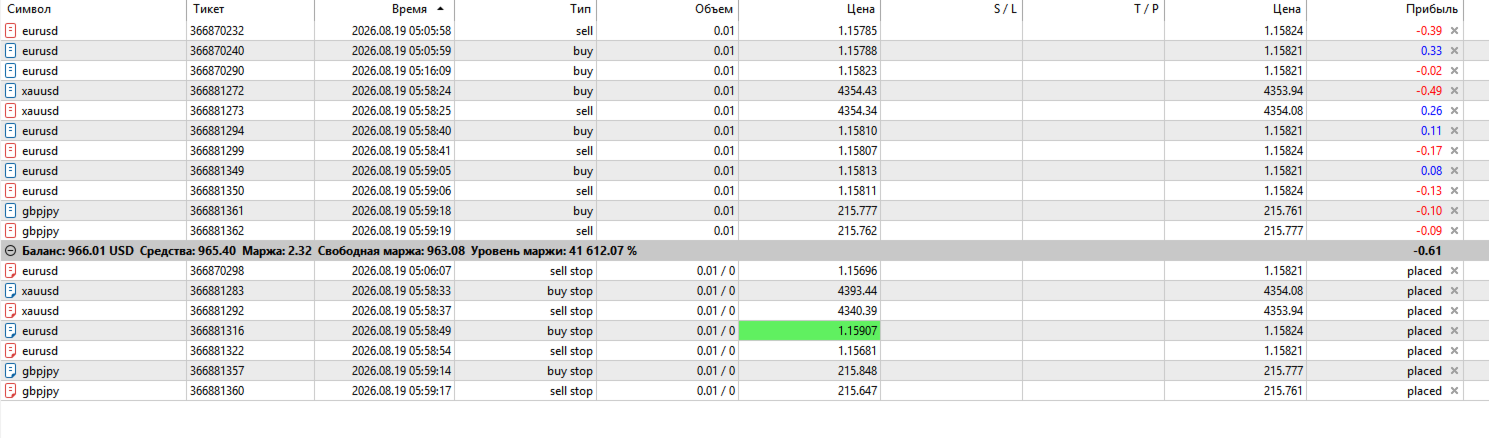
Day Close Hunter is a universal expert advisor for MetaTrader 5 that automatically closes all positions and pending orders on selected days of the week at a specified time. It is perfect for protecting against weekend gaps, as well as for daily account cleanup before market close.
Key Features
-
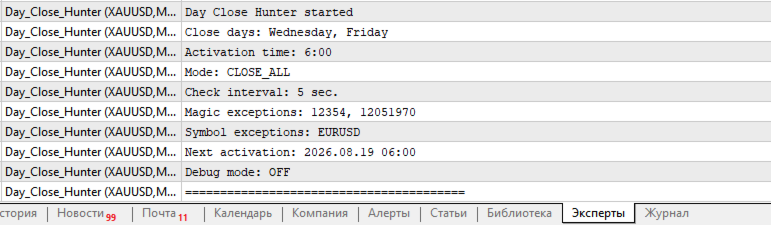
Selectable days of the week — flexible configuration via checkboxes. You can close positions on any day: Fridays only, every day, or any combination (e.g., Wednesday + Friday).
-
Precise activation time — set the time when the expert advisor should start closing.
-
Continuous monitoring — after activation, the expert advisor checks for positions and orders at a set interval (default 5 seconds). If new positions or orders appear, they are closed until the market closes.
-
Three closing modes:
-
All (positions + pending orders) — all positions are closed and all pending orders are deleted.
-
Positions only — only open positions are closed. Pending orders remain. If an order triggers during monitoring, the new position will be closed immediately. If an order remains until the next day, it will continue to work normally.
-
Orders only — only pending orders are deleted. Open positions remain unchanged.
-
-
Flexible exceptions:
-
By symbols — you can exclude any instruments. Positions and orders on these symbols will not be closed, and new trades on them will be allowed. For example: EURUSD, XAUUSD.
-
By magic numbers — you can exclude orders and positions of specific expert advisors. For example: 12345, 20261205.
-
-
Debug mode — for diagnostics and testing.
Gap Protection
The main purpose of the expert advisor is protection against market gaps that often occur after weekends. By closing positions on Friday evening, you avoid uncontrolled losses when the market opens sharply on Monday.
Who This Is For
-
Traders using expert advisors without a built-in Friday close function.
-
Those who want to automate daily position closing.
-
For risk management and capital protection.
-
For multi-system strategies where different expert advisors trade on different symbols.
Configuration Parameters
| Parameter | Description | Default |
|---|---|---|
| Close on Sunday...Saturday | Select days for closing | Friday only |
| Close mode | Closing mode (all/positions/orders) | All |
| Activation time | Activation time (HH:MM) | 23:45 |
| Magic exceptions | Magic numbers to exclude (comma separated) | 0 (none) |
| Symbol exceptions | Symbols to exclude (comma separated) | 0 (none) |
| Check interval | Check interval in seconds | 5 |
| Debug mode | Debug mode (detailed logging) | Disabled |
Usage Examples
-
Weekend closing — enable only Friday, time 23:45.
-
Daily closing — enable all days from Monday to Friday.
-
Exception by magic — exclude one or more expert advisors by magic number that should not close positions and orders. For example: 12345, 20261205.
-
Exception by symbols — exclude one or more currency pairs that should not close positions and orders. For example: EURUSD, XAUUSD.
Logging
The expert advisor logs all actions in detail to the terminal journal:
-
Time of each position and order close
-
Profit/loss on closed positions
-
Information about skipped (excluded) positions
-
Summary statistics for each closing cycle
Requirements
-
MetaTrader 5
-
Automated trading enabled
-
Demo or real account
Installation
-
Attach the expert advisor to any chart and any timeframe — it will monitor ALL your charts, across all symbols.
-
Configure the parameters according to your needs.
Important Notes
-
The expert advisor uses the broker's server time.
-
Make sure automated trading is enabled in the terminal settings.
Day Close Hunter — your reliable assistant in risk management.