The RSI Engine
- Experts
-
Md Abdul Manann
 I'm the founder of SPLpulse. My mission is simple: to contribute to the MQL5 community by developing high-quality, reliable, and accessible Expert Advisors. I have a strong pipeline of EAs in development and I am dedicated to helping traders automate their strategies with confidence.
 - Version: 3.0
- Updated: 26 September 2026
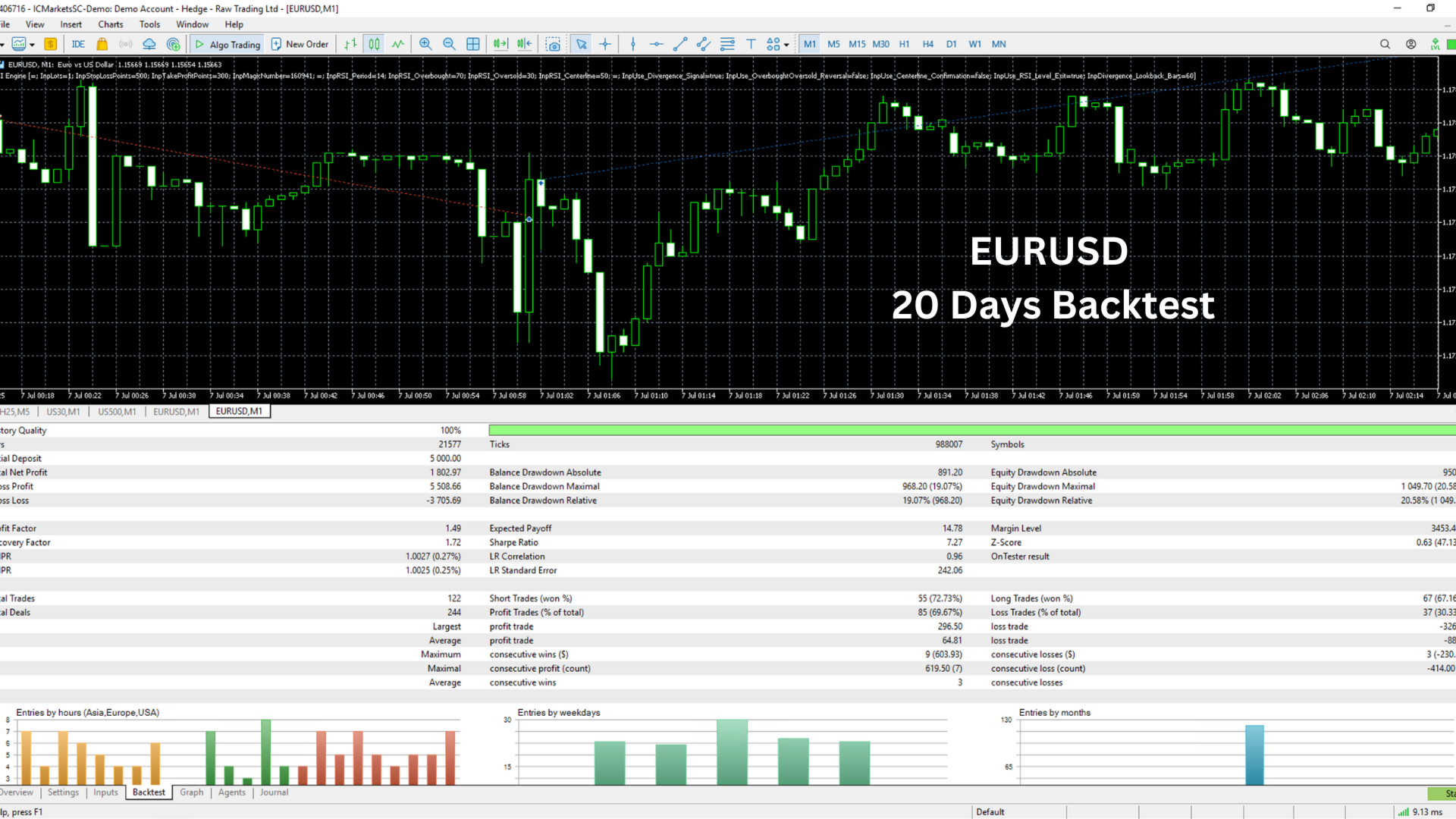
The RSI Engine is a FREE prop firm ready Expert Advisor for MetaTrader 5 that trades RSI divergence and RSI reversal signals with built-in daily drawdown protection, max drawdown protection, and a news filter. No martingale, no grid, no averaging – every trade has a stop loss.
Designed for traders working on prop firm challenges and funded accounts, The RSI Engine helps you stay within daily loss and maximum loss rules automatically, so one bad day doesn't end your account.
(Need a custom setup for your prop firm rules? Describe your account rules in the comments and I'll help you configure it.)
WHY THE RSI ENGINE IS PROP FIRM READY
- Daily drawdown limit: automatically stops trading for the day before your daily loss limit is reached
- Maximum drawdown limit: stops the EA completely if equity approaches your max loss (static or trailing drawdown supported)
- Flexible daily loss calculation: measured from balance, equity, or the higher of both at the start of the day – matching how most prop firms calculate daily loss
- Custom daily reset hour: align the EA's trading day with your prop firm's reset time
- Real-time equity monitoring on every tick with automatic position closing when a limit is hit
- Pre-trade risk check: skips any trade whose stop loss could breach your daily or max drawdown
- Profit target stop: stops trading when your challenge profit target is reached, so you don't give profits back
- Daily profit lock for consistency rules
- News filter using the MT5 economic calendar to avoid high-impact news
- Weekend close: closes positions before the weekend
- Minimum hold time to avoid ultra-short trades
- Max trades per day and spread filter
- Limits are saved and survive terminal restarts and VPS reboots
- Stop loss on every trade – no martingale, no grid, no hedging, no recovery
RSI TRADING STRATEGY
RSI Divergence (default):
The EA detects confirmed swing highs and lows and compares them with RSI.
- Bullish divergence (buy): price makes a lower low, RSI makes a higher low near oversold
- Bearish divergence (sell): price makes a higher high, RSI makes a lower high near overbought
Each divergence is traded only once.
RSI Overbought/Oversold Reversal (optional):
Buys when RSI crosses back above oversold, sells when RSI crosses back below overbought.
RSI Centerline Confirmation (optional):
Waits for RSI to cross the 50 level after a signal to confirm the momentum shift before entering.
Exits:
- Stop loss and take profit on every trade (fixed points or ATR-based)
- Break-even: locks in the trade once it reaches a set profit
- RSI level exit: closes buys at overbought and sells at oversold
RISK MANAGEMENT
- Risk-based lot sizing (% risk per trade, default 0.5%) or fixed lot size
- Lot size rounds down, so risk per trade is never exceeded
- Maximum lot cap
- Trading hours filter for every day of the week
- On-chart dashboard: equity, daily drawdown floor, max drawdown floor, remaining room, trades today and spread
RECOMMENDED SETUP FOR PROP FIRM ACCOUNTS
1. Set "Starting account size" to your challenge size (e.g. 100000)
2. Set daily and total drawdown a little BELOW your prop firm's limits (e.g. 4% daily if the rule is 5%, 8% total if the rule is 10%) to leave a safety buffer
3. Choose how daily drawdown is measured to match your firm's rules
4. Set the daily reset hour to your firm's reset time (server time)
5. Set your profit target % to stop the EA when the challenge target is reached
6. Keep risk low (0.25%–0.5% per trade)
FREQUENTLY ASKED QUESTIONS
Is The RSI Engine really free?
Yes. The RSI Engine is 100% free to download and use on MetaTrader 5.
Does it use martingale or grid?
No. The EA opens one position at a time with a stop loss on every trade.
Which symbols and timeframes does it work on?
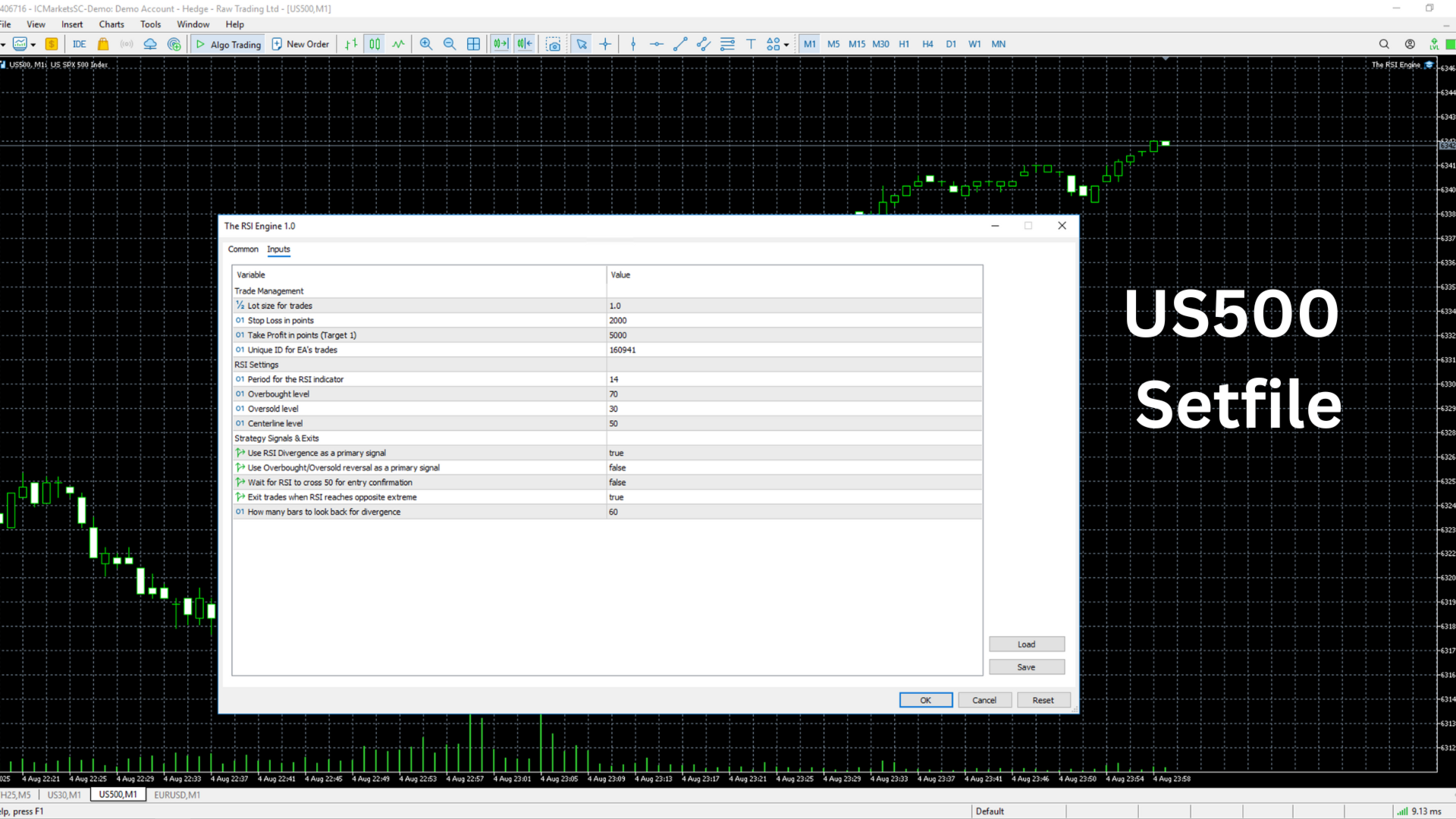
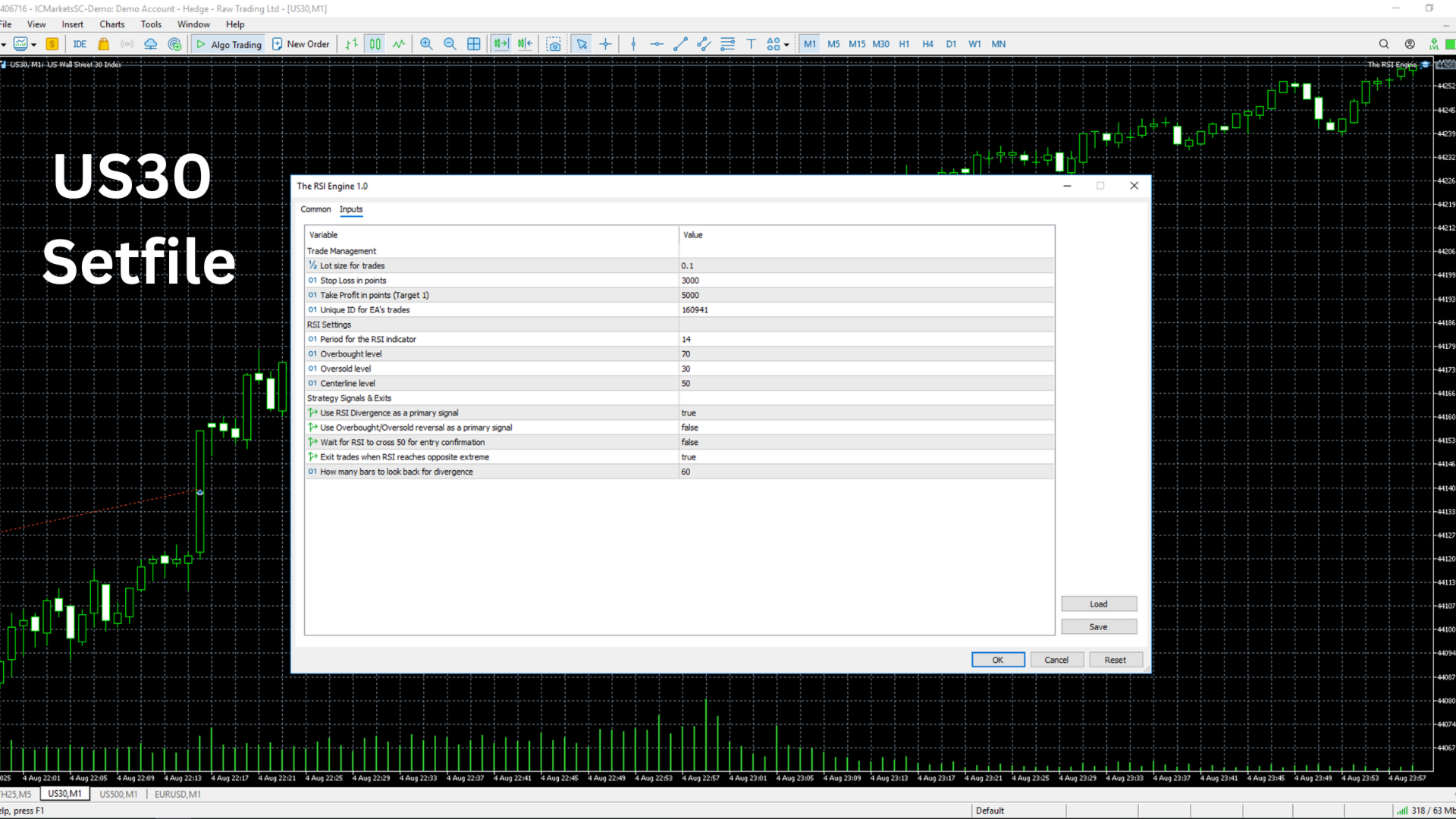
The EA can be attached to any forex pair, gold (XAUUSD) or index. Always backtest and demo test on your chosen symbol and timeframe first.
Does the news filter work in the Strategy Tester?
No. MT5's economic calendar is only available on live and demo accounts. A fixed daily news time can be used for backtesting.
Can I run it on multiple charts?
Yes. Use a different magic number on each chart.
PREMIUM EXPERT ADVISORS BY SPLPULSE
Indices Pulse – Multi-timeframe trend-following EA for US30 and NAS100 with volatility-based stops, break-even and trailing stop.
https://www.mql5.com/en/market/product/149424
US500 Pulse – Rule-based trend EA for the S&P 500 (US500) on M15. No martingale, no grid, stop loss on every trade.
https://www.mql5.com/en/market/product/148783
MORE FREE EAs FROM SPLPULSE
Martingale Pulse – Free multi-strategy trading toolkit with four entry strategies.
https://www.mql5.com/en/market/product/149212
Spulse EMA DCA – Free EMA grid/DCA Expert Advisor with smart filters.
https://www.mql5.com/en/market/product/145749
If The RSI Engine helps your trading, please leave a review – it helps other traders find it. Suggestions and .set files are welcome in the comments.
Disclaimer: Trading involves significant risk. The RSI Engine does not guarantee passing any prop firm challenge. Drawdown protection reduces risk but cannot prevent losses from gaps, slippage or broker conditions. Past performance and backtests do not guarantee future results. Always test on a demo account first.