GammaOrderBook Gex Levels for SP500
- Utilities
- Version: 4.5
- Updated: 22 October 2026

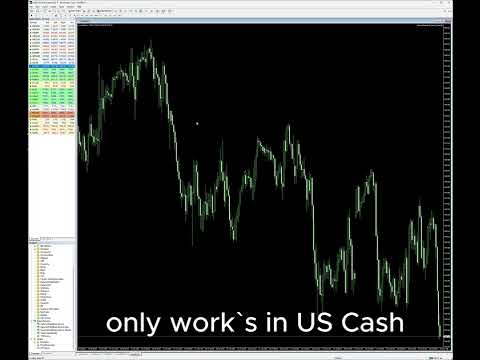
Real-time Gamma Exposure (GEX) levels from the options market displayed on your SP500 chart. Updates every 30 minutes.
Full description:
GammaOrderBook Free — All-in-one EA that downloads and displays Gamma Exposure (GEX) data directly on your chart. No separate indicator needed.
What You See
• GEX Bars — Call and Put gamma levels as horizontal bars, split by ETF/Index source (different colors)
• Zero Gamma Line — The critical level where dealer hedging direction changes
• Panorama V4 — Multi-timeframe gamma positioning
• Support/Resistance — Key levels from options open interest
• Bias Panel — BULL/BEAR/NEUTRAL signal, OI positioning, volume ratio
• Distance Display — Real-time distance from Zero Gamma
Supported Instruments
• ES / SP500 (US500) only
Data Updates
• Every 30 minutes
• No email, no license, no subscription — just attach and trade
Setup
1. Attach the EA to any SP500 or US500 chart
2. In Tools > Options > Expert Advisors, add to allowed URLs: https://gamma-auth.gammaorderbook.com
3. Data loads automatically — no registration required
Why Gamma Levels Matter
Options dealers must hedge their exposure. When price approaches a large gamma concentration, dealers buy or sell to remain neutral — creating support and resistance that technical analysis cannot detect.