SimpleTrading
- Experts
- Version: 1.75
- Updated: 19 July 2026
- Activations: 5

Professional Manual Scalping Trading Panel.
One-click trade execution, automatic Stop Loss and Take Profit, Close All Positions, Buy & Sell, automatic Break-Even, built-in Trade Manager, and full parameter customization directly from the trading panel.
A powerful trading assistant for manual trading. Not an Expert Advisor (EA) – designed exclusively for manual trading.
IMPORTANT!!! THIS TOOL CANNOT TRADE AUTOMATICALLY. IT IS NOT A ROBOT. FOR MANUAL TRADING ONLY.
Price: $32 and it will never change.
SimpleTradingPanel was developed for fast and convenient one-click trading for all trading styles, with instant order execution using the specified parameters.
A very simple and easy-to-use tool for both beginners and experienced traders. Nothing unnecessary.
Here is a simple instruction.
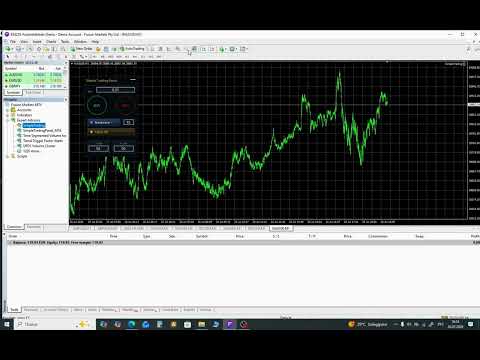
After purchase, SimpleTradingPanel will appear in the Expert Advisors section.
When opening it, go to the Common tab and check Allow Algo Trading.
Also, on the top toolbar, click the Algo Trading (or AutoTrading in MT4) button. Once it is enabled, you will see a small smiley face in the upper-right corner of the chart. If the smiley is smiling, everything is working correctly. If not, the panel is disabled.
Using the panel:
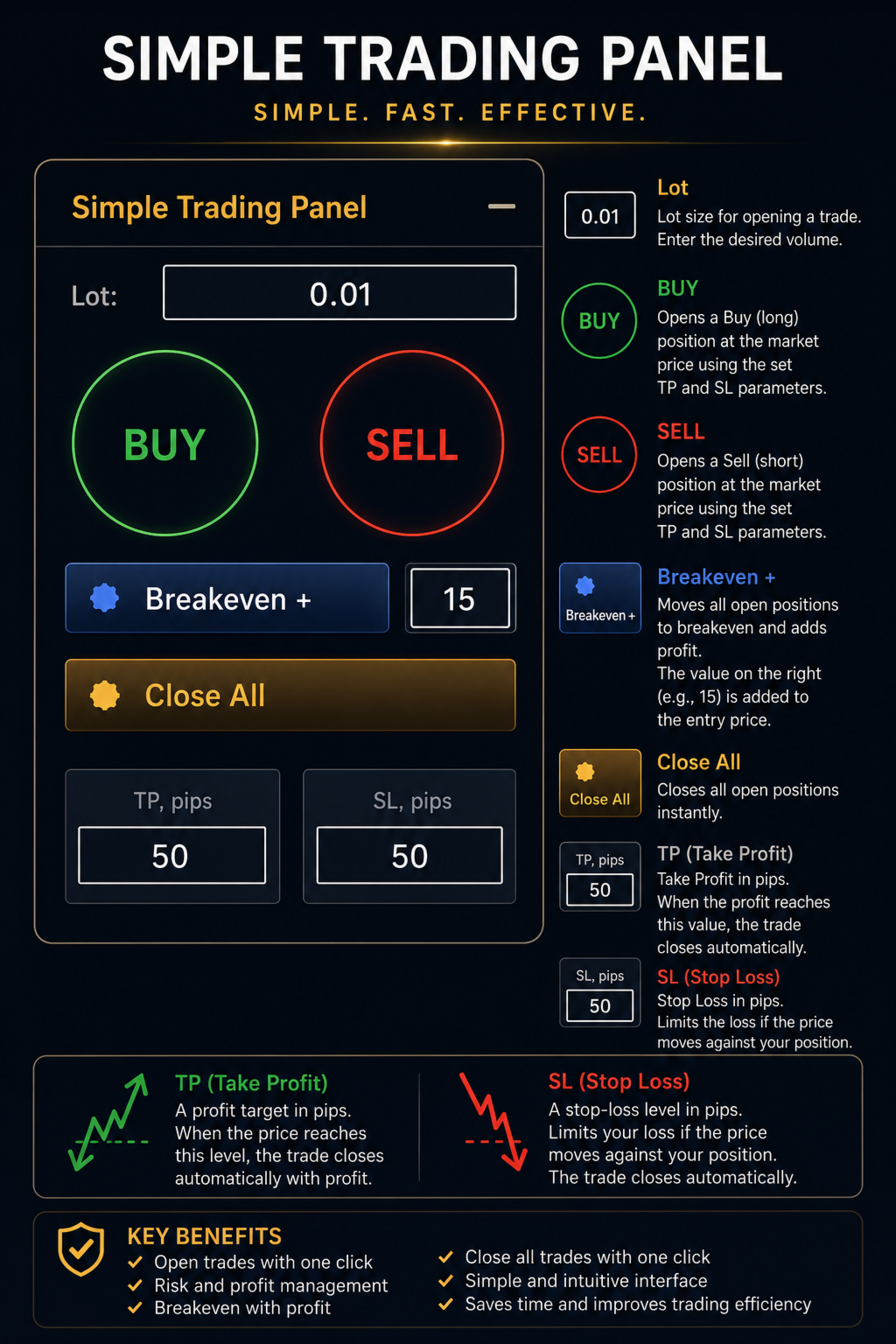
Where it says Lot with the default value 0.01, this is the trade volume. You can change it at any time. (Important: the larger the lot size, the higher the risk.)
The green round Buy button opens a Buy position.
The red round Sell button opens a Sell position.
Breakeven moves all your open positions to the break-even level based on the price at which each trade was opened.
Close All closes all open positions with a single click.
TP pips is the Take Profit (profit target). The default value is 50.
SL pips is the Stop Loss (loss limit). The default value is 50.
IMPORTANT: If you are trading with a broker that charges commissions or has minimum stop level restrictions in pips,
TP pips and SL pips may not work if the values are set too low, and the trade may not open.
In this case, you should increase these values according to your broker's trading conditions.