Trade Slippage Calculator

Slippage Calculator for MT5 — User Guide

Overview

The Slippage Calculator is an MT5 script designed to analyze the execution quality of your trades.

It scans your trading history and calculates:

  • Total slippage
  • Average slippage per trade
  • Entry slippage
  • Exit slippage
  • Estimated money lost due to slippage

This tool is especially useful for:

  • Scalpers
  • High-frequency EAs
  • Gold (XAUUSD) traders
  • News traders
  • Low take-profit systems
  • Broker execution testing
Why This Tool is Useful

1. Detect Bad Broker Execution

You can compare:

  • different brokers
  • VPS providers
  • account types (ECN/STP)
  • live vs demo execution

2. Measure Real Trading Costs

Spread alone is NOT the full cost.

Real cost includes:

  • spread
  • commission
  • slippage

This tool helps estimate the hidden execution cost.

3. Validate Scalping Systems

Small TP systems are highly sensitive to slippage.

Example:

  • TP = 5 pips
  • Average slippage = 1 pip
  • Effective edge loss = 20%

This tool helps determine whether your EA still has an edge after execution losses.

4. Improve EA Performance

You can identify:

  • excessive stop order slippage
  • bad SL fills
  • latency issues
  • execution during volatile periods

This helps optimize:

  • order types
  • spread filters
  • execution timing
  • VPS location

Recommended products
Xiao Dan Kuai Pao is a fast and clean one-click order panel for MetaTrader 5. Open and manage your trades instantly, with Stop Loss and Take Profit placed automatically — no more typing TP distances by hand. Key features: - One-click buttons: BUY, SELL, CLOSE, BREAK EVEN - Custom Stop Loss and Take Profit (in points) — set any distance you want - Flexible risk/reward — combine SL and TP freely to build any ratio, such as 1:1, 1:2, 1:3, 1:4 or 1:5 - Real-time price display (Bid) - Bar countdown t
Multiple Order Manager
Ameerul Afiq Bin Abd Halim
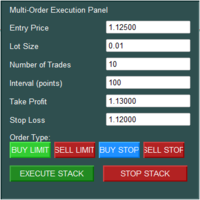
The Multi-Order Execution is an Expert Advisor for MetaTrader 5, designed to simplify the placement of multiple pending orders through a convenient on-chart control panel. The EA supports four pending order types: Buy Limit, Sell Limit, Buy Stop, and Sell Stop. Traders can configure the entry price, lot size, number of orders, price interval, take-profit (TP), and stop-loss (SL) directly from the chart. The EA automatically calculates each order's entry price based on the selected order type and
Clean Pending Orders
Oleksandr Kashyrnyi
Clean Pending Orders Delete all pending orders on the current symbol in seconds! This simple yet effective script is designed for traders who value speed and convenience. Just launch it, and it will instantly delete all pending Buy and Sell orders on the current symbol. Benefits: Instant removal: All orders are deleted in seconds. Focus on the current symbol only: Other instruments are not affected. Ease of use: One click, and your terminal is clean. Logging: The script shows what has been dele
FREE
Practice Simulator for MetaTrader 5 combines simulated practice in the Strategy Tester with live trading using the same interface. Practice your strategy with historical market data, then use the same interface for live trading with risk management and trade management tools. Practice Simulator for MT5 includes LiveAI , an integration with the MT5 AI Assistant. Ask about the market, your open positions, entries, or exits in plain language. The assistant reads the current Chart Information and us
Midas AI Trade Coach
Timothy Teye Asigbey
Midas AI Trade Coach Review your closed MT5 trades with a statistical map and optional AI explanations. The utility reads account history and displays its findings on your chart. It never places, changes or closes orders, including in the Strategy Tester. Your History, Eight Views Explore results by UTC hour block, weekday, session, symbol, direction, holding time, trade size, and whether a trade followed a win or loss. Filter by look-back period, symbol and magic number, including manual trades
Launch offer: USD 30. Easy 5k is a straightforward automated EURUSD strategy for MetaTrader 5. It uses the broker's daily opening price as a reference while keeping the first setup simple: supplied defaults and one clear risk control. What it does Evaluates completed H1 candles Uses a daily opening-price reference Uses equity-based position sizing Includes a Friday exit rule Does not use grid trading, martingale or averaging down The documented reference configuration has its optional emergency
Indicator Statistics MultiPairs 1. Current Openning Ords - Symbols Openning + Buy Orders + Buy Volume + Sell Orders +Sell Volume - Floating by Symbols 2. Closed Orders - Statistics by Today, Week, Month, YTD and Volume - Sum of Closed Orders by Symbol 3. Statistics by Day - Statistics by Day and Volume 4. DrawDown by Day - Each day DrawDown in Week - Percent of DrawDown Contact me at Telegram @MaiMew68
Close all your trades automatically when your account reaches a profit target or a loss limit. Equity Target Closer watches your result every second, closes everything at the right moment and then stops trading until tomorrow, or starts again from zero. Money or percent. A good day can turn into a bad day in a few minutes, and a bad day can get much worse when you keep trading. With a clear daily target and a clear loss limit that close everything for you, you keep your profit and you stop the d
Trade Report to CSV
Hirabayashi Masayuki
Trade Report to CSV — Your Trade History, One Clean Row at a Time Tired of MT5's built-in reports leaving you wanting more? This script turns your closed trade history into a tidy, ready-to-analyze CSV — one row per trade, no digging required. Fields exported Entry time, Type (BUY/SELL), Lots, Symbol, Entry price, Stop loss, Take profit, Close time, Close price, Commission, Swap, Profit, Profit in pips, Magic number, Holding time, Close reason (SL/TP/manual/EA), Comment Highlights Choose you
FREE
....................................................... This tool places random orders, Randomly place pending orders just for do some testing.  All is random: random symbol, random lots, random order type, random stoploss and takeprofit... Some users need to batch place orders for testing purposes, and this tool can meet their requirements. Notice: It can't run on live(real) account.
KS Hotkey Trading Panel Pro  is a MetaTrader 5 Expert Advisor that provides fast keyboard-driven trading plus a clickable on-chart dashboard. Main Features Hotkey trading — Single-key actions for: Market Buy / Sell Buy Limit / Sell Limit Buy Stop / Sell Stop Close All positions Close Buys only / Close Sells only Delete all pending orders Lot size up / down (Arrow Up / Arrow Down) Show / Hide the panel On-chart dashboard — Displays every hotkey, current lot size, live account info (Balance, Equit
The analyzer makes it possible to quickly assess spread changes on historical data,   the magnitude and frequency of bursts, the dynamics and nature of the extensions by the days of the week, etc. The analyzer needs to be started in the tester (visualization mode) on the symbol and time interval required for analysis,   recommended TimeFrame H1, select "Every tick based on real ticks" mode.
Just $10 for six months!!!. This will draw Order Blocks just by clicking on a candle with different colors for different time frames. It will use the body or the wicks. It can also draw the mean threshold of the candle open/close or high/low. As a drawing tool, it is not active all the time after adding it to the chart. Activate by pressing 'b' twice on the keyboard within a second. If activated but then decided not to draw, deactivate by pressing 'b' once.  Box color depends if candle is abo
Trend Risk Monitor
Kenneth Michael Chambers
TREND RISK MONITOR EA - USER GUIDE ---------------------------------------------------- 1. OVERVIEW The Trend Risk Monitor is not a trading robot that opens new positions. Instead, it is a sophisticated risk management utility designed to work alongside another Expert Advisor (EA) on your trading account. Its primary purpose is to actively monitor trades opened by a specific EA (identified by a "Magic Number") and provide a real-time assessment of the market risk associated with each open posit
The primary function of this script, Tick Data Exporter , is to efficiently extract historical tick data. Tick data represents the most granular level of market data, capturing every single price change. The script downloads this data from a broker and formats it into CSV files for external quantitative analysis. Five things tick data shows that bars permanently hide: Spread microstructure: Bars give you one spread number per period (typically the spread at bar close). Ticks show you the sprea
ONE PANEL. COMPLETE CONTROL OF YOUR MT5 TRADING. Plan → Calculate Risk → Price Alert   →   Execute → Protect → Copy   →  Notification ( Telegram/Pushover/ntfy/webhook ) Everything a manual MT5 trader needs in one utility Risk-based lot sizing • R:R planning • Auto BE • Trailing SL • Partial TP • Basket protection • Price alerts • Telegram/Pushover/ntfy notifications • Scheduled trades • Local Copy Trading Trade Manager Ultimate is an on-chart trading utility for discretionary traders who want
Telegram Signal Bridge connects YOUR Telegram bot to YOUR MetaTrader 5 terminal. Signals posted in your channels or groups are read, understood and traded with the risk, filters and limits that you choose. Nothing is sent to the developer and nothing runs on a third-party server: the EA talks only to Telegram and, if you switch it on, to the AI service of your own account. YOUR CHANNELS, YOUR RULES Create a bot with the official BotFather, paste its token and add the bot to your channels or grou
From a closed-candle signal to a defined trade plan VectorEntry MT5 brings buy and sell setups, pending entry levels, stop loss, three targets and an estimated position size onto one chart. It is built for manual traders who want to see the conditions of a setup before deciding whether to trade. The indicator combines trend direction, breakout or pullback structure, momentum and candle quality. When the conditions align on a completed candle, it marks the setup and calculates its levels. You rem
News Guard & Slippage Shield Overview This Expert Advisor is a protective utility for MetaTrader 5 accounts. It pauses trading around high-impact news releases and automatically closes any position that fills with excessive slippage. It runs at account level, so it can protect every Expert Advisor and Magic Number on the same account, not only trades it opens itself. The EA does not place any trades of its own. It is designed to run alongside your existing trading robots as a risk-control layer.
FREE
Easy! Before opening a trade, the indicator calculates your position size. Just drag one line to your stop level. A one-line position size calculator based on a percentage of your total account balance. Just drag the SL line below or above your stop level to instantly see the lot size. The information updates automatically as the price changes. Works with Forex, stocks, crypto, and metals. Enjoy! How to Use :  Attach to the chart  Drag the indicator onto your chart. Draw a Stop-Loss Line:
Telegram to MT5 Coppy
Sergey Batudayev
5 (10)
Telegram to MT5: The Ultimate Signal Copying Solution Simplify your trading with Telegram to MT5, the modern tool that copies trading signals directly from Telegram channels and chats to your MetaTrader 5 platform, without the need for DLLs. This powerful solution ensures precise signal execution, extensive customization options, saves time, and boosts your efficiency. [ Instructions and DEMO ] [ FAQ ] [ How atach logs properly ] [ Settings descrition ] Key Features Direct Telegram API Integrati
Prop Challenge Replay MT5 Trading Capital P replays any symbol from a past date on up to four synchronised timeframes, lets you trade the replay on a paper account and judges your trading like a prop-firm challenge, with an automatic journal of every trade. It never sends an order to your broker. A real replay, without the future A temporary custom symbol is cloned from your chart symbol (digits, contract, tick value, currencies, swaps, volumes); only data before the replay time is ever loaded U
Aurum Portfolio Engine Aurum Portfolio Engine is an Expert Advisor for XAUUSD on MetaTrader 5, built on a different idea than the usual single-strategy EA: internally it runs 15 independent breakout sub-strategies based on support/resistance levels, each with its own fixed stop loss and take profit, dynamic trailing stop and breakeven. No grid, no martingale, no lot-size increase after losses. Symbol and timeframe Built specifically for XAUUSD (gold). The chart timeframe you attach it to doesn'
RMT Visual Trade Planner
Denis David Garcia Camejo
RMT Visual Trade Planner is a lot size calculator, position size calculator and order planner for MetaTrader 5: you plan a trade with three lines on the chart. Drag the stop loss and take profit, and it shows the lot size for your risk, the money at risk, the reward and the margin. The order is sent only after you press SEND and then CONFIRM. The problem it solves Working out the lot size for a given stop and a given risk takes a calculator, and a mistake there costs more than a bad entry. The o
Set your limits before emotions take over. RiskGuard by Cold Execution is a risk-management utility for MetaTrader 5 that helps you follow your trading rules. Configure daily loss limits and profit giveback protection to help control overtrading and enforce a break when your limits are reached. Main features Two-level daily loss limits: set separate Level 1 and Level 2 thresholds. Level 1 provides a configurable trading break. The Level 2 daily loss lock remains active until the next day in the
Risk rules are easiest to define before a trading session and hardest to follow when pressure rises. UTrade Risk Guard was created by a trader with more than five years of live trading experience. Over time, I learned that discipline and psychology influence almost every trading decision. At the same time, constantly checking daily limits, entry counts, position exposure, Stop Losses and the moment when trading should stop consumes attention, energy and focus. I used to believe that trading
Tele Notify
Tuan Nghia Phan
Tele Notify can help you send notifications for opened & closed trades to a Telegram channel or your personal Telegram. (see Master Notify for full options of notifications/alerts: indicator data, price, news, etc. Get more EAs  here ) Update: Now you can check your account info anytime from your Telegram by simple command: /check. This option is only valid when you use your Telegram User ID on EA inputs *******************************************************************************************
FREE
Stop and Take EA
Luis Enrique Ricales
3.67 (3)
The Expert Advisor is only designed for manual trading. The EA sets stop loss and take profit for positions and pending orders on the current symbol. It also has trailing stop and breakeven functions. Input Parameters Stop loss   - stop loss value; Take profit   - take profit value; Close all if profit reached the x percent of balance or   - close all positions once the total profit reaches x percent of balance; close all if profit reached the x profit amount in currency   - close all positions
FREE
Portfolio Allocator tells you how many lots each Expert Advisor of a portfolio should trade. It reads one saved Strategy Tester report per Expert Advisor, or the history of an account that runs several of them (one strategy per magic number), and computes the allocation with eight methods: from equal risk and risk parity to hierarchical risk parity, maximum diversification, maximum Sharpe and minimum tail loss. Then it scales the whole portfolio to the drawdown you accept, and shows with a walk-
Correlation Risk Manager
Eugenio Gustavo Guilarte Homayden
You think you're diversified. Your correlations say otherwise. MetaTrader shows you every position you hold. The margin, the floating P/L, the lot size, all of it. What it doesn't show you is whether your trades are secretly the same bet. And that's usually what takes the account down. Say you open five trades, 1% risk on each. Feels like 5% at stake. Spread out, sensible. But three of them are long the same dollar move under different tickers, so when one bad print hits, all three drop together
Buyers of this product also purchase
Trade Assistant MT5
Evgeniy Kravchenko
4.43 (216)
It helps to calculate the risk per trade, the easy installation of a new order, order management with partial closing functions, trailing stop of 7 types and other useful functions. Additional materials and instructions Installation instructions - Application instructions Line function -   shows on the chart the Opening line, Stop Loss, Take Profit. With this function it is easy to set a new order and see its additional characteristics before opening.   Risk management  - The risk calculation
FarmedHedge Pair Trading Dashboard
Tanapisit Tepawarapruek
5 (7)
Farmed Hedge Yield Farming | All Markets (Manual - Hybrid - Semi/Automated EA) VERIFIED TRADING RESULTS - Farmed Hedge Yield Axi Copy:  https://www.mql5.com/en/signals/2356376 - Farmed Hedge Yield Exn Copy:   https://www.mql5.com/en/signals/2356404 - Farmed Hedge Yield V Copy:  https://www.mql5.com/en/signals/2357156 IMPORTANT NOTICE: FarmedHedge is a MANUAL-FOCUSED TRADING UTILITY ,not a fully automated EA. Results shown on this Signal include manual trades and overall strategic management.
Forex Trade Manager MT5
InvestSoft
4.98 (689)
Trade Manager MT5 is an advanced position size calculator and trade management tool for MetaTrader 5, designed to help traders plan trades faster, control risk more precisely, and manage open positions directly from the chart. It combines order placement, risk based lot calculation, Stop Loss and Take Profit management, Break Even, Trailing Stop, Partial Close, Equity Protection, and external trade management in one panel. Whether you trade forex, indices, metals, commodities, crypto, or future
Telegram to MT5 MultiChannel Copier
Sergio Marquez Uroz
4.68 (22)
Telegram to MT5 Multi-Channel Copier   automatically copies trading signals from your Telegram and Discord channels straight to MetaTrader 5. No bots, no browser extensions, no manual copying. A signal arrives in Telegram or Discord and the EA opens the trade in your terminal within seconds. And before you copy a channel, the built-in backtester shows you what that channel would have done in your account. The product has two components: a Windows application that listens to your Telegram channel

Local Trade Copier EA MT5
Juvenille Emperor Limited
4.94 (150)
Local Trade Copier EA MT5 is a fast and flexible trade copier for copying and managing trades between multiple MetaTrader 5 accounts on the same Windows computer or Windows VPS. It combines local trade synchronization with Receiver-side controls for lot sizing, risk management, trade filtering, symbol mapping, trade management and account protection. Set up your Transmitter and Receiver terminals in about 1 minute and copy manual or EA trades between accounts at the same or different brokers. U

TradePanel MT5
Alfiya Fazylova
4.88 (172)
Trade Panel is a multi-functional trading assistant. The app contains over 50 trading functions for manual trading and allows you to automate most trading tasks. Application instructions: https://www.mql5.com/en/blogs/post/756482 Trial version of the application for a demo account: https://www.mql5.com/en/blogs/post/750865 How to install the application: https://www.mql5.com/en/blogs/post/756239 How to test the application in visual mode: https://www.mql5.com/en/blogs/post/770277 How to install
News Trade EA MT5
Konstantin Kulikov
4.55 (11)
Present to you the useful robot that I have been using for several years. It can be used in both semi-automatic mode and fully automatic mode. >>> Chat <<< The program contains flexible settings for trading on the news of the economic calendar. It cannot be checked in the strategy tester. Only real work. Download the latest archive of settings: https://www.mql5.com/en/blogs/post/747929 Signals monitoring: https://www.mql5.com/en/signals/author/test-standart When creating your own sets of setti
Copy Telegram signals with your own trading rules Telegram to MT5 Signal Trader automatically copies text-based trading signals from public and private Telegram channels and groups into MetaTrader 5. Manage multiple providers and MT5 accounts from one desktop app, with individual risk and trade settings for each provider . No Telegram bot or API setup needed for copying. Simply sign in with your own Telegram account by phone or QR code and select the channels or groups you have already joined. Y
Strategy Ledger Pro
Abdullah Uygar Tuna
5 (14)
Strategy Ledger Pro is a read-only account analysis panel for MetaTrader 5. It separates account results by Expert Advisor, strategy, symbol, and magic number, so you can see what each one really contributes. The panel is available in 11 languages: English, Français, Deutsch, Español, Italiano, Português, Русский, Türkçe, 中文, 日本語 and 한국어. Before you download the demo. The Market runs the demo of any paid product in the Strategy Tester only. This panel analyses the trades on your own account, and
================================================================================ POC BREAKOUT - V20.72. Full Professional Grade Toolkit ================================================================================ POC Breakout is a full MetaTrader 5 trading dashboard for discretionary traders who want breakout signals, Point of Control (POC) context, volume profiles, order flow, market structure, news, alerts, and advanced trade planning in one professional workspace. Attached directly to you
Exp COPYLOT CLIENT for MT5
Vladislav Andruschenko
3.97 (35)
Professional Trade Copier for MetaTrader 5 Fast, professional, and reliable trade copier for MetaTrader . COPYLOT allows you to copy Forex trades between MT4 and MT5 terminals with support for Hedge and Netting accounts. COPYLOT MT5 version supports: - MT5 Hedge to MT5 Hedge - MT5 Hedge to MT5 Netting - MT5 Netting to MT5 Hedge - MT5 Netting to MT5 Netting - MT4 to MT5 Hedge - MT4 to MT5 Netting MT4 version Full Description +DEMO +PDF How To Buy How To Install How to get Log Files H
The product will copy all telegram signal to MT5 ( which you are member) , also it can work as remote copier.  Easy to set up, copy order instant, can work with almost signal formats, image signal,  s upport to translate other language to English Work with all type of channel or group, even channel have "Restrict Saving Content", work with  multi channel, multi MT5 Work as remote copier: with signal have ticket number, it will copy exactly via ticket number. Support to backtest signal. How to s
EA Overfitter
Stephen J Martret
5 (3)
That backtest looks great. But will it still be making money tomorrow, next week, next month? EA Overfitter re-runs your EA on 100 price histories it has never seen. One score tells you if the edge is real. A backtest tells you what an EA did on one price history — the one that happened to occur. What you cannot tell from it is how much of that result was the strategy and how much was the particular path. EA Overfitter answers that. It builds up to 100 synthetic price histories your EA has n
Power Candles Strategy Scanner - Self-Optimizing Multi-Symbol Setup Finder Self-optimizing settings work one chart at a time, and finding where they pay off right now means opening chart after chart. Power Candles Strategy Scanner runs the same self-optimizing engine as the Power Candles indicator on every symbol in your Market Watch, side by side. One panel ranks where it pays off: the winning strategy per symbol, its optimized Stop Loss and Take Profit. An alert fires the moment a fresh signal
Telegram To MT5 Ultra
Mirel Daniel Gheonu
5 (5)
Telegram To MT5 — Signal Copier Turn the trading calls from your Telegram channels into real MT5 orders — automatically, on as many accounts as you like, with risk and rules fully under your control. Telegram To MT5 connects the VIP / signal channels you already follow on Telegram to your MetaTrader 5 terminal. A free companion desktop app reads the messages (even from channels that block bots), and this Expert Advisor executes them on your account — applying your own risk settings, symbol mappi
Timeless Charts
Samuel Manoel De Souza
5 (9)
Timeless Charts is an all-in-one trading utility for professional traders. It combines custom chart types such as Seconds Charts and Renko with advanced order flow analysis using Footprints , Clusters , Volume Profiles , VWAP studies, and anchored analysis tools for deeper market insight. Trading and position management are handled directly from the chart through an integrated trade management panel , while Market Replay and Virtual Accounts provide environments for practicing trading skills and
VirtualTradePad One Click Trading Panel
Vladislav Andruschenko
4.59 (74)
Trading Panel for MetaTrader 5 — professional one-click trading from chart and keyboard A powerful trading panel for active manual trading, designed to open, manage, and close trades far faster and more efficiently than the standard MetaTrader interface. This panel is built for traders who want full control over positions, pending orders, profit management, and trading execution inside one professional workspace. This is not just another utility. It is a complete trading cockpit for MetaTrader
Anchor Trade Manager
Kalinskie Gilliam
5 (8)
Your EAs cannot see each other, but Anchor can. Anchor gives you one place to coordinate your EAs, manage risk, and decide when trading is allowed. It works alongside the trading bots you already use without any changes to them. The Problem One EA opens a trade. Then another starts trading. The next thing you know, you wake up to multiple grids built across your account. Each EA may be doing exactly what it was designed to do, but together they can place far more risk on your account than you in
Welcome to Entry In The Zone with SMC Multi Timeframe  —  COMPLETE SMC ANALYSIS SYSTEM — ALL IN ONE INDICATOR  Entry In The Zone with SMC Multi Timeframe  An indicator designed for market analysis based on Smart Money Concepts (SMC), displaying Market Structure, Key Zones (Order Blocks, Supply & Demand Zones, and Fair Value Gaps), Liquidity, and real-time BUY / SELL signals. It supports both Single-Timeframe and Multi-Timeframe analysis, along with the Confluence at Zone feature, which helps you
VirtualTradePad PRO SE MT5 — professional trading control center for MetaTrader 5 VirtualTradePad PRO SE is a premium chart-based trading panel and trade-management workspace for MetaTrader 5 . It is designed for traders who want faster execution, clearer position control, structured trade management, visual level planning and a professional workflow directly from the chart. This is not only a BUY / SELL panel. PRO SE combines manual trading, pending orders, position management, partial exits, b
Trade Indicator Assistant   is a powerful MT5 utility designed to turn indicators into automated trading systems. Its main feature is the ability to automatically detect an indicator’s   BUY and SELL signal buffers , without requiring you to know the buffer numbers, search through indicator settings, or modify the indicator source code. Bonus Indicator:   After purchasing Trade Indicator Assistant, contact me to receive   Trade Signal Pro   completely free as a bonus indicator. [Download Demo V
EA Auditor
Stephen J Martret
5 (7)
EA Auditor is an independent analysis tool for traders evaluating Expert Advisors and trading signals on MetaTrader 5. It audits backtest reports, reviews posted developer signals, and cross-verifies the two against each other to help traders assess strategies before committing capital. The MQL5 market offers a wide range of Expert Advisors from many developers, with varying approaches, quality, and transparency. EA Auditor provides a consistent, data-driven framework for reviewing them, answer
Trade Manager DaneTrades
Levi Dane Benjamin
4.13 (31)
DaneTrades Trade Manager is a professional trade panel for MetaTrader 5, designed for fast, accurate execution with built‑in risk control. Place market or pending orders directly from the chart while the panel automatically calculates position size from your chosen risk, helping you stay consistent and avoid emotional decision‑making. The Trade Manager is built for manual traders who want structure: clear risk/reward planning, automation for repeatable management, and safeguards that help reduc
MT5 to Telegram Signal Provider turns your trading account into a signal provider. Every trade action, whether manual, by EA or from your phone, is instantly sent as a message to Telegram. You can fully customize the format or use a ready-made template for quick setup. [ Demo ] [ Manual ] [ MT4 Version ] [ Discord Version ]     New: [ Telegram To MT5 ] Setup A step by step user guide is available. Key Features Ability to customize order details sent to subscribers You can create a tiered subs
RETAILBERG FOOTPRINT CHART PRO — Order-Flow Workspace for MetaTrader 5 Version 7.00  |  Professional System  |  31 tools  |  One chart A full 150-page illustrated User Manual is included. Please read the full manual to understand this feature packed footprint chart elements and ui. https://www.mql5.com/en/blogs/post/777982 DEMO / STRATEGY TESTER — PLEASE READ FIRST
Trader Evolution
Siarhei Vashchylka
5 (7)
" Trader Evolution " - A utility designed for traders who use wave and technical analysis in their work. One tab of the utility is capable of money management and opening orders, and the other can help in making Elliott wave and technical analysis. Manual (Be sure to read before purchasing) | Version for MT4 Advantages 1. Trading in a few clicks. Immediate and pending orders are available in the panel 2. Money management. The program automatically selects the appropriate lot size 3. Simplifies
Trade copier MT5
Alfiya Fazylova
4.61 (57)
Trade Copier is a professional utility designed to copy and synchronize trades between trading accounts. Copying occurs from the account / terminal of the supplier to the account / terminal of the recipient, which are installed on the same computer or VPS . Before buying, you can test the demo version on a demo account. Demo version here . Full instruction here . Main functionality and benefits: Supports copying MT5> MT5, MT4> MT5, MT5> MT4, including MT5 netting accounts. * Supports copying Dem
DrawDown Limiter
Haidar Lionel Haj Ali
5 (23)
DrawDown Limiter v5.0 — Advanced Account Protection Controller DrawDown Limiter v5.0 is a client-side account protection controller designed to supervise your trading account and automatically react when configured risk, profit, news, schedule, rollover, or position limits are reached. It can monitor manual trades, automated strategies, multiple Expert Advisors, pending orders and floating positions from one dedicated chart. It can protect the complete account or be configured to supervise a spe
RS Trade Copier - the ultra-fast local trade copier with a real graphical interface. Stop typing account numbers manually. No more 200+ cryptic inputs. A reliable and flexible tool for copying trading operations between multiple MT5 and MT4 terminals. It suits experienced traders, signal providers, and individual investors. It enables trade synchronization from one or multiple Providers to one or multiple Clients with high precision and minimal latency. It supports simple automatic configuration
Risk-sized entry, break-even, partial closes, a trailing stop and a daily loss limit, in one panel for MetaTrader 5. Drag your stop to where the trade is wrong and the lot size follows your risk. Its button sends the order at that size. Then it manages the trade on every tick, whether you opened it from the panel, by hand, from the phone or with another EA, and it stops you for the day when your loss limit is reached. It never decides to trade. There are no signals and no strategy in it. You cho
Filter:
No reviews
Reply to review