RiskGuard by Cold Execution
- Utilities
- Version: 3.1
- Updated: 13 September 2026
- Activations: 5

Set your limits before emotions take over.
RiskGuard by Cold Execution is a risk-management utility for MetaTrader 5 that helps you follow your trading rules. Configure daily loss limits and profit giveback protection to help control overtrading and enforce a break when your limits are reached.
Main features
-
Two-level daily loss limits: set separate Level 1 and Level 2 thresholds. Level 1 provides a configurable trading break. The Level 2 daily loss lock remains active until the next day in the Europe/Zurich time zone.
-
Profit giveback protection: choose the realised profit level at which protection starts and configure two percentage thresholds for giving back profits.
-
Flexible unlocking: unlock Level 1 using a timer or password. Profit Giveback Level 2 supports a selected duration or server-time deadline, with earlier release when the required realised result is recovered.
-
Account-wide monitoring: monitor the entire connected trading account from one chart, regardless of its symbol or timeframe.
-
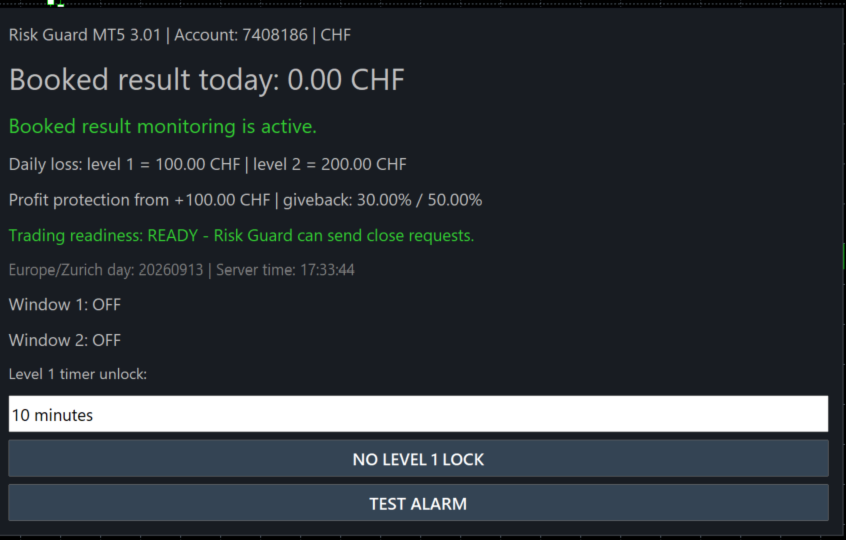
Built-in alarm test: check the panel, sound and alert message using the TEST ALARM button.
How protection works
RiskGuard monitors realised P/L from closed trades. Floating profits and losses on open positions are excluded.
During an active lock, newly opened positions are automatically closed after entry. This includes positions opened manually, from a mobile device, by other Expert Advisors or by triggered pending orders. Positions already open when the lock starts remain untouched.
Closing occurs after execution, so spread, commission and slippage may still apply.
Quick Start — MetaTrader 5
-
Install from Market. In MT5, open Tools → Options → Community and sign in with the MQL5 account used for your purchase. Open Navigator → Market → My Purchases and install RiskGuard.
-
Attach to a separate chart. Log in to the trading account you want to monitor. Open an additional chart and drag RiskGuard onto it from Navigator. Use one RiskGuard instance per account in that terminal. MT5 permits only one EA per chart, so keep your trading robots on their own charts.
-
Enable trading permissions. Enable Allow algorithmic trading in the EA settings and turn on the main Algo Trading button.
-
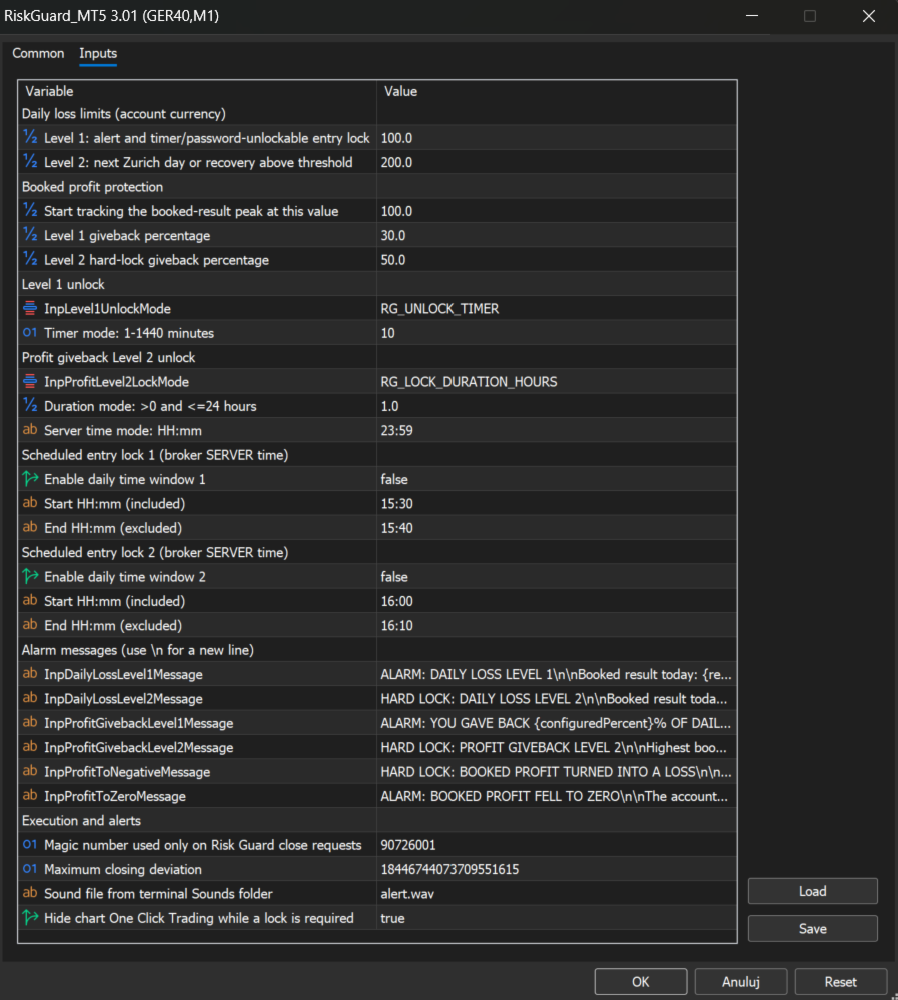
Configure your rules. In Inputs, set both daily loss limits, the profit-protection starting level, both profit-giveback percentages and the unlock settings. Confirm with OK.
-
Check the alarm. Click TEST ALARM to check the panel, sound and message. This tests the alert without changing the account result.
-
Test before live use. Verify the limits and lock behaviour on a demo trading account before using them on a live account.
Keep MT5 running and connected, with RiskGuard attached to its chart and Algo Trading enabled. If your trading robots run on a VPS, run RiskGuard there on the same account. Settings, timers and passwords are stored locally and do not synchronise between computers.