
Trend Hunter MT5
- Indicators
-
Andrey Tatarinov
 Robot for trading on news
https://www.mql5.com/en/market/product/10427
Trend Hunter indicator with the ability to send signals to Telegram - Version: 4.2
- Updated: 14 September 2026
- Activations: 10
Trend Hunter is a trend indicator for trading Forex, precious metals, cryptocurrencies and CFDs. The indicator is designed to determine the current market direction, identify trend changes and find additional entry points within an already established market move.
The indicator does not repaint and works with closed bars. Once a signal has been formed, it is not changed by minor price fluctuations within the following bar.
Main features
- detection of uptrends and downtrends;
- trend change signals;
- additional signals in the direction of the current trend;
- calculation of Stop Loss and multiple Take Profit levels;
- evaluation of the maximum favorable price movement after a historical signal;
- interactive information display when the mouse cursor is placed over a signal;
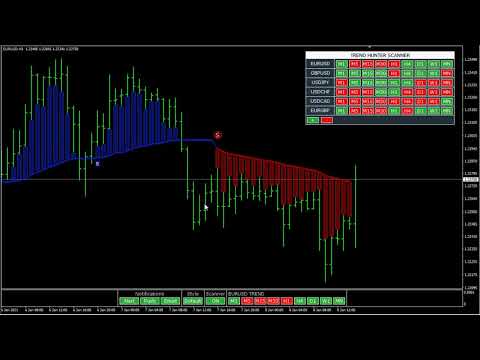
- multi-symbol and multi-timeframe Trend Hunter Scanner;
- Alert, Push and Email notifications;
- three chart display modes.
Display modes
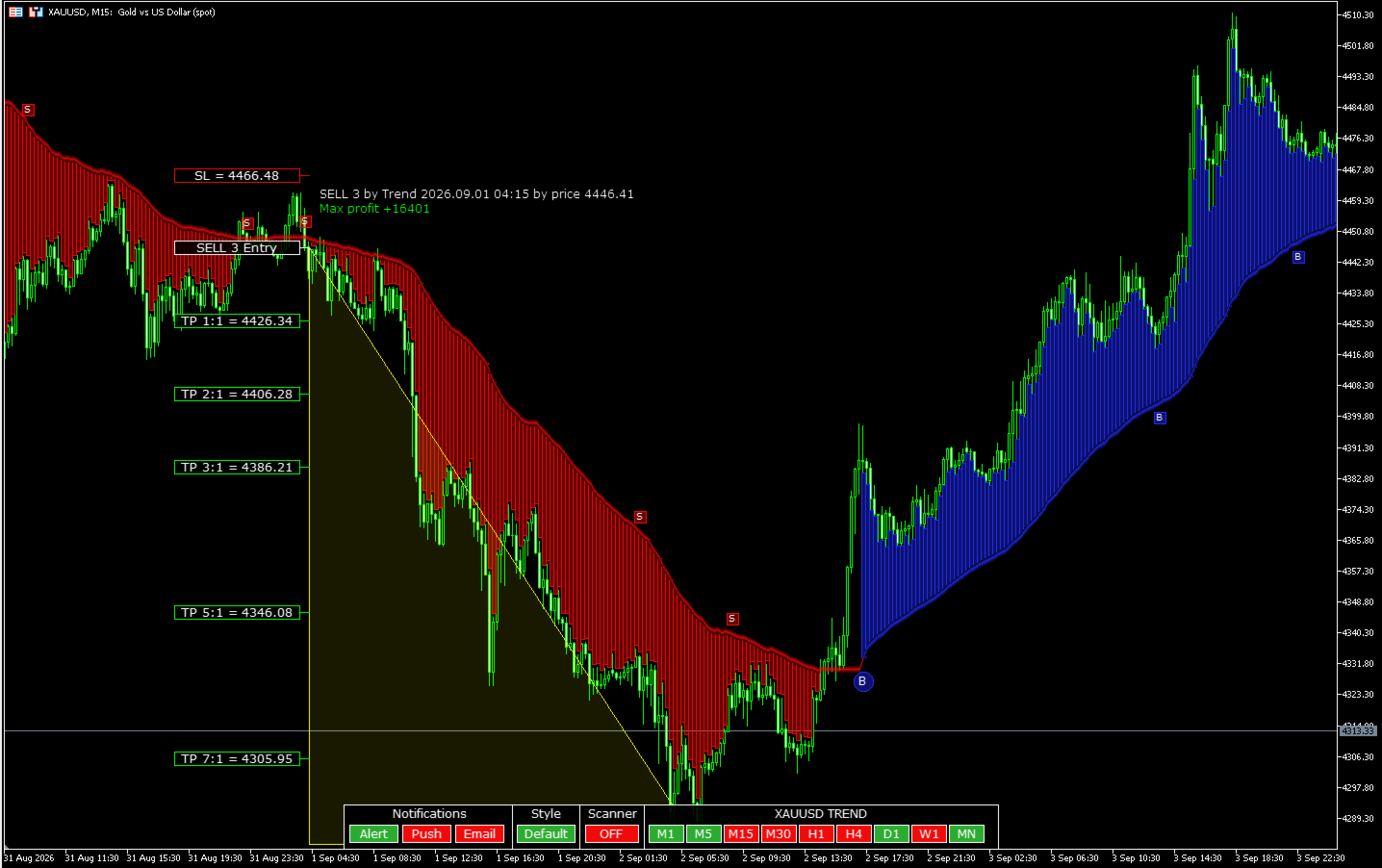
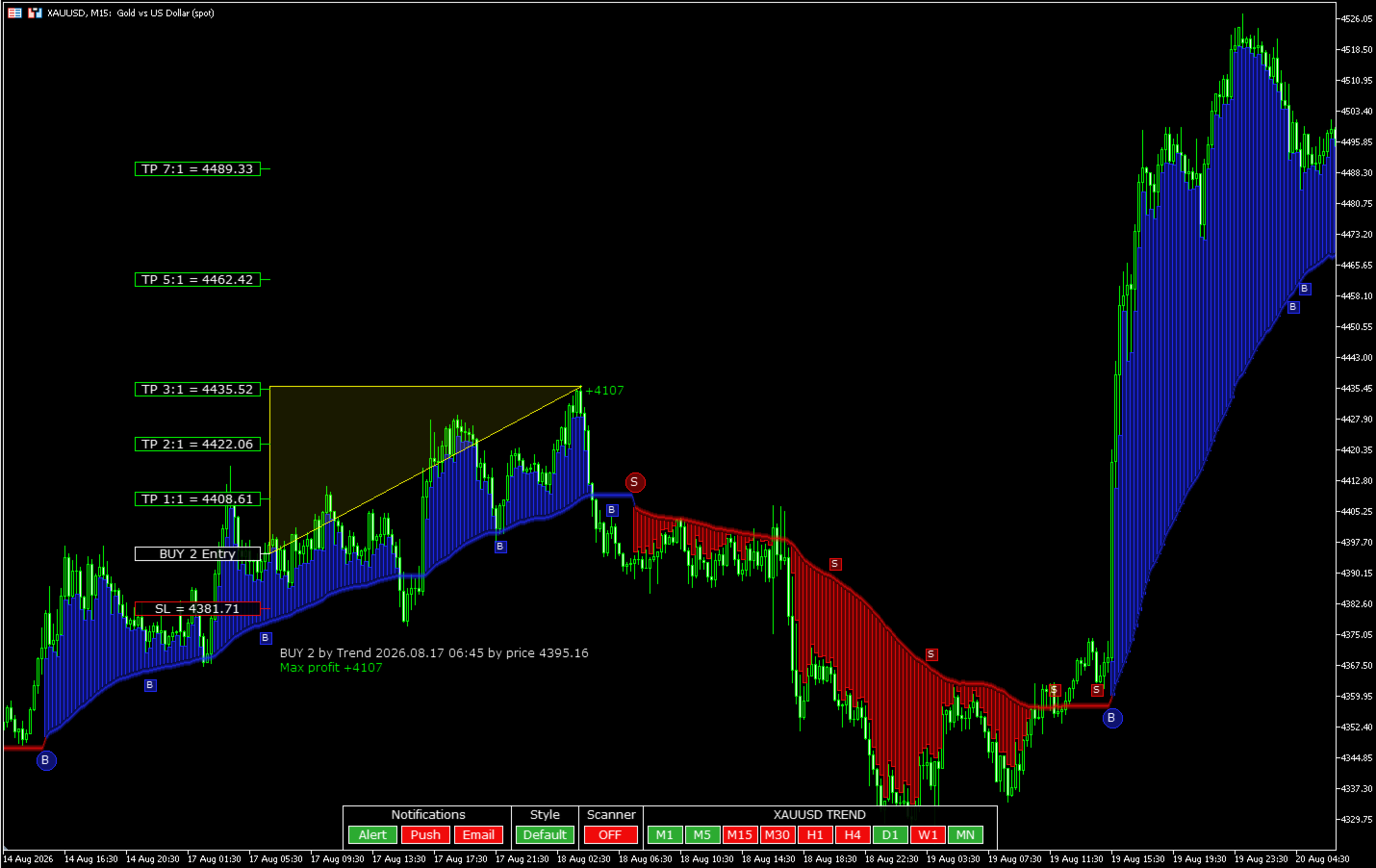
Default — the main graphical mode. Vertical indicator lines help to visually evaluate the distance between the price and the trend line.
Line — a simplified chart display without vertical lines. Suitable for users who prefer a cleaner chart.
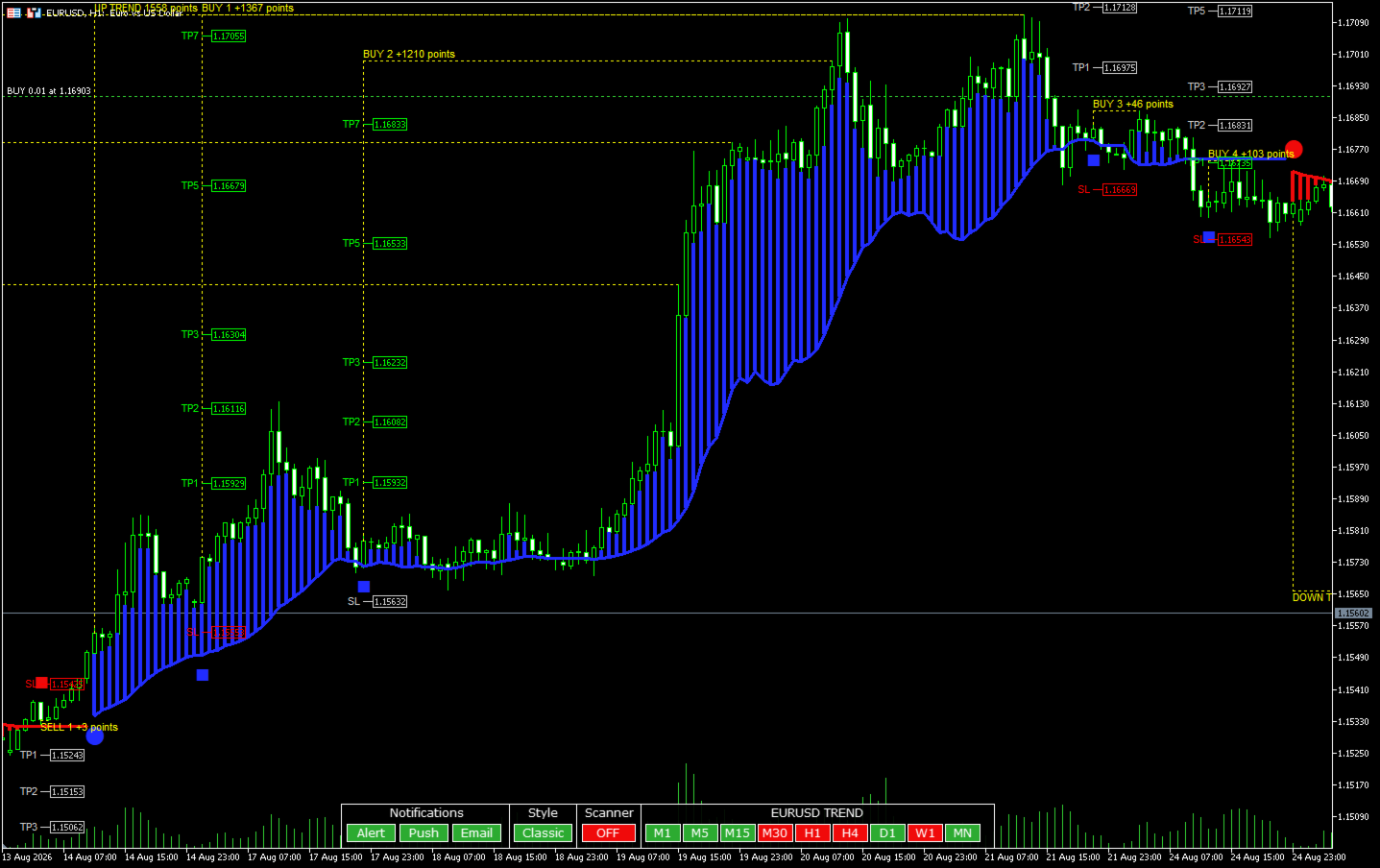
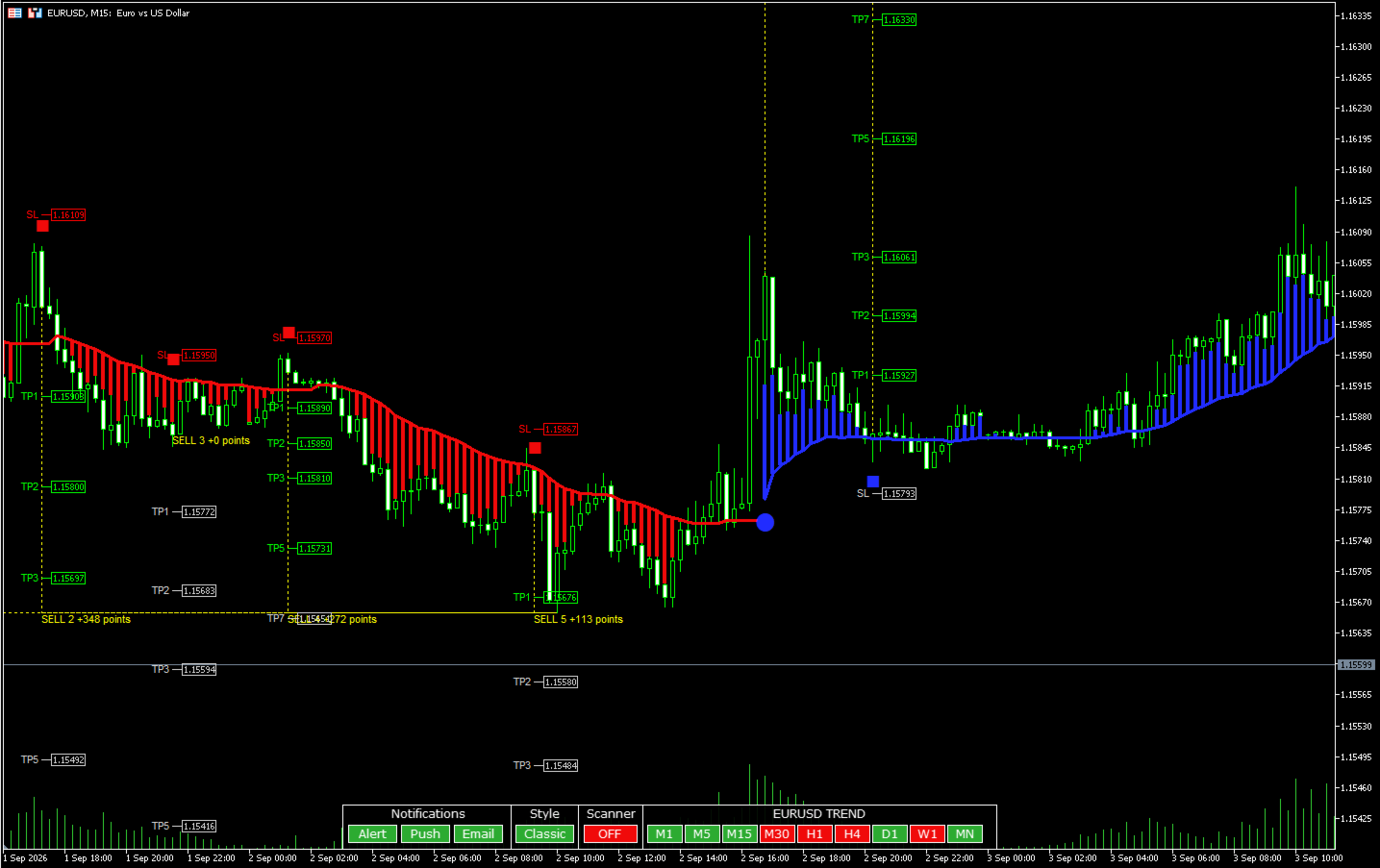
Classic — traditional display using indicator buffers. It shows the price movement after signals, as well as Stop Loss and Take Profit levels for each additional trend signal. Data display is configured through the indicator input parameters.
Signal information
In Default and Line modes, detailed information is displayed only when the mouse cursor is placed over a signal. This keeps the chart clean while allowing the parameters of a specific signal to be viewed quickly when needed.
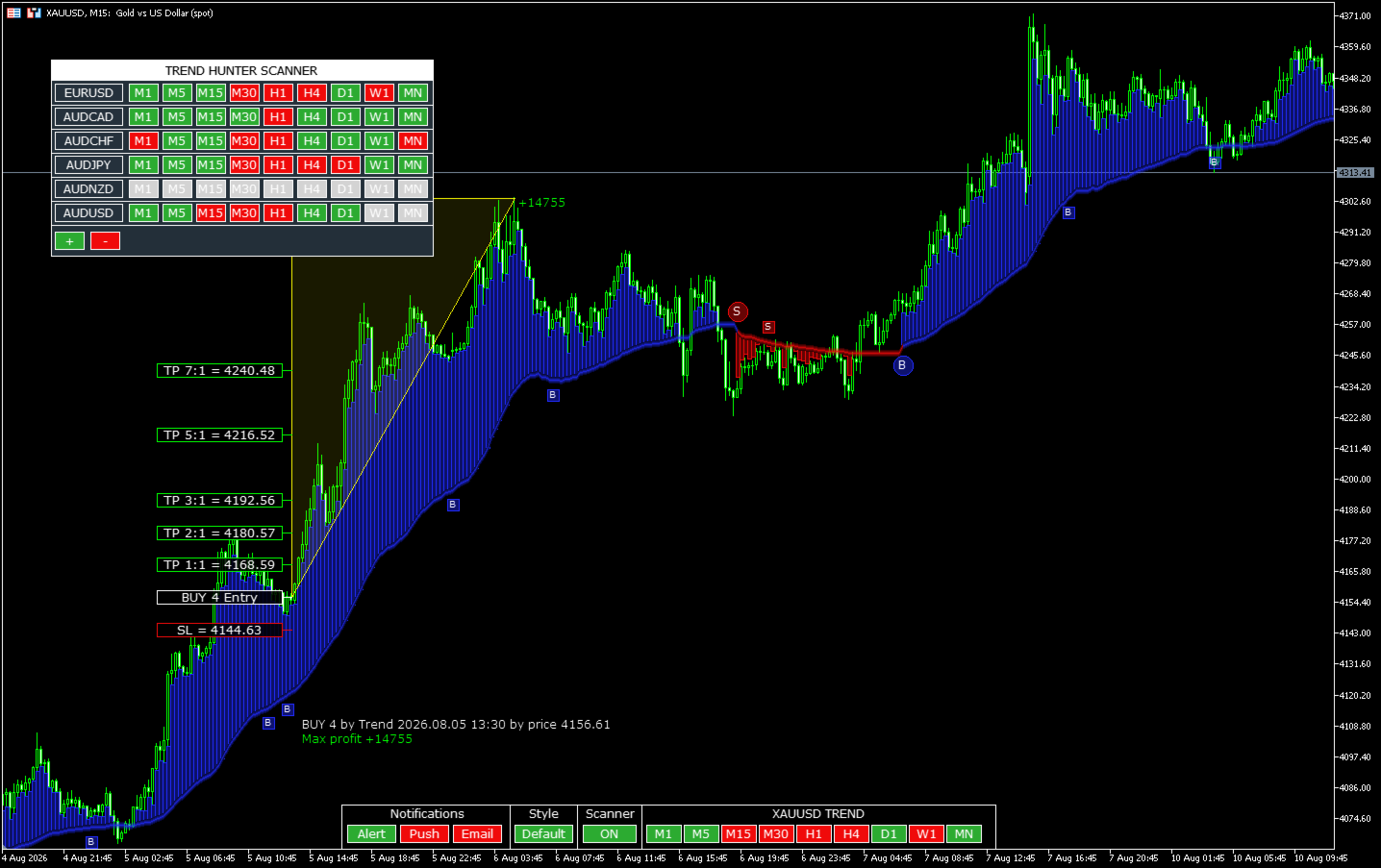
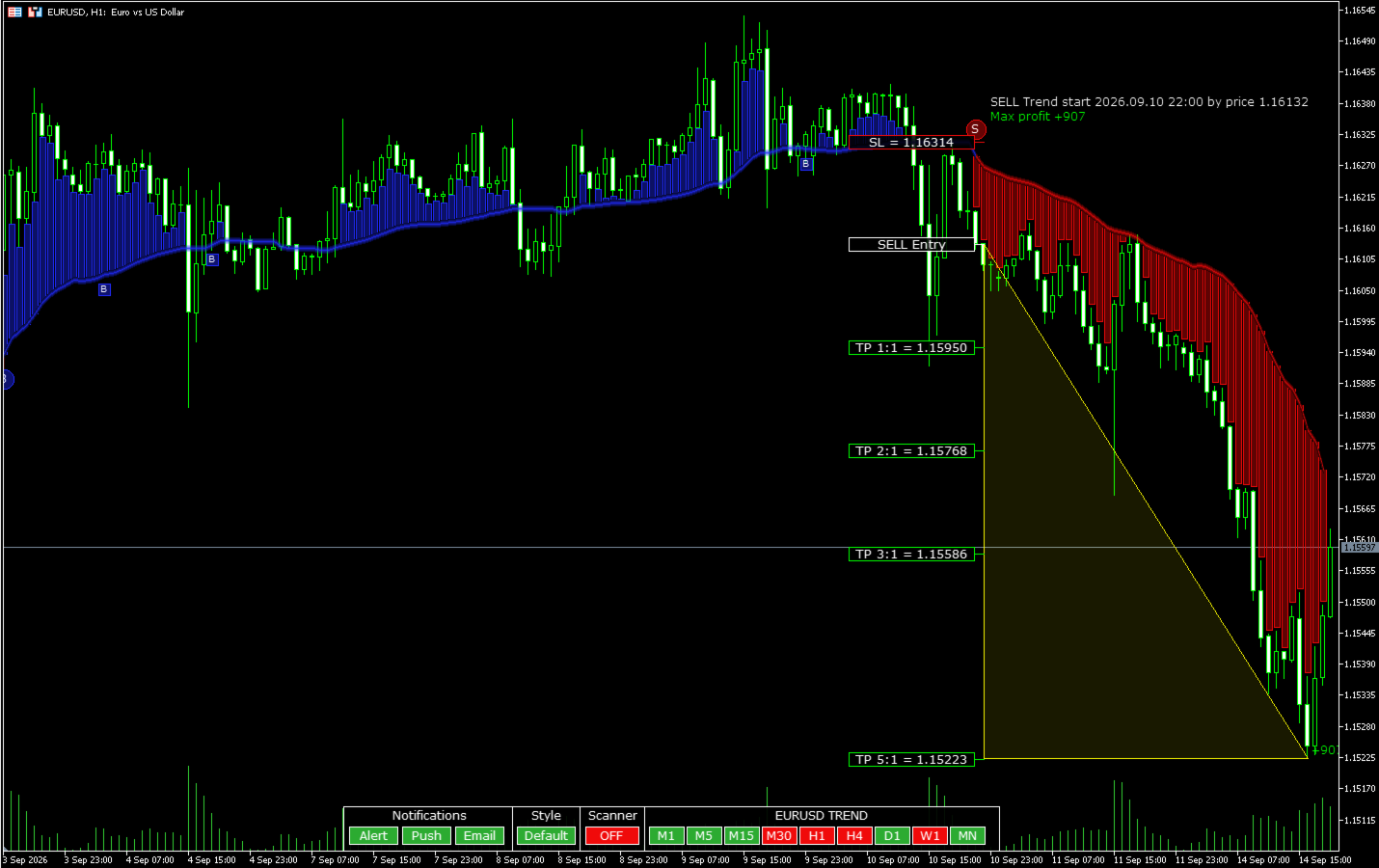
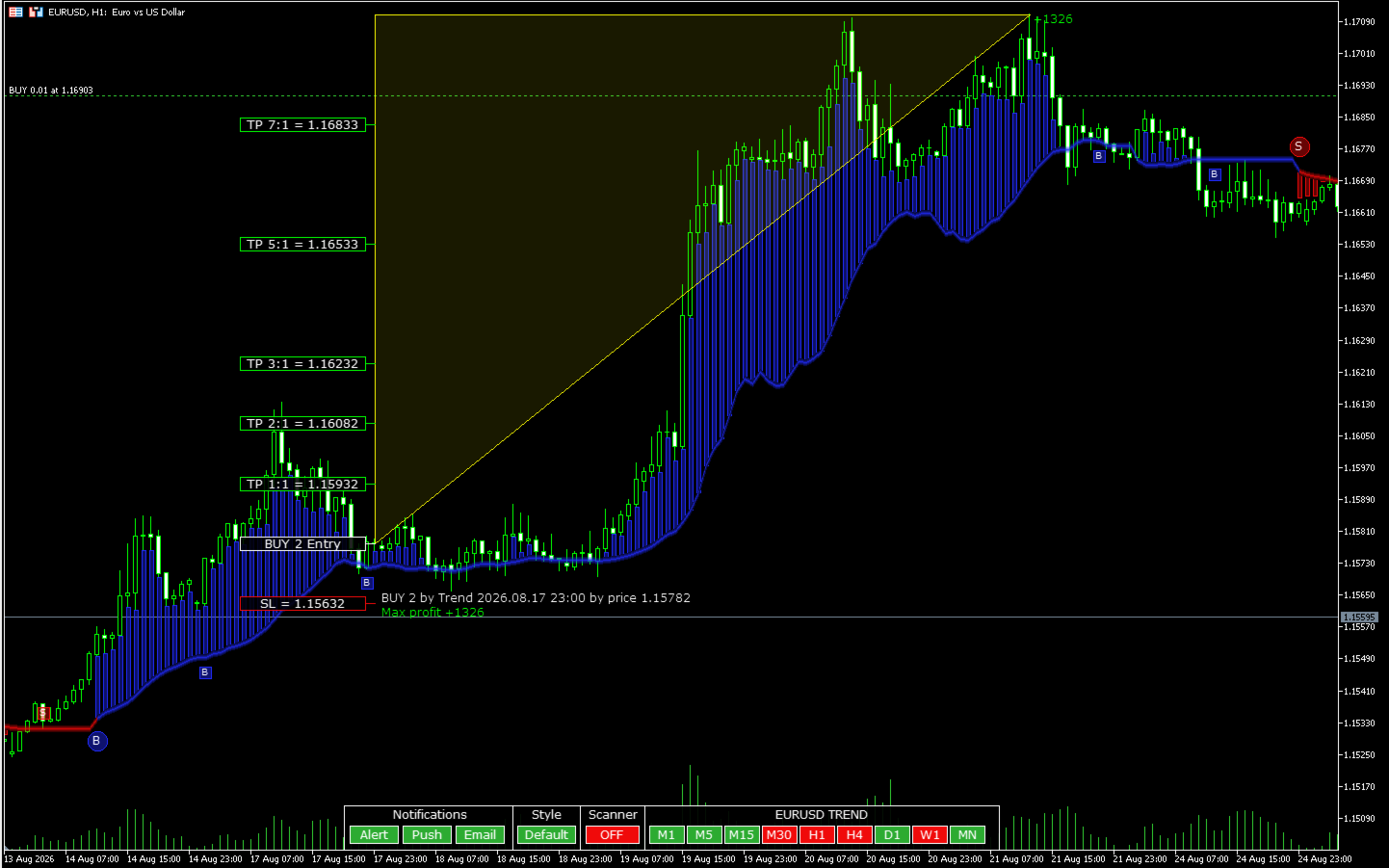
The displayed information includes direction, entry time and price, Stop Loss, Take Profit levels 1:1, 2:1, 3:1, 5:1 and 7:1, as well as the maximum favorable price movement after the signal.
A trend change signal is marked with a circular marker. An additional signal in the direction of the trend is marked with a square marker.
Trend Hunter Scanner
The built-in scanner allows you to monitor the trend direction simultaneously across multiple symbols and timeframes.
A green cell indicates an uptrend, while a red cell indicates a downtrend. A gray cell means that the indicator for the corresponding symbol and timeframe has not yet been calculated.
Scanner calculations are performed sequentially to reduce terminal load when working with multiple symbols and timeframes.
Clicking a scanner cell switches the current chart to the selected symbol and timeframe.
Indicator parameters
- Send Alert — displays a notification in the terminal;
- Send EMail — sends a notification by email;
- Send Notification — sends a Push notification to a smartphone;
- Show Trend Data — displays information about the trend signal in Classic mode;
- Show Signals Data — displays information about an additional trend signal in Classic mode;
- Show SL/TP Data — displays Stop Loss and Take Profit information in Classic mode;
- Font Size — font size;
- Bars to calculate — number of historical bars used for indicator calculation and display;
- Initial style — default display mode: Default, Line or Classic.




















































This is solid trend indicator that filters false breakouts very well and it is also non-repaints. Another big plus is that author provides EA automation for indicator. I do recommend it.