Adaptive Pulse
- Indicators
- Version: 1.0
- Activations: 5

Adaptive Pulse - Professional Trading Signal System
Brief Description
Adaptive Pulse is a professional trading signal indicator based on adaptive market analysis technology. The indicator automatically adjusts to volatility and generates precise buy and sell signals with visual arrows on the chart. It works on all timeframes and financial instruments.
Main Features
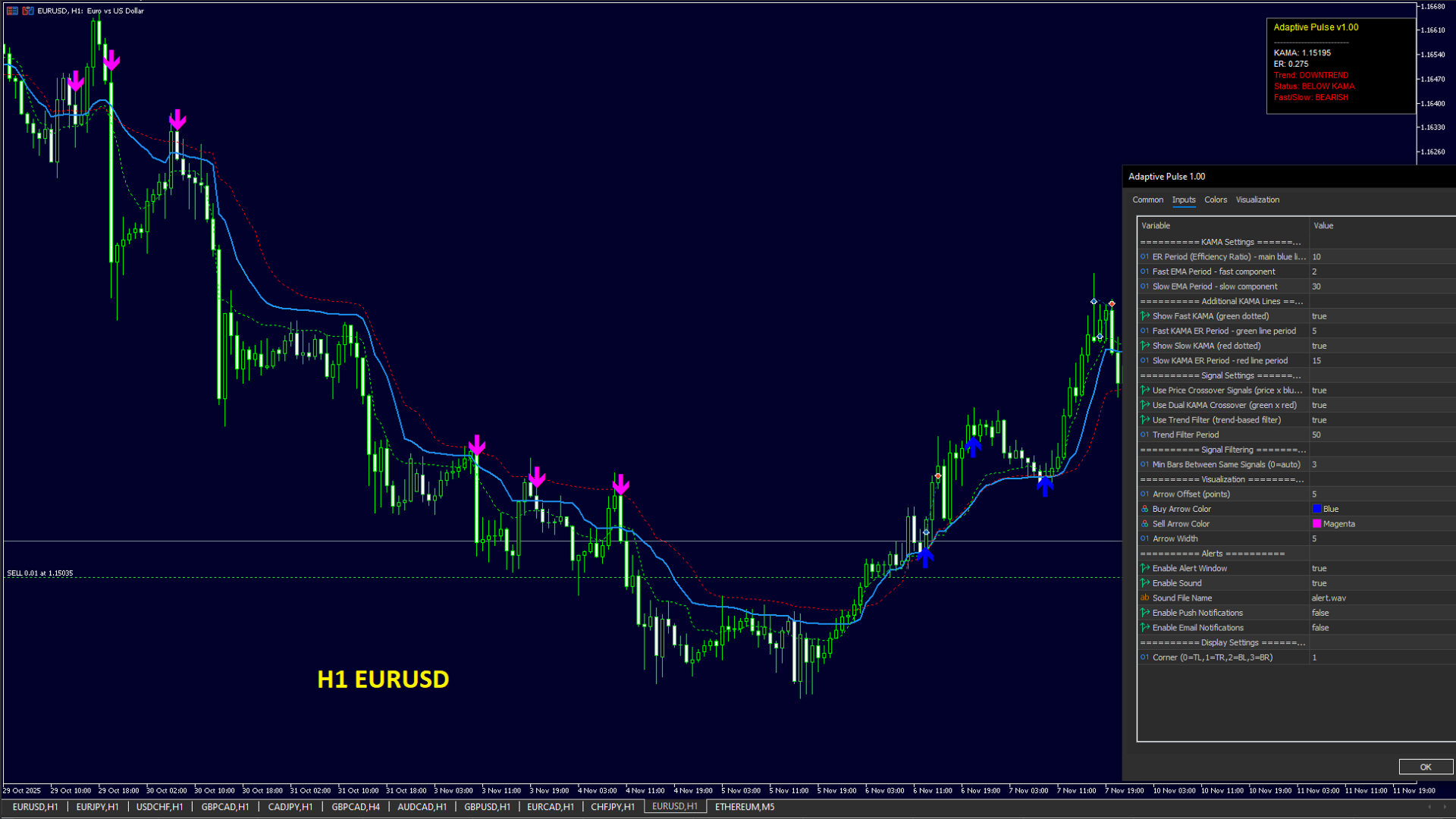
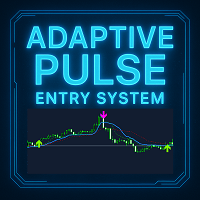
The indicator provides a three-level analysis system with three independent adaptive lines, each of which adjusts to current market conditions. The system generates two types of trading signals: when price crosses the main line and when fast and slow lines cross each other.
Key functions:
- Triple adaptive analysis system
- Two independent types of trading signals
- Built-in long-term trend filter
- Smart filtering of repeated signals with automatic mode
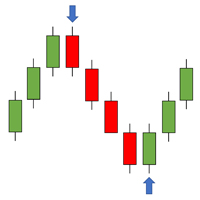
- Visual buy and sell arrows
- Information panel with current market status
- Alert system: pop-up windows, sound, push notifications, email
- Complete visual customization
Operating Principle
The indicator uses adaptive analysis technology that dynamically changes sensitivity depending on market conditions. During strong trend periods, the system quickly reacts to price movement, while during flat periods it slows down, filtering out market noise.
Three adaptive lines:
- Blue main line - basic adaptive level
- Green fast line - for short-term analysis
- Red slow line - for long-term analysis
All signals are generated only after complete bar formation, which eliminates repainting and false signals on the current bar.
Types of Trading Signals
Price crossover signals: A buy signal is formed when price crosses the blue line from bottom to top. A sell signal is formed when price crosses the blue line from top to bottom. This type of signal can be enabled and disabled in settings.
Dual crossover signals: A buy signal is formed when the green line crosses the red line from bottom to top. A sell signal is formed when the green line crosses the red line from top to bottom. This type of signal can also be enabled and disabled independently.
Trend filter: An optional filter analyzes long-term market direction and filters out signals against the main trend. This significantly improves signal quality on higher timeframes.
Repeated signal filter: An intelligent system prevents the appearance of multiple consecutive arrows when price fluctuates in a narrow range. The filter works in automatic mode, selecting the optimal distance between signals for each timeframe, or can be configured manually.
Adjusting Signal Quantity and Quality
To get more signals: Decrease the ER Period parameter to values of 8-10. Enable the Use Price Crossover parameter. Disable the Use Trend Filter parameter. Decrease the Min Bars Between Same Signals parameter to 1-2. Use lower timeframes M1 and M5.
To get fewer signals: Increase the ER Period parameter to values of 12-14. Disable the Use Price Crossover parameter. Enable the Use Trend Filter parameter. Increase the Min Bars Between Same Signals parameter to 5-10. Use higher timeframes M15 and H1.
To get more accurate signals: Enable the Use Dual KAMA Crossover parameter. Enable the Use Trend Filter parameter. Increase the Slow KAMA Period to 25-30. Set Min Bars Between Same Signals to a value of 3-5. Use timeframes M15 or H1. This will produce fewer signals, but higher quality entries.
To eliminate repeated signals in sideways movement: Increase the Min Bars Between Same Signals parameter to values of 5-10. This will prevent the appearance of multiple consecutive arrows when price fluctuates around the adaptive line. A value of 0 enables automatic mode, which automatically selects the optimal distance depending on the timeframe.
Main Indicator Parameters
KAMA Settings section:
- ER Period - calculation period for adaptive system efficiency (recommended 8-14)
- Fast Period - fast adaptation component (standard value 2)
- Slow Period - slow adaptation component (standard value 30)
Additional KAMA Lines section:
- Show Fast KAMA - display green fast line
- Fast KAMA Period - calculation period for fast line (recommended 5-10)
- Show Slow KAMA - display red slow line
- Slow KAMA Period - calculation period for slow line (recommended 15-30)
Signal Settings section:
- Use Price Crossover - enable signals from price crossing the main line
- Use Dual KAMA - enable signals from fast and slow line crossover
- Use Trend Filter - enable filtering by long-term trend
- Trend Period - calculation period for trend filter (recommended 50-100)
Signal Filtering section:
- Min Bars Between Same Signals - minimum number of bars between identical signals (recommended 3-5). The parameter helps avoid multiple entries when price fluctuates in a narrow range. A value of 0 activates automatic mode: for M1-M5, 3 bars are used; for M15, 2 bars are used; for H1 and higher, 1 bar is used.
Visualization section:
- Arrow Offset - arrow offset from High/Low in points (default 20)
- Buy Arrow Color - buy arrow color
- Sell Arrow Color - sell arrow color
- Arrow Width - arrow line thickness from 1 to 5
Alerts section:
- Enable Alert - enable pop-up alert windows
- Enable Sound - enable sound alerts
- Sound File - sound file name from Sounds folder
- Enable Push - enable push notifications to mobile device
- Enable Email - enable alert delivery to email
Display Settings section:
- Corner Position - information panel position: 0 - top left corner, 1 - top right, 2 - bottom left, 3 - bottom right
Information Panel
The indicator displays a compact information panel in the chart corner with current data:
- Current value of the main line
- Current value of efficiency ratio
- Trend status: uptrend, downtrend, or neutral
- Price position relative to the main line
- Ratio of fast and slow lines
The panel updates every second and helps quickly assess the current market situation.
Usage Features
The indicator works on any financial instruments: currency pairs, metals, indices, cryptocurrencies, stocks. It is recommended to use on instruments with sufficient liquidity and small spreads.
For scalping and intraday trading, it is better to use lower timeframes M1-M5 with Price Crossover mode enabled. For position trading, M15-H1 timeframes with Trend Filter enabled are recommended.
The indicator does not repaint signals after they appear, as calculation is performed only on fully formed bars. Arrows remain on the chart and do not change their position.
All alerts trigger only once when a new signal appears on a closed bar. There are no repeated alerts on the same bar.
The repeated signal filtering system automatically adapts to the timeframe or can be configured manually for maximum control over arrow appearance frequency.
Indicator Advantages
Adaptive technology allows the indicator to work effectively in various market conditions without the need for constant manual adjustment. The system automatically adjusts to current volatility.
The ability to select signal types and combine them provides flexibility in building a trading strategy. You can use only one type of signal or combine them for additional confirmation.
Intelligent filtering of repeated signals protects against multiple false entries during periods of sideways price movement. Automatic filtering mode selects optimal values for each timeframe.
Visual design is maximally clear and does not overload the chart with unnecessary information. All important data is displayed in a compact panel.
The alert system allows you to not miss important signals even when working with multiple charts simultaneously.
The indicator is fully ready to work immediately after installation with optimal default settings. If necessary, all parameters are easily adapted to individual trading style.