
TPSpro RFI Levels MT5
- Indicators
-
Roman Podpora
 🟢 META TREND PRO ➡️ (NEW)
MT5: Download now: https://www.mql5.com/ru/market/product/176167
🟢TREND LINES PRO ➡️ (NEW) - Version: 5.5
- Updated: 7 April 2025
- Activations: 20
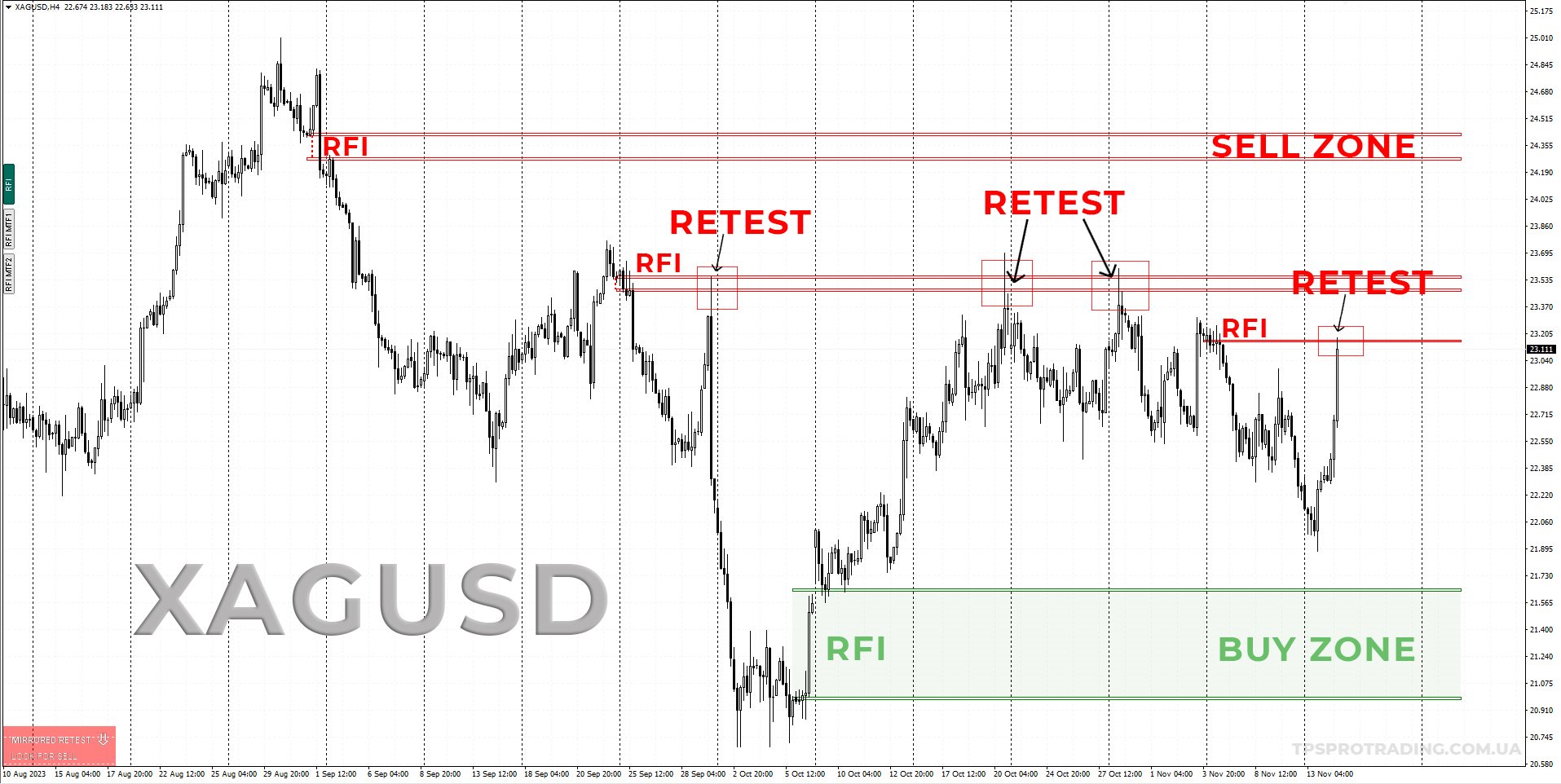
The first RFI impulse level is the key reversal point and the main area for searching for an entry after its retest. Subsequent RFI levels confirm the strength of the new direction and the continuation of the move.
INSTRUCTIONS RUS — INSTRUCTIONS ENG — VERSION MT4
Main Features:
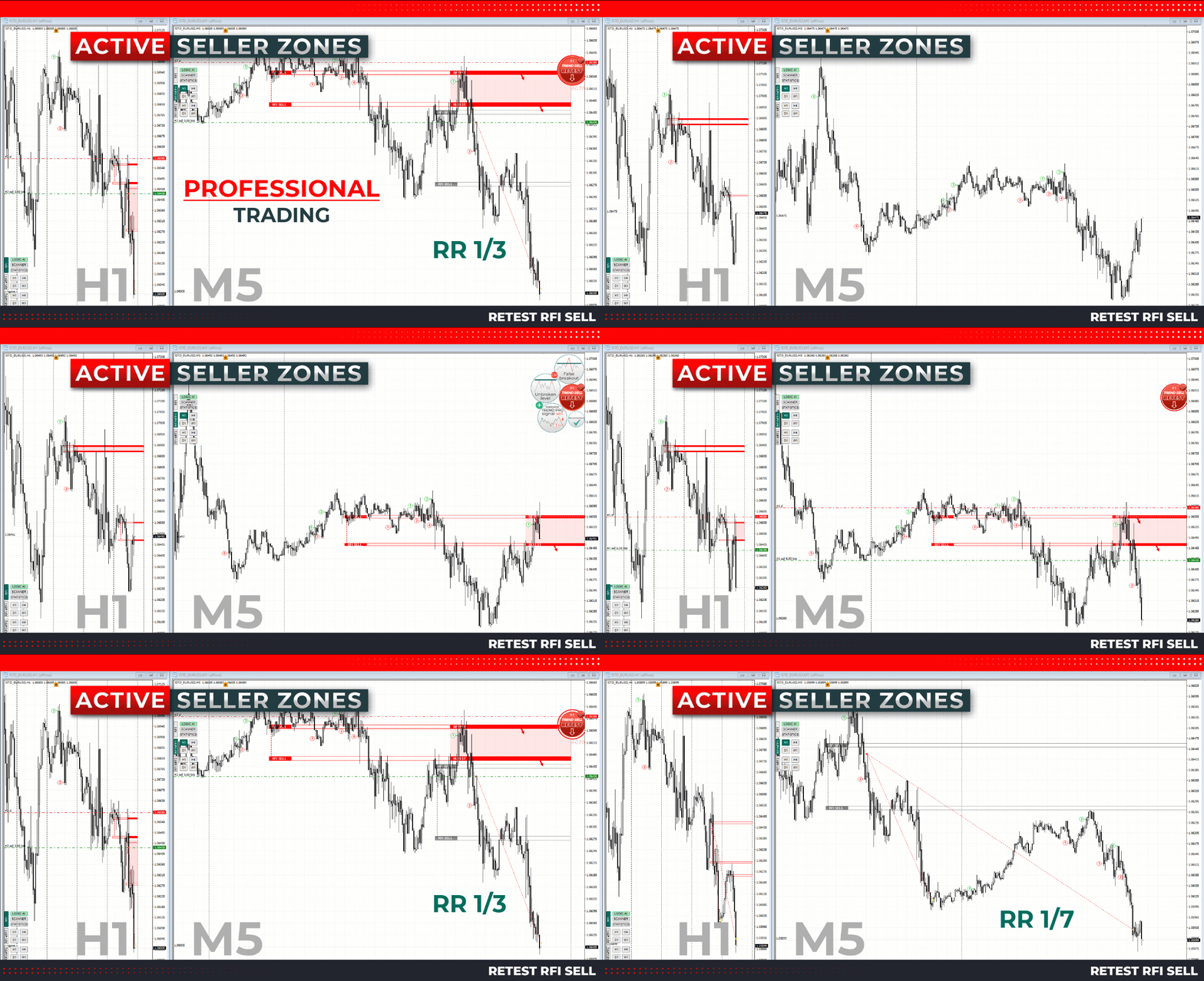
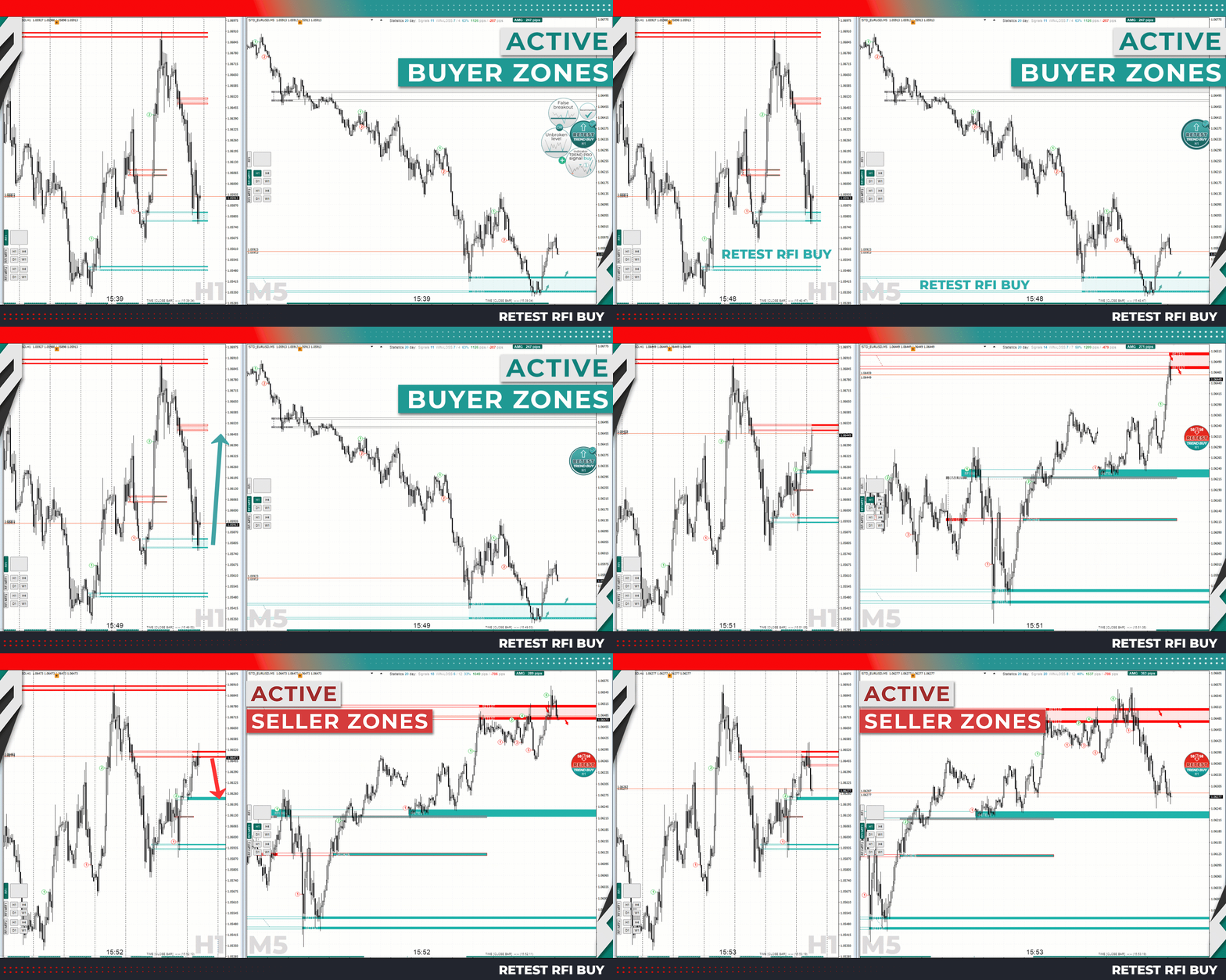
- Active Buyer and Seller Zones
The indicator automatically identifies the first RFI impulse levels for buy and sell setups. Once a level is activated, the search for an entry point begins: the zone changes color, while additional arrows help quickly identify the direction of the move.
- LOGIC AI — Entry Search Zones
After a trading setup is activated, the indicator highlights the areas where additional analysis and the search for a potential entry point are performed. These zones are displayed on the chart as special markers.
- Higher Timeframe Levels — MTF Mode
MTF mode allows you to display RFI levels from a higher timeframe directly on the current chart. This helps analyze the market across multiple timeframes at the same time.
It can also be used together with TPSpro TREND PRO for additional trend direction analysis.
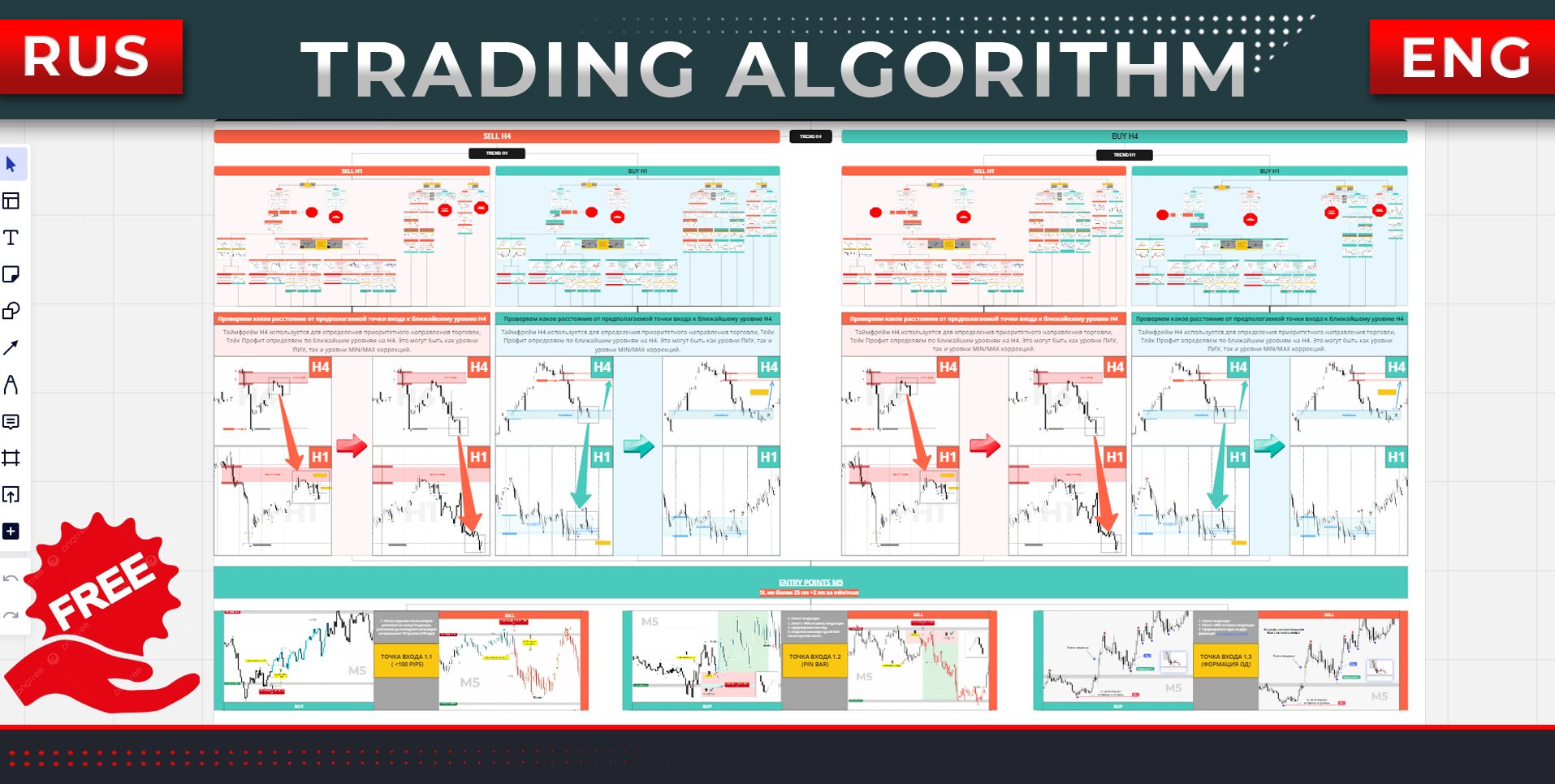
- Step-by-Step Trading Algorithm
A separate trading algorithm has been developed for working with active RFI setups. It is suitable for intraday trading both in the direction of the trend and when searching for reversal opportunities.
- Works on All Timeframes
TPSpro RFI Levels can be used on any timeframe, from M1 to MN.
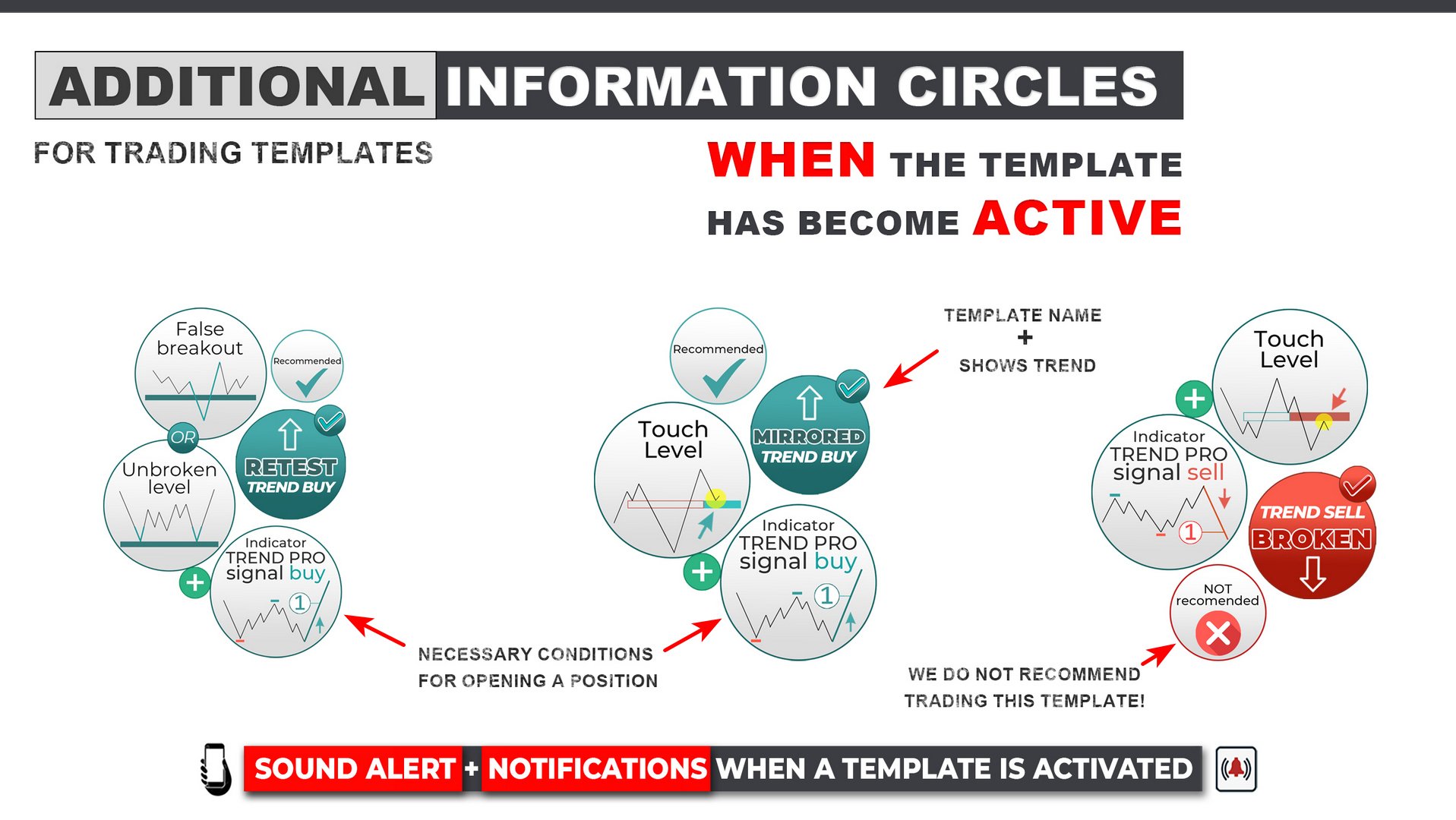
- Visual and Sound Alerts
The indicator notifies you when trading conditions are activated using visual and sound alerts. Push notifications to a mobile device are also available.
- Active Setup Scanner
The compact scanner automatically tracks active RFI setups across different instruments and timeframes. When the required conditions appear, the indicator can send a notification to the trading terminal and to a mobile device.
- Suitable for Beginners and Experienced Traders
The step-by-step instructions and video guide demonstrate how the indicator works using practical examples, making the main functions easy to understand even for first-time users.
With this indicator, you can:
- Identify key RFI levels for searching for entry points.
- Trade both in the direction of the trend and during reversal moves.
- Identify potential price targets and profit-taking zones.
- Use higher-timeframe RFI levels in MTF mode.
- Quickly find active trading setups with the built-in scanner.
- Use three main RFI setups to determine the priority trading scenario.
Hotkeys:
- R — show all historical RFI levels.
- Z — hide / show the panel.
- L — show the beginning of levels in MTF-2 mode.



























































i enjoy this indicater thanx