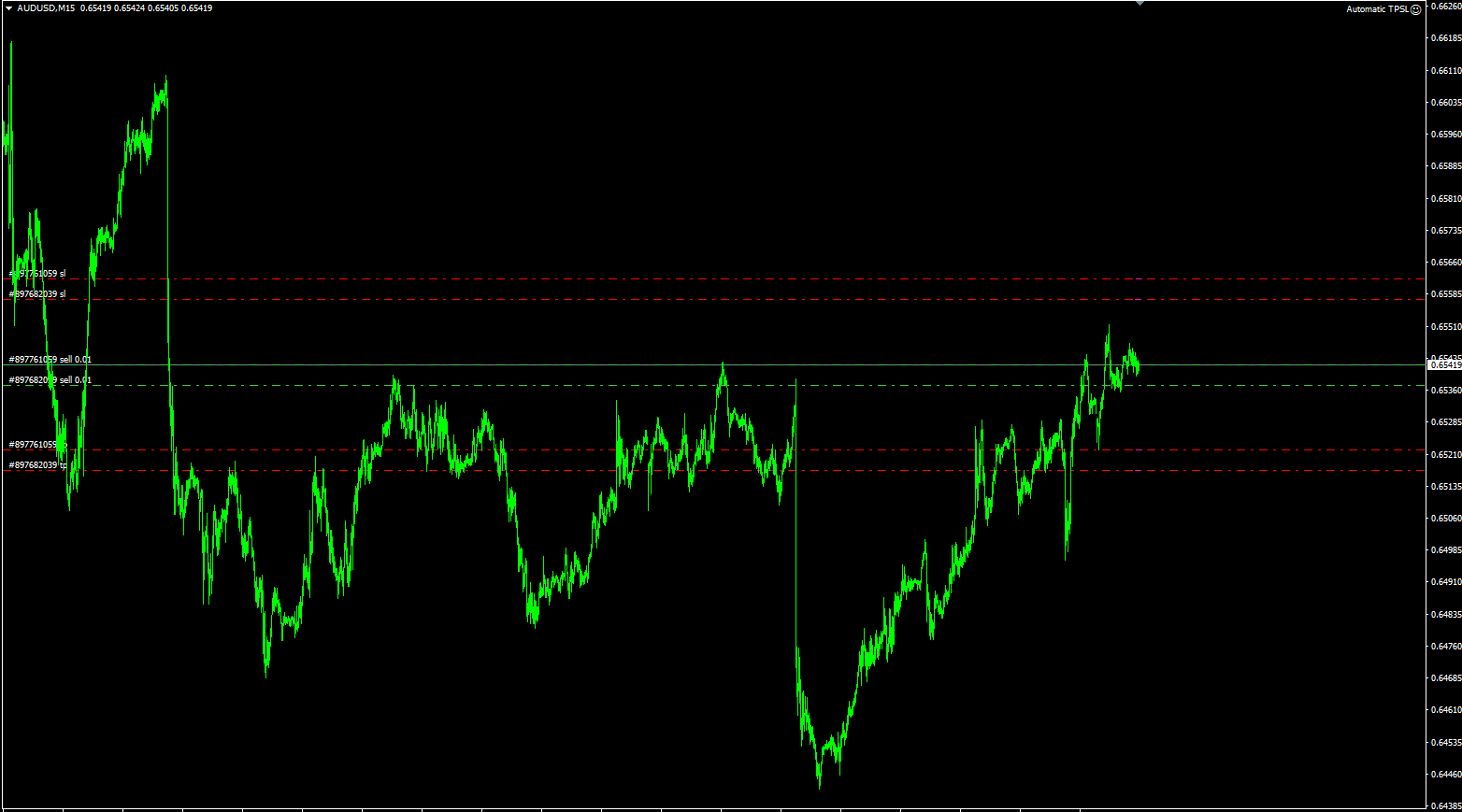
Automatic TPSL
- Utilities
-
Xin You Lin
 Xin You Lin | Quantitative Trading System Engineer · Economist · Full Stack Developer of MQL4/MQL5
 - Version: 2.1
- Activations: 5
This EA sets a stop loss and a take profit on every new position as soon as it is opened. It does not open trades, close trades, or make any market decision.
Many traders open a position first and set protection afterwards, and some forget it entirely. This EA adds both levels for you, so every position on the symbol is protected from the moment it appears.
How it works
The EA watches the positions of the symbol on the chart where it is attached. When a new position is found without a stop loss or take profit, or with levels you want replaced, the EA applies the levels from its inputs to that position.
Inputs
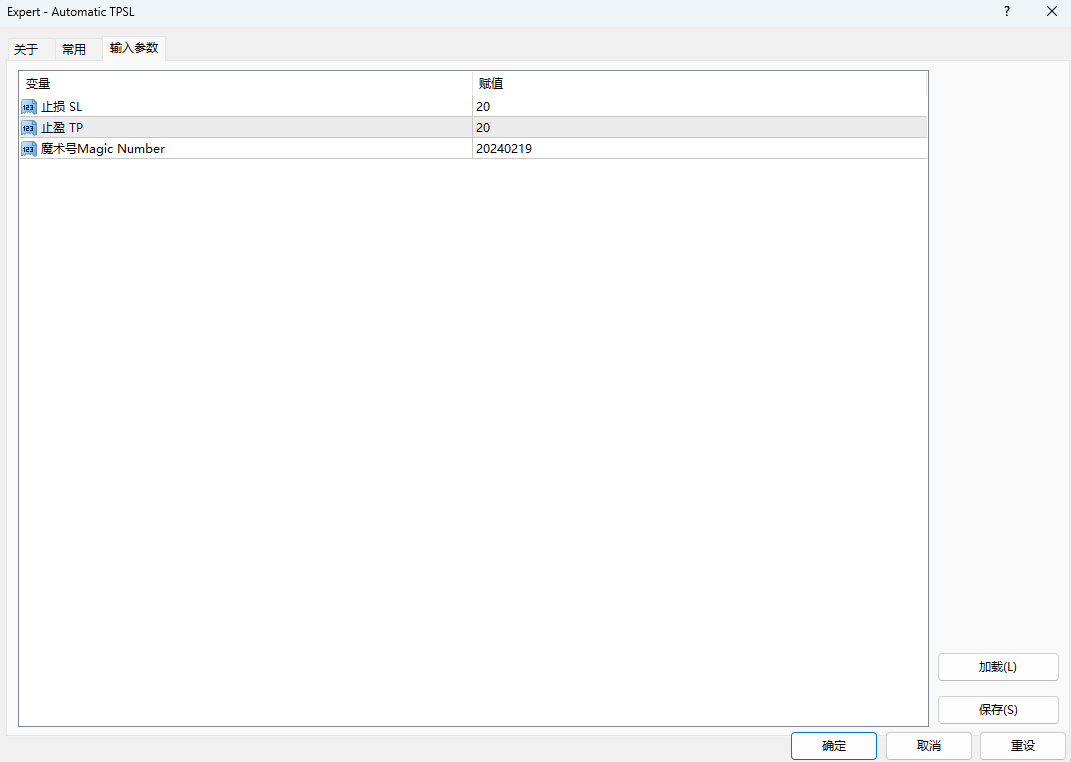
- StopLoss - stop loss in points from the entry price, 0 = not set
- TakeProfit - take profit in points from the entry price, 0 = not set
- MagicNumber - only positions with this magic number, 0 = all positions on the symbol
- OverwriteExisting - replace stop loss and take profit already set on the position
- ApplyToPendingOrders - also set levels on pending orders, if your EA supports it
- EnableAlerts - notification when levels are applied
- ShowComment - on-chart panel with the number of protected positions
(Replace the names above with the actual input names of your EA.)
How to use
1. Attach one instance of the EA to each symbol you trade and enable Algo Trading.
2. Set StopLoss and TakeProfit in points, for example 300 and 500 on a 5-digit symbol.
3. Set MagicNumber. Zero means every position on the symbol is managed; a value restricts the EA to that magic number only.
4. Choose whether levels already present on a position are kept or replaced.
5. Open trades as usual. Each new position gets its stop loss and take profit immediately.
Points to know before you buy
- The EA works on the symbol of the chart it is attached to. Run one instance per symbol.
- With MagicNumber = 0, positions opened manually and positions opened by other EAs are modified as well. Use the magic number filter to keep other EAs untouched.
- If OverwriteExisting is enabled, stop loss and take profit you set by hand are replaced. Disable it to keep your own manual levels. (Confirm this matches your EA.)
- Levels within the stop level or freeze level of your broker are rejected by the server; the error is written to the Experts journal.
- Pending orders are only handled if your EA supports it. State this clearly if it does.
- Recommended account: any account type with a low spread, since tight stop loss values are affected by spread.
- No minimum deposit is required by the EA itself.
- The terminal must stay running for the EA to work, so a VPS is recommended.
- Risk warning: trading involves risk. Results depend on your settings and market conditions. Test on a demo account first.
Questions are welcome in the comments or by private message on MQL5.