BalanceStepEA

Balance Step Pro (BalanceStepEA) is an automated account equity protection, profit-locking, and step-target management utility for MetaTrader 5. Designed to work alongside manual trading or any combination of Expert Advisors, it monitors live account equity tick-by-tick, automatically liquidates open positions when predefined currency profit or loss thresholds are reached, and immediately re-anchors new targets for the next trading cycle.

Core Architecture and Step-Target Workflow

Managing floating drawdown and locking in basket profits across multiple open trades is one of the hardest parts of active account management. Balance Step Pro automates this discipline through a continuous four-stage cycle:

  1. Base Balance Anchoring: On initialization, the utility records your current Account Balance and establishes two currency boundaries: Upper TP Target (Base Balance + ProfitStep ) and Lower SL Target (Base Balance - LossStep ).

  2. Real-Time Equity Monitoring: Every tick, the engine compares live Account Equity (including floating profit/loss and swap across all open positions) against both boundaries.

  3. Multi-Stage Position Liquidation: As soon as live equity reaches either the Upper TP or Lower SL target, the utility liquidates all open positions using an intelligent filling-mode detector (FOK , IOC , or RETURN ) backed by a secondary multi-filling fallback engine for difficult symbols.

  4. Automatic Round Reset: Once all positions are closed, the utility logs the completed round analytics, updates your new Account Balance as the fresh Base Balance, and calculates the next Upper TP and Lower SL targets automatically.

Key Features Breakdown

  • Automated Currency Step TP & SL: Locks in account-wide equity gains or caps floating drawdown at exact currency intervals without requiring individual order stop losses.

  • Dynamic On-Chart Price Projection Lines: Calculates net symbol lot exposure and tick value to plot dashed horizontal TP and SL lines directly on your chart, showing the exact symbol price where account equity will trigger a step exit.

  • Interactive One-Click Trade Management: Includes three dedicated execution buttons on the chart—CLOSE ALL (liquidates all open trades), CLOSE PROFIT (closes only profitable positions while keeping others open), and RESET STEP (re-anchors step targets to current balance at any time).

  • Buy vs. Sell Exposure Analytics: Separates open positions into dedicated Buy and Sell cards displaying trade count, aggregate lot volume, and net floating P/L (including swap).

  • Visual Equity Progress Gauge: Features a 360-pixel dynamic progress bar with a center equilibrium marker that tracks real-time equity percentage between your Lower SL and Upper TP boundaries.

  • Multi-Session Round Tracker: Records completed rounds, total closed deals, gross profit, gross loss, and cumulative session net P/L.

  • Anti-Overlap Dark UI with Minimize Mode: Built on a crisp 400x575 two-column card layout that can be collapsed into a compact 42-pixel header bar with a single click.

Visual Dashboard Guide

  • Card 1 — Account & Step Targets: Displays Base Balance, Current Balance, a highlighted Live Equity readout (color-coded green above base balance and red below), Upper TP Target, and Lower SL Target.

  • Card 2 — Step Progress (SL <-> TP): Visualizes where current equity sits between your SL and TP targets (0% to 100%) and shows exact remaining currency distance (To SL and To TP ).

  • Card 3 — Open Positions Exposure: Shows total open trades, combined floating P/L, and separate breakdown boxes for Buy Orders and Sell Orders.

  • Card 4 — Round & Session Analytics: Tracks Rounds Done, Closed Deals, Gross Profit, Gross Loss, and Session Net P/L since attachment.

  • Bottom Control Bar: Houses the CLOSE ALL, CLOSE PROFIT, and RESET STEP interactive buttons.

Input Parameters Guide

Step Target Settings

  • ProfitStep: Target profit distance in account currency above the base balance required to trigger an automatic equity Take Profit close (default is 5000.0).

  • LossStep: Maximum floating loss distance in account currency below the base balance allowed before triggering an automatic equity Stop Loss close (default is 5000.0).

  • MaxRetries: Number of primary order-close attempts per position before engaging the alternative filling-mode closing routine (default is 3).

Visual Pro UI Settings

  • PanelX: Horizontal pixel offset from the top-left corner of the chart (default is 15).

  • PanelY: Vertical pixel offset from the top-left corner of the chart (default is 25).

  • ShowChartLines: Enables or disables plotting of projected Equity Step TP and SL price lines on the active chart symbol (default is true).

  • ClrProfit: Accent color for bullish profit metrics, TP lines, and positive equity states (default is Emerald Green C'0,230,118' ).

  • ClrLoss: Accent color for bearish loss metrics, SL lines, and drawdown states (default is Crimson Red C'255,82,82' ).

  • ClrAccent: Primary highlight color for headers, borders, and active status badges (default is Cyan Blue C'0,176,255' ).


Recommended products
Quick Trade Manager (QTM) is a powerful tool for fast and intuitive trading directly on the MT5 chart, fully supporting custom (synthetic) symbols. QTM expands quick trading capabilities directly on the chart, making one-click trading even more convenient. Automatic position sizing based on a specified risk percentage per trade is available. All custom (synthetic) symbols are fully supported. For example, QTM can be used for trading on a seconds chart, as well as on Renko charts or any other cus
FREE
Title:   Smart Position Manager PRO - Advanced Risk & Position Manager Description: Smart Position Manager PRO is an all-in-one visual trade management and risk calculation tool designed for serious traders who prioritize iron discipline and strict risk management. Whether you are executing precise SMC or ICT setups on personal capital or managing large funded accounts on strict prop firms, this tool ensures you focus on counting percentages rather than emotional money swings. With a highly int
FREE
GDS Renko Pip ST Chart - Pip-Based Renko Chart Indicator for MetaTrader 5 GDS Renko Pip ST Chart is a pip-based Renko chart indicator for MetaTrader 5. It helps traders build and study cleaner Renko price movement using a practical fixed pip or point-based brick structure. This tool is designed as a Renko chart foundation for manual analysis. It does not predict the market, does not generate buy or sell signals and does not decide whether a trade should be opened. Renko EDGE EA Golden Delta | A
FREE
================================================================ MATRIX CONDITION MONITOR Live Trade Condition Panel for MetaTrader 5 Fully Automatic -- Works with ALL Matrix EAs ================================================================ NEVER MISS A TRADE SETUP AGAIN Matrix Condition Monitor is a free utility that attaches to any chart and automatically checks all 10 trade conditions in real time -- showing you exactly why a trade will or will not open, and alerting you the moment ever
FREE
Renko Maker
Aleksandr Slavskii
5 (1)
Это DEMO версия Renko Maker PRO  к сожалению правила маркета не позволили указать это в названии. Почему то проверка маркета запрещает в названии слово DEMO. Демо версия строит ренко бары только на основе EURUSD из 1000 последних минутных баров. Revolution Renko Maker PRO — Инновационный Конструктор Ренко Графиков для MetaTrader 5   Создавайте идеальные ренко-бары с сохранением тиковых данных и реальных объемов — теперь с полной поддержкой индикаторов, советников и тестера стратегий!  
FREE
Chart Pro Classic Dark v1.00 Chart Pro Classic Dark is a professional MT5 chart styling and customization tool designed to give your charts a clean, modern, and professional dark appearance. Key Features Dark Black Background — Applies a clean black background to the chart. ️ Candlestick Chart — Automatically configures the chart to use candlesticks. Bullish Candles — Green/Lime bullish candles. Bearish Candles — White bearish candles. Grid Removal — Hides the chart grid for a clean
FREE
MT5 Trade Manager
Anthony Dewayne Wasome
MT5 Trade Manager is a MetaTrader 5 trade management panel designed to provide order execution, position monitoring, and risk control tools within a single interface. It operates as an on-chart dashboard with multiple pages for different trading functions. The tool is designed to support manual trading by centralizing trade operations and account monitoring in one place without requiring external applications. Interface Structure The dashboard is organized into six main sections: Dashboard Provi
FREE
no Trade operation, Robot Set auto SL to every manually Trade from a Phone Automatic Phone TradeManager Need just Set on 1 Symbol Auto BE Trigger is added that immediately sets a stop-loss for every () But does NOT calculate position size based on risk, allows the fixed  SL to   adjusted dynamically drag on Chart or Menu. It protects capital around the clock, reduces emotional mistakes, and ensures consistent risk management.
FREE
Trade assistant pro v8
Ahmed Mohammed Bakr Bakr
2 (1)
FREE FREE FREE Trade Assistant MT5 – Professional Trading & Risk Management Panel Trade Assistant MT5 is an advanced trading panel designed to help traders execute orders faster, safer, and more professionally . It simplifies manual trading by combining smart order management , precise risk control , and one-click execution , making it ideal for both beginners and advanced traders. This tool does not trade automatically . Instead, it empowers you with full control while applying professional-gra
FREE
This indicator creates a Renko-based custom symbol in MetaTrader 5. Renko charts are built using price movement only, not time, making them useful for analyzing trends and filtering noise. Features Customizable brick size in points. Option to calculate brick size using ATR (adaptive). Ability to show or hide wicks. Creates and updates a custom Renko chart symbol. Automatically opens the chart window (optional). Maintains a limited bar history for performance. Inputs BrickSizePoints – brick size
FREE
Haven Stop Loss Hunter
Maksim Tarutin
4.5 (6)
Haven Stop Loss Hunter 2.0 - A New Level of Liquidity Analysis Meet the major update — Haven Stop Loss Hunter 2.0 ! This is a professional tool designed for identifying liquidity pools and false breakouts (Sweeps), now with even greater flexibility and functionality [1]. In this version, we have implemented full multi-timeframe (MTF) analysis and an advanced alert system, helping you track market manipulations based on the Smart Money Concept with timely notifications, without wasting time switc
FREE
Introduction Welcome to the world of Forex trading, where every tick of the market can be influenced by news events. Introducing our expert advisor for MetaTrader, your ultimate tool for navigating the complexities of news trading. This innovative advisor is specifically designed to automate your trading strategy during key macroeconomic releases, ensuring you never miss an opportunity.  When important indicators are announced, volatility often spikes, creating potential for profit. Our expert
FREE
MGD Prop Risk Guard MT5
Massimo Giorgio Dagri
MGD Prop Risk Guard MT5 Professional Account Risk Monitoring for MetaTrader 5 — FREE MGD Prop Risk Guard MT5 is a free account risk monitoring utility designed to help traders stay informed about their daily loss limits, maximum drawdown, and available risk. Whether you trade manually, use Expert Advisors, or participate in proprietary trading firm challenges, MGD Prop Risk Guard provides a clear, real-time overview of your account's risk exposure. Monitor your trading risk directly from your MT
FREE
ChartPan
Leandro Rodrigo Giron
Hey Trader! Boring with the Meta chart? Do you want to move it as you do in Profit? Your problems are over! Now available   Chart Panoramic   or   ChartPan   for closer friends, a utility that allows you to move the chart to better visualize the most relevant points for your trade. Recommend you to add a keyboard shortcut for quick access (Ctrl + Q - for example), because you will need to run   ChartPan   after symbol changing to "release" the chart again. To add a hotkey: after downloading
FREE
Eudora Trade Pad
Gabriele Volpato
Every manual order one click away, on one animated panel. Trade Pad puts buy, sell, the lot and four ways to manage open positions on a single panel. Every button answers the mouse with light and movement, and every action is confirmed in plain words. Free, and part of the Eudora Instruments series. The buttons BUY / SELL : a market order at the lot shown, with the live ask and bid on the buttons and the spread between them. Lot : minus and plus move the lot by one step of the symbol. Under it,
FREE
XQRR v4
Jean Robert Giraud
XQRR v4 FUSION – Le guide stratégique ultime Arrêtez de deviner, passez à l'action. Cette indicateu r  Il présente la méthode FUSION  : une stratégie clé en main pour maîtriser les marchés. Ce que vous maîtriserez : Configuration optimale : configurez vos graphiques comme un pro pour une lecture instantanée du marché. La stratégie « FUSION » : Comment aligner les périodes (MTF) pour ne capturer que les flux à forte probabilité. Entrées et sorties : règles précises pour entrer en position et pla
FREE
Accounts Protector MT5
Vladimir Mametov
5 (5)
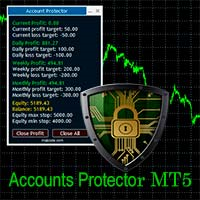
The Expert Advisor is designed to protect the account, fix profit (loss) and display current information about the account. Trading account protection is carried out by closing all open orders in the terminal and/or closing all charts. When running the Expert Advisor with default parameters, it will only display your account information and will be reduced in size. Next, you can set the conditions under which your trading account will be protected. Profit and loss limits can be set for daily pro
FREE
PositionMap Pro — Account Overview Panel for MT5 A real-time panel that groups all open positions by symbol and shows Buy lots, Sell lots and net profit/loss directly on your chart — the whole account at a glance. Instead of counting lots symbol by symbol in the Terminal tab, PositionMap Pro groups everything automatically. You instantly see how much exposure you have on each symbol, split by direction. Panel example Symbol Buy Lot Sell Lot Net P/L EURUSD 0.50 — +12.30 XAUUSD — 1.00 −45.00 GBPUS
FREE
Renko Heatmap Pro – ATR Renko Trend, Reversal and Trade Levels Renko Heatmap Pro is a MetaTrader 5 (MT5) Renko-style trend and volatility analysis indicator that uses Average True Range (ATR)-based calculations to visualise directional price movement, potential trend reversals, and changing market conditions on a conventional price chart. Designed for traders who want Renko-inspired analysis without relying solely on a separate offline Renko chart, the indicator presents calculated directional s
FREE
Backstop enforces the two rules that end funded accounts. A daily loss limit and a maximum loss limit, applied to everything on the account — every Expert Advisor, every symbol, and every trade you place by hand. Attach it to any one chart and it governs the whole terminal. It does not trade. It has no strategy, no signals and no opinion about the market. It is a governor. What it does Daily loss limit — measured from balance at the reset, equity at the reset, or a fixed account size. Firms diff
FREE
NAS100 Auto Sl And TP MT5
Moustapha Boulouz
5 (2)
Introducing NAS100 Auto SL and TP Maker for MT5: Never miss setting StopLoss and TakeProfit again with our NAS100 Auto SL and TP Maker, an indispensable assistant for traders navigating the Nasdaq 100 market on MetaTrader 5. This tool is designed for those who seek a seamless solution to automate the management of StopLoss and TakeProfit levels. Key Features: Effortless Automation: Automatically monitors Nasdaq 100 trades without StopLoss and/or TakeProfit. Dynamically adjusts levels based on u
FREE
The indicator is an analytical tool incorporating 37 different variations of moving averages developed by authors such as Patrick Mulloy, Mark Jurik, Chris Satchwell, Alan Hull, and others. It provides the capability for historical virtual testing. The indicator can be used on various instruments, including gold, cryptocurrencies, stock indices, currency pairs, and other assets. An integrated visual backtester allows users to simulate virtual trading positions, track results, and visually assess
FREE
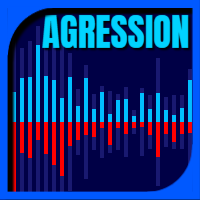
This is a buyer and seller aggression indicator that analyzes the shape of each candle and project this data in a histogram form. There are 4 histograms in one. On the front we have two: Upper - Buyer force. Lower - Seller force. At the background we also have two histogram, both with same color. They measure the combined strenght of buyers and sellers. This histograms can be turned off in Input Parameters. It is also possible to have the real or tick volume to help on this force measurement. IN
FREE
Day Direction Scanner
Efren Hernandez Partida
5 (3)
Day Direction Scanner is an indicator that uses the direction of the current candlestick on the 1-Day, 4-Hour, 1-Hour, 15-Minute, and 5-Minute periods to determine the market's direction. When all the candlesticks converge in a single direction, the indicator indicates whether the day is bullish or bearish, or if there is no clear direction. It is useful for easily getting an idea of the market's direction during the day. Features: - Works on all currency pairs, indices, and commodities. - F
FREE
IMPORTANT NOTE: This is a professional Trade Management Utility and on-chart assistant. It is NOT an automated trading robot. It does not open trades on its own. The UltraFast Trade Manager MT5 is the ultimate execution and risk-management suite designed to give you absolute control over your manual and algorithmic trades. When managing multiple positions, calculating complex net break-even points, or constantly monitoring the economic calendar, hesitation can lead to costly mistakes. This utili
FREE
Drawdown Shield — Free Prop Firm Drawdown Protector & Risk Manager for MT5 Free Prop Firm Drawdown Protector | FTMO Compliant | No DLL Required | NFP Safe Failed a prop firm challenge because of a drawdown breach? You're not alone. Over 70% of traders fail due to risk management — not strategy.   Drawdown Shield   gives you the essential Drawdown Protector to pass your FTMO challenge, completely free. Brought to you by the PropGuard Pro team. What You Get in This FREE Version Feature Stat
FREE
AI Advisor – Let AI See Your Real Trading World AI Advisor builds rich prompts directly from your account information, ready to paste into any AI chat. It helps you quickly review your account status, understand the current market structure, spot risks, and explore potential profit opportunities. Quick links  Download & versions Download:      AI Advisor v1.02.ex4      AI Advisor   v1.02.ex5 Installation guide AI Advisor  Version Overview FAQ & troubleshooting How to Use – 3 Simple Steps Open
FREE
Ultimate Retest
Nguyen Thanh Cong
5 (6)
Introduction The "Ultimate Retest" Indicator stands as the pinnacle of technical analysis made specially for support/resistance or supply/demand traders. By utilizing advanced mathematical computations, this indicator can swiftly and accurately identify the most powerful support and resistance levels where the big players are putting their huge orders and give traders a chance to enter the on the level retest with impeccable timing, thereby enhancing their decision-making and trading outcomes.
FREE
The Horizontal Ray Tool is a lightweight, professional charting utility designed to streamline support and resistance mapping on MetaTrader 5. It brings rapid, one-click horizontal level placement directly to your live chart, eliminating the workspace clutter associated with infinite horizontal lines or manually drawn trendlines. Key Features: Interactive On-Screen Button: Spawns a clean, responsive "DRAW RAY" button docked directly on your chart canvas. A single click drops an independent hor
FREE
Manual Assistant MT5
Igor Kotlyarov
4.75 (4)
Bonus when buying an indicator or an advisor from my list. Write to me in private messages to receive a bonus. Manual Assistant MT5 is a professional manual trading tool that will make your trading fast and comfortable. It is equipped with all the necessary functions that will allow you to open, maintain and close orders and positions with one click. It has a simple and intuitive interface and is suitable for both professionals and beginners. The panel allows you to place buy and sell orders w
FREE
Buyers of this product also purchase
Trade Assistant MT5
Evgeniy Kravchenko
4.43 (216)
It helps to calculate the risk per trade, the easy installation of a new order, order management with partial closing functions, trailing stop of 7 types and other useful functions. Additional materials and instructions Installation instructions - Application instructions Line function -   shows on the chart the Opening line, Stop Loss, Take Profit. With this function it is easy to set a new order and see its additional characteristics before opening.   Risk management  - The risk calculation
FarmedHedge Pair Trading Dashboard
Tanapisit Tepawarapruek
5 (7)
Farmed Hedge Yield Farming | All Markets (Manual - Hybrid - Semi/Automated EA) VERIFIED TRADING RESULTS - Farmed Hedge Yield Axi Copy:  https://www.mql5.com/en/signals/2356376 - Farmed Hedge Yield Exn Copy:   https://www.mql5.com/en/signals/2356404 - Farmed Hedge Yield V Copy:  https://www.mql5.com/en/signals/2357156 IMPORTANT NOTICE: FarmedHedge is a MANUAL-FOCUSED TRADING UTILITY ,not a fully automated EA. Results shown on this Signal include manual trades and overall strategic management.
Forex Trade Manager MT5
InvestSoft
4.98 (690)
Trade Manager MT5 is an advanced position size calculator and trade management tool for MetaTrader 5, designed to help traders plan trades faster, control risk more precisely, and manage open positions directly from the chart. It combines order placement, risk based lot calculation, Stop Loss and Take Profit management, Break Even, Trailing Stop, Partial Close, Equity Protection, and external trade management in one panel. Whether you trade forex, indices, metals, commodities, crypto, or future
Telegram to MT5 MultiChannel Copier
Sergio Marquez Uroz
4.68 (22)
Telegram to MT5 Multi-Channel Copier   automatically copies trading signals from your Telegram and Discord channels straight to MetaTrader 5. No bots, no browser extensions, no manual copying. A signal arrives in Telegram or Discord and the EA opens the trade in your terminal within seconds. And before you copy a channel, the built-in backtester shows you what that channel would have done in your account. The product has two components: a Windows application that listens to your Telegram channel
Local Trade Copier EA MT5
Juvenille Emperor Limited
4.94 (150)
Local Trade Copier EA MT5 is a fast and flexible trade copier for copying and managing trades between multiple MetaTrader 5 accounts on the same Windows computer or Windows VPS. It combines local trade synchronization with Receiver-side controls for lot sizing, risk management, trade filtering, symbol mapping, trade management and account protection. Set up your Transmitter and Receiver terminals in about 1 minute and copy manual or EA trades between accounts at the same or different brokers. U
TradePanel MT5
Alfiya Fazylova
4.89 (174)
Trade Panel is a multi-functional trading assistant. The app contains over 50 trading functions for manual trading and allows you to automate most trading tasks. Application instructions: https://www.mql5.com/en/blogs/post/756482 Trial version of the application for a demo account: https://www.mql5.com/en/blogs/post/750865 How to install the application: https://www.mql5.com/en/blogs/post/756239 How to test the application in visual mode: https://www.mql5.com/en/blogs/post/770277 How to install
EA Overfitter
Stephen J Martret
5 (4)
That backtest looks great. But will it still be making money tomorrow, next week, next month? EA Overfitter re-runs your EA on 100 price histories it has never seen. One score tells you if the edge is real. A backtest tells you what an EA did on one price history — the one that happened to occur. What you cannot tell from it is how much of that result was the strategy and how much was the particular path. EA Overfitter answers that. It builds up to 100 synthetic price histories your EA has n
Copy Telegram signals with your own trading rules Telegram to MT5 Signal Trader automatically copies text-based trading signals from public and private Telegram channels and groups into MetaTrader 5. Manage multiple providers and MT5 accounts from one desktop app, with individual risk and trade settings for each provider . No Telegram bot or API setup needed for copying. Simply sign in with your own Telegram account by phone or QR code and select the channels or groups you have already joined. Y
Strategy Ledger Pro
Abdullah Uygar Tuna
5 (16)
Strategy Ledger Pro is a read-only account analysis panel for MetaTrader 5. It separates account results by Expert Advisor, strategy, symbol, and magic number, so you can see what each one really contributes. The panel is available in 11 languages: English, Français, Deutsch, Español, Italiano, Português, Русский, Türkçe, 中文, 日本語 and 한국어. Before you download the demo. The Market runs the demo of any paid product in the Strategy Tester only. This panel analyses the trades on your own account, and
Exp COPYLOT CLIENT for MT5
Vladislav Andruschenko
3.97 (35)
Professional Trade Copier for MetaTrader 5 Fast, professional, and reliable trade copier for MetaTrader . COPYLOT allows you to copy Forex trades between MT4 and MT5 terminals with support for Hedge and Netting accounts. COPYLOT MT5 version supports: - MT5 Hedge to MT5 Hedge - MT5 Hedge to MT5 Netting - MT5 Netting to MT5 Hedge - MT5 Netting to MT5 Netting - MT4 to MT5 Hedge - MT4 to MT5 Netting MT4 version Full Description +DEMO +PDF How To Buy How To Install How to get Log Files H
News Trade EA MT5
Konstantin Kulikov
4.55 (11)
Present to you the useful robot that I have been using for several years. It can be used in both semi-automatic mode and fully automatic mode. >>> Chat <<< The program contains flexible settings for trading on the news of the economic calendar. It cannot be checked in the strategy tester. Only real work. Download the latest archive of settings: https://www.mql5.com/en/blogs/post/747929 Signals monitoring: https://www.mql5.com/en/signals/author/test-standart When creating your own sets of setti
================================================================================ POC BREAKOUT - V20.72. Full Professional Grade Toolkit ================================================================================ POC Breakout is a full MetaTrader 5 trading dashboard for discretionary traders who want breakout signals, Point of Control (POC) context, volume profiles, order flow, market structure, news, alerts, and advanced trade planning in one professional workspace. Attached directly to you
The product will copy all telegram signal to MT5 ( which you are member) , also it can work as remote copier.  Easy to set up, copy order instant, can work with almost signal formats, image signal,  s upport to translate other language to English Work with all type of channel or group, even channel have "Restrict Saving Content", work with  multi channel, multi MT5 Work as remote copier: with signal have ticket number, it will copy exactly via ticket number. Support to backtest signal. How to s
Welcome to Entry In The Zone with SMC Multi Timeframe  —  COMPLETE SMC ANALYSIS SYSTEM — ALL IN ONE INDICATOR  Entry In The Zone with SMC Multi Timeframe  An indicator designed for market analysis based on Smart Money Concepts (SMC), displaying Market Structure, Key Zones (Order Blocks, Supply & Demand Zones, and Fair Value Gaps), Liquidity, and real-time BUY / SELL signals. It supports both Single-Timeframe and Multi-Timeframe analysis, along with the Confluence at Zone feature, which helps you
EA Auditor
Stephen J Martret
5 (7)
EA Auditor is an independent analysis tool for traders evaluating Expert Advisors and trading signals on MetaTrader 5. It audits backtest reports, reviews posted developer signals, and cross-verifies the two against each other to help traders assess strategies before committing capital. The MQL5 market offers a wide range of Expert Advisors from many developers, with varying approaches, quality, and transparency. EA Auditor provides a consistent, data-driven framework for reviewing them, answer
Telegram To MT5 Ultra
Mirel Daniel Gheonu
5 (5)
Telegram To MT5 — Signal Copier Turn the trading calls from your Telegram channels into real MT5 orders — automatically, on as many accounts as you like, with risk and rules fully under your control. Telegram To MT5 connects the VIP / signal channels you already follow on Telegram to your MetaTrader 5 terminal. A free companion desktop app reads the messages (even from channels that block bots), and this Expert Advisor executes them on your account — applying your own risk settings, symbol mappi
HINN MagicEntry Extra
ALGOFLOW OÜ
4.74 (19)
HINN MAGIC ENTRY – the ultimate tool for entry and position management! SIMPLE. FASTEST. INTUITIVE. MAX AUTOMATED. Place orders by selecting a level directly on the chart! full description   ::  demo-version  :: 60-sec-video-description Key features: - Market, limit, and pending orders - Automatic lot size calculation - Automatic spread and commission accounting - Unlimited partitial take-profits  - Breakeven and trailing stop-loss and take-profit  functions - Invalidation leves - Intuitive, a
Telegram to MT5 Coppy
Sergey Batudayev
5 (10)
Telegram to MT5: The Ultimate Signal Copying Solution Simplify your trading with Telegram to MT5, the modern tool that copies trading signals directly from Telegram channels and chats to your MetaTrader 5 platform, without the need for DLLs. This powerful solution ensures precise signal execution, extensive customization options, saves time, and boosts your efficiency. [ Instructions and DEMO ] [ FAQ ] [ How atach logs properly ] [ Settings descrition ] Key Features Direct Telegram API Integrati
Trade copier MT5
Alfiya Fazylova
4.61 (57)
Trade Copier is a professional utility designed to copy and synchronize trades between trading accounts. Copying occurs from the account / terminal of the supplier to the account / terminal of the recipient, which are installed on the same computer or VPS . Before buying, you can test the demo version on a demo account. Demo version here . Full instruction here . Main functionality and benefits: Supports copying MT5> MT5, MT4> MT5, MT5> MT4, including MT5 netting accounts. * Supports copying Dem
AW Shepherd Safety MT5
AW Trading Software Limited
5 (5)
AW Shepherd Safety EA is an Expert Advisor for managing open positions. The trader opens the first order from the panel, and from there the EA runs the basket on its own: it adds recovery orders with a trend filter, closes a side on TakeProfit, trailing or stop, and shows the close levels on the chart. Buys and sells are managed separately, and both sides can be open at the same time. A recovery order opens not just on a price step but once Parabolic SAR, two MAs or candle color show a reversal
News Filter EA
Rashed Samir
5 (2)
News Filter EA: Advanced Algo Trading Assistant News Filter EA is an advanced algo trading assistant designed to enhance your trading experience. By using the News Filter EA , you can integrate a Forex economic news filter into your existing expert advisor, even if you do not have access to its source code. In addition to the news filter, you can also specify trading days and hours for your expert. The News Filter EA also includes risk management  and equity protection features. MT4 Version Ma
MT5 to Telegram Signal Provider turns your trading account into a signal provider. Every trade action, whether manual, by EA or from your phone, is instantly sent as a message to Telegram. You can fully customize the format or use a ready-made template for quick setup. [ Demo ] [ Manual ] [ MT4 Version ] [ Discord Version ]     New: [ Telegram To MT5 ] Setup A step by step user guide is available. Key Features Ability to customize order details sent to subscribers You can create a tiered subs
Timeless Charts
Samuel Manoel De Souza
5 (9)
Timeless Charts is an all-in-one trading utility for professional traders. It combines custom chart types such as Seconds Charts and Renko with advanced order flow analysis using Footprints , Clusters , Volume Profiles , VWAP studies, and anchored analysis tools for deeper market insight. Trading and position management are handled directly from the chart through an integrated trade management panel , while Market Replay and Virtual Accounts provide environments for practicing trading skills and
VirtualTradePad PRO SE MT5 — professional trading control center for MetaTrader 5 VirtualTradePad PRO SE is a premium chart-based trading panel and trade-management workspace for MetaTrader 5 . It is designed for traders who want faster execution, clearer position control, structured trade management, visual level planning and a professional workflow directly from the chart. This is not only a BUY / SELL panel. PRO SE combines manual trading, pending orders, position management, partial exits, b
Trader Evolution
Siarhei Vashchylka
5 (7)
" Trader Evolution " - A utility designed for traders who use wave and technical analysis in their work. One tab of the utility is capable of money management and opening orders, and the other can help in making Elliott wave and technical analysis. Manual (Be sure to read before purchasing) | Version for MT4 Advantages 1. Trading in a few clicks. Immediate and pending orders are available in the panel 2. Money management. The program automatically selects the appropriate lot size 3. Simplifies
AW Trade Manager
AW Trading Software Limited
AW Trade Manager is a trade panel for MetaTrader 5 with a risk/reward tool on the chart. A trade is planned with Entry, Stop Loss and Take Profit lines dragged with the mouse: plates show price, distance and money, zones show profit and loss, and the volume is calculated from the risk. Before sending, the confirmation window shows the whole trade with risk, margin and the rules of the position. Manual and instruction -> HERE / Free LIVE Demo -> HERE To manage a position after the entry the panel
RETAILBERG FOOTPRINT CHART PRO — Order-Flow Workspace for MetaTrader 5 Version 7.00  |  Professional System  |  31 tools  |  One chart A full 150-page illustrated User Manual is included. Please read the full manual to understand this feature packed footprint chart elements and ui. https://www.mql5.com/en/blogs/post/777982 DEMO / STRATEGY TESTER — PLEASE READ FIRST
VirtualTradePad One Click Trading Panel
Vladislav Andruschenko
4.59 (74)
Trading Panel for MetaTrader 5 — professional one-click trading from chart and keyboard A powerful trading panel for active manual trading, designed to open, manage, and close trades far faster and more efficiently than the standard MetaTrader interface. This panel is built for traders who want full control over positions, pending orders, profit management, and trading execution inside one professional workspace. This is not just another utility. It is a complete trading cockpit for MetaTrader
On-Chart Trade Assistant & Risk Management Panel Ergotick Trade Manager gives you a complete set of trading tools directly on your MetaTrader 5 chart: a trade panel with lot size calculator, visual R:R tool, and daily loss limit protection; a separate statistics panel that tracks your performance and past trades; and an economic calendar you can toggle with one click. Built for scalpers, day traders, and prop firm traders. Ergotick Trade Manager is fast , light on resources , and stable , so it
RS Trade Copier - the ultra-fast local trade copier with a real graphical interface. Stop typing account numbers manually. No more 200+ cryptic inputs. A reliable and flexible tool for copying trading operations between multiple MT5 and MT4 terminals. It suits experienced traders, signal providers, and individual investors. It enables trade synchronization from one or multiple Providers to one or multiple Clients with high precision and minimal latency. It supports simple automatic configuration
More from author
HighRR
Sandip R Pawar
OVERVIEW ======== HighRR EA is an institutional-grade quantitative Expert Advisor built on Combinatorial Price Action (Pingala Binary Encoding) and Matrameru (Fibonacci) State Alignment. Instead of relying on lagging traditional oscillators, HiFy classifies every candle into binary volatility states—Laghu (normal contraction) and Guru (ATR-validated expansion)—to measure true market momentum, directional pressure, and pattern rarity in real time. Trades are managed through a dedicated Virtual
FREE
SuperTrend Hedge EA: Precision XAUUSD M1 Trend Engine with Instant Pullback Hedging & Prop-Grade Equity Protection ======================================================================== SUPERTREND HEDGE EA (v1.00) — XAUUSD M1 to any MULTI-TIMEFRAME SYSTEM ======================================================================== SuperTrend Pro Hedge EA is a precision-engineered automated trading system built specifically for Gold (XAUUSD) on the M1 timeframe. Unlike dangerous grid or martingale
FREE
PainLess EA
Sandip R Pawar
PainLess EA — Precision Gold Trading Without the Stress "The Power Is in the Entry. The Difference Is PainLess." PainLess EA is a specialized, institutional-grade Expert Advisor engineered specifically for Gold (XAUUSD) trading on the H2 and H1 timeframes. Most Expert Advisors on the market rely on dangerous recovery traps—hiding weak entries behind Martingale multipliers, endless Grid layers, or deep drawdown averaging. PainLess EA takes the exact opposite approach. It focuses entirely on entry
FREE
RB GOLD — Institutional Session Range Breakout MT5 RB Gold is a quantitative, rule-based Session Range Breakout Expert Advisor engineered specifically for XAUUSD (Gold) and major volatility pairs. Unlike 90% of Gold EAs that rely on risky grids, martingale, or averaging schemes that eventually blow accounts, RB Gold utilizes a 100% pure, single-shot price action approach. It identifies institutional liquidity consolidation during a customizable session window (default 00:00 to 05:00 GMT ) and ca
FREE
Magic Analytics
Sandip R Pawar
MAGIC ANALYTICS PRO EA (v1.0) — Elite OOP Session & Magic Number Performance Dashboard (100% FREE) Author: Sandip R. Pawar Version: 1. 00 Platform: MetaTrader 5 (MQL5) Category: Utilities / Trade Analytics / Portfolio Management License: 100% Free Utility Executive Summary & Overview When running multiple automated Expert Advisors (EAs) or executing discretionary strategies simultaneously, the biggest challenge traders face is tracking which specific Magic Number is driving profits and whi
FREE
Sandip Reversal Detector is a multi-confluence technical indicator for MetaTrader 5 that combines ADX directional momentum, 95th-percentile volume exhaustion points, automated 3-point trendlines, and 3-candle reversal patterns. Built on a strict stable-bar architecture, all signals, candle colors, and chart objects are committed exclusively on bar close to eliminate intrabar flickering and repainting. Default Settings:   Optimized for the XAUUSD (Gold) – 5-Minute (M5) Timeframe Trading Setup . 
MTSR — MultiTimeframe Support Resistance for MetaTrader 5 MultiTimeframe Support Resistance (MTSR) is an institutional-grade price action and volume analysis indicator designed for MetaTrader 5. Instead of cluttering your workspace with five separate charts, MTSR projects confirmed Support and Resistance pivot levels from up to five independent timeframes directly onto your execution chart, combined with Multi-Timeframe Delta Volume Zones and Volume Growth Breakout Candles . Built for scalpers,
Scalping Trend Lines (STL) MT5 is an institutional-grade price action and momentum geometry indicator designed for scalpers, day traders, and swing traders. It combines an internal adaptive Z-score oscillator for confirmed close-pivot divergences with a dual-horizon structural trendline engine that maps real-time market channels, breakout extensions, and directional sight lines directly on your chart. Short Summary for MQL5 Header Field Adaptive divergence and dual-channel trendline indicator fe
Filter:
No reviews
Reply to review