AIX Analyst
- Indicators
-
Artem Koliada
 MQL4/MQL5 Developer 💻 | Turning trading strategies into profitable code. Expert Advisors (EA) & Custom Indicators for MT4/MT5. Let's automate your trading
 - Version: 1.0
- Activations: 8
AIX Analyst — market analysis on your chart: levels, fundamentals, scenarios and Telegram
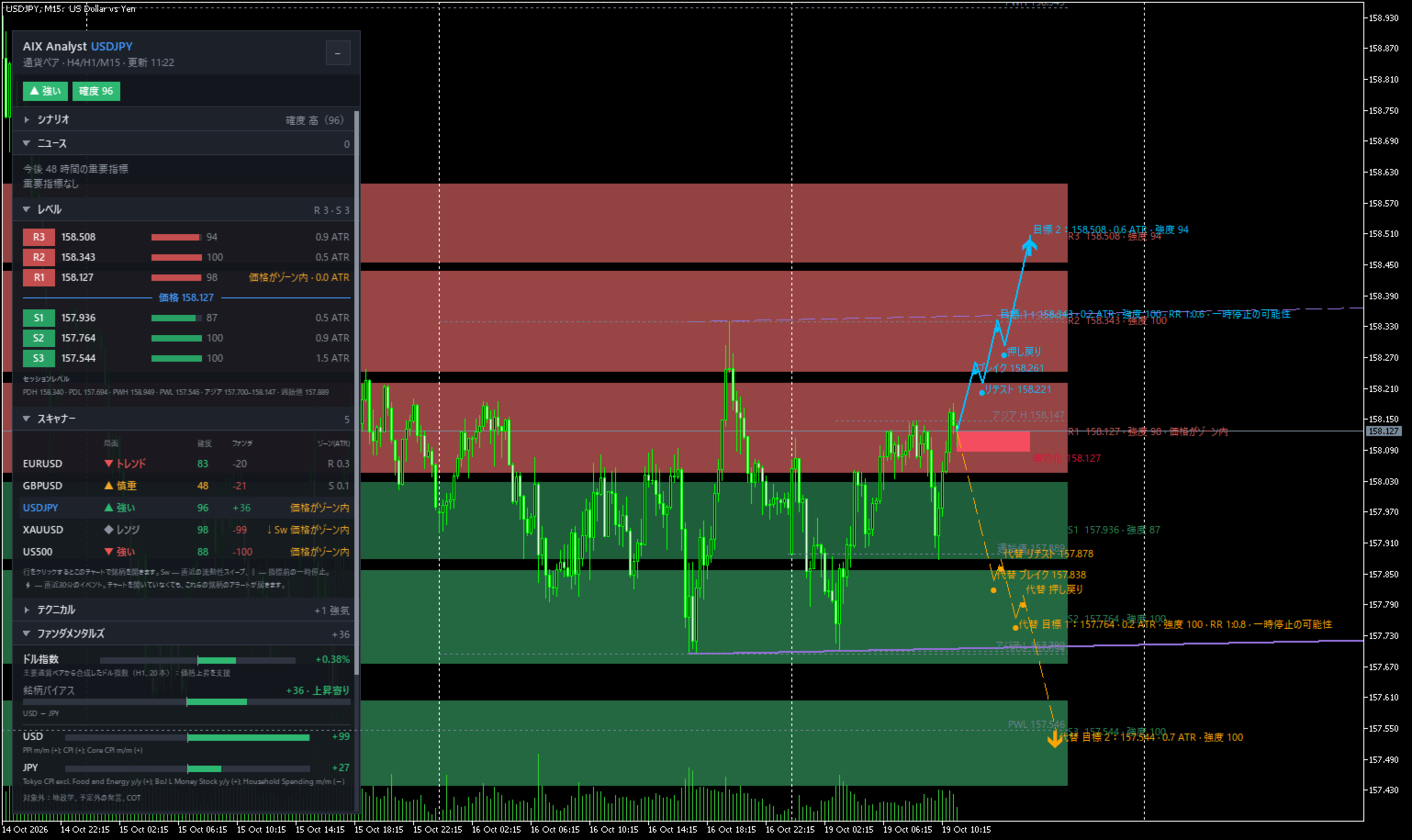
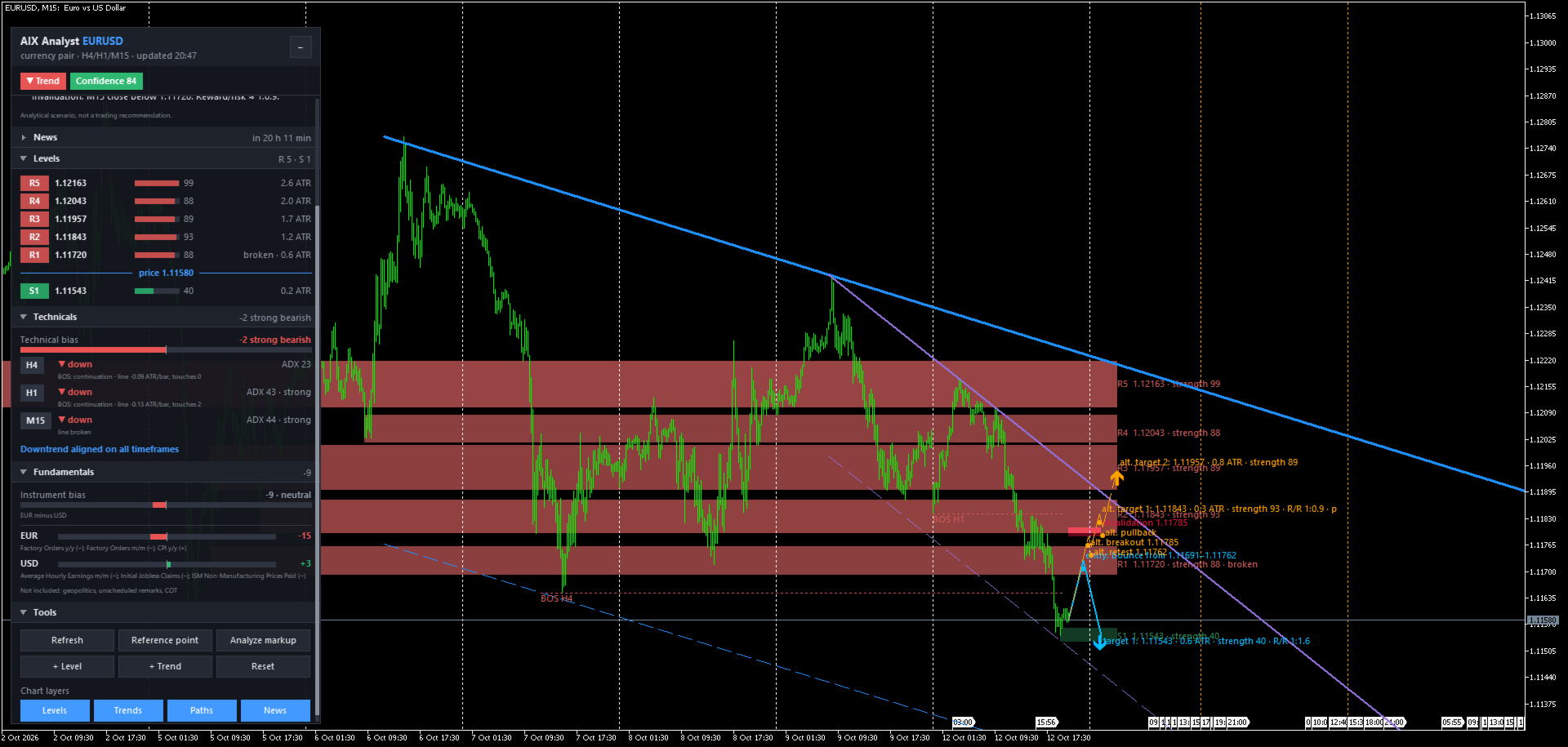
Levels, market structure, the economic calendar, dollar strength. AIX Analyst brings together on one MetaTrader 5 chart what traders usually check across several websites and charts every morning. It is an analytical tool — like an analyst's note, but inside your terminal and for your instrument. It does not open trades and gives no trade recommendations. It shows where the important zones are, what state the market is in, and beyond which level an idea stops making sense.
Who it is for
- You spend time drawing support and resistance by hand every day
- You want multi-timeframe context without flipping between timeframes
- You want technicals and fundamentals (economic calendar, US dollar) in one place
- You sometimes enter right before a key release by accident
- You can't watch the chart at work and want to know when the picture changes
- You want an objective check of your own lines
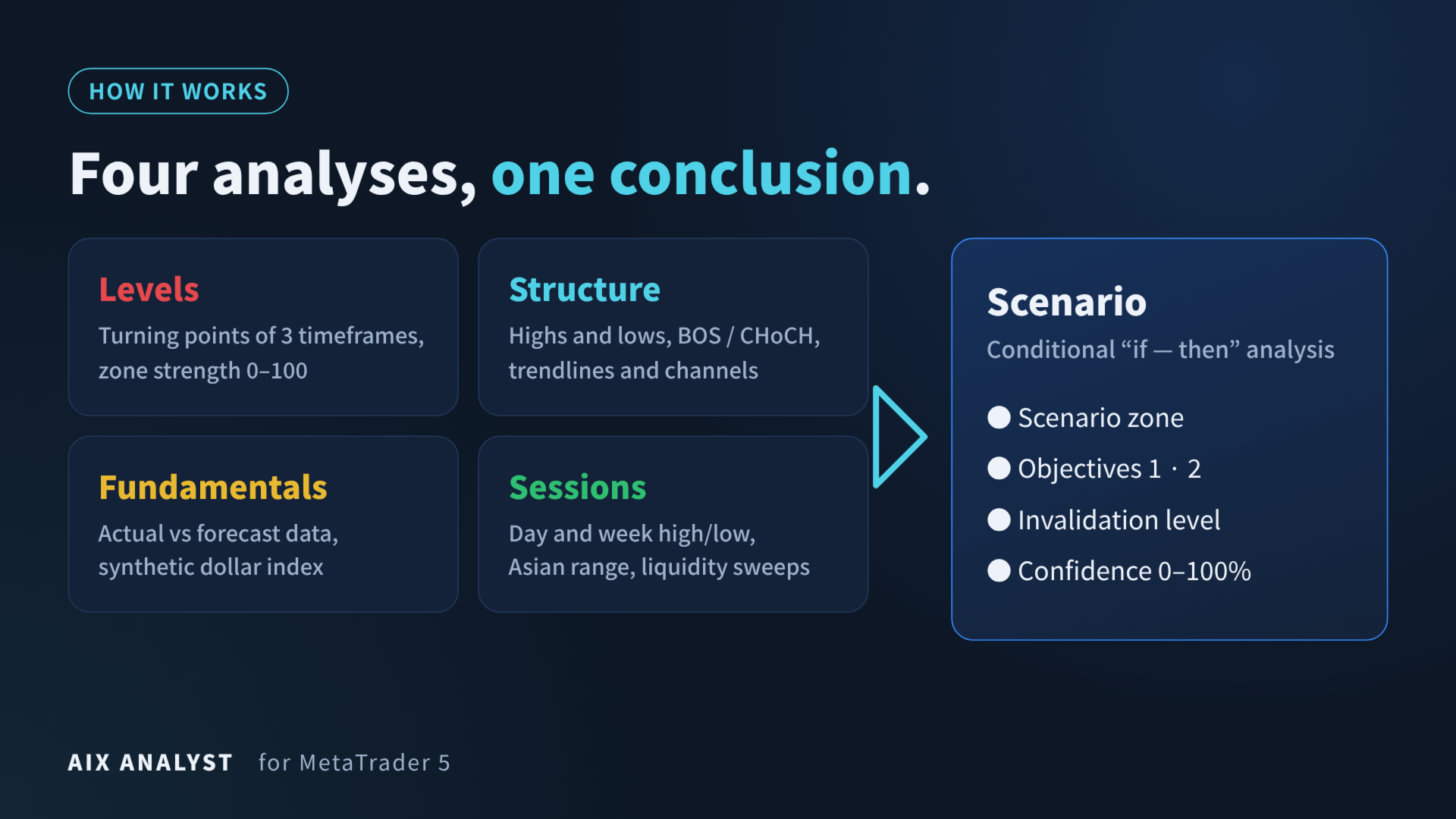
How it works
- Levels — support and resistance zones from real turning points on three timeframes, strength 0–100 (reactions, timeframe, age, volume). While price is inside a zone, the zone keeps its role and switches only after a real break.
- Structure — higher and lower highs and lows, BOS and CHoCH breaks, trendlines and channels of the higher and middle timeframe. Market regime: range, trend, strong trend or cautious.
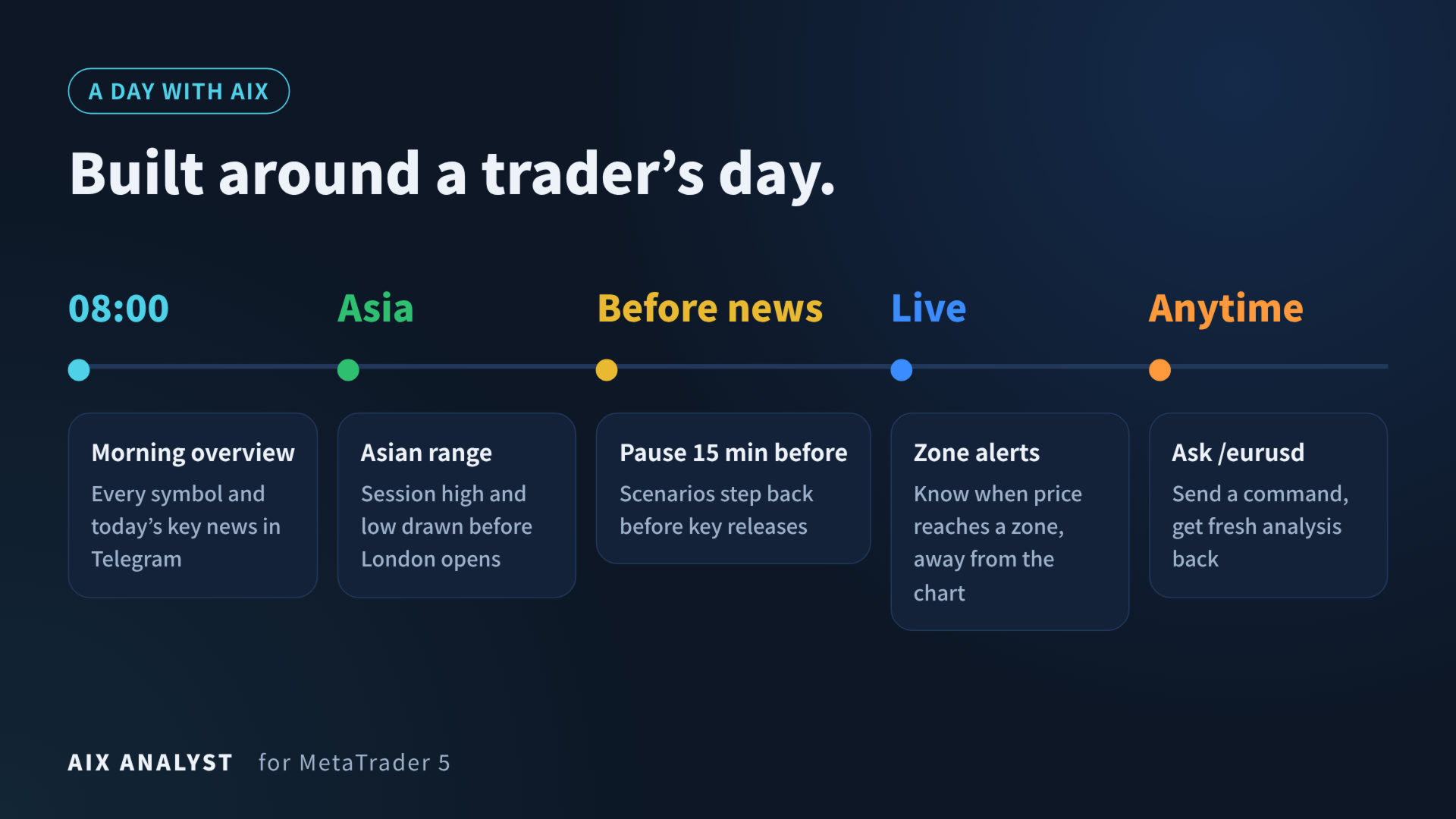
- Sessions — previous day and week high/low, Asian range, weekly open; liquidity sweeps at key levels.
- Fundamentals — actual vs forecast data from the MQL5 economic calendar, weighted by importance and age, plus a synthetic US dollar index built from major pairs. 15 minutes before a key event the panel shows "PAUSE" and scenarios step back.
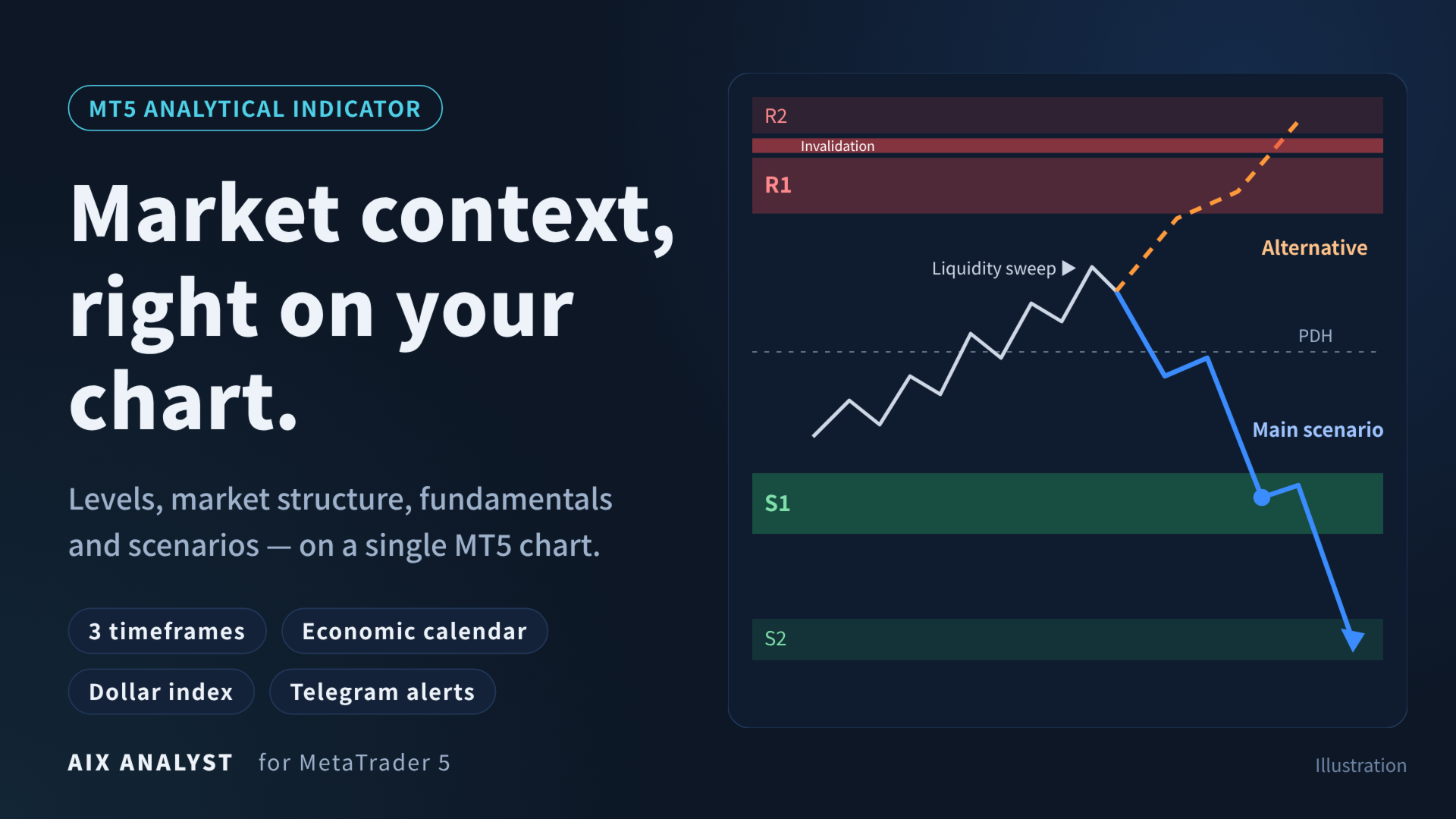
From these four blocks the indicator builds two scenarios — main and alternative — in "if — then" form:
- Scenario zone — where a reaction is logical
- Objectives 1 and 2 — the next zones along the move, not an arbitrary number of points
- Invalidation level — beyond it the idea no longer holds
- Confidence 0–100% — how consistently technicals, zone strength, structure and fundamentals point the same way
If there is too little room to the next zone, the indicator does not invent a bounce: it says so (corridor mode) and waits for a breakout.
Stable picture
Zones and scenario paths are redrawn only when the market changes meaningfully. Lines do not appear and disappear with every tick. Once price reaches a scenario zone, the indicator follows that scenario until its time horizon ends instead of jumping to new ideas.
Alerts, scanner and Telegram
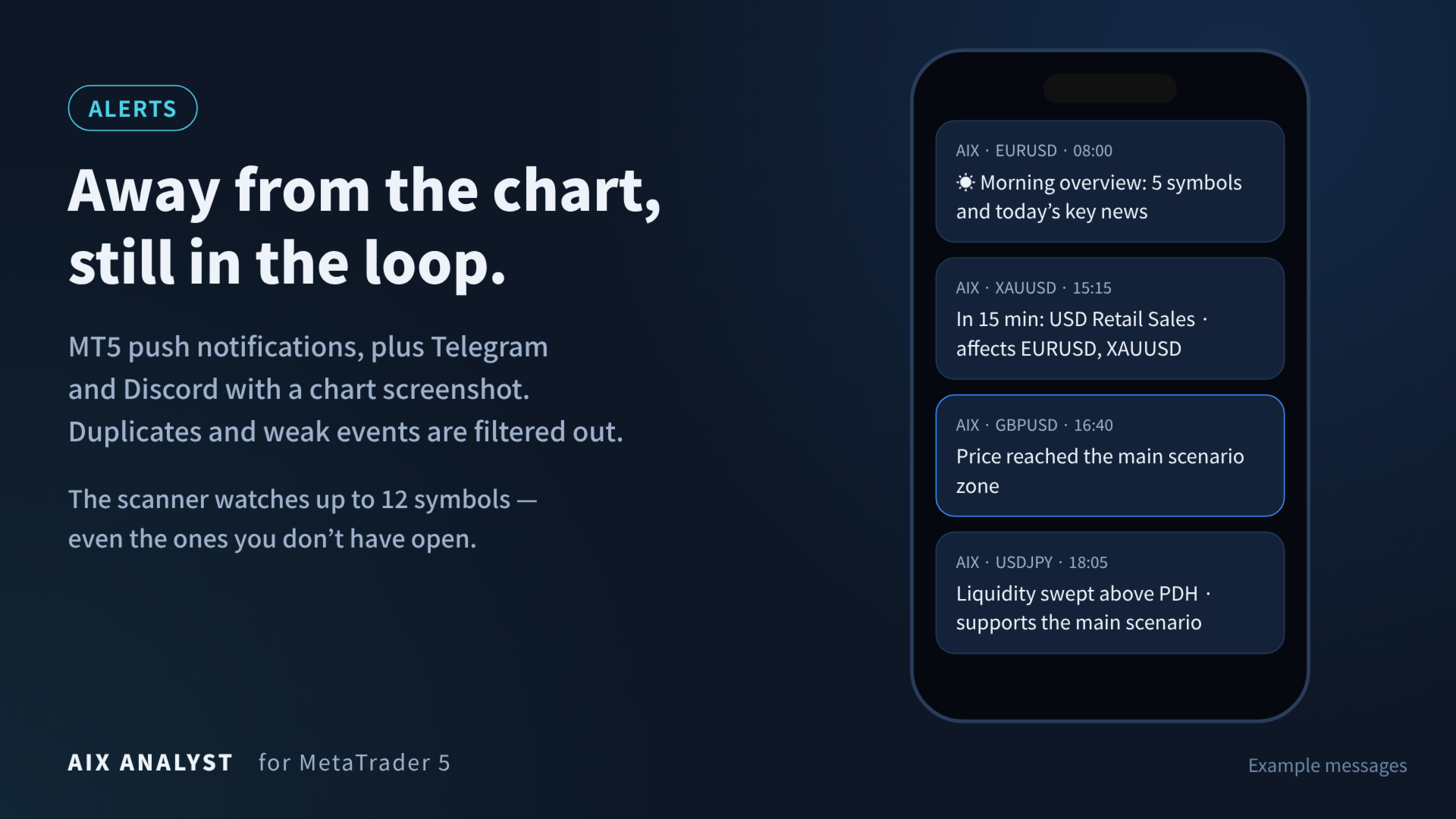
The indicator lets you know when price reaches a scenario zone, reaches an objective, when a scenario is not confirmed, when price enters a strong zone, when a liquidity sweep supports the main scenario, and 15 minutes before key news. Repeats and events below your confidence threshold (60% by default) are filtered out; quiet hours and weekends can be switched off.
- Channels: terminal alert, sound, MT5 push; Telegram and Discord with a chart screenshot via the free AIX Notifier expert (it does not trade)
- Scanner: up to 12 symbols analysed in the background, with alerts even for charts you don't have open
- Morning overview in Telegram: regime, confidence, main scenario and nearest levels for every symbol, plus today's key news
- Bot commands /scan, /digest, /eurusd — fresh analysis right from your phone
- A note when several scenarios are in fact one idea on the same currency
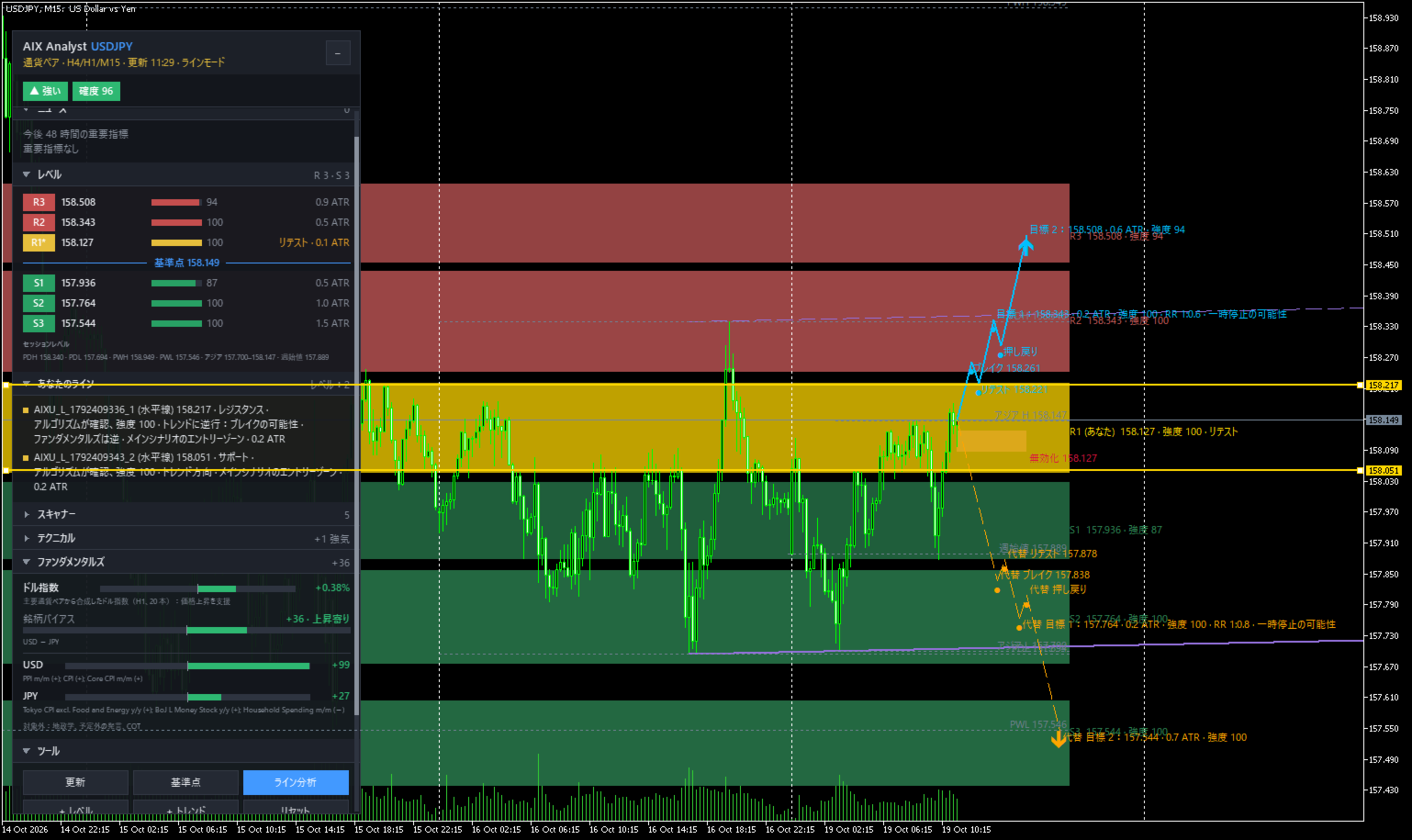
Analysis of your own markup
Draw horizontal lines, trendlines, rectangles, Fibonacci or channels with MetaTrader tools, or use "+ Level" and "+ Trend". Click "Reference point", then "Analyze markup". Every line is checked the same way as the indicator's own: support or resistance, confirmed by the algorithm or not, in line with the trend and fundamentals or not. Scenario paths are built from your point through your levels. The point can be placed in the past to see how an idea would have played out.
Also included
- "Report" saves the analysis text and a screenshot; "Send" posts them to Telegram/Discord
- Reference position size for your risk (percent or fixed amount) at the distance to the invalidation level
- Style presets: Scalping, Intraday, Swing
- Forex, metals, indices, oil, crypto; distances in ATR, so no per-symbol tuning
- Modern panel in 12 languages
Not a signal tool
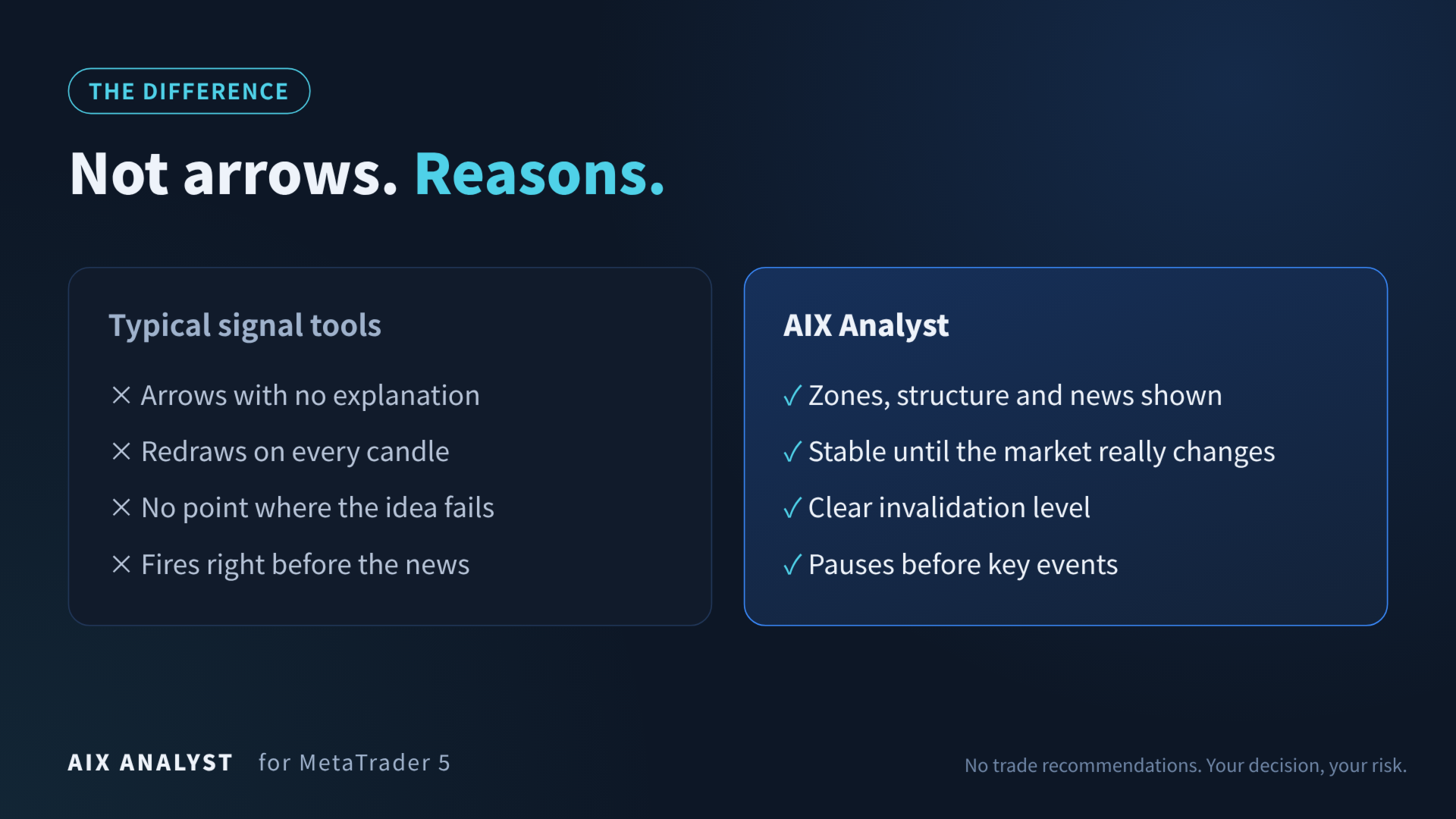
Typical signal tools show arrows without reasons, redraw on every candle, never say where the idea fails and fire right before the news. AIX Analyst shows the reasons — zones, structure, events — keeps the picture stable, always names the invalidation level and pauses before key releases.
Quick start
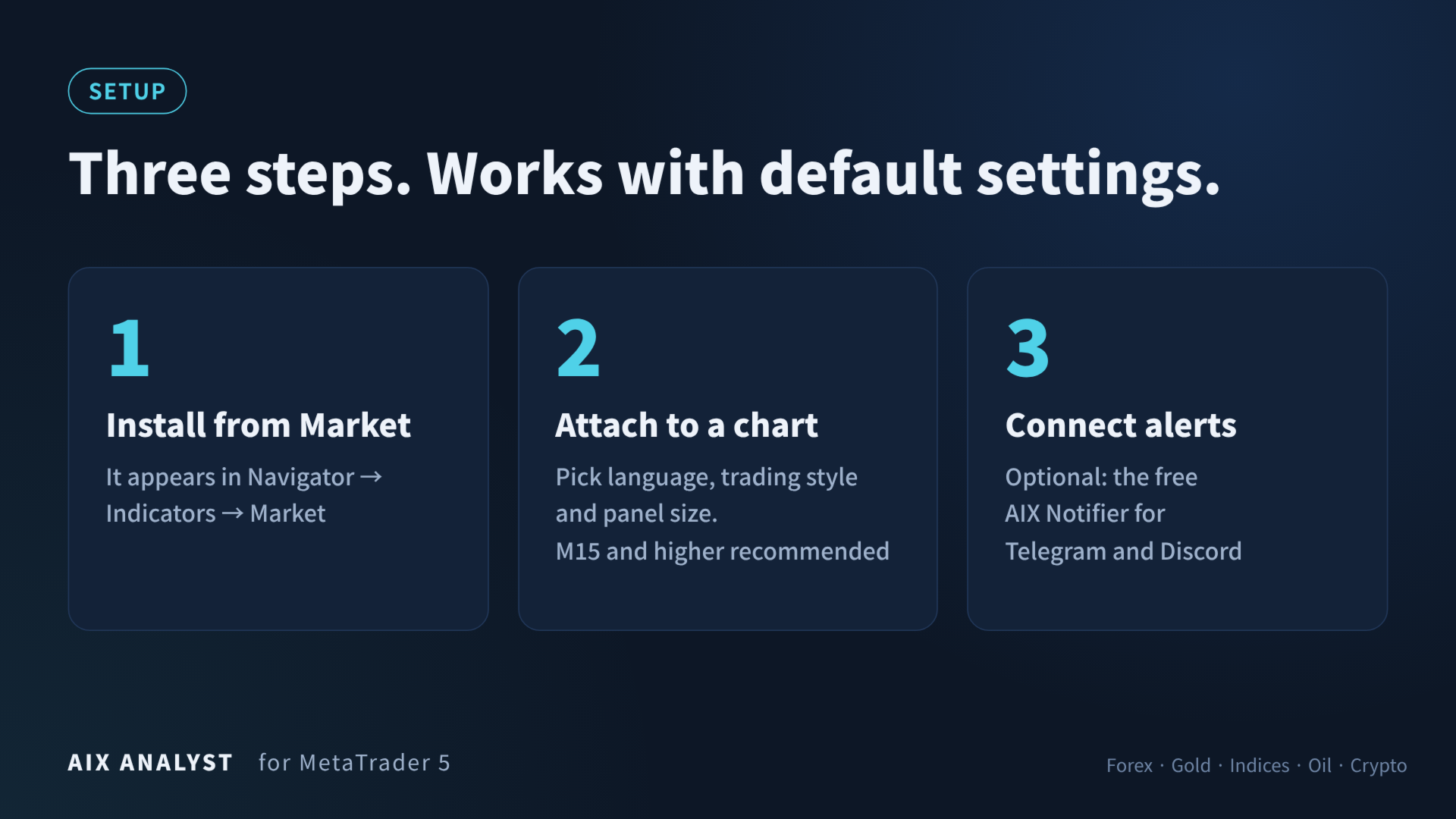
- Attach AIX Analyst to any chart (M15 and higher recommended).
- Set Language, Trading style preset and Panel scale — everything else works with default settings.
- Wait a few seconds ("Loading history…") and read the "Scenario" section.
- Optional: install the free AIX Notifier and press "Test" in the "Tools" section.
Requirements
- MetaTrader 5 only
- Chart timeframes: M15 and higher recommended (M1–M5 also work)
- Economic calendar: built into MetaTrader 5
- Telegram/Discord: AIX Notifier and WebRequest allowed for api.telegram.org / discord.com
Questions before buying
Does it give buy/sell arrows?
No. It shows zones, structure, news and conditional scenarios; the decision is yours.
Does it repaint?
Zones and scenarios update when the market changes meaningfully, not on every candle; an active scenario is kept until its horizon ends.
Is it suitable for beginners?
Yes. It works with default settings, and the panel states the conclusion in plain words.
Can I use push notifications only?
Yes. Screenshots require Telegram or Discord via AIX Notifier.
Does the demo show everything?
The strategy tester has no economic calendar and runs one symbol only, so fundamentals show "unavailable" and the scanner is off. Technicals, zones, scenarios and paths work.
Interface languages: English, Українська, Русский, 中文, Español, Português, 日本語, Deutsch, 한국어, Français, Italiano, Türkçe.
Important
- The calendar does not cover geopolitics, unscheduled statements or COT data.
- MetaTrader push notifications are text only.
- AIX Analyst is an analytical tool. It does not open trades, give trade recommendations or guarantee results; scenarios are conditional ("if — then").