Notifier for CC Cent
- Utilities
-
Adrian Winata
 Developer of CC Cent (Cash Cow Cent), a gold grid EA for cent accounts built around one rule: milk it daily. Honest about risk, strict about testing, and focused on tools that are clear to use: clean dashboards, broker-side safety, and news-aware trading on XAUUSD. Questions and support through MQL5
 - Version: 1.1
Free companion for CC Cent (Cash Cow Cent).
Read-only. It never opens, closes or modifies a trade.
Requires the CC Cent EA: get CC Cent on the Market
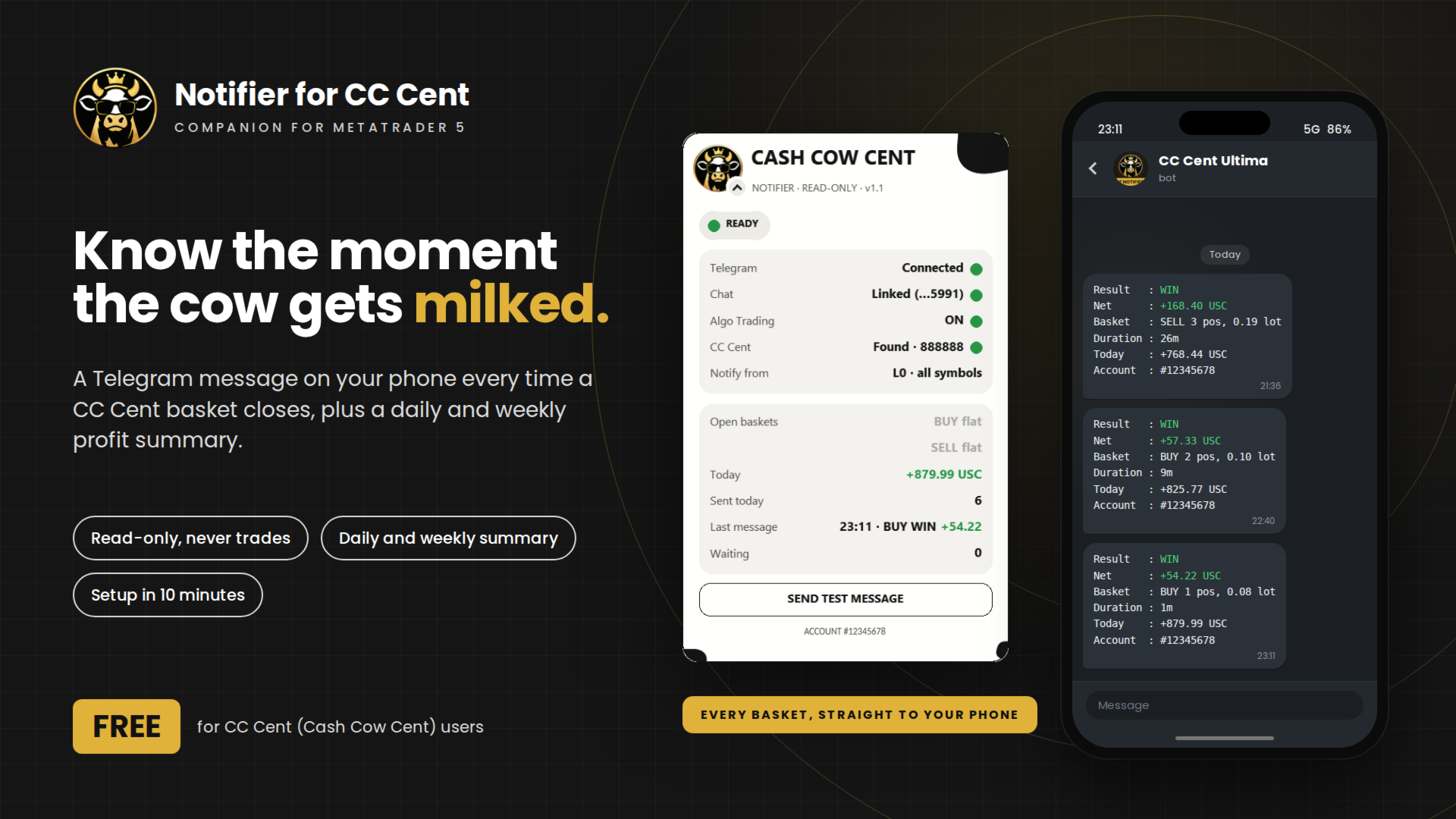
Notifier for CC Cent: know the moment the cow gets milked.
A small read-only utility that sends a Telegram message to your phone every time a CC Cent basket closes, plus an optional daily and weekly profit summary. See the result, the net profit and today's total without opening MT5.
The Notifier only reads the account history. It cannot place, close or change orders, so it is safe to run next to a live account.
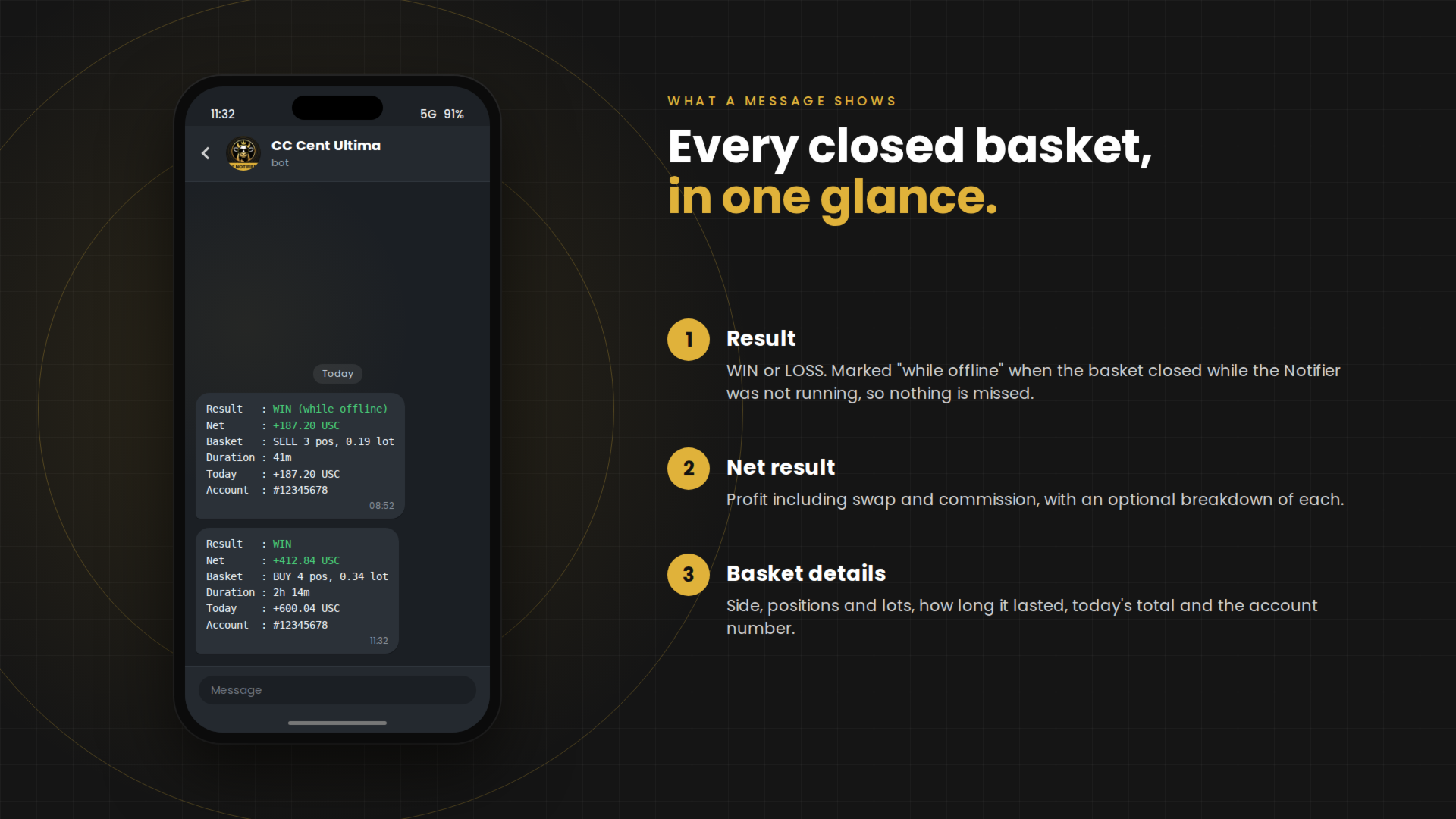
What a Message Shows
| Result | : WIN |
| Net | : +8.56 USC |
| Basket | : BUY 1 pos, 0.08 lot |
| Duration | : 1m |
| Today | : +42.15 USC |
| Account | : #12345678 |
- Result: WIN or LOSS, marked "while offline" when the basket closed while the Notifier was not running.
- Net result: profit including swap and commission, with an optional breakdown of each.
- Basket details: side, positions and lots, how long it lasted, today's total and the account number.
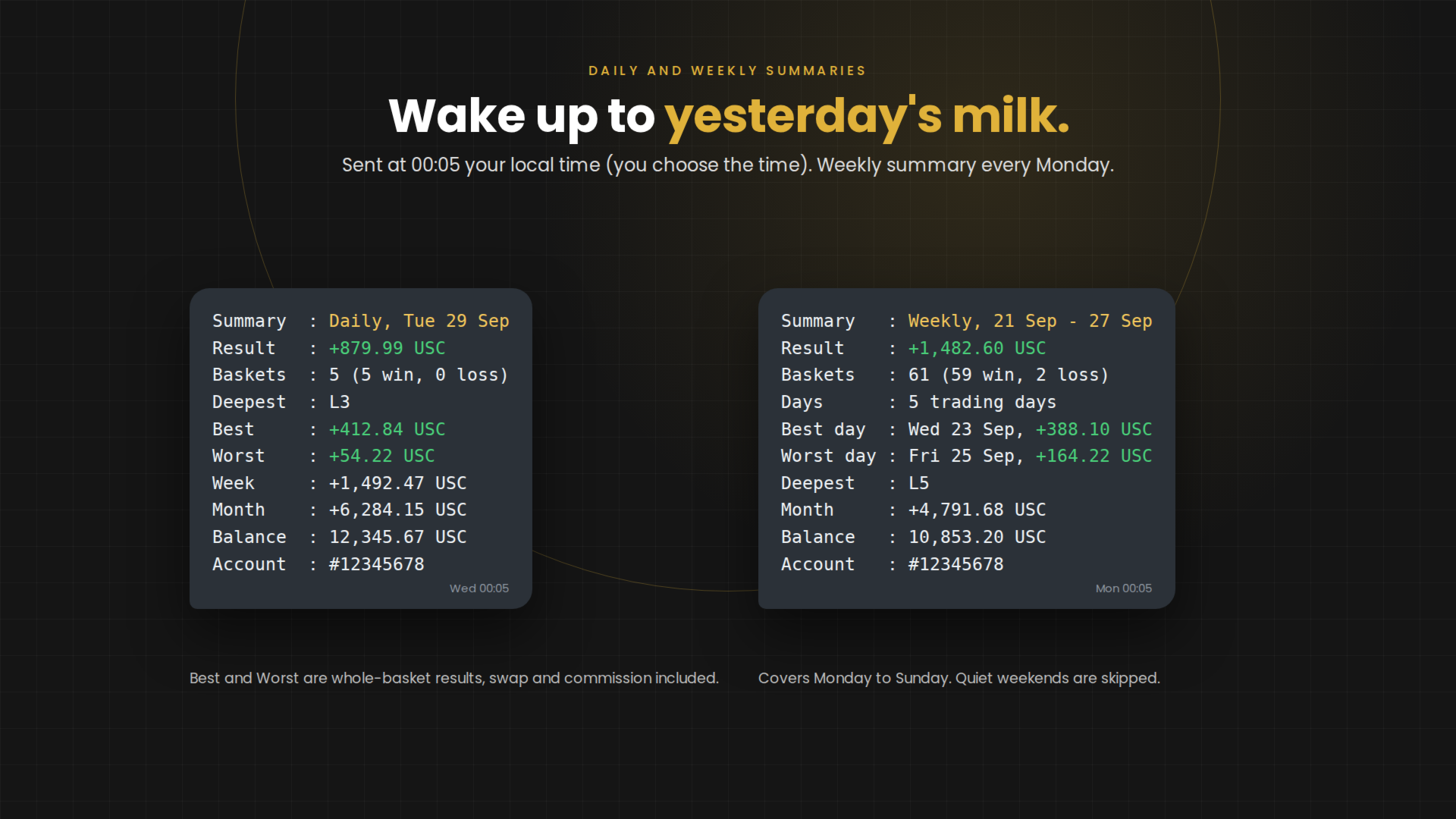
Daily and Weekly Summaries
| Summary | : Daily, Tue 29 Sep |
| Result | : +255.51 USC |
| Baskets | : 14 (13 win, 1 loss) |
| Deepest | : L4 |
| Best | : +38.20 USC |
| Worst | : +2.14 USC |
| Week | : +1,116.35 USC |
| Month | : +4,897.87 USC |
| Balance | : 12,345.67 USC |
| Account | : #12345678 |
- Daily summary: the previous day, sent every morning at 00:05 your local time (you choose the time). Days are the same as "Today" on the CC Cent panel.
- Weekly summary: the previous Monday to Sunday, sent on Monday, with trading days, the best day and the worst day.
- Best and Worst: whole-basket results for the day, including swap and commission. A basket counts on the day it closed.
- Quiet days: weekends without baskets are skipped. Days with no baskets are skipped too, unless you switch them on.
Features
- Only CC Cent baskets: recognised by CC Cent's order comments or its settings beacon. Other EAs on the account are ignored.
- Choose what you hear about: watch one or more magic numbers and one symbol or all, and get messages only for baskets that reached a chosen layer, for example L3 and deeper.
- No duplicates: a restart never sends the same basket twice. Closes missed while the Notifier was offline are sent once.
- One sender: messages go out only from the terminal with Algo Trading on, so a home PC and an MQL5 VPS never both send.
- Reliable delivery: failed sends are retried, and messages older than a chosen limit are dropped instead of arriving late.
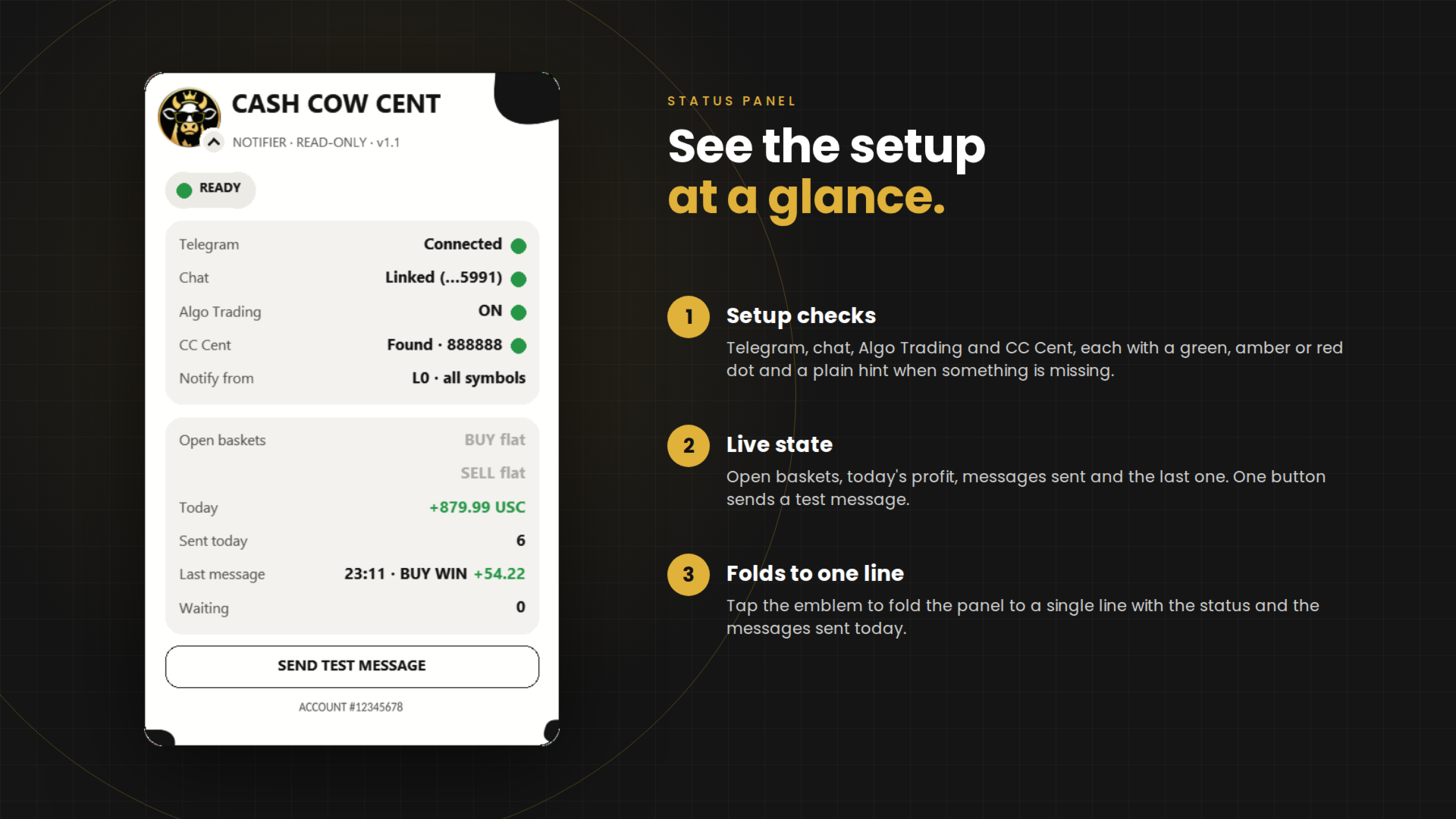
- Status panel: shows the setup and live state, with a button to send a test message. Same cow theme, and it folds to one line.
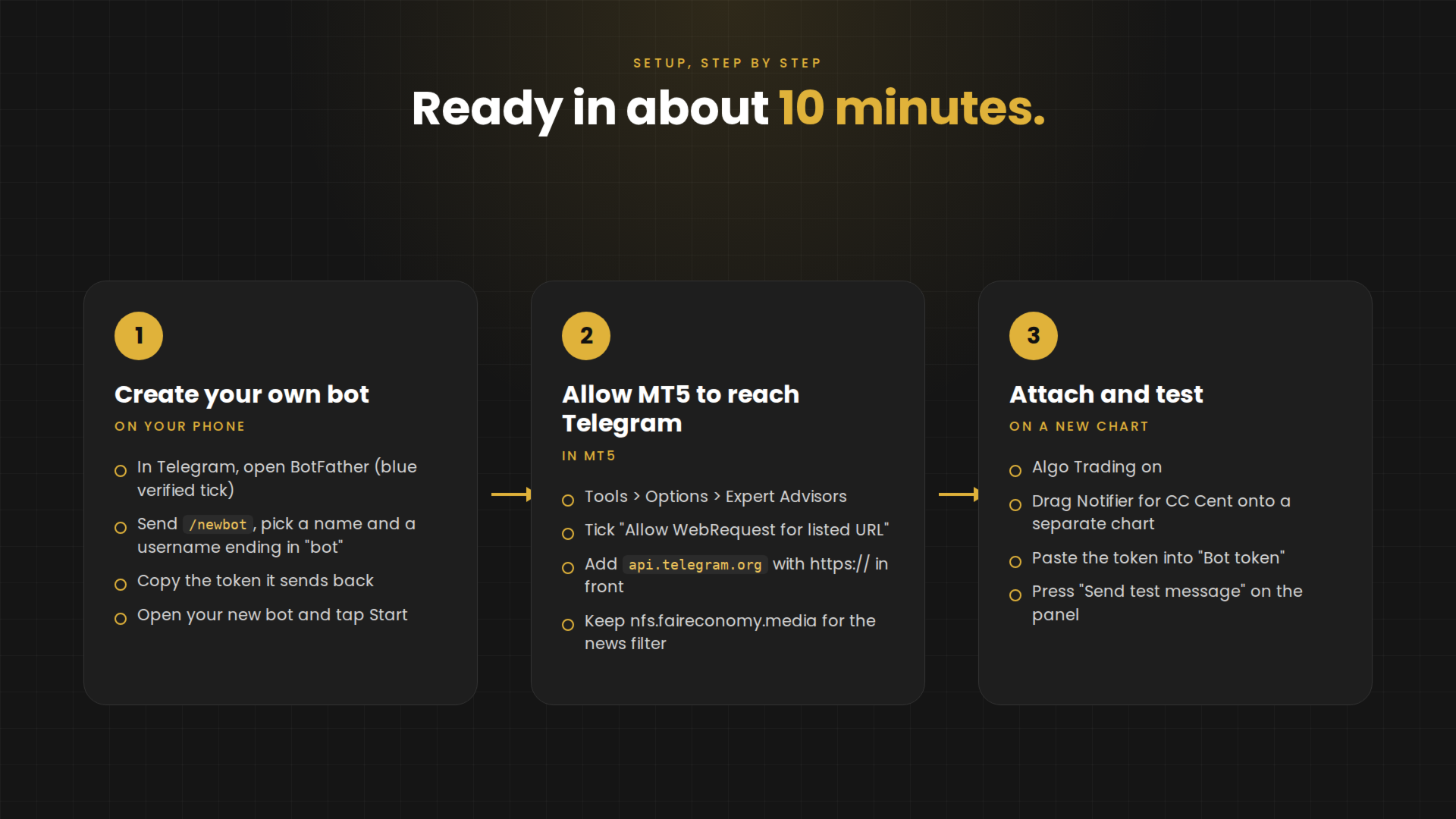
Setup, Step by Step
About 10 minutes. You need Telegram on your phone and the MT5 terminal where CC Cent runs.
Part 1: create your own Telegram bot (on your phone)
- Install Telegram and sign in.
- Tap the search icon and type BotFather. Open the one with the blue verified tick. It is Telegram's official bot for creating bots.
- Tap Start, then send the message /newbot.
- BotFather asks for a name. Send any name you like, for example "CC Cent Ultima". This becomes the chat name on your phone.
- BotFather asks for a username. Send a unique name that ends in "bot", for example cccent_ultima_bot.
- BotFather replies with a token: a long line that looks like 123456789:AAE-xxxxxxxx. Copy the whole line and keep it private.
- In the same reply, tap the name of your new bot to open it, then tap Start. This step is needed: without it the bot cannot write to you.
- Optional: send /setuserpic to BotFather to give the bot a picture, for example your broker's logo.
Part 2: allow MT5 to reach Telegram (on the computer or VPS)
- In MT5, open Tools > Options and go to the Expert Advisors tab.
- Tick "Allow WebRequest for listed URL".
- Add the address api.telegram.org to the list, typed with https:// in front of it. Keep nfs.faireconomy.media there too: CC Cent needs it for its news filter.
- Click OK.
Part 3: start the Notifier
- Make sure Algo Trading is switched on (the Algo Trading button on the MT5 toolbar is green). Messages are only sent while it is on.
- Open a new chart, any symbol, separate from the CC Cent chart.
- In the Navigator, find Notifier for CC Cent (under Expert Advisors, Market) and drag it onto the new chart.
- On the Inputs tab, paste your token into "Bot token (from @BotFather)". Leave "Chat ID (empty = automatic)" empty.
- Using a magic number other than 888888 on CC Cent? Enter it in "CC Cent magic number(s), comma separated". Several can be entered, for example 888888, 888898.
- Click OK. The panel appears on the chart and finds your chat within a few seconds.
- Press "Send test message" on the panel. A test message should arrive on your phone.
Part 4: several accounts or an MQL5 VPS (optional)
- Several accounts: create one bot per account (repeat Part 1). Each account then shows up as its own chat, with its own name and picture.
- MQL5 VPS: attach the Notifier in your terminal next to CC Cent and migrate as usual. The allowed WebRequest list moves with it. Your home terminal stops sending once Algo Trading is off there.
If Something Does Not Work
- Panel says to press Start in your bot: open your bot in Telegram and tap Start (Part 1, step 7).
- Panel asks to allow the Telegram address: repeat Part 2 and check the address is spelled exactly.
- "Telegram rejected the bot token": copy the token again from BotFather, the whole line, with no spaces.
- Test works but no basket messages: check that Algo Trading is on, that the magic number matches CC Cent, and that "Notify from layer" is not set higher than the baskets reach.
Good to Know
- The Notifier works only with CC Cent. Without CC Cent baskets on the account it has nothing to report.
- Your bot token stays in your terminal. Messages go straight from MT5 to Telegram.
- It stays idle in the Strategy Tester, where Telegram is not available.
The EA does the milking. The Notifier tells you when the bucket is full.