Holy Cow
- Experts
-
Adrian Winata
 Developer of CC Cent (Cash Cow Cent) and Holy Cow, two gold EAs for XAUUSD. CC Cent is a grid EA for cent accounts built around one rule: milk it daily. Holy Cow waits out the early part of a move and trades only the stretched end of it: the herd runs, the cow waits. Honest about risk, strict about
 - Version: 1.10
- Updated: 7 October 2026
- Activations: 10
Launch price: $99 for the first 10 copies.
Then $199 for the next 10 copies. Final price: $499.
Rent: $39 for 1 month or $79 for 3 months.
Holy Cow: The herd runs. The cow waits.
Most EAs run with the herd. They jump in the moment a move starts and then spend the rest of it fighting the market. Holy Cow doesn't. It watches the move build, step by step, and stays out until the move is fully stretched. Only then does it step in against it.
That means most of the time it does nothing. Days or weeks without a trade are normal. When it does trade, it is still a martingale-type method with no stop loss by default, and one bad enough move can take the whole account. Waiting lowers how often that risk is taken. It does not remove it.
Quick Facts
- Symbol: XAUUSD (Gold)
- Timeframe: attach to any chart timeframe. The EA works on its own internal timeframe.
- Direction: buy and sell by default. Can be switched to buy only or sell only.
- Account: hedging (netting accounts are not supported), standard (USD) or cent (USC), ECN / RAW spread recommended
- Leverage: 1:500 or higher
- Stop-out level: use a broker whose stop-out level is 50% or lower.
- Minimum deposit: 500 USD or 500 USC. Below this the EA opens no new trades (open trades are still managed).
- Sell side: waits for a longer stretch than the buy side before it trades, 11 steps against 8.
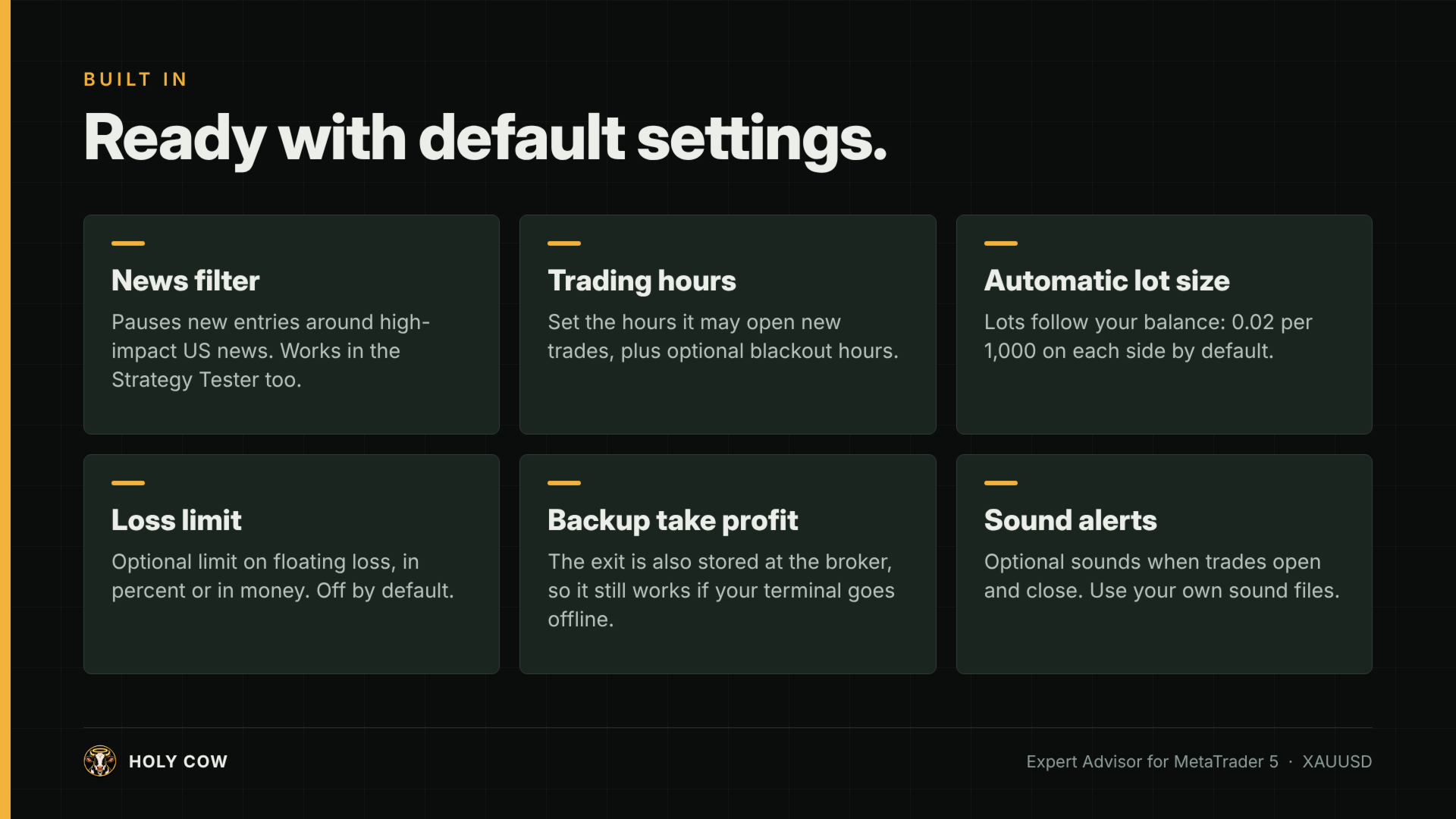
- Lot size: automatic by default. 0.02 per 1,000 of balance on each side.
- Trading hours: automatic, from 3 hours after gold's daily open to 4 hours before its close. The same for every trader in every timezone.
- VPS: strongly recommended
How It Works
- Holy Cow watches both directions and measures how far a move has stretched. The panel shows this as a Market Stretch meter: a row of lights for each side, eight for buys and eleven for sells.
- Waiting: no move worth watching. No orders, no exposure.
- Building: a move is running and the lights fill one by one. Still no orders.
- Armed: every light on that side is lit. One more step and the cow goes in.
- Engaged: the EA opens trades against the stretched move. If price keeps going, it adds larger positions. All of them close together at one take profit, and the meter starts again from zero.
Your first lot is not your maximum exposure. Once engaged, each added position is larger than the one before, so the total can grow to many times the first lot.
Features
Protection and filters
- News filter: blocks new trades around high-impact US releases, using the ForexFactory calendar with the MT5 calendar as automatic backup. The panel shows which event is blocking and where the data came from.
- Trading hours tied to the market: they follow gold's own session as published by your broker, including daylight-saving shifts.
- Minimum-balance guard: no new trades below 500. A side whose lot would be smaller than the broker's minimum is switched off, and the panel says LOW BAL and how much balance that side needs.
- Broker-side failsafe TP: a real TP is placed on the broker's server as a backup if your terminal or VPS disconnects.
- Optional: a loss limit in percent of balance or in money, and blackout hours for advanced users.
Visibility
- Clean dark dashboard: balance, equity, today's and this month's profit, the Market Stretch meter, one card per basket, and trading status. The chart's own colours are restored when you remove the EA.
- Liquidation price: while trades are open, see the price at which they would hit stop-out.
- Sound alerts: optional sounds when trades open and when they take profit.
Reliability
- State recovery: after a terminal restart or EA reattach the EA carries on managing its open trades.
- Gold quote detection: broker points are detected automatically for 2- and 3-digit gold quotes.
- Multiple instances: run several charts on one terminal, each with its own magic number.
Setup
- Open a hedging, ECN/RAW account with 1:500 leverage and at least 500 USD or 500 USC.
- Attach Holy Cow to an XAUUSD chart. Any timeframe works.
- Allow WebRequest for nfs.faireconomy.media (Tools > Options > Expert Advisors).
- Keep the default settings.
- Withdraw profit regularly, leaving at least 500 in the account.
- Running more than one chart? Give each its own magic number (group 1), at least 10 apart (e.g. 666666, 666676).
Use the Default Settings
The default settings are the tested configuration. The lot size, trading hours and news blocking are tuned together. They lower the risk of a stop-out; they don't remove it.
The lot size can be changed, but raising it can greatly increase the risk of blowing the account. If you're unsure, leave it at its default.
Settings you may need
- Operating mode: On (buy and sell) by default. Buy only, Sell only and Off are also available. Close only stops new trades but keeps managing the open ones, so you can pause the EA without leaving trades unmanaged.
- Magic number: 666666 by default. Change it only when running more than one chart (see Setup).
- Lot size: first lot and balance per lot, separately for the buy side and the sell side. Auto lot is on by default.
- Loss limit: off by default. Can close the open trades at a floating loss you choose.
- News filter: on by default. Blocks new trades around high-impact US news.
- Stretch steps (experimental, last group): 8 for buys and 11 for sells by default, each adjustable from 5 to 12. It sets how many steps a move must stretch before that side's first trade, and the panel shows one light per step. Fewer steps trade sooner and more often, with more risk. Leave them at the defaults unless you are testing.
- Backtest settings: the news simulation (group 6) and the broker server offset and DST rule (group 9) only affect the Strategy Tester. See About Backtesting.
About Backtesting (please read)
News in the Strategy Tester. MT5 gives EAs no access to the economic calendar during a backtest. Without special handling, a backtest would run with no news filter at all, which is very different from live trading.
To keep backtests honest, Holy Cow has past US high-impact release dates built in (January 2021 to December 2026), and uses them to simulate the news filter in the tester. This is on by default ("Backtest: simulate news using built-in release dates", group 6). You can switch it off to see what happens without a news filter. Live trading always uses the real calendar.
The "Broker server offset from GMT, in hours" and "Server DST rule" settings (group 9) are used in the Strategy Tester only. If your broker's server is not on GMT+3 all year, set them to your broker's server time so the simulated news windows and trading hours line up with the real times. Live trading ignores them.
Cent accounts. On a cent account the same balance figures apply in USC, as long as your broker's cent lots are 100 times smaller than standard lots. Check the contract size of your cent gold symbol before you start.
News Export tool: optional. It saves the MT5 calendar to a file, so your backtests use the very latest news dates. To get it, send a private message on MQL5 after purchase.
Reading results:
- Martingale EAs produce smooth-looking curves right up until they don't. Look at the drawdown, not the profit.
- Auto lot compounds, which makes profits look large. Turn auto lot off to see the real per-trade behaviour.
- Expect few trades. A test over only a few weeks may show almost nothing; test a long period.
- Use real ticks and your broker's own spread and commission.
Read This Before You Buy
This is not a safe EA, and it doesn't pretend to be.
- Holy Cow is a martingale-type EA. Once it is engaged, lot size grows with every added position. A strong one-directional move can lose the entire account.
- It uses no stop loss by default.
- It trades rarely. If you want action every day, this is the wrong product.
- Use money you can afford to lose completely, and withdraw profit regularly. Profit left in the account is profit at risk.
- Past performance, backtests included, does not guarantee future results. Trading leveraged CFDs carries a high risk of losing all of your capital.
Not for: netting accounts, accounts below 500, anyone who needs a trade every day, or anyone planning to raise the lot size.
If waiting sounds boring, good. You understand the product. Let the herd run.