Monitor for CC Cent
- Utilities
-
Adrian Winata
 Developer of CC Cent (Cash Cow Cent), a gold grid EA for cent accounts built around one rule: milk it daily. Honest about risk, strict about testing, and focused on tools that are clear to use: clean dashboards, broker-side safety, and news-aware trading on XAUUSD. Questions and support through MQL5
 - Version: 2.5
- Updated: 29 September 2026
Free companion for CC Cent (Cash Cow Cent).
Read-only. It never opens, closes or modifies a trade.
Requires the CC Cent EA: get CC Cent on the Market
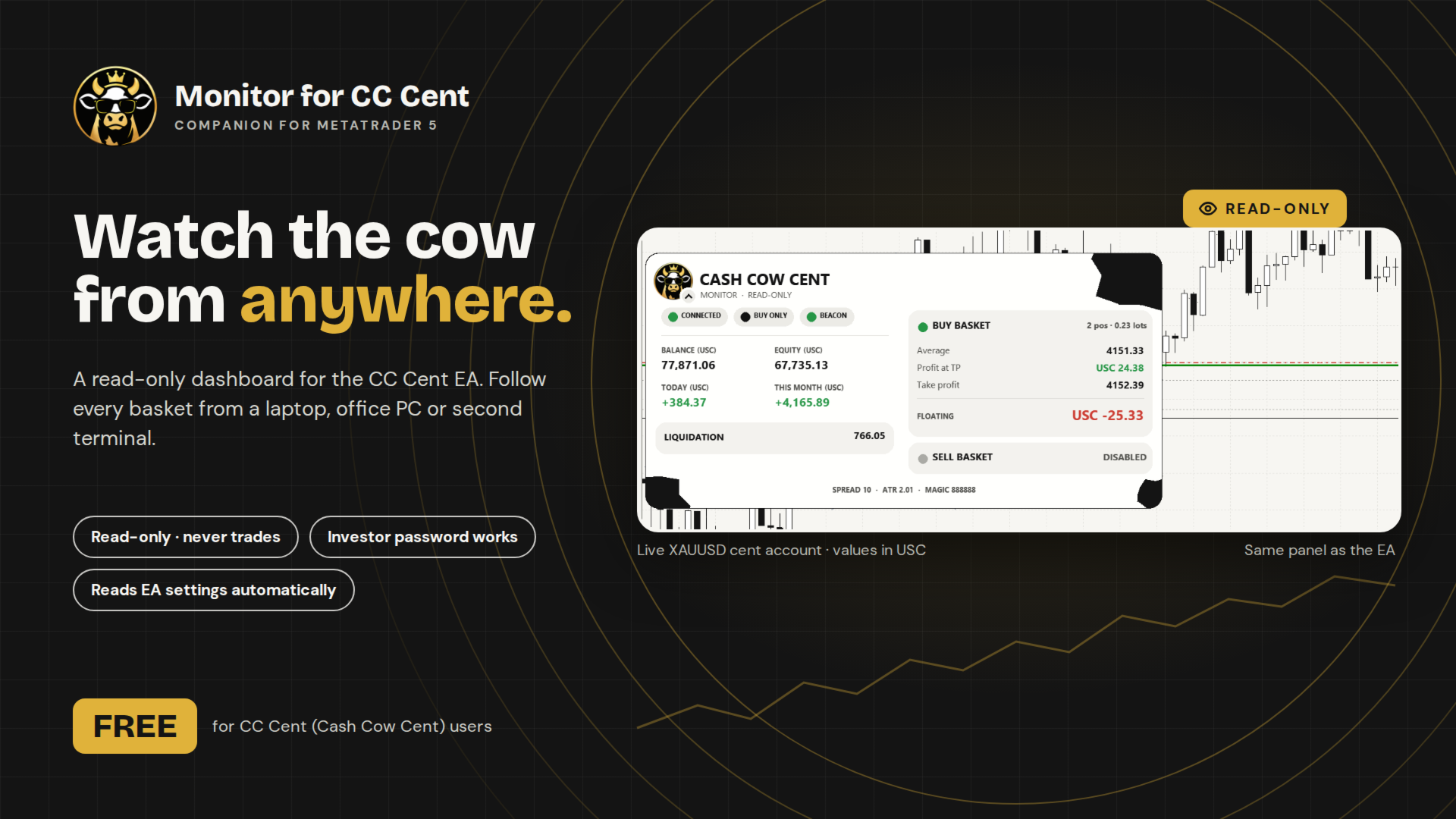
Monitor for CC Cent: watch the cow from anywhere.
A read-only dashboard for the CC Cent Expert Advisor. Run the EA on your VPS, and follow every basket from your laptop, office PC or a second terminal, with the same cow-themed panel.
The Monitor only reads. It cannot place, close or change orders, so it is safe to run next to a live account, even logged in with the investor (read-only) password.
What It Shows
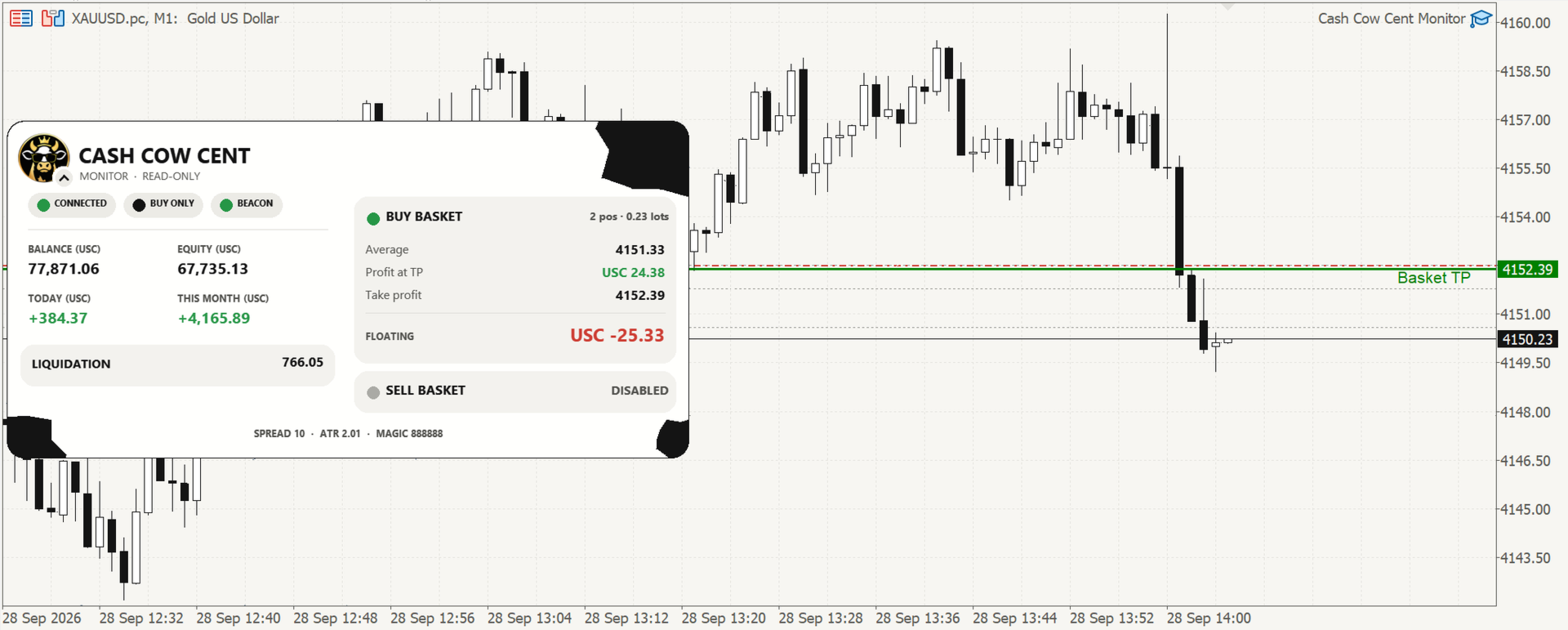
- Account: balance, equity, and today's, yesterday's, this week's and this month's profit for the monitored EA.
- One card per basket: positions and lots, average price, take profit, estimated profit at TP and floating P/L.
- Liquidation price: the price where the basket would hit stop-out.
- Status pills: connection, direction mode (buy only, sell only or both) and beacon status.
- Trading status while flat: grid mode and the EA's trading hours.
- Chart lines: basket TP, trailing start and stop, and basket SL when the EA uses one. With BB-line TP the panel shows "BB line" instead of a TP level.
- Sounds: optional beep on a new basket and on a profit close.
Automatic Settings
CC Cent broadcasts its key settings (TP mode and distances, grid, direction, trading hours) through a small set of parked pending orders. The Monitor reads them automatically, so its TP line and estimates always match the EA. Change a setting on the EA and the Monitor follows within seconds.
There are no manual settings to match: everything on the panel comes from CC Cent itself. If no beacon is found, the panel shows "CC CENT BEACON NOT FOUND" and nothing else. If the broker shortens order comments so the beacon can't be read, it shows "BEACON UNREADABLE" and alerts you once.
Setup
- Keep CC Cent running on its own chart (usually on your VPS), with its group 13 (Config Beacon) left at the defaults.
- On the other terminal, log in to the same trading account. The investor password is enough.
- Attach Monitor for CC Cent to a chart of the same symbol as the EA (XAUUSD). Any timeframe works.
- Set "Magic number of the CC Cent EA" to the same number as the EA (default 888888).
Profit days follow this computer's time zone automatically, the same way as on CC Cent. On a VPS, set "YOUR timezone offset from GMT" to your own offset.
Good to Know
- The Monitor works only with CC Cent running on the same account and symbol. Without a valid beacon it shows only the "not found" card.
- It does not work in the Strategy Tester in a useful way: the EA broadcasts no settings in backtests.
- Your chart's own colours are restored when you remove the Monitor.
- The panel folds into a one-line strip: tap the cow emblem. The Monitor version is shown under the title.
The EA does the milking. The Monitor just watches the cow.