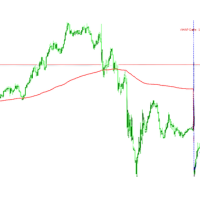
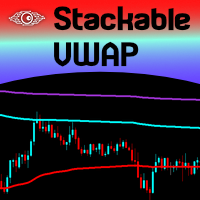
VWAP Single Line or Bands Daily Reset
- Indicators
- Version: 1.20
- Updated: 6 October 2026

VWAP that resets when you want it to. Use a clean single VWAP line or enable up to 3 standard-deviation bands. Feel free to star rate after you've got everything set correctly!
This indicator calculates a daily/session VWAP using your chosen reset time and automatically starts a new VWAP calculation each day at that time.
Set the reset to the daily market open, a trading session open, or any custom time that fits your strategy.
Features
- Daily/session VWAP reset
- Choose your own reset time in your local clock, UTC/GMT, broker/server time, or a manual UTC offset
- Display a single VWAP line for a clean chart
- Enable up to 3 standard-deviation bands
- Each band can be turned on or off independently
- Custom multiplier for each band
- Multiple VWAP price sources
- Uses real volume when available, with tick volume as a fallback
- Works across MT5 timeframes
- Designed for forex, indices, metals, futures, and other MT5 instruments
VWAP Display
The main VWAP line provides the session's volume-weighted average price.
You can use the indicator in its simplest form with only the VWAP line, or add deviation bands when you want additional volatility reference levels.
Single Line Mode
Turn all bands off to display a clean VWAP line only.
This is ideal if you want a simple VWAP reference without additional chart lines.
Band Mode
Enable one, two, or all three deviation bands.
The default multipliers are:
- Band 1: 1.0 standard deviation
- Band 2: 2.0 standard deviations
- Band 3: 3.0 standard deviations
You can change each multiplier to whatever value you prefer.
Daily / Session Reset
The VWAP calculation begins again at your configured reset time every day.
Choose which clock your reset time is based on with Session_Time_Mode, then enter the time in VWAP_Reset_Time. For example, to reset at the daily market open, pick the clock you want to work in (such as your computer's local clock), then type the time you want the VWAP to start. If you need help with session times, the Baby Pips Market Hours page is a good reference.
The indicator will then calculate a new VWAP from that daily/session starting point.
You can use the same functionality for other session times (Sydney start, New York close, or any custom time) by entering the appropriate time.
Input Note: If you're having issues getting your VWAP to reset at Sydney session start, New York session close, or any other of your custom time periods, message the seller of this free indicator and he will help you get your settings set correctly. You can use his screen shot inputs below for reference.
Input Settings
Session_Time_Mode
Chooses which clock your VWAP_Reset_Time is based on. Options:
- Session inputs use the user's computer local clock
- Session inputs use UTC/GMT
- Session inputs use the MT5 broker/server clock
- Session inputs use the manually entered UTC offset
Default: Session inputs use the user's computer local clock
Note: In local clock mode, the indicator uses your computer's current UTC offset, so after a daylight saving change, older history on the chart can shift by an hour. Use the UTC/GMT or broker/server clock mode if you need fixed historical sessions.
Fixed_GMT_Offset
Used only when Session_Time_Mode is set to use the manually entered UTC offset.
Enter your UTC offset in hours (for example, -7 for UTC-7).
Default: -7
This setting does not adjust for daylight saving time, so update it yourself when your region changes its clocks.
VWAP_Reset_Time
Sets the time of day your VWAP daily/session reset happens, in the clock chosen in Session_Time_Mode.
Format: HH:MM, 24-hour (for example, 09:30 or 16:00)
Example:
09:30 = reset every day at 9:30 AM
If the time is not valid (such as 25:00), the indicator will not load and will print a message in the Experts tab.
PriceType
Selects the price used in the VWAP calculation.
Available choices:
- PRICE_CLOSE — Close
- PRICE_OPEN — Open
- PRICE_HIGH — High
- PRICE_LOW — Low
- PRICE_MEDIAN — (High + Low) / 2
- PRICE_TYPICAL — (High + Low + Close) / 3
- PRICE_WEIGHTED — (High + Low + 2 × Close) / 4
Default: PRICE_TYPICAL
ShowBand1
Turns the first deviation band on or off.
Default: true
BandMult1
Sets the multiplier for Band 1.
Default: 1.0
ShowBand2
Turns the second deviation band on or off.
Default: false
BandMult2
Sets the multiplier for Band 2.
Default: 2.0
ShowBand3
Turns the third deviation band on or off.
Default: false
BandMult3
Sets the multiplier for Band 3.
Default: 3.0
Quick Setup
For VWAP Line Only
Set:
ShowBand1 = false
ShowBand2 = false
ShowBand3 = false
This gives you a clean single VWAP line.
For VWAP + 1 Band
Set:
ShowBand1 = true
BandMult1 = 1.0
Leave Bands 2 and 3 disabled.
For VWAP + 3 Bands
Set:
ShowBand1 = true
BandMult1 = 1.0
ShowBand2 = true
BandMult2 = 2.0
ShowBand3 = true
BandMult3 = 3.0
Volume
The indicator uses real volume when available. If real volume is not available from the broker/feed, it uses tick volume instead.
Using VWAP
VWAP can be used as a reference for:
- Intraday trend direction
- Price location relative to session value
- Pullbacks
- Mean-reversion analysis
- Breakout analysis
- Dynamic support/resistance reference
- Intraday trade management
The deviation bands provide additional context for how far price has moved from the calculated VWAP.
The bands are reference levels, not automatic buy or sell signals.
Important
The VWAP value depends on the selected reset time, price source, selected time clock, symbol, and available volume data.
Make sure your Session_Time_Mode, Fixed_GMT_Offset (if used), and VWAP_Reset_Time settings match the session you want the VWAP to measure.
Simple VWAP when you want it. Full deviation bands when you need them. Daily reset, fully configurable.
This indicator is a software tool for educational and informational purposes only and does not constitute financial or investment advice. Trading financial markets involves substantial risk of loss. No profit or performance is guaranteed.