Sniper Channels MTF
- Indicators
- Version: 1.90
- Activations: 5

Sniper Channels MTF is an advanced, multi-timeframe trend-following channel indicator designed for MetaTrader 5. It calculates dynamic support/resistance channels and trend slope transitions from a Higher Timeframe (HTF) and projects them directly onto your current chart with zero lag or repaint.
Whether you are scalping, day trading, or swing trading Forex, Indices, Commodities, or Crypto, Sniper Channels MTF helps you quickly identify higher-timeframe trend direction and high-probability reversal zones.
Key Features
- Multi-Timeframe Engine: Display H1, H4, or Daily channels seamlessly on M5, M15, or M30 charts without switching windows.
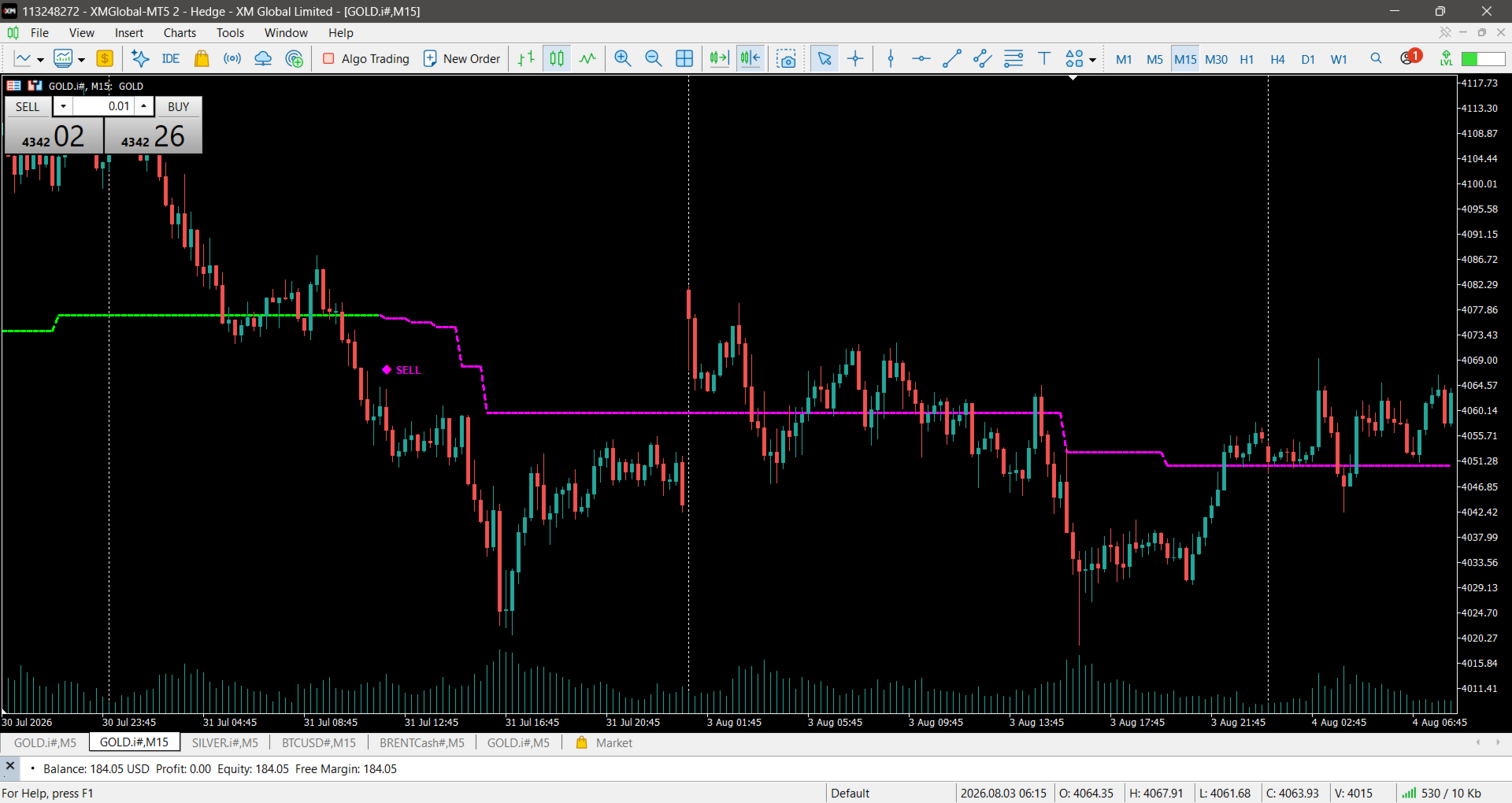
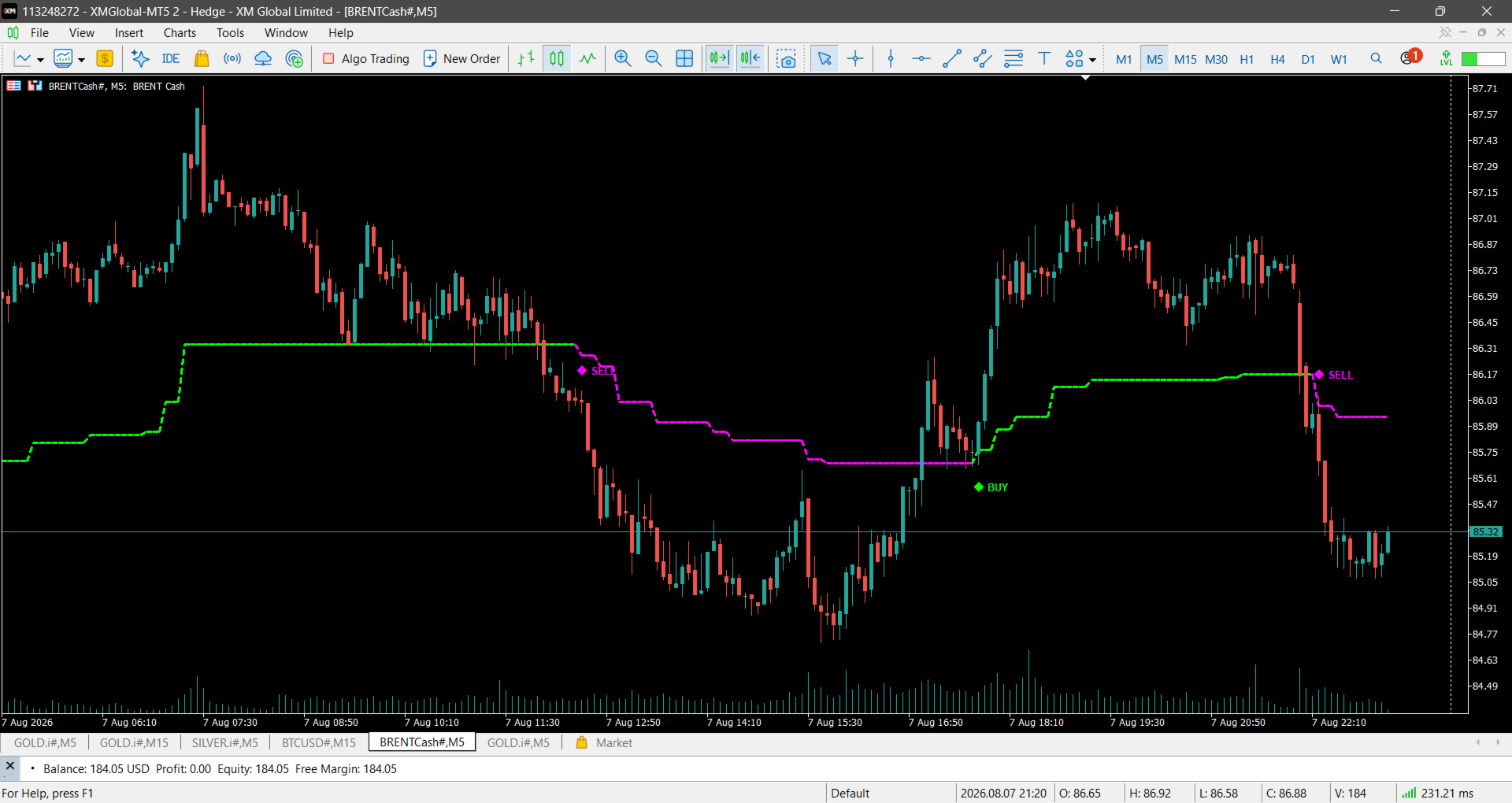
- Color-Changing Trend Line: Dynamic center line changes color instantly (Lime = Bullish / Magenta = Bearish) upon slope confirmation.
- Visual Entry Signal Diamonds: On-chart signal diamonds mark higher-timeframe trend shifts in real-time.
- On-Chart BUY / SELL Labels: Clean text overlays clearly indicate direction at signal points.
- Volatility-Based Arrow Spacing: Signals and spacing automatically adjust using dynamic ATR calculations to stay visible across all market conditions.
- Multi-Alert Suite: Never miss a setup with native MT5 pop-up alerts, sound alerts, email notifications, and mobile push notifications.
- Non-Repainting & Optimized: Fully optimized code engineered for zero repainting on closed candles and minimal MT5 CPU usage.
Input Parameters
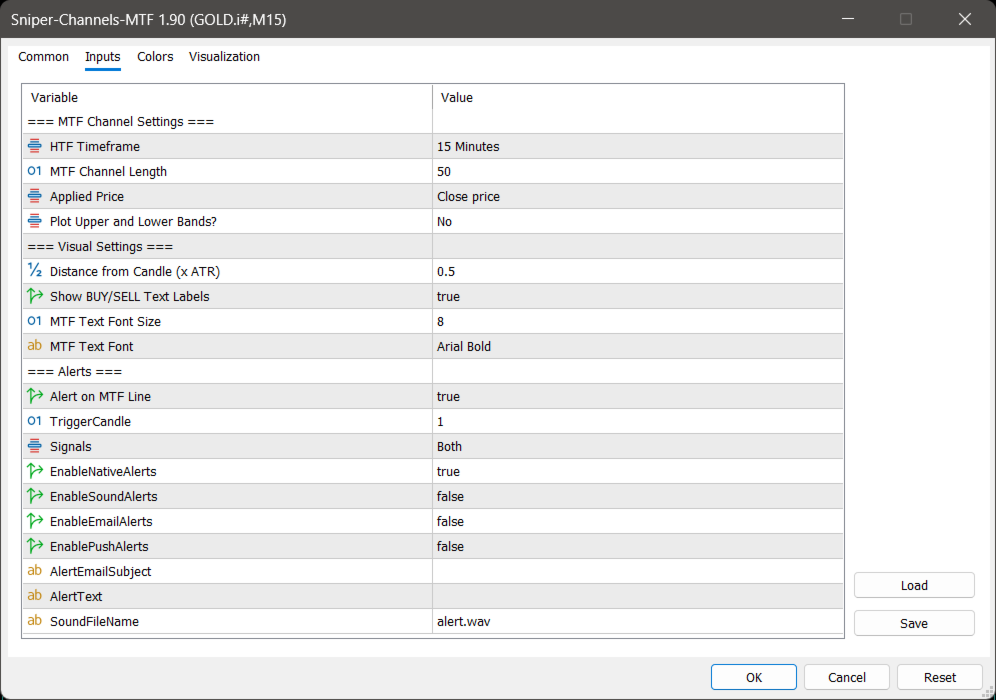
=== MTF Channel Settings ===
- HTF Timeframe: Select the Higher Timeframe for channel calculations (e.g., PERIOD_H1, PERIOD_H4, PERIOD_D1).
- MTF Channel Length: Period used to calculate the channel (Default: 50).
- Applied Price: Price type used for calculations (Close, Open, High, Low, Median, Typical, Weighted).
- Plot Upper and Lower Bands?: Toggle visibility of upper and lower channel boundaries (Yes / No).
=== Visual Settings ===
- Distance from Candle (x ATR): Multiplier to adjust the vertical distance between signals and price candles.
- Show BUY/SELL Text Labels: Toggle "BUY" / "SELL" text labels on signal diamonds.
- MTF Text Font Size & Font Name: Customize the font appearance of on-chart text labels.
=== Alerts ===
- Alert on MTF Line: Enable/disable alert notifications.
- Trigger Candle: Choose candle index for alerts (1 = Closed candle confirmation, 0 = Current live candle).
- Signals: Filter alert types (Buy only, Sell only, or Both).
- Enable Native / Sound / Email / Push Alerts: Choose your preferred delivery method for trade signals.
How to Trade with Sniper Channels MTF
- Trend Direction: Trade in the direction of the MTF Average Line color (Lime for Buys, Magenta for Sells).
- Channel Extremes: Look for long entries near the Lower Band during Lime trends, and short entries near the Upper Band during Magenta trends.
- Signal Confirmation: Wait for the MTF Diamond signal to close on your trigger candle before entering a position.