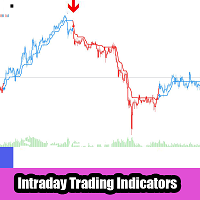
Sniper Channels Base with MTF
- Indicators
- Version: 2.20
- Updated: 10 August 2026
- Activations: 5

Sniper Channels Base with MTF is an advanced, all-in-one trend-following channel indicator designed for MetaTrader 5. It combines Current Timeframe channel dynamics with Higher Timeframe (HTF) trend filtering and multi-timeframe signal generation, all projecting directly onto your chart with zero lag and zero repaint.
Engineered for Forex, Indices, Commodities, and Crypto, Sniper Channels Base with MTF allows traders to align lower-timeframe entry setups with higher-timeframe market direction for maximum probability and minimal drawdown.
Key Features
- Dual Channel Engine: Calculate and plot Current Timeframe channels and Higher Timeframe (HTF) channels simultaneously on a single chart.
- MTF Trend Filtering: Filter out low-probability Current Timeframe signals when they oppose the Higher Timeframe trend.
- Color-Changing Trend Lines: Dynamic average lines change color instantly (Aqua/Lime = Bullish, Red/Magenta = Bearish) upon slope confirmation.
- On-Chart Signal Arrows & MTF Diamonds: Clear signal arrows for current timeframe setups and high-impact diamond markers for MTF trend shifts.
- On-Chart BUY / SELL Labels: Clean text overlays clearly indicate trade direction at MTF signal points.
- Volatility-Based ATR Spacing: Arrow and label positioning automatically scales using dynamic ATR calculations to prevent chart clutter.
- Multi-Alert Suite: Fully customizable pop-up alerts, sound alerts, email notifications, and mobile push notifications for both Current and MTF signals.
- Non-Repainting & EA Ready: Engineered with 16 indicator buffers, making it 100% non-repainting on closed candles and fully compatible with Expert Advisors (EAs).
Input Parameters
=== Channel Settings ===
- Channel Length (Current TF): Number of candles used to calculate the current timeframe channel (Default: 50).
- Applied Price: Price type used for calculations (Close, Open, High, Low, Median, Typical, Weighted).
- Plot Upper and Lower Bands?: Toggle visibility of upper and lower channel boundaries (Yes / No).
=== MTF Settings ===
- Enable MTF Filter: Enable or disable Higher Timeframe channel calculations (true / false).
- HTF Timeframe: Select the Higher Timeframe for channel calculations (e.g., PERIOD_H1, PERIOD_H4, PERIOD_D1).
- MTF Channel Length: Period used to calculate the Higher Timeframe channel (Default: 50).
=== Visual Settings & Trend Filters ===
- Filter Current TF Signals by MTF Trend?: When enabled, blocks Current TF buy signals during MTF downtrends and sell signals during MTF uptrends.
- Distance from Candle (x ATR): Multiplier to adjust vertical distance between price candles and signal markers.
- Show BUY/SELL Text Labels: Toggle "BUY" / "SELL" text labels on MTF signal points.
- MTF Text Font Size & Font Name: Customize the font appearance and size of on-chart text labels.
=== Alerts ===
- Alert on Current TF Line / Alert on MTF Line: Enable or disable alert notifications for Current TF or MTF signal changes.
- Trigger Candle: Choose candle index for alerts (1 = Closed candle confirmation, 0 = Live candle).
- Signals: Filter alert types (Buy only, Sell only, or Both).
- Enable Native / Sound / Email / Push Alerts: Choose your preferred signal delivery methods.
How to Trade with Sniper Channels Base with MTF
- Higher Timeframe Bias: Check the MTF Average Line color (Lime = Bullish, Magenta = Bearish).
- Trend Filtered Entries: Enable MTF Trend Filtering so current timeframe Buy arrows only appear during MTF uptrends and Sell arrows only appear during MTF downtrends.
- Reversal / Trend Continuation: Enter trades near channel extremes in the direction of the MTF trend upon closed candle confirmation.