Sniper MTF Stochastic
- Indicators
- Version: 1.24
- Updated: 10 August 2026
- Activations: 5

Sniper MTF Stochastic — All-in-One Multi-Timeframe Oscillating Dashboard & Main-Chart Signals
Sniper MTF Stochastic is a high-precision multi-timeframe indicator for MetaTrader 5, engineered to deliver complete market alignment at a glance. By combining subwindow panel analysis with main-chart signal confluence, it eliminates clutter while giving traders a edge in entry precision and trend filtering.
Key Features
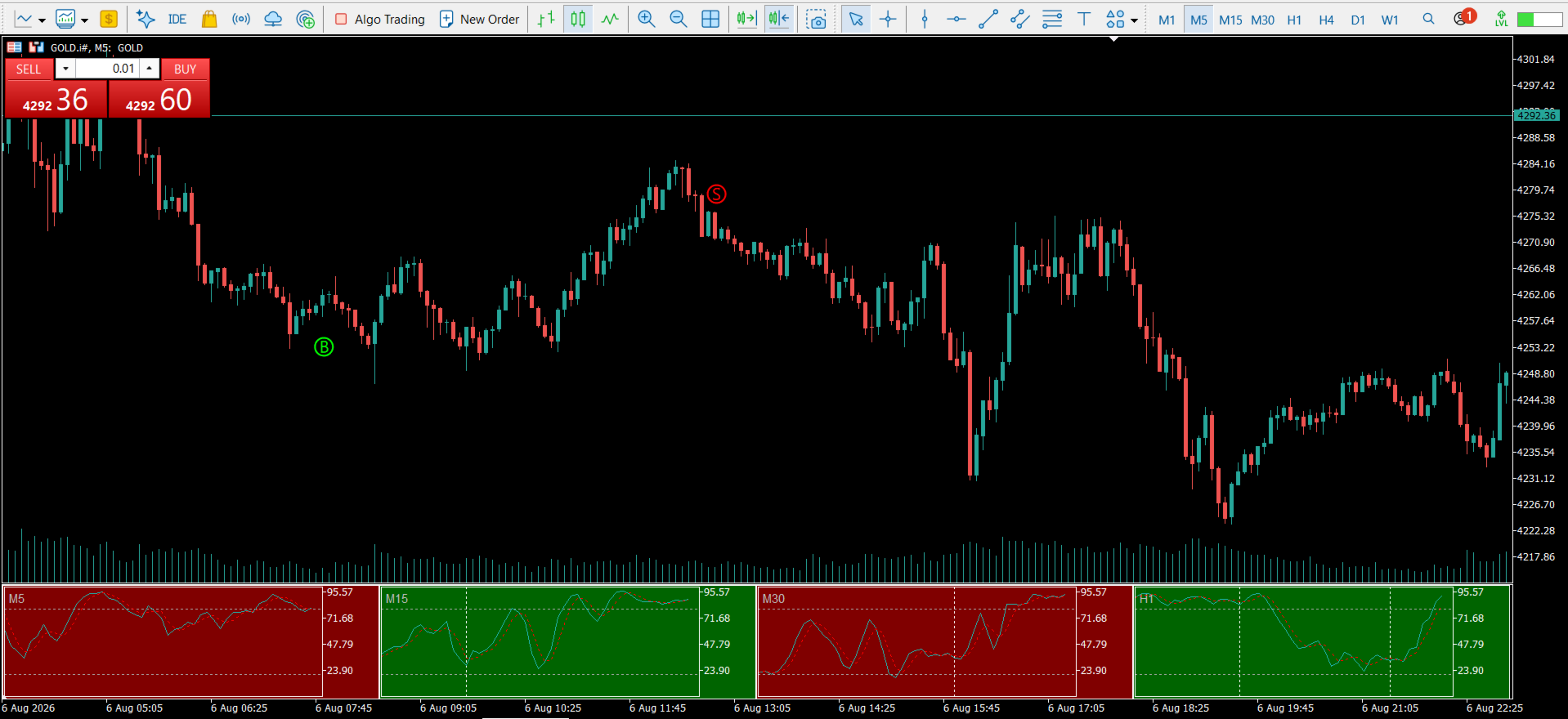
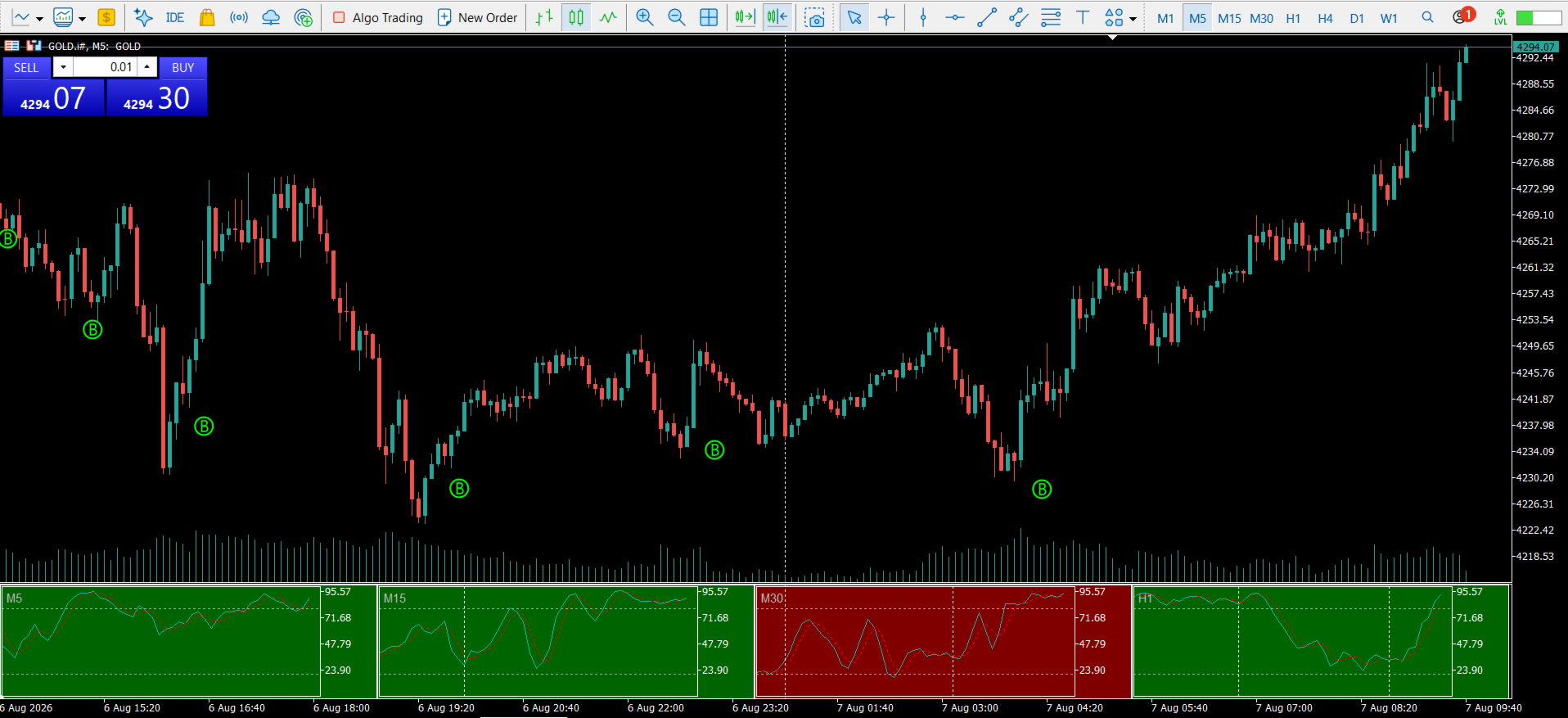
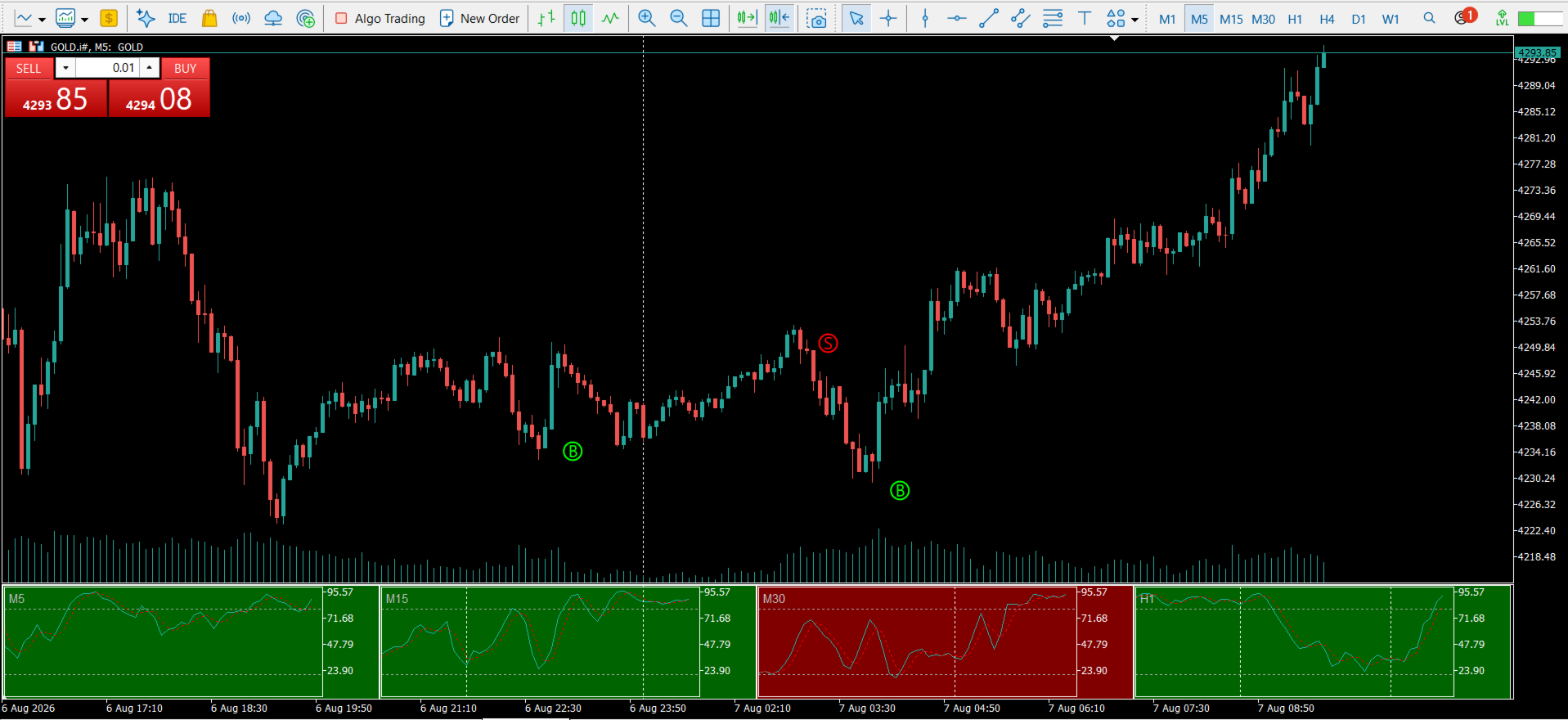
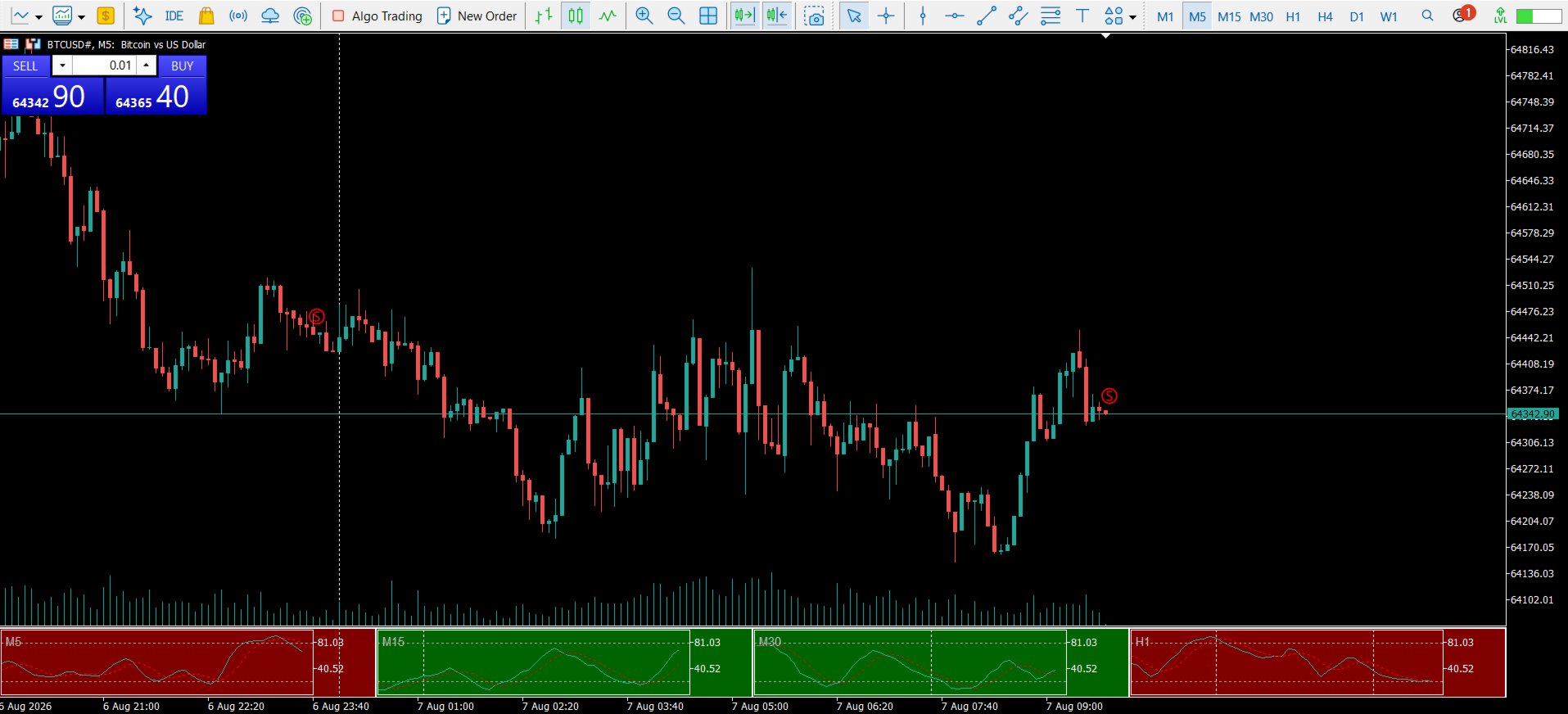
- 4-in-1 Subwindow Panel VisualizerDisplays four independent timeframe charts simultaneously in a single subwindow.
- Dynamic Bull/Bear Confluence BackgroundsSubcharts automatically change color (Dark Green for Bullish crossover, Maroon for Bearish crossover) to show live trend direction across multiple timeframes.
- Main-Chart Confluence SignalsPlots direct Buy (Ⓣ) and Sell (Ⓢ) signal labels on the main chart, generated when the signal timeframe crosses over/under Extreme Levels (80/20) and aligns with the filter trend timeframe.
- Smart Confluence FilteringFilters out fake-outs by validating lower-timeframe signals against higher-timeframe trend direction before placing chart objects or firing alerts.
- Non-Repainting Historical SignalsScans recent history during startup and processes new signals bar-by-bar on live updates.
- Built-in AlertsOptional native MetaTrader 5 popup alerts notify you immediately when high-confluence setup conditions are met.
How It Works
- Subwindow Panel Matrix:
- Four subcharts run side-by-side inside your indicator subwindow.
- Standard price lines are hidden so you focus purely on Stochastic momentum dynamics across your selected timeframes (e.g., M5, M15, M30, H1).
- Main-Chart Signal Logic:
- BUY Signal: The Stochastic %K line crosses above %D below the Oversold Level (20) on the Signal Timeframe, and the Confluence Trend Timeframe is bullish (%K > %D).
- SELL Signal: The Stochastic %K line crosses below %D above the Overbought Level (80) on the Signal Timeframe, and the Confluence Trend Timeframe is bearish (%K < %D).
Input Parameters
Stochastic Settings
- InpKPeriod: %K line period (Default: 14 )
- InpDPeriod: %D line period (Default: 3 )
- InpSlowing: Slowing period (Default: 3 )
- InpOverbought: Overbought threshold level (Default: 80 )
- InpOversold: Oversold threshold level (Default: 20 )
Subwindow Panel Settings
- InpTF1 – InpTF4: Configure the four timeframes displayed in the subwindow panel (Default: M5 , M15 , M30 , H1 )
Main Chart Signal Settings
- InpSignalTF: The primary timeframe monitored for Overbought/Oversold crossovers (Default: H1 )
- InpTrendFilterTF: Higher timeframe used for trend alignment check (Default: H4 )
- InpSignalSize: Font size for the Buy/Sell chart markers (Default: 13 )
- InpUseAlerts: Enable or disable real-time popup notifications ( true / false )