
Gold Something Extra
- Experts
- Version: 2.40
- Updated: 31 October 2026
- Activations: 10

Must Read: This EA may experience significant drawdowns in live trading. Please trade only with money you can afford to lose, and avoid setting LotFactor too high (recommended: 0.1-0.2).
■Includes features designed for prop firm trading.
Recommended Timeframe: H1 (1 Hour) Recommended Minimum Deposit: Standard account, $500 per 0.01 lot
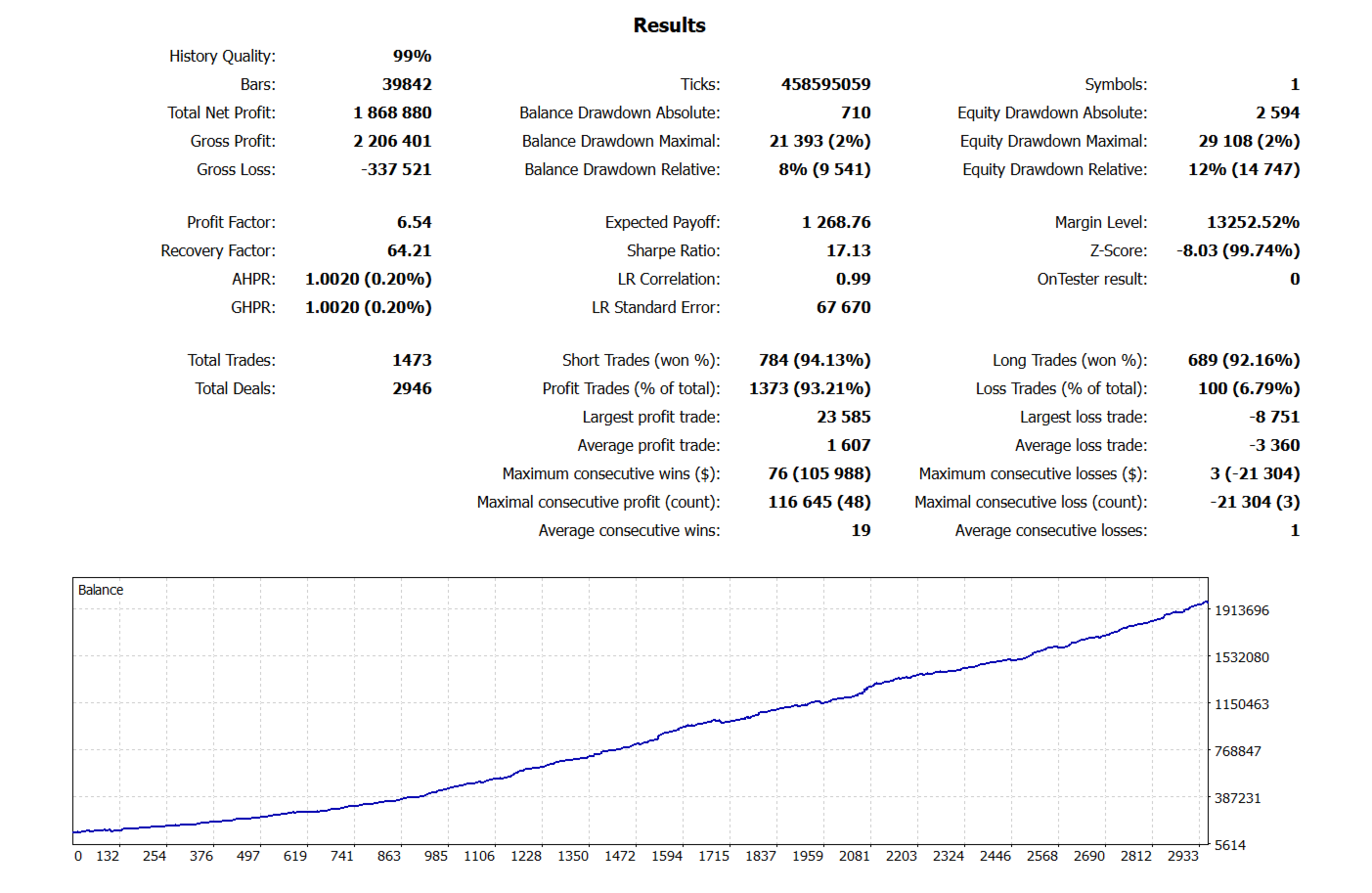
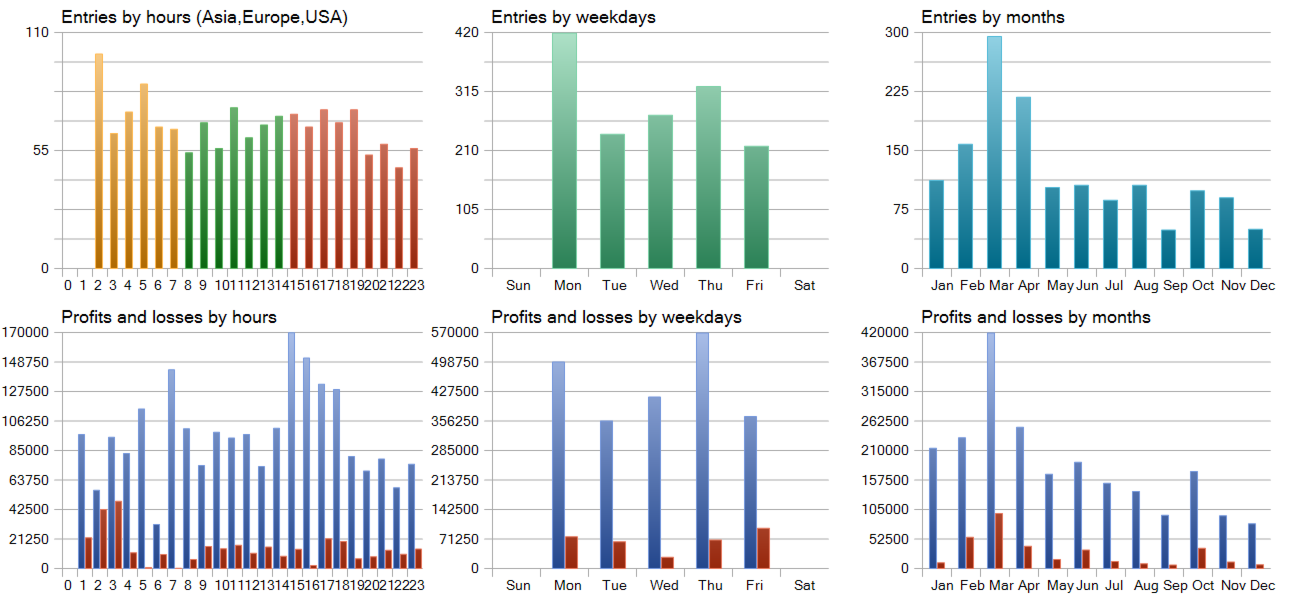
This EA uses a machine learning method called Gradient Boosting and is designed to retrain itself using the entire historical chart data at the final stage. As a result, backtest results can be exceptionally good. However, please understand that identical performance cannot be expected in live trading.
In response to recent market conditions, Signal 1 adopts a scalping approach. Signal 2 is designed for day trading, but it is configured to move the stop loss to a more favorable level once a certain amount of profit has been achieved.
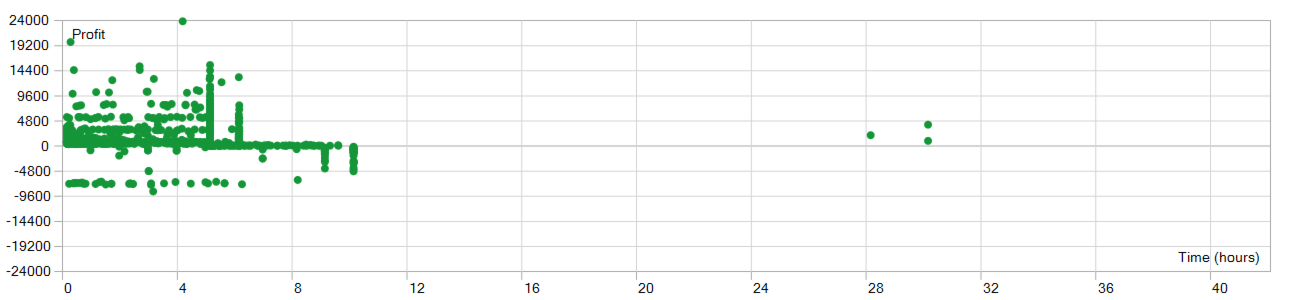
■This EA is programmed to close a position if it is in profit after HoldingHours hours have elapsed since order entry.
If the position is still at a loss after HoldingHours hours, it will be closed as soon as the profit reaches the value defined by the parameter Lots × MinProfit. For example, if the order size is 0.01 lots and MinProfit is set to 100, the position will be closed at a profit of 100 yen on a JPY-denominated account, or 100 cents on a USD-denominated account.
For Micro or Cent accounts, please adjust the MinProfit parameter accordingly. If MaxHoldingHours hours have elapsed since order entry, the position will be closed regardless of whether it is in profit or loss.
Recommended: A GMT+2 broker such as IC Markets. (Exness is not a recommended broker; however, if you use Exness, please change the parameters as follows: WeekEndCloseTime=18.)
■ Parameter Descriptions
■ TakeProfit, StopLoss --- Values are specified in points. For Gold, with a broker using 2 decimal places, XAUUSD 1.00 USD equals 100 points. With a broker using 3 decimal places, XAUUSD 0.100 USD equals 100 points.
■ TrailingStopLevel --- The distance, in points, that the trailing stop follows the current price. For example, a value of 1500 moves the stop loss to 1500 points behind the current price.
■ TrailingStart --- The trailing stop starts when the current price has moved in profit by this number of points from the entry price.
■ TrailingStep --- The step size, in points, for moving the trailing stop. For example, if set to 100, the stop moves in increments such as 1000 → 1100 → 1200.
■LotCalculationType --- This is a dropdown menu. Select LOT_FIXED to use a fixed lot size, LOT_RISK_PERCENT to calculate the lot size based on the risk percentage, or LOT_PER_EQUITY to calculate the lot size based on equity.
■FixedLot --- The fixed lot size used when LOT_FIXED is selected.
■RiskPercent --- The allowable loss percentage used when LOT_RISK_PERCENT is selected. The lot size is calculated by working backward from the loss amount represented by this percentage.
■PerEquity --- When LOT_PER_EQUITY is selected, the lot size is calculated at 0.01 lots for every specified amount of equity. For example, with a USD-denominated account, if the account equity is 10,000 USD and PerEquity is set to 1000.0, the lot size will be 0.10 lots.
■ InpMaxDailyLossPercent --- Maximum daily loss limit. If set to 5.0, all positions will be closed and no further trading will be allowed once the account incurs a 5% loss in a single day. The calculation is intentionally slightly stricter to account for slippage.
■ UseDailyExit --- When set to true, positions are closed before the daily market rollover period to avoid losses caused by price movements while the market is closed between 00:00 and 01:00.
■ DailyExitHour --- Hour setting for Daily Exit.
■ DailyExitMin --- Minute setting for Daily Exit.
Note: Backtest results do not guarantee future profits. Please run the EA on a demo account for a period of time before using it on a live account.
































good :)