
King Trade Copier
- Utilities
-
Mohammed Maher Al-sayed Mohammed Ahmed Saleh
 "I am an independent Trading Bot Developer specialized in creating automated trading solutions using advanced techniques on platforms like MetaTrader 4 and MetaTrader 5. I have experience in designing and developing custom trading strategies, including using technical indicators and data analysis to
 - Version: 1.2
- Updated: 24 September 2026
- Activations: 5
King Trade Copier links two or more MetaTrader terminals running on the same computer or VPS. One terminal sends its trades and the others receive them. A single file holds both roles, so you attach it and set Mode to Master on the sender and to Slave on each receiver.
A panel on the chart shows the role of the terminal, how many receivers are connected, which account is sending, and how old the last signal is. When a trade is not copied, the reason is written on the panel.
What is copied
- Market positions, open and close
- Pending orders: place, modify and delete
- Stop Loss and Take Profit, including every later change
- Partial closes and added volume
Break-even moves and trailing stops are followed step by step, so the receiving position keeps the same levels as the sending one for the whole life of the trade.
Speed and unattended running
The sender writes an update the moment anything changes. Receivers read the channel every millisecond and send asynchronous orders, so the delay that remains is your broker's own execution time.
A receiver that restarts compares itself with the sender and repairs the difference. The link between a copied position and its source is stored on disk, so it survives a restart, a re-attach, a partial close, and a broker that clears comments. MaxSlippagePoints holds an entry back while price is too far from the sender's and retries when it comes back. MaxDelayMs refuses to open an old signal as a new trade. Incomplete data on the channel is never executed. Every symbol property is read from the receiving broker, so any broker, symbol and account currency is handled.
Lot size on the receiver
- Multiplier, the sender lot times your factor
- Fixed lot, the same size on every copied trade
- Balance ratio, scaled by the two balances, so a 500 USD account follows a 5,000 USD one in proportion
Each result is normalised to the receiving broker's own minimum, maximum and step.
Symbol names at different brokers
Brokers spell instruments differently: XAUUSDr, XAUUSDm, XAUUSD.raw, m.EURUSD. The copier identifies an instrument by its base and profit currency rather than by its name, so the receiver finds the matching symbol at its own broker with nothing to configure. For an index name that cannot be derived, such as GER40 against DE40, there is a rename list where you write GER40=DE40. The panel always shows what each symbol resolved to, so a name the receiving broker does not carry is reported on screen.
Reverse mode
With ReverseCopy the receiver takes the opposite side. Stop Loss and Take Profit are rebuilt with the sender's own distances around the receiver's entry price. When the sender closes, the reversed trade stays open and runs to its own target, and ReverseAutoClose changes that if you prefer. Pending orders are mirrored the same way, so a Buy Stop becomes a Sell Limit at the same price.
Settings
Two settings start it. Mode is the role of this terminal, and CopierID is the channel that one sender and its receivers share.
On the sender: MagicFilter, SymbolFilter, CopyPending, AutoSL_Pips and AutoTP_Pips.
On the receiver: LotMode, LotValue, ReverseCopy, ReverseAutoClose, CopySLTP, SyncOnStart, SymbolMap, MaxSlippagePoints and MaxDelayMs.
The panel can be hidden, moved anywhere on the chart, or matched to the chart theme, and a diagnostic line can be written to the Experts log.
Getting started
Attach the file on the first terminal and set Mode to Master. Attach it on the second terminal, set Mode to Slave, and give both the same CopierID. The sending panel then counts one receiver and the receiving panel reads LINK OK. If two terminals are left on Master, each panel names the other account so you can see it at once.
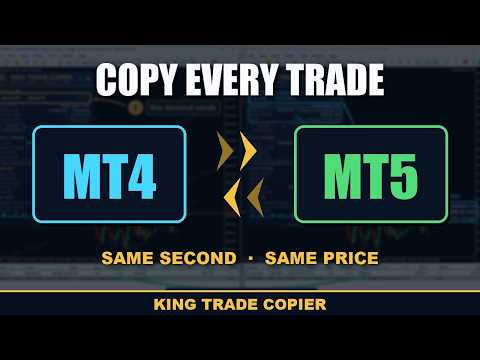
This is the MetaTrader 5 version. On its own it copies from one MetaTrader 5 terminal to any number of MetaTrader 5 terminals. To copy between MetaTrader 4 and MetaTrader 5 in either direction you also need King Trade Copier MT4. Both use the same channel, so only the same CopierID is needed.
A copier cannot run in the Strategy Tester, because the tester cannot connect two terminals. The free demo runs on two demo terminals on the same computer, which shows the result in about a minute.






















































I had the MT4 version and really liked it and bought now the MT5 version to try different signal providers in both MT4 and MT5 and it works heavenly!! Was interested in trying cross trades between MT5 and MT4 and it worked just like advertised. Mohammed was always helpful, professional and friendly! Amazing product! Super fast, easy to set up and effective. I recommend!!!