
King Trade Copier
- Utilità
-
Mohammed Maher Al-sayed Mohammed Ahmed Saleh
 "I am an independent Trading Bot Developer specialized in creating automated trading solutions using advanced techniques on platforms like MetaTrader 4 and MetaTrader 5. I have experience in designing and developing custom trading strategies, including using technical indicators and data analysis to
 - Versione: 1.2
- Aggiornato: 24 settembre 2026
- Attivazioni: 5
King Trade Copier collega due o più terminali MetaTrader che girano sullo stesso computer o VPS. Un terminale invia i propri trade e gli altri li ricevono. Un unico file contiene entrambi i ruoli, quindi lo alleghi e imposti Mode su Master sul mittente e su Slave su ogni ricevente.
Un pannello sul grafico mostra il ruolo del terminale, quanti riceventi sono connessi, quale conto sta inviando e quanto è vecchio l'ultimo segnale. Quando un trade non viene copiato, il motivo viene scritto sul pannello.
Cosa viene copiato
- Posizioni a mercato, apertura e chiusura
- Ordini pendenti: inserimento, modifica ed eliminazione
- Stop Loss e Take Profit, compresa ogni modifica successiva
- Chiusure parziali e volume aggiunto
Gli spostamenti a pareggio e i trailing stop vengono seguiti passo dopo passo, così la posizione ricevente mantiene gli stessi livelli di quella inviante per tutta la vita del trade.
Velocità e funzionamento senza supervisione
Il mittente scrive un aggiornamento nell'istante in cui qualcosa cambia. I riceventi leggono il canale ogni millisecondo e inviano ordini asincroni, quindi il ritardo che resta è il tempo di esecuzione proprio del tuo broker.
Un ricevente che si riavvia si confronta con il mittente e ripara la differenza. Il legame tra una posizione copiata e la sua origine è salvato su disco, quindi sopravvive a un riavvio, a un nuovo collegamento al grafico, a una chiusura parziale e a un broker che cancella i commenti. MaxSlippagePoints trattiene un ingresso finché il prezzo è troppo lontano da quello del mittente e riprova quando ritorna. MaxDelayMs rifiuta di aprire un vecchio segnale come nuovo trade. I dati incompleti sul canale non vengono mai eseguiti. Ogni proprietà del simbolo viene letta dal broker ricevente, quindi qualsiasi broker, simbolo e valuta del conto viene gestito.
Dimensione del lotto sul ricevente
- Multiplier, il lotto del mittente per il tuo fattore
- Fixed lot, la stessa dimensione su ogni trade copiato
- Balance ratio, scalato in base ai due saldi, così un conto da 500 USD segue in proporzione uno da 5.000 USD
Ogni risultato viene normalizzato al minimo, al massimo e al passo propri del broker ricevente.
Nomi dei simboli presso broker diversi
I broker scrivono gli strumenti in modo diverso: XAUUSDr, XAUUSDm, XAUUSD.raw, m.EURUSD. Il copiatore identifica uno strumento dalla sua valuta base e dalla valuta di profitto anziché dal nome, quindi il ricevente trova il simbolo corrispondente presso il proprio broker senza nulla da configurare. Per un nome di indice che non si può derivare, come GER40 rispetto a DE40, c'è un elenco di rinomina in cui si scrive GER40=DE40. Il pannello mostra sempre in cosa si è risolto ogni simbolo, quindi un nome che il broker ricevente non offre viene segnalato sullo schermo.
Modalità inversa
Con ReverseCopy il ricevente prende il lato opposto. Stop Loss e Take Profit vengono ricostruiti con le distanze proprie del mittente intorno al prezzo di ingresso del ricevente. Quando il mittente chiude, il trade invertito resta aperto e corre fino al proprio obiettivo, e ReverseAutoClose cambia questo comportamento se preferisci. Gli ordini pendenti vengono rispecchiati allo stesso modo, quindi un Buy Stop diventa un Sell Limit allo stesso prezzo.
Impostazioni
Due impostazioni fanno partire tutto. Mode è il ruolo di questo terminale, e CopierID è il canale che un mittente condivide con i suoi riceventi.
Sul mittente: MagicFilter, SymbolFilter, CopyPending, AutoSL_Pips e AutoTP_Pips.
Sul ricevente: LotMode, LotValue, ReverseCopy, ReverseAutoClose, CopySLTP, SyncOnStart, SymbolMap, MaxSlippagePoints e MaxDelayMs.
Il pannello può essere nascosto, spostato ovunque sul grafico o adattato al tema del grafico, e una riga di diagnostica può essere scritta nel log di Experts.
Per iniziare
Allega il file sul primo terminale e imposta Mode su Master. Allegalo sul secondo terminale, imposta Mode su Slave e dai a entrambi lo stesso CopierID. Il pannello del mittente conta allora un ricevente e il pannello del ricevente mostra LINK OK. Se due terminali restano su Master, ogni pannello nomina l'altro conto così te ne accorgi subito.
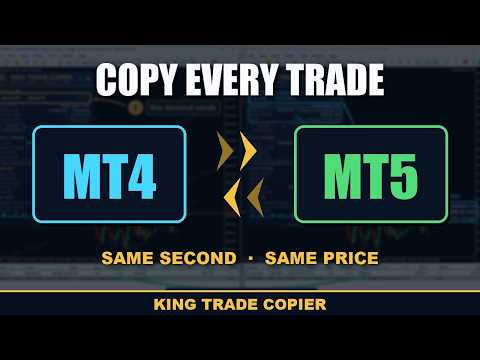
Questa è la versione per MetaTrader 5. Da sola copia da un terminale MetaTrader 5 a un numero qualsiasi di terminali MetaTrader 5. Per copiare tra MetaTrader 4 e MetaTrader 5 in entrambe le direzioni serve anche King Trade Copier MT4. Entrambi usano lo stesso canale, quindi basta lo stesso CopierID.
Un copiatore non può funzionare nello Strategy Tester, perché il tester non può collegare due terminali. La demo gratuita funziona su due terminali demo sullo stesso computer e mostra il risultato in circa un minuto.





















































I had the MT4 version and really liked it and bought now the MT5 version to try different signal providers in both MT4 and MT5 and it works heavenly!! Was interested in trying cross trades between MT5 and MT4 and it worked just like advertised. Mohammed was always helpful, professional and friendly! Amazing product! Super fast, easy to set up and effective. I recommend!!!