SuperR V2
- Experts
-
Mario El Kallab
 I Code EAs as a hobby and spend most of time investing in developing my skills and my EAs. Im a mechanical engineer with some personally acquired coding skills and a passion to trading and market analysis.
 - Version: 2.0
- Activations: 5
Overview
SuperR V2 is a professional trend-following Expert Advisor that combines the proven SuperTrend indicator with an advanced Rational Quadratic Kernel (RQK) filter. This unique combination provides exceptional trend detection while effectively filtering out market noise.
Key Features
The EA implements a canonical SuperTrend algorithm with single-band tracking for reliable trend identification. The RQK kernel filter acts as a sophisticated signal confirmation mechanism, ensuring entries only occur when the trend is supported by underlying price structure.
Optimized Presets — The EA includes pre-optimized settings for five major instruments:
-
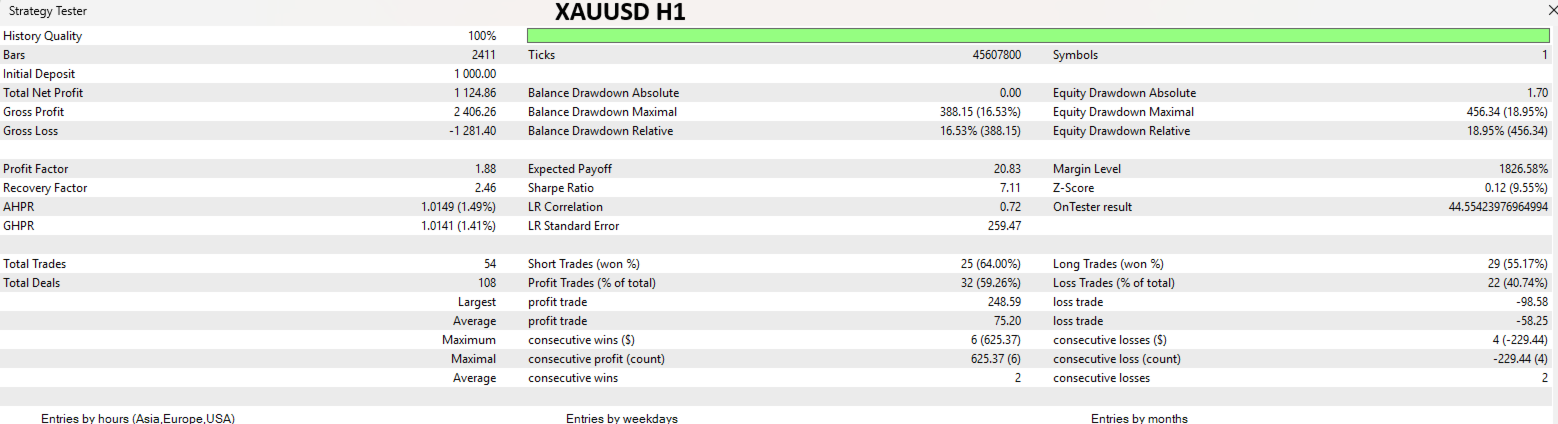
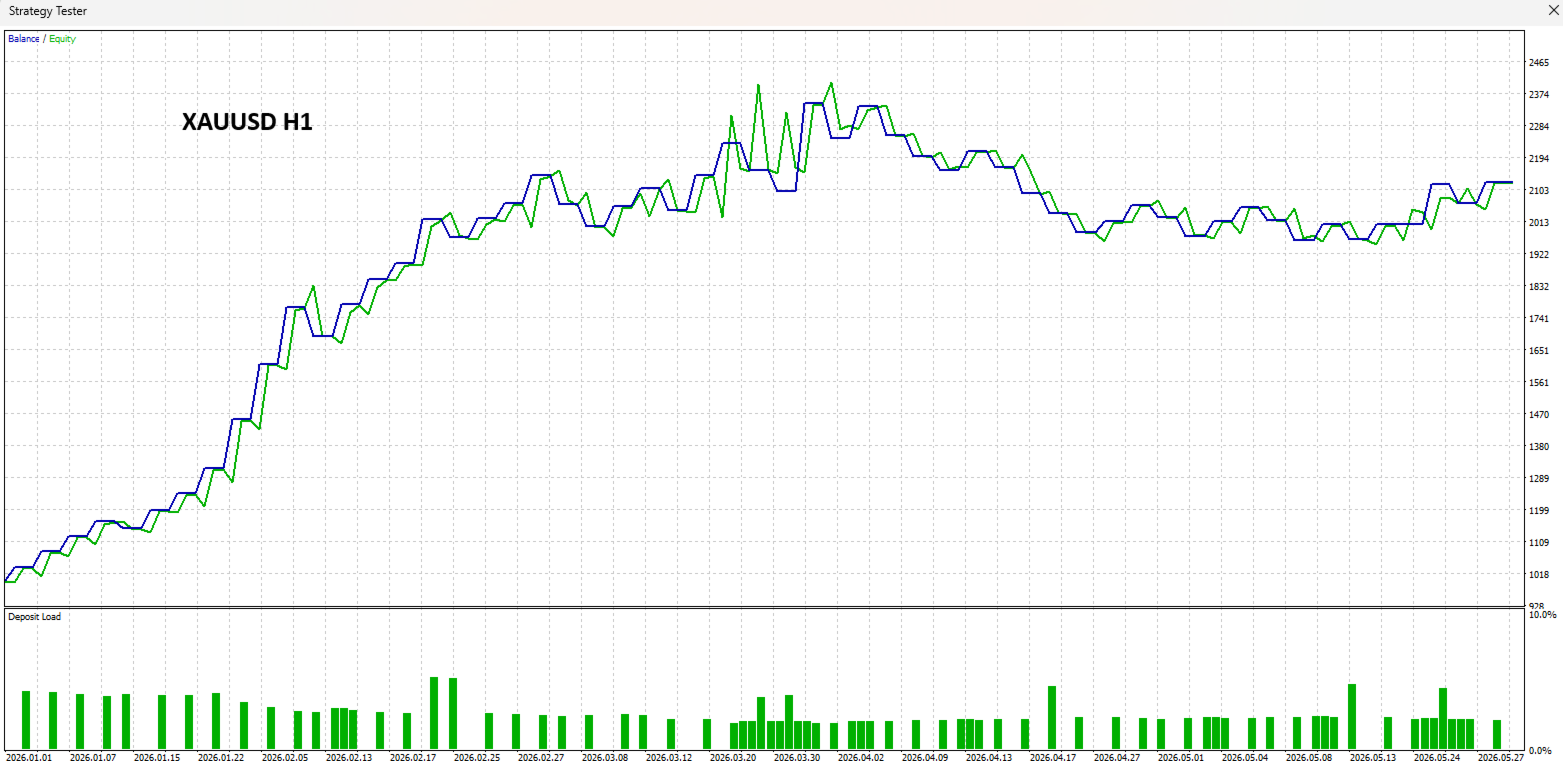
XAUUSD (Gold)
-
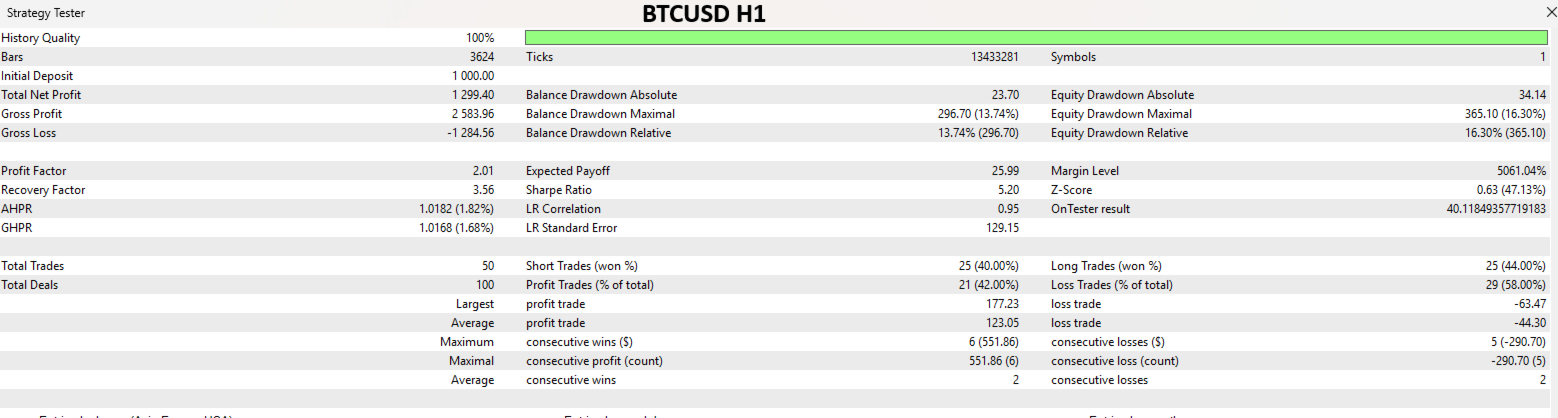
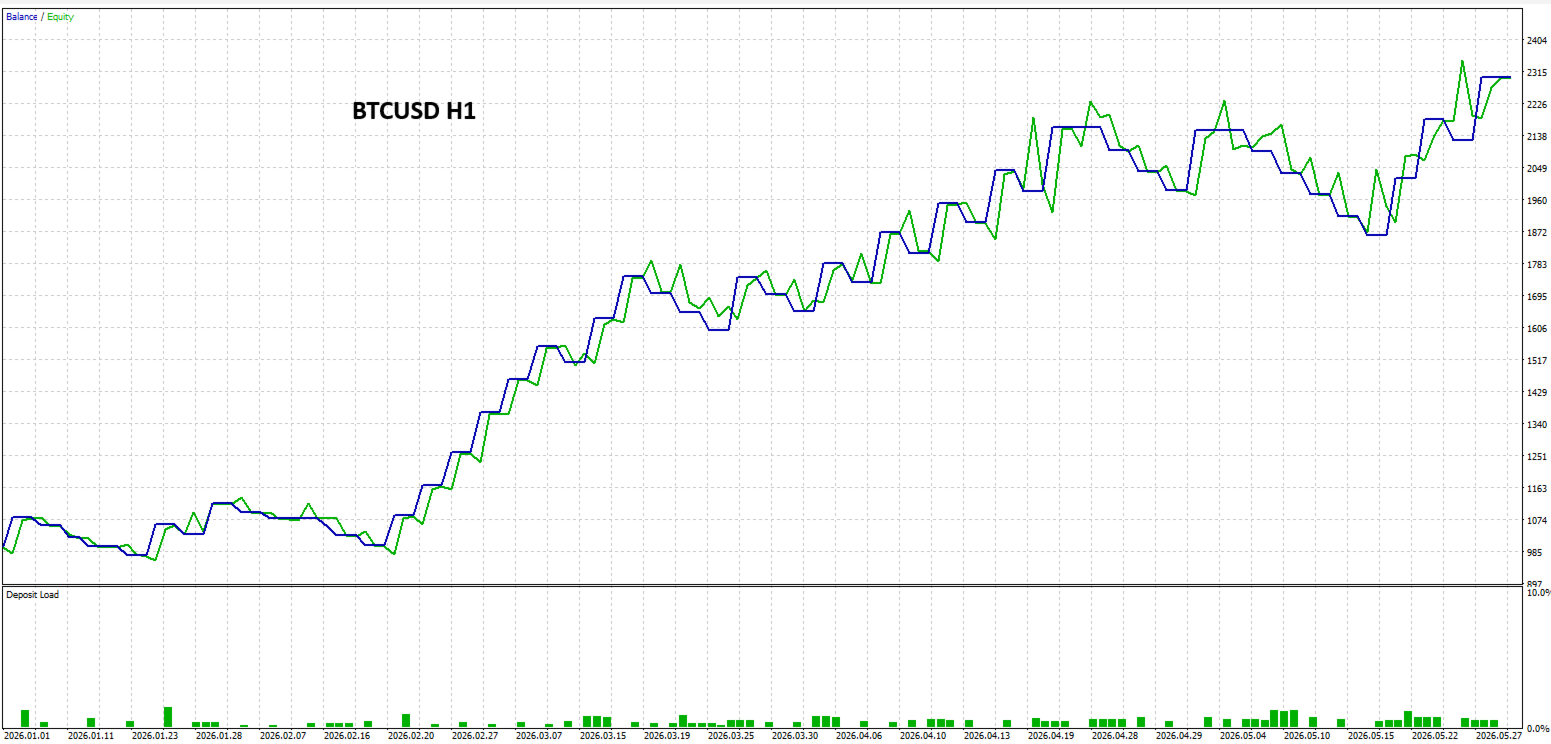
BTCUSD (Bitcoin)
-
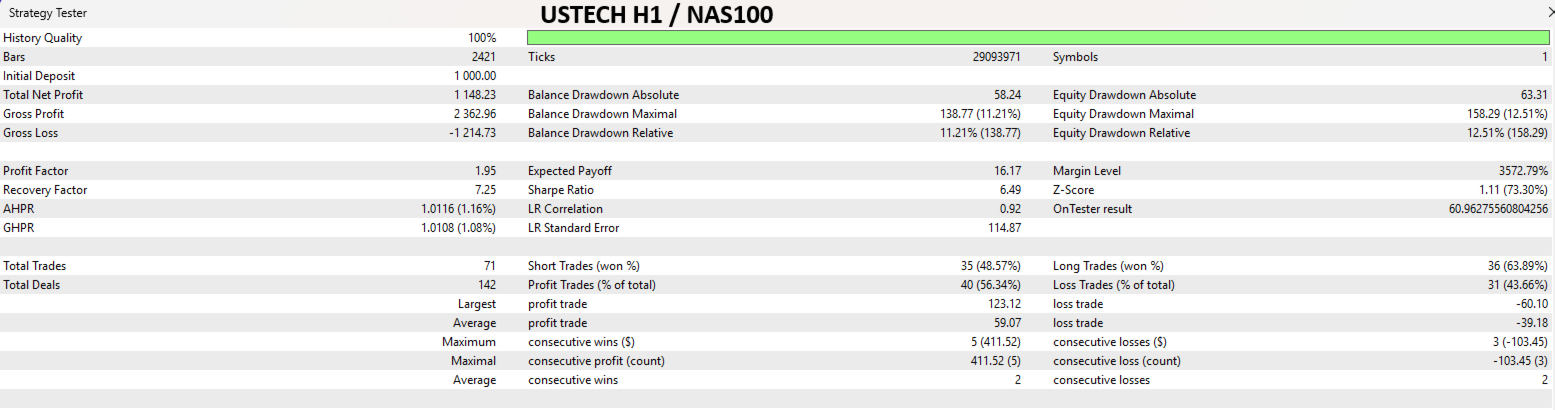
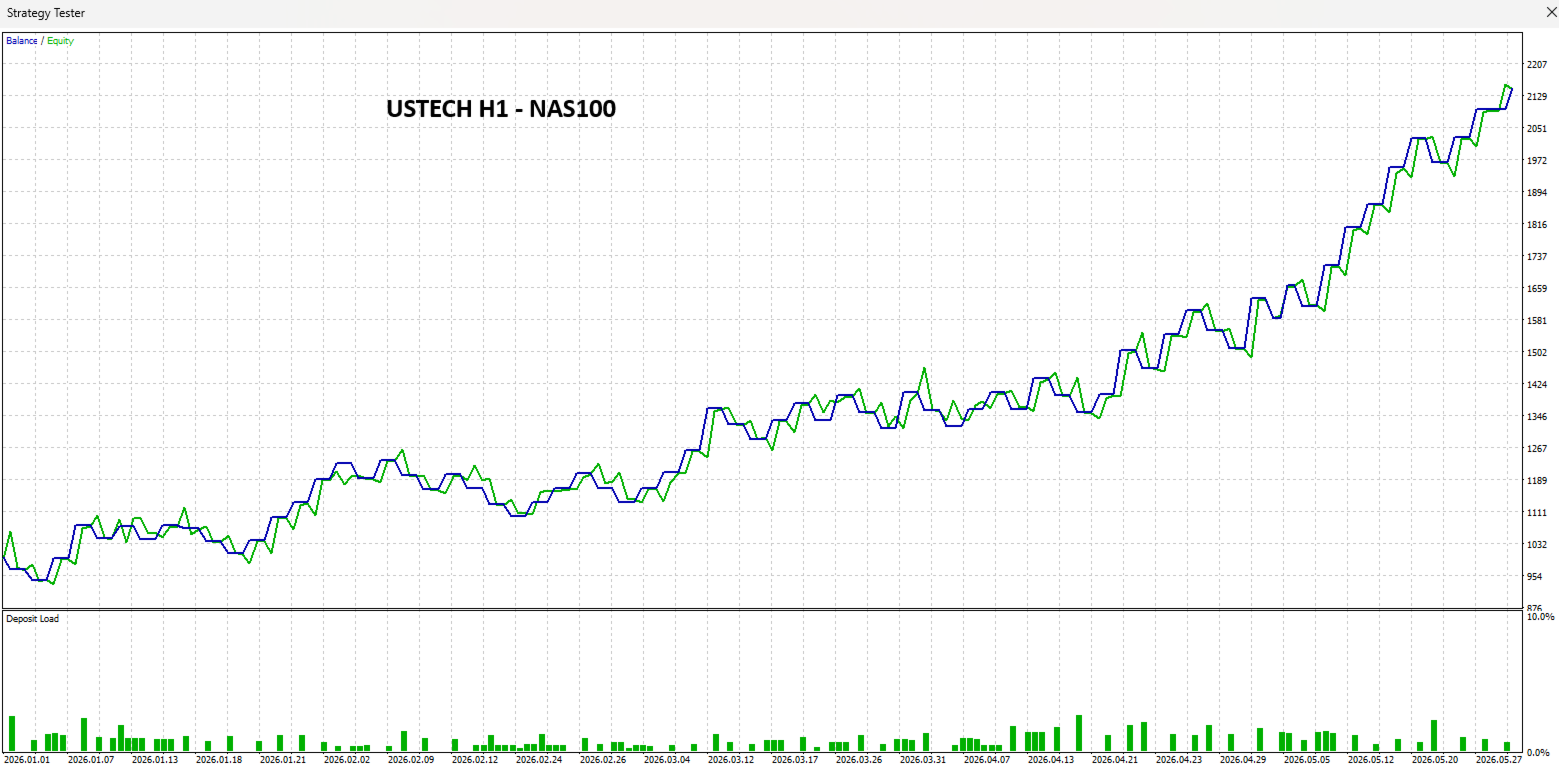
US100/NAS100 (US Tech)
-
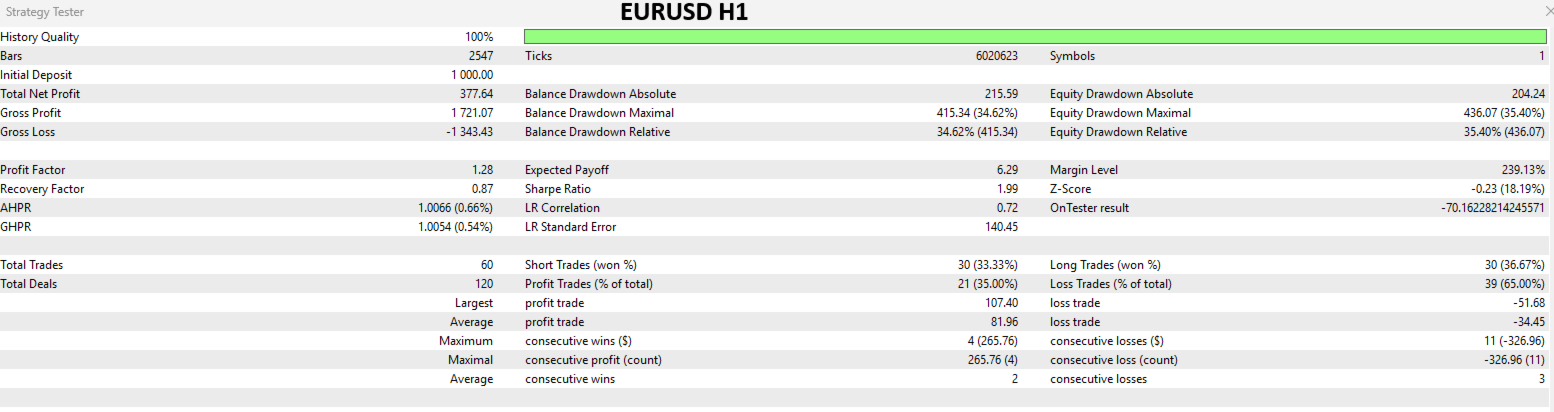
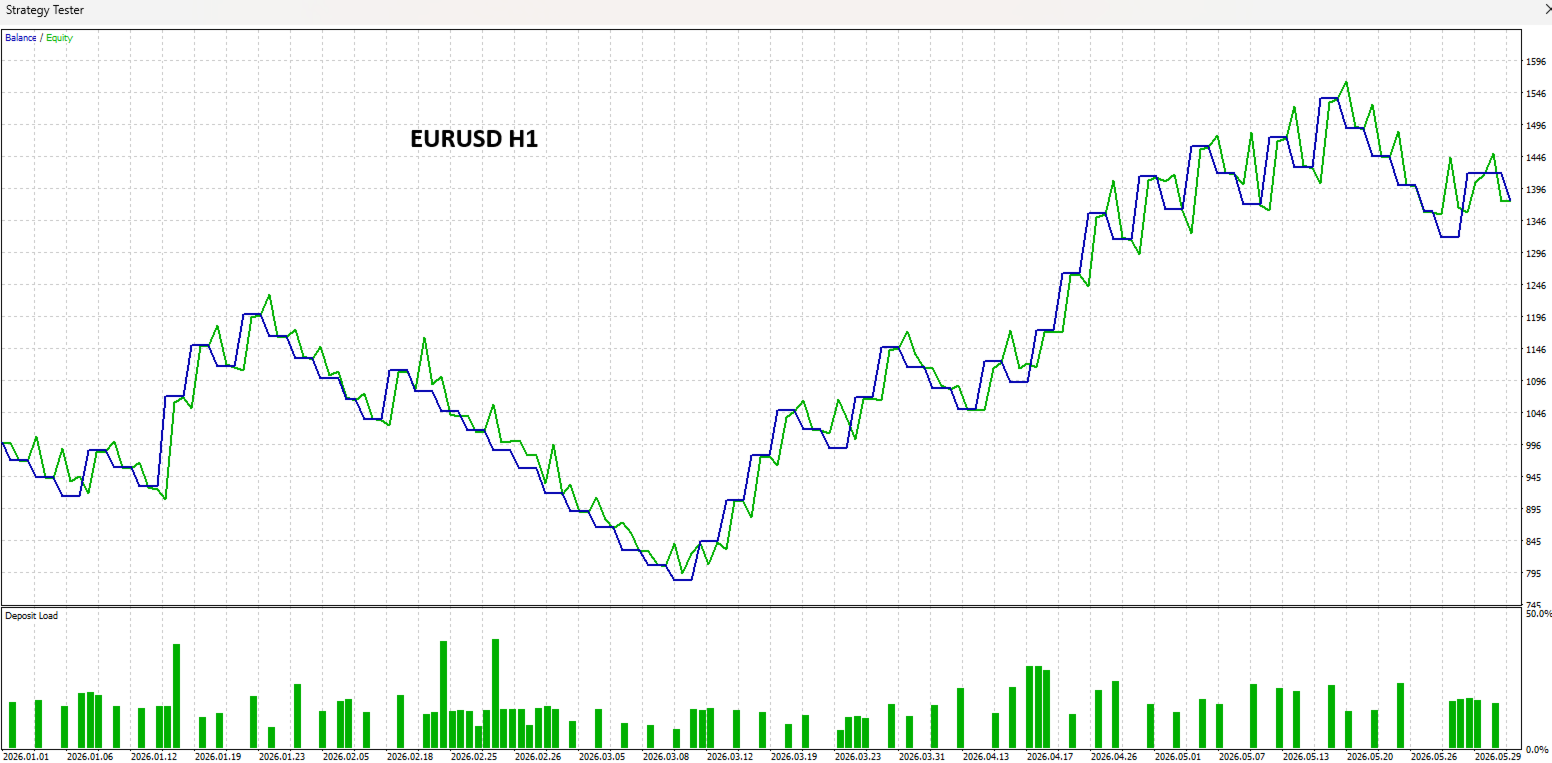
EURUSD
-
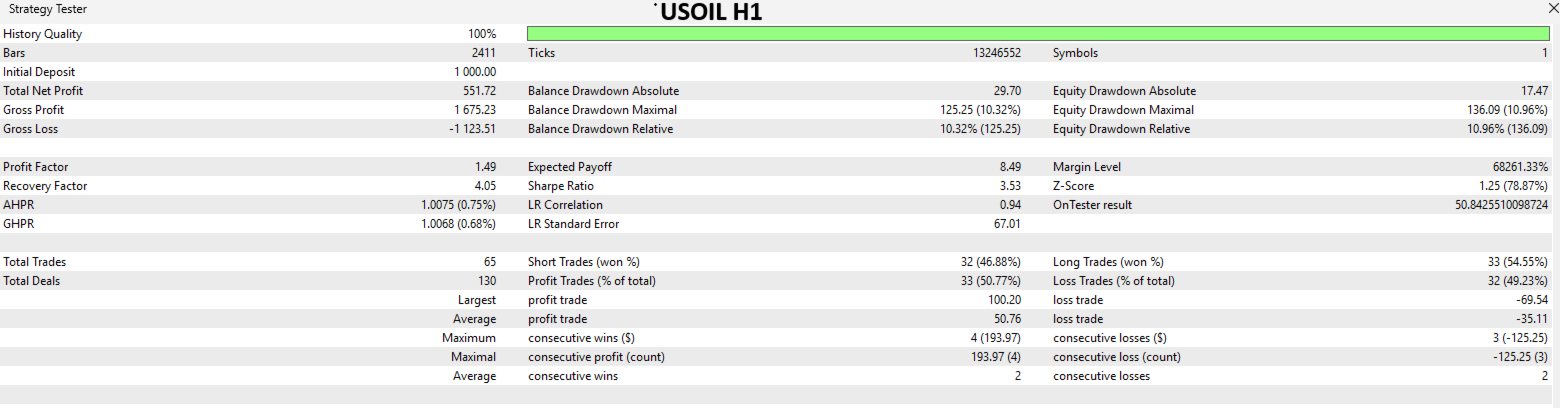
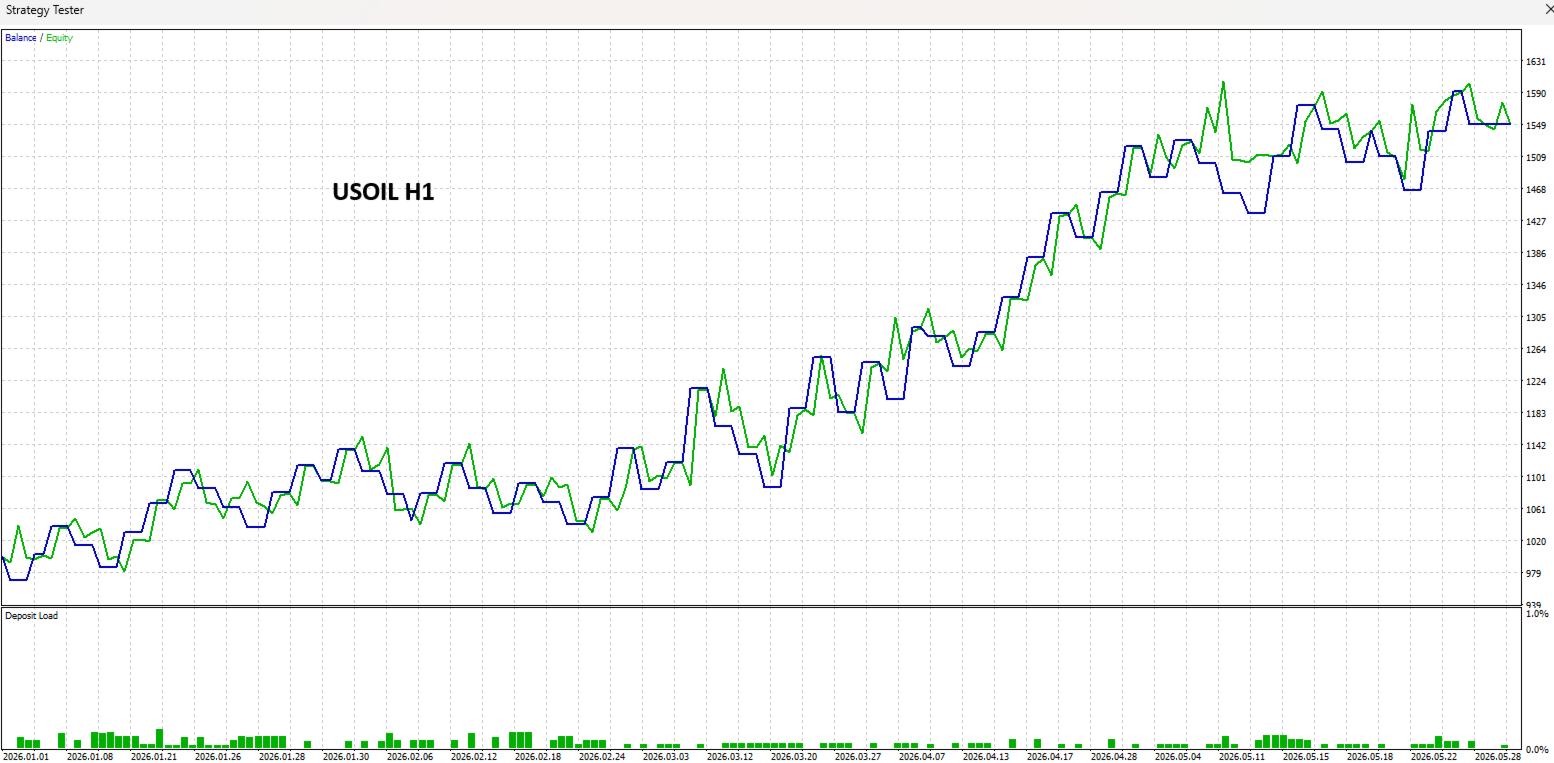
USOIL (WTI Crude Oil)
Users can select these presets from a dropdown menu, eliminating the need for manual optimization. A custom mode is also available for traders who prefer manual parameter adjustment.
Smart Risk Management — The EA features:
-
ATR-based stop loss and take profit
-
Smart stop loss placement using recent swing points
-
Trailing stop functionality
-
Automatic breakeven stop management
-
Dynamic lot sizing based on account risk percentage
-
Position size validation for all symbol types
Comprehensive Protection Systems:
-
Maximum daily drawdown protection (percentage and absolute value)
-
Maximum consecutive loss protection
-
Maximum daily trade limit
-
Equity protection
-
Margin safety checks
-
Stuck position detection and resolution
-
Trading session filters (Asian, London, New York sessions)
-
Spread monitoring and filtering
Universal Compatibility — The EA automatically adapts to:
-
Forex pairs
-
Precious metals (Gold, Silver)
-
Cryptocurrencies (BTC, ETH, etc.)
-
Stock indices (US100, NAS100, US30, GER40)
-
Oil (USOIL, WTI)
Input Parameters
Symbol Profile
-
Select optimized preset: Custom, Gold, BTC, US Tech, EURUSD, US Oil
-
Auto-apply profile on startup
-
Show profile info on startup
SuperTrend Settings
-
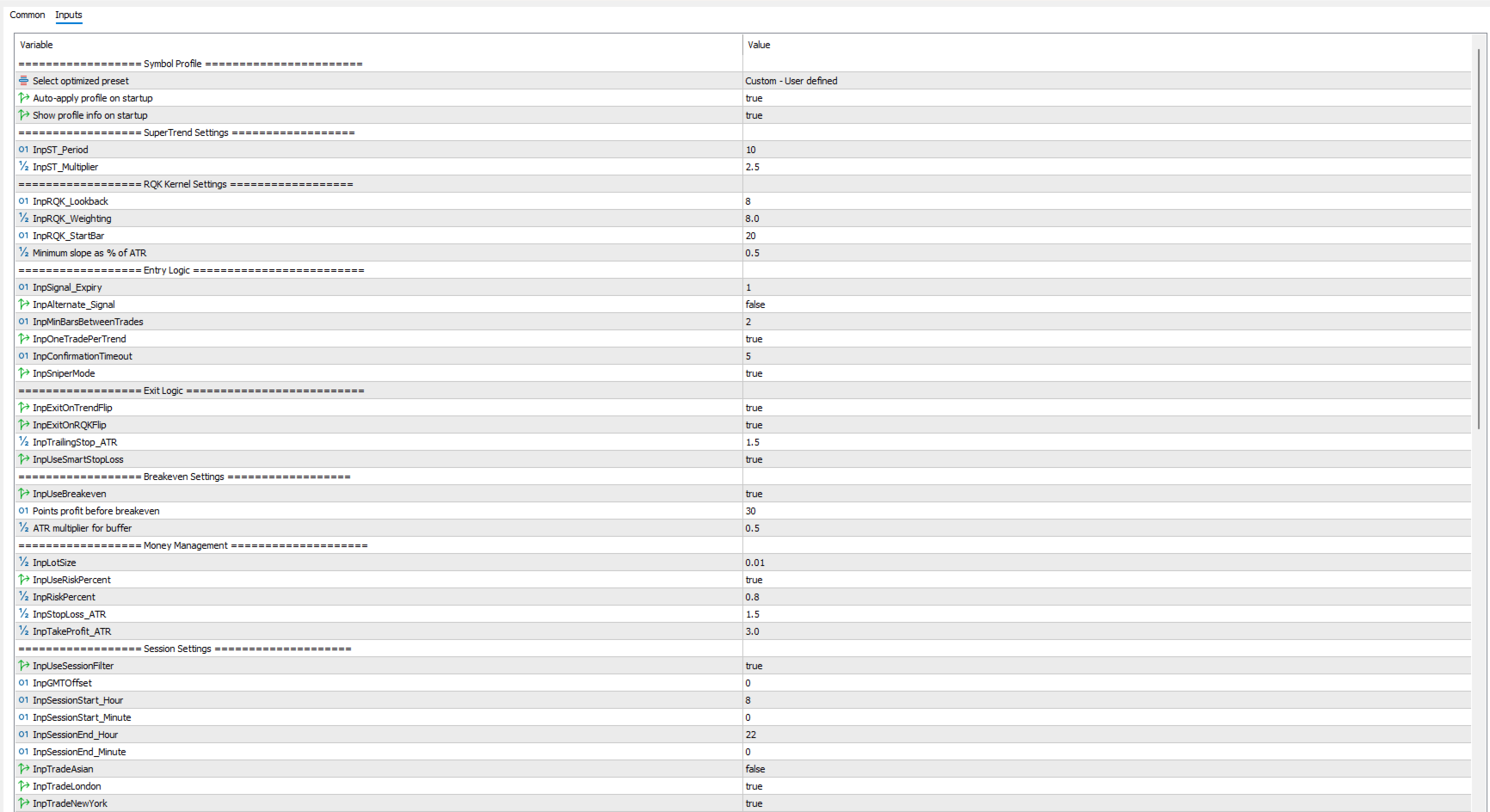
ST Period: 10 (adjustable)
-
ST Multiplier: 2.5 (adjustable)
RQK Kernel Settings
-
Lookback: 8 (adjustable)
-
Weighting: 8.0 (adjustable)
-
Start Bar: 20 (adjustable)
-
Minimum RQK Slope as % of ATR
Entry Logic
-
Signal Expiry bars
-
Alternate signal mode
-
Minimum bars between trades
-
One trade per trend
-
Confirmation timeout
-
Sniper mode
Exit Logic
-
Exit on SuperTrend flip
-
Exit on RQK flip
-
Trailing stop ATR multiplier
-
Smart stop loss
Breakeven Settings
-
Enable/disable breakeven
-
Breakeven trigger in points
-
Breakeven buffer ATR multiplier
Money Management
-
Lot size (fixed or risk-based)
-
Risk percentage per trade
-
Stop loss ATR multiplier
-
Take profit ATR multiplier
Session Settings
-
Session filter (on/off)
-
GMT offset
-
Session start and end times
-
Asian, London, New York session toggles
Protection Systems
-
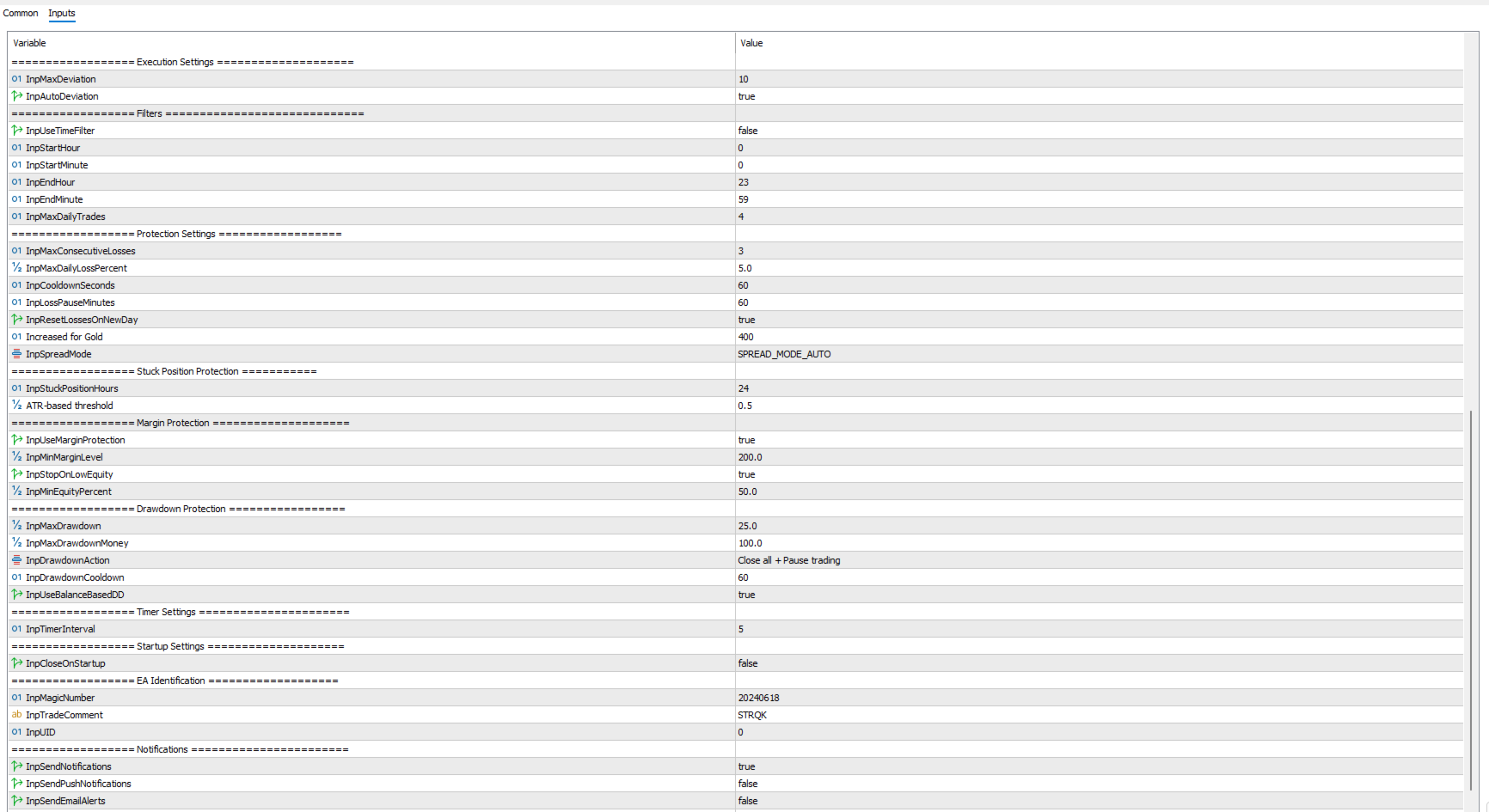
Maximum consecutive losses
-
Maximum daily loss percentage
-
Cooldown seconds between trades
-
Loss pause minutes
-
Reset losses on new day
-
Maximum spread
-
Spread mode (auto, points, pips, percent, absolute)
Stuck Position Protection
-
Stuck position hours threshold
-
Stuck position ATR multiplier threshold
Margin Protection
-
Minimum margin level
-
Stop on low equity
-
Minimum equity percentage
Drawdown Protection
-
Maximum drawdown percentage
-
Maximum drawdown money
-
Drawdown action (close + pause, pause only, close only)
-
Drawdown cooldown minutes
-
Balance-based DD
Other Settings
-
Timer interval
-
Close on startup
-
Magic number
-
Trade comment
-
Notifications (push, email)
-
Debug logging
-
Minimum tick interval
Trading Conditions
The EA is designed for:
-
Timeframes: M15, H1 (optimized)
-
Accounts: Netting and Hedging supported
-
Minimum balance: $100 (recommended)
-
Spread: As low as possible (EA includes spread protection)
Installation
-
Download the EX5 file from the MQL5 Market
-
Place the file in your MetaTrader 5 Experts folder
-
Restart MetaTrader 5 or refresh the Navigator
-
Attach the EA to a chart
-
Select your preferred symbol profile from the dropdown
-
Configure risk settings according to your account size
Support
Support is provided via:
Important: This EA does not guarantee profits. Past performance does not indicate future results. Always test thoroughly on a demo account before live trading.