TraderOS PropGuard
- Utilities
-
Mario El Kallab
 I Code EAs as a hobby and spend most of time investing in developing my skills and my EAs. Im a mechanical engineer with some personally acquired coding skills and a passion to trading and market analysis.
 - Version: 1.0
- Activations: 5
TraderOS | PropGuard
Prop Firm Daily Loss & Max Drawdown Protection
Never fail a prop challenge due to daily drawdown or max loss breaches again.
TraderOS | PropGuard is a professional risk management tool designed specifically for prop firm traders. It monitors your trading account in real-time and automatically protects you from breaching daily loss limits and maximum drawdown rules that cause most challenge failures.
This is not a trading strategy or signal generator. It is a safety system that sits on top of your existing trading approach — manual or automated — and ensures you stay within the rules of your prop firm.
Supported Prop Firms
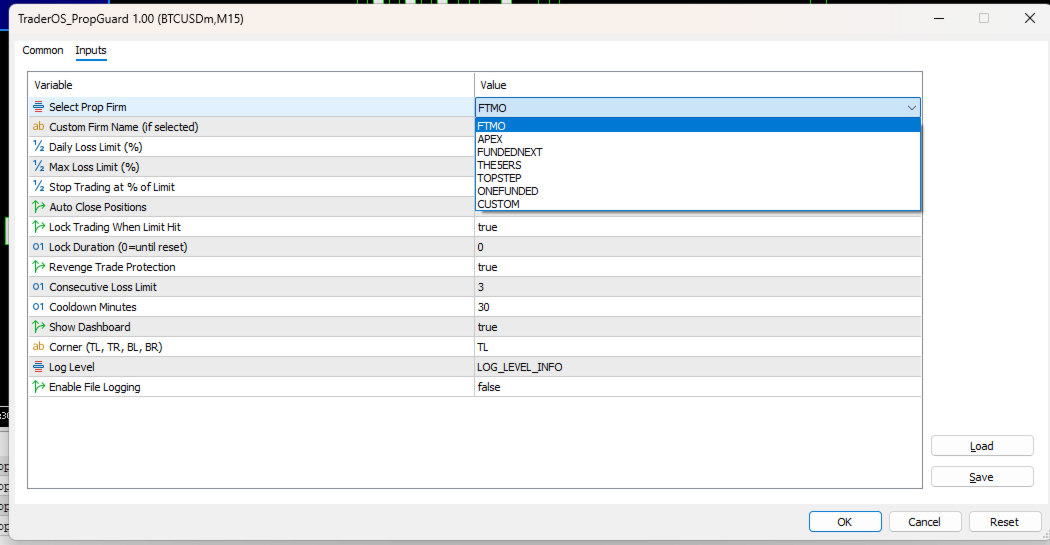
The EA comes with pre-configured profiles for major prop firms:
-
FTMO
-
Apex
-
FundedNext
-
The5ers
-
Topstep
-
OneFunded
Custom firm profile is also available for manual configuration.
Key Features
Real-time daily loss tracking — Monitors drawdown from the daily starting balance with firm-specific reset times
Maximum drawdown protection — Tracks drawdown from peak equity and triggers protection when limits are breached
Auto-flatten positions — Automatically closes all positions when loss limits are approached or breached
Intelligent trading lock — Locks trading with reason tracking; daily loss locks reset automatically on new trading day, while max drawdown locks remain permanent
Revenge trading protection — Configurable cooldown period activates after consecutive losses to prevent emotional overtrading
Professional dark dashboard — Visual display showing daily loss, max drawdown, progress bars, and system status with real-time color coding
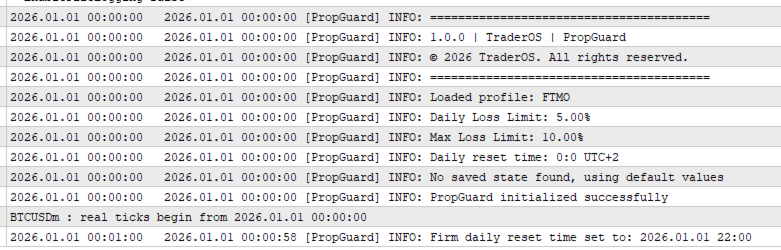
Firm-aware daily resets — Each prop firm profile includes its actual server reset time, ensuring accurate loss tracking
State persistence — All tracking data is saved and restored across MetaTrader restarts
Input Parameters
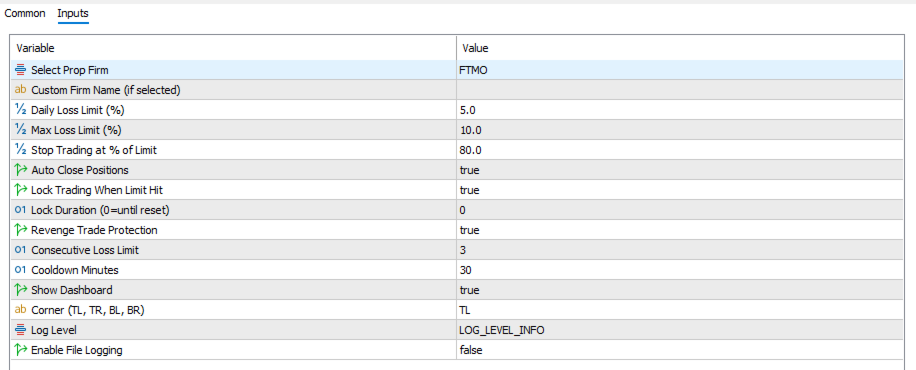
PropFirm — Select your prop firm from the dropdown list (FTMO, Apex, FundedNext, The5ers, Topstep, OneFunded, Custom)
CustomFirmName — Name for custom firm profile
DailyLossLimit — Daily loss limit in percent
MaxLossLimit — Maximum drawdown limit in percent
StopAtPercent — Warning threshold percentage before limit breach (default 80%)
AutoFlatten — Automatically close positions when limits are breached
LockTrading — Lock trading when loss limits are hit
LockDuration — Lock duration in minutes (0 means locked until manual reset)
EnableRevengeProtection — Enable cooldown after consecutive losses
ConsecutiveLossLimit — Number of consecutive losses before cooldown activates
CooldownMinutes — Duration of cooldown period in minutes
ShowDashboard — Show the visual dashboard on chart
DashboardCorner — Dashboard position (TL, TR, BL, BR)
LogLevel — Verbosity of log messages
EnableFileLogging — Write log to file for debugging
Requirements
MetaTrader 5 platform
Any account type (netting or hedging)
Works with any trading symbol
Works with any timeframe
Recommended for use with funded prop firm accounts
Installation Instructions
Download the EA file
Place TraderOS_PropGuard.ex5 in the Experts folder of your MetaTrader 5 data directory
Restart MetaTrader 5 or refresh the Navigator panel
Drag the EA onto any chart
Configure your prop firm selection and risk settings in the Inputs tab
Click OK to activate
Important Note
This is a risk management tool. It does not provide trading signals or make profit predictions. Past performance is not indicative of future results. Always test on a demo account before using on a live funded account.
About TraderOS
TraderOS is a professional suite of trading tools designed for serious traders and developers. Each product is built with reliability, performance, and user experience as the highest priorities.
Technical Support
Support is provided through the MQL5 messaging system. Please include your order number and a detailed description of your issue for faster assistance.