Multi Currency Stocastic Cross Scanner

  • Indicators
  • Shin Kojima
    Shin Kojima
    MT4 indicator developer with 10+ years of live trading experience.
    Specializing in alert tools and scanners for ICT-based traders.
    Zero complaints. Reliable tools. Real support.
    MQL4 / MQL5 Development Services
    • Custom Indicator Modifications
  • Version: 1.0
Stoch Cross 448 Scanner
Scan 64 pairs x 7 timeframes for stochastic golden/dead crosses — all from a single chart.  |  User Manual

------------------------------------------------------------------------
1. Overview
------------------------------------------------------------------------
Stoch Cross 448 Scanner is a MetaTrader 4 indicator that monitors
stochastic cross signals across 64 currency pairs and 7 timeframes
simultaneously, displaying all results in a single panel.

Drop it onto any chart and it instantly scans every selected symbol and
timeframe for stochastic golden crosses and dead crosses — no need to
switch charts manually.

Signal logic:
- Buy signal:
  Stochastic main line crosses the signal line from below to above
  while the stochastic is at or below the buy level.
  Default buy level: 20

- Sell signal:
  Stochastic main line crosses the signal line from above to below
  while the stochastic is at or above the sell level.
  Default sell level: 80

Key specs:
- Signals fire on confirmed (closed) candles only. No repainting.
- Uses built-in MT4 iStochastic calculation. No external custom
  indicator reference is required.
- Works on FX pairs, Gold (XAUUSD), indices, crypto — any symbol in
  your broker's Market Watch.
- Default display: 29 symbols x 7 timeframes.
- Full capacity: 64 pairs x 7 timeframes = 448 combinations.
- Settings are fully adjustable per symbol and timeframe.

------------------------------------------------------------------------
2. Typical Workflow
------------------------------------------------------------------------
Step 1  Find signals with 448 Scanner
        The panel highlights a cell when a stochastic cross signal is
        detected on the latest confirmed bar.

Step 2  Open chart with one click
        Click the timeframe label in the panel to open a new chart
        for that symbol and timeframe instantly.

Step 3  Check the chart context
        Use the opened chart to confirm trend direction, support and
        resistance, higher timeframe bias, and your own entry rules.

Step 4  Restore your chart workspace anytime with AutoLineSaver for 448
        Use AutoLineSaver to save and restore your drawn lines at any time.

------------------------------------------------------------------------
3. Color Guide
------------------------------------------------------------------------
Each cell in the panel represents one symbol x timeframe combination.

Color         Meaning
----------    -------------------------------------------------------
Cyan          Buy condition detected.
Dodger Blue   A new buy signal was just detected on this bar.
              Reverts to Cyan on the next scan cycle.
Red           Sell condition detected.
Magenta       A new sell signal was just detected on this bar.
              Reverts to Red on the next scan cycle.
White/Gray    No signal detected.
Yellow        Signal ended, or symbol is excluded from scan when the
              SymOnOff feature is used.

- When an alert fires, the symbol name turns Red temporarily.
  It returns to its normal color on the next scan cycle.
- The number shown next to each symbol name is the current spread.
  When the spread turns Red, the symbol is skipped due to the
  MaxSpread filter.

------------------------------------------------------------------------
4. Installation
------------------------------------------------------------------------
1. Copy  StochCrossAllSearch.mq4  to your MT4  MQL4/Indicators/  folder.
2. Restart MetaTrader 4, or press F5 in MetaEditor to refresh.
3. Attach the indicator to any chart.
   The timeframe of the host chart does not affect scan results.

This version is a built-in single-file scanner.
AllSearch.mqh is already embedded in the mq4 file, so no Include file
is required.

------------------------------------------------------------------------
5. First Launch Warning
------------------------------------------------------------------------
Immediately after attaching the indicator, symbols that have not been
recently loaded in Market Watch may lack price history.

If this occurs, the following alert may appear:

  "Please load [Symbol][Timeframe] chart once"

Open a new chart for the indicated symbol and timeframe. Once the chart
loads, MT4 downloads the required history and the scanner works normally
from that point on.

------------------------------------------------------------------------
6. How to Specify Symbols (UseSymbols)
------------------------------------------------------------------------
Only symbols visible in MT4's Market Watch window are scanned.
Add any symbol you want to monitor to Market Watch before starting.

There are two ways to enter symbols in UseSymbols:

Method 1 — Currency codes (auto-combination)
  Enter 3-letter currency codes separated by spaces.
  All valid pairs are generated automatically.

  Example: EUR USD JPY  ->  EURUSD, EURJPY, USDJPY

Method 2 — Full symbol names (direct)
  Enter the full symbol name to add it directly.

  Example: XAUUSD  ->  Gold is added to the scan list

You can combine both methods.
  Example: XAUUSD USD EUR JPY  ->  XAUUSD, EURUSD, EURJPY, USDJPY

- Display order follows the order of entry in UseSymbols.
- If your broker adds a suffix to symbol names (e.g. EURUSDm or
  EURUSDPro), enter the suffix in AddSymbol (e.g. AddSymbol = m).

------------------------------------------------------------------------
7. Parameters
------------------------------------------------------------------------
Stochastic Settings
  StochKPeriod          7       Period of the stochastic %K line.
  StochDPeriod          3       Period of the stochastic %D signal line.
  StochSlowing          3       Slowing value of the stochastic.
  StochBuyLevel         20      Lower level used for buy signal detection.
                                A buy signal is detected when the main line
                                crosses above the signal line in this zone.
  StochSellLevel        80      Upper level used for sell signal detection.
                                A sell signal is detected when the main line
                                crosses below the signal line in this zone.
  StochMethod           MODE_SMA
                                Moving average method used for stochastic
                                calculation.
                                0=MODE_SMA  1=MODE_EMA
                                2=MODE_SMMA 3=MODE_LWMA
  StochPriceField       0       Price field used for stochastic calculation.
                                0 = Low/High
                                1 = Close/Close
  bMainLineLevelOnly    true    true: The 20/80 zone is judged by the main
                                  line only.
                                false: Both the main line and signal line
                                  must be inside the 20/80 zone.

Signal Detection Details
  The scanner compares the latest confirmed bar (shift 1) with the
  previous confirmed bar (shift 2).

  Buy:
    main(shift 2) < signal(shift 2)
    main(shift 1) > signal(shift 1)
    and the selected 20-zone condition is met.

  Sell:
    main(shift 2) > signal(shift 2)
    main(shift 1) < signal(shift 1)
    and the selected 80-zone condition is met.

Timeframe Selection — Display ON/OFF
  Controls which timeframes appear in the panel and are scanned.
  Set to false to exclude a timeframe entirely.

  bUseM1        false           Show M1 in the panel and scan it.
  bUseM5        false           Show M5 in the panel and scan it.
  bUseM15       true            Show M15 in the panel and scan it.
  bUseM30       true            Show M30 in the panel and scan it.
  bUseH1        true            Show H1 in the panel and scan it.
  bUseH4        true            Show H4 in the panel and scan it.
  bUseD1        true            Show D1 in the panel and scan it.
  bUseW1        true            Show W1 in the panel and scan it.

Alert Settings — Alert ON/OFF (independent from display)
  Display and alerts are controlled separately.
  A timeframe can be visible in the panel but fire no alert.
  Example: bUseH1=true + bAlertH1=false
           H1 is shown in the panel, but no alert fires on H1 signals.

  bAlertOnce    true            true: Log detailed messages to Experts tab
                                  and show one summary pop-up.
                                false: Show pop-up alert dialog for each
                                  detected signal.
  bFindAlert    true            Alert when a new cross signal is detected.
  bLostAlert    false           Alert when an existing signal ends.
  bAlertM1      true            Fire alerts on M1 signals.
  bAlertM5      true            Fire alerts on M5 signals.
  bAlertM15     true            Fire alerts on M15 signals.
  bAlertM30     true            Fire alerts on M30 signals.
  bAlertH1      true            Fire alerts on H1 signals.
  bAlertH4      true            Fire alerts on H4 signals.
  bAlertD1      true            Fire alerts on D1 signals.
  bAlertW1      true            Fire alerts on W1 signals.

Spread Filter
  bUseSpread    true            Show the current spread next to each symbol name.
                                Aqua = within the allowed range.
                                Red  = spread exceeds MaxSpread. Symbol is skipped
                                       for that scan cycle automatically.
  MaxSpread     6.0             Spread threshold in pips. Symbols above this value
                                are excluded from scanning until spread drops back
                                below the limit.

Notification Settings
  bMail         false           Send an email when an alert fires.
                                Requires MT4 email settings to be configured.
  bPush         false           Send a mobile push notification when an alert fires.
                                Requires MT4 notification settings to be configured.

Symbol Settings
  UseSymbols    XAUUSD USD EUR JPY GBP CAD AUD NZD CHF
                                Space-separated list. See section 6 for details.
  AddSymbol     (empty)         Suffix appended to every symbol name.
                                Example: enter "m" if your broker uses EURUSDm.

Special Features
  SelfRifresh   false           Controls color update behavior for multi-instance use.
                                false (default): Colors reset each cycle automatically.
                                  DodgerBlue -> Cyan, Magenta -> Red, Yellow -> White.
                                true: Colors set by other indicators on the same panel
                                  are preserved. Use this on secondary instances when
                                  running multiple scanners on the same chart.
  SymOnOff      false           Enables click-to-exclude on symbol names.
                                false (default): Clicking a symbol has no effect.
                                true: Click a symbol name to toggle it Yellow
                                  (excluded from scan). Click again to restore.
                                  Useful for hiding specific symbols temporarily
                                  without editing UseSymbols.
  AddText       (empty)         Prefix added to all chart object names for this
                                instance. Set a unique value (e.g. "A", "B") when
                                running multiple instances on the same chart to
                                prevent object name conflicts.

Display Position Settings
  ATRCorner     1               Corner where the panel is anchored.
                                0 = Upper-Left
                                1 = Upper-Right  (default)
                                2 = Lower-Left
                                3 = Lower-Right
  TxtXBase      0               Horizontal offset of the entire panel from the
                                anchored corner (pixels). Increase to shift the
                                panel away from the chart edge.
  LineMax       30              Maximum symbol rows per column. When the symbol
                                count exceeds this, a new column is added
                                automatically.
  FontSize      10              Font size of all panel text. Changing this value
                                also scales the spacing between columns and rows.
  TxtXPos       5               Horizontal spacing between each timeframe column
                                in the panel (pixels).
  TxtXSpace     5               Additional horizontal padding between timeframe
                                columns. Adjust together with TxtXPos to fine-tune
                                column spacing.
  TxtYPos       5               Vertical spacing between symbol rows (pixels).
                                Increase if rows overlap at larger font sizes.

------------------------------------------------------------------------
8. Tips
------------------------------------------------------------------------
- All signals are based on completed bars only.
  The current open bar is never used for signal generation.
- The scanner uses shift 1 and shift 2 to confirm the stochastic cross.
- Enabling many timeframes with a large symbol list increases CPU load.
  Disable unused timeframes with bUseM1, bUseM5, etc.
- If you want stricter overbought/oversold filtering, set
  bMainLineLevelOnly=false.
- To run multiple instances on the same chart with different settings,
  set a unique value for AddText on each instance.

------------------------------------------------------------------------
9.  All-Currency Monitoring Series
------------------------------------------------------------------------
Tools that monitor all currency pairs at once become an incredibly powerful weapon once mastered ? a trading tool for life.
The key is to match the right tool to your trading strategy.
Here are the hottest tools available right now:

- IFVG All-Currency Scanner
  The most effective tool for catching ICT fake-out moves.
  Especially powerful for targeting AMD movement setups.

- MA + Pin Bar All-Currency Scanner
  A precision tool that finds pin bars bouncing off moving averages to catch pullback entries.
  The ultimate edge comes from knowing [what was swept]. Works perfectly with ICT methodology.

- AutoLineSaver
  An almost essential companion for all-currency monitoring.
  Automatically saves and restores your drawn lines even after closing charts ? an extremely
  convenient tool that dramatically improves the efficiency of multi-pair chart analysis.


Recommended products
--- FREE VERSION - WORKS ONY ON EURUSD ------------------------------------------------------------------- This is a unique breakout strategy that is used for determination of the next short term trend/move. The full system is available on MQL5 under the name "Forecast System". Here is the link -->  https://www.mql5.com/en/market/product/104166?source=Site Backtest is not possible, because calculations are done based on the data of all timeframes/periods. Therefore I propose you use the technolo
FREE
Auto Supply and Demand Oscillator is an indicator for MetaTrader 4 and MetaTrader 5 that detects supply and demand zones automatically and displays them as a single oscillator value at the bottom of the chart, instead of drawing rectangles directly on price. Concept Supply zones are price areas where strong selling created a sharp downward move away from a balance area. Demand zones are price areas where strong buying created a sharp upward move. Traditional implementations draw boxes on the
FREE
Free automatic Fibonacci is an indicator that automatically plots a Fibonacci retracement based on the number of bars you select on the BarsToScan setting in the indicator. The Fibonacci is automatically updated in real time as new highest and lowest values appears amongst the selected bars. You can select which level values to be displayed in the indicator settings. You can also select the color of the levels thus enabling the trader to be able to attach the indicator several times with differe
FREE
Candle Countdown — Accurate Time to Close for MT4 Candle Countdown is a simple and precise tool that shows the remaining time until the current candle closes directly on the chart. When your entry depends on the candle close, even a few seconds matter. This indicator helps you see the exact time and make decisions without rushing or guessing. An indicator for precise control over candle closing time. The indicator displays: time remaining until candle close current server time spread Stop Level
FREE
Average True Range (ATR) indicator with multi-timeframe support, customizable visual signals, and configurable alert system. Freelance programming services, updates, and other TrueTL products are available on my MQL5 profile . Feedback and reviews are highly appreciated! What is ATR? The Average True Range (ATR), developed by J. Welles Wilder, is a technical indicator that measures market volatility. It calculates the average of the True Range over a specified period. The True Range is the gr
FREE
BoxFibo
Sergei Kiriakov
It is just an alternative fibo lines, because mt4 have is a very strange drawing of fibo lines A simple Box (Rectangle) graphic element with adjustable levels binding: it is possible to specify up to 17 custom levels, all rectangles on the chart with the given prefix in their name are processed. Levels are specified in % of the height of the rectangle. A convenient graphical element for analyzing charts by growth-correction levels. Enjoy your work!
FREE
Silver Bullet MT4
Saksham Solanki
5 (2)
Contact me for any queries or custom orders, if you want to use this in an EA. Key Features: Pattern Recognition : Identifies Fair Value Gaps (FVGs) Spots Break of Structure (BOS) points Detects Change of Character (CHoCH) patterns Versatile Application : Optimized for candlestick charts Compatible with any chart type and financial instrument Real-Time and Historical Analysis : Works seamlessly with both real-time and historical data Allows for backtesting strategies and live market analysis Vi
FREE
KT Horizontal Lines MT4
KEENBASE SOFTWARE SOLUTIONS
In MetaTrader, plotting multiple   horizontal lines   and then tracking their respective price levels can be a hassle. This indicator automatically plots multiple horizontal lines at equal intervals for setting price alerts, plotting support and resistance levels, and other manual purposes. This indicator is suitable for Forex traders who are new and looking for chances to make quick profits from buying and selling. Horizontal lines can help traders find possible areas to start trading when the
FREE
The free version of the Hi Low Last Day MT4 indicator . The Hi Low Levels Last Day MT4 indicator shows the high and low of the last trading day . The ability to change the color of the lines is available . Try the full version of the Hi Low Last Day MT4 indicator , in which additional indicator features are available : Displaying the minimum and maximum of the second last day Displaying the minimum and maximum of the previous week Sound alert when crossing max . and min . levels Selecting an arb
FREE
Welcome to our   Price Wave Pattern   MT4 --(ABCD Pattern)-- The ABCD pattern is a powerful and widely used trading pattern in the world of technical analysis. It is a harmonic price pattern that traders use to identify potential buy and sell opportunities in the market. With the ABCD pattern, traders can anticipate potential price movements and make informed decisions on when to enter and exit trades. Send me a  Message and Get A Free Gift : ABCD  Symbol Scanner Dashboard! EA Version : Price
FREE
Ava Dragon Pro Signal
Nirundorn Promphao
1 (1)
The principle of this indicator is very simple: detecting the candlestick pattern in D1 timeframe, then monitoring the return point of graph by using the pullback of High-Low of D1 Candlestick and finally predicting BUY and SELL signal with arrows, alerts and notifications. The parameters are fixed and automatically calculated on each time frame. Example: If you install indicator on XAUUSD, timeframe D1: the indicator will detect the reversal, pullback, price action on this timeframe (for exam
FREE
Wise Men Indicator demo
Bohdan Kasyanenko
3 (2)
The indicator displays signals according to the strategy of Bill Williams on the chart. Demo version of the indicator has the same features as the paid, except that it can work only on a demo account . Signal "First Wise Man" is formed when there is a divergent bar with angulation.  Bullish divergent bar - with lower minimum and closing price in the upper half. Bearish divergent bar - higher maximum and the closing price at the bottom half. Angulation is formed when all three lines of Alligator
FREE
Power Trend Free
Yurij Kozhevnikov
5 (2)
Power Trend Free - the indicator shows the trend strength in the selected period. Input Parameters The indicator has three input parameters: Period - a positive number greater than one, it shows the number of candlesticks used for calculations. If you enter one or zero, there will be no error, but the indicator will not be drawn. Applied Price - the standard "Apply to:" set meaning data used for the indicator calculation: Close - Close prices; Open - Open prices; High - High prices; Low - Low p
FREE
TreendLines
Sajjad Karimi
5 (1)
''Trendlines'' is an Indicator, that every Trader need and shows Trendline and  Support and resistance levels in all  Timeframe's. Also In 1-hour, 4-hour and daily time frames and Current timeframes, support, and resistance levels are specified and trend lines are drawn so that the trader can see all levels on a chart.   In   Properties   it is possible to turn off unnecessary Lines.  In ' Tendency indicator '' , as full package of Predictions that every Trader need, there  is also the Predict
FREE
Perfect for one minutes high trading and scalping. This indicator is very effective for trading on one minutes, in the hour. A combination of moving averages and STOCHASTICS calculation to produce a very convincing signal every hour. Blue colour signals a buy opportunity. Follow the X signs for possible buy points. The Blue average line serves as possible trend direction and support. Red colour signals a sell opportunity. Follow the X signs for possible sell points. The Red average line serves a
FREE
Индикатор "Buy Sell zones x2" основан на принципе "остановка/разворот после сильного движения". Поэтому, как только обнаруживается сильное безоткатное движение, сразу после остановки - рисуется зона покупок/продаж. Зоны отрабатывают красиво. Или цена ретестит зону и улетает в космос, или пробивает зону насквозь и зона отрабатывается с другой стороны так же красиво.  Работает на всех таймфреймах. Лучше всего выглядит и отрабатывает на Н1.    Может использоваться как: индикатор зон, где лучше вс
FREE
Our offer also includes a free panel — Indicator Panel — which allows you to show or hide indicators created by BOToBRACIA. High and Low Points is a practical technical analysis indicator that plots levels corresponding to the highs and lows from previous periods (day / week / month) — levels that, in the Smart Money Concepts (SMC) and ICT approach, are treated as liquidity zones, while in classical technical analysis they serve as potential support and resistance levels. Indicator settings: •
FREE
FlatBreakout
Aleksei Vorontsov
FlatBreakout (Free Version) Flat Range Detector and Breakout Panel for MT4 — GBPUSD Only FlatBreakout is the free version of the professional FlatBreakoutPro indicator, specially designed for flat (range) detection and breakout signals on the GBPUSD pair only. Perfect for traders who want to experience the unique fractal logic of FlatBreakout and test breakout signals on a live market without limitations. Who Is This Product For? For traders who prefer to trade breakout of flat ranges (breakout,
FREE
PZ Three Drives
PZ TRADING SLU
5 (2)
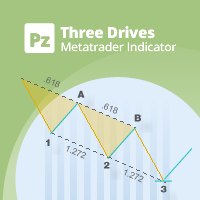
This indicator finds Three Drives patterns. The Three Drives pattern is a 6-point reversal pattern characterised by a series of higher highs or lower lows that complete at a 127% or 161.8% Fibonacci extension. It signals that the market is exhausted and a reversal can happen. [ Installation Guide | Update Guide | Troubleshooting | FAQ | All Products  |  Get Help ] Customizable pattern sizes Customizable colors and sizes Customizable breakout periods Customizable 1-2-3 and 0-A-B ratios It impl
FREE
Discover the power of precision and efficiency in your trading with the " Super Auto Fibonacci " MT4 indicator. This cutting-edge tool is meticulously designed to enhance your technical analysis, providing you with invaluable insights to make informed trading decisions. Key Features: Automated Fibonacci Analysis: Say goodbye to the hassle of manual Fibonacci retracement and extension drawing. "Super Auto Fibonacci" instantly identifies and plots Fibonacci levels on your MT4 chart, saving you tim
FREE
Pivot Point Fibo RSJ is an indicator that traces the support and resistance lines of the day using Fibonacci rates. This spectacular indicator creates up to 7 levels of support and resistance through Pivot Point using Fibonacci rates. It is fantastic how the prices respect each level of this support and resistance, where it is possible to perceive possible entry/exit points of an operation. Features Up to 7 levels of support and 7 levels of resistance Set the colors of the levels individually
FREE
Trendline indicator
David Muriithi
2 (1)
Are you tired of drawing trendlines every time you're analyzing charts? Or perhaps you would like more consistency in your technical analysis. Then this is for you. This indicator will draw trend lines automatically when dropped on a chart. How it works Works similar to standard deviation channel found on mt4 and mt5. It has 2 parameters: 1. Starting Bar 2. Number of bars for calculation The   starting bar   is the bar which drawing of the trend lines will begin, while the   number of bars for c

FREE
Binary options tester Trading panel to test your strategies according to the rules of binary options. Scope: Set the percentage of profit from the transaction. Set the expiration time in seconds. Set the bet size Set the Deposit amount. Make several deals in a row. Keep track of the time before expiration. The tick chart with trade levels is duplicated to an additional window for accuracy. It allows you to work both in the testing mode and in the real quotes mode. The program gives an idea of bi
FREE
BinaryFortune
Andrey Spiridonov
3.83 (6)
The BinaryFortune indicator has been developed and adapted specifically for trading short-term binary options. The algorithm of the indicator analyzes numerous factors before generating a signal. The indicator is installed in the conventional way. The indicator consists of an information window, which displays the name of the trading instrument, support and resistance levels, and the signal itself ( BUY , SELL or WAIT ). A signal is accompanied by a sound and a pop-up Alert. Advantages of the in
FREE
Follow The Line
Oliver Gideon Amofa Appiah
3.94 (16)
FOLLOW THE LINE GET THE FULL VERSION HERE: https://www.mql5.com/en/market/product/36024 This indicator obeys the popular maxim that: "THE TREND IS YOUR FRIEND" It paints a GREEN line for BUY and also paints a RED line for SELL.  It gives alarms and alerts of all kinds. IT DOES NOT REPAINT and can be used for all currency pairs and timeframes. Yes, as easy and simple as that. Even a newbie can use it to make great and reliable trades. NB: For best results, get my other premium indicators for more
FREE
Ppr PA
Yury Emeliyanov
4.75 (4)
"Ppr PA" is a unique technical indicator created to identify "PPR" patterns on the currency charts of the MT4 trading platform. These patterns can indicate possible reversals or continuation of the trend, providing traders with valuable signals to enter the market. Features: Automatic PPR Detection: The indicator automatically identifies and marks PPR patterns with arrows on the chart. Visual Signals: Green and red arrows indicate the optimal points for buying and selling, respectively. Arrow
FREE
Extremum Reverse Bar
Yurij Izyumov
2.8 (5)
This indicator has been created for finding the probable reversal points of the symbol price. A small candlestick reversal pattern is used it its operation in conjunction with a filter of extremums. The indicator is not redrawn! If the extremum filter is disabled, the indicator shows all points that have a pattern. If the extremum filter is enabled, the condition works – if the history Previous bars 1 candles back contains higher candles and they are farther than the Previous bars 2 candle, such
FREE
YK Find Support And Resistance
Peechanat Chatsermsak
5 (1)
The " YK Find Support And Resistance " indicator is a technical analysis tool used to identify key support and resistance levels on a price chart. Its features and functions are as follows: 1. Displays support and resistance levels using arrow lines and colored bands, with resistance in red and support in green. 2. Can be adjusted to calculate and display results from a specified timeframe using the forced_tf variable. If set to 0, it will use the current timeframe of the chart. 3. Uses the
FREE
Harmonic Patterns are utilized for predicting market turning points with precision. These patterns offer a high win rate and numerous trade opportunities within a single trading day. Our indicator identifies the most prominent Harmonic Patterns based on principles outlined in Harmonic Trading literature. **IMPORTANT NOTES:** - The indicator does not repaint, lag, or redraw. It accurately identifies patterns at the D point, ensuring reliability in pattern detection.    **HOW TO USE:** 1. Drag
FREE
Aurum Trend Scout
David Sanchez Clavero
Aurum Trend Scout — Free LITE Version of Aurum Trend Engine Aurum Trend Scout is the free version of the Aurum Trend Engine Expert Advisor. It trades gold (XAUUSD) on H1 using a trend-following strategy based on Parabolic SAR + Bollinger Band Width Ratio, with BUYSTOP entries on daily high breakouts. This LITE version includes the full strategy logic with ATR-based Stop Loss. It uses a fixed lot size and does not include the dynamic money management available in the FULL version. Verified Perfor
FREE
Buyers of this product also purchase
Neuro Poseidon MT4
Daria Rezueva
4.84 (43)
Neuro Poseidon is a new indicator by Daria Rezueva. It combines precise trading signals with adaptive TP/SL levels - creating best possible trades as a result! Message me and get  Neuro Poseidon Assistant  as a gift to automize your trading process! What makes it stand out? 1. Proven profitability on all assets and timeframes 2. Only confirmed BUY and SELL signals present on the chart 3. Adaptive TP & SL levels generated by the software for each trade 4. Easy to understand - suitable for all
Prop Firm Sniper
Mohamed Hassan
5 (4)
Prop Firm Sniper MT4  is a professional market structure indicator that automatically identifies high-probability BUY and SELL opportunities using BOS and CHoCH analysis. Recommended Timeframes: For backtesting, use the indicator on   M5 or M15   for Gold (XAUUSD), and   M15 or H1   for more volatile Forex pairs such as   GBPUSD, USDJPY, EURGBP , and similar markets. CONTACT ME AFTER PURCHASE TO CLAIM YOUR FREE BONUSES! Prop Firm Sniper  is a professional market structure indicator designed t
Gann Made Easy
Oleg Rodin
4.84 (167)
Gann Made Easy is a professional and easy to use Forex trading system which is based on the best principles of trading using the theory of W.D. Gann. The indicator provides accurate BUY and SELL signals including Stop Loss and Take Profit levels. You can trade even on the go using PUSH notifications. PLEASE CONTACT ME AFTER PURCHASE TO GET TRADING  INSTRUCTIONS AND GREAT EXTRA INDICATORS   FOR FREE! Probably you already heard about the Gann trading methods before. Usually the Gann theory is a ve
Scalper Inside PRO
Alexey Minkov
4.68 (69)
Scalper Inside PRO Scalper Inside PRO is an intraday trend and scalping indicator that uses exclusive built-in algorithms to evaluate market direction and key target levels. The indicator automatically calculates entry and exit points and several profit target levels, and it shows detailed performance statistics, so you can see how different instruments and strategies behaved on historical data. This helps you select instruments that fit current market conditions. You can also connect your own a
M1 Sniper
Oleg Rodin
5 (24)
M1 SNIPER is an easy to use trading indicator system. It is an arrow indicator which is designed for M1 time frame. The indicator can be used as a standalone system for scalping on M1 time frame and it can be used as a part of your existing trading system. Though this trading system was designed specifically for trading on M1, it still can be used with other time frames too. Originally I designed this method for trading XAUUSD and BTCUSD. But I find this method helpful in trading other markets a
Trend Catcher ind
Ramil Minniakhmetov
5 (10)
TREND CATCHER INDICATOR Trend Catcher Indicator analyzes market price movements, using a combination of the author’s proprietary and customized adaptive trend-analysis indicators.  It identifies the true market direction by filtering out short-term noise and focusing on underlying momentum strength, volatility expansion, and price structure behavior.  It also uses a combination of smoothing and trend-filtering customized indicators such as moving averages, RSI, and volatility filters.   Real ope
TrendMaestro
Stefano Frisetti
4 (4)
Attention: beware of SCAMS, TRENDMAESTRO is only ditributed throught MQL5.com market place. note: this indicator is for METATRADER4, if you want the version for METATRADER5 this is the link:  https://www.mql5.com/it/market/product/108106 TRENDMAESTRO ver 2.5 TRENDMAESTRO recognizes a new TREND from the start, he never makes mistakes. The certainty of identifying a new TREND is priceless. DESCRIPTION TRENDMAESTRO identifies a new TREND in the bud, this indicator examines the volatility, volumes a
Miraculous Indicator – 100% Non-Repaint Forex and Binary Tool Based on Gann Square of Nine This video introduces the Miraculous Indicator , a highly accurate and powerful trading tool specifically developed for Forex and Binary Options traders. What makes this indicator unique is its foundation on the legendary Gann Square of Nine and Gann's Law of Vibration , making it one of the most precise forecasting tools available in modern trading. The Miraculous Indicator is fully non-repaint, meaning t
Scalper Vault
Oleg Rodin
5 (37)
Scalper Vault is a professional scalping system which provides you with everything you need for successful scalping. This indicator is a complete trading system which can be used by forex and binary options traders. The recommended time frame is M5. The system provides you with accurate arrow signals in the direction of the trend. It also provides you with top and bottom signals and Gann market levels. The indicator provides all types of alerts including PUSH notifications. PLEASE CONTACT ME AFT
This indicator has been designed to integrate with the Elliott Wave theory, providing two distinct methods of operation: Automatic Work: In this mode, the indicator operates autonomously by detecting all five motive waves on the chart according to Elliott Wave theory. It offers predictions and identifies potential reversal zones. Additionally, it has the capability to generate alerts and push messages to notify traders of significant developments. This automated functionality streamlines the pro
Advanced Supply Demand
Bernhard Schweigert
4.91 (301)
Trading Special – 30% OFF Best Solution for any Newbie or Expert Trader! This indicator is a unique, high quality and affordable trading tool because we have incorporated a number of proprietary features and a new formula. With this update, you will be able to show double timeframe zones. You will not only be able to show a higher TF but to show both, the chart TF, PLUS the higher TF: SHOWING NESTED ZONES. All Supply Demand traders will love it. :) Important Information Revealed Maximize the pot
Super Signal – Skyblade Edition Professional No-Repaint / No-Lag Trend Signal System with Exceptional Win Rate | For MT4 / MT5 It works best on lower timeframes, such as 1-minute, 5-minute, and 15-minute charts. Core Features: Super Signal – Skyblade Edition is a smart signal system designed specifically for trend trading. It applies a multi-layered confirmation mechanism to detect only strong, directional moves supported by real momentum. This system does not attempt to predict tops or bottoms
CRT Candle Range Theory HTF MT4.   Ultimate CRT Indicator: Advanced ICT Concepts and Malaysian SnR Trading System Master the Market Maker's Footprints with the Most Advanced Candle Range Theory Indicator Discounted   Price   $50  !!     Secure your lifetime access   now   before it switches to   subscription-only ! Unlock the true power of  Smart Money Concepts (SMC)  and trade precisely like the institutions with the  Ultimate CRT Indicator . Built exclusively for serious traders, this indicat
Ranging Market Detector
Innovicient Limited
5 (2)
Ranging Market Detector scans the market for momentum and price to check whether the price is range- bound and the direction to which it will breakout.  It works with all the  all assets and visually shows you the instances when the market is either ranging or trending. Informs when the price has finished a retracement, an opportune time to re-enter the trend early. This will help you in position management.  It works very well for Scalping, Day trading, and Swing trading. Helpful in all timefra
PZ Day Trading
PZ TRADING SLU
3.67 (3)
Effortless trading: non-repainting indicator for accurate price reversals This indicator detects price reversals in a zig-zag fashion, using only price action analysis and a donchian channel. It has been specifically designed for short-term trading, without repainting or backpainting at all. It is a fantastic tool for shrewd traders aiming to increase the timing of their operations. [ Installation Guide | Update Guide | Troubleshooting | FAQ | All Products ] Amazingly easy to trade It provides
Trading Special – 30% OFF Best Solution for any Newbie or Expert Trader! This dashboard software is working on 28 currency pairs plus one. It is based on 2 of our main indicators (Advanced Currency Strength 28 and Advanced Currency Impulse). It gives a great overview of the entire Forex market plus Gold or 1 indices. It shows Advanced Currency Strength values, currency speed of movement and signals for 28 Forex pairs in all (9) timeframes. Imagine how your trading will improve when you can watch
TPSpro RFI Levels
Roman Podpora
4.86 (28)
INSTRUCTIONS RUS   /   INSTRUCTIONS   ENG   -   VERSION  MT5 Main functions: Displays active zones of sellers and buyers! The indicator displays all the correct first impulse levels/zones for purchases and sales. When these levels/zones are activated, where the search for entry points begins, the levels change color and are filled with certain colors. Arrows also appear for a more intuitive perception of the situation. LOGIC AI - Display of zones (circles) for searching entry points when activa
This product was   updated   for the   2026 market   and   optimized   for the   latest MT5 builds . PRICE UPDATE NOTICE: Smart Trend Trading System   is currently available for $99. The price will   increase to $199   after the next   30 purchases. SPECIAL OFFER:  After purchasing Smart Trend Trading System, send me a private message to claim the Smart Universal EA for FREE and turn your Smart Trend signals into automated trades. Smart Trend Trading System is a complete non-repainting, non-re
Beast Super Signal
Florian Zuercher
4.73 (89)
Limited SALE Now On!!! Get 20% OFF! Was $249, now only $199! The Beast Super Signal indicator is a straightforward, trend-based indicator that's easy to use. It continuously monitors current market conditions, looking for new trends or opportunities to join existing ones. When all of its internal strategies align perfectly, the indicator provides a buy or sell signal. Just act on the signal arrow alert; no additional confirmation is needed. This versatile trading tool works across all currency
Auto Optimized Parabolic RSI: Advanced 3D Momentum Engine Most retail indicators fail because they rely on static inputs that break the moment market volatility shifts. Auto Optimized Parabolic RSI solves the problem of "indicator decay" by continuously recalculating its own mathematical edge, bringing institutional-grade quantitative adaptation directly to your MT5 terminal. The Core Advantage: Custom In-Memory 3D Optimization   Standard auto-optimizers often freeze the MT5 platform because the
ICT PO3 (Power of 3) AMD Protocol Framework Indicator True Time & Structure Integration   |  Non-Repainting | Real-Time  | Multi-Asset  | MT5 Version Available Full Setup Guide & Strategy Playbook: https://www.mql5.com/en/blogs/post/768683 MT5 Version: https://www.mql5.com/en/market/product/171633 Indicator Overview The ICT PO3 AMD Protocol Framework is a complete structural overlay for MetaTrader 4 that maps the True Daily Cycle directly onto your lower-timeframe execution chart. It projects
ORB Seeker
Marcela Goncalves De Oliveira
Limited Special Price!  Only $79! Price will increase after 10 sales, final price $199. After purchase contact me to get a FREE bonus EA that can trade the breakout signals fully automated and optimized set files. Catch clean session breakouts with confidence! ORB Seeker is a professional Opening Range Breakout (ORB) indicator built for traders who want accuracy, simplicity, flexibility, and clear chart structure. It automatically plots the pre-market or custom session range on any instrument,
Trading Special – 40% OFF Best Solution for any Newbie or Expert Trader! This indicator is a unique, high quality and affordable trading tool because we have incorporated a number of proprietary features and a secret formula. With only ONE chart it gives Alerts for all 28 currency pairs. Imagine how your trading will improve because you are able to pinpoint the exact trigger point of a new trend or scalping opportunity! Built on new underlying algorithms it makes it even easier to identify and c
Neo Wave PRO
Nikolay Raykov
5 (1)
Price & Time Market Structure Indicator A professional market structure tool that analyzes waves through both price and time — not price alone. Main Description NeoWave PRO is a professional market structure indicator for MetaTrader 4 designed for traders who want to move beyond traditional one-dimensional wave tools such as ZigZag, swing indicators, and basic high/low systems. Most wave indicators analyze only one thing: Price. But a real market wave is not only a price movement. A true wave de
Atomic Analyst
Issam Kassas
5 (8)
This product was   updated   for   the 2026 market   and   optimized   for the   latest MT5 builds. PRICE UPDATE NOTICE: Atomic Analyst is currently available for $99. The price will increase to $199 after the next 30 purchases. SPECIAL OFFER:  After purchasing Atomic Analyst, send me a private message to claim the Smart Universal EA for FREE and turn your Atomic Analyst signals into automated trades. Atomic Analyst is a non-repainting, non-redrawing, and non-lagging price action trading indic
PRO Renko System
Oleg Rodin
5 (31)
PRO Renko System is a highly accurate trading system specially designed for trading RENKO charts. The ARROWS and Trend Indicators DO NOT REPAINT! The system effectively neutralizes so called market noise giving you access to accurate reversal signals. The indicator is very easy to use and has only one parameter responsible for signal generation. You can easily adapt the tool to any trading instrument of your choice and the size of the renko bar. I am always ready to provide extra support to help
IQ FX Gann Levels a precision trading indicator based on W.D. Gann’s square root methods . It plots real-time, non-repainting support and resistance levels to help traders confidently spot intraday and scalping opportunities with high accuracy. William Delbert Gann (W.D. Gann) was an exceptional market analyst, whose trading technique was based on a complex blend of mathematics, geometry, astrology, and ancient mathematics which proved to be extremely accurate. Setup & Guide:  Download  MT5 Ver
Matrix Arrow Indicator MT4
Juvenille Emperor Limited
5 (3)
Matrix Arrow Indicator MT4  is a unique 10 in 1 trend following 100% non-repainting  multi-timeframe indicator that can be used on all symbols/instruments: forex, commodities, cryptocurrencies, indices, stocks.  Matrix Arrow Indicator MT4 will determine the current trend at its early stages, gathering information and data from up to 10 standard indicators, which are: Average Directional Movement Index (ADX) Commodity Channel Index (CCI) Classic Heiken Ashi candles Moving Average Moving Avera
Elevate Your Trading with the Ultimate Institutional Master System Discounted   Price   !!     Secure your lifetime access   now   before it switches to   subscription-only ! This all-in-one indicator displays real-time market algorithm .  Step into the world of institutional trading with the most comprehensive Smart Money Concept (SMC) and ICT Concept tool available on the market. Instead of cluttering your chart with multiple heavy indicators, we have engineered the core institutional trading
Up down v6T
Guner Koca
5 (2)
Thise indicator is up down v6  comes with tradingwiev pinescript. purchased people, after installed on terminal ,contact me on mql5  to get BONUS  TradingView pinescript. up-down indicator is no repaint and works all pairs and lower than weekly time frames charts. it is suitable also 1 m charts for all pairs. and hold long way to signal. dont gives too many signals. when red histogram cross trigger line that is up signal.and price probably will down when blue histogram cross trigger line that i
More from author
Reverse Elements - Formatted Description Reverse Elements Reverse Elements is a signal-based indicator designed to help identify potential market reversal points directly on the chart. Using a proprietary calculation method, the indicator displays buy and sell signals with arrows. It is built to support discretionary trading by making potential entry areas easier to recognize visually. This is not an Expert Advisor and does not place trades automatically. Main Features Buy and sell arrows displa
================================================================  DispTrade_en.mq4  User Manual ================================================================ OVERVIEW -------- Displays trade history and open positions visually on the MT4 chart using arrows and connecting lines. WHAT IT SHOWS ------------- - BUY Entry Arrow   : Entry point for BUY orders (blue) - SELL Entry Arrow  : Entry point for SELL orders (red) - Exit Arrow        : Close point for historical trades (goldenrod) - Dott
FREE
FREE for the First 100 Users ================================================================================   IFVG Signals Indicator  (ICTIFVGmq4_en.mq4)  ?  User Manual ================================================================================ Version : 1.00 Platform: MetaTrader 4 Signal  : IFVG Buy / IFVG Sell arrows on the main chart Zone    : Horizontal rectangle drawn at the confirmed IFVG zone -------------------------------------------------------------------------------- WHAT
FREE
FREE for the First 50 Users ================================================================   ShowKillZones v1.0   - Corrected NY AM end time from 11 to 10, and NY PM end time from 17 to 16 (adjusted to Kill Zone hours) [cite: 321, 326]   - Changed NY AM/PM labels to Kill Zone [cite: 321, 326] v1.0  -  User Manual [cite: 321] ================================================================ [Overview] This indicator displays ICT Kill Zones (session hours) on the chart as background zones an
FREE
First 50 Downloads Free      AutoLineSaver for 448 Save and restore your chart workspace automatically.  |  User Manual 1. Overview AutoLineSaver automatically saves every line you draw on the chart and restores them the next time you open it. No more redrawing your analysis from scratch. Drop AutoLineSaver onto your chart once, and your workspace is always preserved. What it saves: • Horizontal lines • Trendlines • Rays (extended trendlines) • Vertical lines • Rectangles • Fibonacci retra
FREE
================================================================   TradeInfoS_en  -  Trade Statistics Indicator for MT4   Copyright (C) 2014 fx-mt4ea.com ================================================================ OVERVIEW -------- Displays trade history statistics and market info in a separate indicator window. Shows results for All-time, This Month, and This Week in three columns. DISPLAY LAYOUT -------------- [ S ]  T:xx/W:xx/L:xx/R:xx%/PL:xx    <- All-time stats [ M ]  T:xx/W:xx/L:xx
FREE
RSI Border Search scans up to 64 symbols across 7 timeframes (448 combinations) in real time, detecting when RSI reaches overbought or oversold levels on confirmed bars. KEY FEATURES - Multi-Symbol Scanner: Monitor up to 64 symbols x 7 timeframes = 448 cells simultaneously. - RSI Boundary Detection: Detects when RSI crosses above or below your specified boundary level on confirmed (closed) bars. - No Repaint: Only confirmed bars are evaluated. The forming bar is never used, so signals
FREE
MagicalTouch for MT4 Draw a line. Wait for the alert. MagicalTouch monitors lines you draw on MT4 and fires an alert the instant price touches them. What it does Horizontal lines: Alerts when price hits the specified level. Vertical lines: Alerts when a candle reaches the specified time. Trendlines: Alerts on touch (a unique feature MT4 cannot do natively). Alert Types: Supports Popup, Sound, Email, and Mobile Push Notifications. Quick Start (3 Steps) Apply: Drag MagicalTouch onto any chart. Dr
MA Cross 448 Scanner Scan 64 pairs x 7 timeframes for MA crossovers — all from a single chart.  |  User Manual ------------------------------------------------------------------------ 1. Overview ------------------------------------------------------------------------ MA Cross 448 Scanner is a MetaTrader 4 indicator that monitors moving average crossovers across 64 currency pairs and 7 timeframes simultaneously, displaying all results in a single panel. Drop it onto any chart and it instantly
======================================= 50% OFF for the First 50 Users ======================================= ## 1. Overview  ?  ICT IFVG All-Currency Scanner Detects IFVG (Inverse Fair Value Gap) signals across all currency pairs simultaneously. An IFVG occurs when a candle body fully breaks through a prior Fair Value Gap in the OPPOSITE direction ? a key ICT concept indicating a potential institutional reversal.   BUY  signal : Bear FVG is broken upward   → price likely to rise   SELL si
HigherTF Background Candle draws higher timeframe candlesticks directly on your chart background, giving you instant multi-timeframe context without switching charts. KEY FEATURES - Background HTF Candles: Renders Open/High/Low/Close of any higher timeframe as colored rectangles behind your price action. - Instant TF Switching: Press keys 1-9 to switch between M1, M5, M15, M30, H1, H4, D1, W1, MN1. Press 0 to hide. - Auto-Promotion: If the selected TF is equal to or lower than the cha
Reverse_Elements_AllSearch Reverse_Elements signals multi-symbol / multi-timeframe scanner for MetaTrader 4 ---------------------------------------------------------------------- Important Requirement ---------------------------------------------------------------------- Reverse_Elements_AllSearch requires the main Reverse_Elements indicator. Reverse_Elements_AllSearch is not a standalone signal-generation indicator. It is a scanner that reads signals from the main Reverse_Elements indicator an
Filter:
No reviews
Reply to review