Scalping BTC
- Experts
-
Antonio Simon Del Vecchio
 Who I am
Systems engineer and developer of Expert Advisors for MetaTrader 5. Focused on the design, modeling, and optimization of automated trading systems.
What I offer
1. Ready-to-use EAs for MT5 with different trading approaches
2. Set files by symbol ready to use - Version: 1.0
- Activations: 10
Scalping BTC — Automated Bitcoin Trading Adapted to Volatility
Adaptive entries. Automatic volume. Comprehensive cycle management.
START TRADING BTCUSD FROM USD 100
Ready to use on MetaTrader 5 with any broker offering Bitcoin.
Symbol: BTCUSD
Timeframe: M1
Direction: Buy, Sell, or both
Minimum deposit: USD 100
Scalping BTC is a fully automated Expert Advisor developed specifically to capitalize on the volatility of Bitcoin (BTCUSD). It analyzes recent market movements, identifies opportunities, and automatically manages all positions within each cycle.
The EA calculates the volume for each position and manages related trades as a single basket, dynamically updating the exit target as the market evolves.
Automatic Volume and Common Target
Scalping BTC does not require the user to enter a fixed lot size. The EA automatically calculates the volume of each position based on the reference balance, configured profit target, current BTCUSD conditions, and existing positions already in the basket.
When a new position is added, the EA recalculates and synchronizes the physical Take Profit across all managed positions. This ensures all trades work together toward achieving the target set for the cycle.
How the Strategy Works
The EA analyzes recent BTCUSD price action and market volatility. When all required conditions are met, it automatically opens a position in the direction permitted by the user.
If the price moves unfavorably, Scalping BTC can add supporting positions. Each new position must satisfy strict market conditions regarding price, volatility, and time interval separation.
During an active basket, the EA maintains a single direction: Buy or Sell. It never opens opposing positions within the same cycle.
Main Features
- Developed specifically for Bitcoin (BTCUSD)
- Fully automated operation on MetaTrader 5
- Dynamic analysis adapted to current market volatility
- Configurable trade direction: Buy, Sell, or both
- Automatic position volume calculation
- Configurable profit target as a percentage of balance
- Collective management of all basket positions
- Supporting positions conditioned by market filters
- Configurable minimum time interval between supporting positions
- Configurable maximum number of positions
- Automatically updated physical Take Profit
- Optional Global Stop Loss as a percentage of balance
- Volatility-adjusted spread filter
- Critical margin level protection
- Integrated professional on-chart dashboard
- Custom optimization criterion for MetaTrader 5 Strategy Tester
Complete Cycle Management
- Single direction per basket
- Automatic volume calculation
- Physical Take Profit for all managed positions
- Automatic target adjustment after every new position
- Optional Global Stop Loss
- Configurable position limit
- Configurable minimum interval between supporting positions
- Pre-trade spread verification
- Protection against critical margin levels
Integrated Dashboard
The on-chart dashboard allows real-time monitoring of the EA's operation and current cycle status. You can easily verify whether Scalping BTC is searching for an entry, managing an active basket, or waiting for improved spread conditions.
- Operational status of the EA
- Selected trading direction
- Filter status
- Number of active positions
- Current basket metrics
- Current spread status
- Magic Number in use
Recommended Settings
- Symbol: BTCUSD or broker equivalent Bitcoin symbol
- Timeframe: M1
- Platform: MetaTrader 5
- Minimum deposit: USD 100
- Initial direction: Buy Only
- Continuous operation: A stable VPS is highly recommended
Scalping BTC can be used with any broker offering BTCUSD on MetaTrader 5.
To get started, you can use the default settings provided with the EA. If desired, adjust the Global Stop Loss to the maximum loss percentage you are willing to allow per basket. Setting it to 0 keeps this feature disabled.
BTCUSD trading conditions may vary among brokers due to spreads, commissions, contract specifications, leverage, minimum volume, and historical data quality. It is recommended to test the EA using your broker's actual trading environment.
COMPLETE USER AND OPTIMIZATION GUIDE
Learn how to install, configure, test, and optimize Scalping BTC step by step.
How to Get Started
- Open the BTCUSD chart on the M1 timeframe
- Attach Scalping BTC to the chart
- Enable Algo Trading in MetaTrader 5
- Initially run with the EA's default settings
- If preferred, adjust the Global Stop Loss parameter
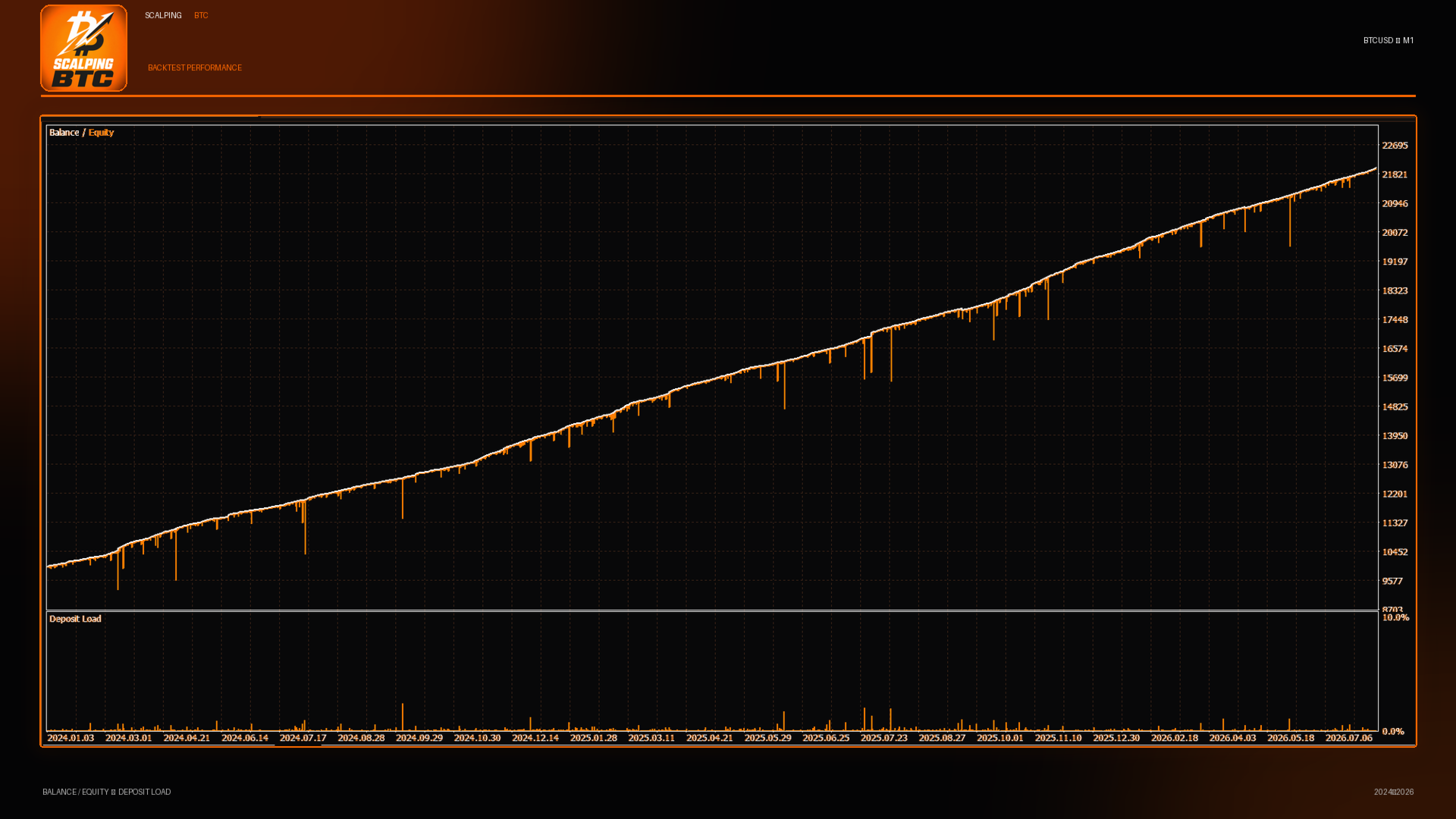
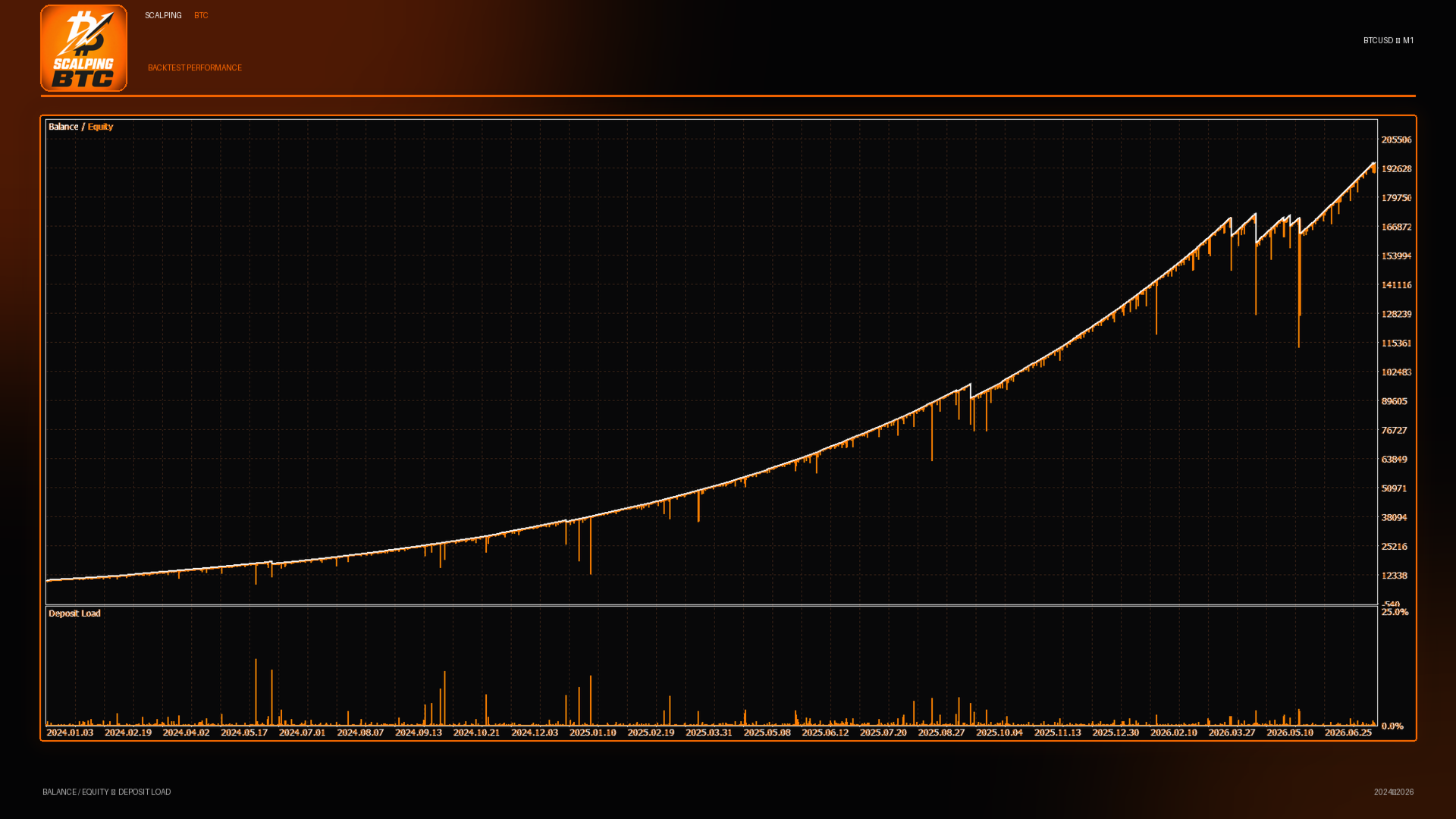
- Perform a backtest matching your planned deposit and leverage
- Test the EA thoroughly on a demo account first
- Avoid modifying input parameters while a basket is open
- Keep MetaTrader 5 running 24/7 on a stable VPS
Important Risk Disclosure
Trading involves risk. Market volatility, spread widening, commissions, slippage, and execution conditions can affect trading results. Past performance and historical backtests do not guarantee future returns. Each user is solely responsible for choosing an appropriate configuration and risk level.