Trade Rescue Manager
- Utilities
-
Antonio Simon Del Vecchio
 Who I am
Systems engineer and developer of Expert Advisors for MetaTrader 5. Focused on the design, modeling, and optimization of automated trading systems.
What I offer
1. Ready-to-use EAs for MT5 with different trading approaches
2. Set files by symbol ready to use - Version: 2.18
- Activations: 20
Are your trades not going as expected?
You have one or more losing positions and want to find a joint exit in profit. But you need to know where to close, what volume a new entry would require, and how your target would change if you add another position.
Trade Rescue Manager helps you plan that recovery and manage its execution right from the MetaTrader 5 chart. Choose which positions to manage, set your target, and organize the basket's exit.
Choose what you want to manage
- An individual position.
- Multiple positions as a single basket.
- Positions of a specific symbol.
- Positions matching selected management filters.
Example 1: Exiting a losing position
You have an open buy position and the price has dropped. You want to plan an additional entry to target a combined exit with a 500 USD profit goal.
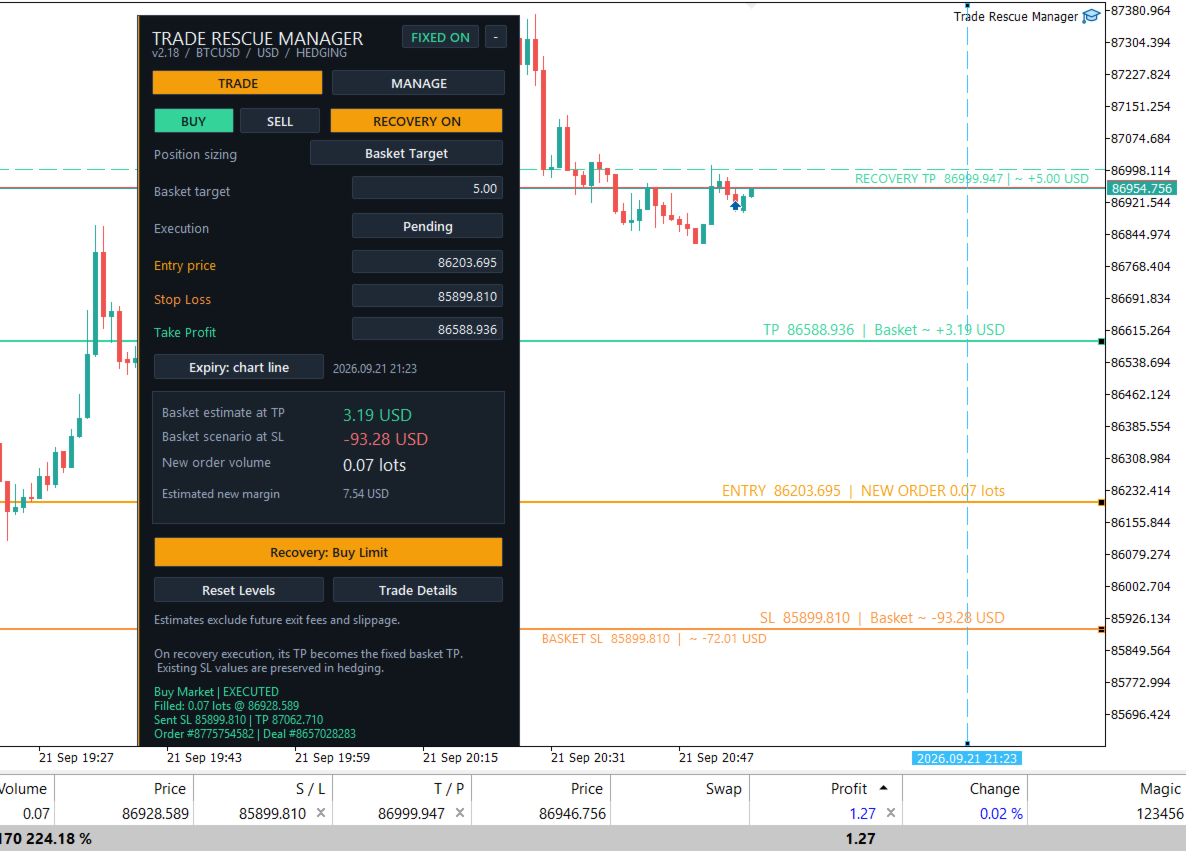
In recovery mode, you define the entry and the target. The panel calculates the required volume according to your plan and allows you to execute a market order or place a pending order. Before executing, you can review the proposed volume and price levels.
Once recovery is active, the EA calculates the RECOVERY TP based on the basket's positions and real execution data. This level represents the target price to close the entire group with the planned outcome.
Example 2: Closing multiple positions together
You have three positions on the same symbol: two in loss and one in profit. You don't need every trade to end in the green; you just need the overall result to reach your target.
Group them into a basket and set your target profit. With active management, Trade Rescue Manager monitors the exit of the entire set. One position may close at a loss and another at a profit: what matters is the net result of the managed session.
Example 3: Setting up a pending recovery
You don't want to add another position at current market prices. You prefer waiting for a specific price level.
Set up a pending order and view its entry, SL, TP, and expiration on the chart once defined. While waiting for execution, you can easily distinguish its levels from the current basket's RECOVERY TP.
When triggered, the new position is incorporated into the recovery calculations. The target updates based on the actual executed price and volume, remaining fixed between basket changes without drifting with every tick.
Example 4: Managing only part of your trading
You have open trades across various instruments, but want to manage only a single symbol. Configure the MANAGE filters to define which positions are included in the management.
This allows you to prepare a targeted plan for that group without affecting the account's other open positions.
Also for planning new trades
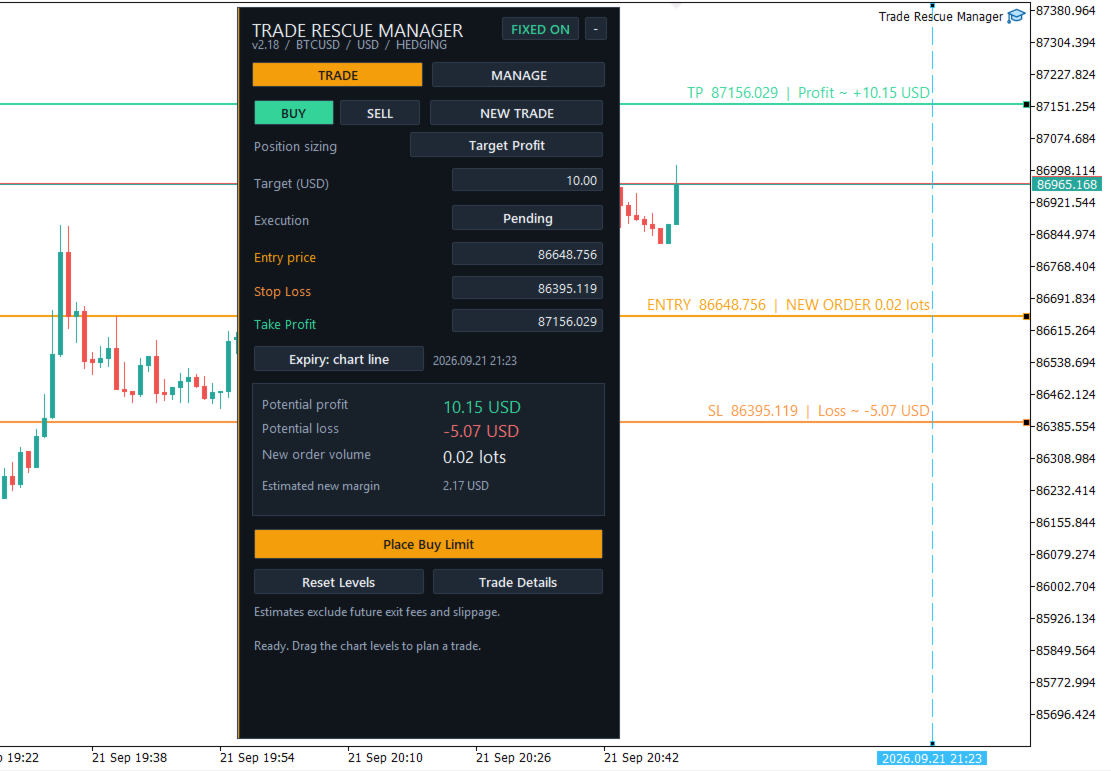
You don't have to wait for losing positions. Use the panel to plan standard entries, calculate position sizes, set SL and TP, and place market or pending orders.
- Visualize price levels and their monetary projections.
- Apply TP or SL to selected positions when levels are valid.
- Use Break Even whenever price and broker conditions allow.
- Check order execution status directly on the panel.
- Start or pause management according to your plan.
A clear target. A plan for the entire basket.
The recovery calculation accounts for open positions, realized session P&L, swaps, and recorded commissions. For baskets with multiple symbols or without a single target price, the reference is strictly monetary.
Stop managing trades in isolation.
With Trade Rescue Manager, plan your entries, visualize your targets, and manage your positions as a unified basket.