
Forex17 Mouse Trading Assistant Basic
- Utilities
-
Robinson Alves Lemos
 ========================================
FOREX17 — TECHNICAL PROFILE
========================================
My name is Robinson Alves Lemos, and I am the technical lead behind Forex17. - Version: 1.0
FOREX17 MOUSE TRADING ASSISTANT BASIC (F17MTA)
- Forex17 Mouse Trading Assistant Basic (F17MTA) is a visual trading tool designed to assist manual order placement directly from the chart using mouse and keyboard interaction
- Focused on structured execution and visual control, allowing traders to define entry, stop loss, and take profit levels in a clear and intuitive way
- This version provides a simplified execution model and serves as an entry-level version of the F17MTA ecosystem
====================== IMPORTANT NOTICE ======================
- This is the Basic (free) version of the tool
- The Standard version includes advanced features such as full multi-target execution
- If you are using a NETTING account, read the ACCOUNT TYPE BEHAVIOR section at the end of this description before use
- AutoTrading must be enabled in MetaTrader 5, otherwise the tool may not initialize or send orders
====================== MAIN FUNCTIONALITY ======================
- Press and hold B to activate Buy pending mode
- Press and hold S to activate Sell pending mode
- While holding B or S:
- Move the mouse over the chart to define price levels
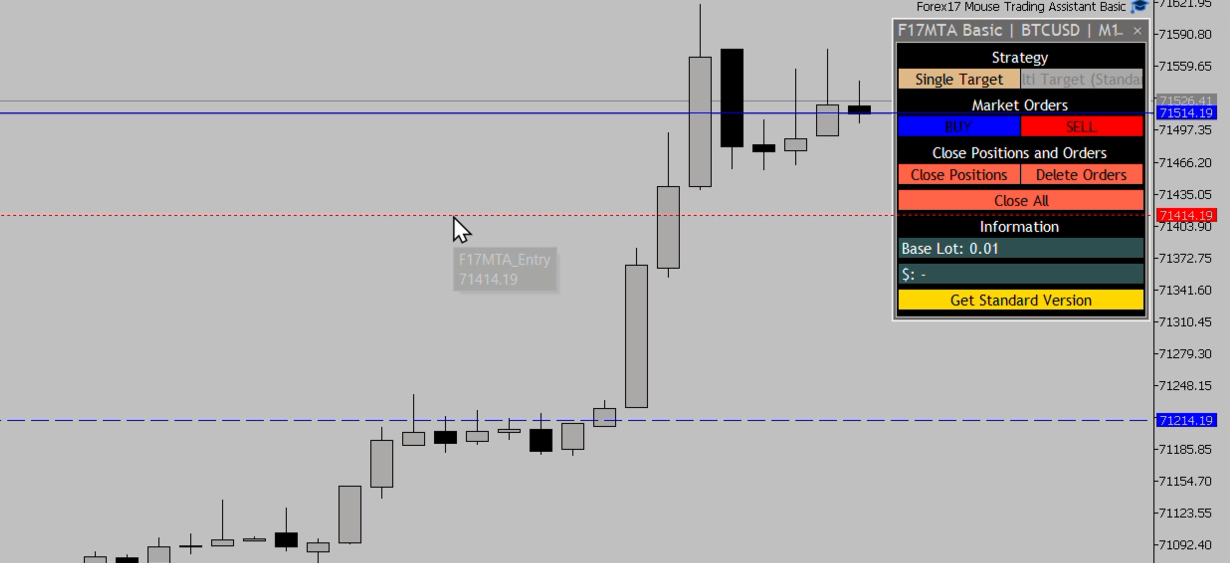
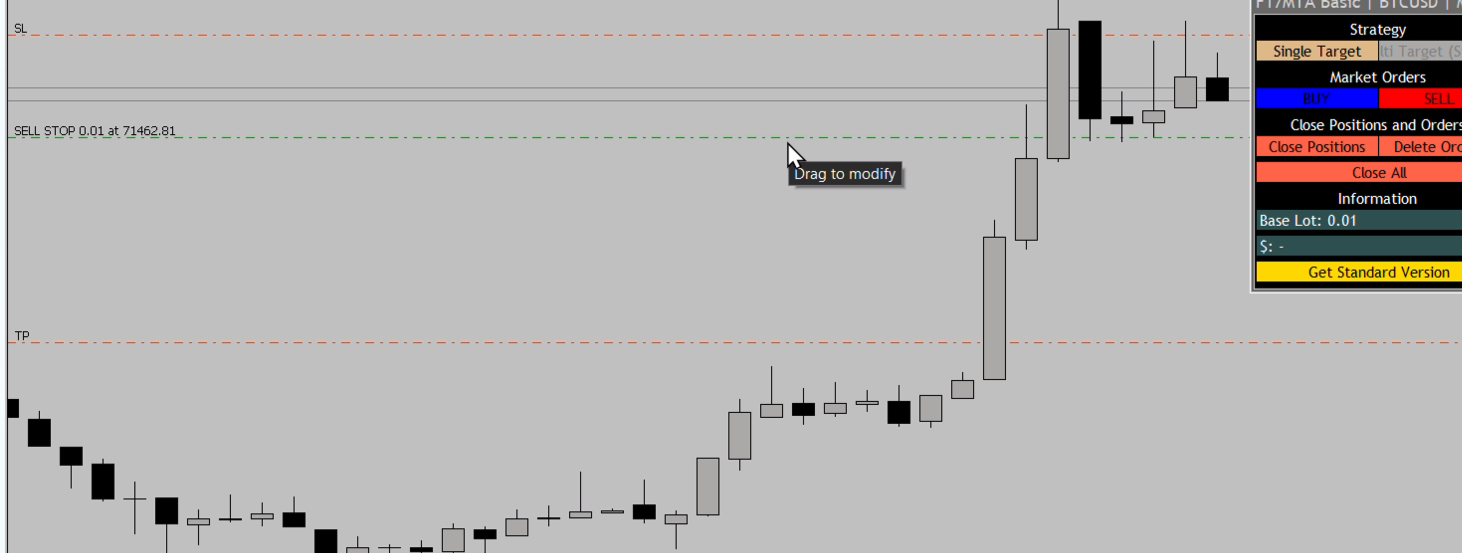
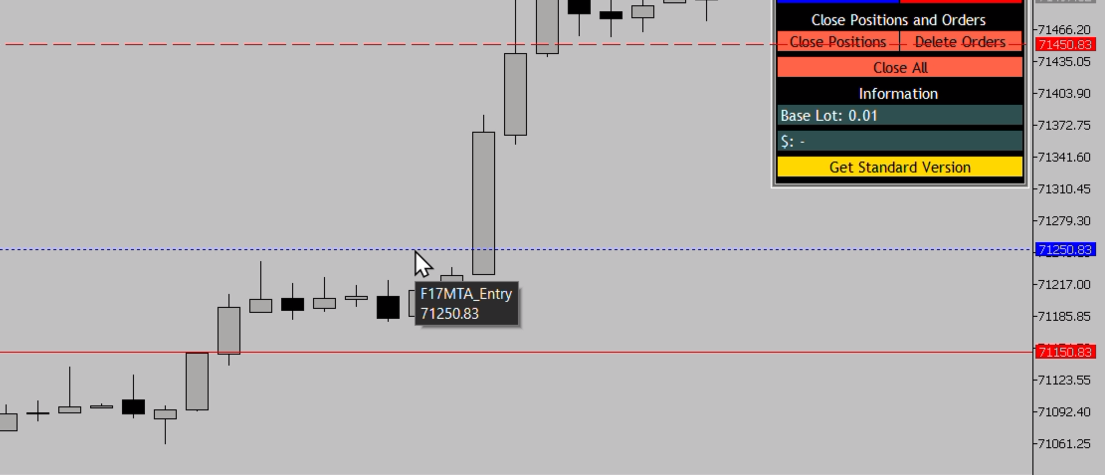
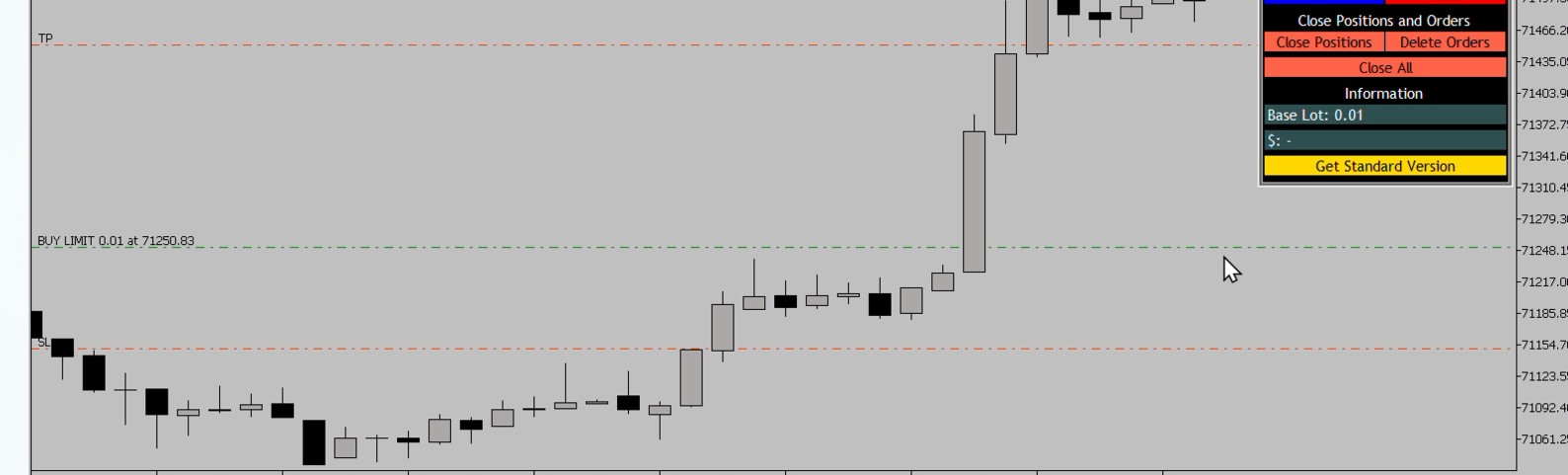
- Entry, Stop Loss, and Take Profit levels are displayed dynamically
- Release B or S to cancel positioning mode
- While holding B or S, click on the chart to place pending orders
- If B or S is not pressed, mouse clicks will not trigger any order
- Enables precise and controlled order placement directly from the chart
====================== VISUAL INTERACTION ======================
- Entry, Stop Loss, and Take Profit levels are displayed dynamically based on mouse position
- Levels update in real time as the mouse moves
- Provides visual support before confirming order placement
====================== STRATEGIES AND EXECUTION ======================
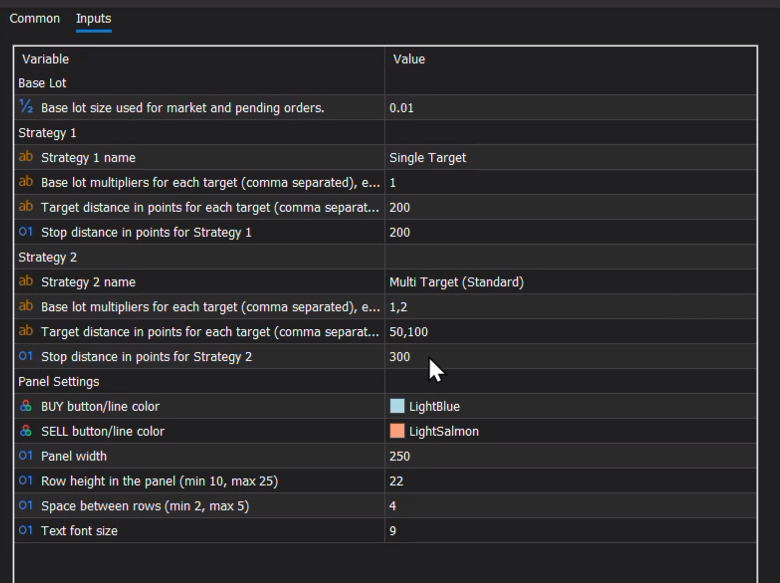
- Supports two configurable strategies, switchable directly from the panel
- Each strategy allows:
- Name
- Multiplier (single target)
- Target distance (in points, single target)
- Stop distance (in points)
- Multiple values can be configured for multipliers and targets (comma-separated), similar to the Standard version
- However, in this Basic version:
- Only the first valid multiplier/target pair will be used for execution
- Additional values are ignored
- The same structure is used for:
- Pending orders via mouse interaction
- Market orders via panel buttons
- Ensures consistent behavior across execution modes
====================== LOT CALCULATION ======================
- Lot size is calculated as:
- Base Lot x Multiplier
- Example:
- Base Lot = 0.01
- Multiplier = 2
- Result = 0.02 lots
- The Base Lot acts as a global scaling factor
- To increase or decrease overall trading volume:
- You only need to adjust the Base Lot
- Strategy configurations remain unchanged
- This allows fast and consistent volume adjustment across all strategies
====================== SINGLE TARGET EXECUTION ======================
- This version supports one Take Profit per execution
- Designed for:
- Simpler trade management
- Single-entry strategies
- Netting account compatibility
- Dual-target behavior can be simulated manually by switching between strategies
- For this approach:
- Strategies must be properly configured in advance
- Each strategy should represent one target setup
- Execution depends on manually switching between strategies at the appropriate moment
====================== STOP LOSS ======================
- Each strategy uses a single Stop Loss
====================== ORDER MANAGEMENT ======================
- Delete all pending orders
- Close all open positions
- Close all (orders and positions)
- All actions are available through panel buttons
====================== PANEL INFORMATION ======================
- Base Lot display
- Open position result (profit/loss)
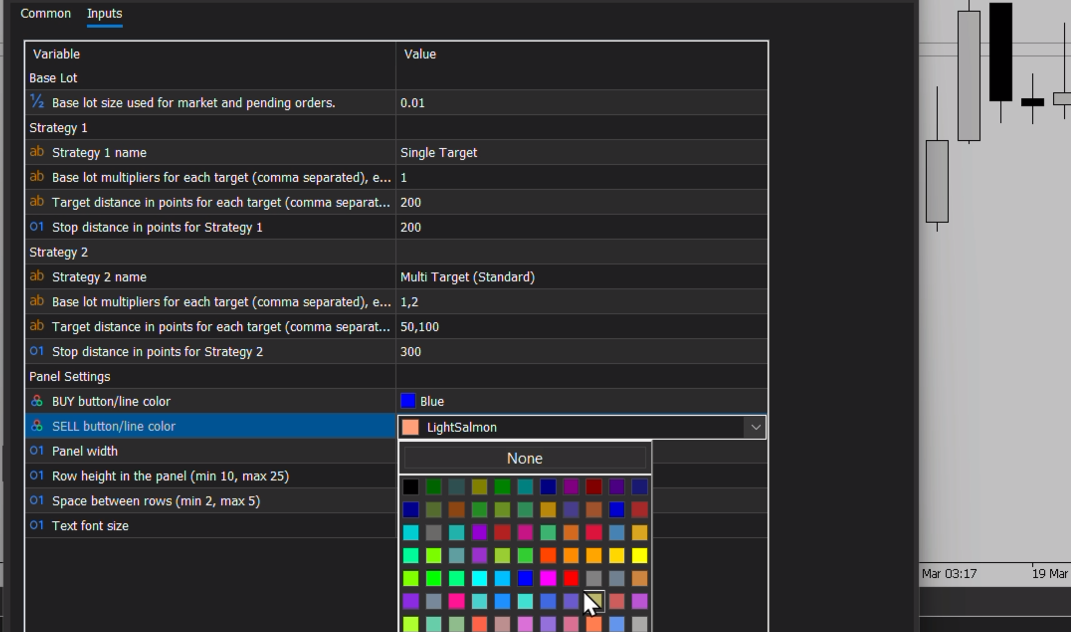
====================== CUSTOMIZATION ======================
- Buy/Sell colors (lines and buttons)
- Panel width
- Row height
- Spacing between rows
- Font size
====================== BASIC VS STANDARD VERSION ======================
- The Basic version provides a simplified execution model with single target support
- The Standard version expands this capability with full multi-target execution and advanced position management features
- Both versions share the same execution logic and interface, ensuring consistency across the ecosystem
- Key Differences:
- Standard version:
- Full multi-target execution
- Advanced position management
- Designed for hedging accounts
- Paid version
- Basic version:
- Single target execution
- Free to use
- Compatible with both hedging and netting accounts (see ACCOUNT TYPE BEHAVIOR section)
====================== ACCOUNT TYPE BEHAVIOR ======================
- This tool is designed for hedging accounts and behaves as intended in this environment
- In netting accounts, positions are merged into a single position
- Stop Loss and Take Profit are continuously updated based on new executions
- Individual Take Profits are not preserved
- Single target behavior:
- The first order behaves as expected
- When a new position is added:
- Stop Loss and Take Profit are replaced by the levels of the new entry
- For users who operate with only one open position at a time:
- Netting and hedging accounts behave equivalently when using this single target assistant
- No functional difference is observed in this usage scenario
- This behavior is a limitation of the MetaTrader 5 netting system, not of the tool itself
- For more advanced control and multi-target behavior, a hedging account is recommended
====================== IMPORTANT NOTES ======================
- Order execution depends on market conditions, spread, and broker execution
- Visual positioning depends on chart data and symbol specifications
- This tool assists trade execution and does not automate trading decisions
- New features and improvements are primarily developed for the Standard version
- The Basic version may receive stability updates and minor adjustments
- For access to advanced features and ongoing feature development:
- Consider using the Standard version
====================== DISCLAIMER ======================
- This tool is for technical and educational purposes only
- It does not provide investment advice
- It does not guarantee results
- It does not perform automatic capital management
- Trading involves risk
- It is recommended to test the tool on a demo account before using it in live market conditions

















































User didn't leave any comment to the rating