TrendScope EA
- Experts
- Version: 1.0
- Activations: 5

TrendScope EA – Multi-Timeframe Trend Alignment & Pivot-Precision Trading
TrendScope EA is an advanced, multi-timeframe automated trading system designed to identify high-probability market reversals and continuation trades through a combination of daily trend structure, intra-day candle behavior, and precision pivot detection.
This Expert Advisor analyzes the market across multiple optional timeframes (M15, M20, M30, H1, H2, H3, H4) and automatically selects valid trade opportunities only when the market aligns with its strict trend and price-structure conditions. TrendScope does not force trades—it waits for clean, high-quality setups based on robust price-action logic.
Key Features
✔ Multi-Timeframe Trade Filtering
Enable only the timeframes you want the EA to analyze. TrendScope does not use lagging indicators—its entries are based purely on price structure, candle polarity, and multi-zone daily trend verification.
✔ Daily Trend Validation
Every new trading day, the EA recalculates:
-
The two-tier daily low zones (Z1 & Z2)
-
The two-tier daily high zones (Z1 & Z2)
-
Peak lows and floor highs
-
25-bar and 50-bar trend confirmations
-
Bullish / Bearish / Neutral market bias
The EA will only trade when all daily trend filters agree.
✔ Smart Risk-Based Position Sizing
Choose your default risk profile:
-
Conservative – smallest position size
-
Normal – balanced risk
-
Aggressive – increased lot scaling
Lot size automatically adjusts based on account balance and symbol limits.
✔ Pivot-Validated Entry Logic
TrendScope only enters when very specific price-action structures form:
-
Candle direction aligns with the daily bias
-
Price pulls back into a structural area
-
A pivot confirms at bar index 2 (for precision)
-
TP/SL are set using the nearest structural extremes
This approach creates trades that are both logical and technically sound.
✔ Built-in Margin Safety Controls
The EA checks:
-
Free margin
-
Used margin
-
Estimated margin required for new positions
A trade is allowed only if the account remains within safe risk thresholds.
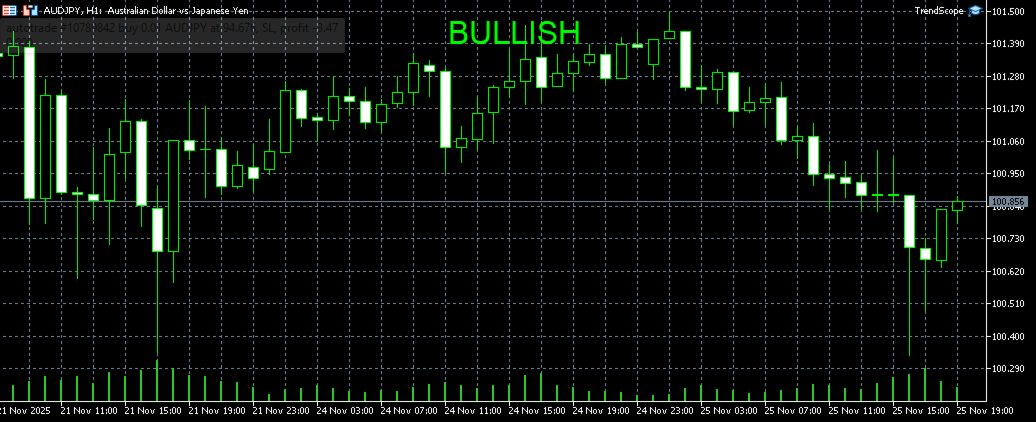
✔ On-Chart Bias Display
TrendScope visually displays:
-
BULLISH
-
BEARISH
-
NEUTRAL
This helps traders immediately understand the EA’s interpretation of the overall market trend.
✔ Mobile Notifications
Every trade setup includes a detailed notification sent directly to your MetaTrader mobile app.
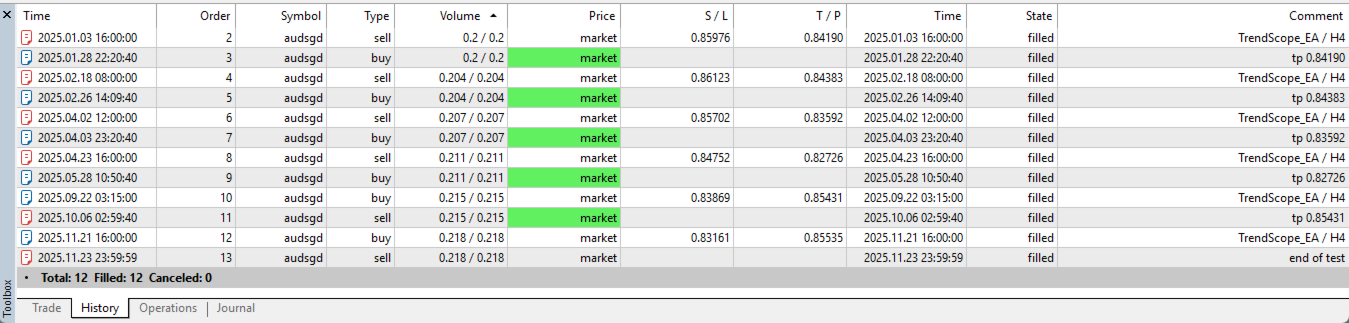
⚠ CRITICAL: TEST MULTIPLE TIMEFRAMES BEFORE GOING LIVE
TrendScope EA is built around timeframe-sensitive structure, meaning each timeframe will produce different signals, frequency, and performance depending on:
-
Symbol volatility
-
Spread behaviour
-
Session timing
-
Market regime (trending vs. ranging)
There is no universal “best” timeframe, because every market reacts differently.
Before live trading, it is strongly recommended to:
-
Run backtests on each timeframe individually.
-
Identify which timeframes perform best for your symbol & broker.
-
Enable only the timeframes with stable historical results.
-
Forward-test in demo mode to confirm behavior.
Your profitability with TrendScope EA depends heavily on selecting the right combination of timeframes for your trading instrument.
Best Practices
-
Test at least 3–6 months of historical data per timeframe.
-
Use realistic spread/commission modeling.
-
Only enable timeframes that show consistent win/loss stability.
-
Start with Conservative mode if your broker's margin requirements vary.
Who Is TrendScope EA For?
-
Traders who prefer price-action-based logic
-
Traders wanting a system that waits for clean setups
-
Traders who want multi-timeframe confirmation
-
Traders needing an EA with low trade frequency but high precision
-
Traders who understand the importance of backtesting and optimization