TradePilot Dashboard
- Experts
-
Augusto Martins Lopes
 About Trader Solutions:
Brand Name: Trader Solutions
Mission: To offer modern and professional trading solutions that symbolize technology and success in the financial market. - Version: 1.0
- Activations: 5
TradePilot Dashboard
Summary
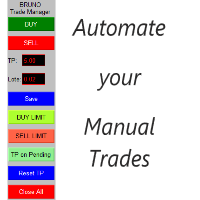
Graphical panel for MT5 with order management buttons (Buy/Sell/Close/SL/TP), margin check, and log control. Easy to use and testable on demo accounts. No profit promises.
Full Description
TradePilot Dashboard is an Expert Advisor with a graphical interface (Controls) for manual and semi-automated order management in MetaTrader 5. It provides a visual panel with buttons, editable fields, and safety checks (free margin) to help traders operate directly from the chart using quick controls.
Main Features
• Responsive graphical panel with over 40 buttons and multiple input fields (volume, pips, trailing, reverse SL, etc.)
• Opens Market and Pending orders (Buy, Sell, BuyStop, SellStop) using the Trade.mqh (CTrade) library
• Free margin check before sending orders (uses ACCOUNT_MARGIN_FREE)
• Configurable log control (enableLogging, maxLogsPerMinute) to avoid message flooding
• Displays prices (Ask/Bid), balance, and basic indicators on the panel
• Integrated with the Controls library (Dialog/Label/Button/Edit) — does not modify terminal settings
Requirements
• MetaTrader 5 (compatible with Controls* and Trade.mqh includes)
• Automated trading permission enabled in the terminal (Expert Advisors)
• Recommended to test on a demo account before using on a live account
Input Parameters (examples)
• DashboardSettings (string) — panel title
• dashHeight, dashWidth (int) — panel dimensions
• fontSize (int) — font size
• maxFreeMarginPercent (double) — max % of free margin to commit (e.g., 3.0)
• enableLogging (bool) — enables detailed logs (false by default)
• maxLogsPerMinute (int) — message limit per minute
Installation
1. Copy the .mq5 file to the Experts folder in MT5 (<Terminal>\MQL5\Experts)
2. Place images/logos in MQL5\Images if using assets
3. Open MetaEditor and compile the Expert (adjust paths if needed)
4. Attach the EA to the desired chart and enable automated trading
How to Use (Quick Steps)
1. Adjust input parameters according to your risk management
2. Run in Strategy Tester or demo account to validate behavior
3. Use the panel buttons to open/close orders and change settings in real time
4. Enable enableLogging only for diagnostics
Limitations and Risks
• Does not guarantee results or profits; avoid performance claims
• Execution risks: slippage, requotes, and differences between tester and live environment
• Depends on standard MT5 libraries; terminal updates may require code adjustments
• User is solely responsible for lot size and risk management
Support, Updates, and License
• Support via comments/contact provided in the product listing
• Updates will be published in the product version history
• Product is provided “as is.” The author is not responsible for financial losses. Redistribution without permission is prohibited
Risk Disclaimer
Trading financial markets involves the risk of total capital loss. Test the product on a demo account first. Never risk more than you are willing to lose.