DrCall Margin
- Utilities
-
Cence Jk Oizeijoozzisa
 A Forex market specialist with over 7 years of experience in the field. Expert in programming and developing Expert Advisors (EAs).
For advice before purchasing or collaborating, you can contact us via the following methods:
Email : Ebtrade.tk@gmail.com - Version: 1.0
- Activations: 10
Introducing the Dr. Call Margin Risk & Capital Management Expert: Your Smart Assistant for Secure and Profitable Trading
Important Note: You cannot change the lot size based on your own decision. This expert automatically decides how much you should risk in each trade, without you needing to enter a lot size.
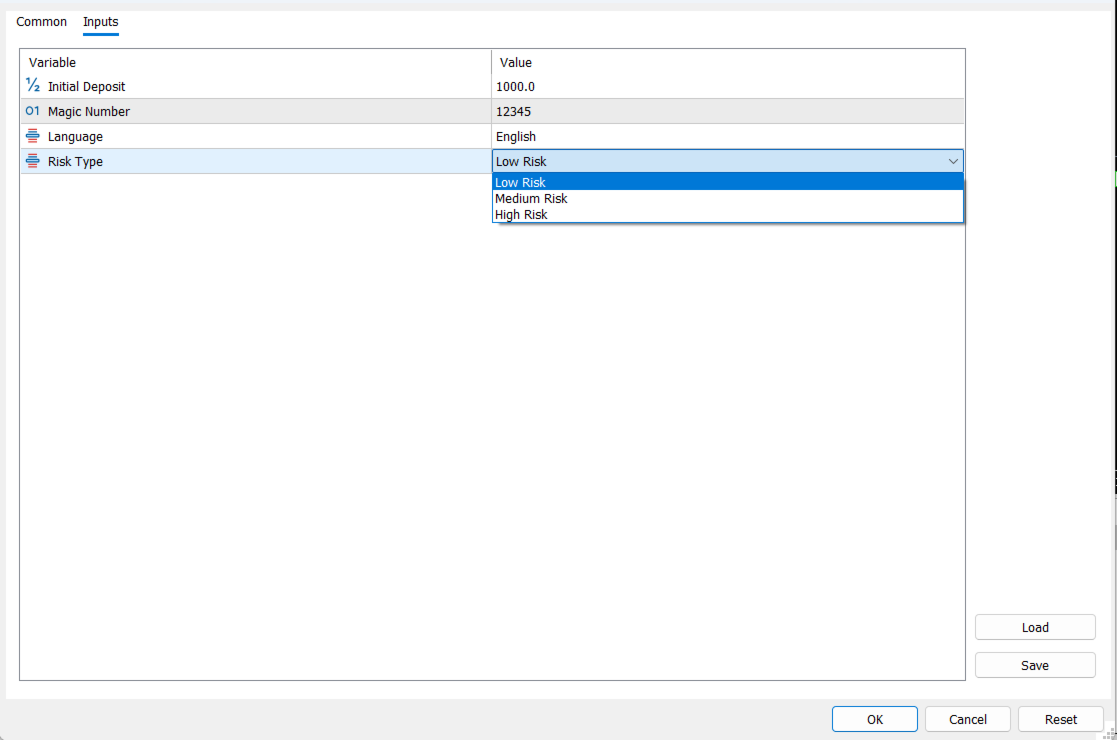
This assistant contains a powerful financial management system that has been used by major traders for years. We decided to release it to everyone in the form of an expert advisor. Based on your profits and losses, the expert itself decides what percentage to risk in each trade. With this financial strategy, you will never lose all your money, even if you have a very weak trading strategy with a very low win rate.
The expert's specifications consist of:
Dr. Call Margin Expert: Specifications and Key Features
This expert provides you with a complete and professional trading panel with the following capabilities:
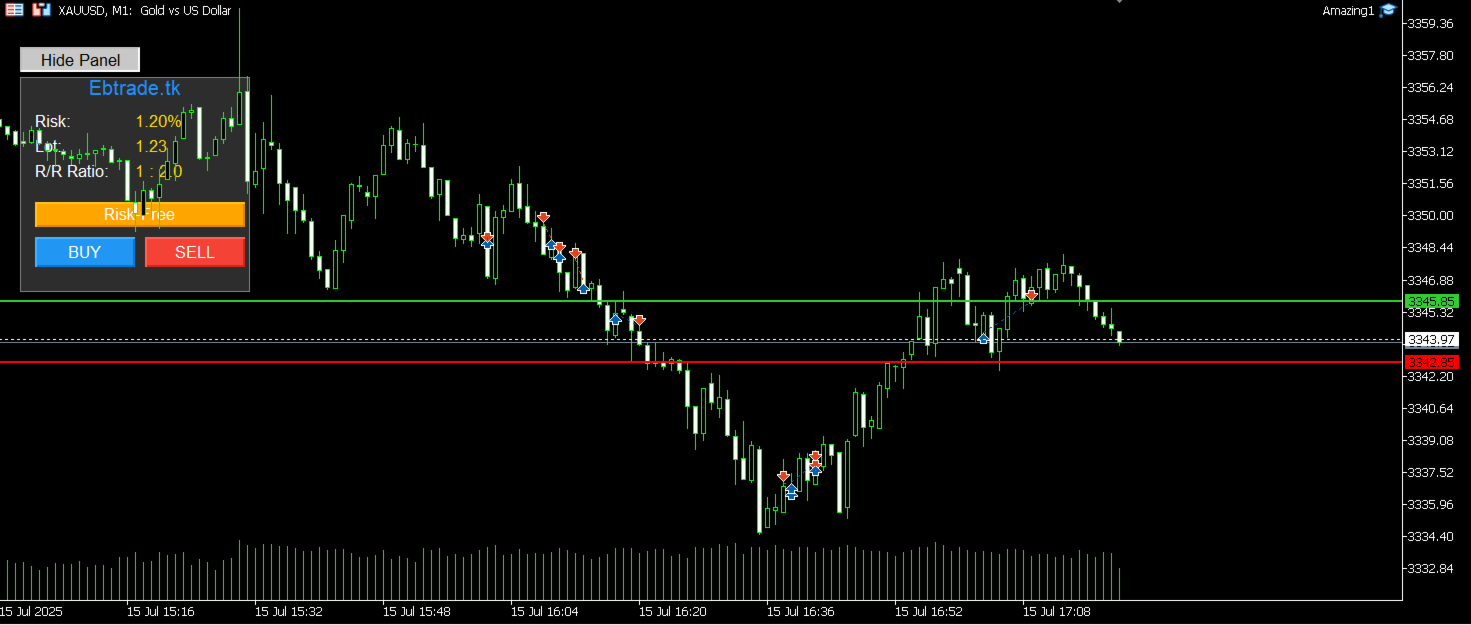
1. Comprehensive and User-Friendly Trading Panel: A sleek and efficient panel appears on your chart, clearly displaying all the vital information needed for a trade:
-
Risk: Shows the calculated risk percentage for the current trade.
-
Lot: Displays the precise trade volume based on the risk and stop-loss distance.
-
R/R (Risk/Reward): Instantly shows the potential profit-to-loss ratio.
2. Visual Trading with Drag & Drop Lines: There is no need to manually enter numbers. You can easily:
-
Red Line (Stop Loss): Drag and drop this line to the price where you want to exit the trade if it goes against you.
-
Green Line (Take Profit): Move this line to set your profit target.
-
White Line (Entry Point): This line displays the current market price for better analysis.
3. Quick Trade Buttons: After setting your lines, you can open your trade with the precisely calculated volume, stop loss, and take profit with just one click on the BUY (blue) or SELL (red) buttons.
4. Risk-Free Button: One of the most powerful tools on this panel! Whenever your trade moves into profit, click the Risk-Free (orange) button, and the trade's stop loss will instantly be moved to the entry point. This ensures your trade no longer carries any risk and protects your earned profit.
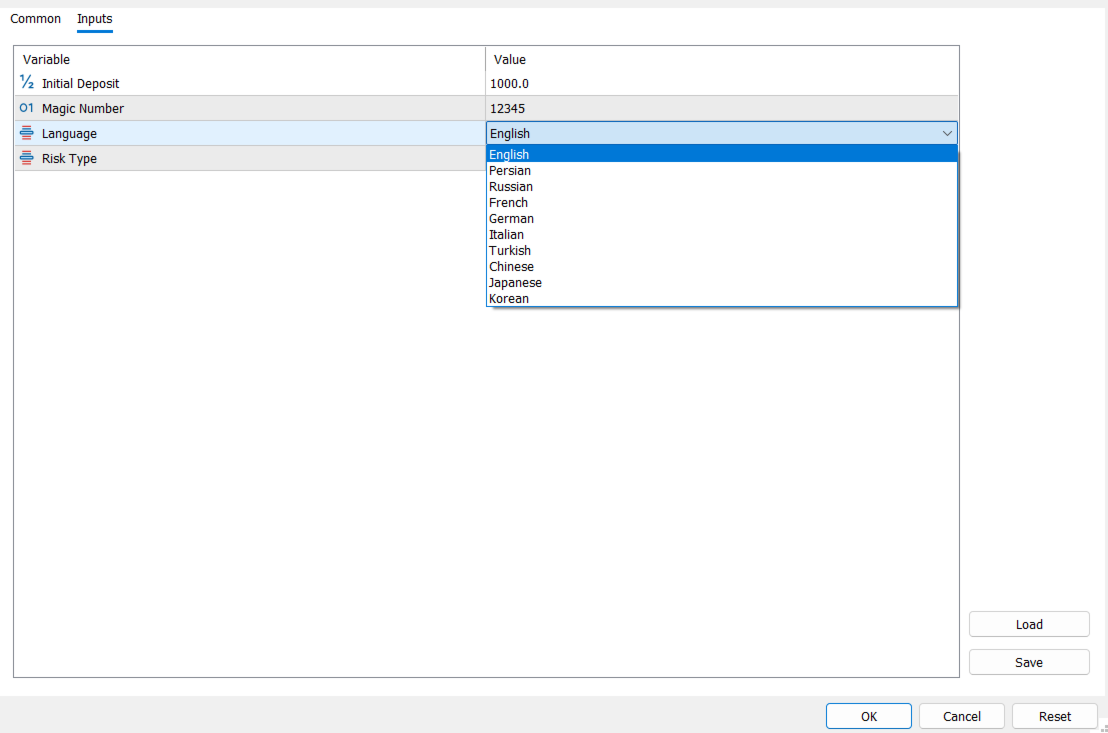
5. Support for 10 Languages: For the convenience of users worldwide, this expert is translated into various languages, including English, Persian, Russian, German, Chinese, and more.
How to Use the Expert
Working with this panel is incredibly simple and can be done in a few steps:
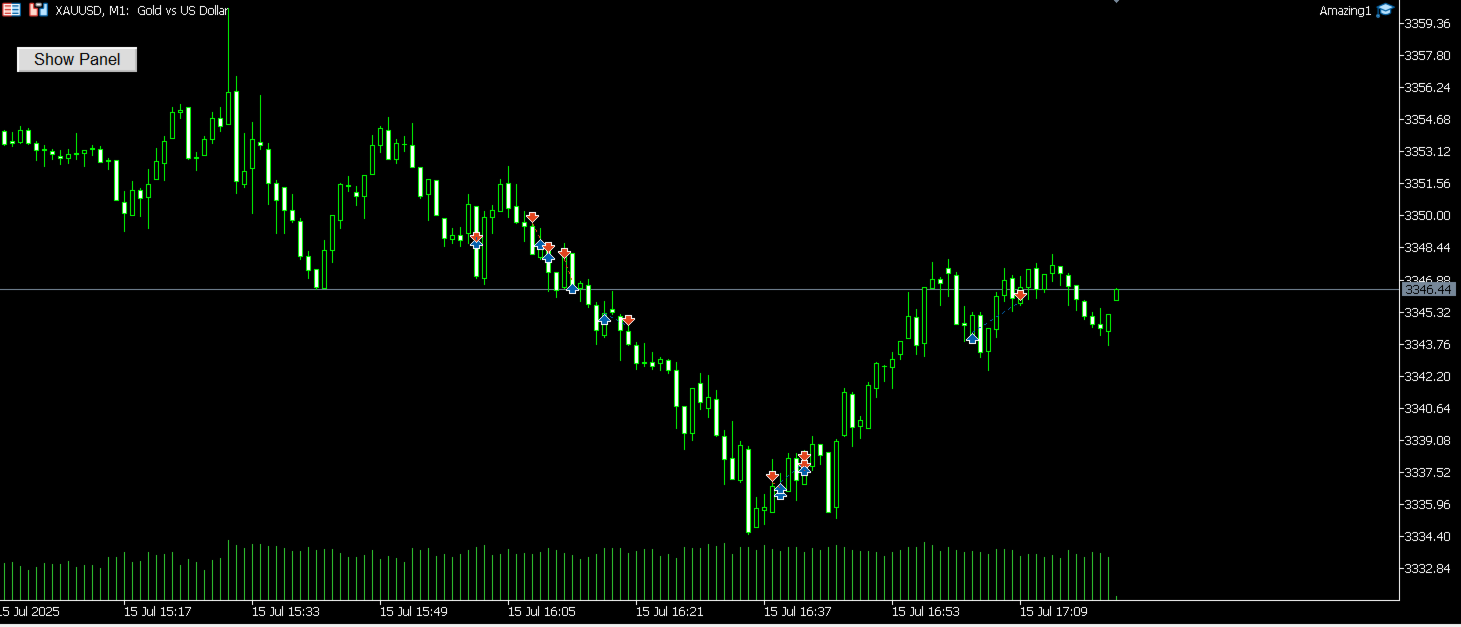
Step 1: Activate the Panel After attaching the expert to your chart, click the "Show Panel" button to make the trading panel and lines appear.
Step 2: Set Stop Loss and Take Profit Using your mouse, move the Red Line (Stop Loss) to the point where your analysis indicates you are wrong, and move the Green Line (Take Profit) to your price target.
Step 3: Review the Information Immediately after moving the lines, observe the Lot size and R/R (Risk/Reward) values on the panel. The expert has automatically calculated the appropriate volume for you.
Step 4: Execute the Trade If you are satisfied with the values, click the BUY or SELL button based on your analysis. Your trade will be executed instantly with the precise settings.
Step 5: Secure Your Profit Once your trade is in profit, click the Risk-Free button. You can then watch the rest of the trend with peace of mind, as your capital is no longer at risk.
With Dr. Call Margin, you can entrust risk management to an expert and focus completely on your trading strategy.