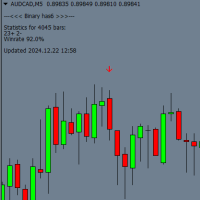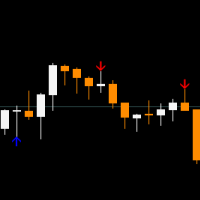
Your tick scalper
- Experts
- Version: 2.1
- Updated: 11 May 2025
- Activations: 5

🚀 Tick Scalper «Tick Scalper»
Pure price action, no indicators. Always sets StopLoss, TakeProfit, and trails positions with TrailingStop.
📊 Core Parameters
| Parameter | Default Value | Description |
|---|---|---|
| TakeProfit | — | Fixed TakeProfit in pips. |
| StopLoss | — | Fixed StopLoss in pips. |
| TrailingStop | — | TrailingStop distance (pips) for modifying positions. |
| cSeconds | — | Signal check interval (seconds). |
| MinPriceShot | — | Minimum price movement (pips) to activate a signal. |
| MaxOrdersCount | — | Maximum concurrent open orders (constant). |
| RiskPercent | — | Risk as % of balance for auto lot calculation. |
| FixedLotSize | — | Fixed lot size (if UseAutoLot = false). |
| UseAutoLot | — | Auto lot calculation based on balance and risk. |
| MagicNumber | — | Unique identifier for EA orders. |
| MaxSpread | — | Maximum spread (pips) to open a trade. |
📥 Download Presets & Optimization Sets for Forex Pairs:
✅ Usage Guidelines
-
Testing:
-
Historical Testing: Use "Every tick based on real ticks" mode.
-
Demo Account: Test for 1-2 weeks before live trading.
-
Optimization: 3 months + forward test (1/4 of optimization period). Select settings where profit during optimization and forward test are roughly equal (example in the image).
-
Reoptimization: Perform monthly to maintain stable profitability.
-
-
Trading Conditions:
-
Timeframe: M1.
-
Risk Management: Start with 0.01 lot for deposits ≥ $100.
-
Account Type: ECN, Raw Spread, STP (low spread + fast execution).
-
VPS: Mandatory to minimize latency.
-
-
Broker:
-
Recommended: RBFX Prime — ideal for scalping.
-
Avoid: Cent accounts (risk of requotes/slippage).
-
⚠️ Critical Points
-
Order Execution: Only on accounts with minimal latency.
-
Spread: Trades open only if spread ≤ MaxSpread.
-
Lots: If UseAutoLot = true, consider the instrument’s volatility.
Successful Trading! 💰