
Magnet Draw MT5
- Utilities
- Version: 2.0
- Updated: 15 February 2025

Magnet Draw MT5 — Precise Drawing Tool with TradingView-Style Magnet Snap
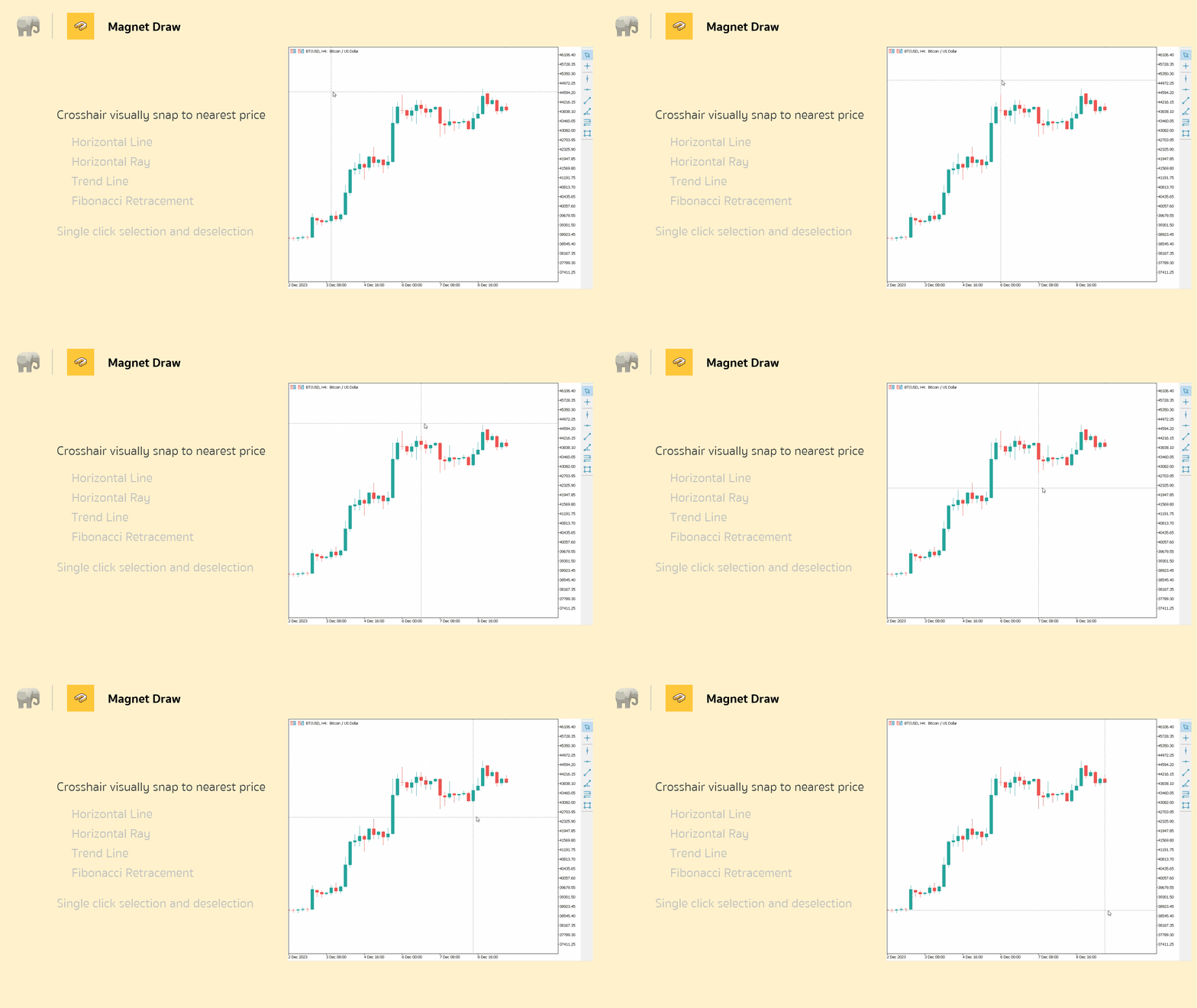
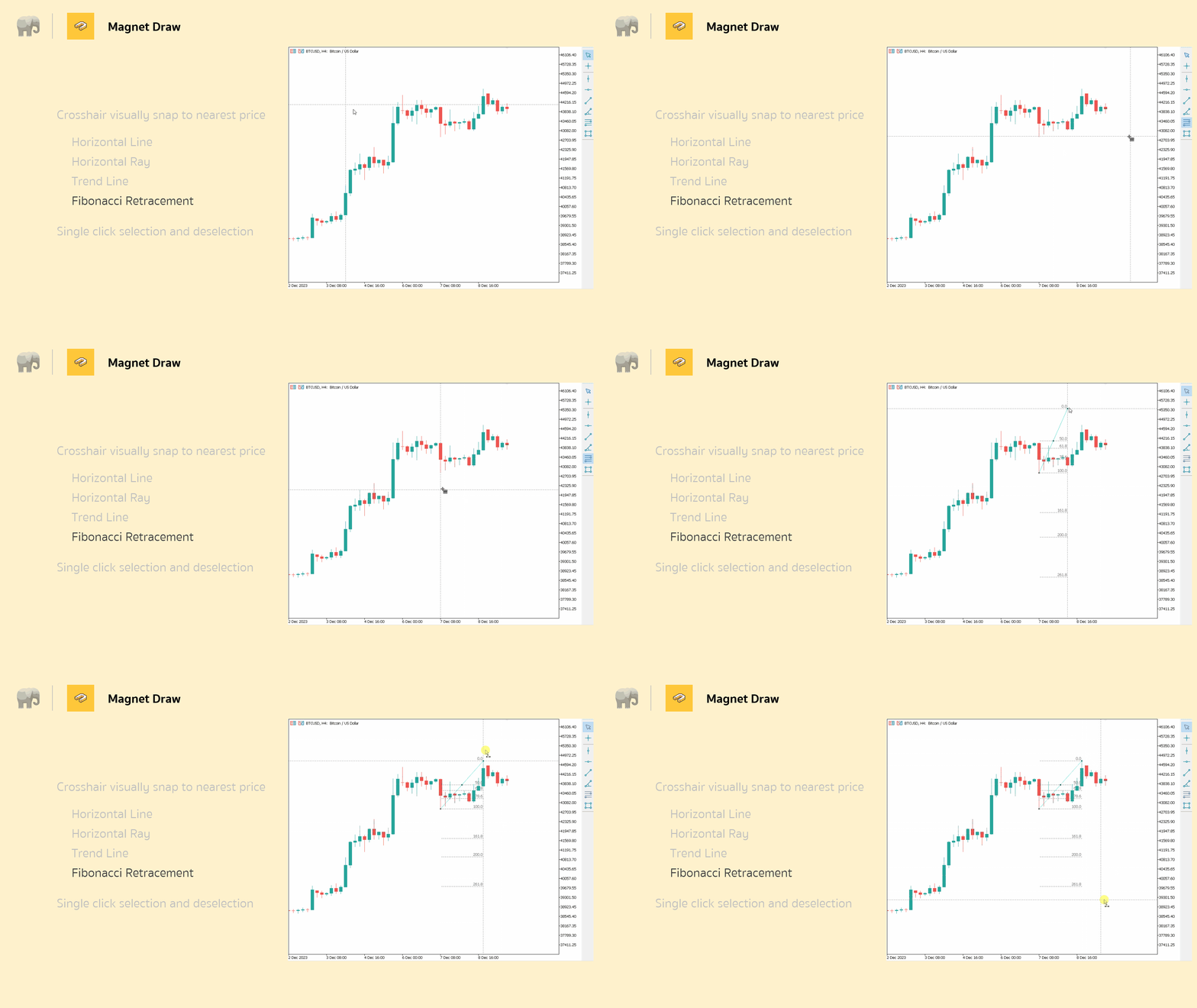
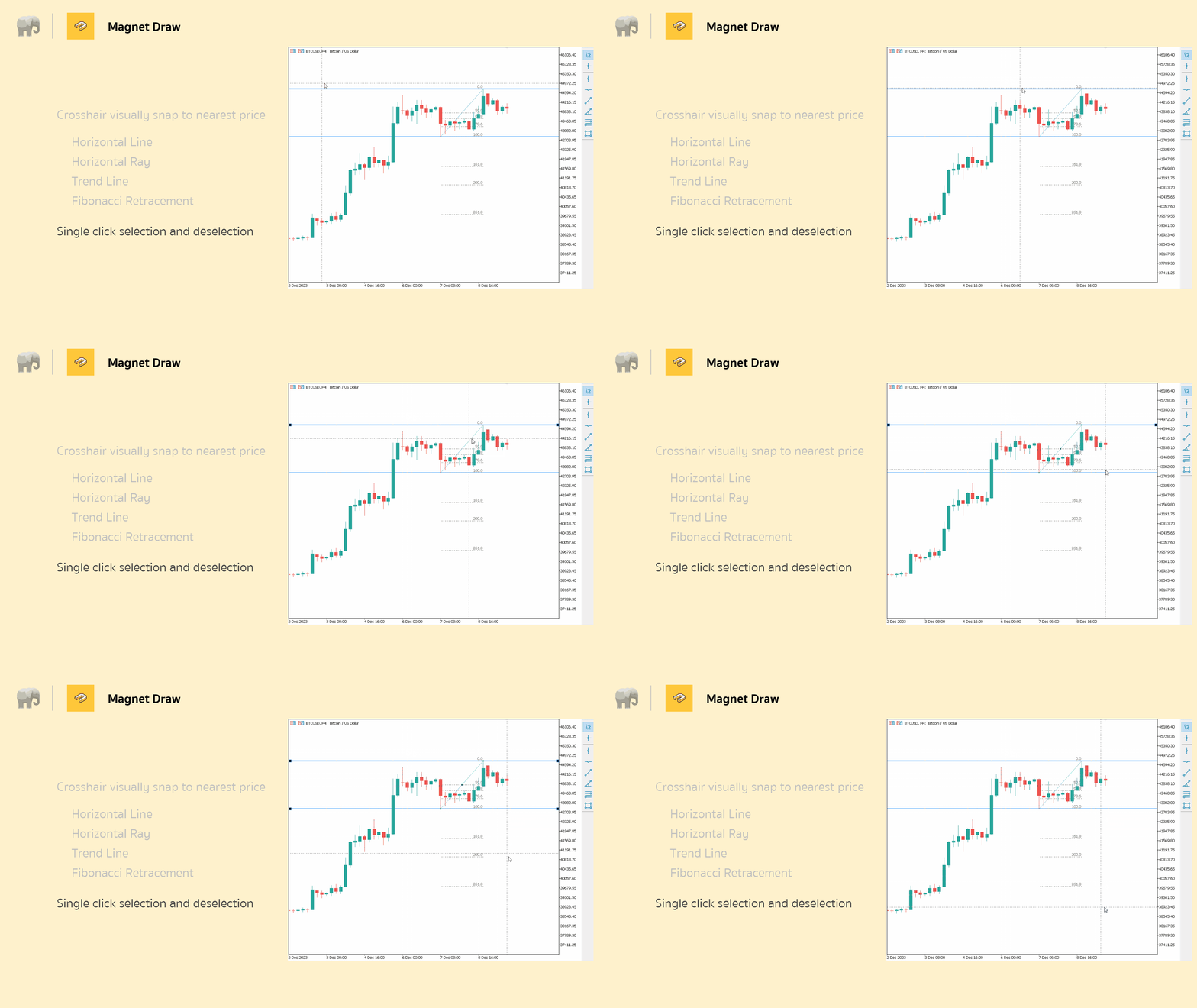
Revolutionize your MetaTrader 5 charting experience with Magnet Draw MT5, a free utility that brings TradingView's precision magnet snap functionality right to MT5.
Perfect for traders who demand accuracy when marking ICT concepts, Smart Money Concepts (SMC), Fair Value Gaps (FVG), and advanced technical analysis.
When you're marking ICT concepts like Fair Value Gaps or Smart Money Concepts supply/demand zones, precision matters. The magnet snap ensures your technical analysis lines up perfectly with actual price levels, which means fewer drawing errors and more consistent analysis. It's especially useful when you're working on smaller timeframes where every pip counts.
Why Choose Magnet Draw MT5?
- TradingView Precision: Magnet snap automatically aligns your drawings to the nearest price level, eliminating the guesswork and ensuring professional-grade accuracy.
- ICT & SMC Ready: The indicator is designed for Institutional Concepts and Smart Money Concepts traders who need precise marking of supply/demand zones, FVGs, and key levels.
- Multi-Concept Support: Ideal for Demand & Supply analysis, Fair Value Gap identification, Breakout trading, Trend Following, Reversal patterns, MTF analysis, Price Action, Support & Resistance zones, and Elliott Wave counting
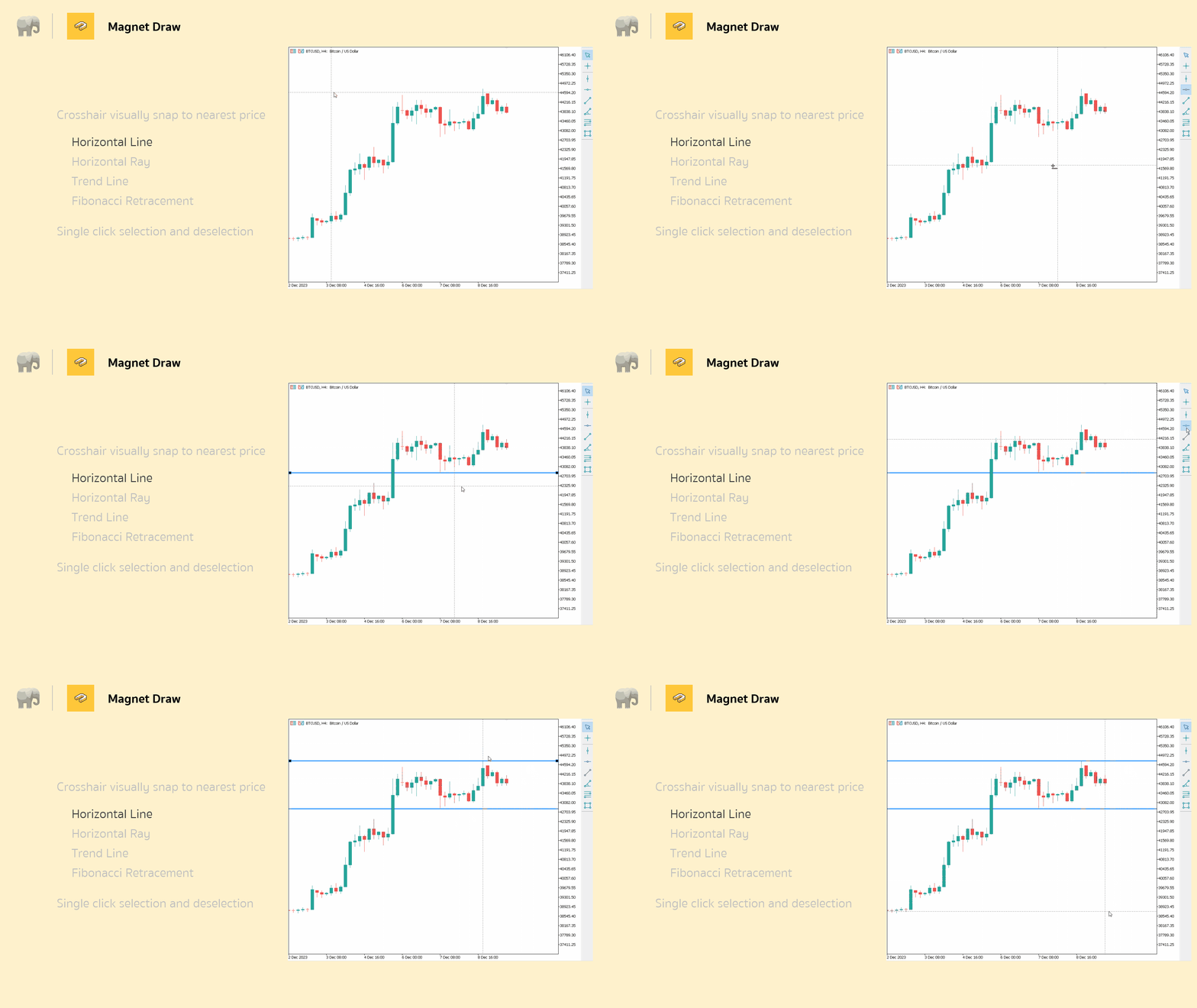
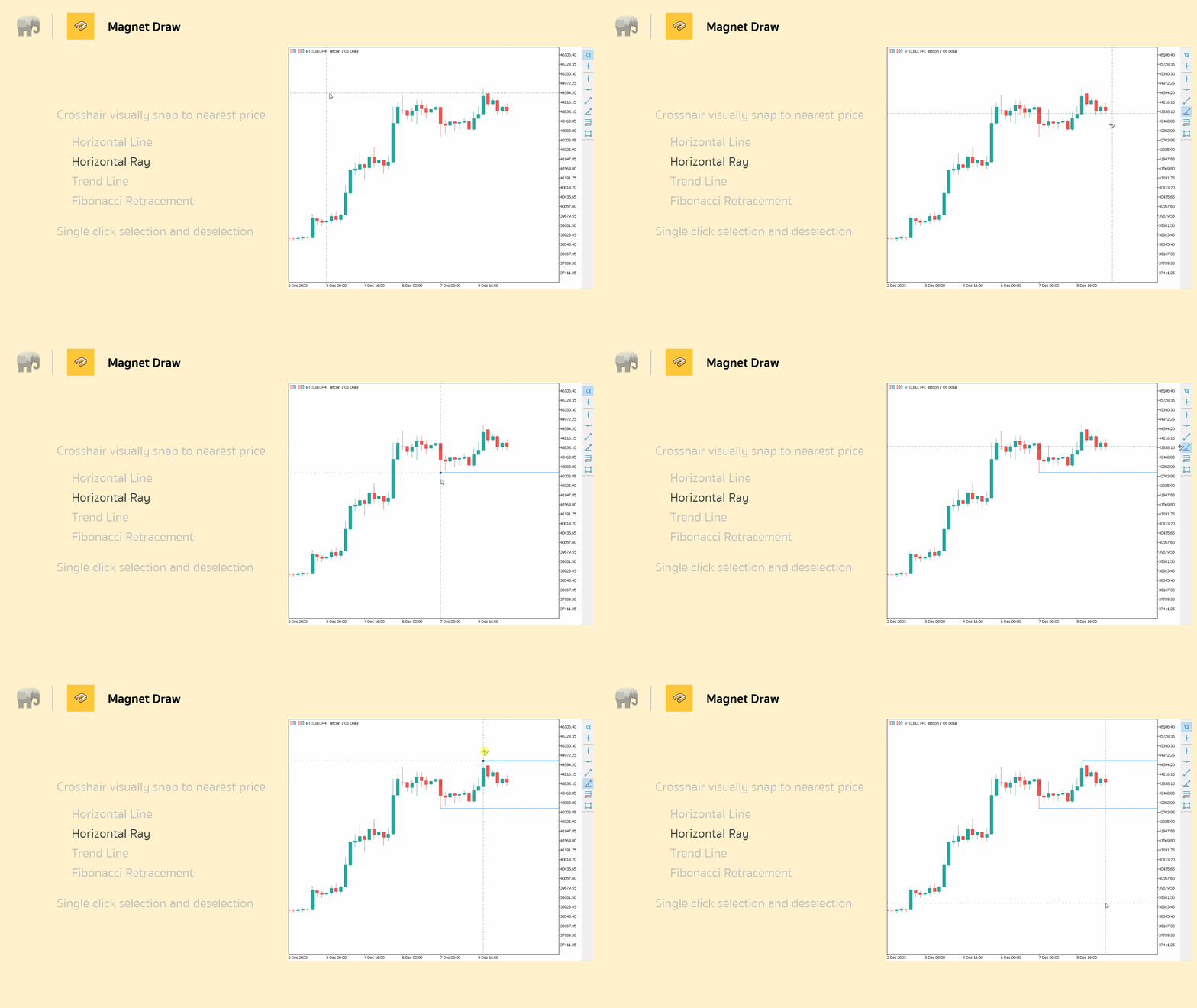
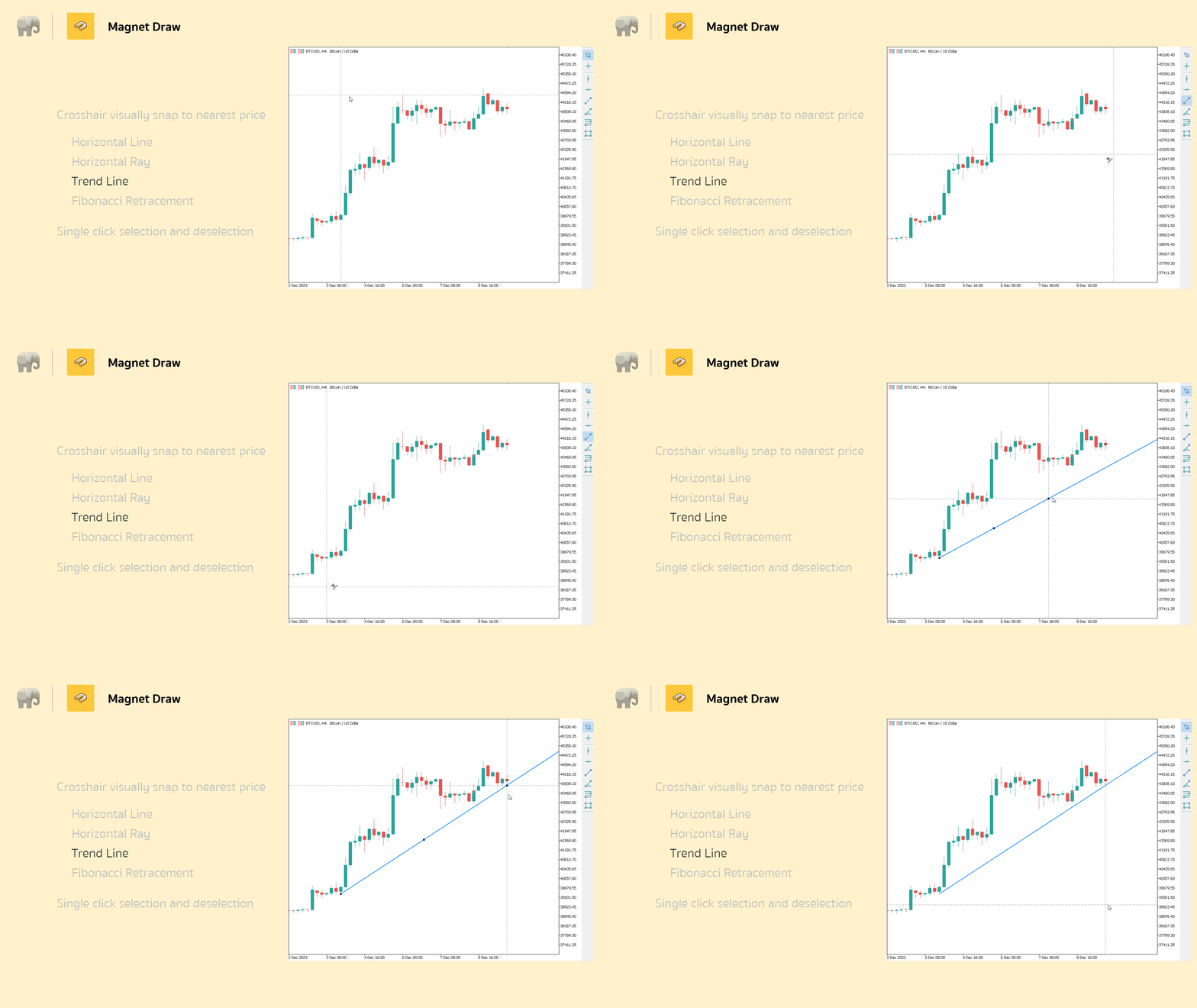
- 6 Essential Drawing Tools: Vertical Line, Horizontal Line, Trend Line, Horizontal Ray (Angle Trend Line), Fibonacci Retracement, and Rectangle tools — all with magnet snap capability
- Free Forever: No subscription and no hidden costs, just professional drawing precision at no cost.
Trading Applications:
For ICT/SMC Traders: Now, with the magnet snap, you will know exactly when Fair Value Gap highs and lows are formed. Your entry zones would exactly match institutional levels because the price aligns automatically while you draw supply/demand zones.
For breakout traders: draw trend lines and horizontal levels that snap exactly to key price points for better breakout confirmation and a reduced number of false signals.
For MTF Analysis: For better reliability in your multi-timeframe analysis, mark key levels across multiple timeframes with consistent precision.
Installation & Setup:
- Download Magnet Draw MT5 from the MQL5 Market
- Install directly to your MetaTrader 5 platform
- Access from your chart's drawing tools menu
- Start drawing with automatic magnet snap enabled
Input Parameters:
- Threshold (px): Set distance in pixels for when magnet snap is activated; Default works for most traders
- Crosshair color: Personalize your crosshair color for better visibility onto your chart theme.
Perfect For:
- ICT traders that need accurate level marking
- SMC practitioners analyzing Smart Money Concepts
- Breakout and trend following traders
- MTF analysts working across multiple timeframes
- Price action traders who require exact support/resistance levels
- Elliott Wave practitioners counting the waves correctly
Get Started: Download Magnet Draw MT5 today for free and unlock TradingView-level drawing precision right within your MetaTrader 5. No registration is required, just instant professional drawing tools at your fingertips.
FAQ:
Q: Can I adjust the magnet snap sensitivity?A: Yes, use the Threshold (px) parameter to control how close your cursor needs to be for the magnet to activate.
Q: Will this slow down my MT5 platform?
A: No, Magnet Draw MT5 is lightweight and won't impact your platform's performance.
Q: Can I use this for automated trading?
A: This is a drawing utility for manual analysis — it doesn't execute trades but helps you mark levels more accurately.
Q: Is this really free forever?
A: Yes, absolutely no costs, subscriptions, or hidden fees — professional drawing precision at zero cost.
If Magnet Draw saves you time, please leave a short review in the Market.
Quick tips:
- Snap drawings to candle highs/lows or bodies with magnet on.
- Draw boxes and lines quickly; magnet helps anchor edges cleanly.
- Set magnet distance in pips in Inputs for precise offsets.
Feel free to request more features or report bugs.












































great tools