BioBot
- Experts
-
Andriy Sydoruk
 https://www.mql5.com/ru/users/andreys/seller
Large selection of products for different tastes.
e-mail: andriisydoruk@gmail.com - Version: 1.1
- Updated: 3 December 2023
- Activations: 5
Here is the corrected and adapted description for your BioBot scalping system in English, fully aligned with the actual input parameters from your code:
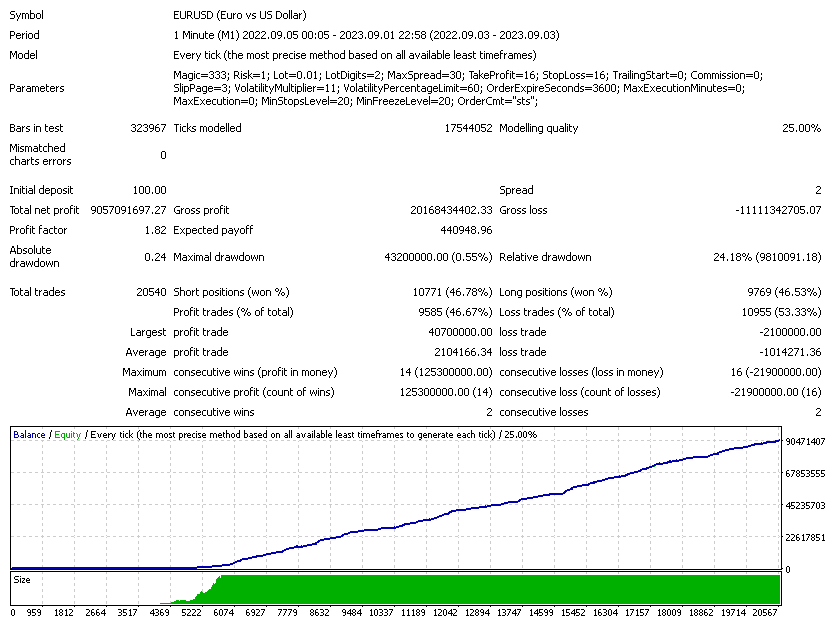
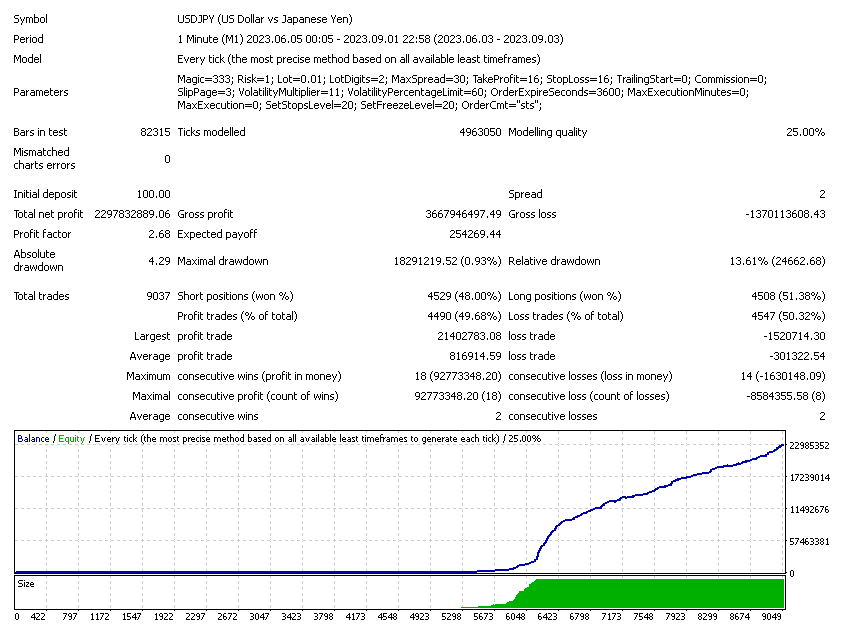
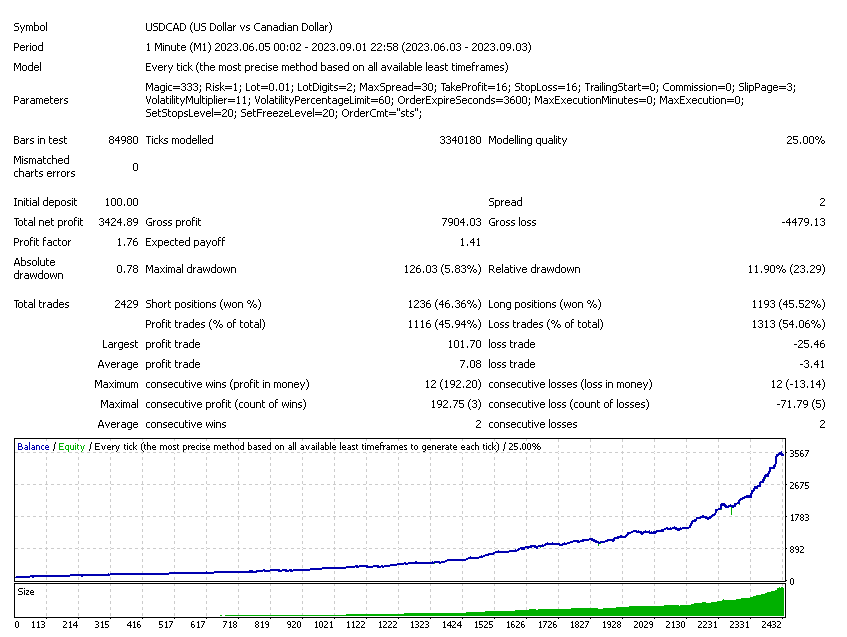
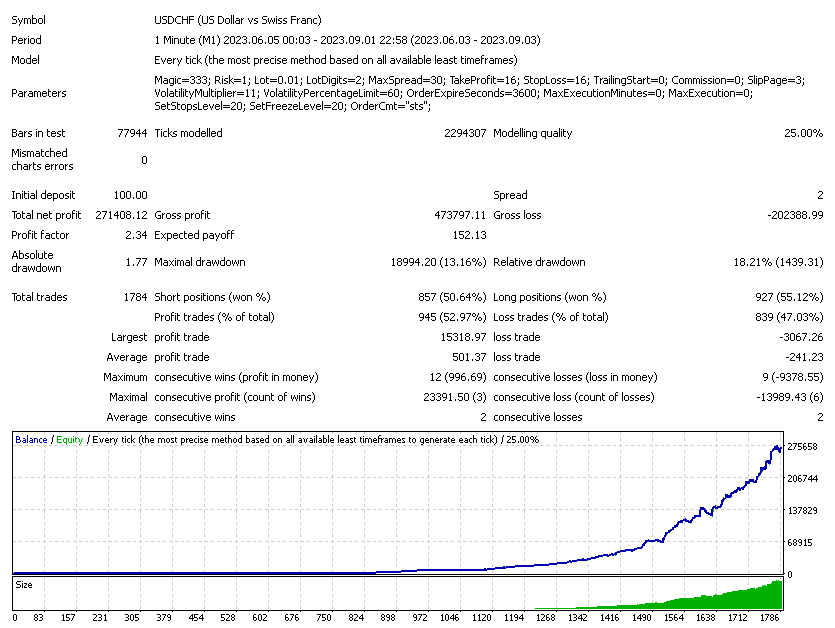
BioBot Scalping System DescriptionBioBot is a high-performance automated scalping trading system designed for trading various financial instruments (currency pairs, metals, etc.), primarily on M1 – M15 timeframes. Optimizing BioBot just once (for example, over a one-month period) is sufficient to deliver strong results on a forward period several times longer than the optimization phase.
It is recommended to trade with a 5-digit quote broker that offers low, floating spreads (ideally starting from 6 pips). To ensure maximum execution speed and minimize slippage, using a VPS and testing the advisor on servers like MetaQuotes-Demo is strongly advised. You can start trading with an initial balance as low as $100 and a base lot size of 0.01.
Detailed Parameter Description (Inputs)
1. Risk & Position Sizing
-
Magic (333) — Unique magic number for the EA's trades. Helps the bot distinguish its own open positions from other trades on the account.
-
Risk (0.5) — Risk percentage used to dynamically calculate position size based on account equity/balance (active when fixed lot is set to 0.0).
-
Lot (0.0) — Fixed trade volume. If set to 0.0 , position size is calculated automatically using the Risk setting.
-
LotDigits (2) — Decimal precision for lot calculation (2 digits is standard for micro-lots, i.e., 0.01).
2. Market Restrictions & Filters
-
MaxSpread (30.0) — Maximum allowed spread. If the broker's current spread exceeds this threshold, the expert advisor will refrain from entering market positions.
Note on Spread: Higher spreads significantly reduce trade frequency. If the spread rises above 20 pips, the number of market entries drops drastically. Ideally, choose a broker with floating spreads from 6 pips. Signals will trigger trades when the current spread falls below your specified limit (e.g., set to 10–14 pips).
-
VolatilityMultiplier (12.0) — Volatility multiplier used in internal algorithms to assess tick speed and market activity.
-
VolatilityPercentageLimit (80) — Percentage volatility cap used to filter out adverse market conditions.
3. Price Levels (TakeProfit, StopLoss, Trailing)
-
TakeProfit (15.0) — Target profit distance in points/pips.
-
StopLoss (15.0) — Protective stop loss distance in points/pips.
-
TrailingStart (60.0) — Distance in points from the open price required to activate the trailing stop mechanism.
-
SetMinLevels / SetStopLevel (15.0) — Minimum required distance (Stop Level) in points for placing or modifying orders.
-
GOLDSetupMinLevels (250) — Adapted minimum Stop Level threshold specifically configured for Gold (XAUUSD) or high-volatility instruments.
4. Execution & System Settings
-
Commission (0.0) — Broker commission per lot (factored into internal net profitability calculations).
-
SlipPage (3) — Maximum allowable price slippage in points when executing trade requests.
-
OrderExpireSeconds (3600) — Expiration time for pending/requested orders in seconds (default: 1 hour / 3600 seconds).
-
MaxExecutionMinutes (0) — Maximum execution time limit in minutes (0 disables minute-based timeout).
-
MaxExecution (0) — Maximum execution delay allowance in milliseconds (0 disables strict ms limit).
-
OrderCmt ("sts") — Custom order comment attached to every trade opened by the EA for easy identification in trade history.
Best Practices for Testing and Live Trading:
-
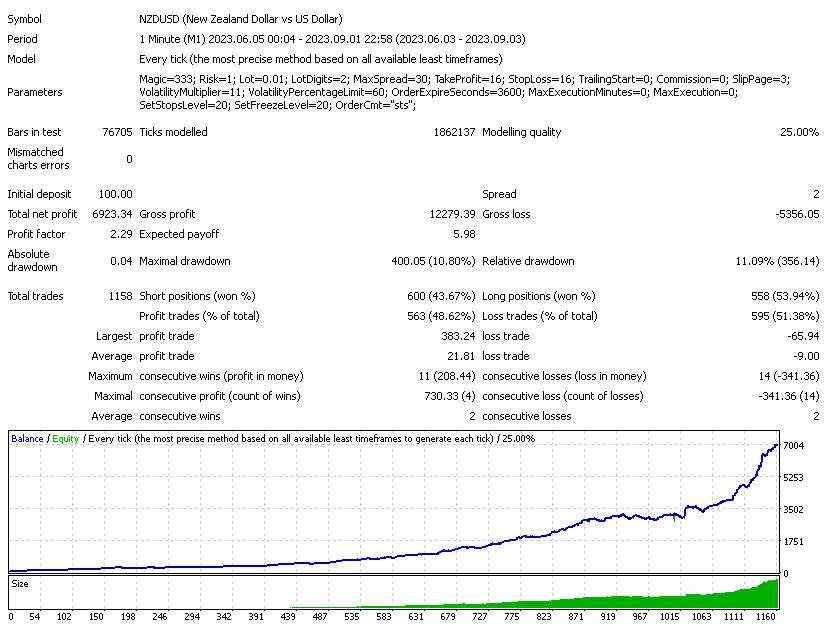
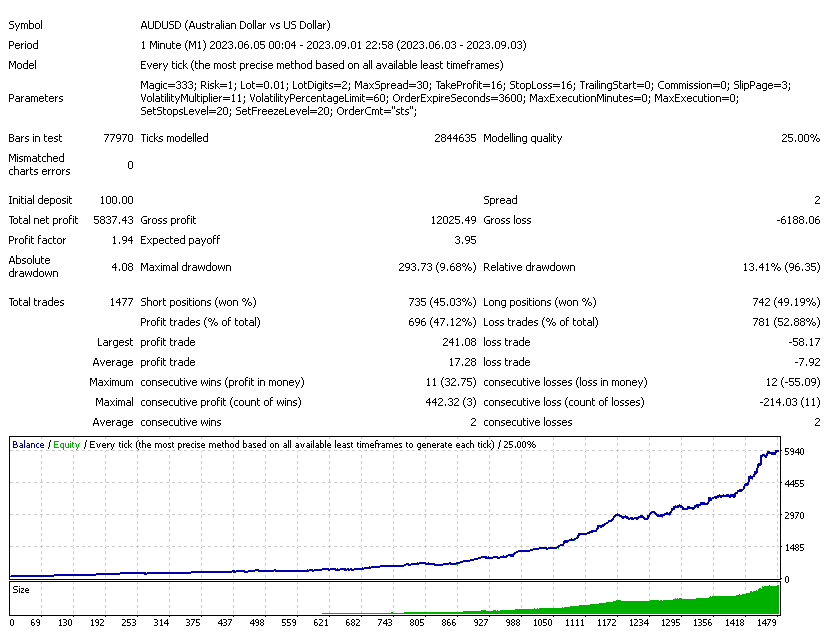
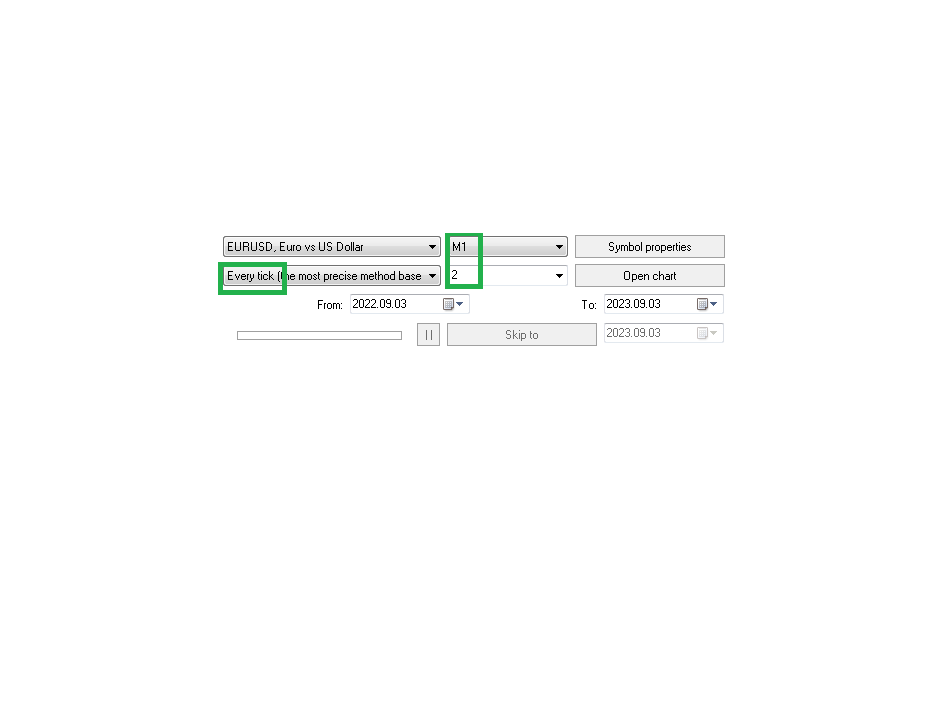
Tick Data Quality: Always backtest using "Every tick" mode with real floating spread enabled.
-
Network Latency (Ping): The greater the combined delay of your broker and internet connection, the larger your StopLoss , TakeProfit , and TrailingStart values should be. This gives the trade server enough time to process requests at intended prices, as Strategy Tester executes orders without network latency.
-
Low Spreads & Low Commissions: Lower total transaction costs directly boost scalping profitability. Your main focus should be finding a reliable broker with ultra-low spreads combined with a low-latency VPS.