 MetaTrader 5
 Experts
 Indicators
 Scripts
 Libraries
 Storage
Watch how to download trading robots for free
Find us on Facebook!
Join our fan page
Join our fan page
You liked the script? Try it in the MetaTrader 5 terminal

EasyAndFastGUI library for creating graphical interfaces - library for MetaTrader 5

- Views:
- 61694
- Rating:
- Published:
- Updated:
-
 You are missing trading opportunities:
- Free trading apps
- Over 8,000 signals for copying
- Economic news for exploring financial markets
Registration Log inYou agree to website policy and terms of use
If you do not have an account, please register -
 Need a robot or indicator based on this code? Order it on Freelance
Go to Freelance
EasyAndFastGUI v2.0
A new version of the EasyAndFastGUI v2.0 library for creating graphical interfaces has been released!
This library contains the necessary set of elements that can be used when developing MQL-applications with a graphical interface.
In the second version of this library, many improvements have been added, and bugs have been fixed that began to appear after changes in the MQL language. All articles in the series from the list below can be read only for the purpose of learning the MQL language, since the latest version has significant changes and differences.
What's new?
- All images for GUI elements have been digitized and now there is no need for a folder with pictures. You can download the archive of pictures from the old version if you need a custom set of pictures for work.
- Significant improvement in event stream handling. In the previous version, there was a noticeable delay if there were a lot of elements. Now everything works very fast with any number of elements.
- Added the ability to change the color scheme of the GUI. In this version, it is possible to quickly switch between light and dark themes while a ready-made MQL application is running.
- Integrated a new element (C3DBase) from the standard library (CCanvas3D) for working with three-dimensional graphics.
- The structure of folders and library files has changed. Now all files are categorized.
- The second version comes with a ready-to-use MT4 version.
- All elements have methods for quick creation. Almost all elements with default parameters can now be created in just one line of code.
- In addition, many other changes were made regarding the internal structure and additional refactoring of the code was made.
- All comments in the code are translated into English.
- The library comes with ready-made examples of graphical interfaces to make it easier for you to learn everything and get started faster.
Examples of GUIs
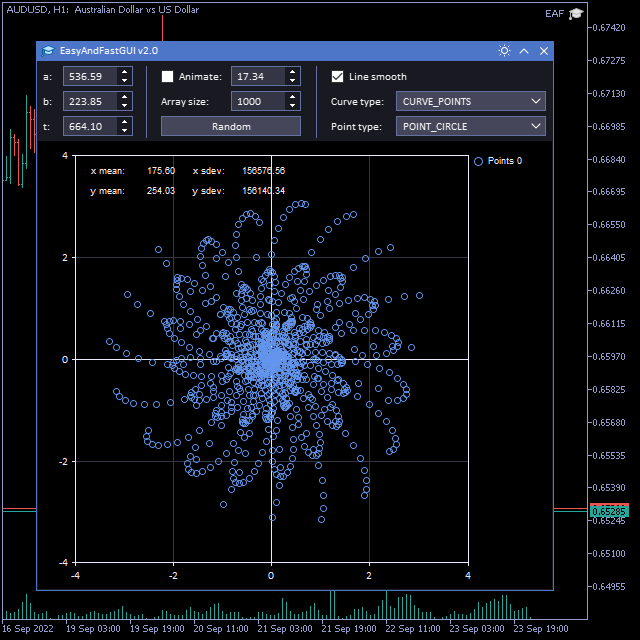
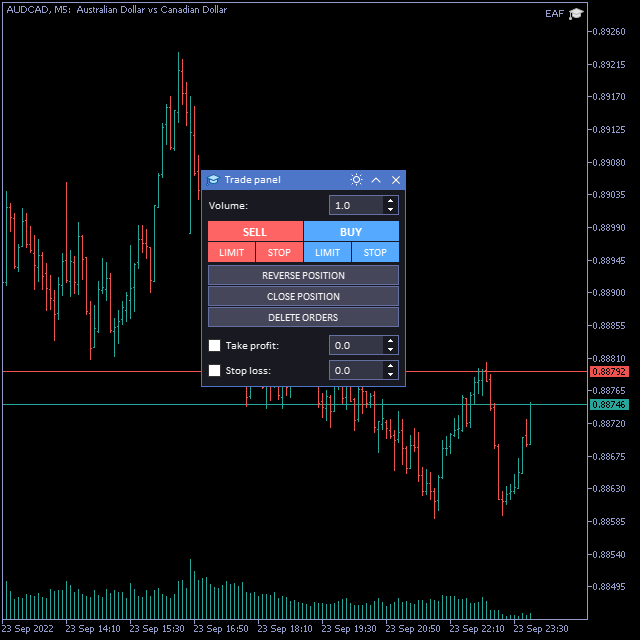
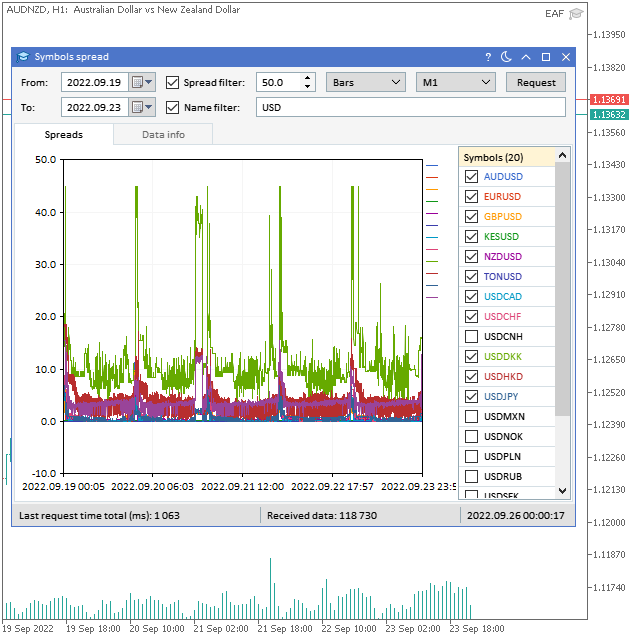
The screenshots below show examples of graphical interfaces for study with all the elements that come with the second version of the EasyAndFastGUI v2.0 library.
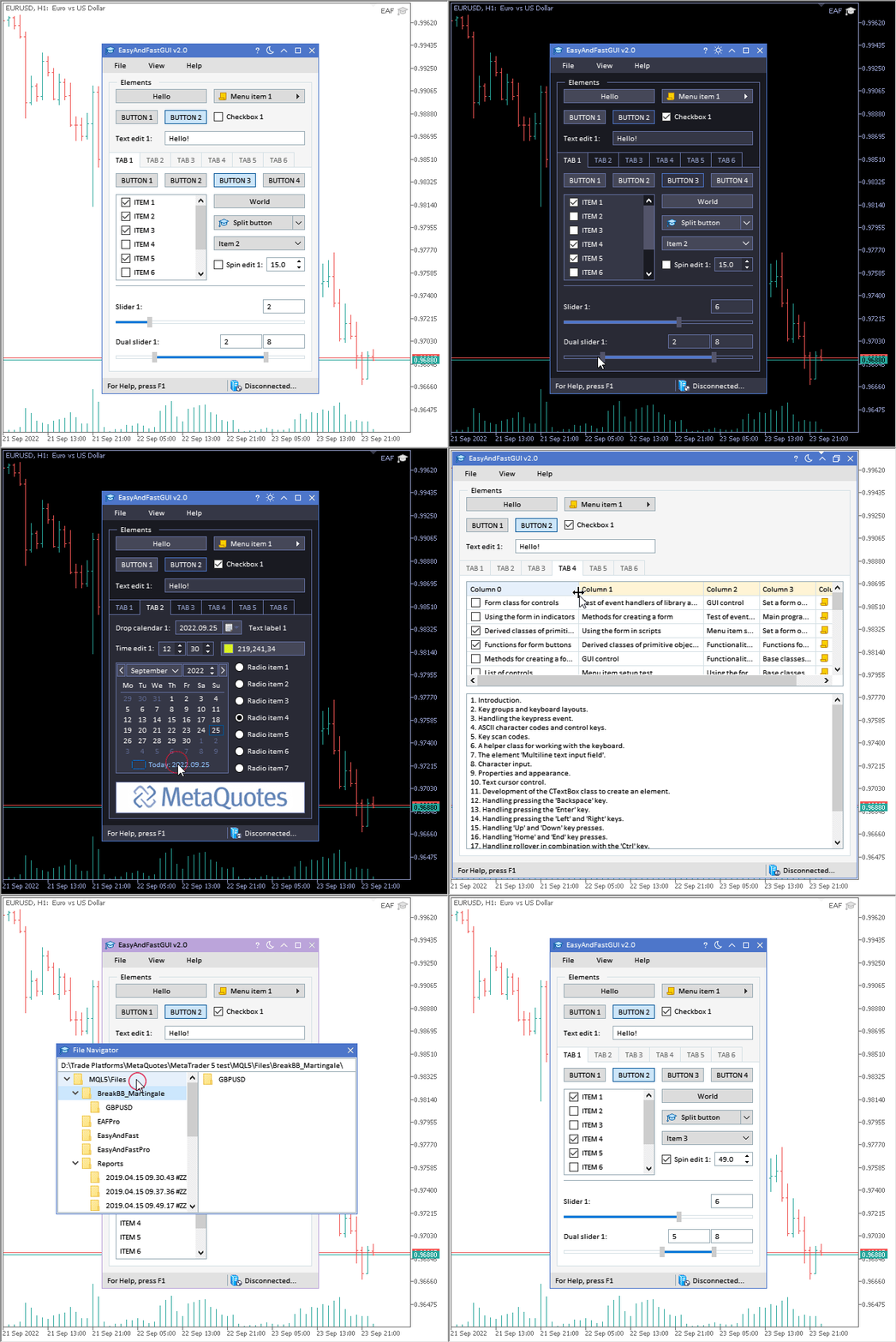
EasyAndFastGUI v2.0 GUI - Example 1
EasyAndFastGUI v2.0 GUI - Example 2
EasyAndFastGUI v2.0 GUI - Example 3
EasyAndFastGUI v2.0 GUI - Example 4
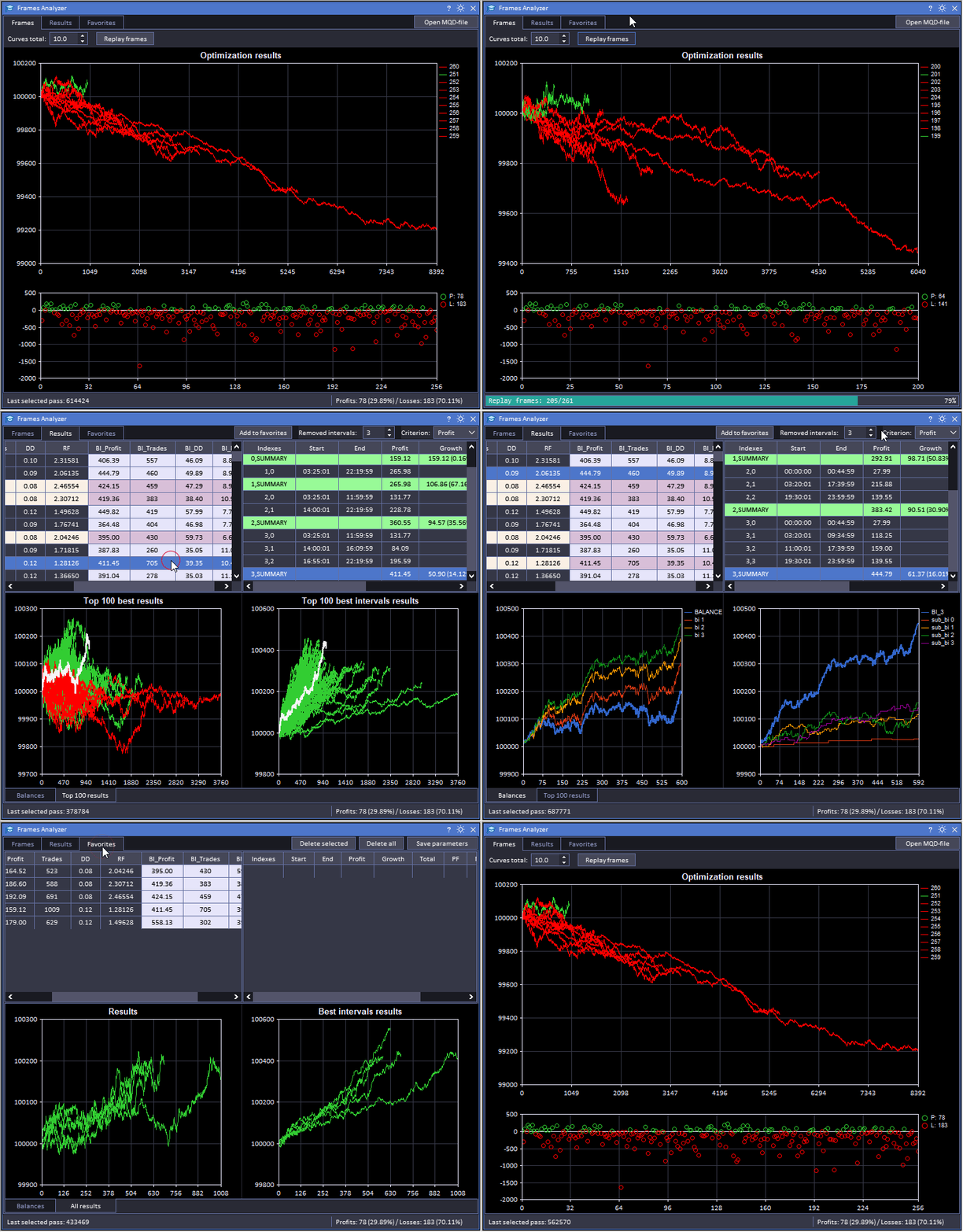
EasyAndFastGUI v2.0 GUI - Example 5
How to download the library?
The first version of the EasyAndFastGUI library can be downloaded from the links above at the top of the page. The latest version (v2.0) can be downloaded from the market as a script. By running the script on the chart in the terminal, you will receive all the files with the source code and ready-made examples shown in the screenshots above to the MQL5/Files/tol64 folder.
It is better to ask all questions about usage on the forum or on the discussion page in the market, so that other users of the library can also see the answers to them. To solve the problem as soon as possible, it is better to immediately attach a test case on which it is reproduced.
If you need help creating an application with a graphical interface, you can contact me.
Folder and file structure
Changed files from the standard library are added to a separate MQL5 folder (MQL4 for MT4 version).
- Base
        - Element.mqh
        - ElementBase.mqh
        - Object.mqh
- Constant
        - Defines.mqh
        - Enums.mqh
        - KeyStrokes.mqh
- Controls
        - 3D
                - 3DBase.mqh
        - Buttons
                - Button.mqh
                - ButtonsGroup.mqh
                - CheckBox.mqh
                - ComboBox.mqh
                - SplitButton.mqh
        - Charts
                - Graph.mqh
                - StandardChart.mqh
        - ColorPicker
                - ColorButton.mqh
                - ColorPicker.mqh
        - Datetime
                - Calendar.mqh
                - DropCalendar.mqh
                - TimeEdit.mqh
        - Info
                - ProgressBar.mqh
                - StatusBar.mqh
                - TextLabel.mqh
                - Tooltip.mqh
        - InputFields
                - TextBox.mqh
                - TextEdit.mqh
        - Lists
                - ListView.mqh
                - Table.mqh
        - Menus
                - ContextMenu.mqh
                - MenuBar.mqh
                - MenuItem.mqh
        - Pictures
                - Picture.mqh
                - PicturesSlider.mqh
        - Sections
                - FileNavigator.mqh
                - Tabs.mqh
                - TreeItem.mqh
                - TreeView.mqh
        - Separators
                - Frame.mqh
                - SeparateLine.mqh
        - Sliders
                - Scrolls.mqh
                - Slider.mqh
        - Pointer.mqh
        - Window.mqh
- Core
        - Container
                - Include
                        - AddMethods.mqh
                - CoreContainer.mqh
        - Create
                - Include
                        - 3D
                                - 3DBase.mqh
                        - Buttons
                                - Button.mqh
                                - ButtonsGroup.mqh
                                - Checkbox.mqh
                                - Combobox.mqh
                                - RadioButtons.mqh
                                - SplitButton.mqh
                        - Charts
                                - Graph.mqh
                                - StandardChart.mqh
                        - ColorPicker
                                - ColorButton.mqh
                                - ColorPicker.mqh
                        - Datetime
                                - Calendar.mqh
                                - DropCalendar.mqh
                                - TimeEdit.mqh
                        - Info
                                - ProgressBar.mqh
                                - StatusBar.mqh
                                - TextLabel.mqh
                                - Tooltip.mqh
                        - InputFields
                                - SpinEdit.mqh
                                - TextBox.mqh
                                - TextEdit.mqh
                        - Lists
                                - ListView.mqh
                                - Table.mqh
                        - Menus
                                - ContextMenu.mqh
                                - MenuBar.mqh
                                - MenuItem.mqh
                        - Pictures
                                - Picture.mqh
                                - PictureSlider.mqh
                        - Sections
                                - FileNavigator.mqh
                                - Tabs.mqh
                                - TreeView.mqh
                        - Separators
                                - Frame.mqh
                                - SeparateLine.mqh
                        - Sliders
                                - DualSlider.mqh
                                - Slider.mqh
                        - Windows.mqh
                - CoreCreate.mqh
        - Events
                - Include
                        - ActivatedItems.mqh
                        - EventHandlers.mqh
                - CoreEvents.mqh
        - Common.mqh
        - Resources.mqh
        - Theme.mqh
- MQL5
        - Include
                - Graphics
                        - Axis.mqh
                        - ColorGenerator.mqh
                        - Curve.mqh
                        - Graphic.mqh
- Tools
        - SubWindow
                - SubWindow.mq5
        - Colors.mqh
        - Fonts.mqh
        - Keys.mqh
        - Mouse.mqh
        - TimeCounter.mqh
Library events
When using the library in your projects, in addition to regular chart events, you can also process user events that are defined in this library. Listed below are all the significant events that you will need to develop your applications:
| Event | ID parameter value | Value of parameter lparam | Value of parameter dparam | Value of parameter sparam |
|---|---|---|---|---|
| Clicking on a text label | ON_CLICK_LABEL | Element ID | - | Element text |
| Clicking on a button | ON_CLICK_BUTTON | Element ID | The index of the element. Here and below, if -1, then the element is not part of another element. | Object name |
| Clicking on a context menu item | ON_CLICK_CONTEXTMENU_ITEM | Element ID | Element index | Element text |
| Clicking on a checkbox | ON_CLICK_CHECKBOX | Element ID | - | Element text |
| Clicking on a button in a group | ON_CLICK_GROUP_BUTTON | Element ID | Element index | Element text |
| Clicking on a tab | ON_CLICK_TAB | Element ID | Element index | - |
| Clicking on a graphic object (OBJ_CHART) | ON_CLICK_SUB_CHART | Element ID | Element index | Symbol name |
| Clicking on a increment button | ON_CLICK_INC | Element ID | - | - |
| Clicking on a decrement button | ON_CLICK_DEC | Element ID | - | - |
| Clicking on an item in the list | ON_CLICK_LIST_ITEM | Element ID | - | - |
| Clicking on a drop down list item | ON_CLICK_DROP_LIST_ITEM | Element ID | Item index in the list | - |
| Clicking on a text field | ON_CLICK_TEXT_BOX | Element ID | - | - |
| Ending text entry in an input field | ON_END_EDIT | Element ID | - | - |
| Opening a dialog box | ON_OPEN_DIALOG_BOX | Element ID | - | - |
| Closing a dialog box | ON_CLOSE_DIALOG_BOX | Element ID | - | - |
| Changing the theme | ON_CHANGE_THEME | - | - | - |
| Changing the date on the calendar | ON_CHANGE_DATE | - | - | - |
| Color change | ON_CHANGE_COLOR | - | - | - |
| End sort table | ON_SORT_DATA | Element ID | Column index | Column data type: TYPE_STRING, TYPE_DOUBLE, TYPE_DATETIME |
| Finish building the graphical interface | ON_END_CREATE_GUI | - | - | - |
Articles
Author's list of articles related to the previous version of the library. The material in these articles is no longer relevant for the latest version of the library, but may be useful for learning about this topic.
Part I
- Graphical Interfaces I: Preparation of the Library Structure (Chapter 1)
- Graphical Interfaces I: Form for Controls (Chapter 2)
- Graphical interfaces I: Animating the Graphical Interface (Chapter 3)
- Graphical Interfaces I: Functions for the Form Buttons and Deleting Interface Elements (Chapter 4)
- Graphical Interfaces I: Testing Library in Programs of Different Types and in the MetaTrader 4 Terminal (Chapter 5)
Part II
- Graphical Interfaces II: the Menu Item Element (Chapter 1)
- Graphical Interfaces II: the Separation Line and Context Menu Elements (Chapter 2)
- Graphical Interfaces II: Setting Up the Event Handlers of the Library (Chapter 3)
- Graphical Interfaces II: The Main Menu Element (Chapter 4)
Part III
- Graphical Interfaces III: Simple and Multi-Functional Buttons (Chapter 1)
- Graphical Interfaces III: Groups of Simple and Multi-Functional Buttons (Chapter 2)
Part IV
- Graphical Interfaces IV: Informational Interface Elements (Chapter 1)
- Graphical Interfaces IV: the Multi-Window Mode and the System of Priorities (Chapter 2)
Part V
- Graphical Interfaces V: The Vertical and Horizontal Scrollbar (Chapter 1)
- Graphical Interfaces V: The List View Element (Chapter 2)
- Graphical Interfaces V: The Combobox Control (Chapter 3)
Part VI
- Graphical Interfaces VI: The Checkbox Control, the Edit Control and their Mixed Types (Chapter 1)
- Graphical Interfaces VI: The Slider and the Dual Slider Controls (Chapter 2)
Part VII
- Graphical Interfaces VII: The Tables Controls (Chapter 1)
- Graphical Interfaces VII: The Tabs Control (Chapter 2)
Part VIII
- Graphical Interfaces VIII: The Calendar Element (Chapter 1)
- Graphical Interfaces VIII: The Tree View Element (Chapter 2)
- Graphical Interfaces VIII: The File Navigator Element (Chapter 3)
Part IX
- Graphical Interfaces IX: The Color Picker Control (Chapter 1)
- Graphical Interfaces IX: The Progress Bar and Line Chart Controls (Chapter 2)
Part X
- Graphical Interfaces X: Updates for Easy And Fast Library (Build 2)
- Graphical Interfaces X: Updates for Easy And Fast Library (Build 3)
- Graphical Interfaces X: The Standard Chart Control (build 4)
- Graphical Interfaces X: Text Edit box, Picture Slider and simple controls (build 5)
- Graphical Interfaces X: Time control, List of Checkboxes control and table sorting (build 6)
- Graphical interfaces X: Advanced Management of Lists and Tables. Code Optimization (build 7)
- Graphical Interfaces X: The Multiline Text box control (build 8)
- Graphical interfaces X: New features for the Rendered table (build 9)
- Graphical Interfaces X: Updates for the Rendered table and code optimization (build 10)
- Graphical Interfaces X: Sorting, rebuilding the table and controls in the cells (build 11)
- Graphical Interfaces X: Word wrapping algorithm in the Multiline Text box (build 12)
- Graphical Interfaces X: Text selection in the Multiline Text box (build 13)
Part XI
- Graphical Interfaces XI: Refactoring the Library code (build 14.1)
- Graphical Interfaces XI: Rendered controls (build 14.2)
- Graphical Interfaces XI: Text edit boxes and Combo boxes in table cells (build 15)
- Graphical Interfaces XI: Integrating the Standard Graphics Library (build 16)
Author's articles demonstrating the use of this library:
- Expert Advisor featuring GUI: Creating the panel (part I)
- Expert Advisor featuring GUI: Adding functionality (part II)
- Visualizing trading strategy optimization in MetaTrader 5
- Processing optimization results using the graphical interface
- Visualizing optimization results using a selected criterion
- The power of ZigZag (part II). Examples of receiving, processing and displaying data
List of articles by other authors who used the library:
- Automatic Selection of Promising Signals
- Creating a custom news feed for MetaTrader 5
- 100 best optimization passes (part 1). Developing optimization analyzer
- Studying candlestick analysis techniques (part I): Checking existing patterns
- Studying candlestick analysis techniques (Part II): Auto search for new patterns
- Studying candlestick analysis techniques (part III): Library for pattern operations
- Studying candlestick analysis techniques (part IV): Updates and additions to Pattern Analyzer
- Extending Strategy Builder Functionality
- Multicurrency monitoring of trading signals (Part 1): Developing the application structure
- Multicurrency monitoring of trading signals (Part 2): Implementation of the visual part of the application
- Multicurrency monitoring of trading signals (Part 3): Introducing search algorithms
- Multicurrency monitoring of trading signals (Part 4): Enhancing functionality and improving the signal search system
- Applying network functions, or MySQL without DLL: Part II - Program for monitoring changes in signal properties
- Quick Manual Trading Toolkit: Basic Functionality
- A system of voice notifications for trade events and signals
Translated from Russian by MetaQuotes Ltd.
Original code: https://www.mql5.com/ru/code/19703
 VR Orders History MT5 Lite
 - a script for downloading trading history in the CSV format.
 Exp_ColorJJRSX_Tm_Plus
A trading system based on ColorJJRSX indicator signals with the possibility to set a fixed position holding time.
 CCI Color Levels
Modified iCCI (Commodity Channel Index, CCI) - color highlighting of zones above the UP level and below the DOWN level.
ZigZagEvgeTrofi ver. 1
A trading system based on the ZigZag indicator.