Articles with MQL5 programming examples

Access a huge collection of articles with code examples showing how to create indicators and trading robots for the MetaTrader platform in the MQL5 language. Source codes are attached to the articles, so you can open them in MetaEditor and run them to see how the applications work.
These articles will be useful both for those who have just started exploring automated trading and for professional traders with programming experience. They feature not only examples, but also contain new ideas.
Add a new article

You are missing trading opportunities:
- Free trading apps
- Over 8,000 signals for copying
- Economic news for exploring financial markets
Registration
Log in
You agree to website policy and terms of use
If you do not have an account, please register

Price Action Analysis Toolkit Development (Part 19): ZigZag Analyzer
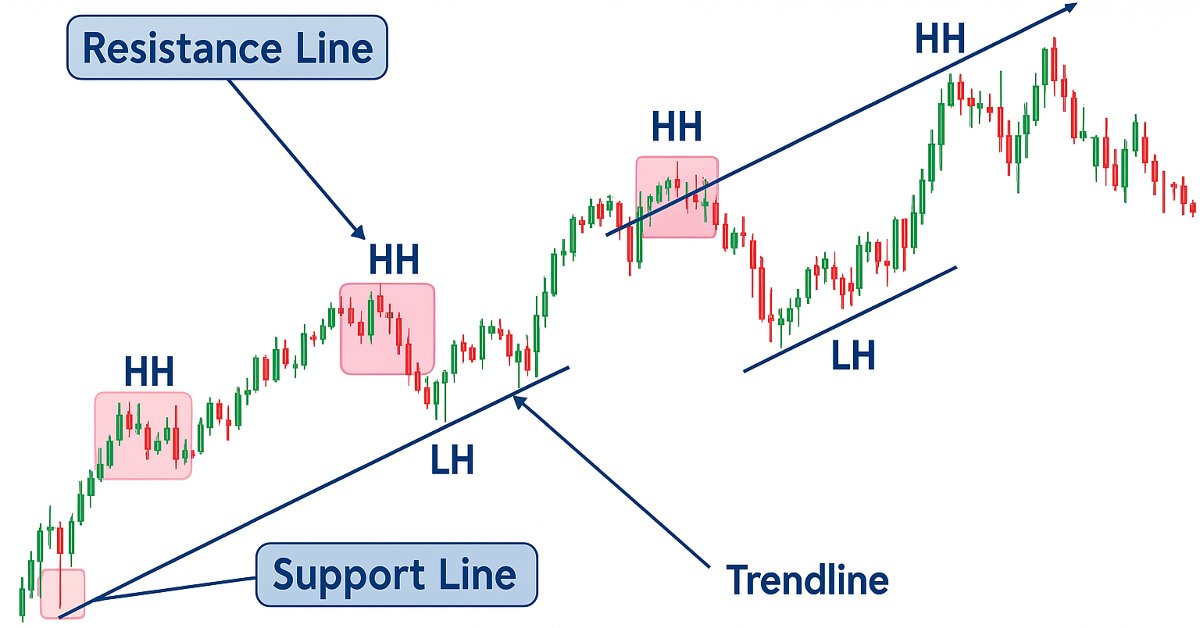
Every price action trader manually uses trendlines to confirm trends and spot potential turning or continuation levels. In this series on developing a price action analysis toolkit, we introduce a tool focused on drawing slanted trendlines for easy market analysis. This tool simplifies the process for traders by clearly outlining key trends and levels essential for effective price action evaluation.


Using cloud storage services for data exchange between terminals
Cloud technologies are becoming more popular. Nowadays, we can choose between paid and free storage services. Is it possible to use them in trading? This article proposes a technology for exchanging data between terminals using cloud storage services.

Here Comes the New MetaTrader 5 and MQL5
This is just a brief review of MetaTrader 5. I can't describe all the system's new features for such a short time period - the testing started on 2009.09.09. This is a symbolical date, and I am sure it will be a lucky number. A few days have passed since I got the beta version of the MetaTrader 5 terminal and MQL5. I haven't managed to try all its features, but I am already impressed.


Analytical Volume Profile Trading (AVPT): Liquidity Architecture, Market Memory, and Algorithmic Execution
Analytical Volume Profile Trading (AVPT) explores how liquidity architecture and market memory shape price behavior, enabling more profound insight into institutional positioning and volume-driven structure. By mapping POC, HVNs, LVNs, and Value Areas, traders can identify acceptance, rejection, and imbalance zones with precision.

Graphical Interfaces IV: Informational Interface Elements (Chapter 1)
At the current stage of development, the library for creating graphical interfaces contains a form and several controls that can be attached to it. It was mentioned before that one of the future articles would be dedicated to the multi-window mode. Now, we have everything ready for that and we will deal with it in the following chapter. In this chapter, we will write classes for creating the status bar and tooltip informational interface elements.


Developing Advanced ICT Trading Systems: Implementing Signals in the Order Blocks Indicator
In this article, you will learn how to develop an Order Blocks indicator based on order book volume (market depth) and optimize it using buffers to improve accuracy. This concludes the current stage of the project and prepares for the next phase, which will include the implementation of a risk management class and a trading bot that uses signals generated by the indicator.

Graphical Interfaces II: the Separation Line and Context Menu Elements (Chapter 2)
In this article we will create the separation line element. It will be possible to use it not only as an independent interface element but also as a part of many other elements. After that, we will have everything required for the development of the context menu class, which will be also considered in this article in detail. Added to that, we will introduce all necessary additions to the class, which is the base for storing pointers to all the elements of the graphical interface of the application.

Graphical Interfaces VIII: The Calendar Control (Chapter 1)
In the part VIII of the series of articles dedicated to creating graphical interfaces in MetaTrader, we will consider complex composite controls like calendars, tree view, and file navigator. Due to the large amount of information, there are separate articles written for every subject. The first chapter of this part describes the calendar control and its expanded version — a drop down calendar.


DoEasy. Controls (Part 25): Tooltip WinForms object
In this article, I will start developing the Tooltip control, as well as new graphical primitives for the library. Naturally, not every element has a tooltip, but every graphical object has the ability to set it.


How to create a simple Multi-Currency Expert Advisor using MQL5 (Part 2): Indicator Signals: Multi Timeframe Parabolic SAR Indicator
The Multi-Currency Expert Advisor in this article is Expert Advisor or trading robot that can trade (open orders, close orders and manage orders for example: Trailing Stop Loss and Trailing Profit) for more than 1 symbol pair only from one symbol chart. This time we will use only 1 indicator, namely Parabolic SAR or iSAR in multi-timeframes starting from PERIOD_M15 to PERIOD_D1.


Neural networks made easy (Part 9): Documenting the work
We have already passed a long way and the code in our library is becoming bigger and bigger. This makes it difficult to keep track of all connections and dependencies. Therefore, I suggest creating documentation for the earlier created code and to keep it updating with each new step. Properly prepared documentation will help us see the integrity of our work.


Adaptive indicators
In this article, I will consider several possible approaches to creating adaptive indicators. Adaptive indicators are distinguished by the presence of feedback between the values of the input and output signals. This feedback allows the indicator to independently adjust to the optimal processing of financial time series values.

MQL5 Cookbook: Handling BookEvent
This article considers BookEvent - a Depth of Market event, and the principle of its processing. An MQL program, handling states of Depth of Market, serves as an example. It is written using the object-oriented approach. Results of handling are displayed on the screen as a panel and Depth of Market levels.

Graphics in DoEasy library (Part 78): Animation principles in the library. Image slicing
In this article, I will define the animation principles to be used in some parts of the library. I will also develop a class for copying a part of the image and pasting it to a specified form object location while preserving and restoring the part of the form background the image is to be superimposed on.

An Example of Developing a Spread Strategy for Moscow Exchange Futures
The MetaTrader 5 platform allows developing and testing trading robots that simultaneously trade multiple financial instruments. The built-in Strategy Tester automatically downloads required tick history from the broker's server taking into account contract specifications, so the developer does not need to do anything manually. This makes it possible to easily and reliably reproduce trading environment conditions, including even millisecond intervals between the arrival of ticks on different symbols. In this article we will demonstrate the development and testing of a spread strategy on two Moscow Exchange futures.


Formulating Dynamic Multi-Pair EA (Part 5): Scalping vs Swing Trading Approaches
This part explores how to design a Dynamic Multi-Pair Expert Advisor capable of adapting between Scalping and Swing Trading modes. It covers the structural and algorithmic differences in signal generation, trade execution, and risk management, allowing the EA to intelligently switch strategies based on market behavior and user input.

Other classes in DoEasy library (Part 66): MQL5.com Signals collection class
In this article, I will create the signal collection class of the MQL5.com Signals service with the functions for managing signals. Besides, I will improve the Depth of Market snapshot object class for displaying the total DOM buy and sell volumes.

Matrix and Vector operations in MQL5
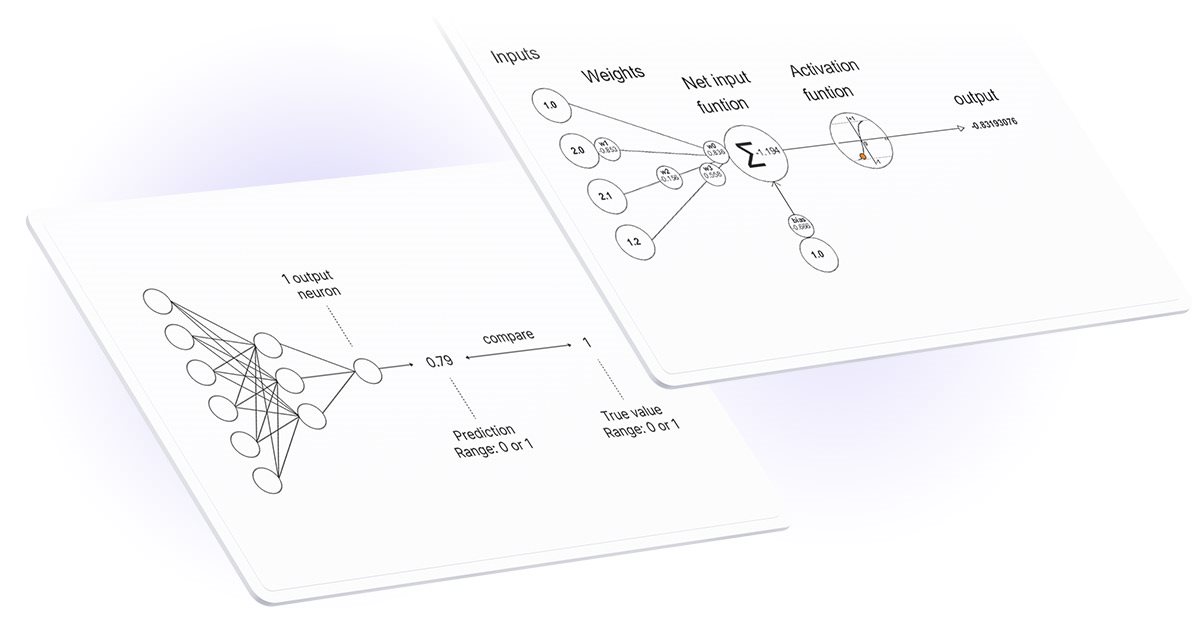
Matrices and vectors have been introduced in MQL5 for efficient operations with mathematical solutions. The new types offer built-in methods for creating concise and understandable code that is close to mathematical notation. Arrays provide extensive capabilities, but there are many cases in which matrices are much more efficient.


How to Implement Auto Optimization in MQL5 Expert Advisors
Step by step guide for auto optimization in MQL5 for Expert Advisors. We will cover robust optimization logic, best practices for parameter selection, and how to reconstruct strategies with back-testing. Additionally, higher-level methods like walk-forward optimization will be discussed to enhance your trading approach.


Build Self Optimizing Expert Advisors in MQL5 (Part 4): Dynamic Position Sizing
Successfully employing algorithmic trading requires continuous, interdisciplinary learning. However, the infinite range of possibilities can consume years of effort without yielding tangible results. To address this, we propose a framework that gradually introduces complexity, allowing traders to refine their strategies iteratively rather than committing indefinite time to uncertain outcomes.

MQL5 Cookbook: Using Different Print Modes
This is the first article of the MQL5 Cookbook series. I will start with simple examples to allow those who are taking their first steps in programming to gradually become familiar with the new language. I remember my first efforts at designing and programming trading systems which I may say was quite difficult, given the fact that it was the first programming language in my life. However, it turned out to be easier than I thought and it only took me a few months before I could develop a fairly complex program.

Graphics in DoEasy library (Part 73): Form object of a graphical element
The article opens up a new large section of the library for working with graphics. In the current article, I will create the mouse status object, the base object of all graphical elements and the class of the form object of the library graphical elements.

MQL5 Cookbook: Indicator Subwindow Controls - Scrollbar
Let's continue exploring various controls and this time turn our attention to scrollbar. Just like in the previous article entitled "MQL5 Cookbook: Indicator Subwindow Controls - Buttons", all operations will be performed in the indicator subwindow. Take a moment to read the above mentioned article as it provides a detailed description of working with events in the OnChartEvent() function, while this point will only be casually touched upon in this article. For illustrative purposes, this time around we will create a vertical scrollbar for a large list of all financial instrument properties that can be obtained using MQL5 resources.

Library for easy and quick development of MetaTrader programs (part III). Collection of market orders and positions, search and sorting
In the first part, we started creating a large cross-platform library simplifying the development of programs for MetaTrader 5 and MetaTrader 4 platforms. Further on, we implemented the collection of history orders and deals. Our next step is creating a class for a convenient selection and sorting of orders, deals and positions in collection lists. We are going to implement the base library object called Engine and add collection of market orders and positions to the library.

Library for easy and quick development of MetaTrader programs (part XI). Compatibility with MQL4 - Position closure events
We continue the development of a large cross-platform library simplifying the development of programs for MetaTrader 5 and MetaTrader 4 platforms. In the tenth part, we resumed our work on the library compatibility with MQL4 and defined the events of opening positions and activating pending orders. In this article, we will define the events of closing positions and get rid of the unused order properties.


Price Action Analysis Toolkit Development (Part 52): Master Market Structure with Multi-Timeframe Visual Analysis
This article presents the Multi‑Timeframe Visual Analyzer, an MQL5 Expert Advisor that reconstructs and overlays higher‑timeframe candles directly onto your active chart. It explains the implementation, key inputs, and practical outcomes, supported by an animated demo and chart examples showing instant toggling, multi‑timeframe confirmation, and configurable alerts. Read on to see how this tool can make chart analysis faster, clearer, and more efficient.

Extending MQL5 Standard Library and Reusing Code
MQL5 Standard Library makes your life as a developer easier. Nevertheless, it does not implement all the needs of all developers in the world, so if you feel that you need some more custom stuff you can take a step further and extend. This article walks you through integrating MetaQuotes' Zig-Zag technical indicator into the Standard Library. We get inspired by MetaQuotes' design philosophy to achieve our goal.


Trailing stop in trading
In this article, we will look at the use of a trailing stop in trading. We will assess how useful and effective it is, and how it can be used. The efficiency of a trailing stop largely depends on price volatility and the selection of the stop loss level. A variety of approaches can be used to set a stop loss.

Graphical Interfaces IX: The Color Picker Control (Chapter 1)
With this article we begin chapter nine of series of articles dedicated to creating graphical interfaces in MetaTrader trading terminals. It consists of two chapters where new elements of controls and interface, such as color picker, color button, progress bar and line chart are presented.


Price Action Analysis Toolkit Development (Part 51): Revolutionary Chart Search Technology for Candlestick Pattern Discovery
This article is intended for algorithmic traders, quantitative analysts, and MQL5 developers interested in enhancing their understanding of candlestick pattern recognition through practical implementation. It provides an in‑depth exploration of the CandlePatternSearch.mq5 Expert Advisor—a complete framework for detecting, visualizing, and monitoring classical candlestick formations in MetaTrader 5. Beyond a line‑by‑line review of the code, the article discusses architectural design, pattern detection logic, GUI integration, and alert mechanisms, illustrating how traditional price‑action analysis can be automated efficiently.

Promote Your Development Projects Using EX5 Libraries
Hiding of the implementation details of classes/functions in an .ex5 file will enable you to share your know-how algorithms with other developers, set up common projects and promote them in the Web. And while the MetaQuotes team spares no effort to bring about the possibility of direct inheritance of ex5 library classes, we are going to implement it right now.


Reimagining Classic Strategies (Part 20): Modern Stochastic Oscillators
This article demonstrates how the stochastic oscillator, a classical technical indicator, can be repurposed beyond its conventional use as a mean-reversion tool. By viewing the indicator through a different analytical lens, we show how familiar strategies can yield new value and support alternative trading rules, including trend-following interpretations. Ultimately, the article highlights how every technical indicator in the MetaTrader 5 terminal holds untapped potential, and how thoughtful trial and error can uncover meaningful interpretations hidden from view.

Self-organizing feature maps (Kohonen maps) - revisiting the subject
This article describes techniques of operating with Kohonen maps. The subject will be of interest to both market researchers with basic level of programing in MQL4 and MQL5 and experienced programmers that face difficulties with connecting Kohonen maps to their projects.

Graphical Interfaces X: Word wrapping algorithm in the Multiline Text box (build 12)
We continue to develop the Multiline Text box control. This time our task is to implement an automatic word wrapping in case a text box width overflow occurs, or a reverse word wrapping of the text to the previous line if the opportunity arises.

Graphical Interfaces I: Testing Library in Programs of Different Types and in the MetaTrader 4 Terminal (Chapter 5)
In the previous chapter of the first part of the series about graphical interfaces, the form class was enriched by methods which allowed managing the form by pressing its controls. In this article, we will test our work in different types of MQL program such as indicators and scripts. As the library was designed to be cross-platform so it could be used in all MetaTrader platforms, we will also test it in MetaTrader 4.

Custom Graphical Controls. Part 3. Forms
This is the last of the three articles devoted to graphical controls. It covers the creation of the main graphical interface component - the form - and its use in combination with other controls. In addition to the form classes, CFrame, CButton, CLabel classes have been added to the control library.

Better programmer (Part 05): How to become a faster developer
Every developer wants to be able to write code faster, and being able to code faster and effective is not some kind of special ability that only a few people are born with. It's a skill that can be learned, that is what I'm trying to teach in this article.

Prices in DoEasy library (Part 64): Depth of Market, classes of DOM snapshot and snapshot series objects
In this article, I will create two classes (the class of DOM snapshot object and the class of DOM snapshot series object) and test creation of the DOM data series.

MQL5 Cookbook: Analyzing Position Properties in the MetaTrader 5 Strategy Tester
We will present a modified version of the Expert Advisor from the previous article "MQL5 Cookbook: Position Properties on the Custom Info Panel". Some of the issues we will address include getting data from bars, checking for new bar events on the current symbol, including a trade class of the Standard Library to a file, creating a function to search for trading signals and a function for executing trading operations, as well as determining trade events in the OnTrade() function.


The Kalman Filter for Forex Mean-Reversion Strategies
The Kalman filter is a recursive algorithm used in algorithmic trading to estimate the true state of a financial time series by filtering out noise from price movements. It dynamically updates predictions based on new market data, making it valuable for adaptive strategies like mean reversion. This article first introduces the Kalman filter, covering its calculation and implementation. Next, we apply the filter to a classic mean-reversion forex strategy as an example. Finally, we conduct various statistical analyses by comparing the filter with a moving average across different forex pairs.