Articles on the MQL5 programming and use of trading robots

Expert Advisors created for the MetaTrader platform perform a variety of functions implemented by their developers. Trading robots can track financial symbols 24 hours a day, copy deals, create and send reports, analyze news and even provide specific custom graphical interface.
The articles describe programming techniques, mathematical ideas for data processing, tips on creating and ordering of trading robots.
Add a new article

You are missing trading opportunities:
- Free trading apps
- Over 8,000 signals for copying
- Economic news for exploring financial markets
Registration
Log in
You agree to website policy and terms of use
If you do not have an account, please register


MQL5 Wizard Techniques You Should Know (Part 15): Support Vector Machines with Newton's Polynomial
Support Vector Machines classify data based on predefined classes by exploring the effects of increasing its dimensionality. It is a supervised learning method that is fairly complex given its potential to deal with multi-dimensioned data. For this article we consider how it’s very basic implementation of 2-dimensioned data can be done more efficiently with Newton’s Polynomial when classifying price-action.


Reinforcement Learning Meets MetaTrader 5: A Complete Pipeline for Training, Validating and Honestly Evaluating a Gold Trading Bot
This article presents a complete RL trading pipeline for XAUUSD: a supervised signal baseline with triple-barrier labels, PPO training, purged walk-forward validation with embargo, multi-seed checks, and contract-guarded deployment with normalization. It includes runnable code for data validation, features, environment, training, and broker‑based reconciliation. The live demo over 763 closed trades showed no statistically significant edge, and the methods highlight where information and costs, not architecture, set performance limits.


Markets Positioning Codex in MQL5 (Part 2): Bitwise Learning, with Multi-Patterns for Nvidia
We continue our new series on Market-Positioning, where we study particular assets, with specific trade directions over manageable test windows. We started this by considering Nvidia Corp stock in the last article, where we covered 5 signal patterns from the complimentary pairing of the RSI and DeMarker oscillators. For this article, we cover the remaining 5 patterns and also delve into multi-pattern options that not only feature untethered combinations of all ten, but also specialized combinations of just a pair.


MQL5 Wizard Techniques you should know (Part 40): Parabolic SAR
The Parabolic Stop-and-Reversal (SAR) is an indicator for trend confirmation and trend termination points. Because it is a laggard in identifying trends its primary purpose has been in positioning trailing stop losses on open positions. We, however, explore if indeed it could be used as an Expert Advisor signal, thanks to custom signal classes of wizard assembled Expert Advisors.


MQL5 Wizard Techniques you should know (Part 54): Reinforcement Learning with hybrid SAC and Tensors
Soft Actor Critic is a Reinforcement Learning algorithm that we looked at in a previous article, where we also introduced python and ONNX to these series as efficient approaches to training networks. We revisit the algorithm with the aim of exploiting tensors, computational graphs that are often exploited in Python.


MQL5 Bootstrap (I): Reusable Functions for Working with Positions and Orders
This article presents a compact MQL5 utility layer for routine trade operations. It includes position existence checkers, position counters, bulk close helpers, and functions to retrieve the most recent or oldest position by symbol, magic, or type. A simple SMA crossover Expert Advisor demonstrates integration. The result is cleaner EAs, fewer inconsistencies across projects, and faster maintenance.


Neural Networks in Trading: Reducing Memory Consumption with Adam-mini Optimization
One of the directions for increasing the efficiency of the model training and convergence process is the improvement of optimization methods. Adam-mini is an adaptive optimization method designed to improve on the basic Adam algorithm.


MQL5 Wizard Techniques you should know (Part 47): Reinforcement Learning with Temporal Difference
Temporal Difference is another algorithm in reinforcement learning that updates Q-Values basing on the difference between predicted and actual rewards during agent training. It specifically dwells on updating Q-Values without minding their state-action pairing. We therefore look to see how to apply this, as we have with previous articles, in a wizard assembled Expert Advisor.


MQL5 Trading Tools (Part 33): Building a Rich Content Markup Documentation System for MQL5 Programs
We extend the Part 9 setup wizard to build a canvas-based, in-chart documentation system for MetaTrader 5. The panel is tabbed and scrollable, supports inline styling, images, and interactive controls, and renders with supersampled anti-aliasing. The result is a reusable engine that any MQL5 program can embed to deliver self-contained documentation directly on the chart.


Neural Networks in Trading: Two-Dimensional Connection Space Models (Chimera)
In this article, we will explore the innovative Chimera framework: a two-dimensional state-space model that uses neural networks to analyze multivariate time series. This method offers high accuracy with low computational cost, outperforming traditional approaches and Transformer architectures.


News Trading Made Easy (Part 4): Performance Enhancement
This article will dive into methods to improve the expert's runtime in the strategy tester, the code will be written to divide news event times into hourly categories. These news event times will be accessed within their specified hour. This ensures that the EA can efficiently manage event-driven trades in both high and low-volatility environments.


MQL5 Wizard Techniques you should know (Part 20): Symbolic Regression
Symbolic Regression is a form of regression that starts with minimal to no assumptions on what the underlying model that maps the sets of data under study would look like. Even though it can be implemented by Bayesian Methods or Neural Networks, we look at how an implementation with Genetic Algorithms can help customize an expert signal class usable in the MQL5 wizard.


Reimagining Classic Strategies (Part 22): Ensemble Mean Reverting Strategy
This article will illustrate to the reader how to implement a mean-reverting strategy for the EURUSD pair. The strategy follows contrarian trading rules. Our strategy implements a weekly moving average channel, with one moving average on the high-price feed and the latter on the low-price feed. We enter short positions when the price falls beneath the low moving average and long positions when the price rises above the high moving average. Additionally, we will export daily market data to build a simple ONNX model of the market to provide an additional filter for our entries. This provides the reader with a reproducible template for strategy development and backtesting.


Automating Chart Patterns in MQL5 (Part 2): The Double Top and Double Bottom
We build a robust MQL5 detector for double tops and double bottoms that first confirms the H4 trend, then validates six conditions (point equality, neckline placement, ordering, width, height, and ATR‑based tolerances). The neckline break is timed on the chart's timeframe, and a three-state machine ensures each pattern trades once. The measured‑move target translates structure into clear exits.

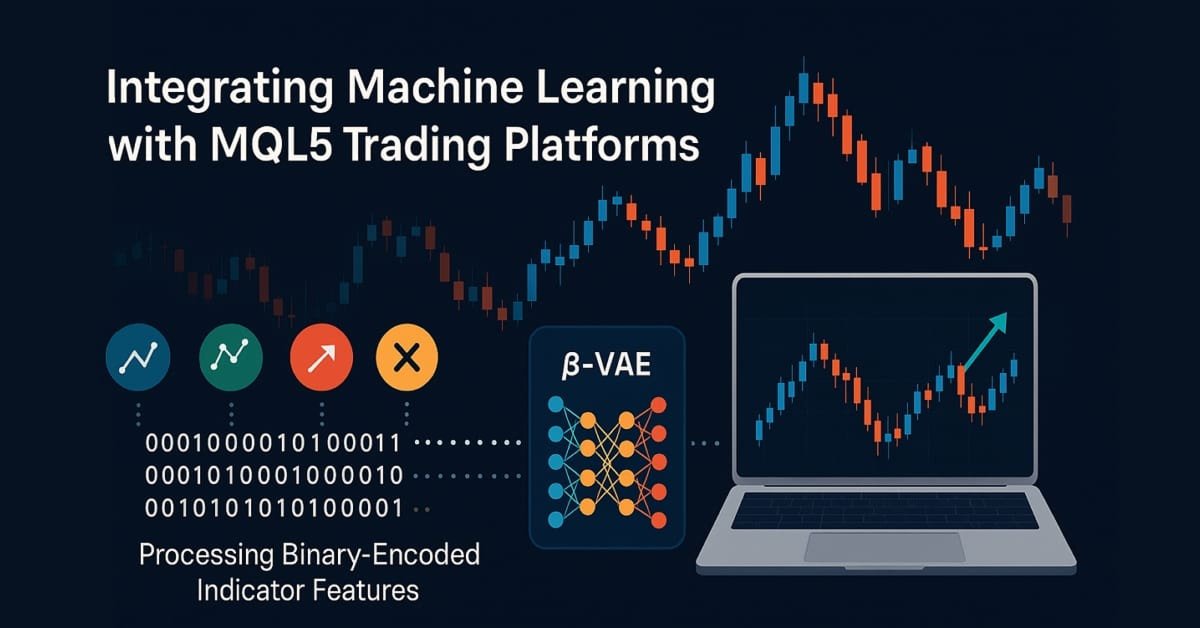
MQL5 Wizard Techniques you should know (Part 81): Using Patterns of Ichimoku and the ADX-Wilder with Beta VAE Inference Learning
This piece follows up ‘Part-80’, where we examined the pairing of Ichimoku and the ADX under a Reinforcement Learning framework. We now shift focus to Inference Learning. Ichimoku and ADX are complimentary as already covered, however we are going to revisit the conclusions of the last article related to pipeline use. For our inference learning, we are using the Beta algorithm of a Variational Auto Encoder. We also stick with the implementation of a custom signal class designed for integration with the MQL5 Wizard.


RiskGate: Centralized Risk Management for Multiple EAs
Many MetaTrader 5 setups run several EAs on one account, so risk gets fragmented and correlated exposure slips through. The article introduces RiskGate, a centralized Service that evaluates EA intents account‑wide: EAs send a JSON signal, the Service returns approved, lot and reason. You will see the client/server wiring, example rules (daily loss, exposure and correlation caps), unit‑tested handler design, and an EA example. The result is consistent portfolio‑level risk with simpler EAs.


MQL5 Bootstrap (III): Simplified Functions for Working with News
This article presents a unified news model and a set of reusable MQL5 classes for working with the MetaTrader 5 Economic Calendar. You will retrieve, filter, and cache events by time, currency, country, and importance using a single interface across three providers: built-in calendar, CSV, and SQLite. The framework supports export/import, next/previous event lookup, and reliable strategy‑tester backtesting without changing trading logic.


Introduction to MQL5 (Part 36): Mastering API and WebRequest Function in MQL5 (X)
This article introduces the basic concepts behind HMAC-SHA256 and API signatures in MQL5, explaining how messages and secret keys are combined to securely authenticate requests. It lays the foundation for signing API calls without exposing sensitive data.

MQL5 Wizard Techniques you should know (Part 60): Inference Learning (Wasserstein-VAE) with Moving Average and Stochastic Oscillator Patterns
We wrap our look into the complementary pairing of the MA & Stochastic oscillator by examining what role inference-learning can play in a post supervised-learning & reinforcement-learning situation. There are clearly a multitude of ways one can choose to go about inference learning in this case, our approach, however, is to use variational auto encoders. We explore this in python before exporting our trained model by ONNX for use in a wizard assembled Expert Advisor in MetaTrader.


Engineering Trading Discipline into Code (Part 4): Enforcing Trading Hours and News Disabling in MQL5
An MQL5 control system that blocks orders outside scheduled trading hours and during scheduled news releases, converting time rules into executable restrictions. It combines a permissions management mechanism, a transaction-level expert advisor, and a visual dashboard for real-time status and upcoming restrictions. Configuration is accomplished using editable files, with caching and a CSV audit log for traceability.


N-BEATS Network-Based Forex EA
Implementation of the N-BEATS architecture for Forex trading in MetaTrader 5 with quantile forecasting and adaptive risk management. The architecture is adapted through bilinear normalization and specialized loss functions for financial data. Backtesting on 2025 data shows inability to generate profits, confirming the gap between theoretical achievements and practical trading performance.


Formulating Dynamic Multi-Pair EA (Part 10): Asymmetric Stop-Loss Logic Based on Pair-Specific Volatility Signatures
The EA learns each symbol's volatility profile before trading by processing 1000 bars and summarizing candle ranges, bodies and wicks, noise ratio, trend runs, pullback size, and true‑range dispersion. A classifier assigns regime and structure labels per pair. The stop‑loss optimizer maps those labels to a symbol‑specific ATR multiplier, and the risk module sizes lots to maintain constant percentage risk.


MQL5 Wizard Techniques you should know (Part 33): Gaussian Process Kernels
Gaussian Process Kernels are the covariance function of the Normal Distribution that could play a role in forecasting. We explore this unique algorithm in a custom signal class of MQL5 to see if it could be put to use as a prime entry and exit signal.


Neural Networks in Trading: LSTM Optimization for Multivariate Time Series Forecasting (Final Part)
We continue to implement the DA-CG-LSTM framework, which offers innovative methods for time series analysis and forecasting. The use of CG-LSTM and dual attention allows for more accurate detection of both long-term and short-term dependencies in data, which is particularly useful for working with financial markets.


Neural networks made easy (Part 63): Unsupervised Pretraining for Decision Transformer (PDT)
We continue to discuss the family of Decision Transformer methods. From previous article, we have already noticed that training the transformer underlying the architecture of these methods is a rather complex task and requires a large labeled dataset for training. In this article we will look at an algorithm for using unlabeled trajectories for preliminary model training.


MQL5 Wizard Techniques you should know (Part 35): Support Vector Regression
Support Vector Regression is an idealistic way of finding a function or ‘hyper-plane’ that best describes the relationship between two sets of data. We attempt to exploit this in time series forecasting within custom classes of the MQL5 wizard.


Neural Networks in Trading: Actor—Director—Critic
We invite you to explore the Actor-Director-Critic framework, which combines hierarchical learning and a multi-component architecture for creating adaptive trading strategies. In this article, we take a detailed look at how using the Director to classify the Actor's actions helps to effectively optimize trading decisions and improve the robustness of models in financial market conditions.


Building Your Personal Expert Advisor (Part 1): From Fragile Script to Working EA
This article focuses on EA architecture rather than signal design. Starting with a flawed Moving Average crossover EA, we add new‑bar detection to prevent duplicate entries, Magic Number and position awareness, ATR‑based risk levels, and data and trade result validation, along with basic safeguards. You obtain a practical base to build and test advanced systems.


Introduction to MQL5 (Part 35): Mastering API and WebRequest Function in MQL5 (IX)
Discover how to detect user actions in MetaTrader 5, send requests to an AI API, extract responses, and implement scrolling text in your panel.


Population optimization algorithms: Artificial Multi-Social Search Objects (MSO)
This is a continuation of the previous article considering the idea of social groups. The article explores the evolution of social groups using movement and memory algorithms. The results will help to understand the evolution of social systems and apply them in optimization and search for solutions.


From Novice to Expert: Weekend Gap Size Effect Research Using MQL5 and Python
The article provides a practical research setup for weekend gap analysis: MQL5 extracts precise pip‑based gaps and tracks fills, while Python performs statistical testing and visualization. You will compute fill rates by gap buckets, model fill probability with logistic regression, and assess time-to-fill via Kaplan–Meier curves. All steps are configurable and reproducible for EURUSD, GBPUSD, USDJPY and beyond.


Automating Trading Strategies in MQL5 (Part 53): Double Top and Double Bottom Reversal Model
We build an MQL5 program that detects and trades Double Top and Double Bottom patterns from confirmed swing pivots with rule-based logic. The detector matches peaks within a tolerance, derives the neckline, and applies leg-balance and spacing filters to reject weak shapes. It supports entry on a neckline break or an optional pullback, with a stop beyond the extreme and targets by measured move or reward-to-risk.


Neural Networks in Trading: The Temporal Query Model (TQNet)
The TQNet framework opens up new possibilities for modeling and forecasting financial time series by combining modularity, flexibility, and high performance. The article explores the possibility of implementing complex mechanisms for handling global correlations, including advanced parameter initialization methods.


MetaTrader 5 Machine Learning Blueprint (Part 16): Nested CV for Unbiased Evaluation
The article presents a V-in-V nested cross-validation pipeline for financial data that breaks leakage at three decision points: hyperparameter search, calibration, and final evaluation. A temporal three‑zone split isolates an inner walk‑forward search with the 1‑SE rule from an outer walk‑forward or CPCV evaluation, while OOF isotonic calibration is fitted independently. The resulting UnifiedValidationCalibrator delivers unbiased out‑of‑sample scores and well‑calibrated probabilities for deployment.


Building a Modular Fair Value Gap (FVG) Detection Engine in MQL5
This article introduces a modular Fair Value Gap (FVG) detection engine for MQL5 packaged as a reusable include class, it evaluates imbalance zones on closed bars, applies a Simple True Range average filter to eliminate low-volatility noise, and supports wick-touch and close-through mitigation. A companion diagnostic indicator plots active gaps, and an Expert Advisor template demonstrates automated pullback entries with new-bar execution controls.


Neural Networks in Trading: LSTM Optimization for Multivariate Time Series Forecasting (DA-CG-LSTM)
This article introduces the DA-CG-LSTM algorithm, which offers new approaches to time series analysis and forecasting. It explains how innovative attention mechanisms and model flexibility can improve forecast accuracy.


Position Management: A Reusable Trade Journal with Live Maximum Adverse Excursion, Maximum Favorable Excursion, and R-Multiple Tracking in MQL5
This article presents CTradeJournal, a self-contained MQL5 class for live tracking of open positions at tick frequency. It maintains MAE, MFE, and initial risk in money, calculates the R-multiple when a position closes, and writes a complete CSV record. The text explains the design choices, provides the implementation, and shows simple EA integration so you can analyze entries, stop placement, and outcome distribution.


Market Positioning Codex for VGT with Kendall's Tau and Distance Correlation
In this article, we look to explore how a complimentary indicator pairing can be used to analyze the recent 5-year history of Vanguard Information Technology Index Fund ETF. By considering two options of algorithms, Kendall’s Tau and Distance-Correlation, we look to select not just an ideal indicator pair for trading the VGT, but also suitable signal-pattern pairings of these two indicators.


Neural Networks in Trading: An Intelligent Forecast Pipeline (Sparse Mixture of Experts)
We invite you to explore the practical implementation of a sparse mixture of experts block for time series in the OpenCL computing environment. This article provides a step-by-step explanation of how masked multi-window convolution works, as well as how gradient-based training is organized in the presence of multiple information streams.


Overcoming The Limitation of Machine Learning (Part 8): Nonparametric Strategy Selection
This article shows how to configure a black-box model to automatically uncover strong trading strategies using a data-driven approach. By using Mutual Information to prioritize the most learnable signals, we can build smarter and more adaptive models that outperform conventional methods. Readers will also learn to avoid common pitfalls like overreliance on surface-level metrics, and instead develop strategies rooted in meaningful statistical insight.