Prop Rules Guard MT5
- Utilities
-
Allan Aparece Ninal
 I build indicators and Expert Advisors for MetaTrader 5.
How I work:
- Every indicator is checked for repainting: signals are decided on closed bars only, and an every-tick test confirms they do not change afterwards. - Version: 1.0
- Activations: 5
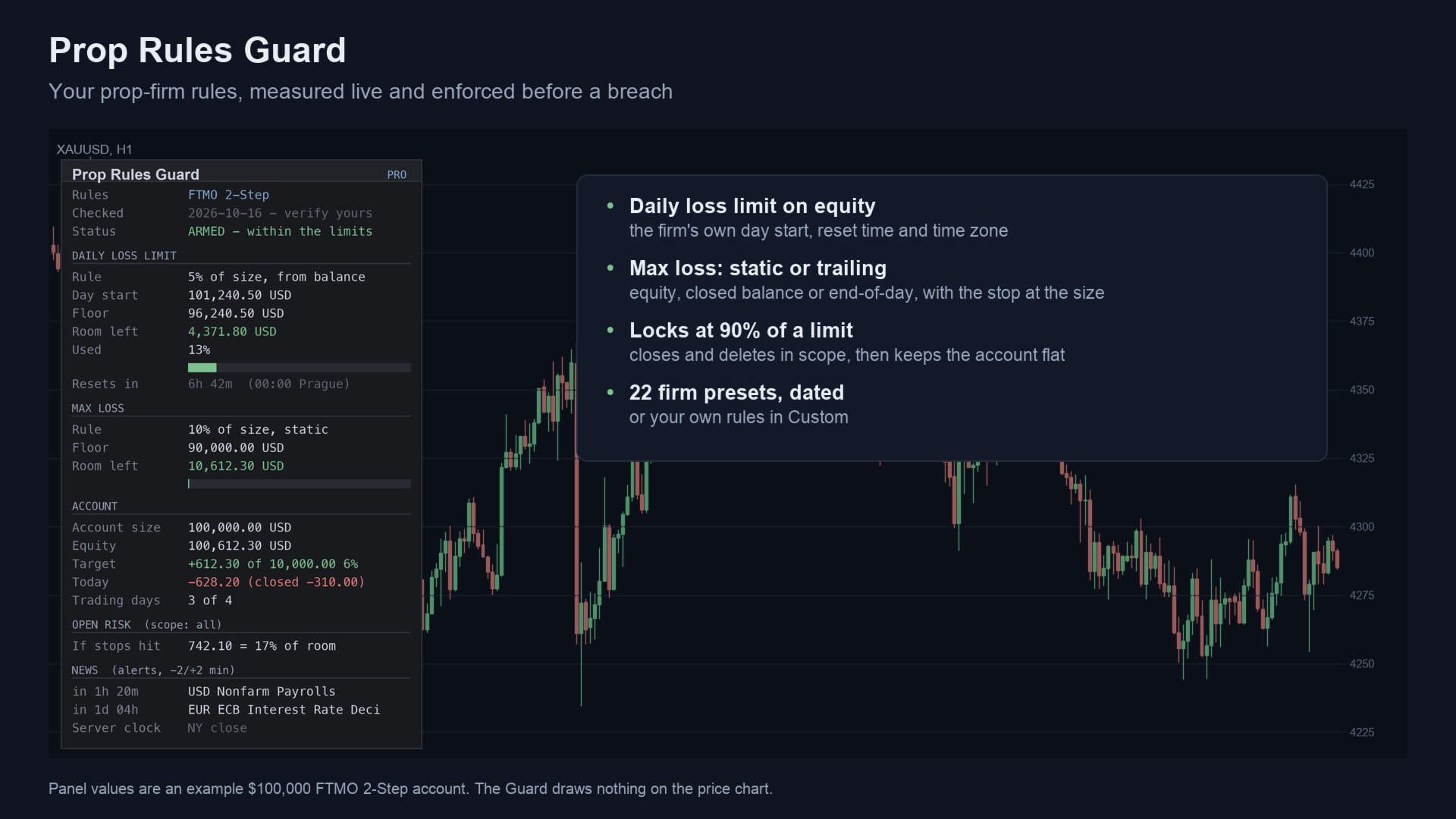
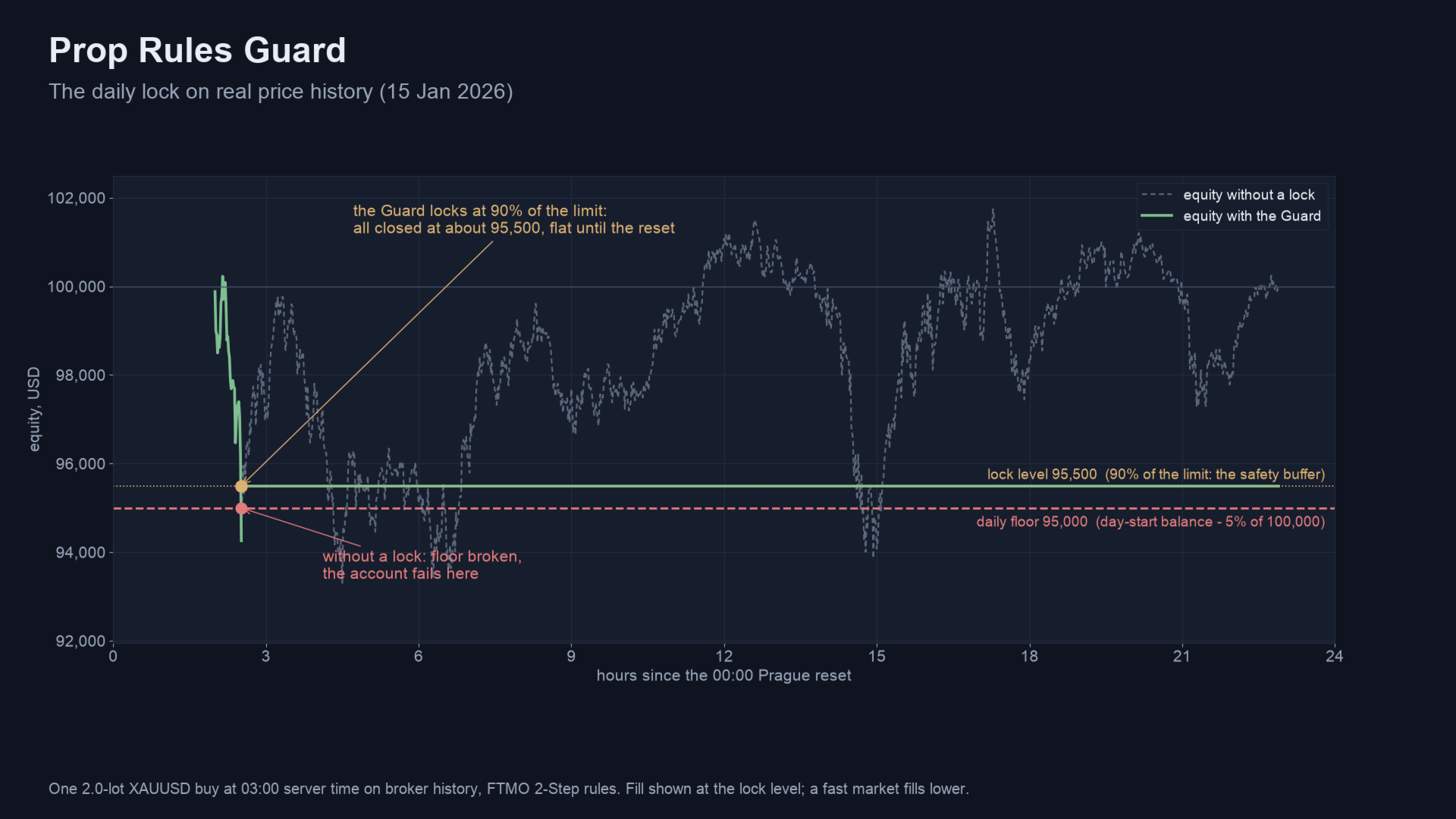
Prop Rules Guard MT5 is a utility (Expert Advisor) for MetaTrader 5 that keeps a prop-firm account inside its rules. It measures the daily loss limit and the max loss on equity, the way the firm does, and at a safety buffer before a limit it closes your trades and keeps the account flat until the firm's daily reset.
It never opens a trade. It works with manual trading and with other Expert Advisors on the same account.
What it does
Daily and max loss
- Daily loss limit on equity: from the balance, the equity or the higher of the two at the reset; as a % of the account size or of the day start.
- The firm's reset time and time zone: 00:00 Prague, 17:00 New York, 00:00 UTC+3, server midnight and more, with daylight saving handled.
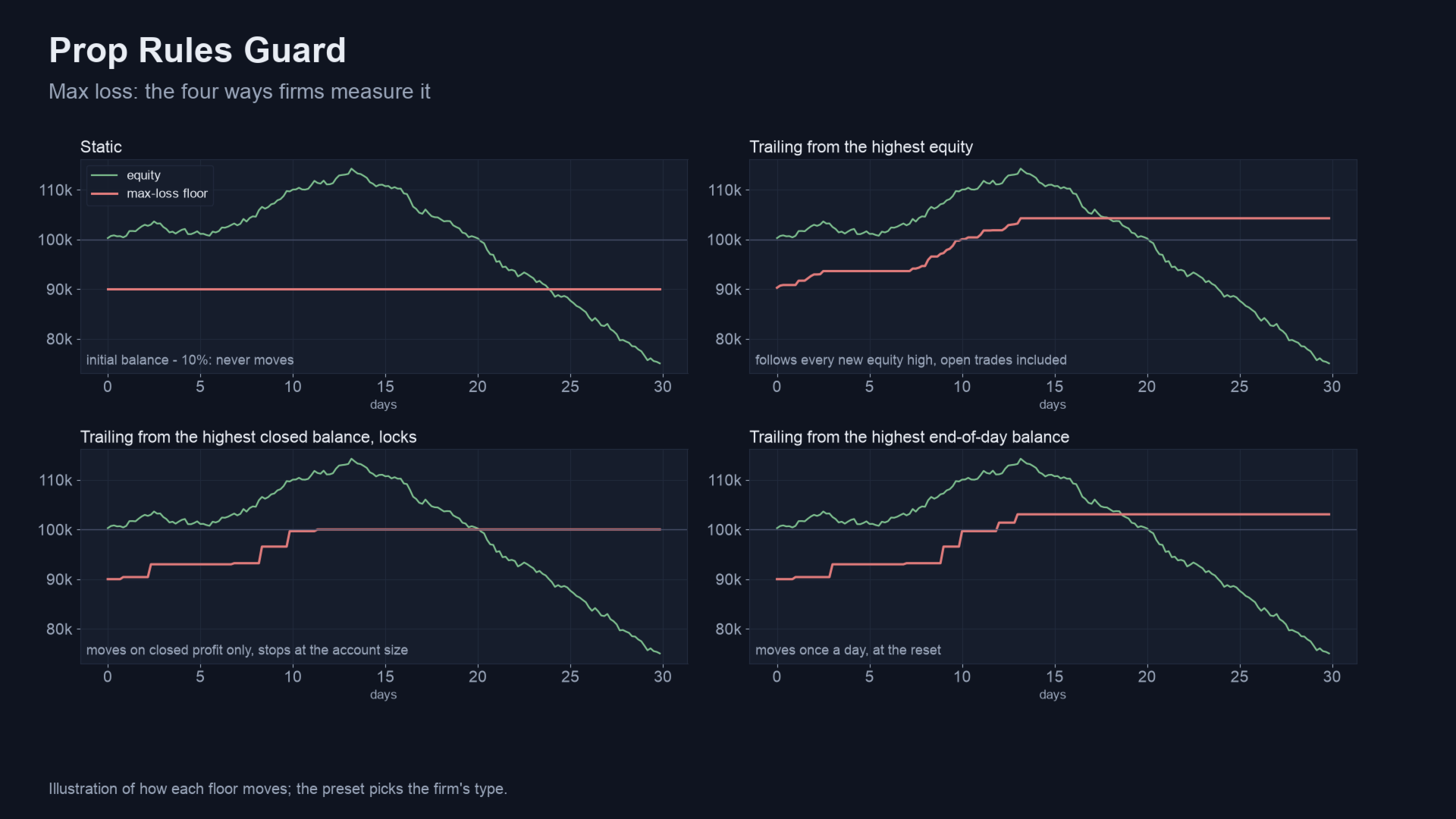
- Max loss: static, trailing from the highest equity, from the highest closed balance, or from the highest end-of-day balance, optionally stopping at the account size; also a two-stage type.
Lock, consistency and news
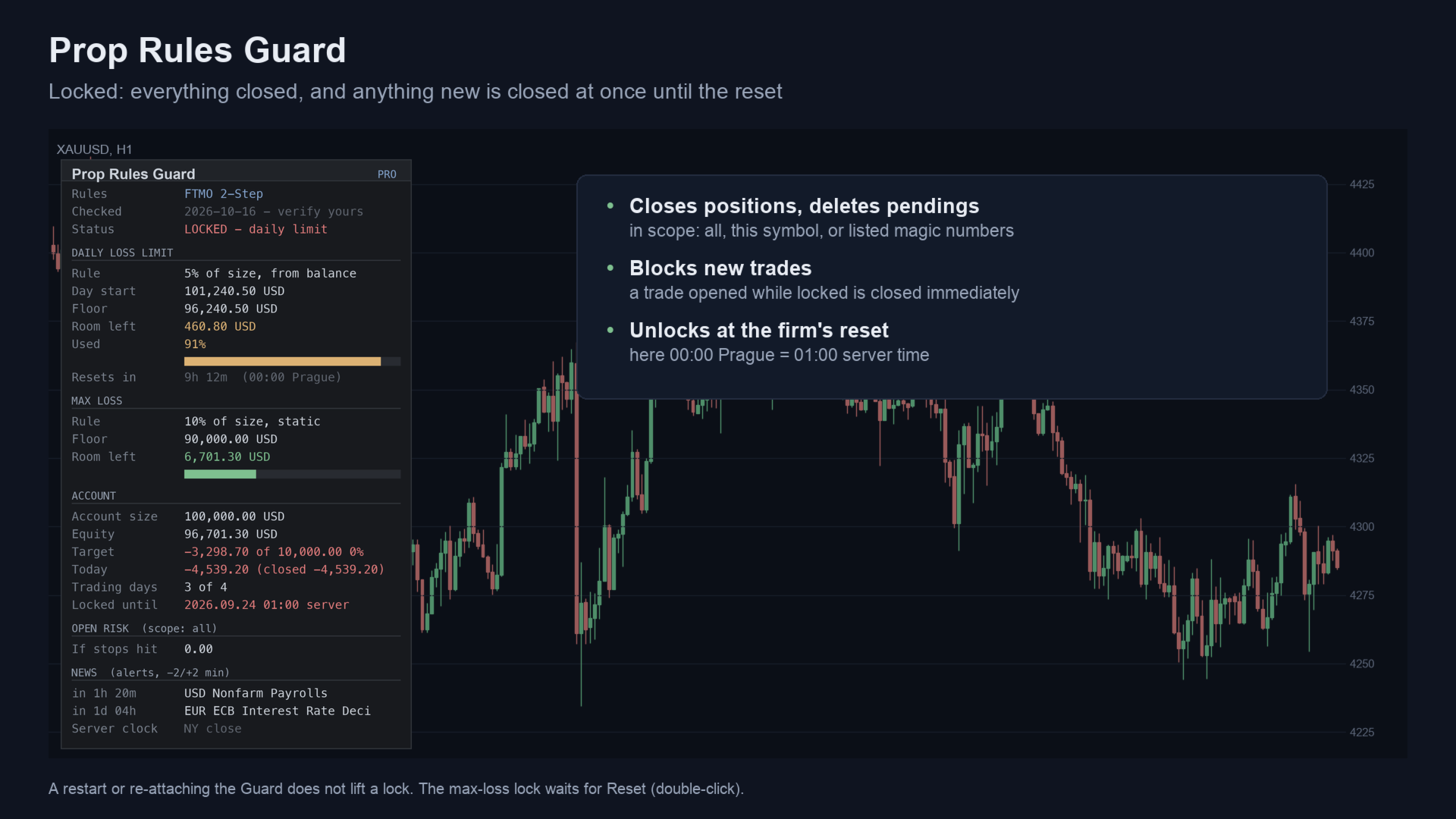
- Lock at 90% of a limit (adjustable): deletes pending orders, closes positions, and closes anything opened while locked. A restart or re-attaching does not lift a lock.
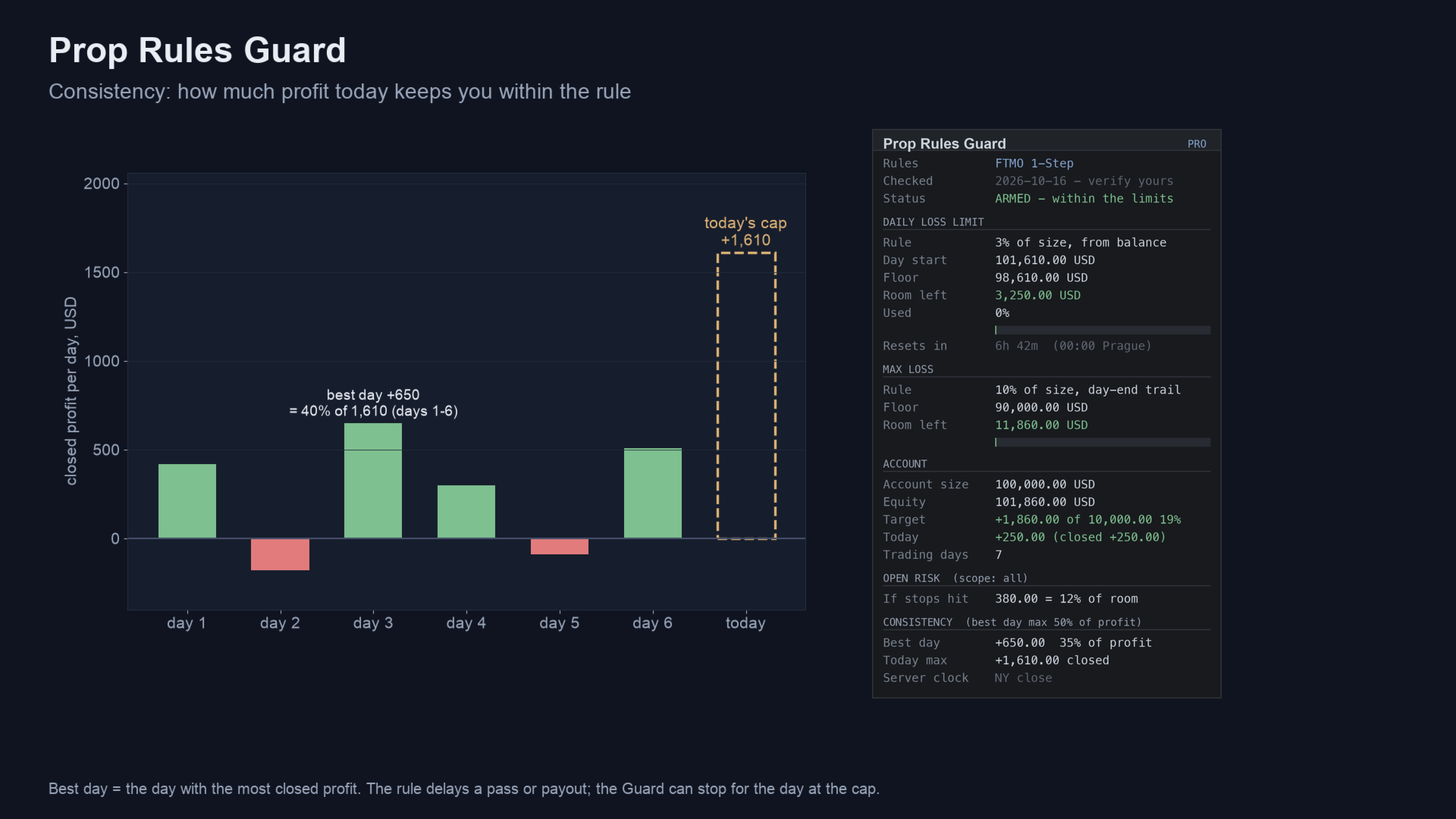
- Consistency rule: best day as a share of total profit, and today's profit cap that keeps you within it; optional stop for the day at the cap.
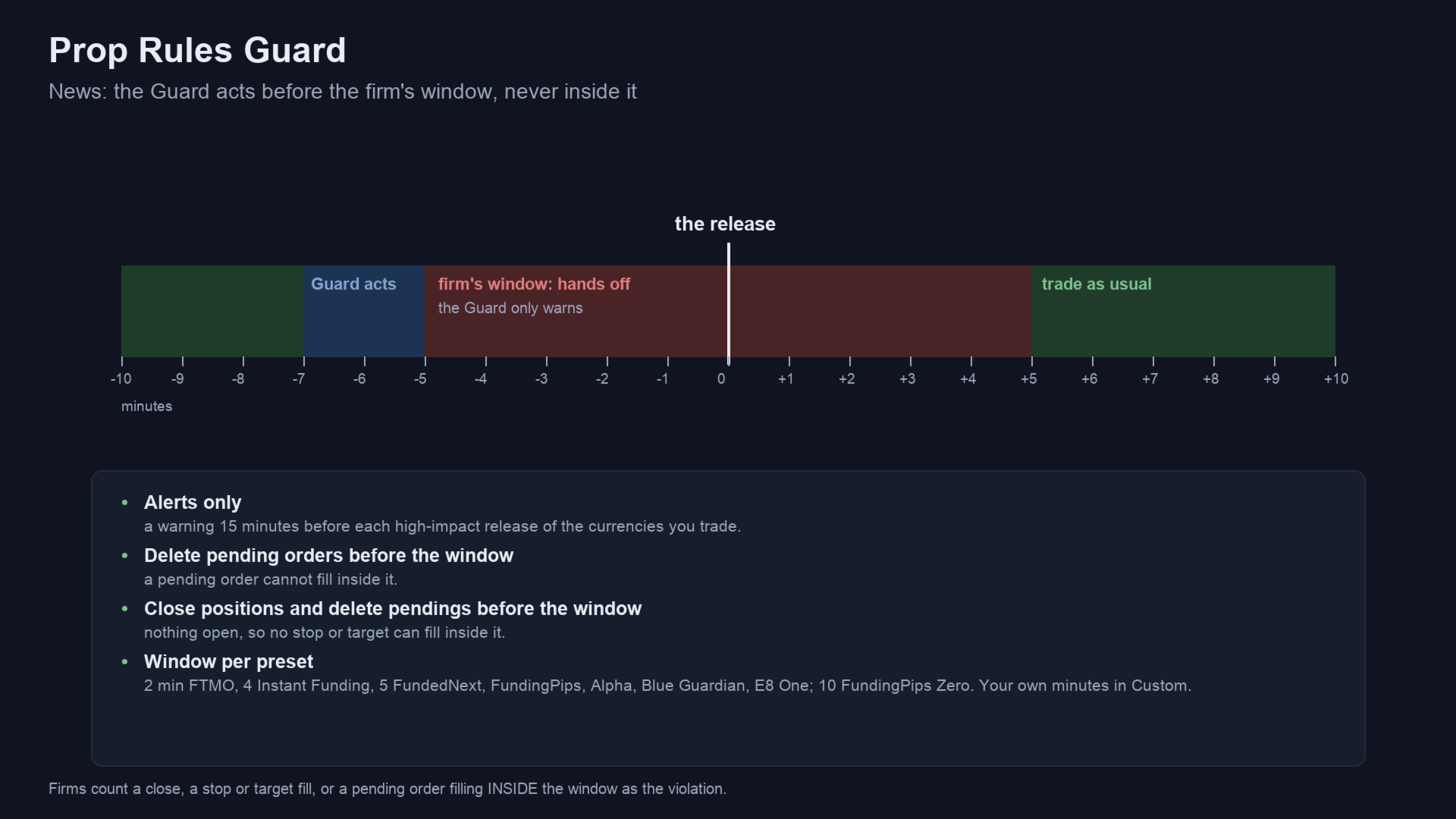
- News: alerts before high-impact releases from the MetaTrader economic calendar, and optionally deletes pendings or closes positions before the firm's window opens. Inside the window it only warns, because at most firms a close inside the window is itself the violation.
Risk caps and targets
- Floating-loss caps for all trades or per symbol, open risk at your stop losses against the room left, positions without a stop loss.
- Profit target and trading days on the panel; optional lock when the target is reached.
- Scope: every position, this chart's symbol, or listed magic numbers (0 = manual trades).
Firm presets
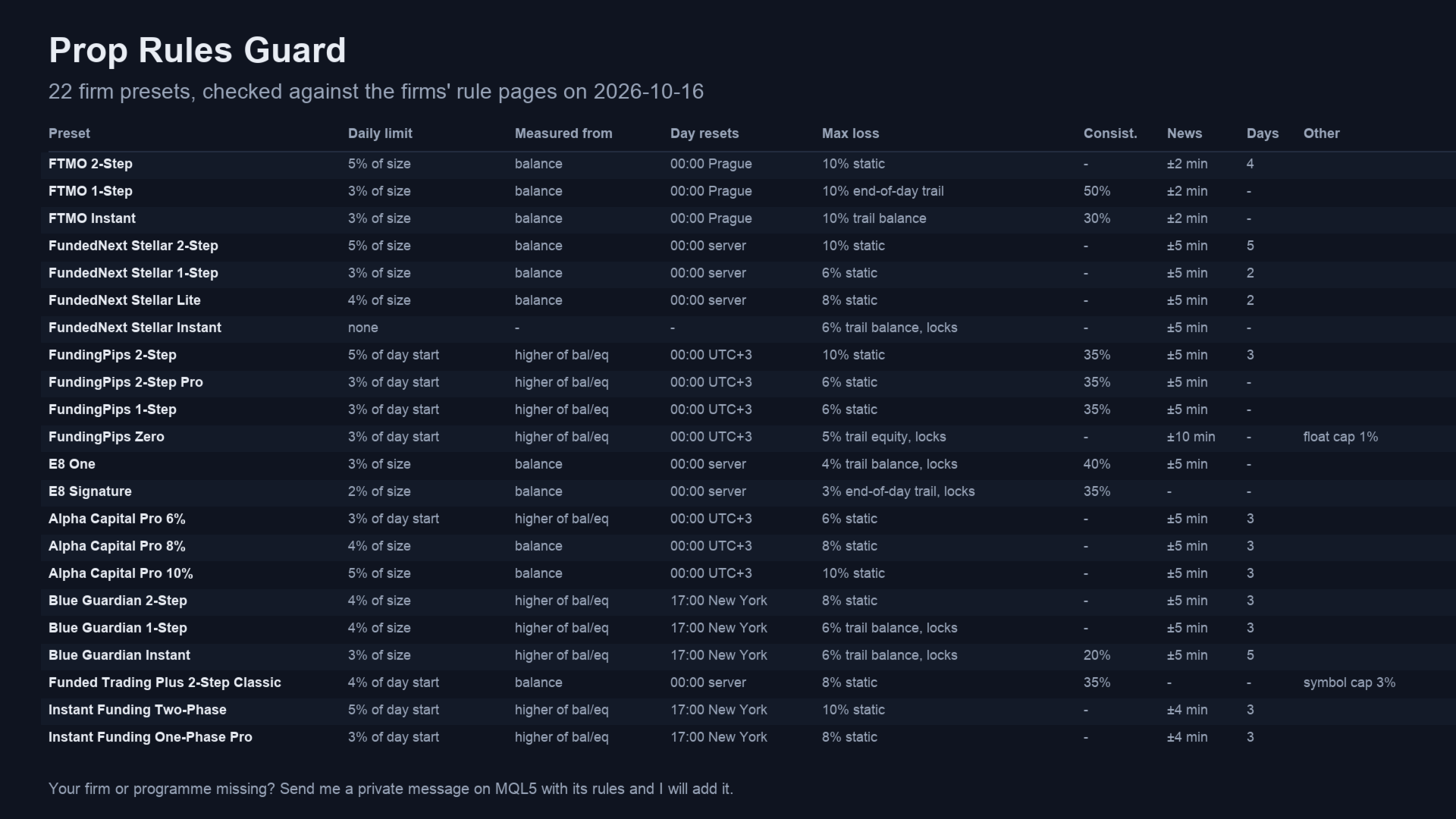
22 presets, checked against each firm's own rule pages on 2026-10-16: FTMO (2-Step, 1-Step, Instant), FundedNext Stellar (2-Step, 1-Step, Lite, Instant), FundingPips (2-Step, 2-Step Pro, 1-Step, Zero), E8 (One, Signature), Alpha Capital (Pro 6%, 8%, 10%), Blue Guardian (2-Step, 1-Step, Instant), Funded Trading Plus 2-Step Classic, Instant Funding (Two-Phase, One-Phase Pro). The Custom preset takes any other rule set. Firms change their rules: the panel shows the date each preset was checked, so compare it with your firm's current rules.
Your firm not listed? Send me a private message here on MQL5 with your firm and programme, the daily loss limit (% and what it is measured from), the daily reset time and time zone, the max loss and its type (static or trailing), and any consistency or news rule. I will add it as a preset in the next update. Until then, the Custom preset takes the same settings.
Before you use it on a firm account
- Check your firm's policy on Expert Advisors. Some firms allow risk-management EAs, some need approval, some forbid any purchased EA. The Guard only closes trades, but it is still an EA.
- Algo Trading must be on, or the Guard can only warn. The panel turns red when it is off.
- The buffer lowers the chance of touching a limit; it cannot remove it. In a fast market, a gap or a closed market, a close can fill beyond the lock level, even beyond the floor.
- Attach it to one chart only. A second copy on the same account stays inactive.
Inputs (main)
| Input | Default |
|---|---|
| Firm preset | Custom - or one of the 22 presets |
| Account size | 0 - 0 takes the first deposit |
| Profit target of this phase | 10% |
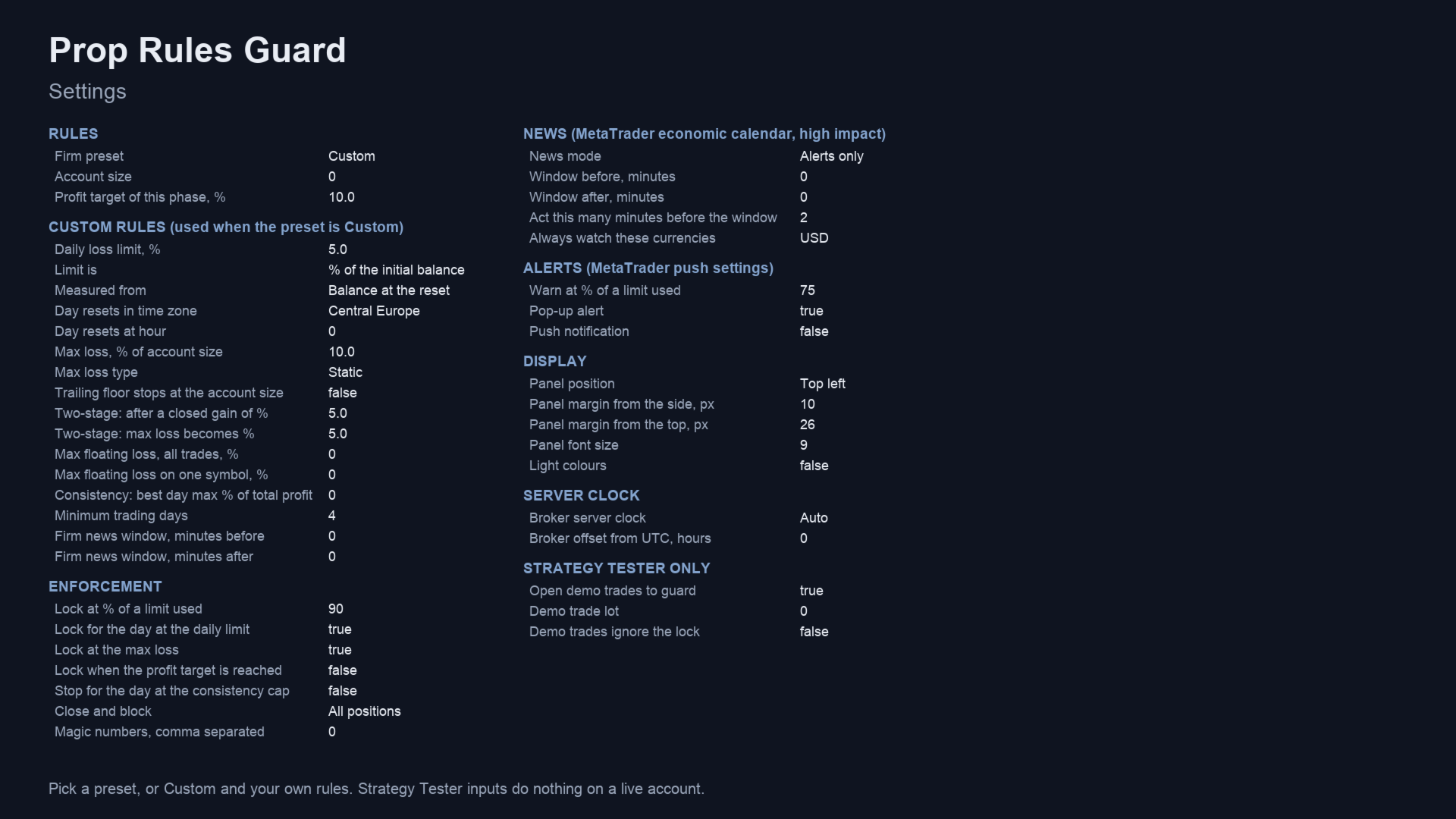
| Custom rules | daily %, measured from, reset zone and hour, max % and type, consistency, trading days, news window |
| Lock at % of a limit used | 90 |
| Lock for the day / at max loss / at target / at the consistency cap | on / on / off / off |
| News mode | Alerts only - or delete pendings, or close and delete, before the window |
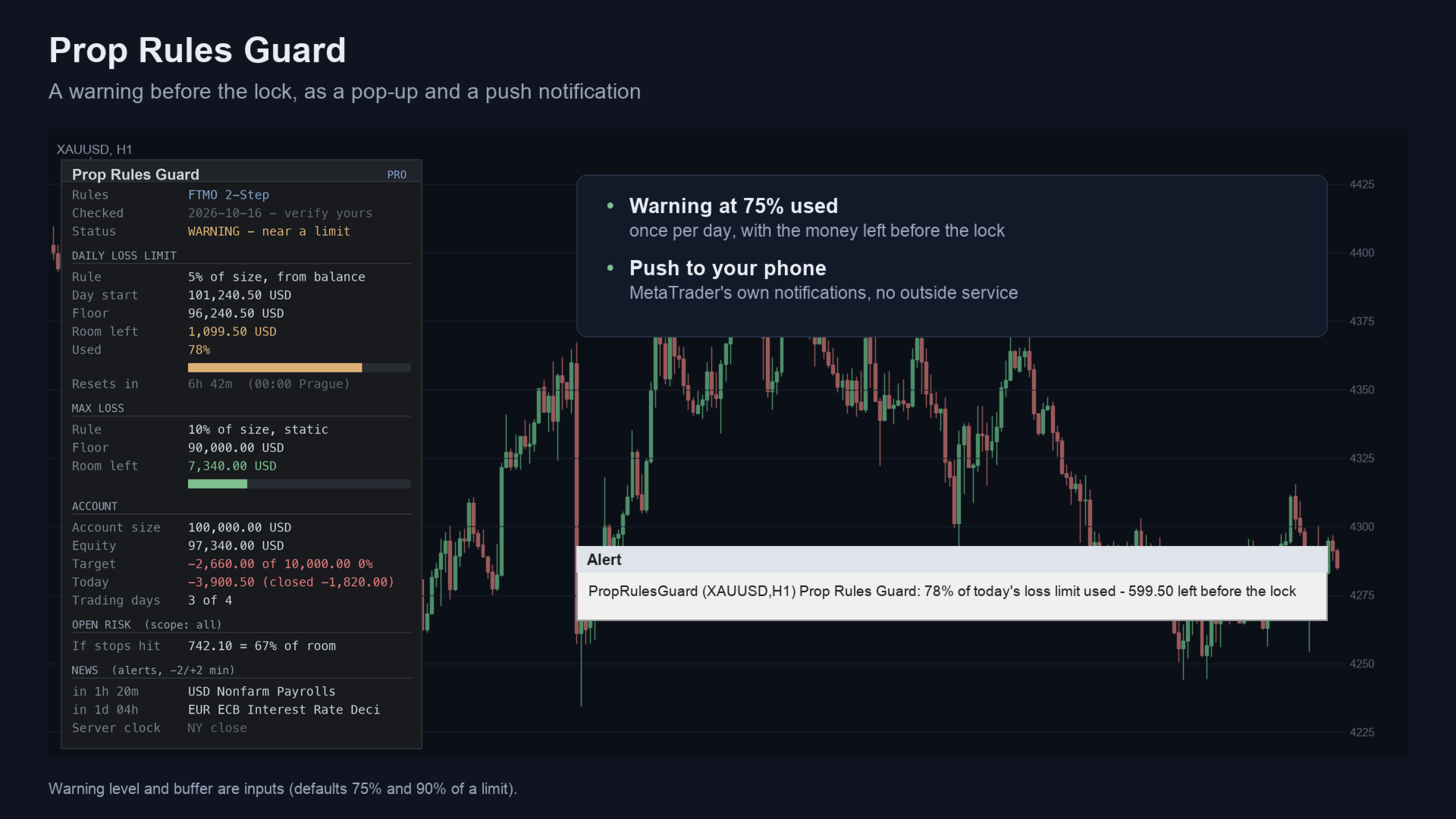
| Warn at % of a limit used | 75; pop-up and push notification |
Strategy Tester
In the tester only, the Guard opens small demo trades so you can watch it lock and unlock in visual mode. On a live or demo account it never opens a trade. In the tester the news filter uses a built-in list of high-impact USD releases, because the economic calendar is not available there.
Questions
- Does it stop me from breaking a rule? It closes and blocks trading before a limit, but fills in fast markets can go further. It lowers the risk; it cannot guarantee a pass.
- Will my firm accept it? That depends on the firm's EA policy. Ask the firm if you are unsure.
- Does it work with other EAs? Yes. It closes their trades too unless you limit the scope by magic number.
- What if the terminal is off? Nothing runs while the terminal is off. A VPS keeps it running.
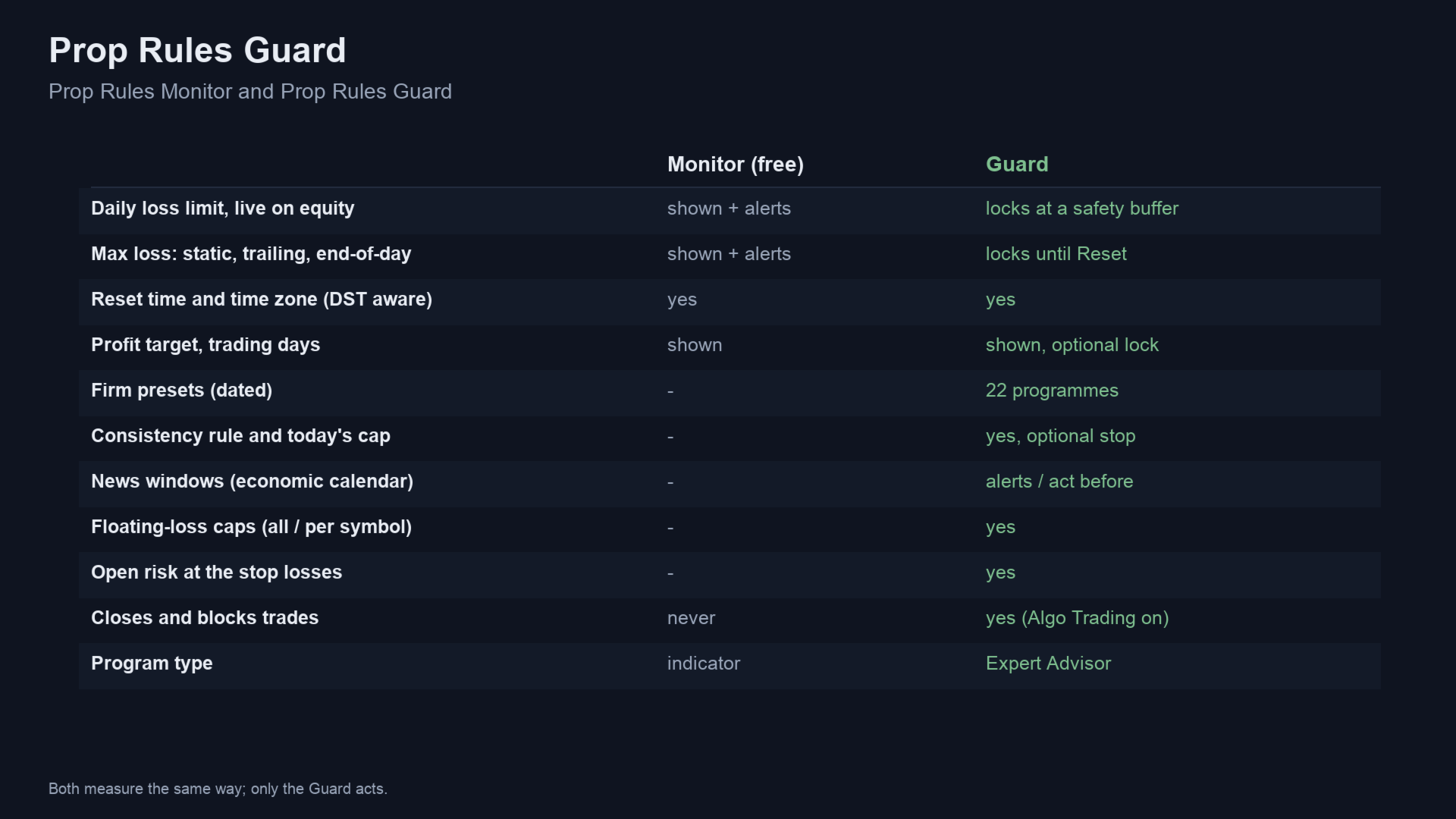
- Free version? Prop Rules Monitor shows the same daily and max-loss measurements with alerts, without closing anything.
Questions: use the comments on this page or send me a message on MQL5.
Trading involves risk. The Guard enforces limits you set; it does not predict the market and does not guarantee that an account passes or stays funded.