Prop Firm Payout Tracker

If you run more than one funded account, payout dates are easy to lose track of. One firm pays every two weeks, another once a month, a third whenever you ask. Prop Firm Payout Tracker puts them all in one panel on your chart, so you can see what is coming up, what is overdue, what your share is and what you have already withdrawn.

Add your firms once, link your accounts with their next payout date, and the tracker does the rest. It warns you in time and moves the date forward when you log a payout.

Key Features

  • One panel for all your funded accounts, on a single chart
  • Payout schedule per firm: BiWeekly (every 14 days), Monthly, or OnDemand when you set the date yourself
  • Automatic status for each account: Upcoming, Due Soon, Overdue or Paid
  • "Needs Attention" list on the Overview tab, most urgent account first
  • Profit split calculator: enter the total profit, see your share and the firm's share
  • Withdrawal log with account, amount, currency and date
  • Next due date set automatically after you log a withdrawal
  • One alert per account for each payout cycle
  • Everything is saved and comes back after a terminal restart

On-Chart Panel

Five tabs: Overview, Add Firm, Link Acct, Withdrawal and Help. Drag the panel anywhere, collapse it to one line, or switch between vertical and landscape layout. Your position and layout are remembered, and the colors work on dark and light charts.

Alerts

Choose a popup, a sound or a Telegram message sent to your own bot. An alert reads like this: "Payout Alert: Account 1234567 - Status: Due Soon (2 days)". If a Telegram message cannot be delivered, you get the popup instead.

Settings

  • General Settings: timer interval, reminder window in days
  • Alert Settings: alert method
  • Telegram Alert Settings (Optional): bot token and chat ID
  • Display Settings: currency label
  • Dashboard Panel Settings: start layout, start collapsed, panel position

Getting Started

  1. Attach the tracker to a chart (any symbol, any timeframe, one chart per terminal) and enable Algo Trading.
  2. On the Add Firm tab, enter your firm, split percent and payout frequency.
  3. On the Link Acct tab, link each account with its next payout date.
  4. Choose your alert method in the inputs.
  5. After each payout, log it on the Withdrawal tab.

For Telegram, create your own bot, enter its token and your chat ID in the inputs, press Start in the bot chat once, and add https://api.telegram.org under Tools, Options, Expert Advisors, Allow WebRequest. Keep the terminal running to receive alerts; a VPS is recommended.

Important Notes

  • This is a tracking and reminder tool. It does not trade and does not give signals.
  • You enter your own due dates and split percent. Check the current payout rules with your firm.
Recommended products
Alfa for MT5: Your Smart Trading Command Center Say goodbye to tedious operations and focus on decision-making. Tired of juggling multiple chart windows? Ever missed an opportunity or suffered a loss due to messy order management?   Alfa   is made for you. It's not just a tool; it's your   trading command center   deployed on the MT5/MT4 platform, designed to automate and intelligentize your workflow, freeing you from repetitive tasks and allowing you to focus on capturing market opportunities.
Market Projection Pro — MT5 Want to visualize how the price cycles in your chosen chart section could extend? Market Projection Pro analyzes a historical window you select, extracts cycle components and draws a composite projection to its right. You control the source window and forward horizon to compare the scenario with price structure and potential turning zones. What you see on the chart Interactive boundaries let you select a historical analysis window directly on the chart. Cycle componen
VibeFox Wolfe Waves — the 5-point reversal pattern with target line and entry points VibeFox Wolfe Waves is a real-time pattern indicator for MetaTrader 5. It scans the price structure for the classic Wolfe Waves formation — five alternating swing points that build a converging wedge — draws the pattern lines and the EPA target line right on the price chart, marks the entry point at point 5, and gathers every control into one modern interactive panel. Instead of hunting for the shape by hand, yo
Professional Renko Chart MT5 Professional Renko Chart MT5 is a clean MetaTrader 5 Renko chart indicator designed to display Renko bricks in a separate indicator window, with optional Renko box visualization directly on the main price chart. The indicator is built for traders who want a familiar Renko chart style inside MetaTrader 5, similar to the Renko chart visualization available on popular modern charting platforms such as TradingView. It converts normal time-based candles into Renko bricks
This utility EA will display simple renko, hence the name essential renko. The renko will be shown in a new tab and using custom symbol. Please do note (especially for those who new to Renko), that Renko does not follow timeline as it will follow price movement. That's why it has a lot of potential where you can attach any EA that you want and use any custom indicator in this new custom symbol for renko. Always use M1 timeframe. Most of the time you don't need to change anything. But if you d
FREE
Apex Precision
Laureano Echandi Salas
Apex Precision is a Forex Expert Advisor for MetaTrader 5. It combines six machine learning modules with technical analysis for multi-symbol trading. The system uses dynamic clustering with synchronization between chart instances to manage correlations, mean-variance portfolio optimization for capital allocation, and a configurable ensemble that combines several predictive models. The system has 15 groups of input parameters. It can operate from conservative to more active settings, and it can c
Babel Assistant
Iurii Bazhanov
4.33 (9)
Babel assistant 1 The MT5 netting robot "Babel_assistant_1" uses the ZigZag indicator to generate Fibonacci levels across M1, M5, M15, H1, H4, D1, and W1 timeframes, and calculates the strength of buy and sell trends. It opens a position using the "Lot for open a position" setting if the specified trend level of 4.925 is exceeded. Then, Babel places pending orders at certain Fibonacci levels and sets the specified Stop Loss and Take Profit lines. The screen displays the current results of the po
FREE
Renko Charting for MT5
Ammar Yaseen
3.67 (3)
Renko indicator helps develop Renko charts on different symbols. Advantages Drag and drop the indicator on M1 timeframe of the symbol chart Realtime updates Indicator can be used for Expert Advisors and technical analysis Backtest your strategy using Renko indicator Parameters BOX SIZE: Input the number of box size. The box size reflects the difference of the symbol price. So, a 50 box size would reflect a 5 pip value difference in a currency pair symbol Show Wicks: If true , high or low of th
Introduction to Smart Renko The main characteristics of Renko Charting concern price movement. To give you some idea on its working principle, Renko chart is constructed by placing a brick over or below when the price make the movement beyond a predefined range, called brick height. Therefore, naturally one can see clear price movement with less noise than other charting type. Renko charting can provide much clearer trend direction and it helps to identify important support and resistance level
Mean Reversion Scalper - Free EA Overview - Mean Reversion Scalper is a fully automated trading robot designed for the MetaTrader 5 platform. As the name suggests, this Expert Advisor operates on the mean reversion principle, identifying overextended price movements and capitalizing on the market's natural tendency to return to its average. The core logic is built around the Bollinger Bands indicator, one of the most popular and effective tools for identifying overbought and oversold conditio
FREE
Advanced CRT Indicator MT5 — Candle Range Theory Tool Advanced CRT Indicator MT5 is a professional analysis tool that automates Candle Range Theory. It identifies consolidation ranges, breakout levels, Fair Value Gaps (FVG), and profit targets, with a real-time dashboard and alerts. Overview - Multi-timeframe candle range detection   - Automatic breakout levels with buffer settings   - Fair Value Gap identification and tracking   - Up to three customizable target levels (Risk:Reward ratios)  
This SMT (Smart Money Technique) divergence indicator identifies discrepancies in price movement between two different trading symbols, helping traders detect potential market reversals. This tool compares the price action of two correlated assets, such as two currency pairs or indices, to spot divergences where one asset's price moves in the opposite direction of the other. For example, while one symbol may be making higher highs, the other might be making lower highs, signaling a divergence. T
FREE
Matreshka
Dimitr Trifonov
5 (2)
Matreshka self-testing and self-optimizing indicator: 1. Is an interpretation of the Elliott Wave Analysis Theory. 2. Based on the principle of the indicator type ZigZag, and the waves are based on the principle of interpretation of the theory of DeMark. 3. Filters waves in length and height. 4. Draws up to six levels of ZigZag at the same time, tracking waves of different orders. 5. Marks Pulsed and Recoil Waves. 6. Draws arrows to open positions 7. Draws three channels. 8. Notes support and re
DAILY OH/OL SDEV QUANT MODEL - STATISTICAL TRADING WITH PRECISION RISK MANAGEMENT TRADE WITH MATHEMATICAL CERTAINTY - KNOW YOUR EXACT STOP-LOSS AND TAKE-PROFIT BEFORE YOU ENTER This indicator analyzes 5,000+ days of price history to give you: Exact entry levels (sigma bands locked at daily open) Exact stop-loss distance (from M
Precision Instant
Jerson Daryl Herrera Arroyo
FREE TRY P.I.P.S FREE FOR 10 DAYS PRUEBA P.I.P.S GRATIS POR 10 DIAS EN: Download now and get a free 10-day trial license . Full features, demo account, no credit card needed. ES: Descarga ahora y obtén una licencia de prueba gratis por 10 días . Todas las funciones, cuenta demo, sin tarjeta de crédito. 10 DAYS 10 DIAS DEMO ONLY SOLO DEMO FULL ACCESS ACCESO COMPLETO NO CARD SIN TARJETA SEND A MESSAGE TO REQUEST YOUR FREE TRIAL ENVIA UN MENSAJE PARA SOLICITAR TU PRUEBA GRATIS P.I
Momentum Ninja Advanced MT5
Mohammed Maher Al-sayed Mohammed Ahmed Saleh
Momentum Ninja Advanced MT5 This indicator is an enhanced version of the classic Momentum indicator.  Main features: - Based on NinjaTrader-style momentum logic. - Uses EMA-based smoothing for cleaner and more stable readings. - Displays dynamic color changes to highlight bullish and bearish strength. - Sends alerts when the momentum crosses above or below zero. - Fully customizable and completely non-repainting. - Lightweight and optimized for all symbols and timeframes. How it differs from t
CRT Candle Range Theory HTF MT5 - Ultimate CRT Indicator: Advanced ICT Concepts and Malaysian SnR Trading System Master the Market Maker's Footprints with the Most Advanced Candle Range Theory Indicator. Unlock the true power of Smart Money Concepts (SMC) and trade precisely like the institutions with the Ultimate CRT Indicator. Built exclusively for serious traders, this indicator automates the highly effective Candle Range Theory (CRT), a core pillar of ICT Concepts (Inner Circle Trader), and
Short Description: Prop Firm Protector EZ MT5 is an EA designed to protect your funded account by managing risk and ensuring compliance with the Prop Firm's trading rules. This EA automatically monitors equity levels, closes trades when profit targets or drawdown limits are reached, and provides a visual display of key account metrics. The EA features a Super Easy setup, is simple to use, and works with all different Prop Firm service providers. Overview: Prop Firm Protector EZ MT5 is an Draw
Nfi Sniper EA
Krzysztof Karleszko
5 (1)
NFI Sniper EA — Automated NFP Straddle for EURUSD | MT5 From $1,000 to $18,000 — one trade per month, fully automated. Every first Friday of the month, the US Nonfarm Payrolls report drops at 13:30 UTC. The market explodes. Most traders panic, hesitate, miss the entry, or chase the spike and get stopped out. NFI Sniper EA does it for you — automatically, precisely, every single time. While you are asleep, at work, or simply living your life, the EA is already armed and waiting. It knows when
https://www.mql5.com/tr/users/bilisimprofesoru/seller XAUUSD Özel Set Dosyası (Güncellendi)   Gerekli Bakiye:    20.000 Cent-200 usd ya da 20000 usd Odak noktası: 29-30 Ocak 2026   tarihlerinde gözlemlenen büyük XAU kazası .   Amaç:   Piyasadaki sert düşüşler sırasında hesap dayanıklılığını artırmak ve güvenli bir çıkış sağlamak. Dosya ektedir. Kullanmadan önce geriye dönük testler yapmanızı şiddetle tavsiye ederim. En son güncellenen dosya 4 numaralı yorumda yer almaktadır. Grid Trend Pro v2.
Trend Channel is a Forex trend arrow indicator for identifying potential entry points. I like it, first of all, because it has a simple operating mechanism, adaptation to all time periods and trading tactics. Created based on a regression channel with filters. We display the signals of the Trend Channel indicator on the price function chart using a mathematical approach. How it works: when the price breaks through the overbought/oversold zone (channel levels), a buy or sell signal is generated
DonchianMaster
Francesco Pinta
This EA is based on the classic donchian channel and can be applied to any instrument. It allows you to work both in breakout and in reversal mode, changing the timeframe and the length of the channel. It also integrates a volatility-based filter derived from the ATR that allows you to isolate the best conditions on the market. Another feature is that it works with market orders only, eliminating the problems related to stop levels of some brokers.
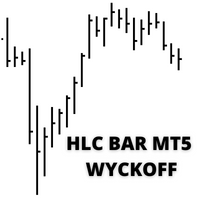
HLC bar MT5 Wyckoff
Eduardo Da Costa Custodio Santos
The indicator "HLC_bar_MT5 Wyckoff" for MT5 has been created to facilitate analysis at trade time. The HLC Bar was used by Richard Wyckoff and is currently widely used in "VSA" operations. Wyckoff found that using High, Low, and Close made the graph much cleaner and easier to analyze. The Indicator "HLC_bar_MT5 Wyckoff" allows: # Change the bar width; # Leave the bar the same color; # And highlight the bar that opened and closed at the same price. Colors and width is easily modified in settings
The Expert Advisor is used to create Renko chart, realtime updates, easy for technical analysis. Backtest your strategy with all indicators with Renko chart in MetaTrader 5. Parameters Box Size : input the number of box size. Show Wicks : if true , draw a candle with high/low. History Start: input the date to creat first candle. Maximum Bars: limit number of bars on renko chart How to use Attach the Expert Advisor to a chart (timeframe M1), for which you want to create a renko. Input box size a
Eazy RSI Divergence
Gawain Athur Stephan Cloete
Eazy Divergence is a non-repainting MT5 indicator designed to automatically detect and plot Regular and Hidden divergence signals in real time Key Features Dual-Window Plotting: Displays divergence trendlines and text badges directly on both the main price chart and the RSI subwindow. 100% Non-Repainting: Uses left/right pivot strength confirmation so signals stay fixed once drawn. Full Multi-Timeframe Support: Adapts instantly to whatever chart timeframe you are viewing. Fully Customizable: Eas
SmartGridHedge Cent EA – Chuyên gia tư vấn giao dịch lưới vàng thích ứng Tổng quan SmartGridHedge Cent EA là một Expert Advisor được thiết kế cho giao dịch dựa trên lưới trên vàng và các mã giao dịch được hỗ trợ khác. Nó kết hợp khoảng cách lưới thích ứng, lọc xu hướng, quản lý vị thế và kiểm soát rủi ro tài khoản trong một hệ thống giao dịch có thể cấu hình. EA được thiết kế để tự điều chỉnh khoảng cách lưới theo sự biến động của thị trường và điều kiện chênh lệch giá, đồng thời cung cấp các t
Haven Stop Loss Hunter
Maksim Tarutin
4.5 (6)
Haven Stop Loss Hunter 2.0 - A New Level of Liquidity Analysis Meet the major update — Haven Stop Loss Hunter 2.0 ! This is a professional tool designed for identifying liquidity pools and false breakouts (Sweeps), now with even greater flexibility and functionality [1]. In this version, we have implemented full multi-timeframe (MTF) analysis and an advanced alert system, helping you track market manipulations based on the Smart Money Concept with timely notifications, without wasting time switc
FREE
Buyers of this product also purchase
Trade Assistant MT5
Evgeniy Kravchenko
4.43 (216)
It helps to calculate the risk per trade, the easy installation of a new order, order management with partial closing functions, trailing stop of 7 types and other useful functions. Additional materials and instructions Installation instructions - Application instructions Line function -   shows on the chart the Opening line, Stop Loss, Take Profit. With this function it is easy to set a new order and see its additional characteristics before opening.   Risk management  - The risk calculation
Forex Trade Manager MT5
InvestSoft
4.98 (687)
Trade Manager MT5 is an advanced position size calculator and trade management tool for MetaTrader 5, designed to help traders plan trades faster, control risk more precisely, and manage open positions directly from the chart. It combines order placement, risk based lot calculation, Stop Loss and Take Profit management, Break Even, Trailing Stop, Partial Close, Equity Protection, and external trade management in one panel. Whether you trade forex, indices, metals, commodities, crypto, or future
Telegram to MT5 MultiChannel Copier
Sergio Marquez Uroz
4.65 (20)
Telegram to MT5 Multi-Channel Copier   automatically copies trading signals from your Telegram and Discord channels straight to MetaTrader 5. No bots, no browser extensions, no manual copying. A signal arrives in Telegram or Discord and the EA opens the trade in your terminal within seconds. And before you copy a channel, the built-in backtester shows you what that channel would have done in your account. The product has two components: a Windows application that listens to your Telegram channel
================================================================================ POC BREAKOUT - V20.72. Full Professional Grade Toolkit ================================================================================ POC Breakout is a full MetaTrader 5 trading dashboard for discretionary traders who want breakout signals, Point of Control (POC) context, volume profiles, order flow, market structure, news, alerts, and advanced trade planning in one professional workspace. Attached directly to you
FarmedHedge Pair Trading Dashboard
Tanapisit Tepawarapruek
5 (6)
Farmed Hedge Yield Farming | All Markets (Manual - Hybrid - Semi/Automated EA) VERIFIED TRADING RESULTS - Farmed Hedge Yield Axi Copy:  https://www.mql5.com/en/signals/2356376 - Farmed Hedge Yield Exn Copy:   https://www.mql5.com/en/signals/2356404 - Farmed Hedge Yield V Copy:  https://www.mql5.com/en/signals/2357156 IMPORTANT NOTICE: FarmedHedge is a MANUAL-FOCUSED TRADING UTILITY ,not a fully automated EA. Results shown on this Signal include manual trades and overall strategic management.
Copy Telegram signals with your own trading rules Telegram to MT5 Signal Trader automatically copies text-based trading signals from public and private Telegram channels and groups into MetaTrader 5. Manage multiple providers and MT5 accounts from one desktop app, with individual risk and trade settings for each provider . No Telegram bot or API setup needed for copying. Simply sign in with your own Telegram account by phone or QR code and select the channels or groups you have already joined. Y
TradePanel MT5
Alfiya Fazylova
4.88 (170)
Trade Panel is a multi-functional trading assistant. The app contains over 50 trading functions for manual trading and allows you to automate most trading tasks. Application instructions: https://www.mql5.com/en/blogs/post/756482 Trial version of the application for a demo account: https://www.mql5.com/en/blogs/post/750865 How to install the application: https://www.mql5.com/en/blogs/post/756239 How to test the application in visual mode: https://www.mql5.com/en/blogs/post/770277 How to install
Master Your Trading Discipline   Stop losing your hard-earned gains to overtrading and emotional decisions. The Discipline Tool is your ultimate trading assistant, ensuring strict risk management in real-time. Key Protection Features: Advanced Drawdown Defense : Automatically halts trading if your daily drawdown exceeds a preset threshold (percentage or dollar amount). Real-Time Equity Lock : Safeguard profits by referencing peak equity, ensuring drawdown stays within control. Hard Profit Target
Power Candles Strategy Scanner - Self-Optimizing Multi-Symbol Setup Finder Self-optimizing settings work one chart at a time, and finding where they pay off right now means opening chart after chart. Power Candles Strategy Scanner runs the same self-optimizing engine as the Power Candles indicator on every symbol in your Market Watch, side by side. One panel ranks where it pays off: the winning strategy per symbol, its optimized Stop Loss and Take Profit. An alert fires the moment a fresh signal
Entry In The Zone with SMC Multi Timeframe is a real-time market analysis tool based on Smart Money Concepts (SMC), designed to analyze market structure, price direction, and key trading zones. It supports both Single-Timeframe and Multi-Timeframe Analysis, providing a clearer view of overall market structure across multiple timeframes, with real-time BUY / SELL signals designed with a strict focus on No-Repaint principles.   The signals are designed to help filter unclear setups and evaluate tr
EasyInsight AIO MT5
Alain Verleyen
4.92 (12)
EASY Insight AIO – All-In-One Power for AI-Driven Trading Want to skip the setup and start scanning the entire market – Forex, Gold, Crypto, Indices, and even Stocks – in seconds? EASY Insight AIO is the complete plug-and-play solution for AI-powered trade analysis. It includes all core Stein Investments indicators built-in and automatically exports clean, structured CSV files – perfect for backtesting, AI prompts, and live market decision-making. No need to install or configure indicators manu
The product will copy all telegram signal to MT5 ( which you are member) , also it can work as remote copier.  Easy to set up, copy order instant, can work with almost signal formats, image signal,  s upport to translate other language to English Work with all type of channel or group, even channel have "Restrict Saving Content", work with  multi channel, multi MT5 Work as remote copier: with signal have ticket number, it will copy exactly via ticket number. Support to backtest signal. How to s
Trade Indicator Assistant   is a powerful MT5 utility designed to turn indicators into automated trading systems. Its main feature is the ability to automatically detect an indicator’s   BUY and SELL signal buffers , without requiring you to know the buffer numbers, search through indicator settings, or modify the indicator source code. Bonus Indicator:   After purchasing Trade Indicator Assistant, contact me to receive   Trade Signal Pro   completely free as a bonus indicator. [Download Demo V
Grid Manual MT5
Alfiya Fazylova
4.73 (22)
Grid Manual is a trading panel for working with grid strategies. The utility is universal, has flexible settings and an intuitive interface. It works with a grid of orders not only in the direction of averaging losses, but also in the direction of increasing profits. The trader does not need to create and maintain a grid of orders, the utility will do it. It is enough to open an order and the "Grid manual" will automatically create a grid of orders for it and will accompany it until the close. F
The Patch
Mian Rameez Ali
The Patch It never opens a trade. It walks behind the ones that did. Every open position, every pending order — checked twice a second for the one thing that's easy to forget: a stop, a target. Found bare, it doesn't ask. It writes the missing number in, measured in points from wherever the position began, and moves on to the next. No strategy, no opinion on direction. Just the quiet assumption that nothing should ever sit on the market unprotected — not because someone decided it shouldn't,
EA Overfitter
Stephen J Martret
5 (1)
That backtest looks great. But will it still be making money tomorrow, next week, next month? EA Overfitter re-runs your EA on 100 price histories it has never seen. One score tells you if the edge is real. A backtest tells you what an EA did on one price history — the one that happened to occur. What you cannot tell from it is how much of that result was the strategy and how much was the particular path. EA Overfitter answers that. It builds up to 100 synthetic price histories your EA has n
Anchor Trade Manager
Kalinskie Gilliam
5 (9)
Your EAs cannot see each other, but Anchor can. Anchor gives you one place to coordinate your EAs, manage risk, and decide when trading is allowed. It works alongside the trading bots you already use without any changes to them. The Problem One EA opens a trade. Then another starts trading. The next thing you know, you wake up to multiple grids built across your account. Each EA may be doing exactly what it was designed to do, but together they can place far more risk on your account than you in
Floor Watch
Syed Tauqeer Hussain Shah
Floor Watch One number, watched every thirty seconds: how far equity has fallen since the day began — or since its highest point, if it's told to trail the peak instead of the open. Cross the line and it doesn't argue. Every open position closes, every pending order vanishes, and anything that slips through afterward gets shut the moment it appears. Not asked. Removed. The floor holds until the clock turns 5 AM Pakistan time — then, and only then, does the day start over. One rule. No except
MT5 to Telegram Signal Provider turns your trading account into a signal provider. Every trade action, whether manual, by EA or from your phone, is instantly sent as a message to Telegram. You can fully customize the format or use a ready-made template for quick setup. [ Demo ] [ Manual ] [ MT4 Version ] [ Discord Version ]     New: [ Telegram To MT5 ] Setup A step by step user guide is available. Key Features Ability to customize order details sent to subscribers You can create a tiered subs
RETAILBERG FOOTPRINT CHART PRO — Order-Flow Workspace for MetaTrader 5 Version 7.00  |  Professional System  |  31 tools  |  One chart A full 150-page illustrated User Manual is included. Please read the full manual to understand this feature packed footprint chart elements and ui. https://www.mql5.com/en/blogs/post/777982 DEMO / STRATEGY TESTER — PLEASE READ FIRST
The MT5 to Discord Signal Provider is a user-friendly, fully customizable utility designed for sending trading signals directly to Discord. This tool transforms your trading account into an efficient signal provider. Customize message formats to suit your style! For ease of use, select from pre-designed templates and choose which message elements to include or exclude. [ Demo ] [ Manual ] [ MT4 Version ] [ Telegram Version ]  New: [ Telegram To MT5 ] Setup Follow our detailed user guide for eas
Buy once. Get all my MT4 and MT5 indicators - available now and released in the future - at no extra cost. Contact me after purchase for instructions to receive them. The price is planned to rise by 50$ after every 10 purchases, up to 999$. The Market price at checkout applies. Keep the indicator you trust. Automate the work around it. Your signal. Your rules. Your execution. Already have an MT5 indicator you rely on, but still need to watch the chart, wait for a signal, calculate the lot, plac
AI Trading Assistant | Discord/Telegram → MetaTrader 5 Automation An advanced automation framework that enables natural language trade instructions sent from Discord or Telegram to be executed automatically on MetaTrader 5 using n8n workflows and a custom Expert Advisor. This solution integrates modern workflow automation with MetaTrader 5, allowing users to send trade instructions such as: “buy EURUSD 1% risk 30 pip SL 3R TP” “sell GBPUSD now 2% 20 SL 60 TP” “buy limit EURUSD at 1.0850 with 1%
Trader Evolution
Siarhei Vashchylka
5 (7)
" Trader Evolution " - A utility designed for traders who use wave and technical analysis in their work. One tab of the utility is capable of money management and opening orders, and the other can help in making Elliott wave and technical analysis. Manual (Be sure to read before purchasing) | Version for MT4 Advantages 1. Trading in a few clicks. Immediate and pending orders are available in the panel 2. Money management. The program automatically selects the appropriate lot size 3. Simplifies
YuClusters
Yury Kulikov
4.93 (43)
Attention: You can view the program operation in the free version  YuClusters DEMO .  YuClusters is a professional market analysis system. The trader has unique opportunities to analyze the flow of orders, trade volumes, price movements using various charts, profiles, indicators, and graphical objects. YuClusters operates on data based on Time&Sales or ticks information, depending on what is available in the quotes of a financial instrument. YuClusters allows you to build graphs by combining da
Premium Trade Manager - The Trade Panel With a Coach Built In Premium Trade Manager puts a trading coach inside your chart, with a full execution engine underneath it. Set the trade up the way you always do, then let Max, your AI trading coach, read that exact setup against your live account and give you a straight verdict before you commit: is the stop disciplined, is the risk sane, is a high-impact release minutes away, are you near a prop-firm limit. Below sits the engine that runs everything
Trade Manager DaneTrades
Levi Dane Benjamin
4.23 (30)
DaneTrades Trade Manager is a professional trade panel for MetaTrader 5, designed for fast, accurate execution with built‑in risk control. Place market or pending orders directly from the chart while the panel automatically calculates position size from your chosen risk, helping you stay consistent and avoid emotional decision‑making. The Trade Manager is built for manual traders who want structure: clear risk/reward planning, automation for repeatable management, and safeguards that help reduc
Quant AI Agents
Ho Tuan Thang
5 (1)
Quant AI Agents are independent trading Expert Advisors. Instead of trading using a fixed strategy like other conventional EAs, Quant AI Agents   is a   multi-agent AI trading framework   that turns natural-language strategy prompts into live.  WANT THE SAME RESULTS AS MY LIVE SIGNAL?   Use the exact same brokers I do:   IC MARKETS , IC TRADING   .  Unlike the centralized stock market, Forex has no single, unified price feed.  Every broker sources liquidity from different providers, creating un
VirtualTradePad PRO SE MT5 — professional trading control center for MetaTrader 5 VirtualTradePad PRO SE is a premium chart-based trading panel and trade-management workspace for MetaTrader 5 . It is designed for traders who want faster execution, clearer position control, structured trade management, visual level planning and a professional workflow directly from the chart. This is not only a BUY / SELL panel. PRO SE combines manual trading, pending orders, position management, partial exits, b
Daily Trading Limiter
AL MOOSAWI ABDULLAH JAFFER BAQER
5 (8)
• Please test the product in the Strategy Tester before purchasing to understand how it works. • If you face any issues, contact me via private message—I’m always available to help. • After purchase, send me a screenshot of your order to receive a FREE EA as a gift. Daily Trading Limiter — the rule you cannot break Every trader knows the number. Three trades. Two percent. One bad day and stop. And every trader has watched themselves take the fourth trade anyway. The problem was never knowing th
More from author
RampartGold
Muhammad Naveed Hassan
Rampart Gold is a swing-trading Expert Advisor for XAUUSD on the H4 timeframe. It trades market structure shifts (BOS / CHOCH) with M5 confirmation entries, percentage-based risk sizing, and ATR-based stop-loss placement. Built for traders who value low drawdown and long-term statistical consistency, not high monthly returns. **FULL DESCRIPTION / OVERVIEW** Rampart Gold identifies Break of Structure (BOS) and Change of Character (CHOCH) events on the H4 timeframe for XAUUSD, then confirms en
Fortress Compliance Monitor is a prop firm rule monitor for MetaTrader 5. It tracks twelve evaluation and funded-account rules and warns you, on the chart and by alert, before a limit is breached. This is a monitoring utility, not a trading robot. It contains no order functions. It never opens, closes or modifies a position. It reads your account and your trade history, and it reports. Every trading decision stays yours. Attach it to one chart on the account you want to monitor. It reads the
TiltGuard Enforcer
Muhammad Naveed Hassan
Set your daily loss, drawdown and over-trading limits once. TiltGuard Enforcer measures live equity against them second by second and locks the account the moment a limit is reached. Built for funded accounts, evaluations and any written rule set where one number ends the account. It does not trade, does not give signals, and never stops you from closing a position you already hold. Developed and proven on live charts with real positions. Every screenshot on this page is from a live run. Key Fea
ExecutionProof Auditor
Muhammad Naveed Hassan
Catch every spread spike, slippage, and broker inconsistency — with timestamped, exportable proof. Overview ExecutionProof Auditor is a passive monitoring and evidence-logging utility for MetaTrader 5. It continuously tracks real execution quality — spread behavior, order slippage, and broker-advertised-vs-actual spread — across your entire symbol watchlist, and turns every meaningful deviation into timestamped, exportable evidence you can use to support a broker dispute, verify a prop firm's
See the correlated risk hidden across all your open trades — live on the chart, with an exposure cap and clear alerts. OVERVIEW Many traders size each trade carefully, but still take more risk than intended because several open positions depend on the same currency or move together. EURUSD and GBPUSD bought together are largely one USD trade. A "hedge" on a negatively correlated pair can cancel itself out and only add spread. Correlation and Overexposure Checker scans every open position on t
Enter your firm's daily loss and drawdown limits once. Multi-Account Risk Sync Panel checks your account against them all day and, the moment a limit is reached, closes your open positions, deletes your pending orders and stops itself. Built for prop firm challenges, funded accounts and any account with a hard loss limit. It does not open trades, does not copy trades and does not touch any other account. Every screenshot on this page is from a live demo chart. Key Features Daily loss limit as a
Filter:
No reviews
Reply to review