Msmo Lot Pilot MT4
- Utilities
-
Mohamed Osman
 Certified Financial Technician (CFTe) | Technical Analyst & MQL4/MQL5 Developer | 12+ Years in Markets
About:
Certified Financial Technician (CFTe) — International Federation of Technical Analysts (IFTA)
Certified ESTA Technical Analyst (CETA) — Egyptian Society of Technical Analysts - Version: 1.0
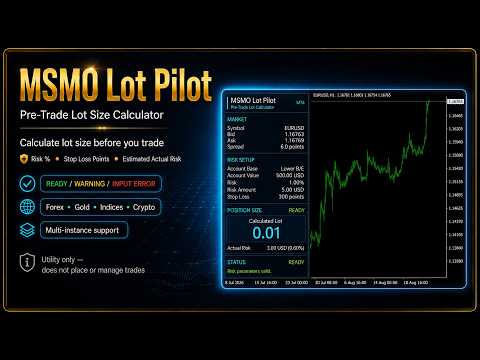
MSMO Lot Pilot MT4 is a pre-trade lot size calculator and information panel for MetaTrader 4. It helps answer one practical question before a manual trade: what lot size fits the risk you have chosen?
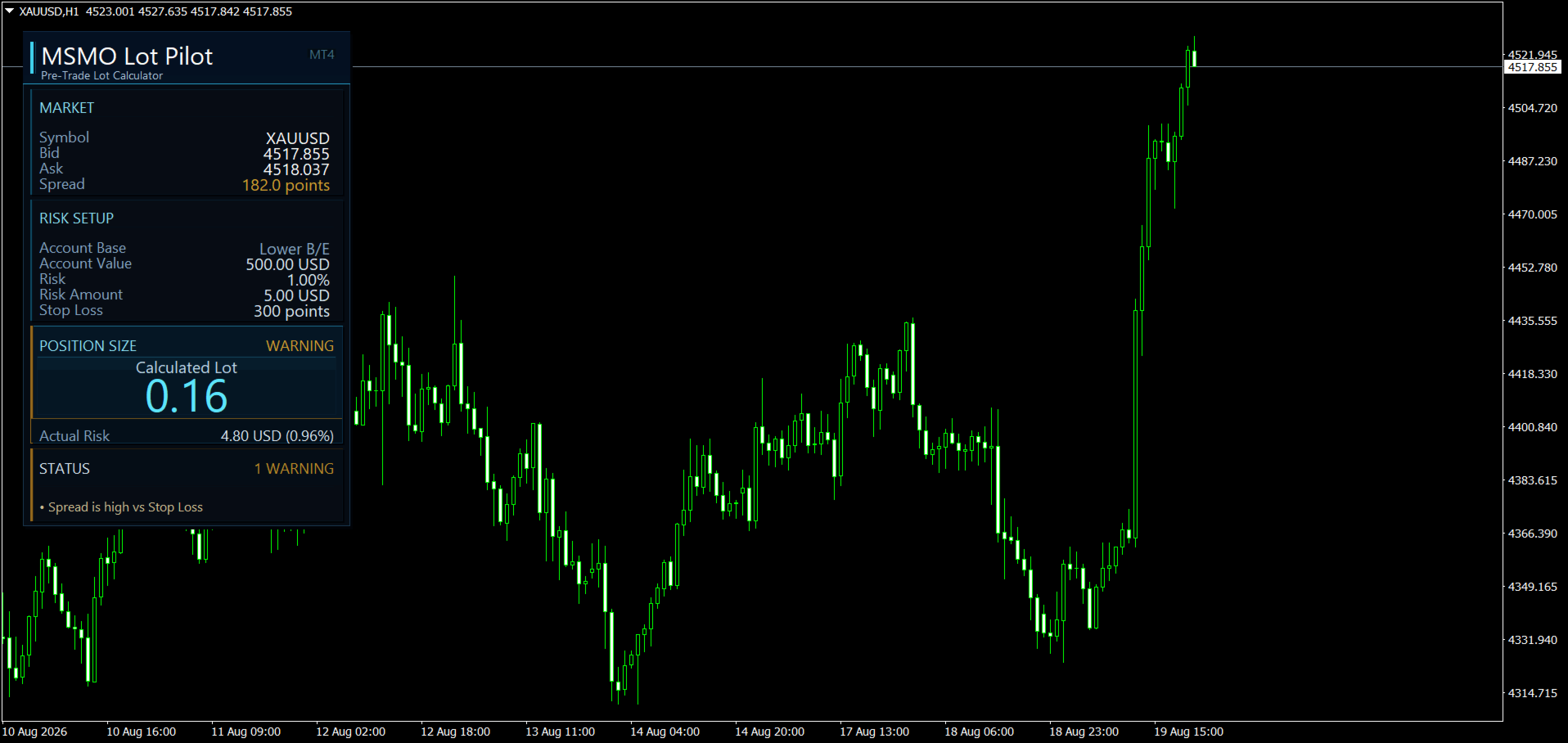
Set your Risk Percent, planned Stop Loss distance in symbol points, and Account Base. MSMO Lot Pilot MT4 calculates the lot size using the symbol specifications reported by your broker and displays the estimated Actual Risk for the final normalized volume.
MSMO Lot Pilot MT4 is a calculation and display utility only. It does not open, close, modify or manage trades, and it does not provide buy or sell signals.
Key features
-
Risk-based lot size calculation
-
Balance, Equity, Lower B/E or Higher B/E as the Account Base
-
Estimated Actual Risk in money and percentage
-
Bid, Ask and Spread display
-
Broker-aware calculation using Point, Tick Size, Tick Value and volume limits
-
Optional Tick Value, Tick Size, Point Value/Lot and volume information
-
READY, WARNING, INPUT ERROR, WAITING FOR DATA and CALCULATION UNAVAILABLE states
-
Multiple instances on the same chart with different risk setups
-
Works with symbols where the broker provides the required specifications; screenshots include Forex, gold, index and crypto examples
How the calculation works
Each symbol can have its own Minimum Volume, Maximum Volume and Volume Step. MSMO Lot Pilot MT4 calculates the raw position size, floors it to the permitted volume step, and recalculates the estimated risk for that final lot.
This is why Actual Risk can be slightly lower than the selected target risk.
If the required lot is below the broker minimum volume, the utility does not automatically increase it to the minimum. It reports the calculation as unavailable rather than increasing the position above the selected risk target.
A final safety check verifies that the estimated Stop Loss risk of the normalized lot does not exceed the selected risk target.
Status and warnings
READY means the required inputs and broker data are valid and the calculation is available.
WARNING means the calculation is available, but a configured condition requires attention. Warnings can indicate Risk Percent above the threshold, Spread high relative to Stop Loss, a lot capped by Maximum Volume, or Safe Floor remaining enforced when switched off.
INPUT ERROR identifies invalid inputs such as Risk Percent or Stop Loss equal to or below zero, or Stop Loss distance not aligned with the symbol Tick Size.
The panel can also display WAITING FOR DATA or CALCULATION UNAVAILABLE when required terminal, market or broker information is unavailable.
How to use
-
Attach MSMO Lot Pilot MT4 to the chart of the symbol you plan to trade.
-
Enter the Risk Percent.
-
Enter the planned Stop Loss distance in symbol points.
-
Select the Account Base.
-
Review the Calculated Lot.
-
Check Actual Risk and the current Status.
-
Use the information in your own manual trading workflow.
Important notes
Stop Loss is entered in symbol points, not pips.
Displayed risk figures are estimates for pre-trade planning and do not include commissions, swaps, slippage or price gaps.
Spread is displayed for context and can trigger a warning, but it is not added to the Stop Loss distance used in the risk calculation.
Calculations depend on symbol specifications and market information supplied by your broker. Different brokers can report different Tick Size, Tick Value, Spread and volume specifications.
MSMO Lot Pilot MT4 does not use DLL imports or external network requests.
Complete User Guide
For detailed instructions, input explanations, status messages, broker-aware calculation details, and frequently asked questions, see: